

MEKO Pencil for iPad (2018-2025) with Digital Power Display and USB‑C fast charging
Product description
If you use your iPad for notes, sketches, or work on the go, the one annoyance you really want to avoid is your stylus dying at the wrong time. The MEKO Pencil is built around a practical idea: make battery status visible and keep charging simple, so you spend less time thinking about maintenance and more time writing.
That said, this is still a “compatible” stylus rather than an Apple-branded Pencil, so it suits certain buyers better than others. The best choice depends a lot on which iPad model you’ve got and whether you care about features like tilt sensitivity and palm rejection.
The essentials
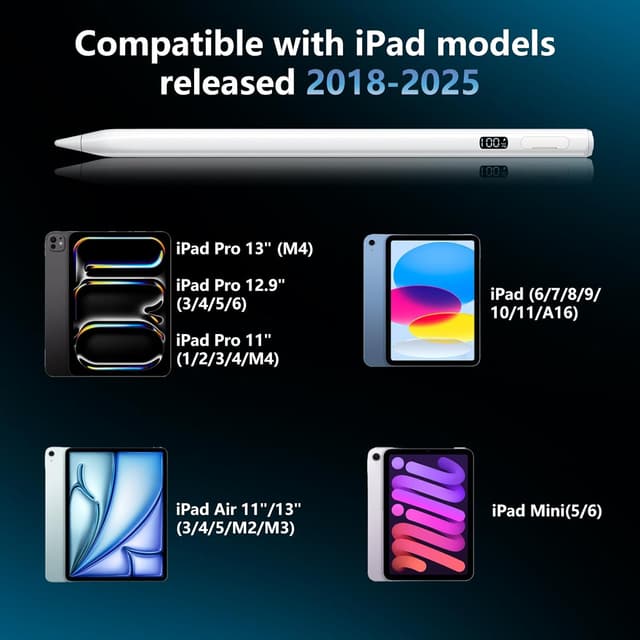
The MEKO Pencil for Apple iPad 2018–2025 is a stylus designed for a wide range of iPads, including several iPad Pro, iPad Air, iPad (base models), and iPad mini generations listed in the compatibility description. Its standout point on paper is a built-in LED “Digital Power Display” that shows the exact battery percentage of the stylus, helping you plan when to recharge.
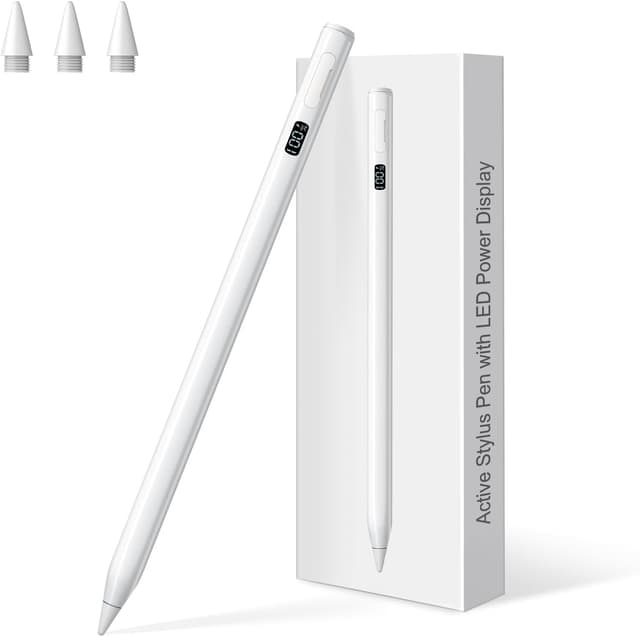
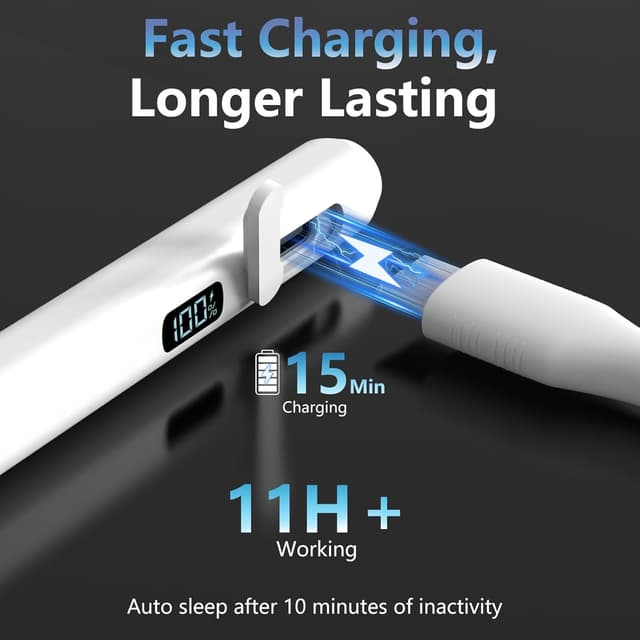
For day-to-day use, it’s also positioned as an everyday working pen: an auto-sleep function activates after 10 minutes of inactivity (to help preserve battery health), and it includes USB‑C fast charging. Alongside that, the design uses a 4-sided barrel for a steadier grip, which is the kind of small change that can actually matter during longer writing or drawing sessions.
What to know before buying
Compatibility is the big checkpoint here. The product description claims support across iPad models from 2018 to 2025, including specific iPad Pro sizes (11-inch and 12.9/13-inch), iPad Air 3rd to 5th (and Air 11/13-inch with M2/M3), iPad 6th to 11th (with A16 noted on iPad 11), and iPad mini 5th to 7th (with A17 Pro noted). If your iPad model isn’t in that list, you’ll want to double-check before purchasing.
Also worth keeping in mind: while it supports features like palm rejection and tilt sensitivity (useful for more natural sketching), performance can be “good enough” rather than perfection for every artist. If you’re the type who expects the most responsive, highest-end feel possible from a stylus, you may find this sits more in the value-to-mid tier of options.

Where it shines in everyday use
A digital battery percentage display is genuinely useful if you frequently move between home, work, and study. Instead of guessing or discovering the stylus has run out mid-session, you can glance at the LED screen and decide whether you need a top-up.
There’s also the practical charging angle: the description states a full charge takes just 15 minutes using the included USB‑C fast-charging cable, with up to 11 hours of working time. So, if you’ve got a busy day of commuting and meetings, you’re not relying on a long charging routine.
On the creative side, palm rejection aims to let you rest your hand on the screen without unwanted marks. Tilt sensitivity is there too, so changing the angle can affect stroke thickness and shading—useful for quick doodles, handwriting, and more expressive sketching.
Design and comfort (the details you notice)
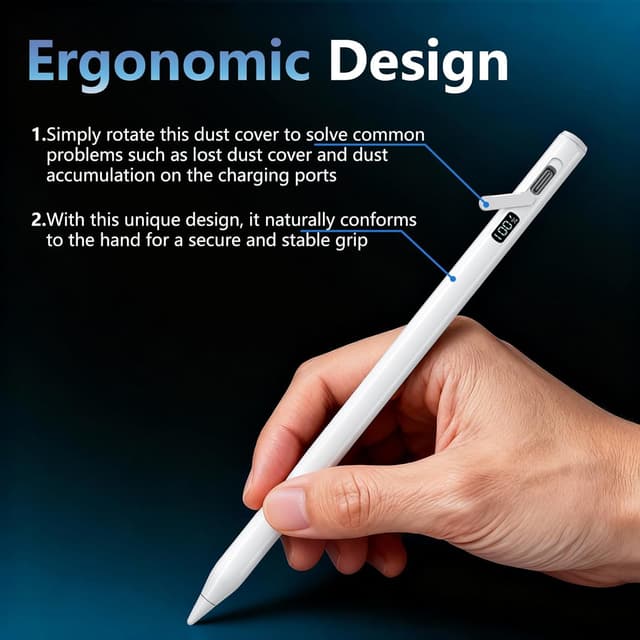
The MEKO Pencil uses a 4-sided barrel, intended to fit more naturally in your hand and feel more secure while you write or draw. It’s a small ergonomic decision, but it can reduce the “slippery” feeling you sometimes get with round barrels, especially when you’re doing longer sessions.
It also includes a dust cover concept (described as something you can rotate). The idea is to address common annoyances like losing the cover or dust building up around charging areas. Still, if you tend to misplace small accessories, you might want to be a bit careful with how you store it.
Key limitations to consider
The most important limitation is indirect: this stylus is meant to be compatible across many iPads, so it won’t suit every workflow in the same way as premium stylus ecosystems. If your main priority is maximum feature depth or the most polished integration, you may find it doesn’t fully match what you’d expect from the very top end.
Also, the battery and charging claims are helpful, but they’re “on paper” based on the manufacturer’s description. Real-world results can vary with usage patterns—heavy drawing, frequent screen taps, and how often you pause and resume can all change your day-to-day battery life.
Should you buy it?
It makes sense if you own one of the iPad models listed for 2018–2025 and you want a practical stylus with a clear battery percentage display, plus tilt sensitivity and palm rejection for more natural writing and sketching. You’ll likely get the most value if you juggle meetings, study sessions, or creative work and want to avoid the common “stylus died” problem.

You may want to skip it if you’re unsure about your exact iPad model (or it isn’t included in the compatibility list) or if you’re chasing the most premium, highly optimised stylus experience possible. In that case, it might feel more like a decent utility stylus than a standout creative tool.
Quick FAQ
Is this MEKO Pencil compatible with all iPads from 2018 to 2025?
The listing provides a compatibility range and specific model examples. It’s best to match your exact iPad model to the ones mentioned in the description.

Does it show the stylus battery level?
Yes—there’s a built-in LED “Digital Power Display” intended to show the exact battery percentage.
How fast does it charge?
The description states a full charge takes 15 minutes using the included USB‑C fast-charging cable.
Does it support palm rejection and tilt?
Palm rejection is described as supported, and the stylus is also described as having tilt sensitivity for controlling stroke thickness and shading.
What’s the auto-sleep timing?
Auto-sleep is stated to activate after 10 minutes of inactivity.