

EPOMAKER RT85 wireless mechanical keyboard (75% Gaming) with joystick, DIY TFT screen & hot-swap – US QWERTY – creamy switches
Reviews
Price
Product description
The essentials
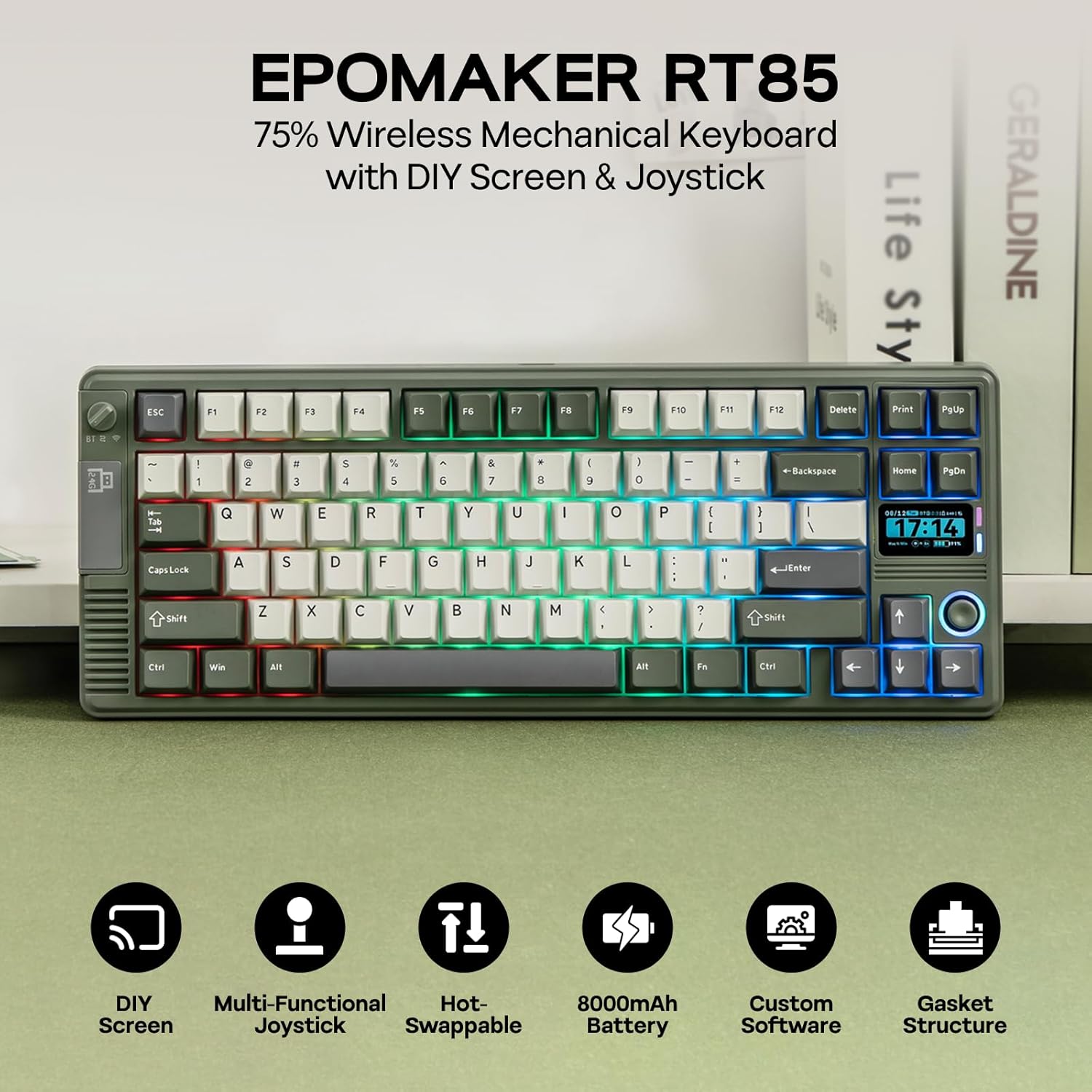
The EPOMAKER RT85 is a 75% wireless mechanical keyboard designed for people who want more than just “a board that types”. It leans into a retro-gaming look, complete with a round frame, a custom TFT screen, and a joystick built around the arrow area. On paper, it’s aimed at gamers and desk tinkerers who like tweaking RGB and using extra controls without constantly alt-tabbing into menus.
It’s also positioned as a proper build, not a flimsy novelty: the RT85 is described as a solid, heavy keyboard (around 1 kg), and it uses double-shot PBT keycaps for longer-lasting legends. If you enjoy the “sound and feel” side of mechanical keyboards, the RT85’s gasket-style dampening and layered foam approach is clearly part of the pitch.
That said, it’s not a keyboard for everyone. The standout features (TFT screen + joystick + specific retro styling) are exactly what can feel like overkill if you mainly just want quiet office typing with minimal distractions.
Key features that actually affect how it feels
Where the RT85 tries to earn its place is in the combination of comfort, sound, and practical in-game control.
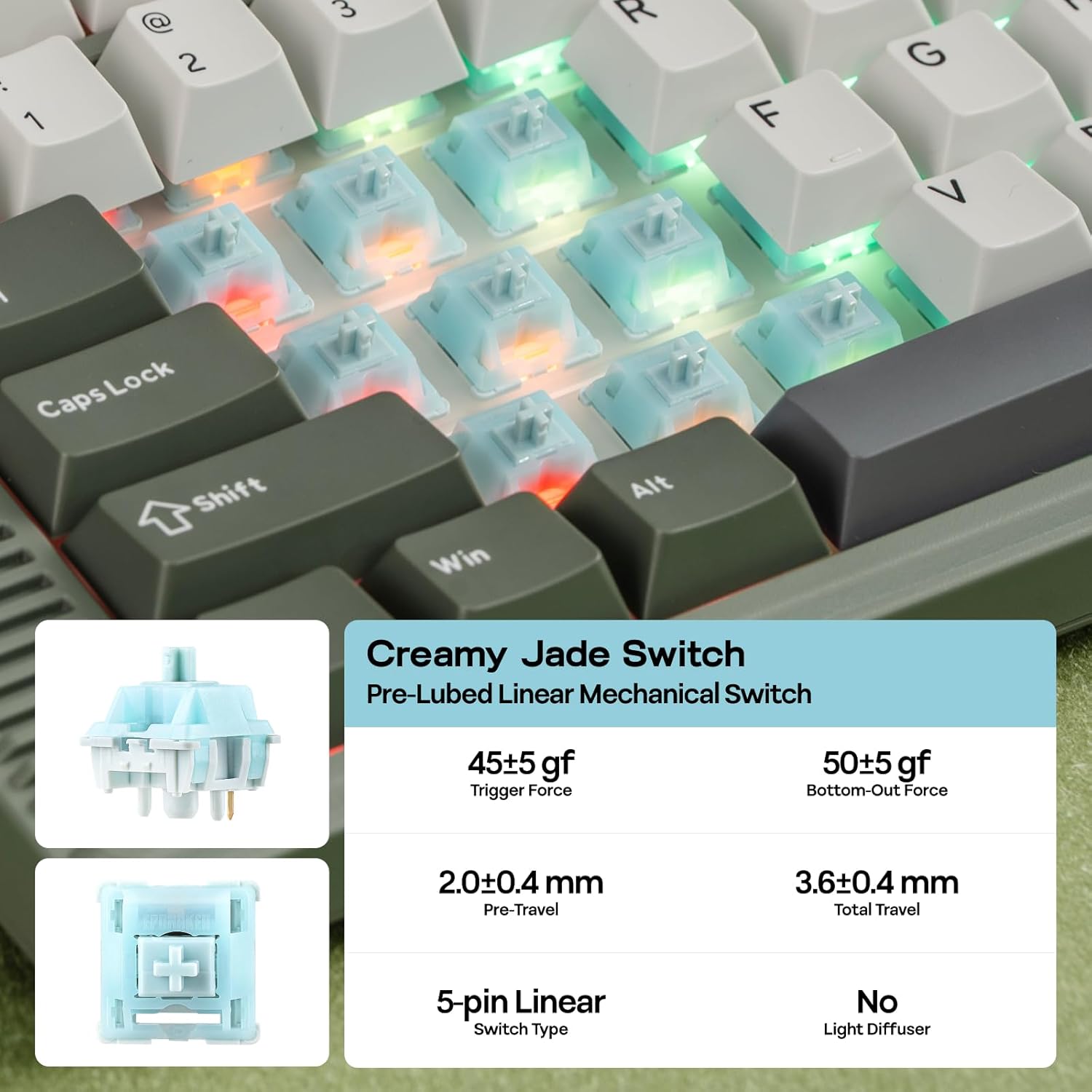
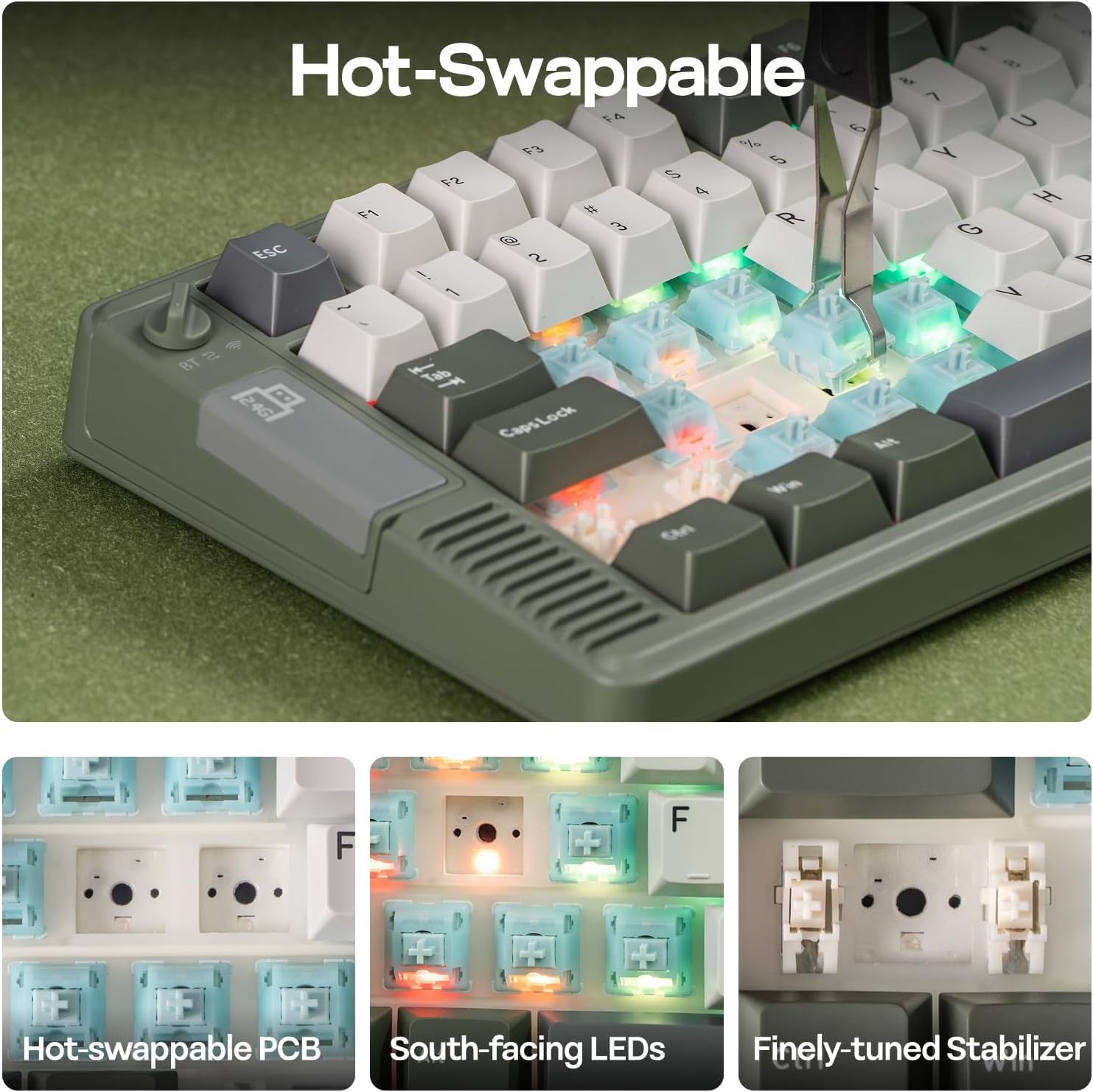
First, it’s a hot-swap board, so you’re not locked into the included switch type forever. The listing mentions “Creamy Jade” linear switches, and it also talks about a tuned stabiliser setup. You’d usually expect this to translate into a smoother keystroke with less harshness around larger keys.
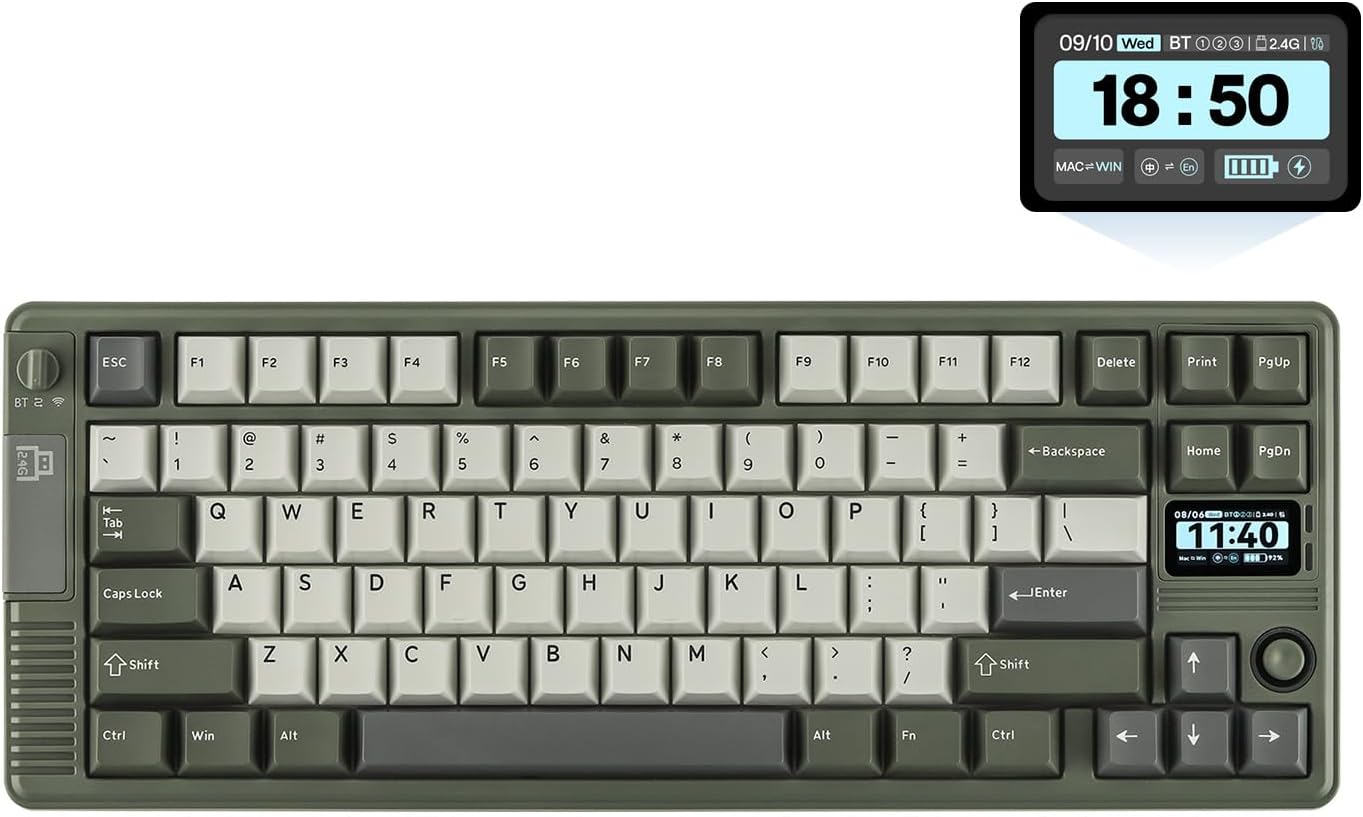
Second, the layout: it’s a 75% gaming keyboard with 82 keys. That means you keep a lot of desk space compared with larger boards, while still retaining arrows and essential navigation in a compact form. If you game at your desk and want something closer to a controller-friendly footprint, this size choice tends to make sense.
Third, the sound character is part of the design: the keyboard is marketed as “thocky” and specifically uses a multi-layer dampening system (including PORON sandwich foam, IXPE switch pad, PET sound enhancement pad, EPDM switch socket foam, and a silicone base). Not every keyboard sounds the same in real life, but the intent here is clearly to reduce resonance and make typing sound more rounded.
DIY Screen & joystick: useful, but niche
The RT85 includes a custom TFT screen and a joystick, with the idea that you can adjust things like in-game volume and tailor RGB effects quickly, without breaking your flow. The listing suggests you can also use the screen as a watch/control panel/display centre, and even show animated GIFs or pixel art.
This can be brilliant if you like a “console-like” desk setup and you’ll actually use the extra control. A joystick tucked around the arrow keys is the sort of feature you only appreciate if you play titles where directional input and quick adjustments matter.
But there’s a limitation worth noting: if you don’t plan to customise displays or use on-board controls, you may end up paying for hardware you won’t lean on. It’s not just cosmetic—though it is styled for that retro vibe—so your enjoyment depends on how often you’ll use the screen and joystick.
Wireless performance and battery life (what you can expect)
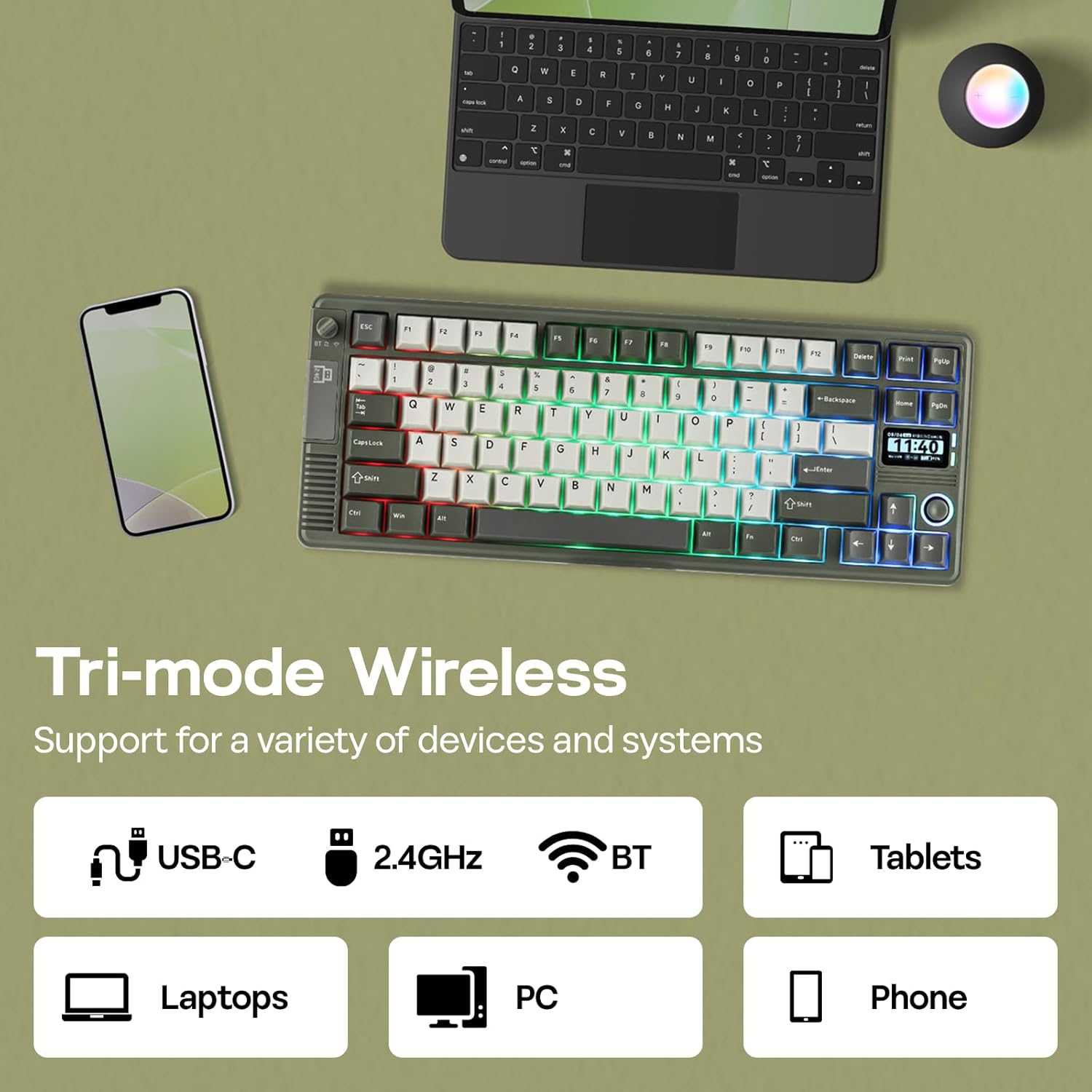
The RT85 is described as tri-mode wireless: Bluetooth, 2.4Ghz, and USB. In addition, it’s given a 1000hz polling rate in cable and 2.4Ghz mode (the input responsiveness promise here is the key detail).
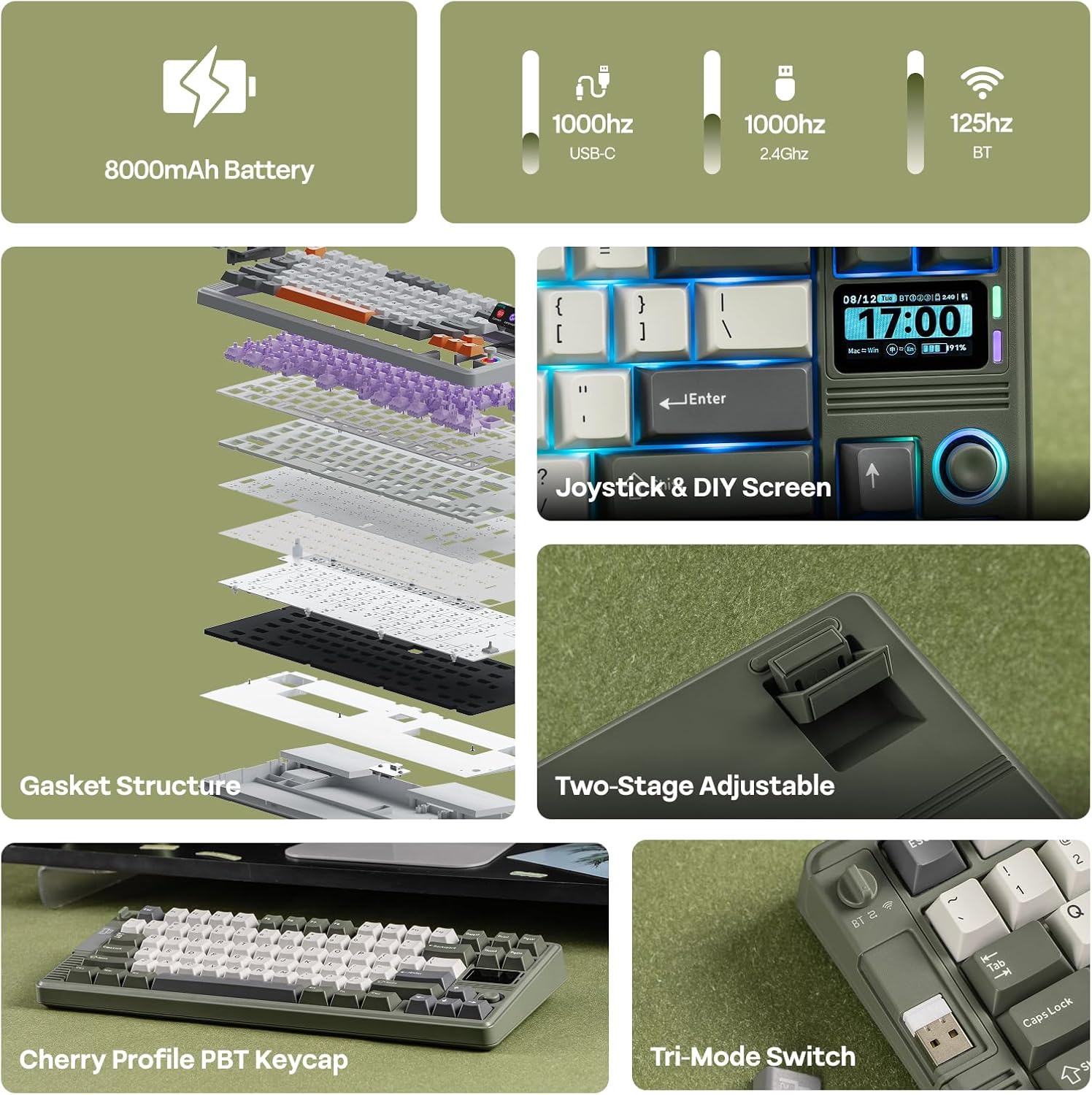
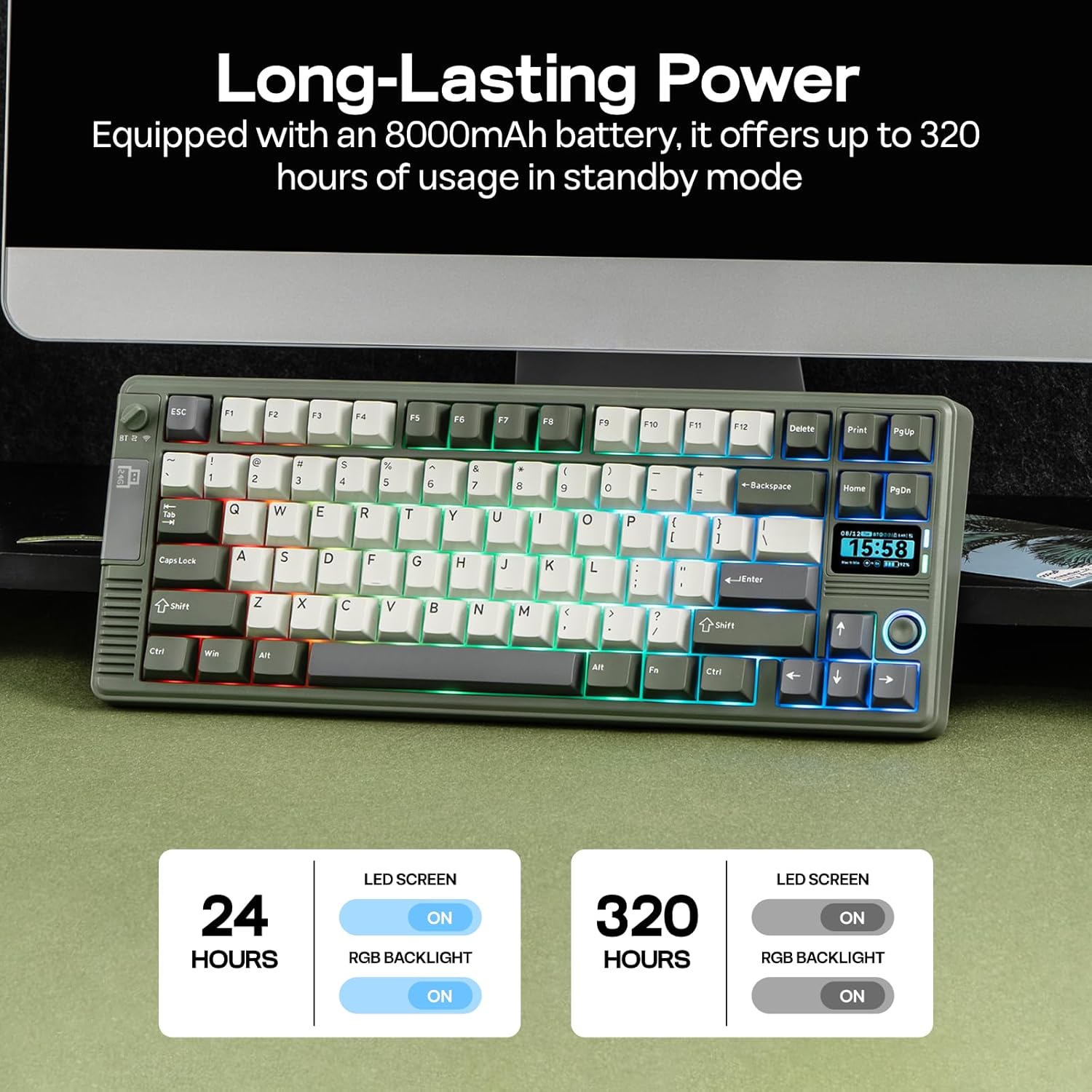
For battery, the listing states an 8000mAh pack, with estimated runtimes of up to 90 hours of continued use with the screen displaying at its brightest, and up to 320 hours with the screen and lights off. If you tend to keep RGB and a bright display on, the “90 hours” figure is the one to anchor to.
This is the kind of spec that matters for buyers who are fed up with keyboards that need charging too often—especially wireless ones with extra features. Still, battery life in practice can vary with how you set brightness, effects and connectivity.
What stands out day to day (ergonomics and build)
The RT85 is built around comfort as well as style. It uses an ergonomic typing angle with an adjustable kickstand, described as adjustable between 5, 6.7, and 10 degrees.
On the typing feel side, it uses a gasket-style structure and a flex-cut PC plate, paired with a layered dampening system. The listing also claims it reduces hand fatigue during long sessions—so if you play for hours or type a lot, this is part of where the board tries to justify its “marathon” framing.
If you care about how keycaps sit on your fingers, the listing mentions a Cherry profile keycap design. Combined with the adjustable stand, it’s the sort of setup that can feel more natural than a flat, no-frills keyboard.
Tech specs
- Name: EPOMAKER RT85 Wireless Mechanical Keyboard
- Type: Wireless mechanical keyboard (tri-mode)
- Format: 75% gaming keyboard
- Size: 82 keys
- Colour: Green or retro white (two colourways mentioned)
- Switch type: Green, Creamy Jade switch (listed as included)
- Keycaps: PBT keycaps (double-shot)
- Wireless modes: BT/USB/2.4Ghz (tri-mode)
- Hot-swap: Yes
- Battery capacity: 8000mAh
- Polling rate: 1000hz (in cable and 2.4Ghz wireless mode)
- Estimated battery life: up to 90 hours with screen at brightest, up to 320 hours with screen and lights off
Is it worth it?
The EPOMAKER RT85 is worth considering if you want a compact 75% gaming keyboard with wireless tri-mode support, hot-swap flexibility, and a genuinely different control setup thanks to the TFT screen and joystick. It’s also a strong match if you care about the “how it sounds and feels” side of mechanicals, because the listing points to a multi-layer dampening approach and gasket-style construction.
It’s not the best choice if you mainly want a straightforward, minimal keyboard for everyday typing. The screen and joystick are the sort of features that only feel justified when you’ll actually use them and customise your setup.
Before you buy, it’s worth checking the practical fit for your desk habits: do you like 75% layouts, and will you use the on-board controls rather than setting everything up with software on a computer?
Quick FAQs
What makes the RT85 different from a regular wireless mechanical keyboard?
The standout differences are the included TFT DIY screen and a joystick built around the arrow keys, plus the retro-style frame and the described gasket/dampening approach.
Is the RT85 good for gaming, based on the specs?
On paper it’s built for gaming responsiveness, with tri-mode wireless (including 2.4Ghz) and a stated 1000hz polling rate in cable and 2.4Ghz mode.
How long will it last on the battery?
The listing provides estimates of up to 90 hours with the screen at its brightest, or up to 320 hours when the screen and lights are off.
Can you change the switches?
It’s listed as hot-swap, so you should be able to swap switches rather than relying solely on the included ones.
Who should avoid this keyboard?
If you don’t want extra hardware like a TFT screen and joystick, or you’re after a very simple, distraction-free typing experience, it may feel like more than you need.