

Logitech MX Keys Mini Wireless Illuminated Keyboard (QWERTY UK, Pale Grey) – Bluetooth, USB-C, Backlit
Product description
The essentials
If you type a lot on a laptop, a compact keyboard can feel like the easiest upgrade you don’t really think about—until you’ve used it. The Logitech MX Keys Mini is a minimalist, backlit wireless keyboard designed to travel with you and still feel precise on your fingertips. It’s built around the idea of dependable everyday typing, plus a few “smart” controls for dictation, microphone mute and quick emoji access.
This model sits in a well-known Logitech “MX” style category: small enough to live on your desk or in a bag, but feature-led enough to justify replacing your standard laptop keyboard if you’re serious about comfort and workflow.
Key points
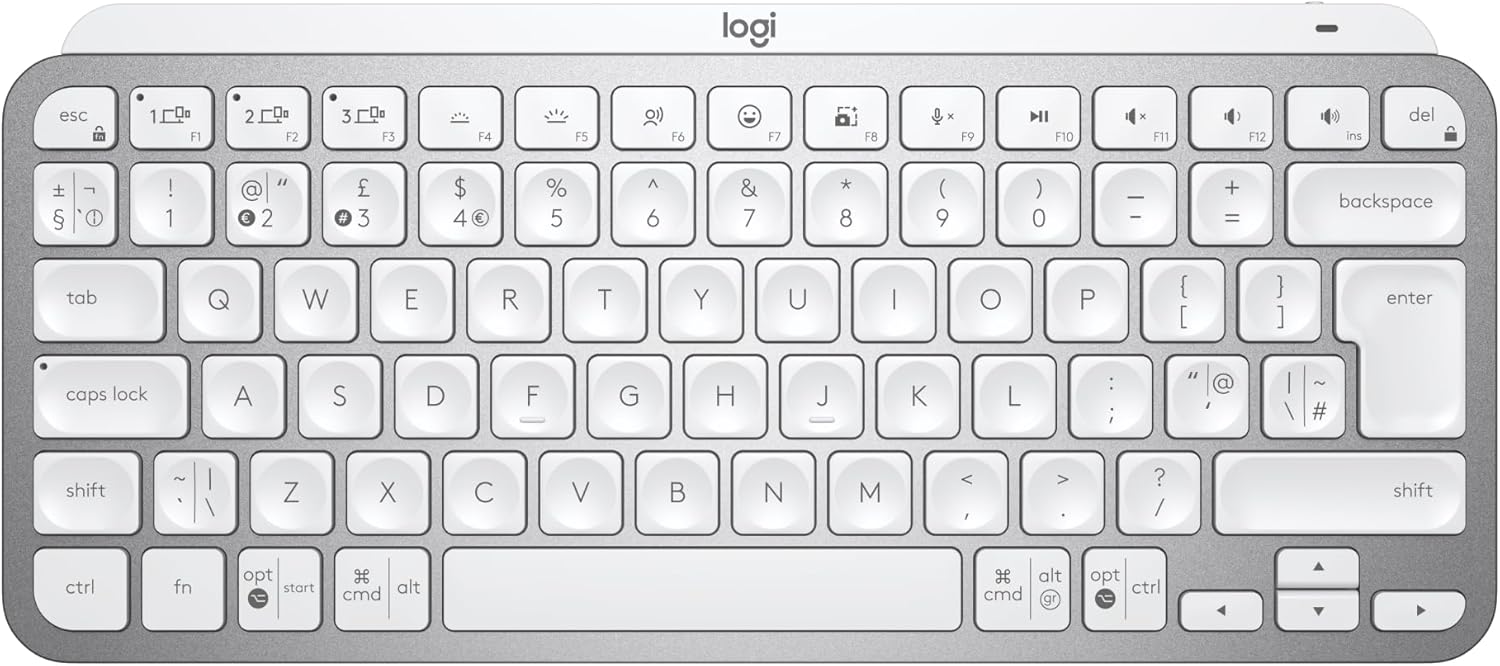
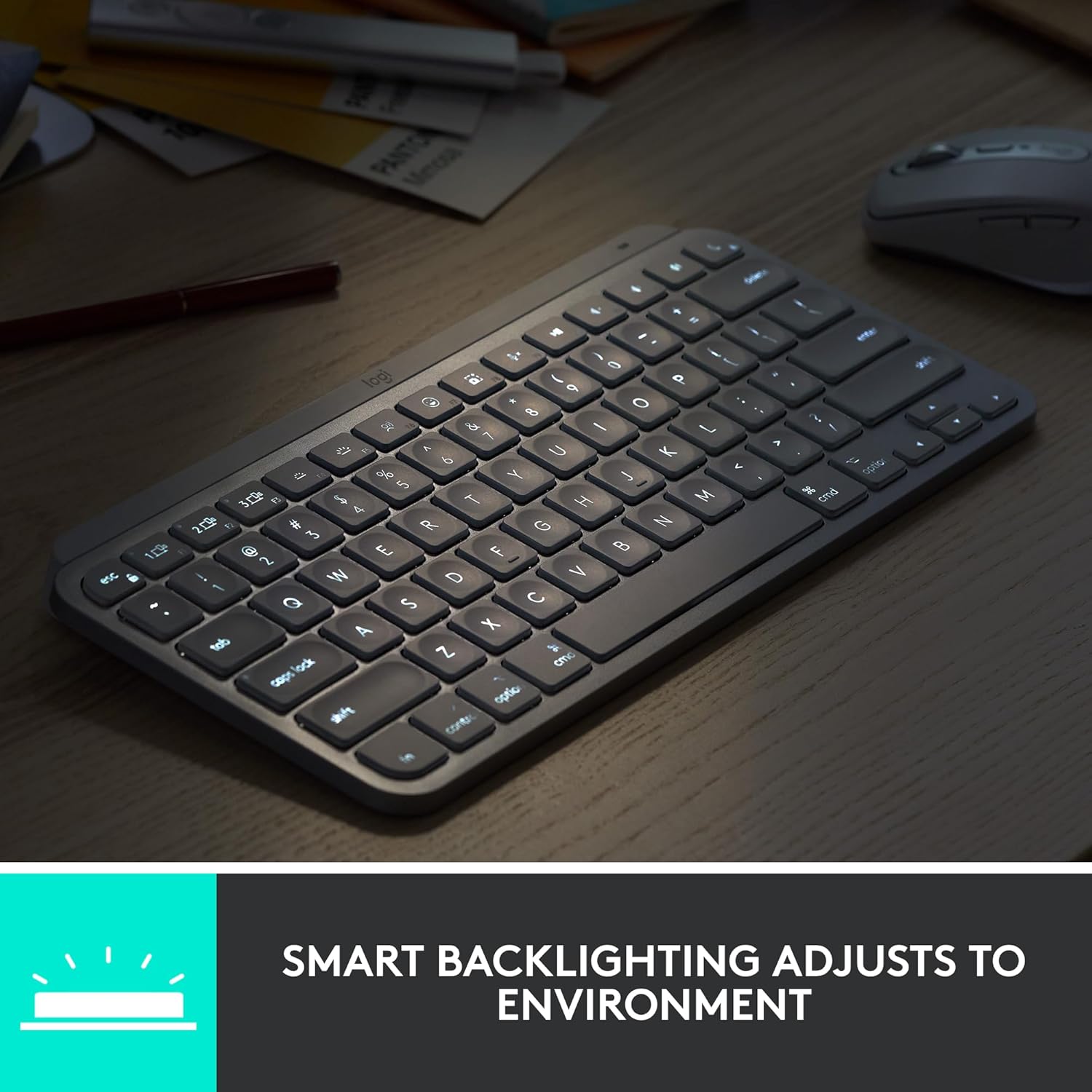
The backlight is one of the more practical features here: the keys light up when your hands come close and then adjust as lighting changes. In normal office life, that means fewer finger-hunts in dim rooms. It’s also compact in a way that still prioritises a comfortable layout, which matters if you write emails, code, or do spreadsheets all day.
Another big theme is multi-device, multi-OS flexibility. You can pair the keyboard with up to three devices via Bluetooth Low Energy and switch between them without messing around with re-pairing every time. On paper, that’s exactly what you’d want if you bounce between a work laptop and a personal tablet/phone, or if you sometimes work between a desktop and a notebook.
The “smart keys” approach is also worth noting: the design targets precision touch typing, and there are dedicated keys for dictation (voice to text), mic mute/unmute, and emoji. It’s not a gaming keyboard, and it won’t pretend to be—this is about productivity typing rather than fast key-mashing.
What you’ll notice in everyday use

In a typical day, the best part is the combination of compact size and lighting. Imagine settling into a late-evening desk session: you bring your hands over the keyboard, the backlight comes on, and you’re not squinting at key legends. When you stand up and the room changes, the brightness adjusts—small detail, but it reduces “where is that key?” moments.
You also get a more fluid workflow if you work across multiple computers. The MX Keys Mini is positioned to pair smoothly alongside Logitech mice like MX Master 3 or MX Anywhere 3, which can make switching between machines feel less like a chore (though you’ll still want to check your own mouse setup if you’re planning to rely on that flow).
Worth bearing in mind: because this is a compact keyboard, the trade-off is fewer dedicated keys than on full-size boards. If you rely heavily on function layers or want lots of extra physical shortcuts, you may feel a bit constrained.
Specs that affect buying decisions

- Type: Wireless illuminated keyboard (backlit)
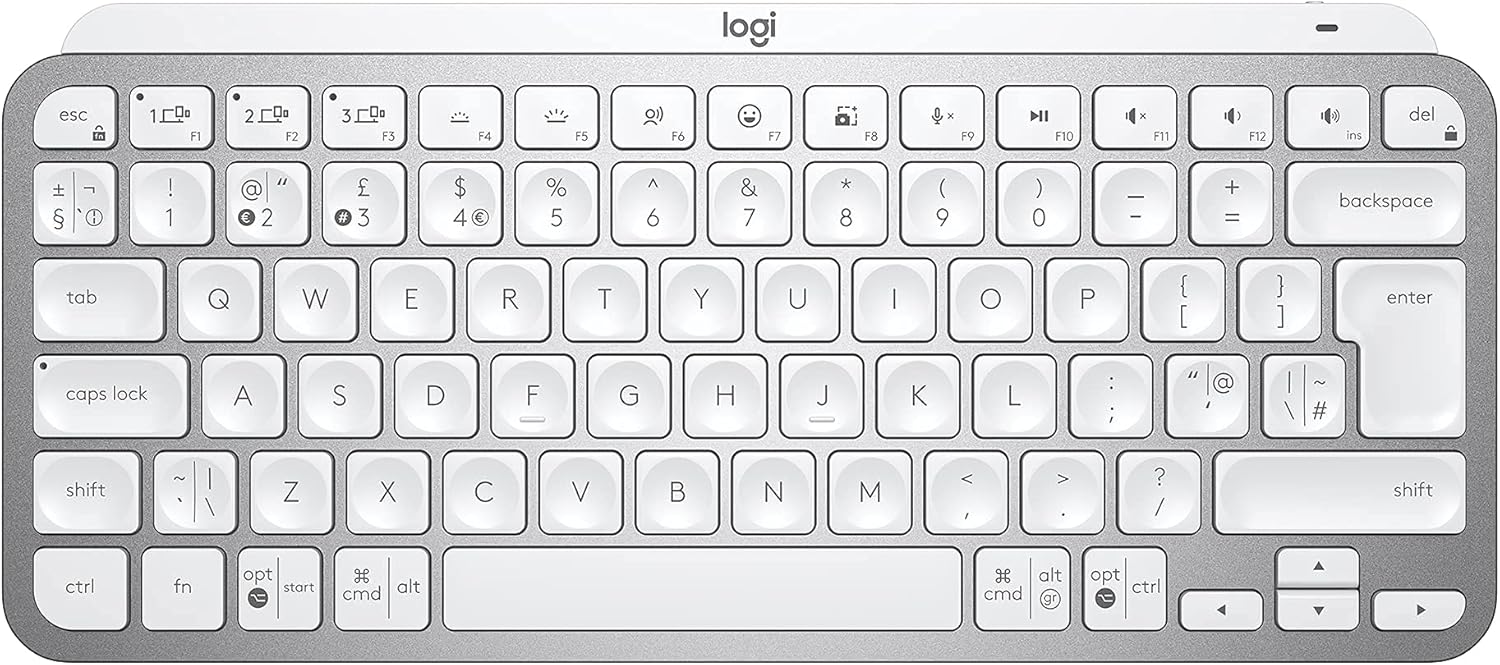
- Layout: QWERTY UK layout
- Connectivity: Bluetooth Low Energy, up to 3 devices
- Charging/port: USB-C
- Compatibility (stated): Apple macOS, iOS, Windows, Linux, Android
- Build: Metal build
There’s also a strong “smart” angle in the included controls: voice to text dictation, mic mute/unmute, and an emoji key. If these are features you’ll actually use, they can make the keyboard feel more worthwhile than a basic backlit mini.
Where it shines (and where it may not)
It makes sense if you want a minimalist keyboard that keeps the desk tidy, works comfortably across different operating systems, and adds useful backlighting without manual fiddling.
It’s not the best choice if you need a full-size layout with lots of dedicated keys, or if you mainly want a very simple keyboard with minimal “smart” functions. Also, if your setup is strictly one device and you’re not interested in switching, you may not fully benefit from the multi-device design.
One more practical limitation: backlighting and switching features are fantastic, but they only help if your workflow genuinely includes multiple devices and enough typing time to notice comfort and layout differences.
Is it worth it?
Buy the Logitech MX Keys Mini if you’re after a compact, backlit wireless keyboard with QWERTY UK layout, USB-C convenience, and the ability to switch between up to three Bluetooth devices. It’s a solid fit for people who work across macOS, Windows, Linux, or mobile setups and want fewer interruptions between devices—especially if dictation, mic mute/unmute, and emoji shortcuts are likely to be used.
Skip it if you’re expecting a full keyboard experience with lots of extra physical keys, or if you only ever type on a single device and won’t benefit from the multi-device switching. If your current keyboard already does the job and you don’t care about backlit comfort or smart shortcut keys, this one may be more feature than you need.
Quick questions before you buy
Is the layout UK QWERTY?
Yes, the MX Keys Mini comes with a QWERTY UK layout.
Does it work across different operating systems?
It’s stated as compatible with macOS, iOS, Windows, Linux and Android.
How does the backlight behave?
The backlit keys are designed to light up when your hands approach and to automatically adjust to changing lighting conditions.
Can it connect to more than one device?
Yes—pair up to three devices via Bluetooth Low Energy and switch between them.
Does it charge using USB-C?
Yes, it uses USB-C.