

Logitech G PRO X 60 LIGHTSPEED Wireless Gaming Keyboard (TKL 60%, LIGHTSYNC RGB, GX Optical Tactile) – UK QWERTY, Black
Product description
The essentials
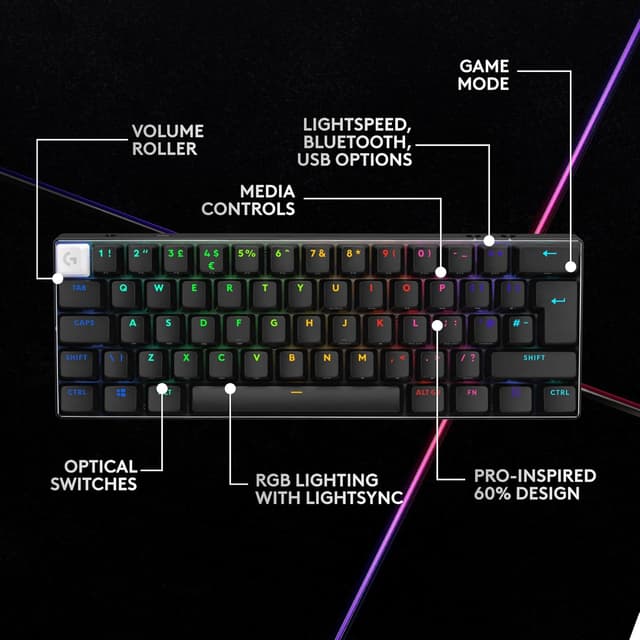
If you want a smaller gaming keyboard without giving up responsiveness, the Logitech G PRO X 60 LIGHTSPEED is built around that idea. It’s a TKL 60% mechanical gaming keyboard (so a compact layout), with LIGHTSYNC RGB lighting, LIGHTSPEED wireless using a dedicated adapter, and optical GX switches aimed at quick, consistent actuation.
This isn’t a “desk ornament” kind of keyboard. It’s closer to esports hardware: designed to be taken seriously when you’re playing, but also practical enough for day-to-day use thanks to the standard keyboard layout approach and media controls/volume roller.
It’s also worth flagging a limitation: a 60%/very compact layout can take a little getting used to. If you rely on dedicated function rows and lots of navigation keys, you may find yourself reaching for layers more often than expected.
What it is (and why the layout matters)
The PRO X 60 is a wireless mechanical keyboard in a compact TKL 60% style. On paper, the big benefit of this form factor is space. You get more room for mouse movement, which can make a noticeable difference during longer sessions.
In practical terms, it’s the kind of keyboard you’d likely put on a smaller desk or in a setup where cable management and mouse space matter. A common micro-scenario: you’re running a match, and instead of nudging your mouse around a cramped layout, you’re able to keep the aim area comfortable because the keyboard is that bit smaller.
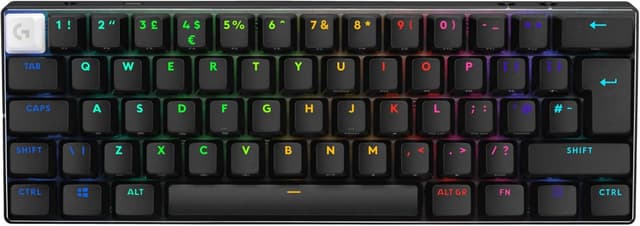
If you’re the sort of player who prefers keeping your hands central and using quick access keys, this style makes sense. If you want something closest to a full-size board with minimal layer usage, you might want to consider a larger layout approach instead.
Key takeaways for gaming performance and control
A few elements stand out for how it’s designed to feel in-game:
- Game mode control is mentioned, which should help keep distractions down when you’re focused on play.
- Customisable LIGHTSYNC RGB lighting on the backlit keys via G HUB is included, so you can tune what you see on the desk.
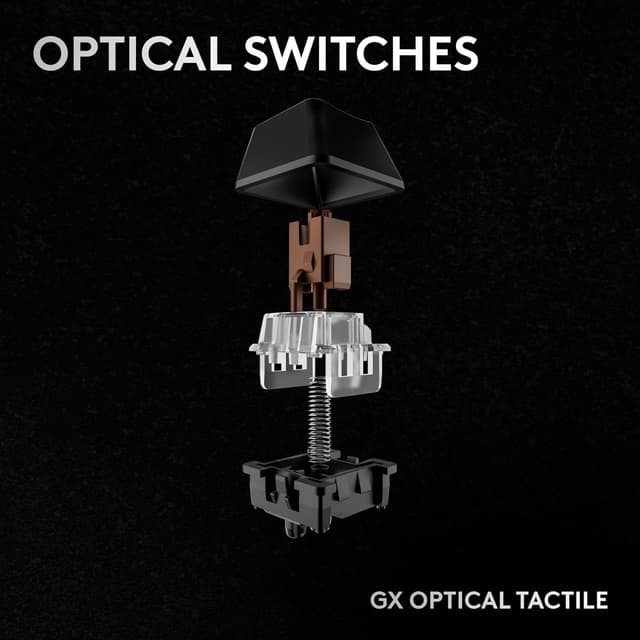
- GX optical tactile switches are positioned as faster actuation with zero debounce delay. That’s the kind of spec that matters when your inputs are frequent and timing-sensitive.
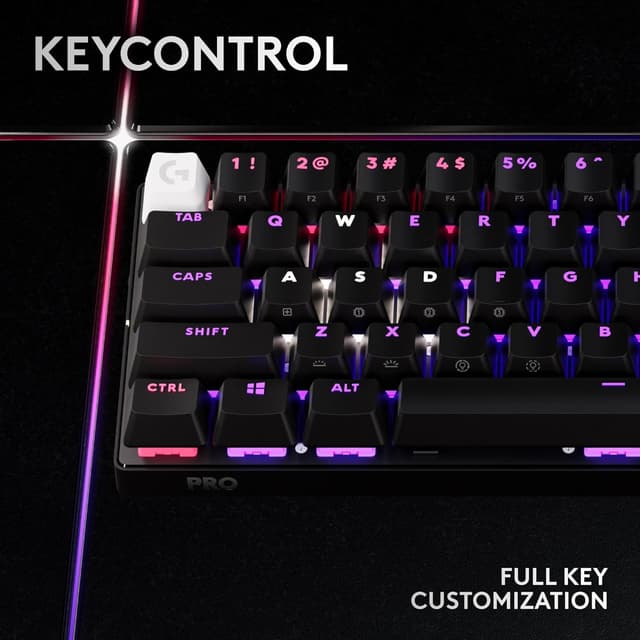
There’s also KEYCONTROL technology with 5 unique layers, which is a big deal for compact keyboards. It’s how you “get more keyboard” out of a smaller footprint: assign key functions across layers so the board still supports the controls you want.

One nuance to keep in mind: layers can be brilliant once you’ve learned them, but they also mean the keyboard is partly “muscle memory” based. If you don’t like rebinding and learning shortcuts, the compact format may feel like more work than reward.
Wireless options and how you connect
Connectivity is split into the two main routes gamers typically care about:
- LIGHTSPEED wireless via adapter, described as tournament-proven with a 1 ms response rate.
- Bluetooth is also supported.
There’s also an optional USB connectivity mention. This gives you flexibility if you want a different connection setup depending on the device you’re using.
For most people, the real-world takeaway is simple: you can choose a gaming-first connection for low-latency play, then switch to Bluetooth when you want convenience (for example, changing what you’re using between sessions).
Customisation and everyday usability
Even if you buy it for gaming, the PRO X 60 doesn’t ignore daily comfort:
- Media controls and a volume roller are included, which is handy if you’re streaming music or using voice comms.
- Standard keyboard layouts are mentioned, plus 3P compatibility (as stated in the product details).
- Dual-Shot PBT keycaps are part of the kit, which is a sensible choice for durability on a keyboard you’ll actually use.
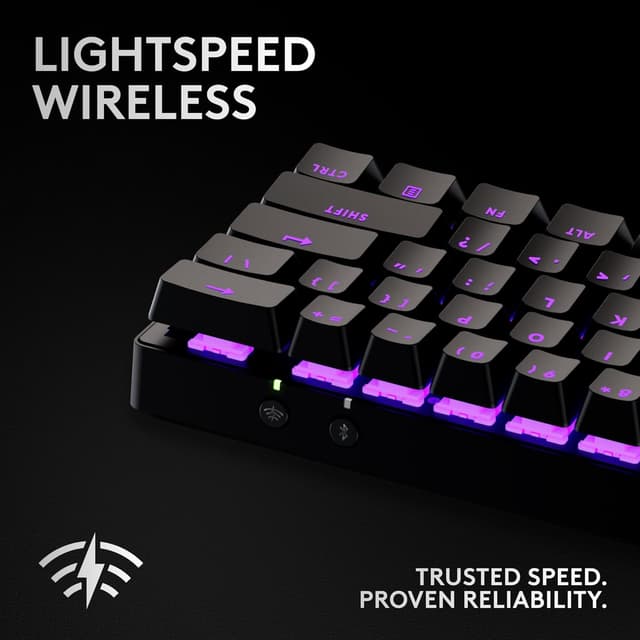
On the RGB side, the lighting is there via LIGHTSYNC and can be customised in G HUB. That’s useful if you like your setup to match your rig, or if you simply want clearer key visibility.
What’s in the box (and why it matters)
This bundle includes more than just the keyboard, which is helpful if you’re buying for events or travel.
Included items, as listed: - PRO X 60 Wireless Gaming Keyboard - USB LIGHTSPEED wireless adapter - USB-A to USB-C charging and data cable (6 ft./1.8 m) - Logitech G keycap - carrying case - user documentation
The carrying case is a practical touch. If you ever pack your keyboard for tournaments, LAN nights, or just moving between rooms, it reduces the faff of sorting cables and protecting the keys.
Tech summary (from the given details)
Name: Logitech G PRO X 60 LIGHTSPEED Wireless Gaming Keyboard (Ultra Compact TKL 60%)
Type: Wireless gaming mechanical keyboard, LIGHTSYNC RGB, GX optical tactile switches
Format: Compact TKL 60%
Switch type: GX optical tactile
Layout: Windows PC, QWERTY UK, Black
Connectivity: LIGHTSPEED adapter (1 ms response rate stated), Bluetooth, and optional USB connectivity
Key customisation: KEYCONTROL technology with 5 unique layers (via G HUB)
Final verdict
It makes sense to buy the Logitech G PRO X 60 LIGHTSPEED if you’re after a compact wireless mechanical keyboard for gaming, want optical tactile switches with the “zero debounce delay” claim, and plan to use layers/key customisation to keep controls accessible. The LIGHTSPEED adapter option is also a strong fit if you prioritise low-latency wireless play.

You may want to skip it if you’re not keen on compact 60% style layouts, don’t want to spend time setting up layers, or you prefer a fuller key layout where muscle memory is less dependent on custom bindings.
If you’re the kind of buyer who weighs practical fit (mouse space, desk layout, travel case included) as much as raw performance features, this one reads as a focused esports-style purchase rather than a general-purpose keyboard.
Mini FAQ
Is the PRO X 60 suitable for Windows?
The product details specify Windows PC use.
Does it support wireless gaming without cables?
Yes. It supports LIGHTSPEED wireless via the included adapter, and Bluetooth is also listed.
Can the RGB lighting be customised?
Customisable LIGHTSYNC RGB backlit keys are mentioned, with control via G HUB.
What are the “5 unique layers” for?
They’re part of KEYCONTROL technology, intended to let you assign different functions across the compact layout.
Will a 60% keyboard feel cramped at first?
It can, depending on your habits. A 60% layout usually involves more reliance on layers than larger boards.