

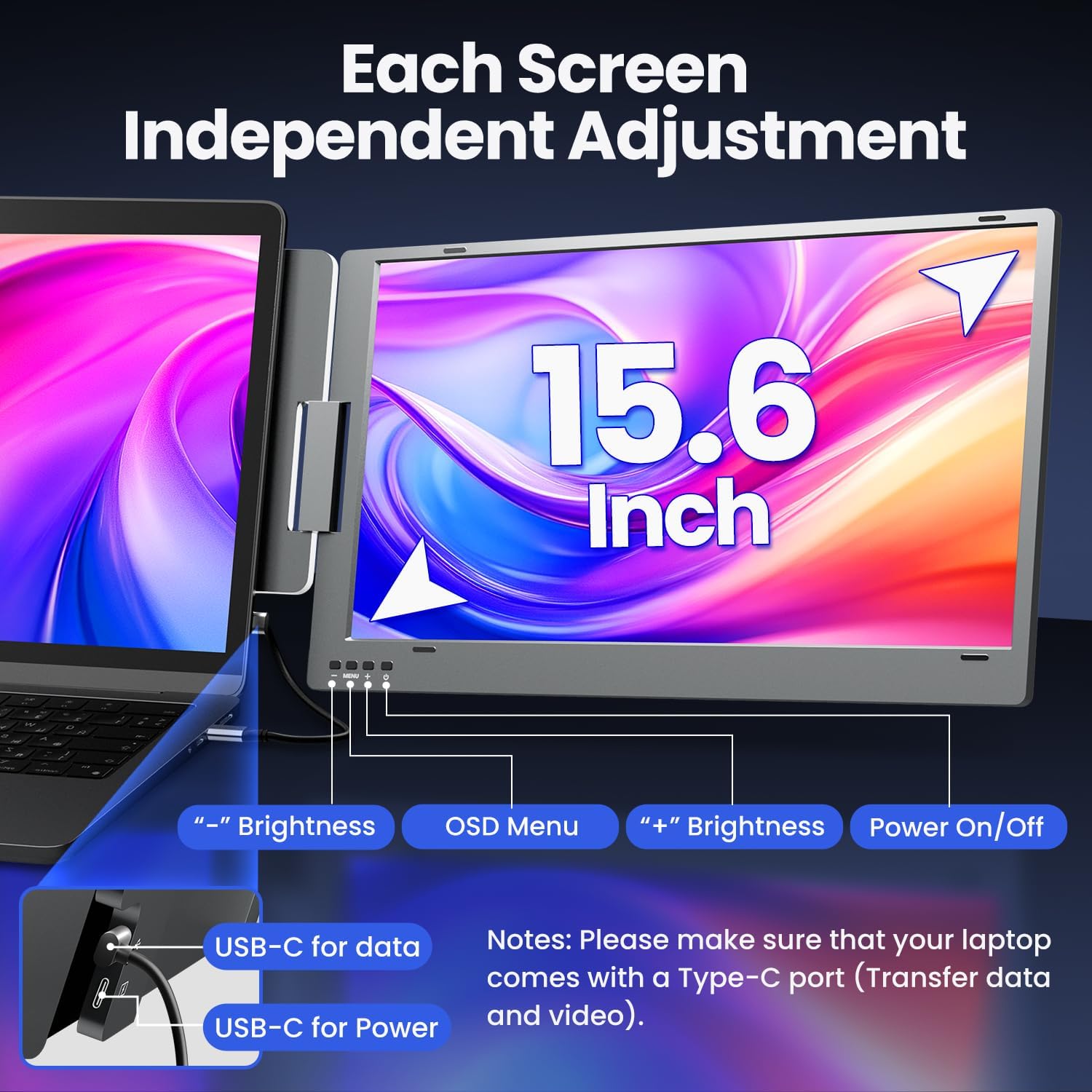
KPKUE X90E Pro 15.6-inch Dual Laptop Screen Extender Monitor (1080P FHD IPS, Portable, Plug and Play)
Product description
If your laptop feels cramped when you’re working, trading, coding, or just juggling tabs, a laptop screen extender can be a practical fix. The KPKUE X90E Pro sets out to turn one screen into a bigger workspace by adding two 15.6-inch displays, with a setup approach that’s meant to be simple.
That said, it’s not magic: the real-world experience depends heavily on whether your laptop ports support video output, and you’ll want to check that before you buy.
What this is for (and how it helps in daily work)
The KPKUE X90E Pro is a portable dual monitor extender designed to sit alongside your laptop, letting you work across a wider visual area without constantly switching between windows and tabs. On paper, that’s the main appeal: more screen space for spreadsheets, dashboards, reference material, chat windows, or an editor beside a preview.
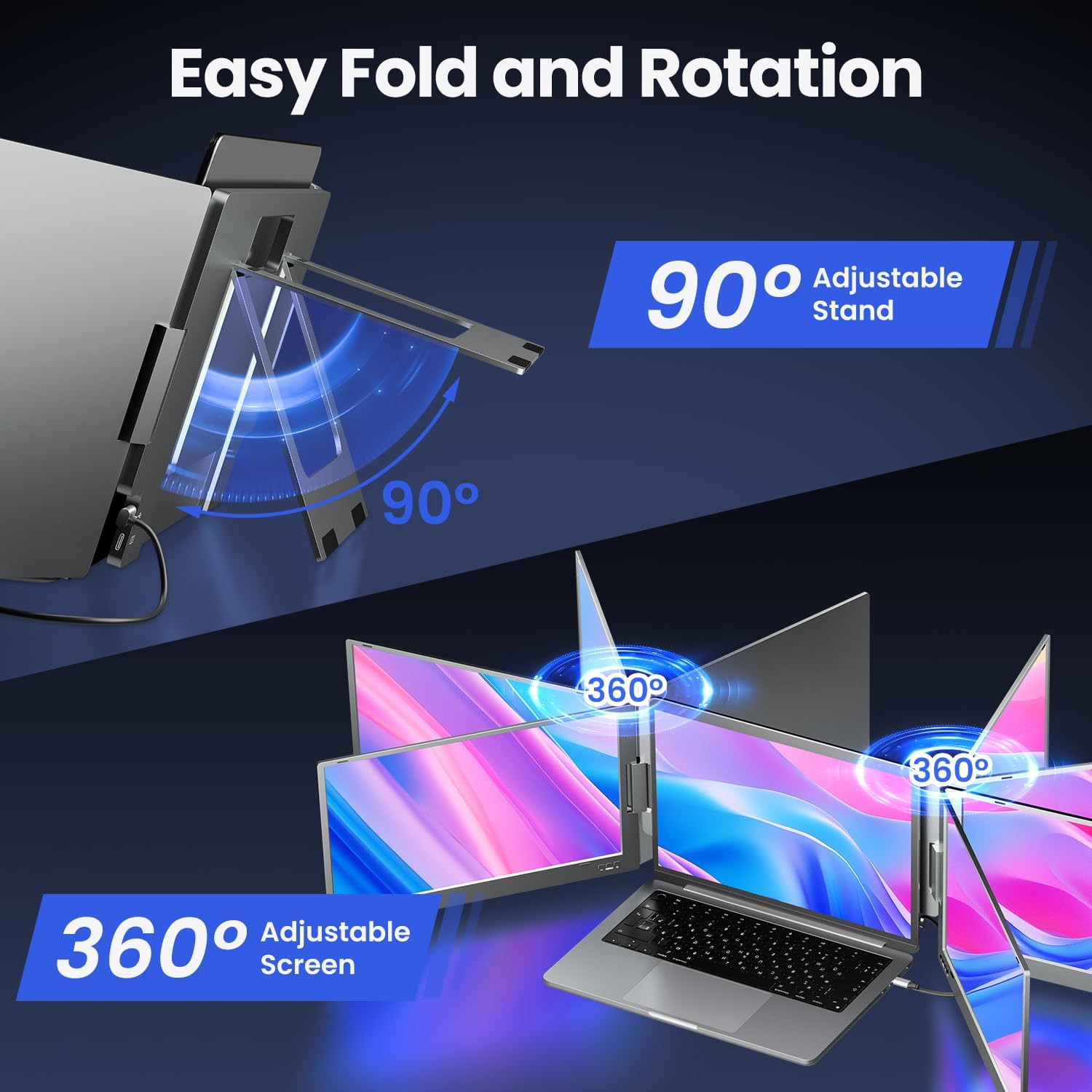
It also leans into collaboration. Because each screen supports rotation up to 0–360° (with folding capability), it’s easier to reposition the displays for sharing during meetings or showing content to colleagues.
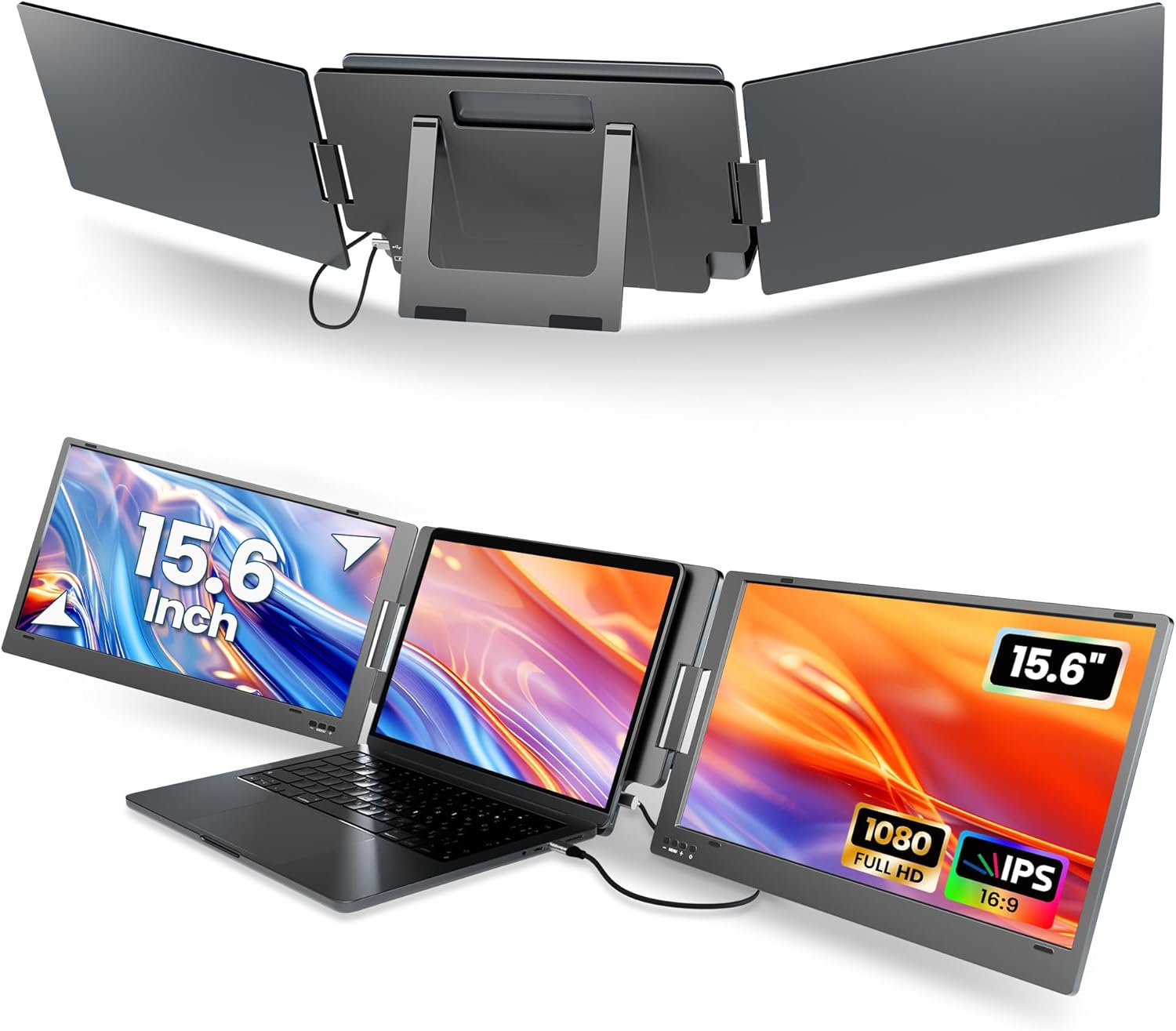
A simple micro-example: imagine you’re writing code while keeping documentation open on one side. With a dual-screen extender like this, you can keep your editor on the laptop and spread terminals, logs, or docs across the two 15.6-inch panels—less tab-hunting, less back-and-forth.
The essentials you’ll notice first
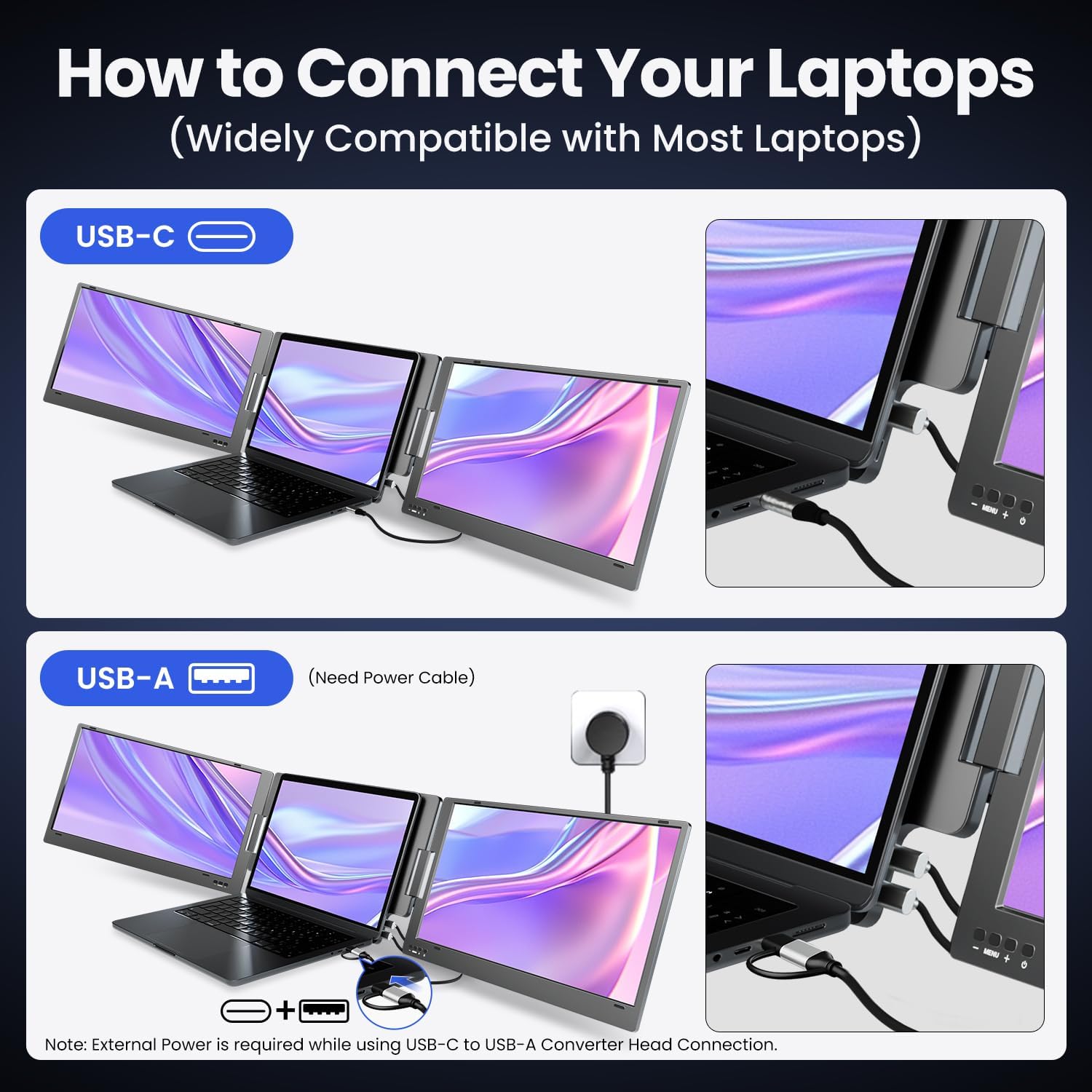
This model is built around a “portable workstation” idea with plug-and-play aiming to reduce friction. The focus is on connecting via USB Type-C using the provided USB-C to USB-C cable.
There are also a couple of practical touches that matter when you move setups around:
- No clip design, so it’s not limited by the height of your laptop.
- Built-in kickstand for angle adjustment (helpful when you’re trying to get comfortable over a longer session).
- A sleeve case included for carrying, which is usually the difference between “it stays at home” and “it travels”.
You also get multiple viewing modes, including extended and mirror, plus a collaboration-style mode and a 2nd mode.
Tech specs that shape the picture quality
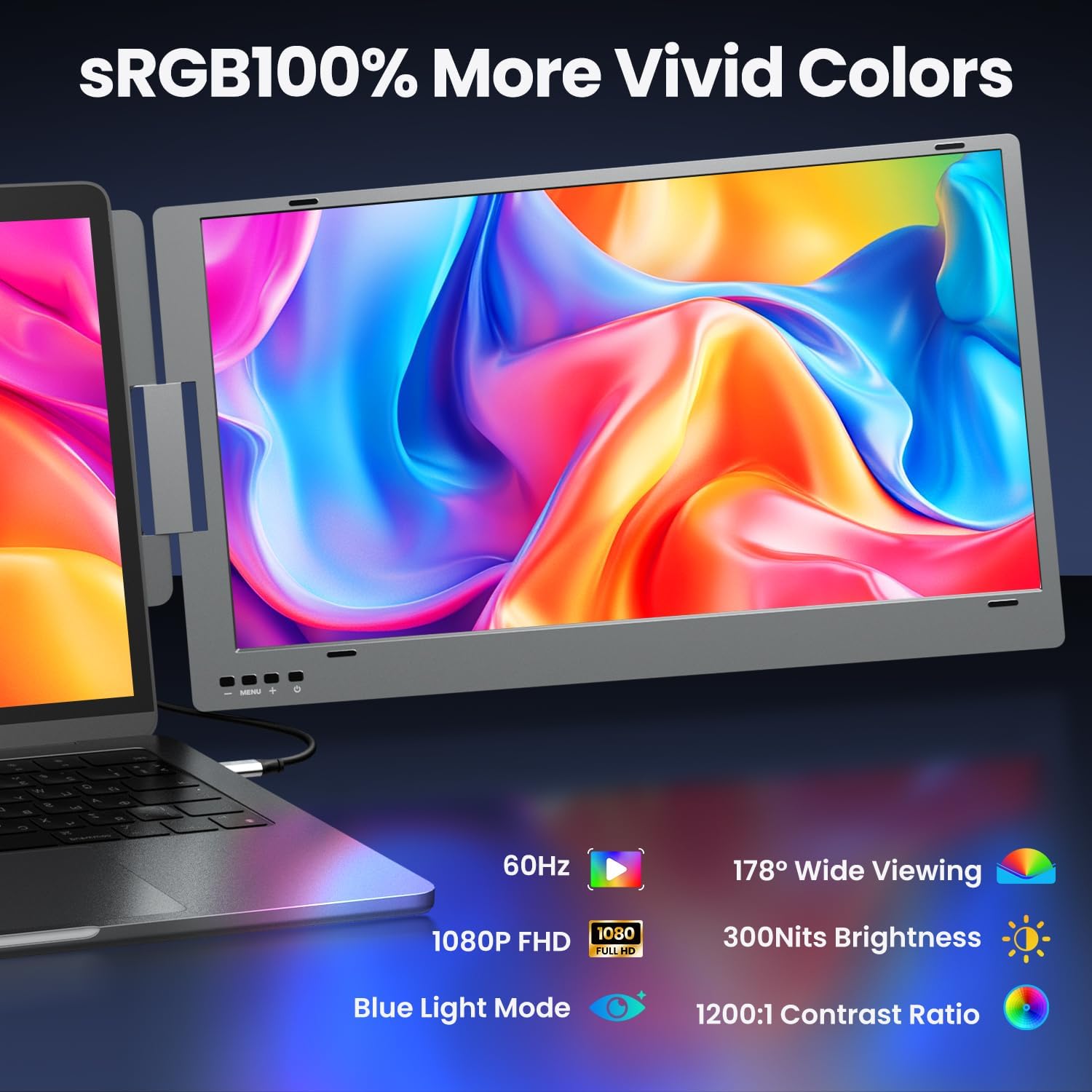
The visuals are specified as 1080x1920 resolution per screen with an IPS panel, plus 300 nit brightness and a 72% NTSC colour gamut. Contrast is listed at 1200:1, and it includes a low blue light feature.
In plain terms, it’s positioned as an everyday productivity display rather than something aimed at highly colour-critical creative work. If your priority is crisp text, comfortable viewing, and extra workspace, the quoted specs make sense for that goal.
Still, keep expectations realistic: any portable dual setup can trade some performance headroom for convenience. If you’re expecting the colour depth or overall feel of higher-end desktop monitors, you may be disappointed.
Compatibility and what to check before buying
The headline compatibility is for 12–16 inch laptops (diagonal). It’s also described as compatible with macOS, including M1/M2/M3 clips, Windows, and ChromeOS.
Connection details matter here. You’ll use the provided USB-C to USB-C cable, and there’s also mention of a USB-A converter head. The note also says driver installation may be required.
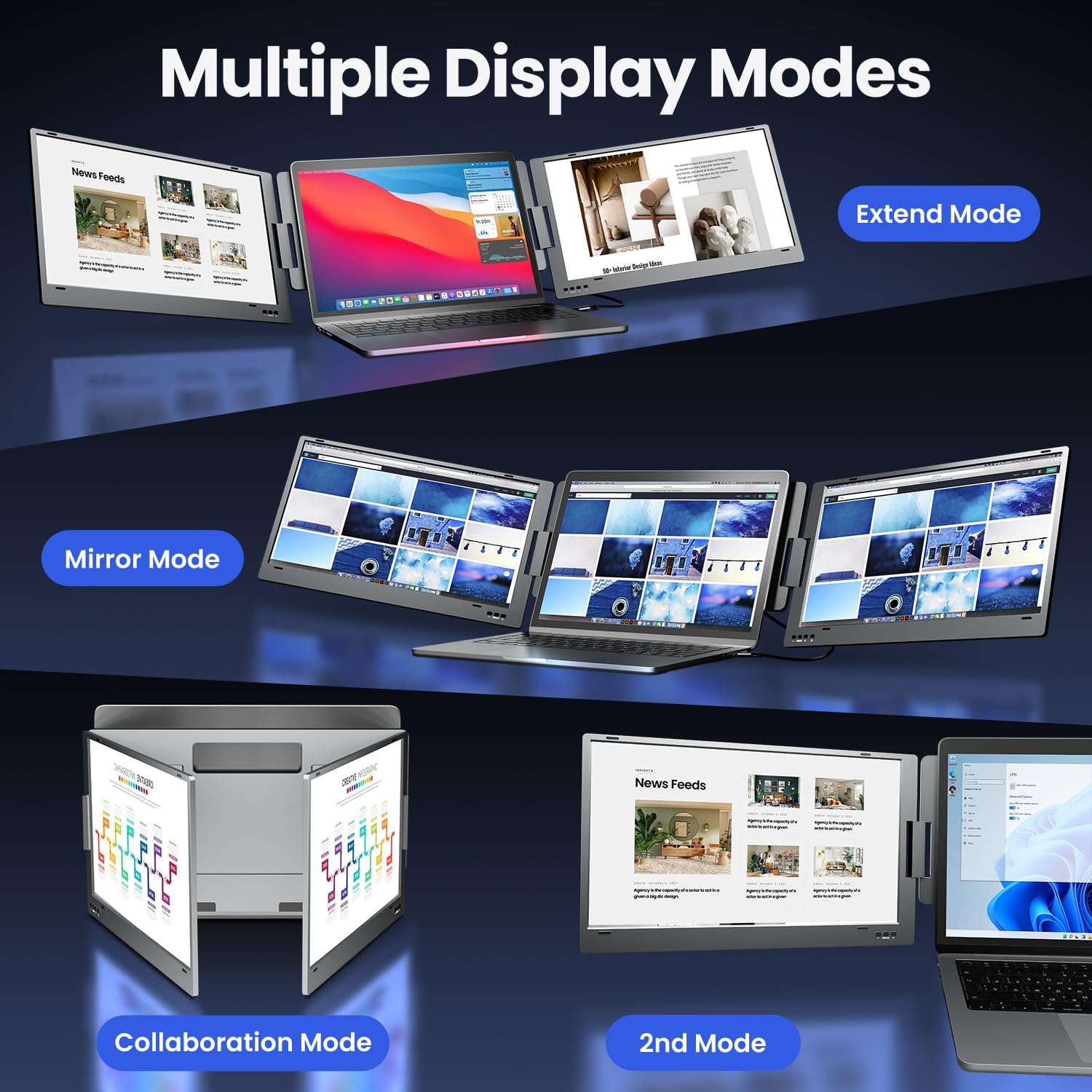
Most importantly, the product description states the extender requires that your laptop’s USB-C or USB-A port supports video output. That’s the one limitation worth treating as non-negotiable.
It’s not for you if your laptop ports don’t support video output, or if you’re not comfortable checking your laptop’s port capabilities first. If you’re not sure, the brand suggests contacting them.
What stands out (and where it may fall short)
Where the X90E Pro looks strong is the overall setup concept: dual 15.6-inch screens, plug-and-play intent, and a connection approach designed to minimise messy extra cables. For people who work in one place but want a bigger workspace without building a full desk station, this sort of product can be a tidy upgrade.
Rotation and kickstand support are also genuinely useful in meeting rooms or shared spaces.
However, it may not suit everyone. If your main goal is ultra-smooth performance in fast, graphics-heavy tasks, this portable category can feel more “work-focused” than “entertainment-focused”. And if you have to rely on USB-A with extra driver steps, the convenience may drop a notch.
Is it worth it?
It’s a good fit if you want to expand your laptop into a dual-screen setup for everyday productivity—spreadsheets, trading dashboards, coding, or multi-window workflow—and your laptop has USB ports that support video output. The 15.6-inch dual format and rotation support make it especially attractive for people who like a flexible, shared-view setup.
You may want to skip it if your laptop doesn’t support video output over the relevant USB-C/USB-A ports, if you’re hoping for guaranteed smooth plug-and-play without any driver adjustments, or if you’re expecting premium desktop-monitor colour performance.

Mini FAQ
Does it really connect without complicated setup?
It’s described as plug-and-play, and connection is based on the provided USB-C to USB-C cable. That said, driver installation may be required, depending on how you connect (including if you use the USB-A converter head).
Which laptops is it compatible with?
It’s stated as compatible with 12–16 inch laptops (diagonal). Compatibility is also described across macOS, Windows, and ChromeOS.
What’s the biggest thing to check on your laptop?
Check that your USB-C or USB-A port supports video output. The description specifically notes that the extender requires video-output support.
Can you rotate the monitors for sharing?
Yes. Each screen supports 0–360° rotation, and it’s designed to fold, which should make sharing displays during meetings easier.
What’s included for portability?
It comes with a sleeve case for carrying, which is a small detail but often important if you move between home, office, and client sites.