

ESR Geo Digital iPad Pencil compatible with Find My
Reviews
Price
Product description
This compact digital pencil from ESR brings precise stylus control and quick charging to compatible iPad models, making sketching and note-taking more responsive and portable. It includes Find My tracking and tilt sensitivity for natural shading, so you can work on illustrations or annotate documents with fewer interruptions.
Key Points
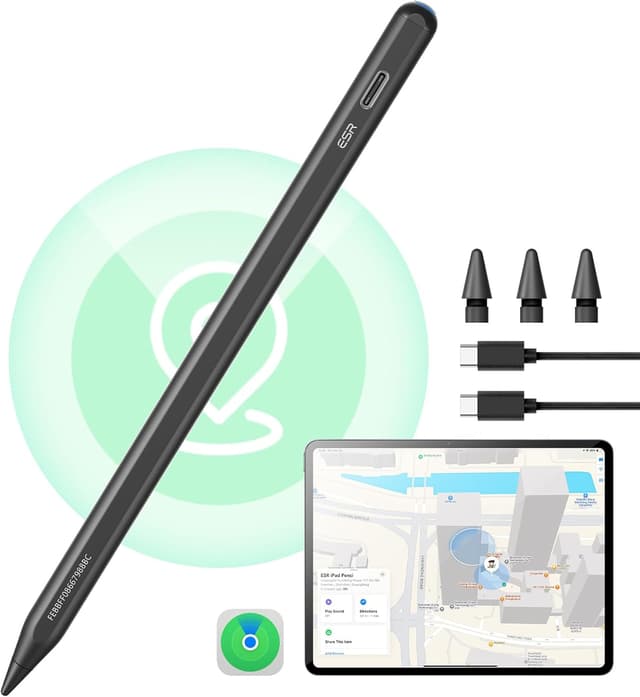
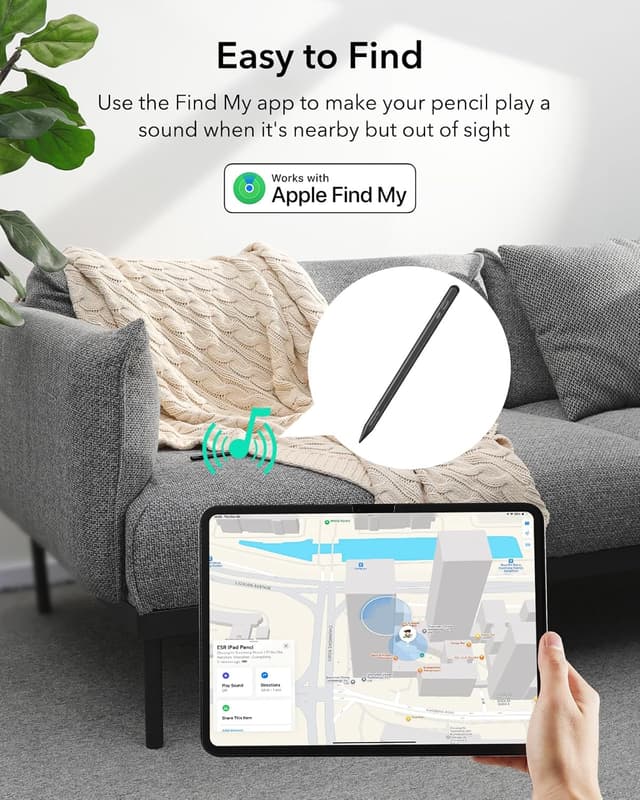
The pencil supports Find My tracking, which helps locate a misplaced stylus when paired with a compatible iPad. This feature can be handy whether you leave the pencil on a desk or misplace it at a café. 🎯
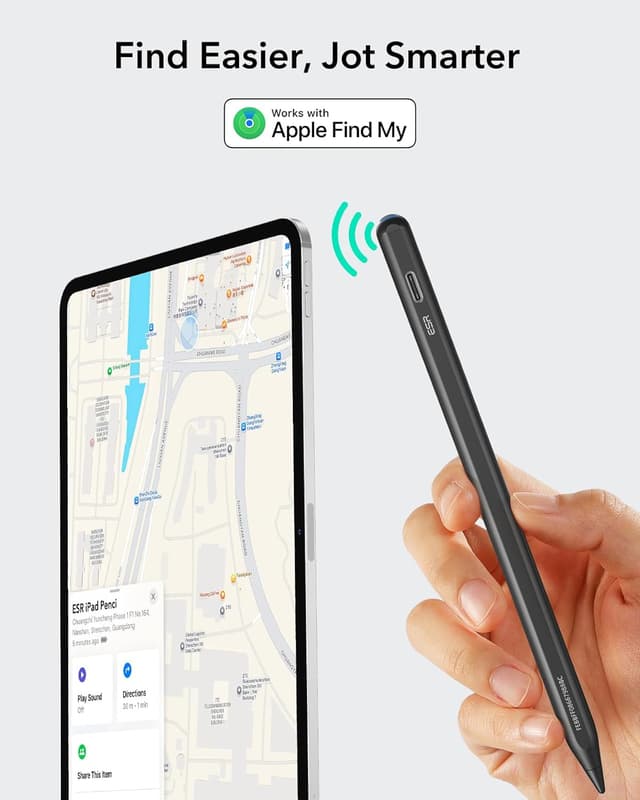
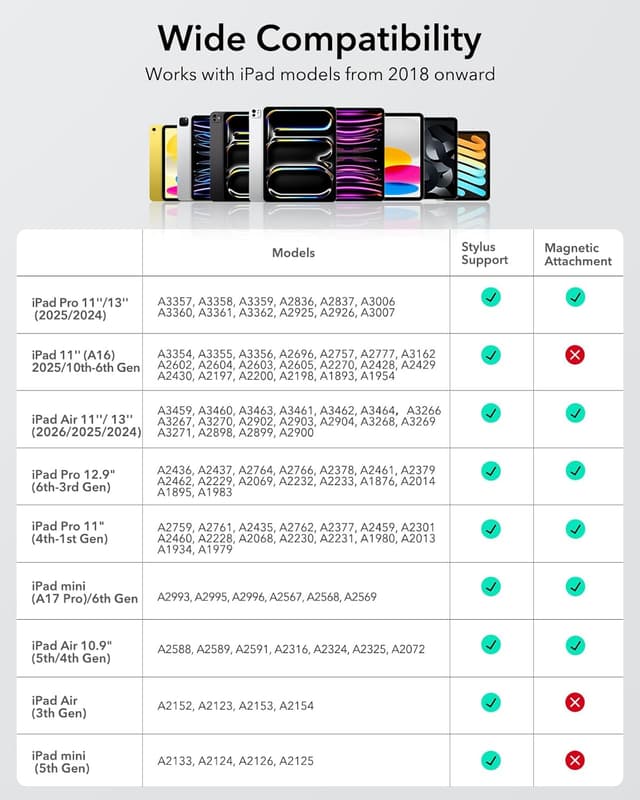
Magnetic attachment keeps the stylus secured to iPads that accept magnetic pencil fastening, keeping it visible and ready while you move between rooms or carry your tablet in a bag. The magnetic hold is useful but note that it will only attach to iPad models that support magnetic pencil mounting. 🔒
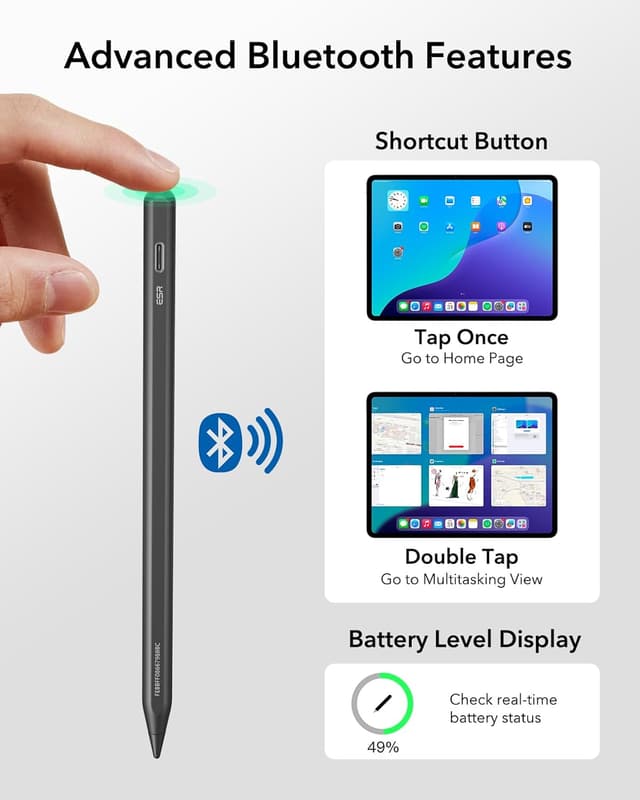
Bluetooth shortcuts enable quick actions when the pencil is connected. A single tap returns you to the home screen and a double tap opens the task switcher, while battery level is shown in real time on the iPad. The controls aim to speed up common tasks during creative sessions or note-taking.
Technical Specifications
- Name: ESR Geo Digital iPad Pencil Findmy
- Compatibility: iPad models from 2018 to 2025, including A16/10/9/8 series, Air 13 and 11, Pro 12.9/13/11 and Mini 7/6/5
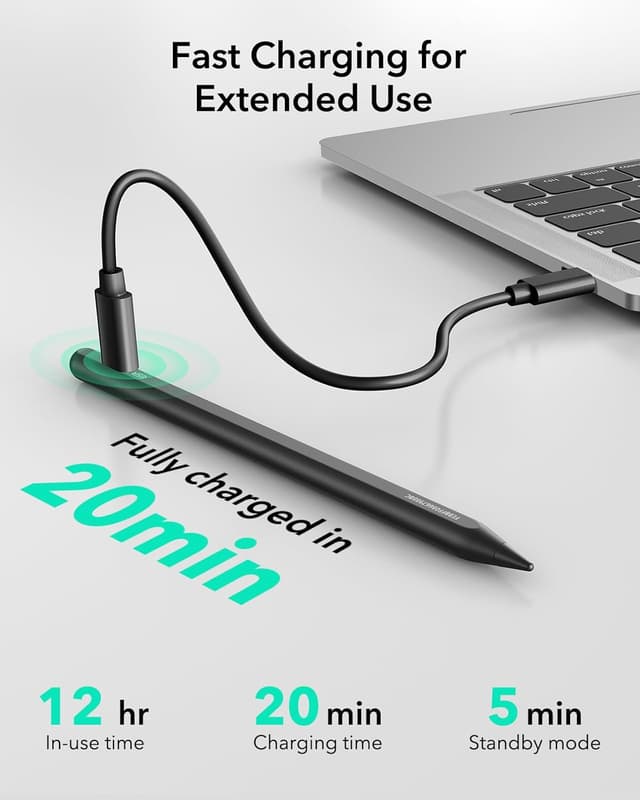
- Charging: USB-C fast charge, full charge in approximately 30 minutes, no wireless charging support
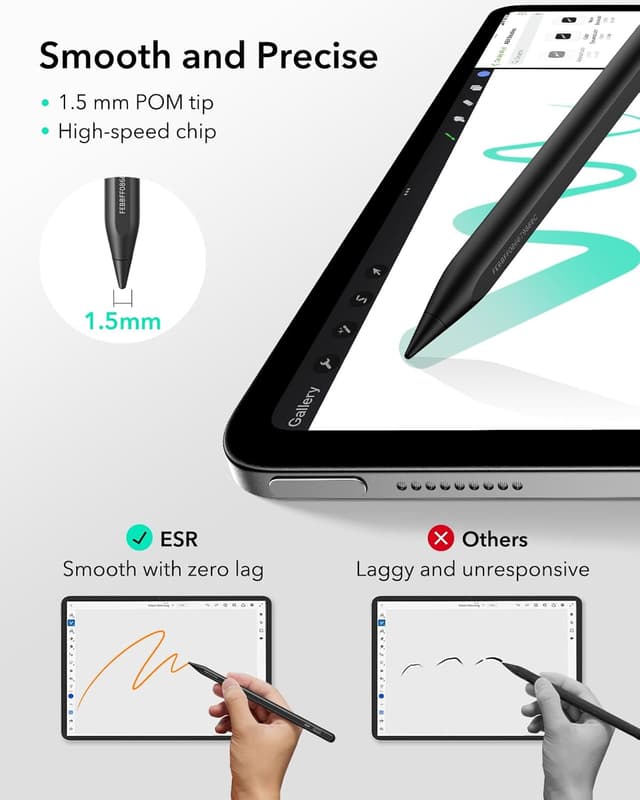
- Features: Find My support, tilt sensitivity for line thickness and shading, magnetically attachable to supported iPads
- Colour: Black
Usage Recommendations
For drawing and shading, use the tilt sensitivity to vary stroke width naturally, which helps when rendering gradients or textured areas in sketches. When writing notes, rely on the single and double tap shortcuts to switch contexts quickly and to check battery status without interrupting the flow of work. ✍️
Keep a small USB-C cable handy for top-up charging between sessions, especially if you use the pencil heavily during long sketching or lecture periods. Consider that the magnetic attachment will not work with iPads that lack a magnetic pencil area, so store the pencil in a safe place if your tablet does not support the magnetic hold. 🎒