

CMARS Tablet Stylus Pens for Touch Screens (High Precision, Magnetic Adsorption) – Black
Product description
At a glance
If you want something that feels like a pen for everyday note-taking and sketching, a capacitive stylus can be a practical choice. This CMARS tablet stylus is designed for touch screens and aims to deliver accurate, smooth lines with magnetic attachment for easier storage.
That said, it’s worth being clear about the limits of capacitive pens: it simulates finger touch, so it doesn’t bring the full “digital pen” feature set you may expect from more advanced stylus systems.
What it’s for (and what you’ll notice)
On paper, this stylus is built around one main job: writing and drawing on touch screens without needing Bluetooth pairing. In everyday use, that typically means you can sketch, take quick notes, annotate, or jot ideas on a tablet or phone in situations where you don’t want to switch apps, charge extra accessories, or worry about connecting devices.
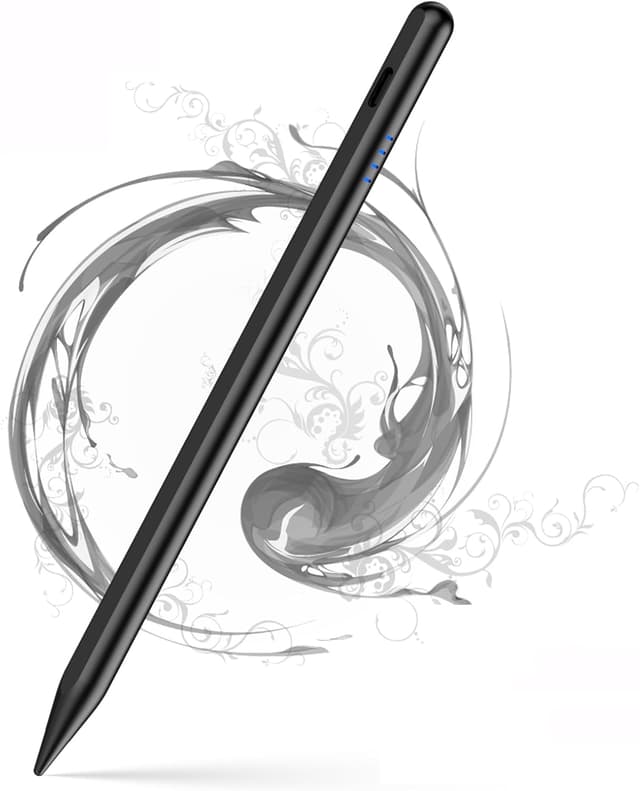
The “high precision” angle here is about the quality of lines and shading control on capacitive screens. The description also points to a soft, pen-like feel—helpful if you’re coming from finger-only input and want something more controlled than swiping and tapping.
A small practical example: imagine you’re sat at a desk with a meeting agenda open—using the stylus to mark up sections or underline key lines is usually faster than using your finger, especially when your screen is busy and touch points are easy to mis-hit.
Key points
The magnetic adsorption is the standout convenience feature. Instead of leaving the stylus loose in a bag, it’s intended to stick to the side of compatible devices, which can reduce the “where did it go?” moment.
It also follows a straightforward power routine: double-click the top to switch it on and off. Power indication is handled via LED cues, and there’s mention of an automatic energy-saving shutdown after a period of inactivity.
For charging, the pen is described as having quick charging via USB-C, with a stated runtime figure. The exact experience can vary a bit from device to device and how often you use it, but the intent is clear: keep it topped up without long charging sessions.
Compatibility & requirements
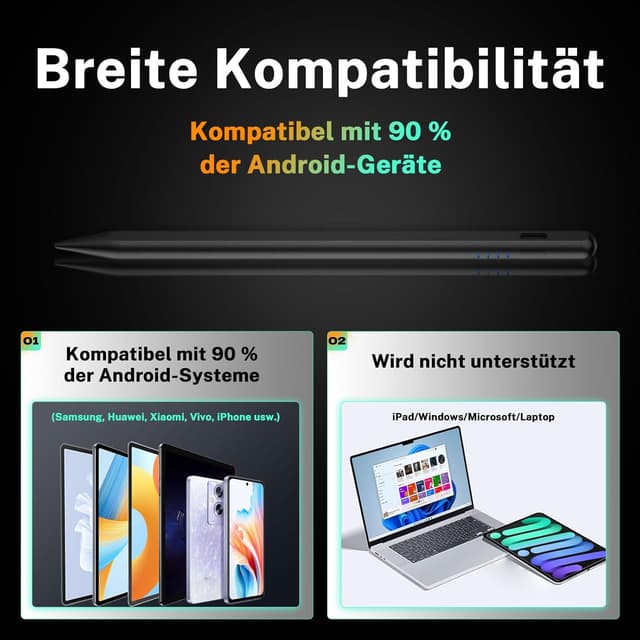
This stylus is described as compatible with touch screens and with many popular Android devices, with particular mention of Huawei. It also claims compatibility with iPhones and “other” Android smartphones and tablets.
However, there are important “don’t assume” notes you should take seriously:
- It is not compatible with Samsung devices that use an S Pen system (including the Samsung Tab S series).
- It is not compatible with iPads (including the iPad/iPad mini/iPad Air/iPad Pro series).
- Additional incompatible devices may be updated in the future.

Also, because it’s capacitive and simulates finger input, it does not support palm rejection or pressure sensitivity. If you’re expecting features like these, you may find it frustrating during longer writing sessions or when your hand naturally rests on the screen.
Tech specs
- Type: Capacitive stylus (finger-touch simulation)
- Charging: USB-C
- Power control: Double-click on the top to turn on/off
- Battery indication: LED colour cues (and energy alert with percentage, as described)
- Auto power-off: Switches off after 5 minutes of inactivity (as described)
- Magnetic attachment: Magnetic adsorption to secure storage
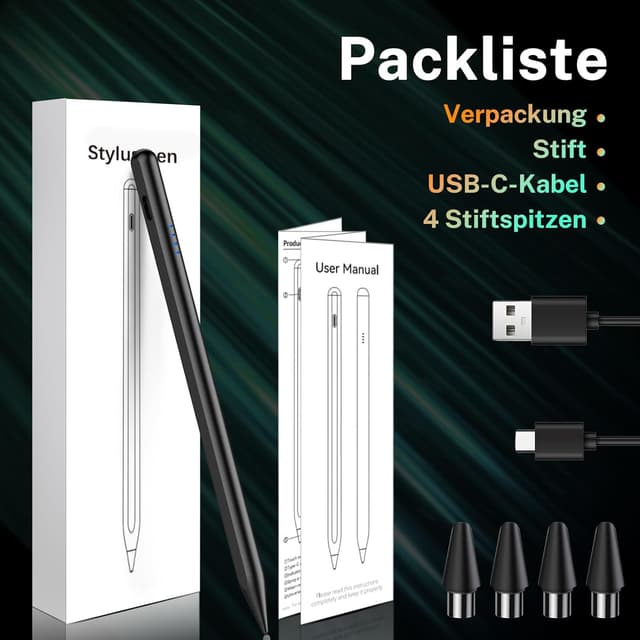
- Package contents: 1 stylus, 4 replacement tips, USB-C charging cable, manual (Spanish not guaranteed)

Where it shines (and where it may fall short)
It’s a solid fit if you want a low-friction stylus for touch screens, particularly for basic handwriting, sketching, and markup on supported phones/tablets. The magnetic holding and the lack of Bluetooth pairing make it easier to live with day to day.
It’s not the best choice if your main goal is advanced inking features. Since it doesn’t support palm rejection or pressure sensitivity, it stays more in the “practical everyday” category than in the “precision professional drawing” category you might be used to from dedicated stylus ecosystems.
You may also want to skip it if you own a device with an S Pen or you’re looking for iPad compatibility—those are called out as incompatible.
Is it worth it?
Worth buying if you’ve got a compatible Android smartphone/tablet (especially Huawei, as mentioned) and you want a stylus that’s simple to power, doesn’t require Bluetooth, and can be stored more securely thanks to magnetic adsorption. It’s also a good candidate if you prefer a pen-like line feel and you’re mainly doing everyday notes and light drawing.
Better avoided if you need palm rejection, pressure sensitivity, or you’re using a device that relies on S Pen or is an iPad—this stylus is explicitly not built for that. If your current stylus frustration is about those advanced behaviours, you’ll likely end up disappointed.

Mini FAQ
Does it connect via Bluetooth?

No. The description says there’s no need for Bluetooth pairing.
Can it detect pressure or support palm rejection?
No. It simulates touch input and does not support palm rejection or pressure sensitivity.
How does it charge?
It charges via USB-C, with the description stating a fast charge time and a claimed runtime.
What’s in the box?
The pack includes 1 stylus, 4 replacement tips, a USB-C charging cable, and a manual.
Is it compatible with iPads or Samsung devices with S Pen?
No for iPads, and also not compatible with Samsung devices that use S Pen (including the Tab S series), based on the compatibility notes provided.