

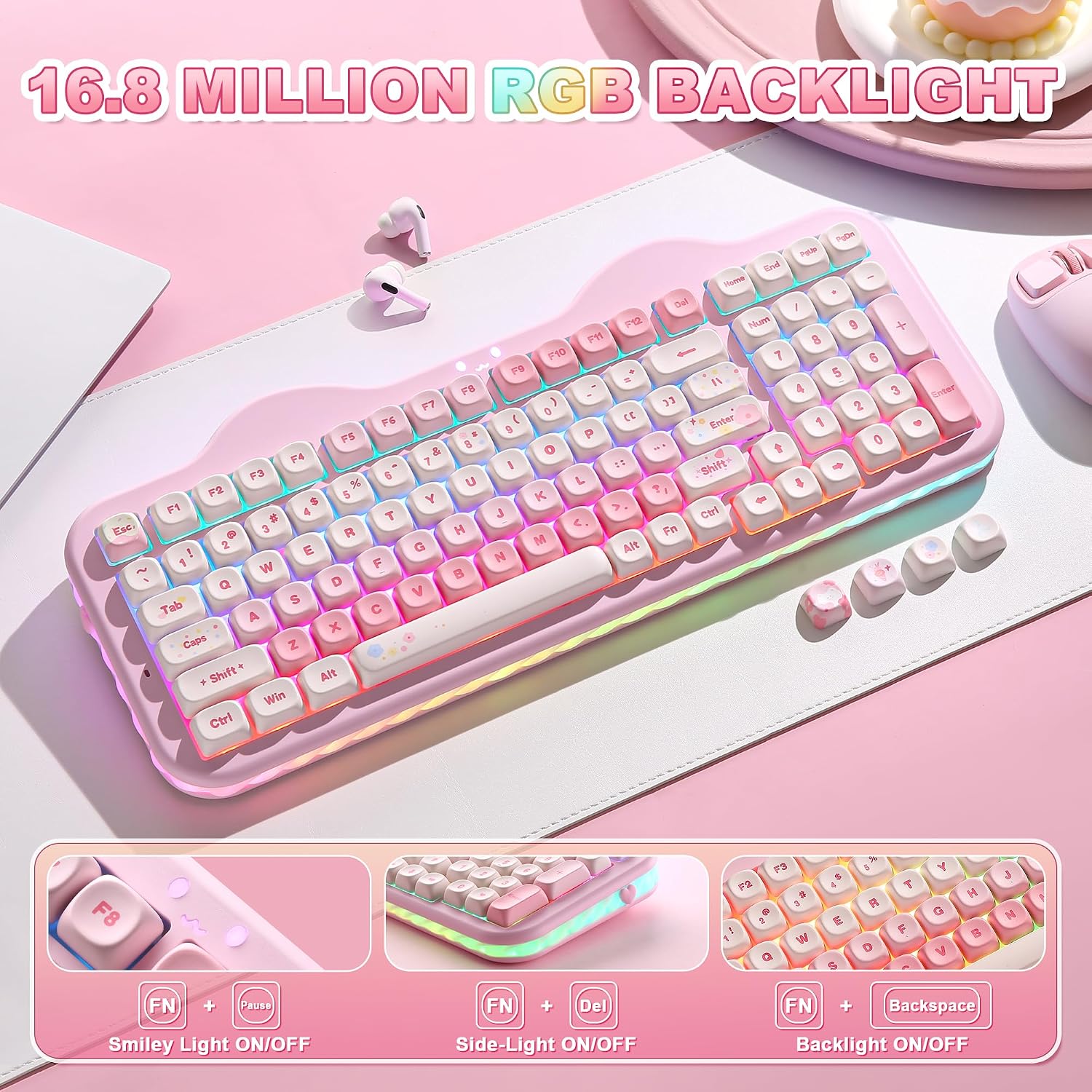
YUNZII C98 Wireless Mechanical Keyboard with 99 Keys and Numpad (Pink, Candy Linear Switch)
Product description
What it is and who it’s for
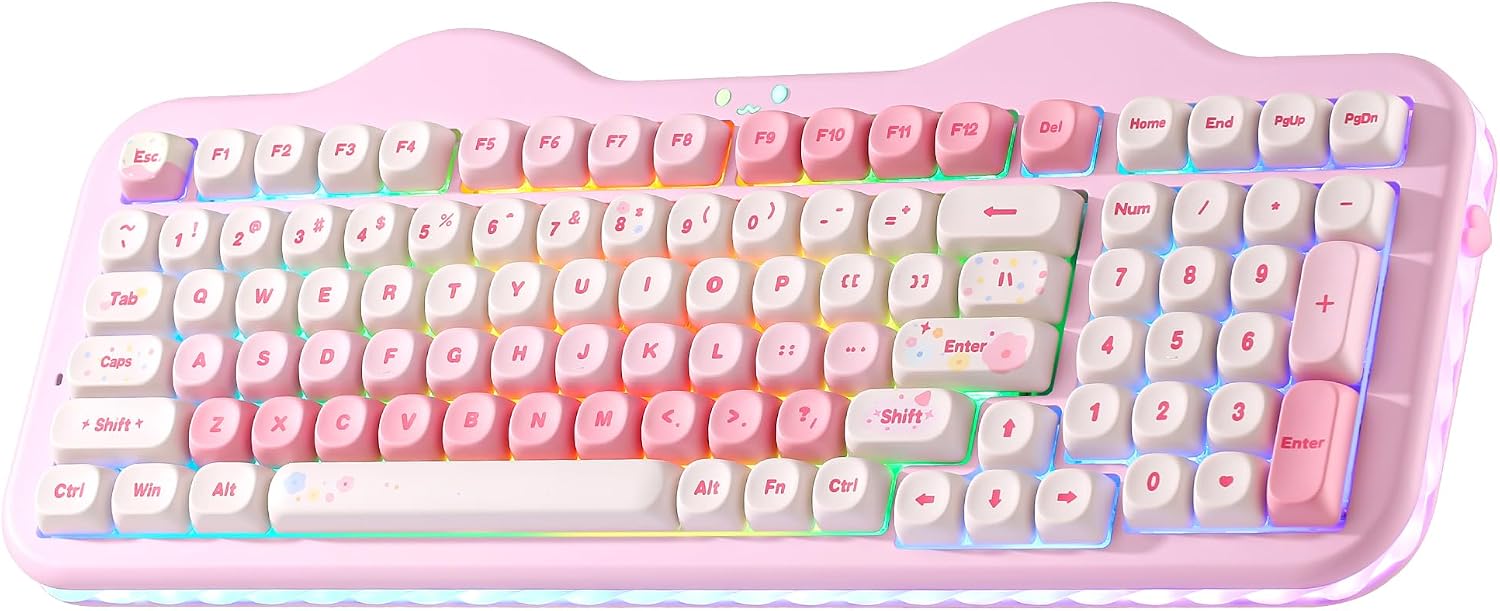
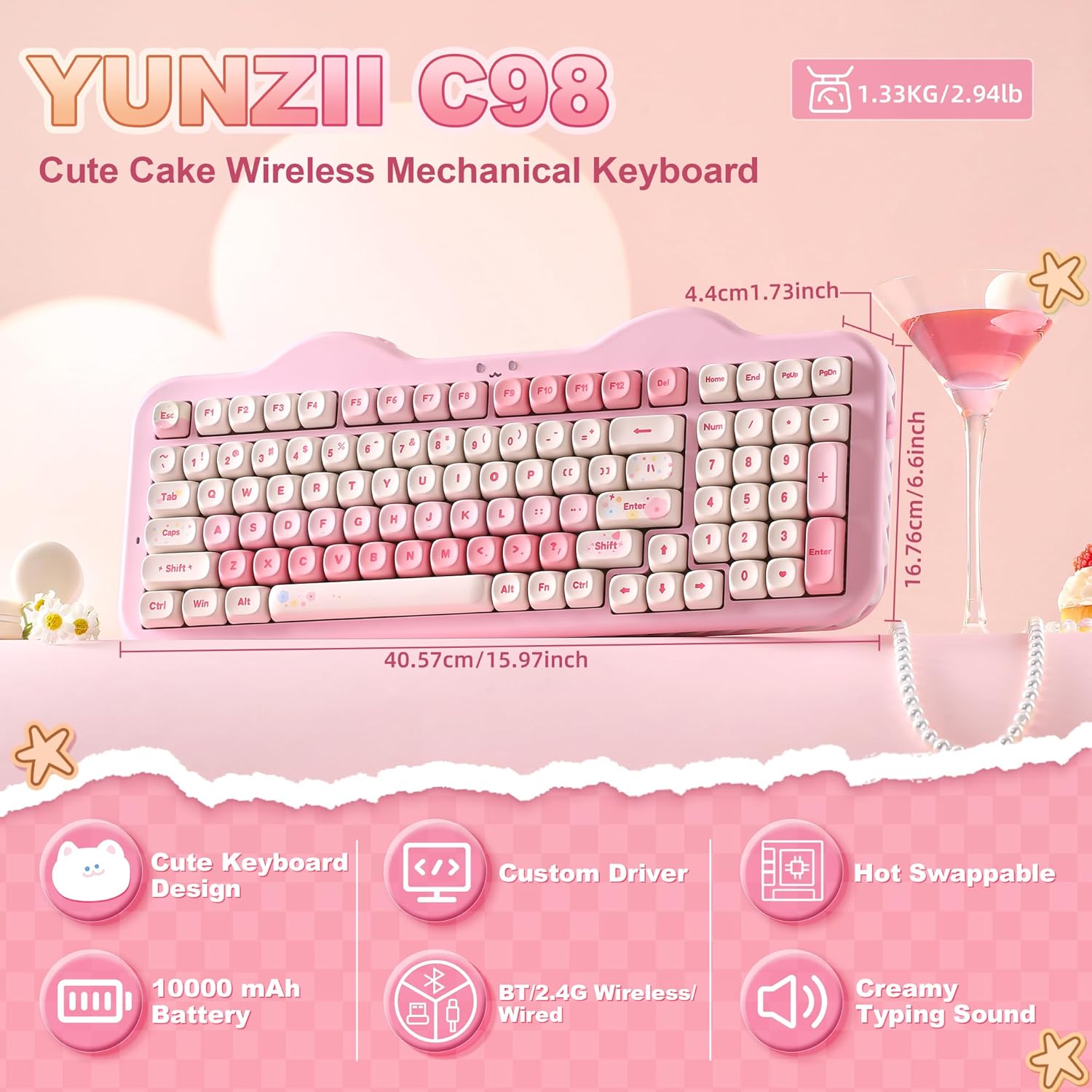
The YUNZII C98 is a 99-key wireless mechanical keyboard built around a 96% layout with a dedicated numeric keypad. It keeps the cute cake-inspired aesthetic but adds practical features for work, gaming, and casual use. If you value a compact desk footprint without sacrificing a full numeric row, and you like playful, colorful keycaps, this keyboard is worth considering.
How it connects and stays ready
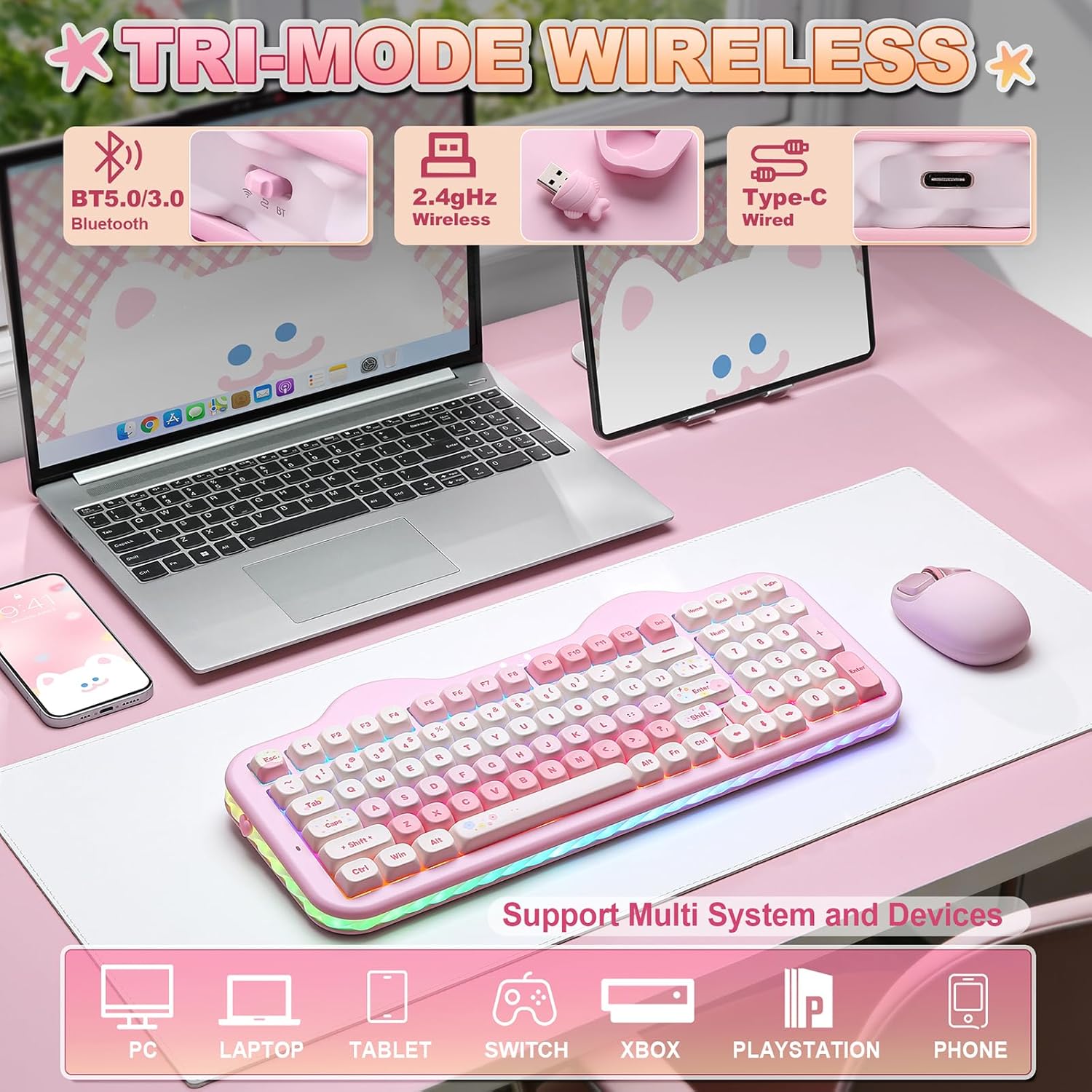
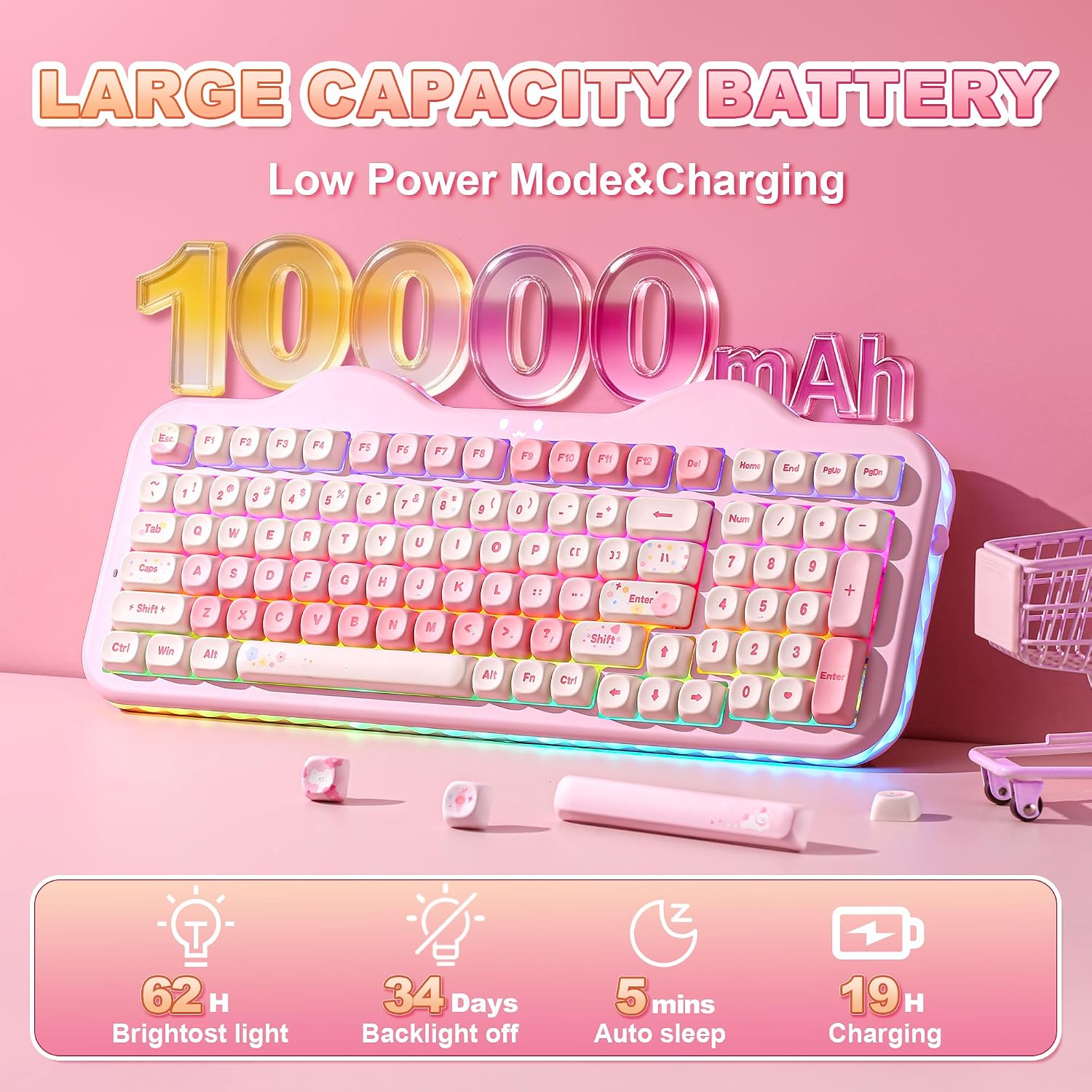
This model offers tri-mode connectivity: Bluetooth 5.0, 2.4G wireless, and USB-C wired. You can connect up to five devices and switch between PC, Mac, iOS, and Android with ease. A 10000mAh battery promises longer wireless periods between charges, which is handy for long gaming sessions or workdays without hunting for a cable.
Feel and sound in use
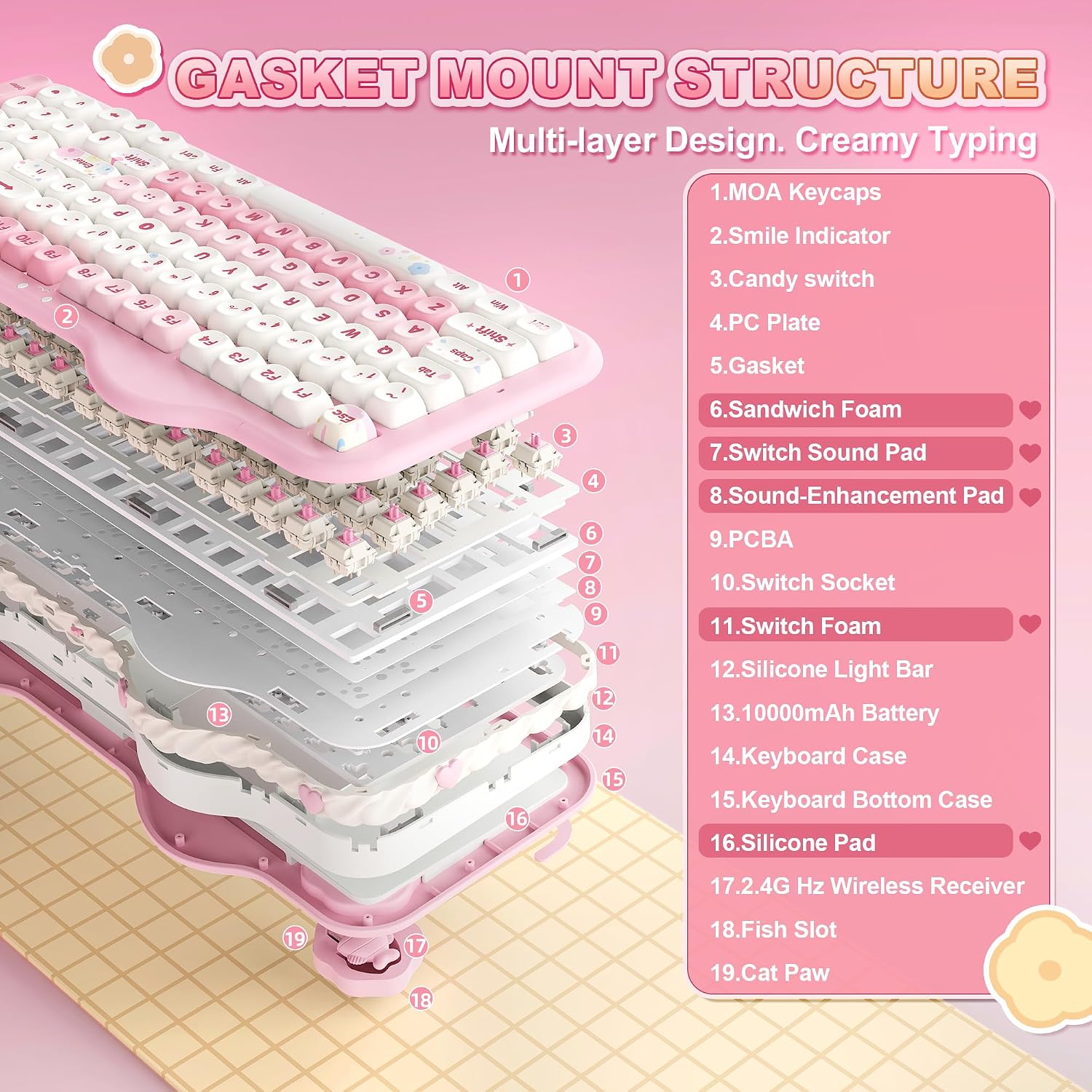
The C98 uses a gasket mount design with multiple sound-absorbing layers and silicone padding. Paired with factory-lubed creamy linear switches, keystrokes are quiet, smooth, and have a softer acoustic profile—no loud clicking, more of a creamy, forgiving feel.
Customization that’s actually usable
Out of the box, RGB lighting is easy to adjust. A 360° side light provides ambient illumination. The keyboard supports a web-based software (Windows/Mac) for key remaps, macros, and lighting profiles, making it practical for folks who like tailored shortcuts or unique lighting schemes.
Build quality and package
The C98 emphasizes a premium aesthetic with dye-sub PBT MOA keycaps that fit the cake theme. It comes with useful extras like decorative stickers, extra keycaps, a dust cover, and a keycap puller, making it a fine gift option or a ready-to-use setup upgrade.
What to know before you buy
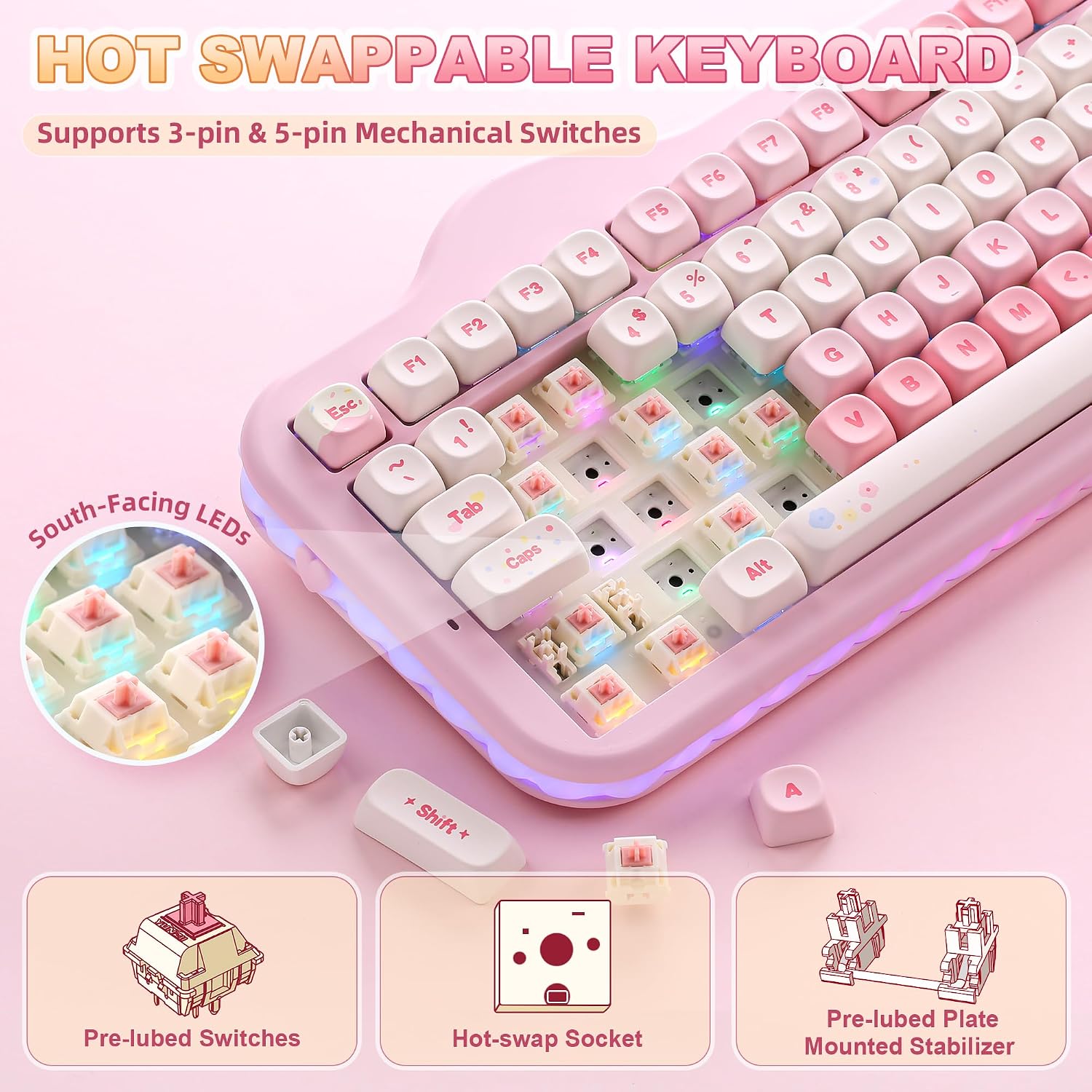
- It uses a hot-swappable PCB compatible with 3-pin and 5-pin switches, so you can swap switches without soldering if you want to experiment with tactile or linear feels.
- The combination of gasket mounting and silicone padding generally reduces rattles, but real-world sound can still be personal to switch choice and typing style.
- If you prioritize a compact setup with a full numeric keypad, this model fits that niche, if you mainly type on a laptop or prefer a larger keyboard, you might prefer a different form factor.
- While the software is convenient, some users may prefer more advanced features from higher-end software suites, check your needs for macros and per-key lighting.
What stands out vs. trade-offs
You’ll notice the distinctive appealing design and the practical 99-key layout paired with an extended battery life and versatile connectivity. On the downside, a non-standard keycap/theme and the reliance on software for full customization may feel extra if you don’t need heavy macros or lighting control.
Practical use cases and a sample scenario
Imagine a creative professional who works across Windows and macOS, sometimes gaming at night, and wants a cute desk aesthetic without sacrificing productivity. The C98 can be docked on the desk, used for quick numeric data entry, and switched to Bluetooth for a tablet or laptop. The creamy switch feel helps with long typing sessions, and the RGB can be tuned to match mood or task cues.
What reviewers or buyers might miss (limiting factors)
- The colorway is specific (pink, candy-themed) and may not fit every setup or brand palette.
- If you’re sensitive to typing sound, even with a creamy linear switch, you might find it different from your current board, try to audition if possible.
- The keyboard’s full feature set relies on software, offline operation will still work, but some customizations won’t be accessible without the software.
Final checks before purchase
- Do you need a compact 96% layout with a dedicated numpad for data entry or spreadsheets?
- Is multi-device wireless freedom important for your workflow across PC, Mac, and mobile?
- Are you drawn to the cute cake aesthetic and dye-sub PBT MOA keycaps as part of your desk vibe?
Quick decision guidance
- If you prioritize versatility, a comfortable typing feel, and a playful design in a compact footprint, this could be a strong fit.
- If you want a minimalist aesthetic, or you don’t need a numeric keypad, there are lighter options that may suit you better.
- If you value easy switch customization and long wireless use, the hot-swappable PCB and large battery are advantages worth considering.
FAQ
Q: Can I use this keyboard with both Windows and Mac without issues? A: Yes, it’s designed for cross-platform use and supports Windows and Mac via its software and native key mappings. Q: What about battery life in real-world use? A: The stated 10000mAh battery supports extended wireless use, but actual life varies with RGB usage and connectivity mode. Q: Do I need to solder anything to customize switches? A: No—it's hot-swappable, so you can swap 3-pin or 5-pin switches without soldering.
Is it worth it?
It makes sense if you want a cute, cake-themed keyboard with a full numeric keypad, flexible connectivity, and room to customize switches and lighting without diving into soldering. If your priority is a minimal or monochrome aesthetic, or you don’t need a numpad, you may want to compare alternatives before committing.