

VueForge Laptop Screen Extender 14" FHD Dual Screen Monitor (USB-C/HDMI)
Product description
If you’re the kind of person who keeps losing track of tabs, spreadsheets, or reference material, a second screen can feel like a cheat code. The VueForge Laptop Screen Extender is built for exactly that: giving your laptop a helpful “extra workspace” without making your bag feel heavier. On paper, it targets mobile productivity with a 14" FHD IPS display, a lightweight build, and plug-and-play setup.
The essentials (what it is and what it solves)
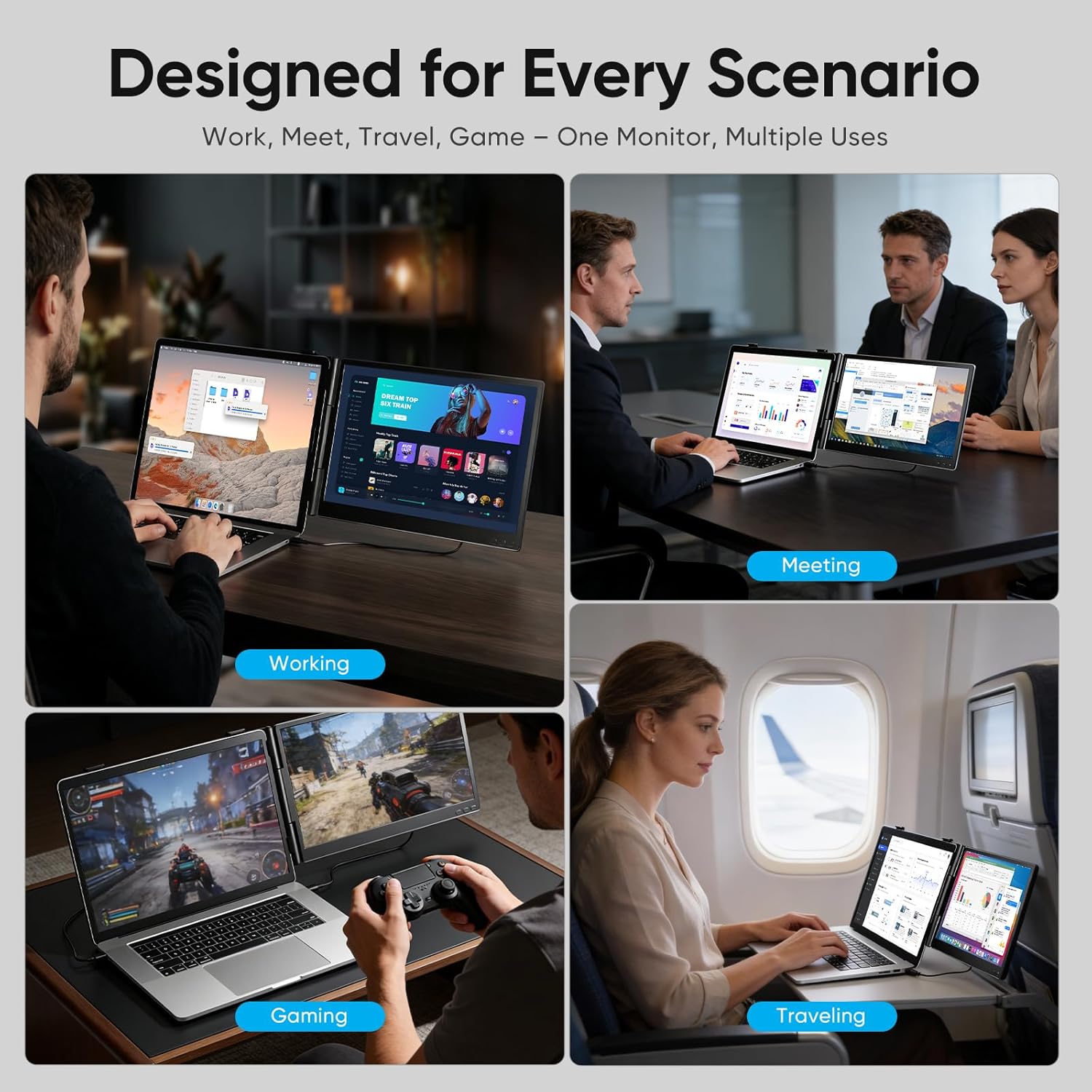
This is a portable monitor extender designed to run as a dual-screen setup with your laptop (or compatible devices) using USB-C or HDMI. The pitch is simple: more room for multitasking, less tab switching, and a more comfortable workflow when you’re working away from a desk. It’s positioned as a travel-friendly, ultra-light screen rather than a desktop replacement.
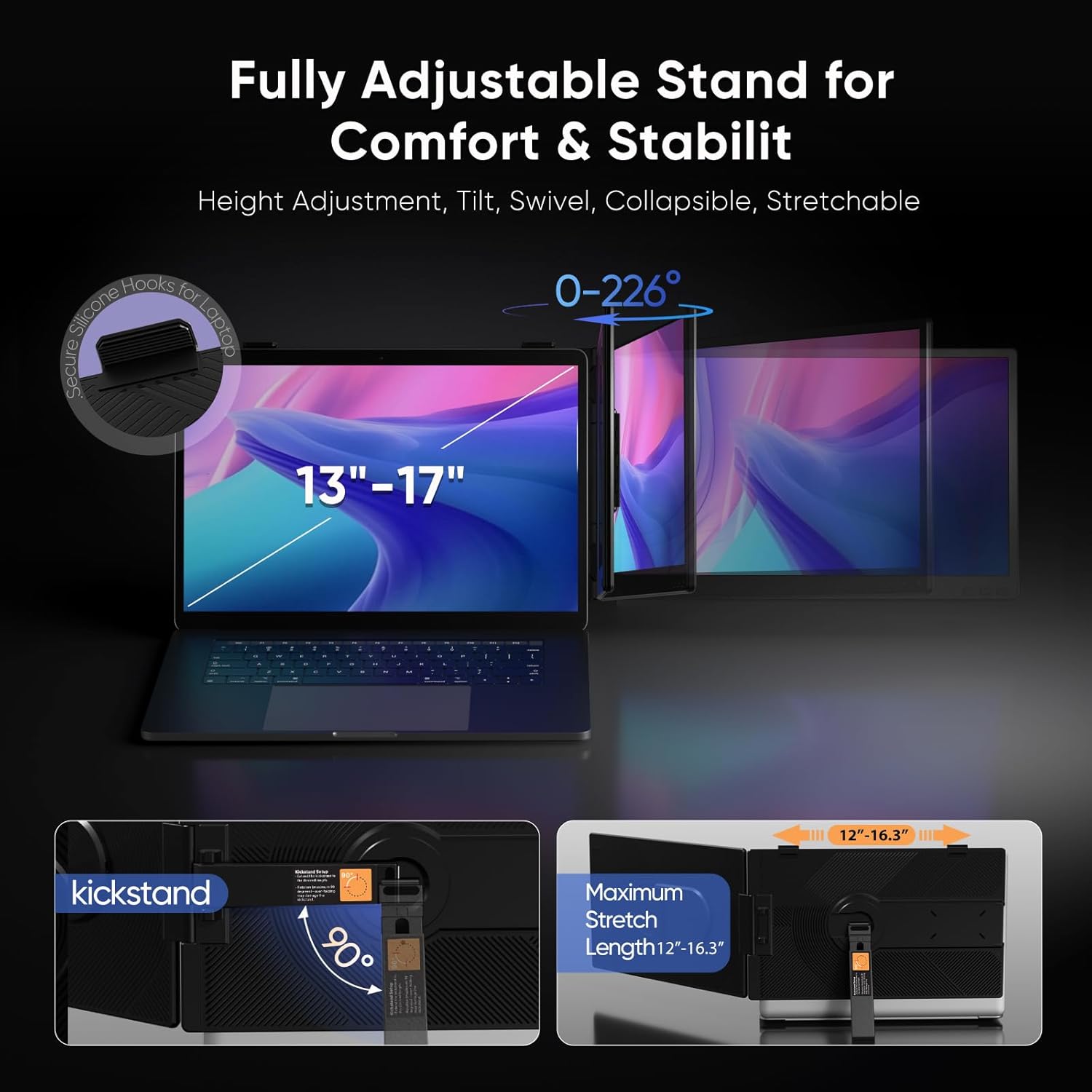
You also get a built-in adjustable stand, so you’re not stuck trying to improvise with books or random risers. That matters when you’re in meetings, working from a couch, or setting up in a hotel room where “desk ergonomics” aren’t exactly guaranteed.
Key features that matter in daily use
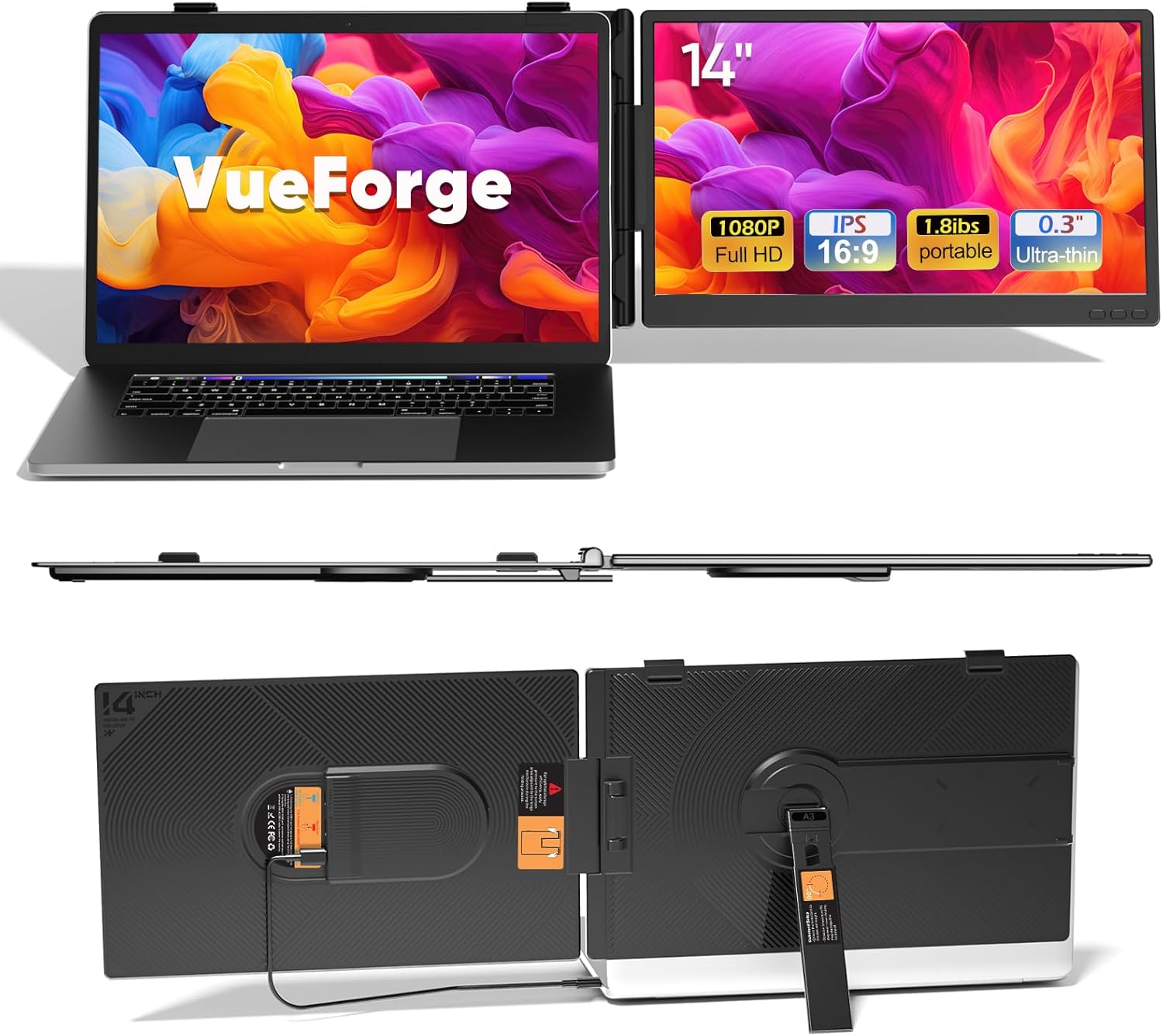
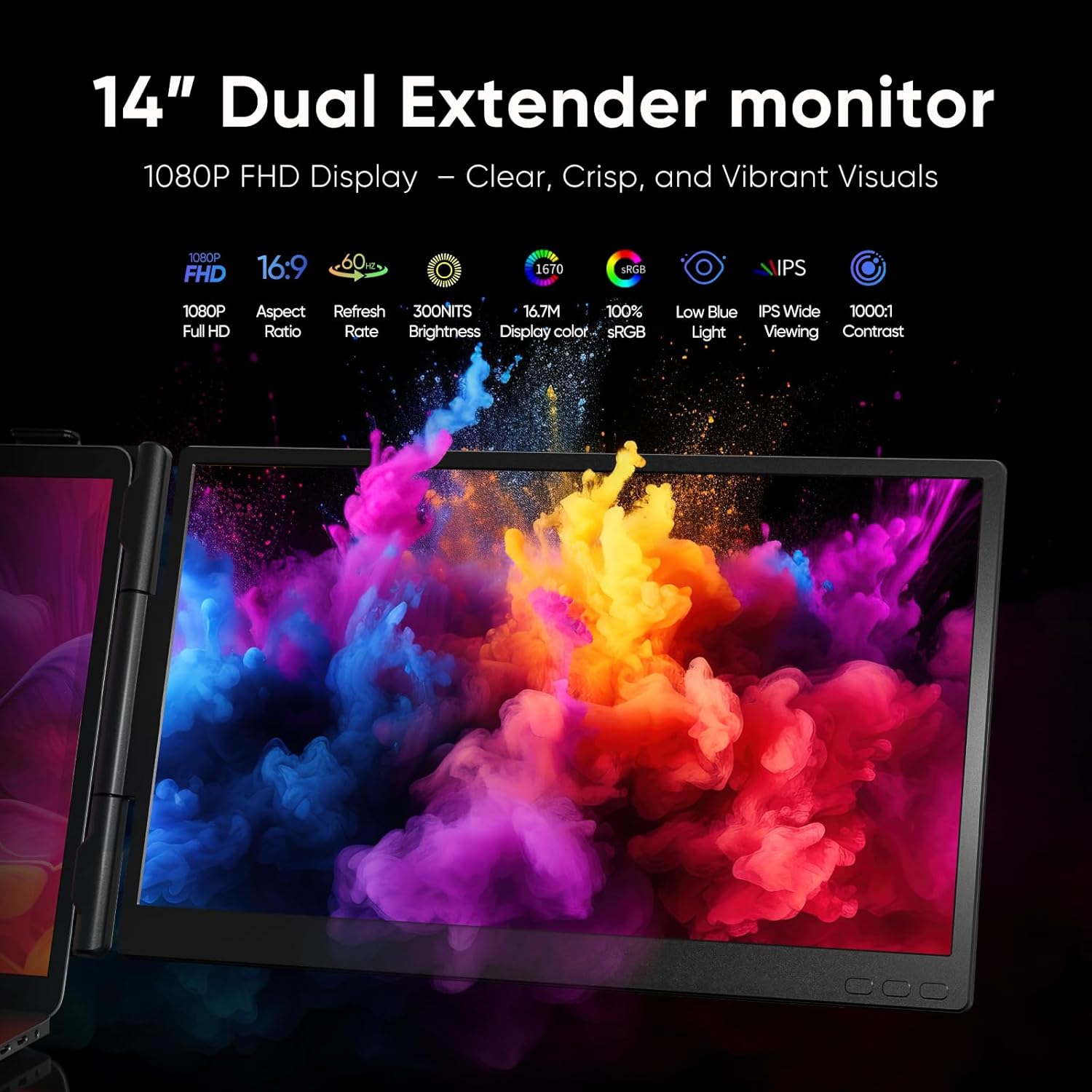
The standout part is the 14" Full HD IPS panel, described as offering crisp 1080P resolution and wide-angle viewing. In practice, that’s the difference between using your second display for “real work” versus quickly regretting the purchase when text looks fuzzy or colors shift.
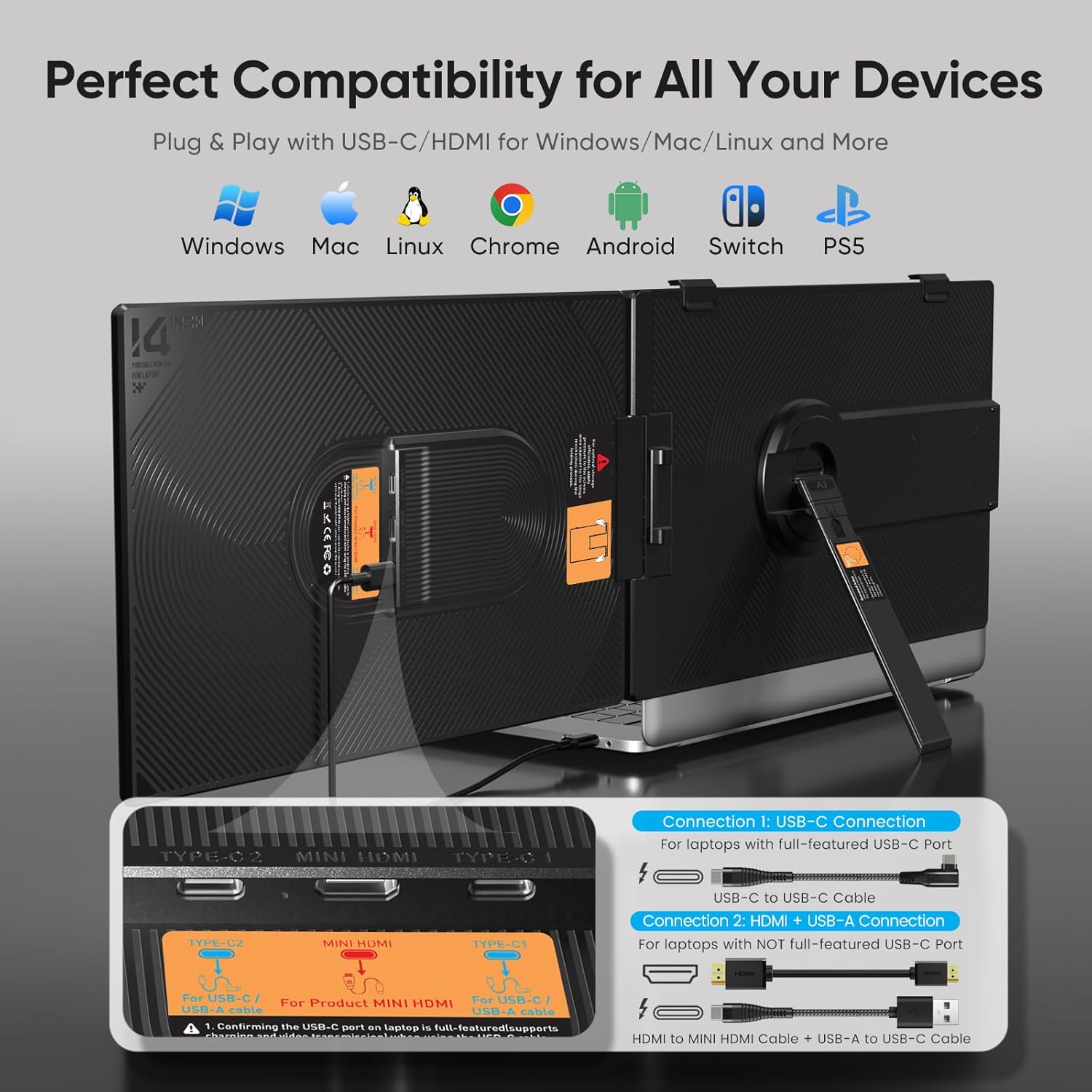
The setup is meant to be frictionless: it requires no drivers and is plug-and-play through USB-C or HDMI. That’s a big deal if you bounce between devices or you don’t want to hunt down software each time.
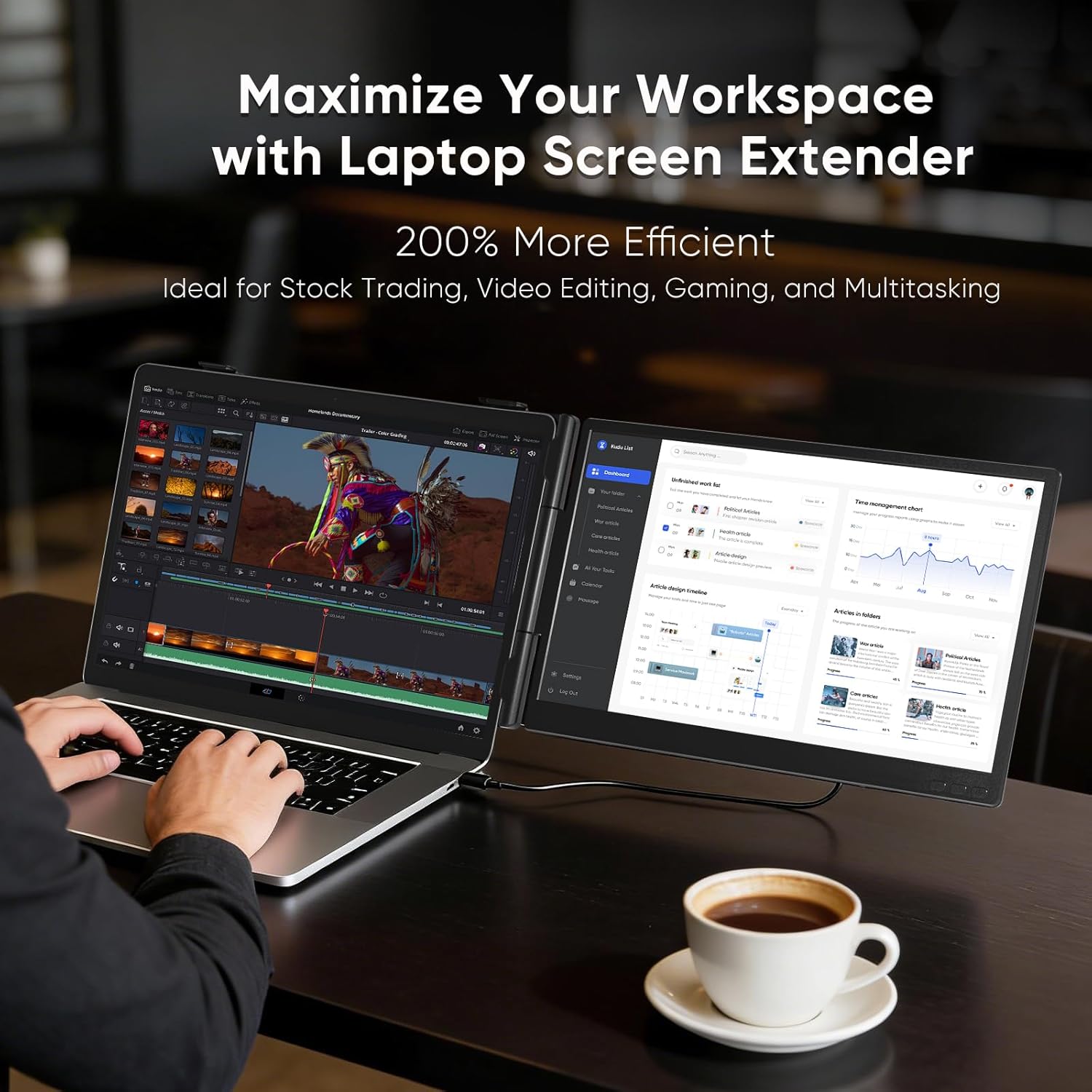
There’s also a strong multitasking angle. With dual screens, you can keep one side for the main task and use the other side for documents, dashboards, chat, trading charts, or editing timelines. The product description even calls out use cases like stock trading, gaming, and professional video editing—so it’s clearly trying to cover both work and more intense visual workflows.
Still, a quick reality check: the best experience depends on your laptop/device graphics and how well your apps scale. A portable screen extender can’t magically fix awkward resolution scaling if your setup runs into compatibility quirks.
Portability and durability: good intentions, not magic
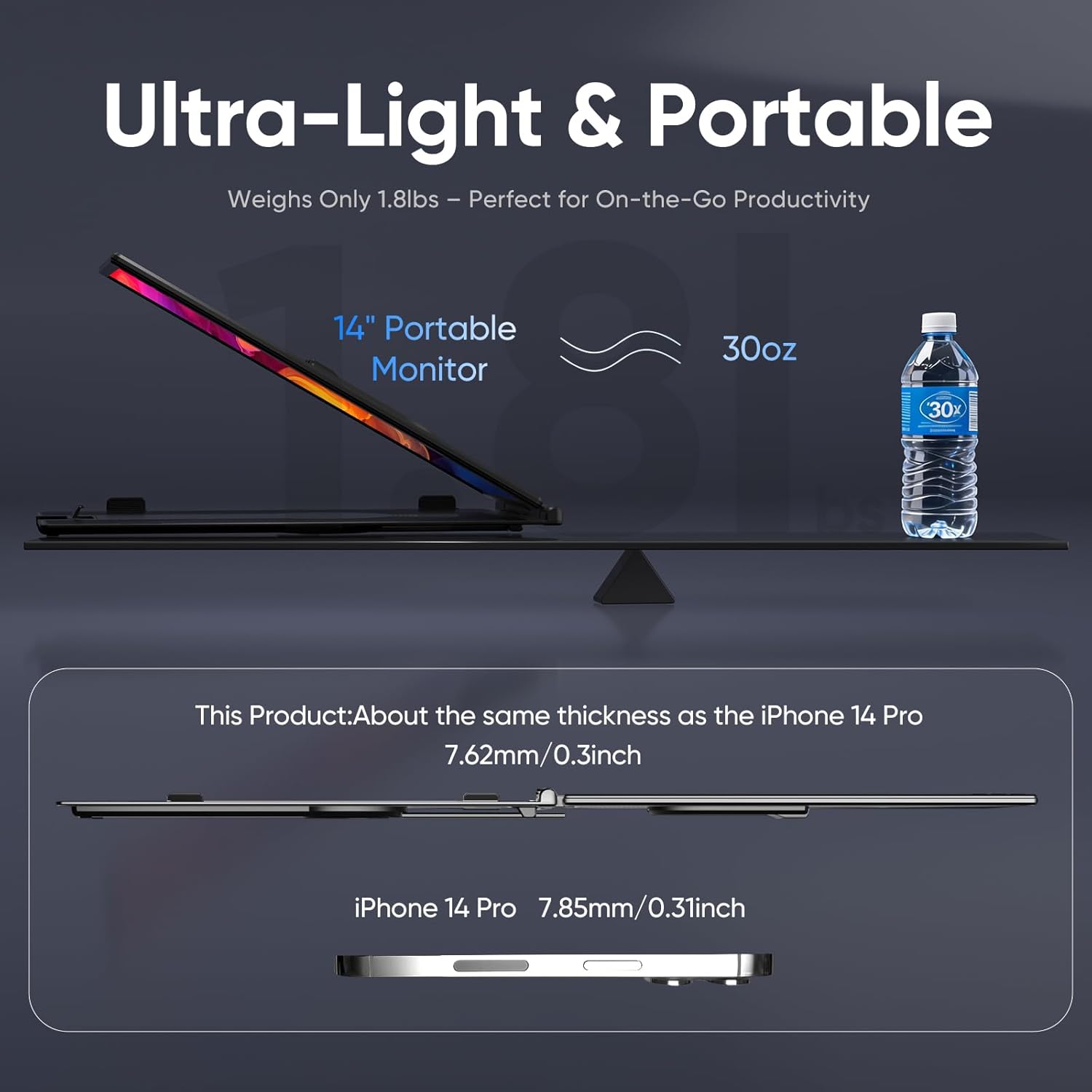
VueForge leans hard into portability: it’s described as ultra-light and compact, weighing only 1.8 lbs. If you travel often or work remotely, this is the type of spec that makes the difference between “I’ll bring it” and “I’ll leave it at home.”
For protection, the design is described as scratch-resistant and anti-drop, with an anti-pinch design and silicone padding to absorb shocks and help prevent damage. That’s exactly what you want for a screen extender that lives in a bag.
However, durability claims are always “as designed,” not “indestructible.” If you’re rough with gear or regularly toss your bag around, you’ll still want to treat this like a real display panel.
Power and comfort: what you should expect
The screen extender is described as energy efficient and designed to consume minimal power, aiming to let you work or game for hours without draining your laptop’s battery. That’s helpful, but the actual runtime will depend on your device and how you’re using it (brightness, refresh behavior, workload, and so on). So it’s smart to think of this as “low impact,” not guaranteed battery life.
The stand is built with aircraft-grade aluminum and is fully adjustable for height, tilt, and swivel. That’s a comfort win because screen position affects posture quickly—especially if you’re working for long stretches. If you’ve used a second monitor perched too low or at a bad angle, you already know how distracting it gets.
Tech summary (quick specs)
- Name: VueForge Laptop Screen Extender
- Type: Portable dual screen monitor extender
- Display: 14" Full HD IPS
- Resolution: 1080P (FHD)
- Connectivity: USB-C / HDMI
- Weight: 1.8 lbs
- Compatibility (stated): Windows, Mac, Linux, Chrome, Android, and gaming consoles like Switch
- Setup: Plug & Play (no drivers required, per description)
Is it worth it?
This is a solid pick if you want a lightweight second screen you can realistically carry for work travel, meetings, or remote days, and you value a plug-and-play setup over complicated configuration. The 14" FHD IPS panel and adjustable stand are the kind of details that can turn a portable screen from “nice to have” into something you actually use daily.
It might not be the best choice if you need a screen extender that’s guaranteed to behave perfectly across every app scaling situation, or if you’re expecting desktop-level flexibility and performance tuning. Also, if you’re very picky about how your text and UI scale on external displays, you may want to double-check compatibility expectations before committing.
Mini FAQ: common buying questions
Will it work with my laptop right away?
The description says it’s plug-and-play and requires no drivers. Still, real-world behavior can vary depending on your device’s USB-C/HDMI output and display settings.
Do I need a specific port?
You can connect via USB-C or HDMI, depending on what your device supports.
Is this meant for gaming or just work?
The product listing includes gaming use cases alongside work and content creation. Just keep in mind that “gaming-ready” is about more than the screen—your device and the game settings matter too.
How portable is it really?
It’s described as ultra-light at 1.8 lbs and designed to fit easily into a bag, which is the main reason people buy screen extenders like this.
What’s the main downside to watch for?
If you run into display scaling issues or your device doesn’t handle external monitors smoothly, the second screen may not feel as effortless as you expected.