


CIDETTY New Upgrad Laptop Screen Extender Monitor
Product description
What it is and the need it addresses
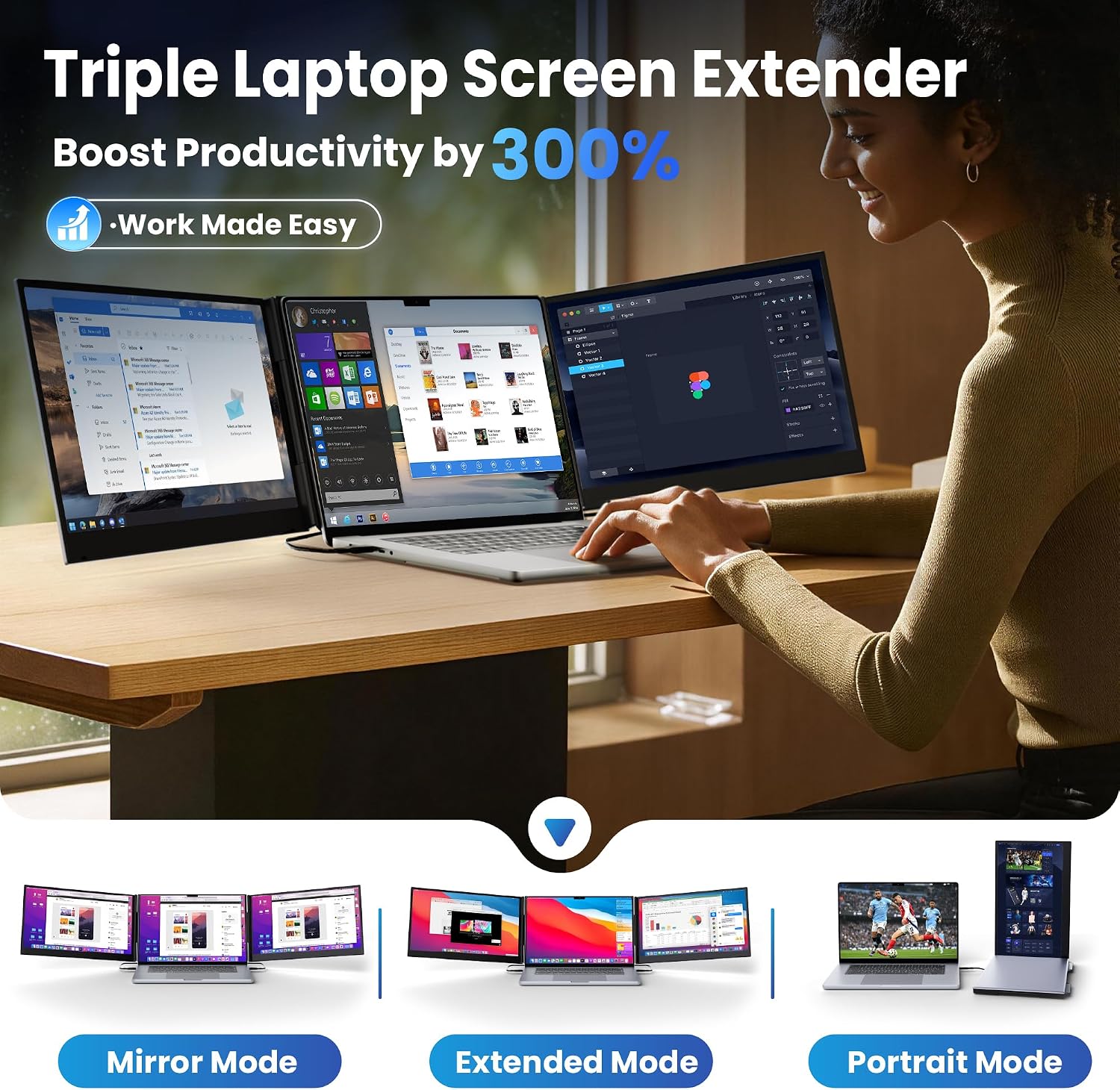
CIDETTY’s New Upgrad Laptop Screen Extender is a portable, ultra-thin triple-monitor extension designed to turn a single laptop into a multi-screen workstation. The idea is simple: open multiple windows side by side so you don’t constantly switch between tasks on one screen. On paper, this can boost your workflow efficiency and provide a more organized space for projects, presentations, coding, or design work. If you frequently juggle data, emails, and reference materials, this device promises a more fluid visual setup without being tethered to a bulky desktop.
How it fits into a mobile or hybrid workflow
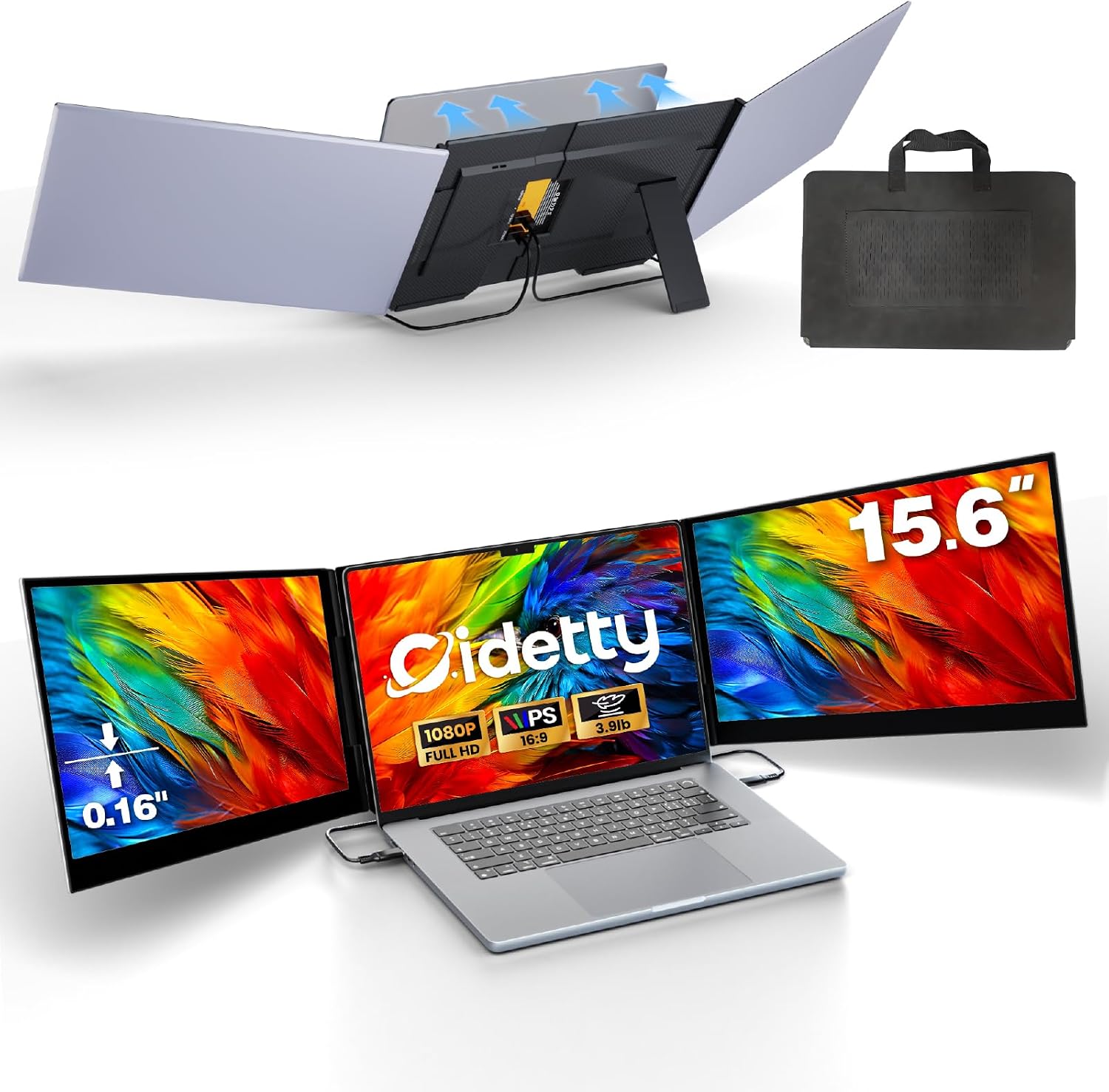
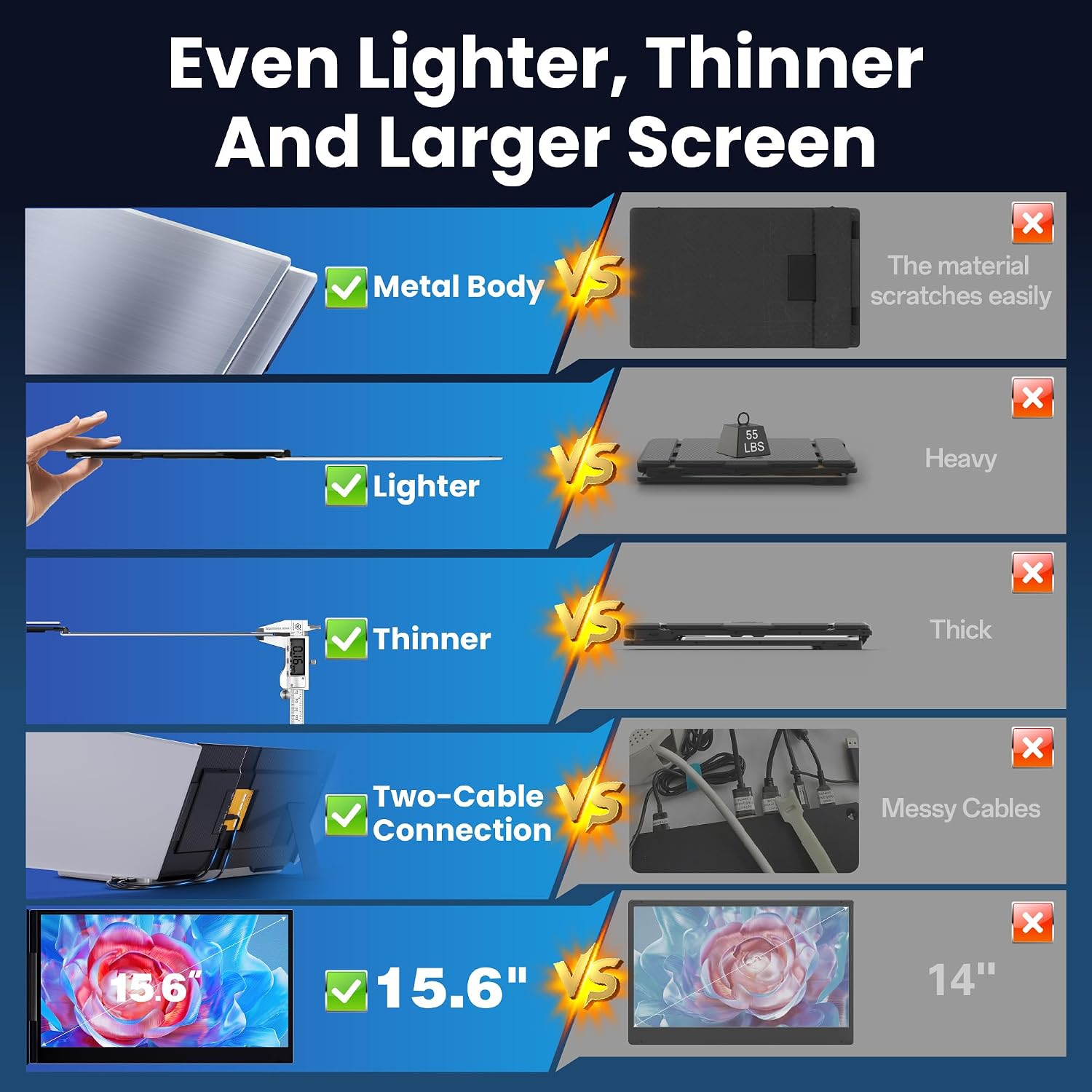
The extender uses a plug-and-play approach with 2 cables and claims broad compatibility across Windows, macOS, Chrome OS, Android, and Linux systems. In practice, that means you can set it up quickly for meetings, travel, or remote work without hunting for drivers or specialized software. The package includes cables and a carry bag, which helps keep your gear organized on the go. A reinforced back bracket with non-slip pads is described to minimize wobble, which matters when you’re tapping away or adjusting windows during a live demo.
What stands out on paper
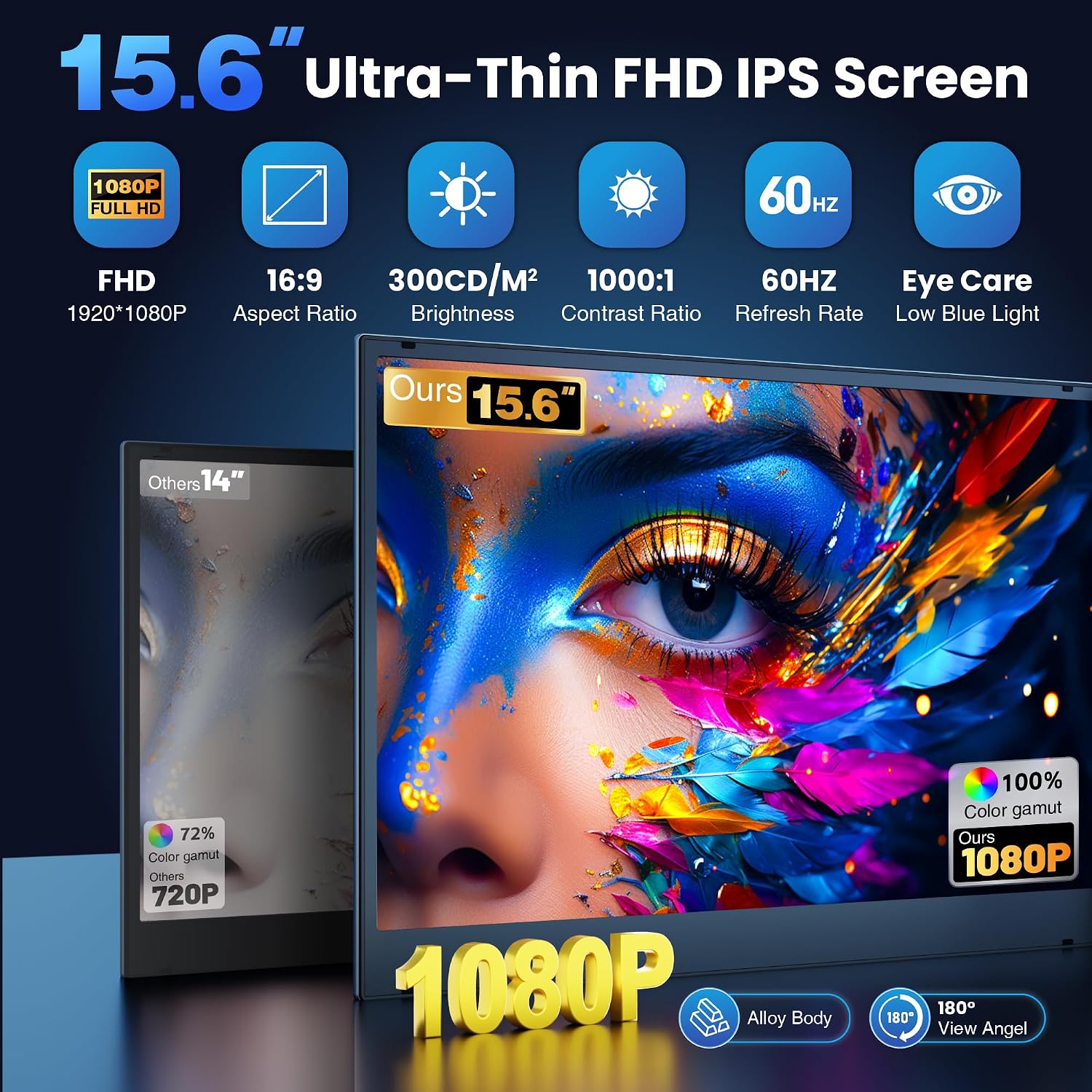
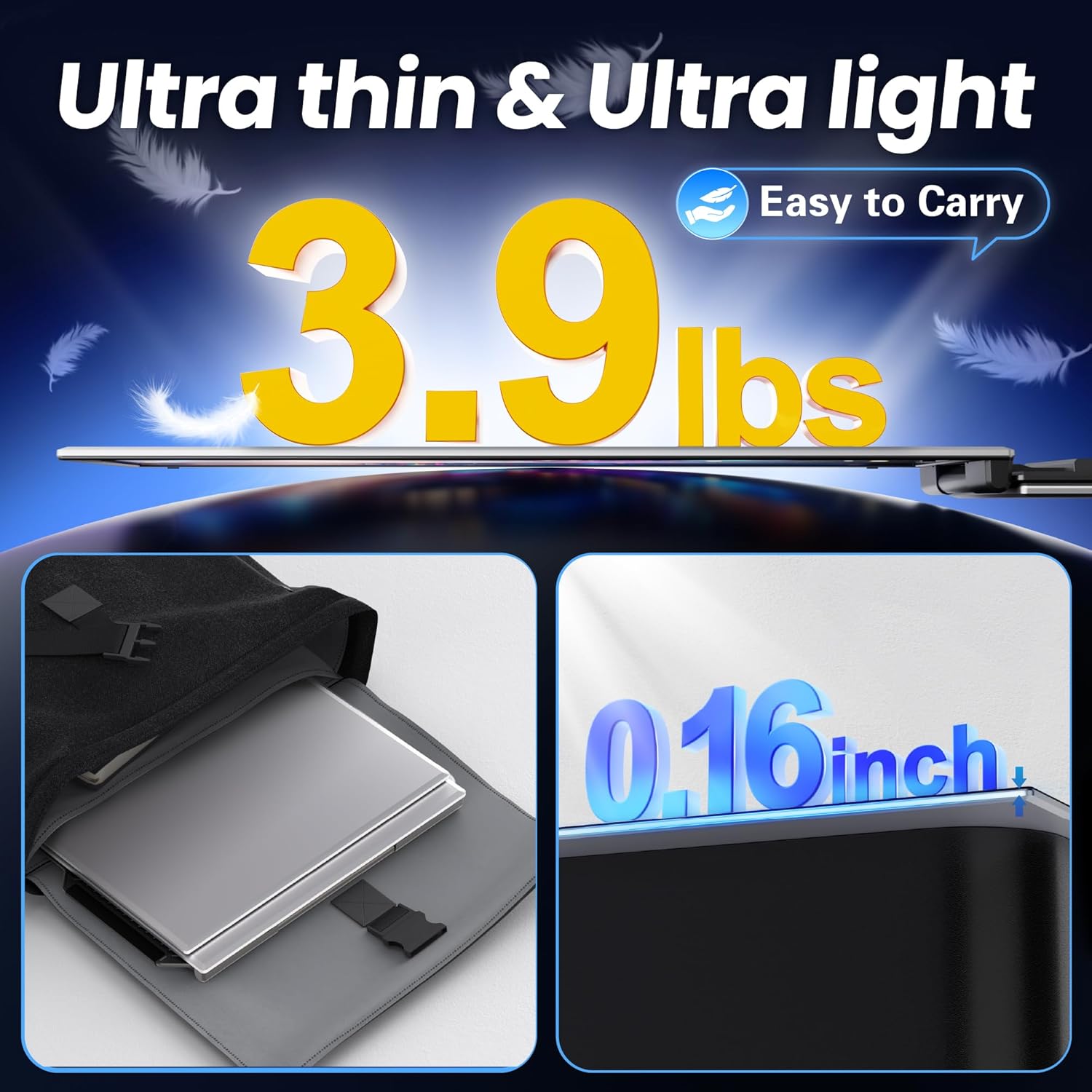
The product presents as a triple-monitor solution with a 15.6" Ultra-thin screen (approximately 4mm thick for a single panel) and a sleek aluminum alloy housing. The design aims to be portable enough to slip into a bag, which is appealing for travelers, students, or professionals who work in multiple locations. If you value a lightweight setup that doesn’t bulk up your backpack or briefcase, this could be a practical option.
Best use cases and who it’s for
This extender is positioned for conference presentations, multitasking professionals, designers, developers, and finance or investment teams who need more screen real estate on the go. The idea resonates with anyone who wants to create a dedicated workspace without committing to a full desk setup. Photographers and designers might appreciate additional canvases for palettes or references, while programmers could keep code, docs, and terminals visible simultaneously.
Potential limits and what to watch for
A notable caveat is that some laptops without a full-featured USB-C port may require the H5-T cable in addition to HDMI and USB-A power. This adds a layer of setup to confirm compatibility before purchase. It’s not a plug-and-play miracle for every system, so if your laptop has a limited USB-C or requires extra cables, you’ll want to verify the field requirements first. Also, while three screens sound compelling, the real-world improvement depends on your typical workflows and whether you can genuinely leverage a third display without crowding the main laptop screen.
What to verify before buying
- Laptop compatibility: 13–17" laptops are supported, but check USB-C/HDMI outputs and whether you’ll need an extra cable for certain MacBook models.
- Power and drivers: Expect a USB-A power connection, some systems may require driver steps or specific cable configurations.
- Portability vs. performance: The device aims to be slim and light, yet triple screens add weight relative to a single external display. Consider your travel frequency and bag space.
- Build and stability: The telescopic stand and back bracket are meant to hold the laptop securely, assess how your laptop’s weight distributes on the stand.
Practical example of use
Imagine delivering a project update on the go: you have your primary screen for the presentation, a secondary panel displaying data dashboards, and a third window for notes or reference documents. You can swap between tasks with minimal window juggling, which translates to smoother demos and fewer on-the-fly tab reviews during meetings.
How it compares to other approaches
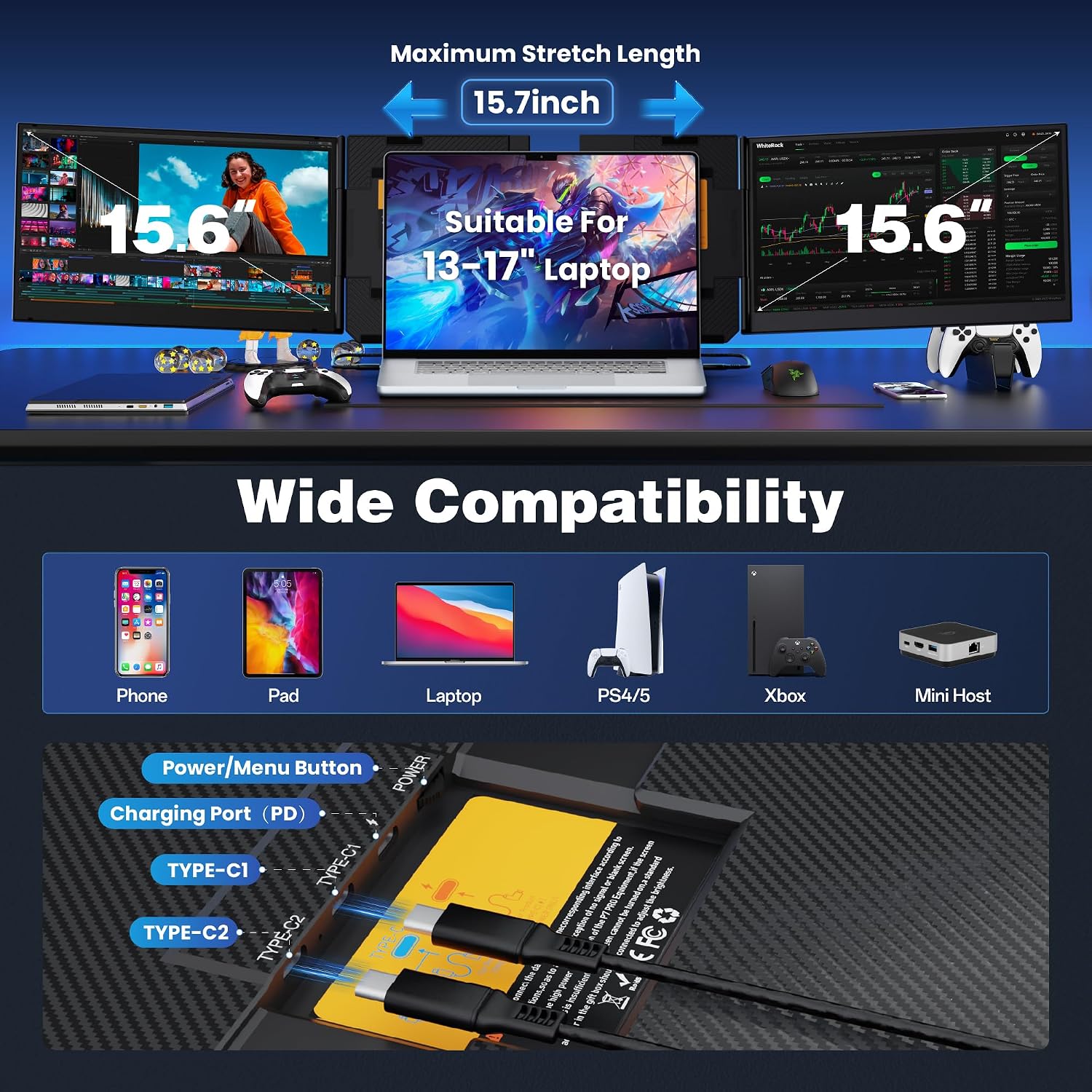
If you’re debating triple portability versus a single larger external monitor, this option trades peak brightness and panel specs for portability and convenience. For most travelers or remote workers, the ability to create a mini multi-screen setup without a dedicated desk is valuable. If you prioritize color accuracy, high refresh rates, or premium gaming performance, a fixed high-end external monitor at a workstation could still be preferable.
What to expect in daily use
You’ll likely notice quicker context switching between documents and apps, plus a tidier primary screen space. The triple setup can feel more responsive for multitasking, but you may need to reorganize your window layout to maximize the new real estate. If you work in environments with variable lighting, ensure the display brightness and viewing angles suit your typical room setups.
FAQ (practical, data-driven answers)
- Do I need drivers? No dedicated driver installation is required for most setups, it’s described as plug & play.
- What cables are included? The package lists 2 Type-C/USB cables and an HDMI connection option along with a power adapter.
- Will it work with MacBooks without USB-C full ports? A special H5-T cable may be required.
- Can I use this with non-laptop devices? It can connect to devices with HDMI output or full-featured USB-C, broadening potential uses beyond laptops.
- Is it sturdy for travel? The metal housing and reinforced back bracket aim to maintain stability, but real-world durability depends on handling and transit.
Final decision
Is it worth it? If you’re a mobile professional who could benefit from a three-screen setup while traveling and you’re comfortable managing cable configurations, this CIDETTY extender offers a compelling balance of portability and productivity. It’s more suited to users who value workflow gains over pristine color specs or gaming performance. You may want to skip it if you rarely multitask across windows or if your laptop lacks the needed ports and you don’t want to juggle extra cables.
Quick take for decision-makers
Worth considering if you need more screen real estate on the go and value a light, portable solution that doesn’t require a full desk. Not the best fit if your priority is top-tier display quality for design work or gaming, or if compatibility with certain MacBook models is a concern without additional cables.