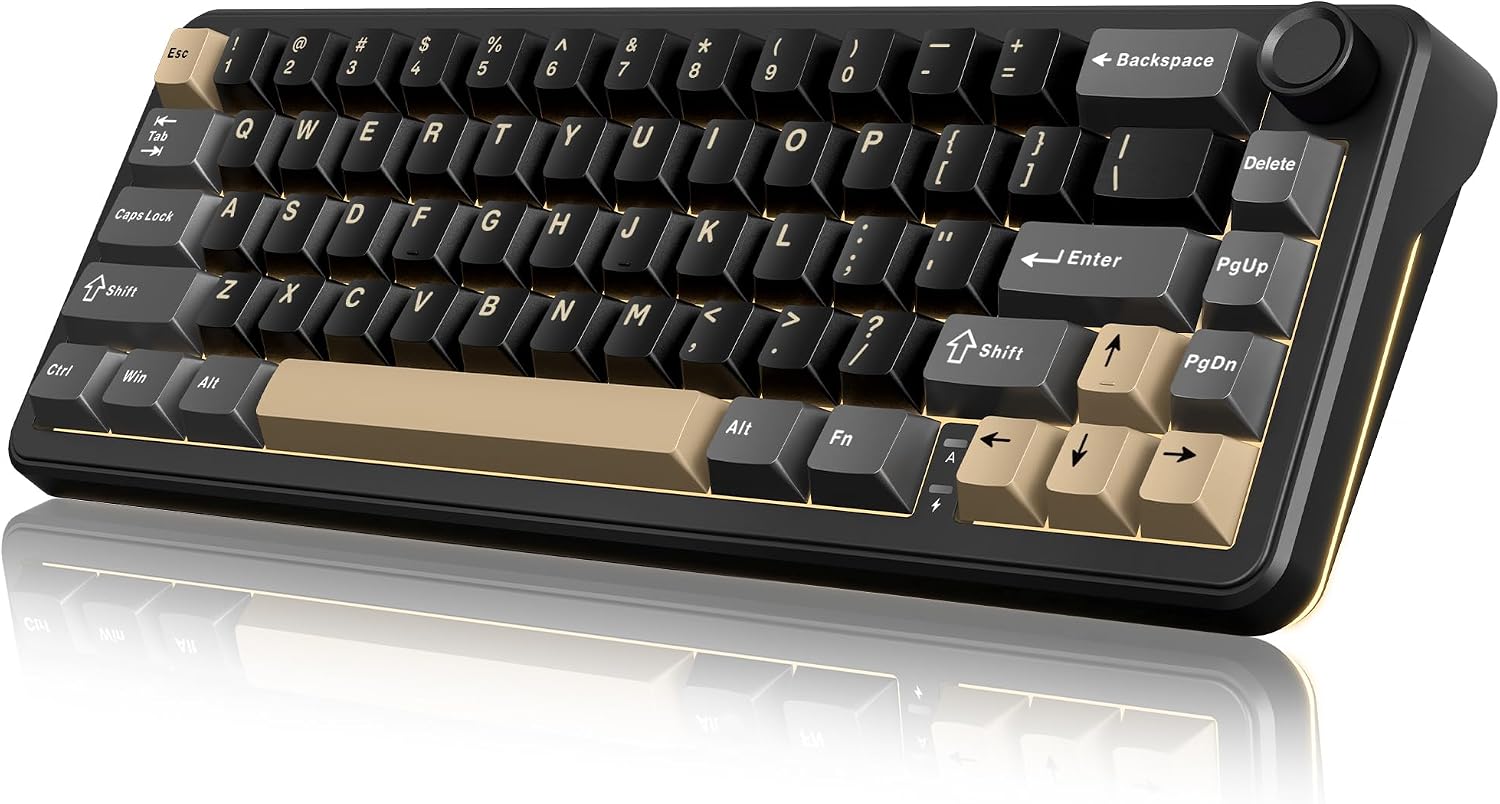
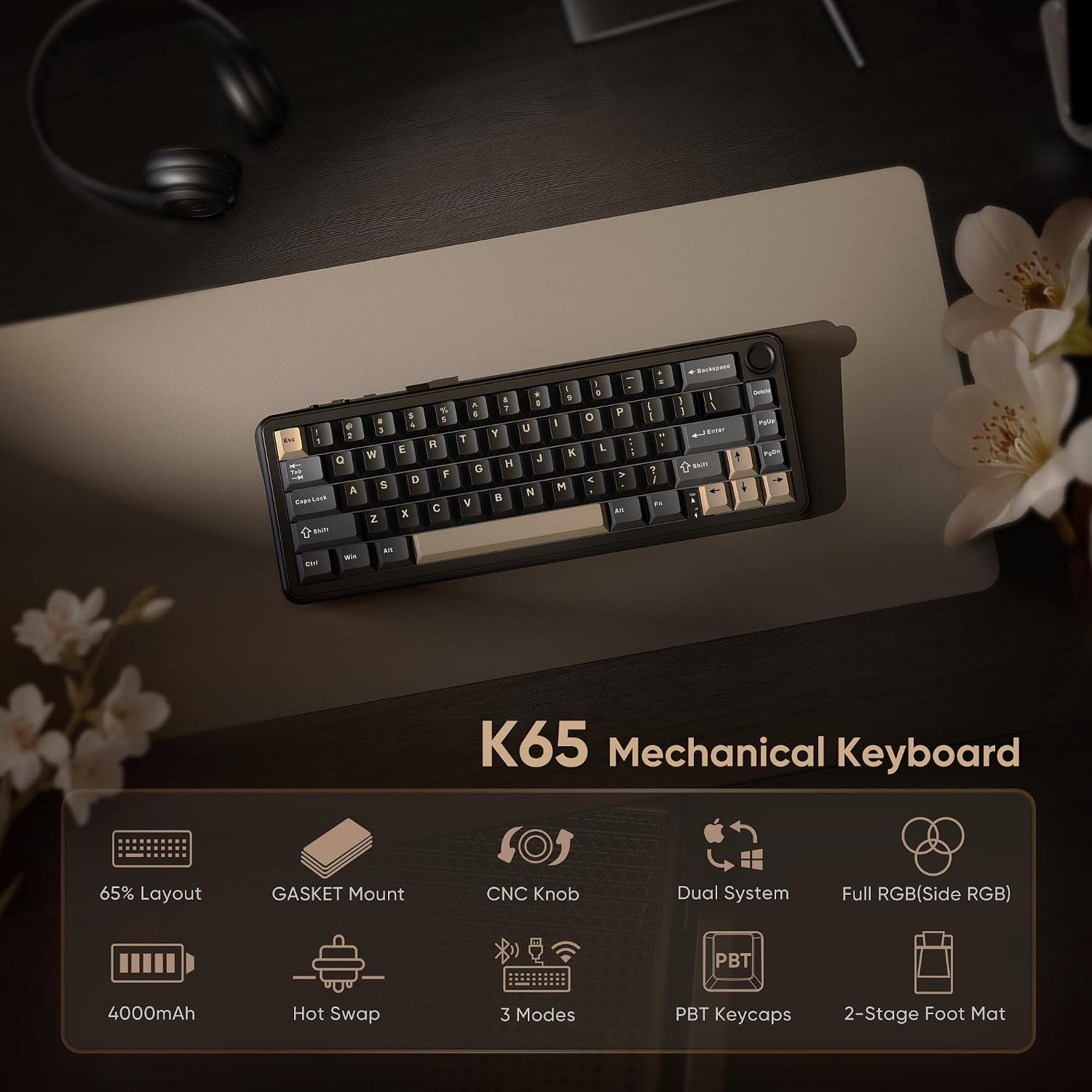
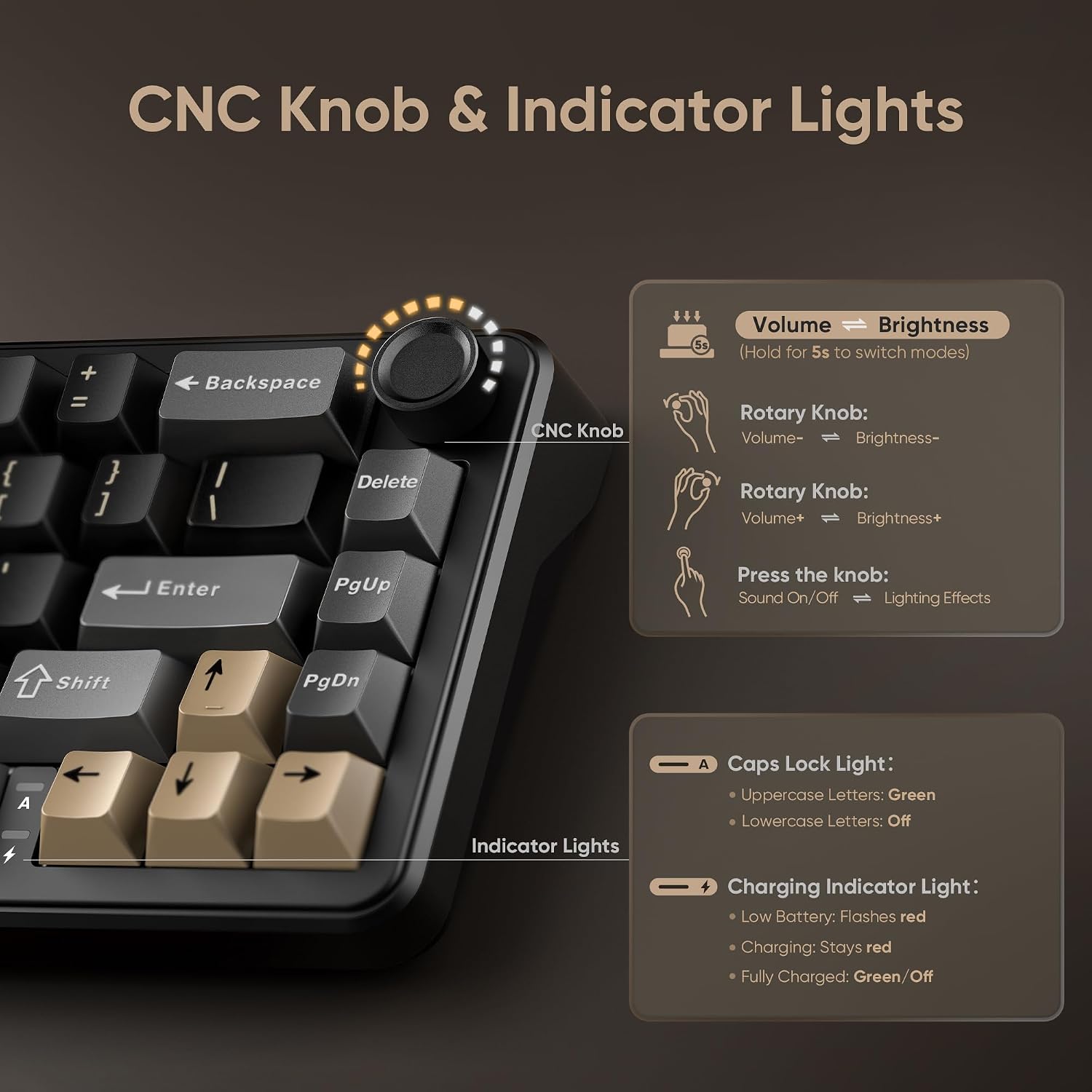
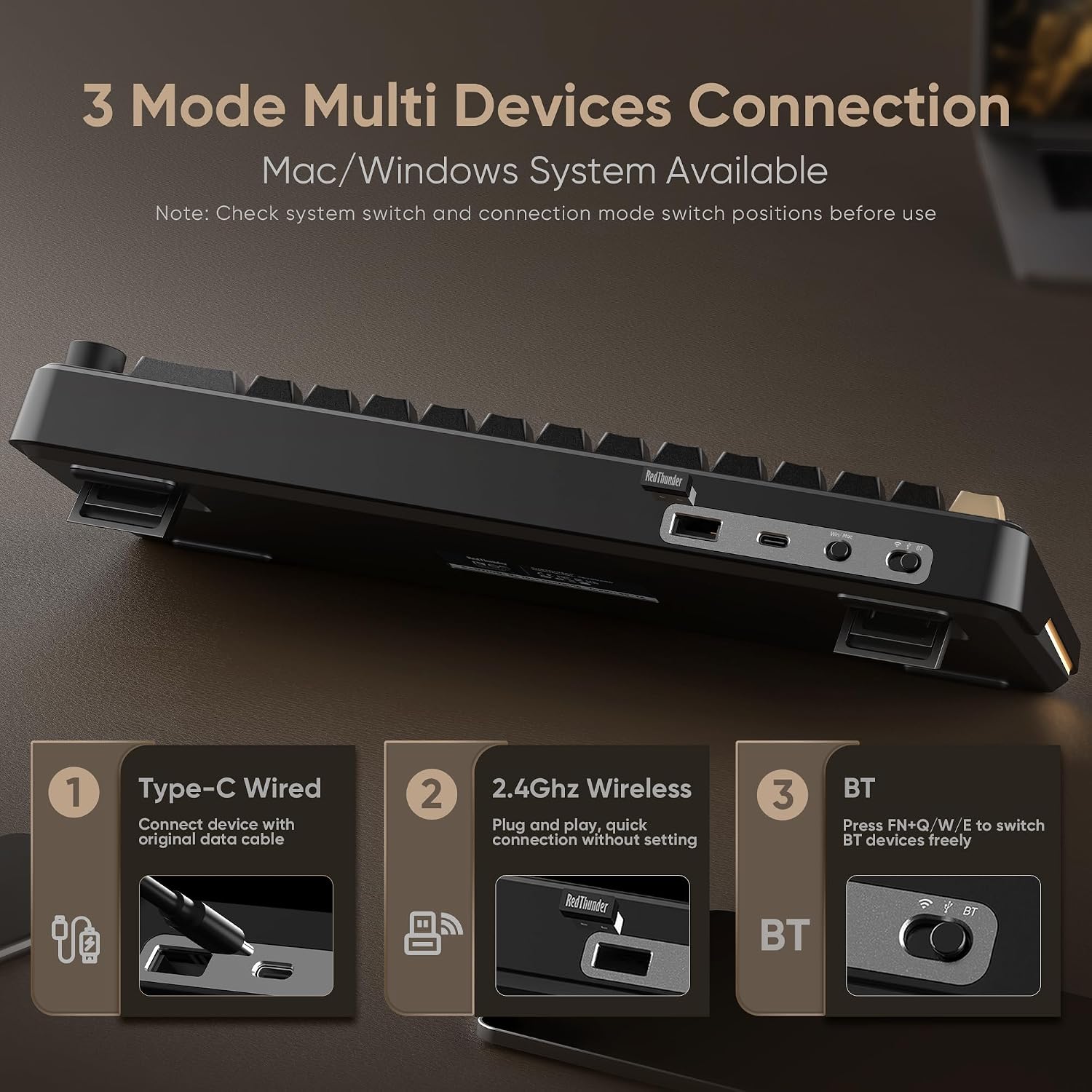
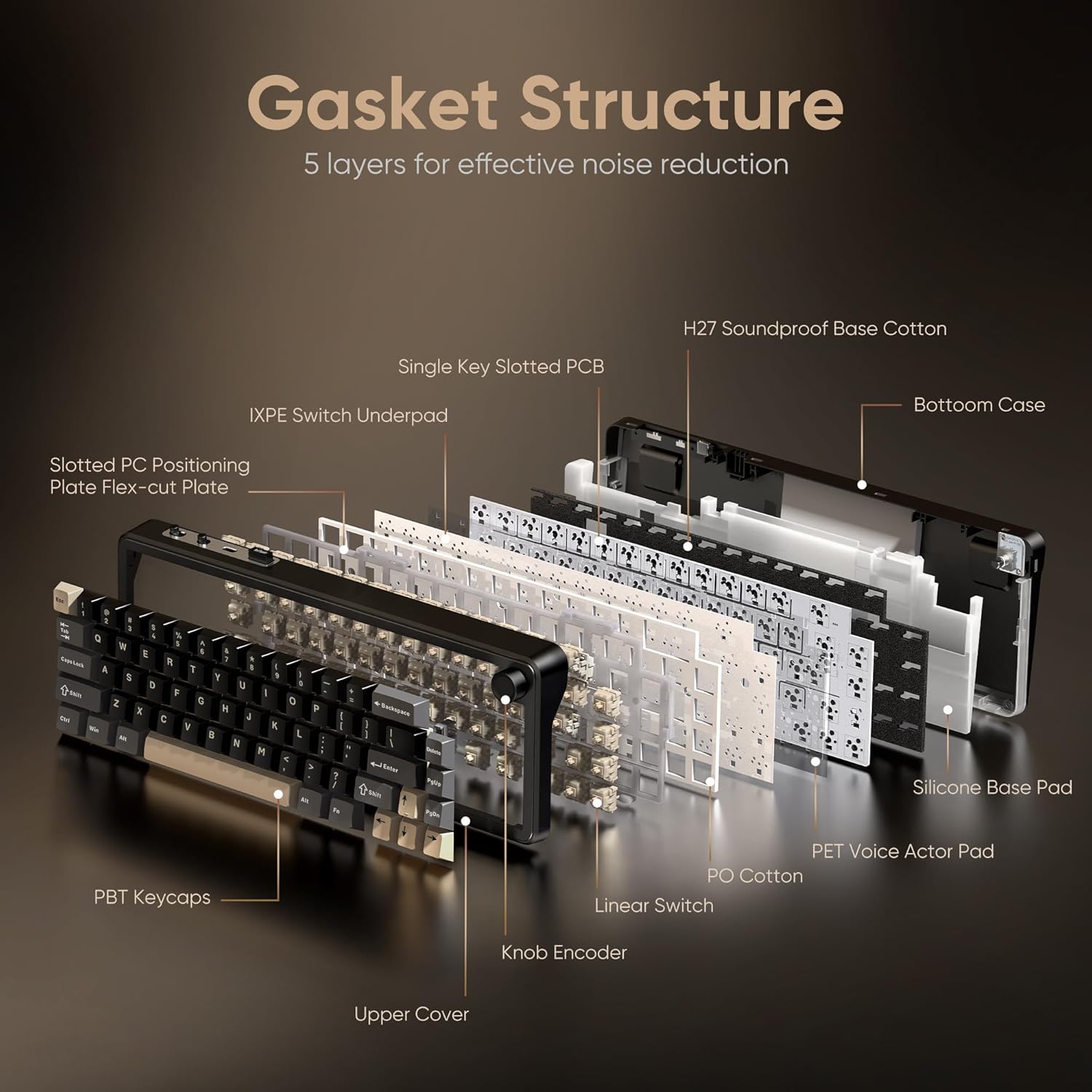
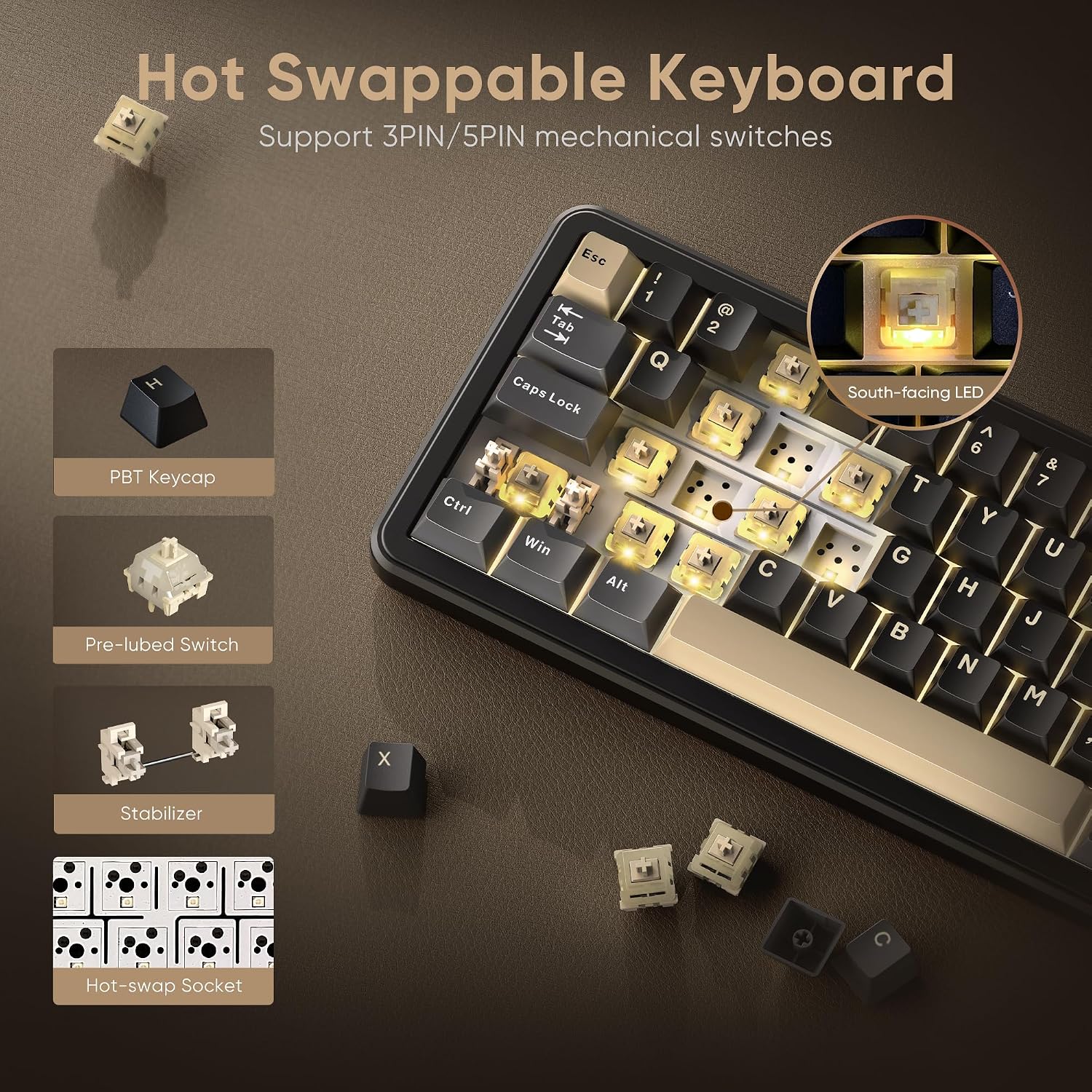
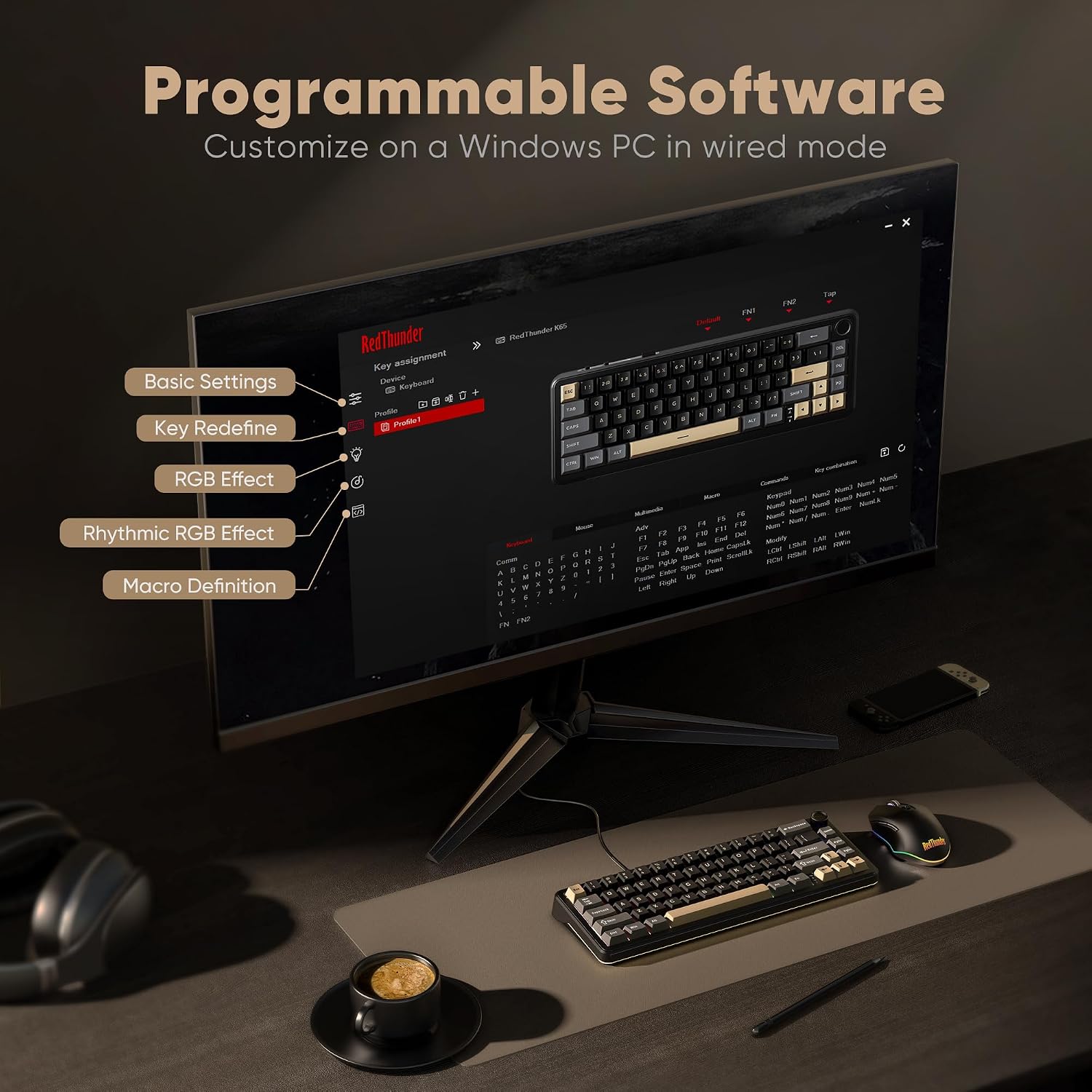
What it is and what it solves\nThe RedThunder K65 is a compact 65% wireless mechanical keyboard designed to reduce desk clutter while delivering a responsive typing and gaming experience. It supports multiple connection modes (Windows, MacOS, 2.4G wireless, BT, and USB-C wired) with a simple top-switch toggle, so you can move between devices and spaces without swapping keyboards. If you value wireless versatility and a more tactile, customizable typing feel, this model aims to deliver.\n\n## How it’s built and how it feels\nA gasket-backed design provides five-layer shock absorption and a unique single-key positioning plate. This translates to smoother keystrokes and reduced ghosting, which can matter in fast-paced gaming or long typing sessions. The keyboard ships with pre-lubed pink switches and includes spare pre-lubed shafts and a key puller, inviting you to experiment with different switches if you want to tailor tension and sound. The overall footprint is a 65% layout, which keeps essential keys (like arrows) accessible without occupying a full-size footprint.\n\n## What stands out for users\nThe K65 combines several appealing features: hot-swappable switches (3-pin or 5-pin) without soldering, a dedicated CNC knob for quick adjustments, and a robust gasket construction that aims for a creamy, even typing feel and minimal key wobble. It also sports dual-color PBT keycaps designed to resist fading and stepped profiles for comfort during extended sessions.\n\n## Battery, lighting, and customization\nA built-in 4000mAh battery powers up to vibrant RGB lighting with up to 1.68 million colors. Lighting modes are adjustable via FN combos, the CNC knob, or software. South-facing LEDs cater to various keycap lighting needs, including side-engraved keys. A charging indicator helps you monitor power levels, and the USB-C port supports charging in wired mode.\n\n## Practical use and potential trade-offs\nIf you prioritize flexibility across devices, this keyboard’s multi-mode setup makes sense for multi-platform workflows. However, the base notes a caveat: the product isn’t recommended for accountants or users who rely heavily on numeric input, likely due to its layout and mode-switching dynamics. In daily use, you’ll notice the compact form factor helps save desk space, but it isn’t the best option if you rely on a full set of dedicated number keys.\n\n## Who it’s for and who it isn’t perfect for\nThis keyboard suits gamers and typists who want a compact board with customizable switches and a tactile but cushioned feel. It’s a solid choice if you want wireless freedom and the option to swap switches without soldering. It may not be the best pick if you need a traditional full-size keyboard with a dedicated number row or if you work primarily with numeric data.\n\n## What to check before buying\n- Confirm you are comfortable with a 65% layout and the Fn-toggled function keys.\n- Decide if you’ll rely on wireless multi-device connections or prefer wired reliability during charging.\n- Consider whether the gasket design and pre-lubed switches align with your noise and feel preferences.\n\n## Practical use example\nImagine switching between a Windows laptop for productivity and a gaming PC in the same room: you’ll appreciate the ability to switch devices quickly without reaching for a dongle. In a game, the gasket-assisted keystrokes feel smoother, and you can fine-tune lighting to match your setup via the CNC knob or software.\n\n## Is it worth it? Final take\nIf you prioritize multi-device versatility, a compact 65% footprint, hot-swappable switches, and a tactile gasket experience, the RedThunder K65 offers a thoughtful mix of features that support both work and play. It isn’t the most economical option in its category, but the combination of hot-swappability, a built-in CNC control, and long battery life gives it a distinctive angle for enthusiasts. If those elements match your needs and you don’t require a pure numerical workflow, this keyboard could be a compelling fit.\n\n## FAQ (quick answers)\n- Can I use it wired while charging? Yes, wired mode remains available for charging or gaming.\n- Are the keys fully programmable? The keyboard supports programmable software to customize keys and lighting.\n- Do I need to solder to change switches? No, it’s hot-swappable for 3-pin or 5-pin switches.