

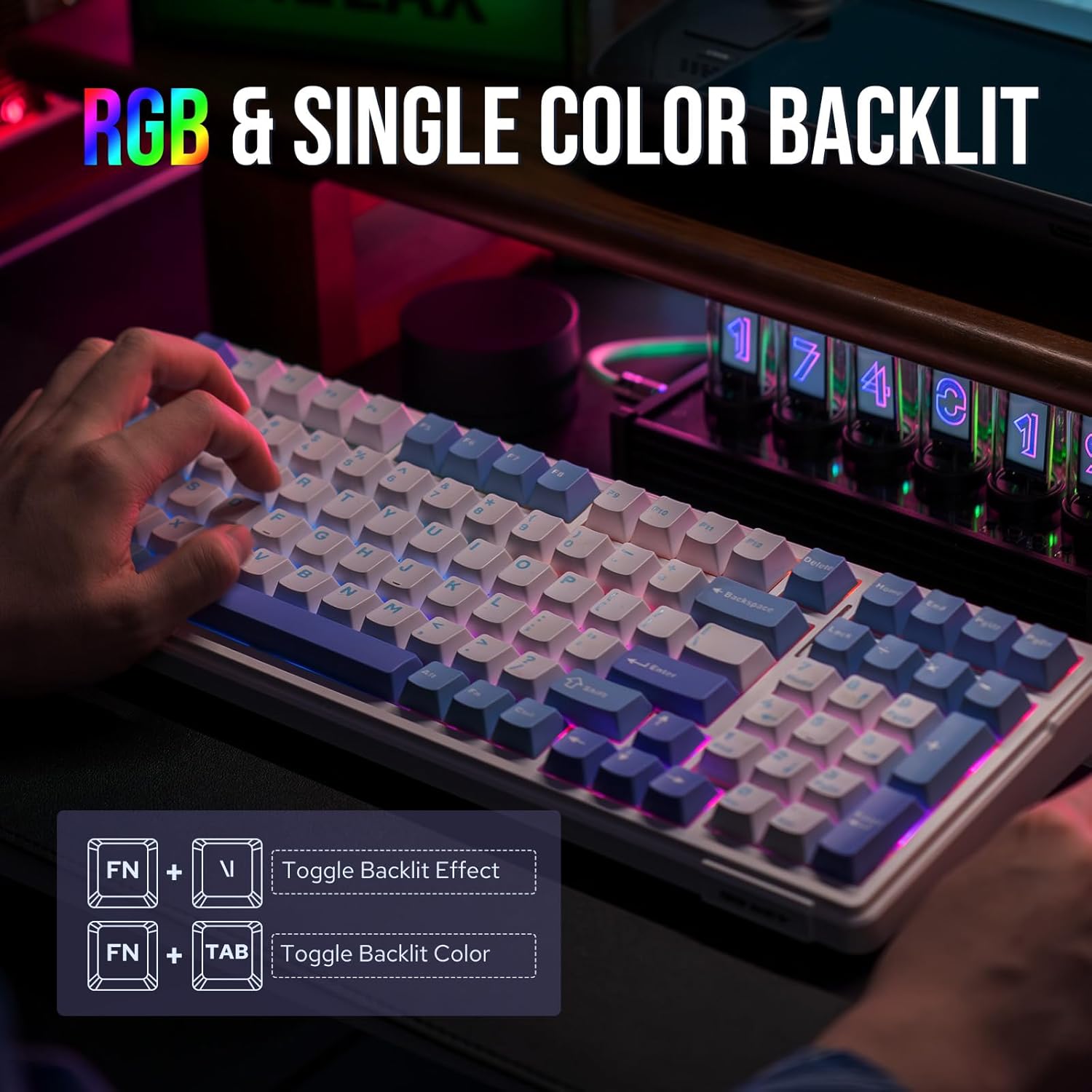
EPOMAKER x Aula F99 Wireless Mechanical Keyboard (Hot-Swappable, BT/2.4GHz/USB-C, 96% Layout) — White/Light Blue & Graywood V3
Product description
The essentials
If you want a gaming-capable 96% keyboard that still feels solid for work, the EPOMAKER x Aula F99 is built around that idea. It keeps the arrow keys and number pad you tend to miss on smaller layouts, while its gasket-mounted design and multi-layer sound/shock damping aim to make typing feel smoother and less harsh.
On paper, it’s also a lot more flexible than a typical wireless board. You get three connection modes (Bluetooth, 2.4GHz wireless, and wired USB-C) plus hot-swappable switch sockets, so you’re not locked into one switch feel forever. The trade-off is that, like many customizable wireless keyboards, you’ll want to double-check your expectations for sound and latency based on your own setup—wireless and damped designs can feel great, but they’re not magic.
What to know before buying
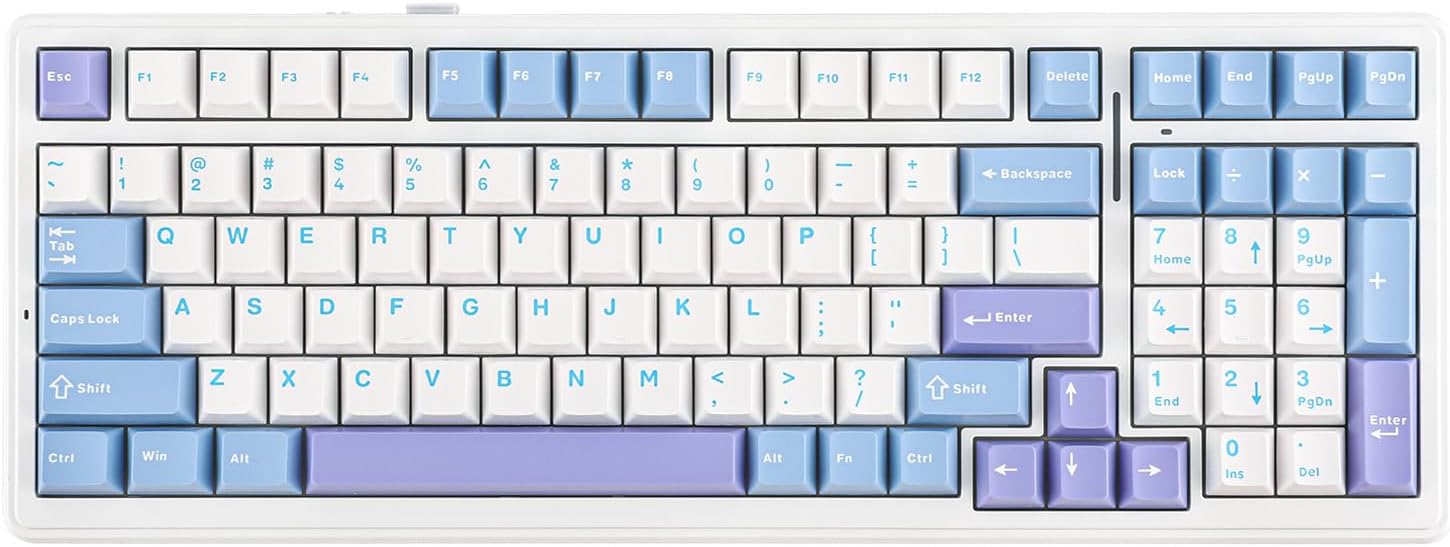
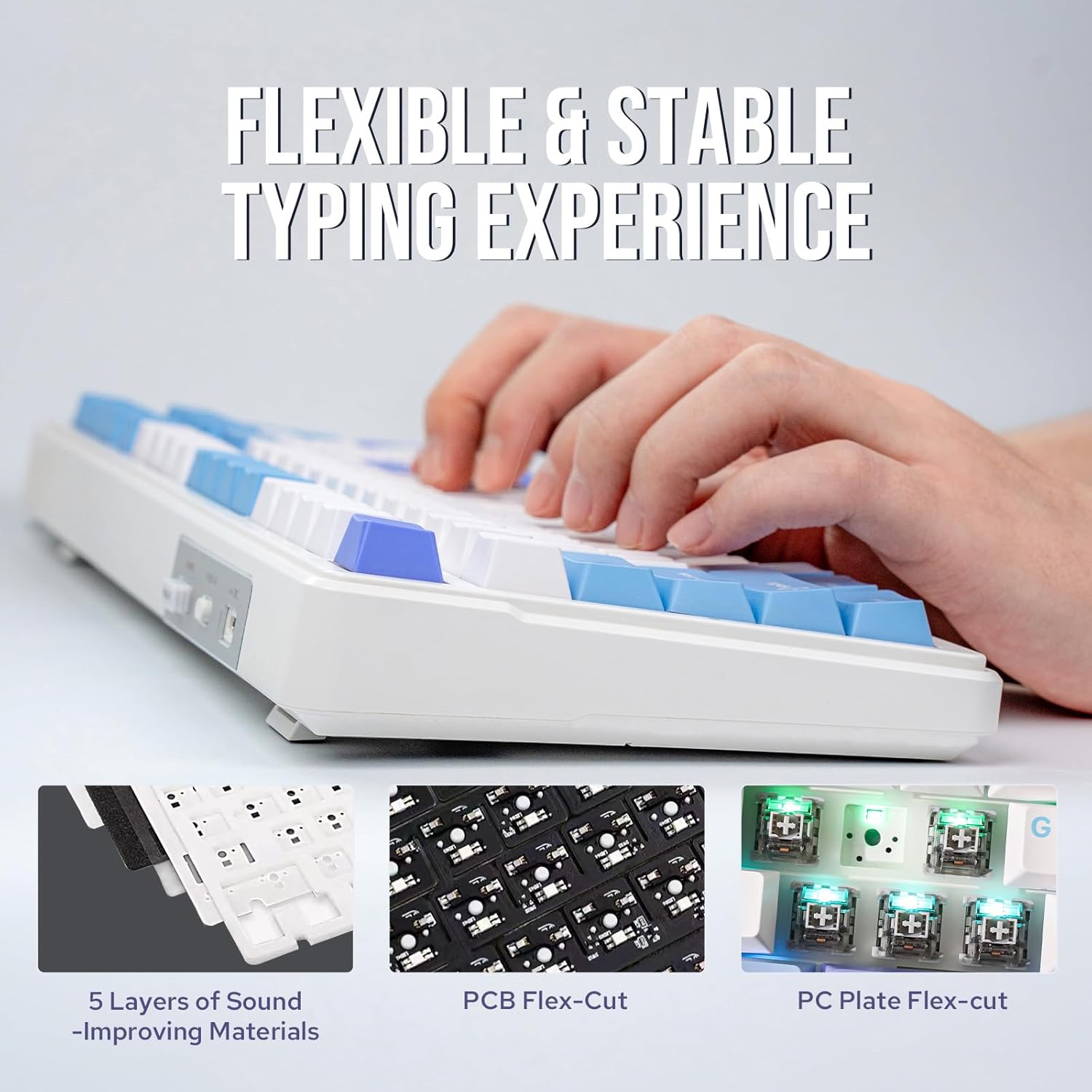
This is a 96% mechanical keyboard with a gasket-mounted structure and 99-key layout. The key point is how it’s engineered: the F99 uses an extended one-piece silicone pad and a multi-layer approach intended to improve typing resilience, stability, and “softer and more responsive” key feel.
It also uses a single-key slotted PCB (FR4 material) designed to deliver smooth feedback, with each key independently slotted to help with crispness and accuracy of keystrokes.
Still, here’s the one limitation worth keeping in mind: the F99 focuses heavily on comfort and damping, so if you strongly prefer a very sharp, bouncy, high-responsiveness sound profile (the kind you often chase with less-damped builds), this may feel more restrained than you’d expect.
Where it shines in everyday use
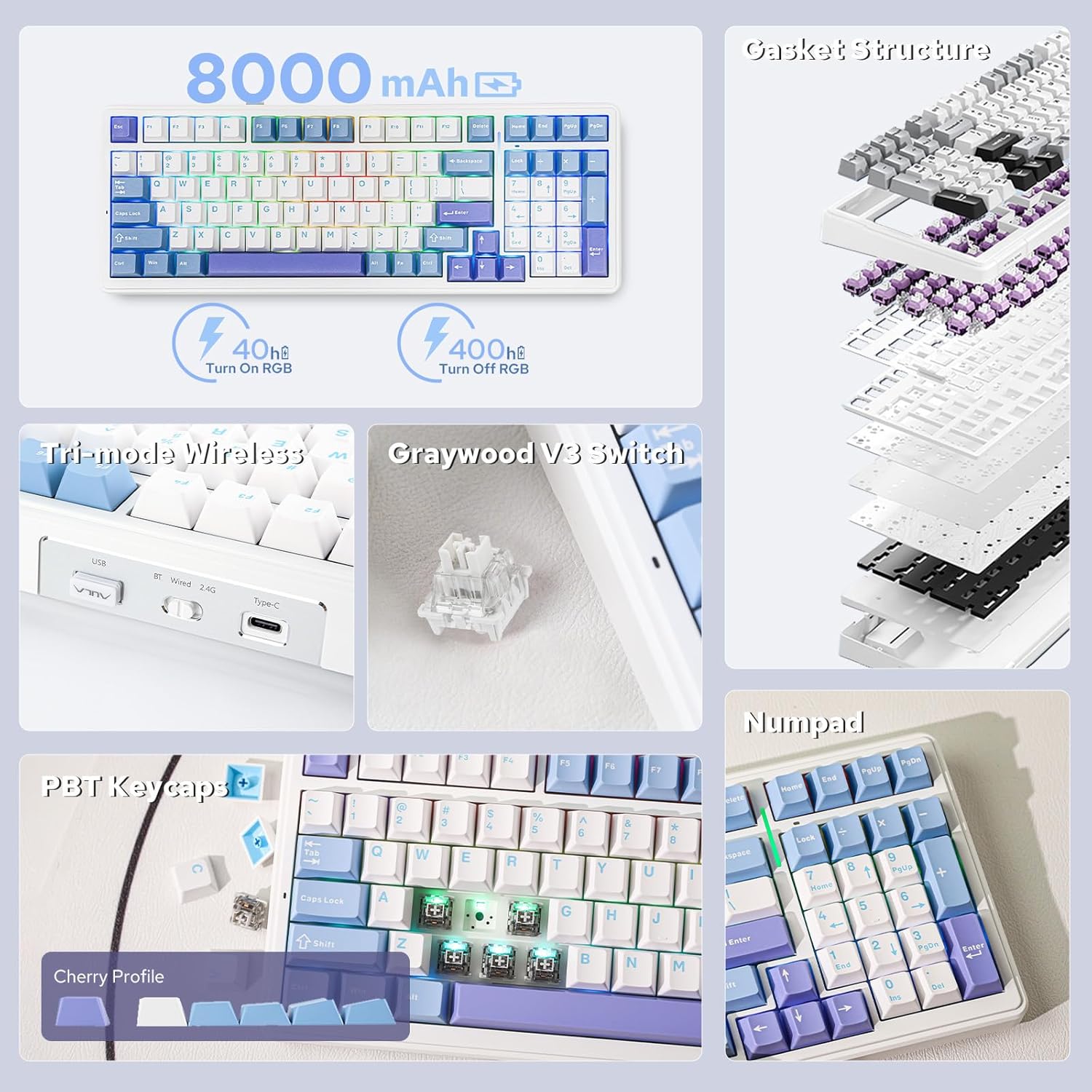
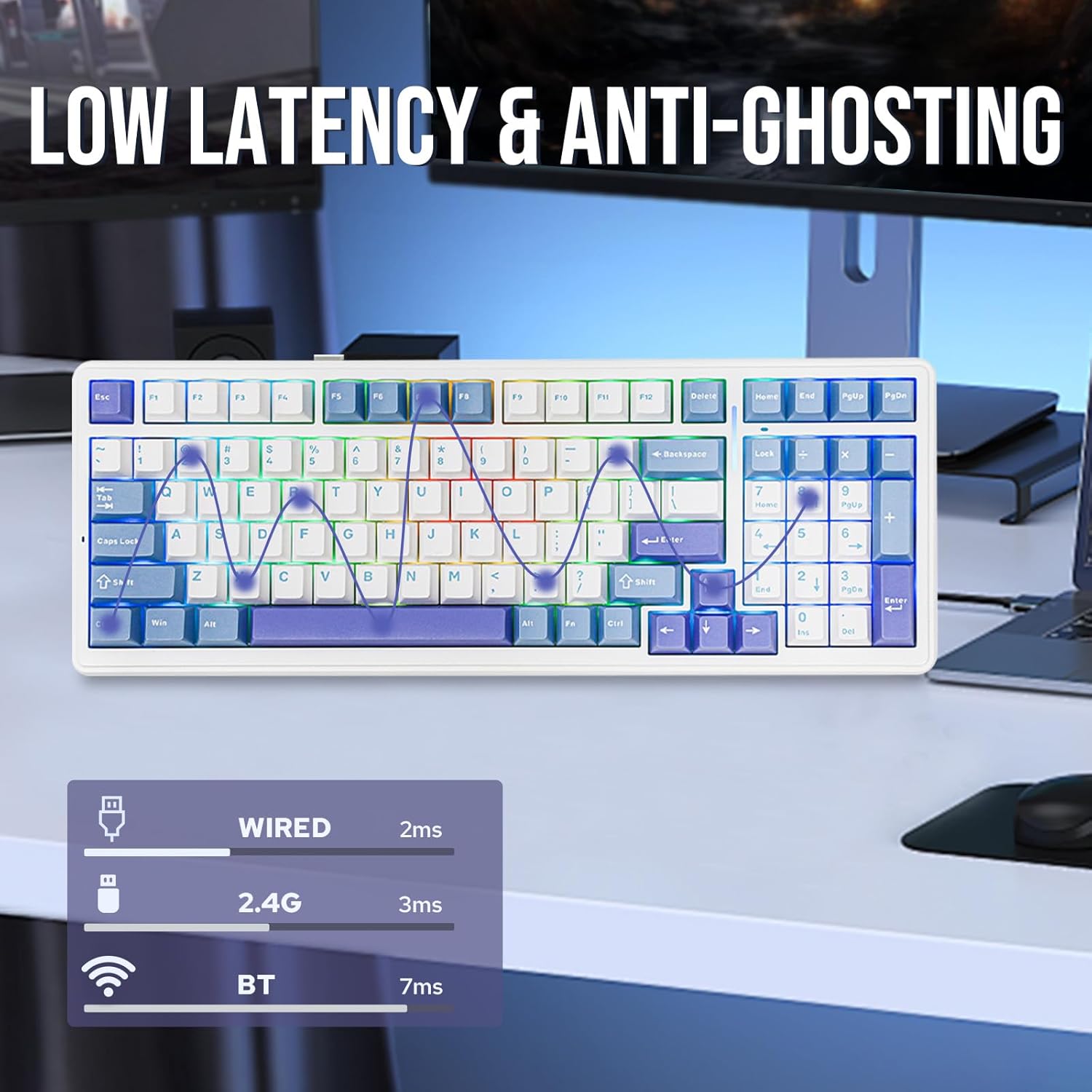
The three-way connectivity is the practical reason many people end up enjoying boards like this. You can switch between BT, 2.4GHz, and wired USB-C depending on what you’re doing—work laptop one moment, a gaming session later.
For a concrete example: imagine you’re hopping between a laptop and a desktop. You can keep the keyboard on 2.4GHz for lower-latency play, then switch to Bluetooth when you want to sit farther from the desk or use a different device. The gasket mounting plus five-layer padding approach also aims to make long typing stretches feel less fatiguing, because each keystroke is designed to be more elastic and controlled.
The hot-swap design matters too. If you later decide you want a different switch characteristic, you can pull-and-plug without soldering. That’s a big deal for personalization over time.
Key features that drive the feel
The F99 is built around a few specific decisions that affect daily typing and gaming more than you might think:
- Gasket-mounted, with an extended silicone pad for stability and a more elastic keystroke feel.
- Five-layer sound and shock absorption: it’s described as using IXPE under-shaft pads, PORON sound-absorbing cotton, and silicone bottom padding as part of the approach.
- A single-key slotted FR4 PCB intended to keep feedback smooth and improve keystroke crispness/accuracy.
- Full-key hot-swappable sockets on the PCB. It supports 3/5 pin mechanical switches, which gives you room to customize your sound/feel.
- Switches mentioned as factory pre-lubed linear switches, designed for longevity and durability.
Where this kind of board really wins is consistency: you get a typing experience shaped by damping layers and a structure meant to reduce harshness, without sacrificing the ability to customize via hot swap.
Tech specs
- Name: EPOMAKER x Aula F99 Wireless Mechanical Keyboard (White Light Blue, Graywood V3 Switch)
- Type: Wireless mechanical keyboard
- Format: 96% layout with 99 keys
- Connectivity: Bluetooth, 2.4GHz wireless, and USB-C (wired)
- Battery capacity: 8000mAh
- Hot-swap: Full-key hot-swappable PCB
- Switch support: 3/5 pin mechanical switches
- Build approach: gasket-mounted structure with five-layer padding and an extended one-piece silicone pad
- PCB: single-key slotted PCB made of FR4 material
When it makes sense (and when to skip it)
It’s a good fit if you want a 96% layout that keeps arrows and a number pad, and you care about typing comfort and a calmer sound profile thanks to the gasket + multi-layer damping concept. It also makes sense if you want wireless flexibility (BT/2.4GHz/wired) and like the idea of upgrading switches later without soldering.
It might not be the best choice if you’re the type who wants a very direct, minimal-damping feel, or if you prefer to stick with one “set it and forget it” keyboard experience where hot swap won’t matter to you.
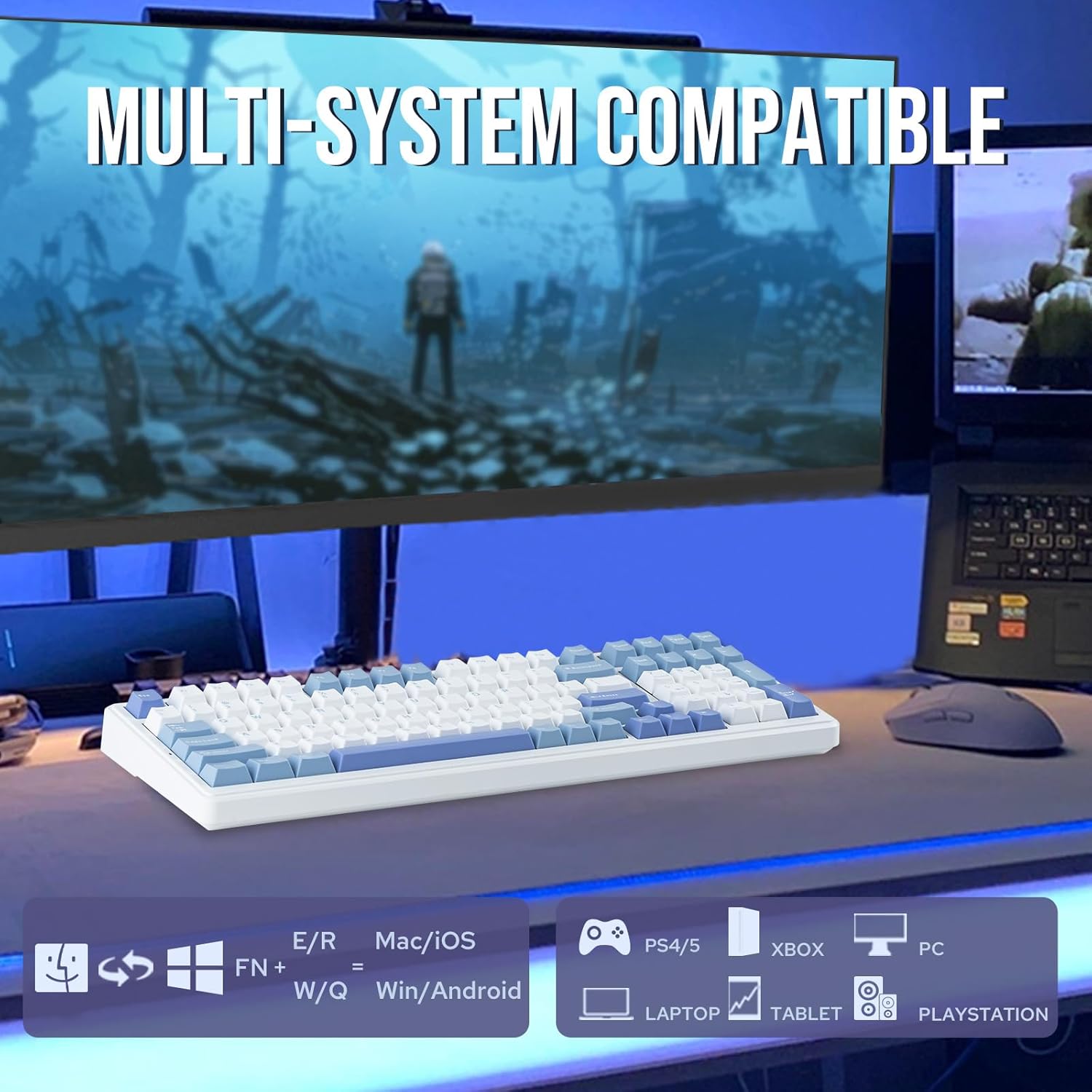
Also, because this is wireless with multiple connection modes, it’s wise to think through your device mix (which devices you’ll pair to BT vs. running on 2.4GHz). Compatibility is broad on paper, but your actual workflow determines whether the connectivity is a daily win or just a nice feature.
Mini FAQ
How many keys does the F99 have?
It’s described as a 96% layout keyboard with 99 keys.
Does it work with wired connections?
Yes. It supports wired USB-C in addition to Bluetooth and 2.4GHz wireless.
Is it hot-swappable?
Yes. The keyboard features a full-key hot-swappable PCB, supporting 3/5 pin mechanical switches.
What kind of switches does it come with?
The switches are described as factory pre-lubricated linear switches.
Final verdict
Buying verdict
The EPOMAKER x Aula F99 Wireless Mechanical Keyboard is worth considering if you’re after a 96% board that feels gentler for typing and still supports gaming through low-latency wireless. The gasket-mounted structure, five-layer damping approach, and factory pre-lubed linear switches are aimed at comfort and a smoother feel right away. The hot-swappable sockets and triple connection modes add long-term flexibility.
You may want to skip it if you’re chasing a very undampened, crisp “maximum snap” sound/feel, or if you don’t plan to ever experiment with switches—because the board’s main strengths are comfort engineering plus customization potential.