

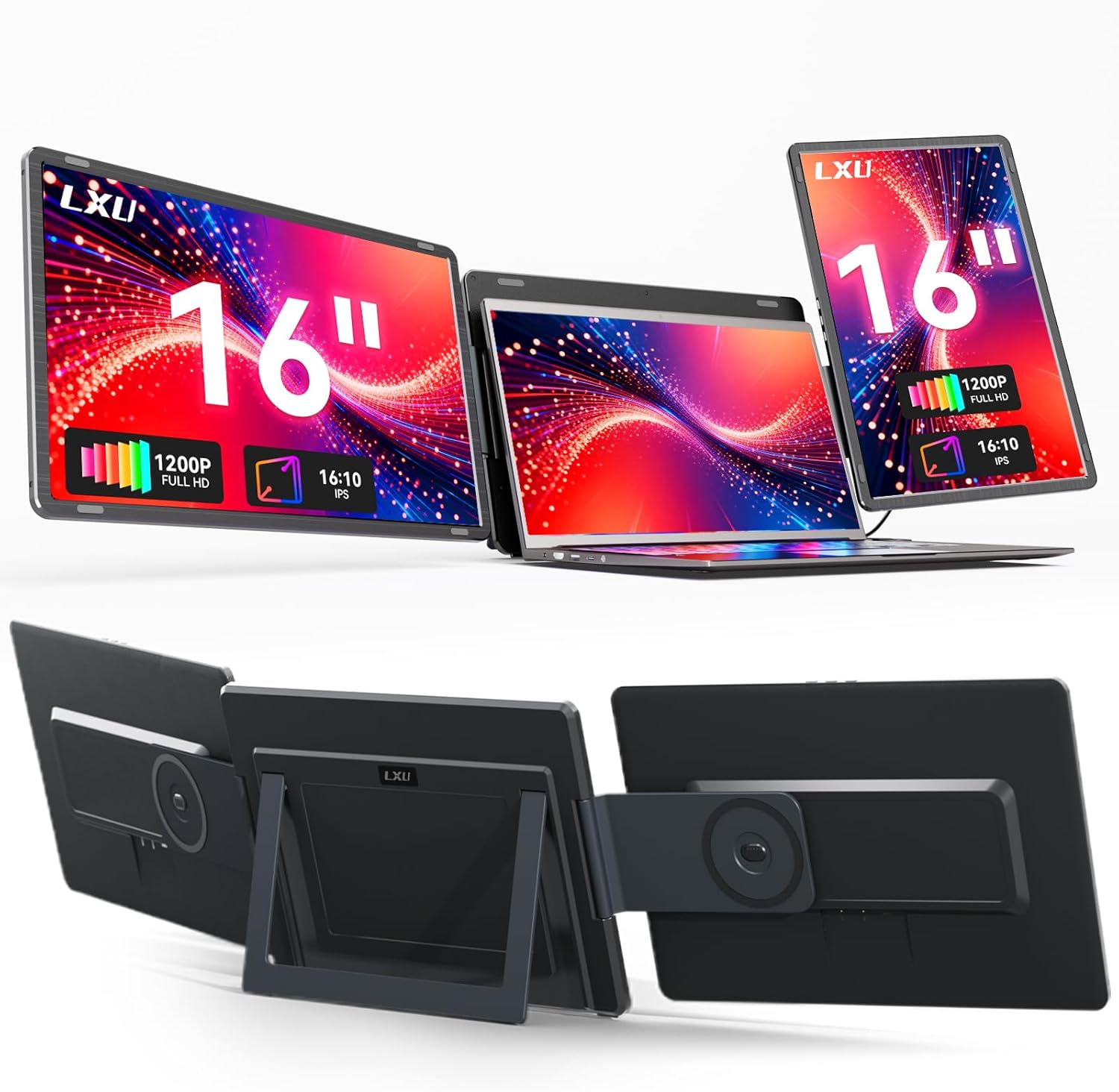
LXU Laptop Screen Extender (16-inch, 1200P, 16:10) Triple Portable Monitor for 12–16.5" Laptops
Product description
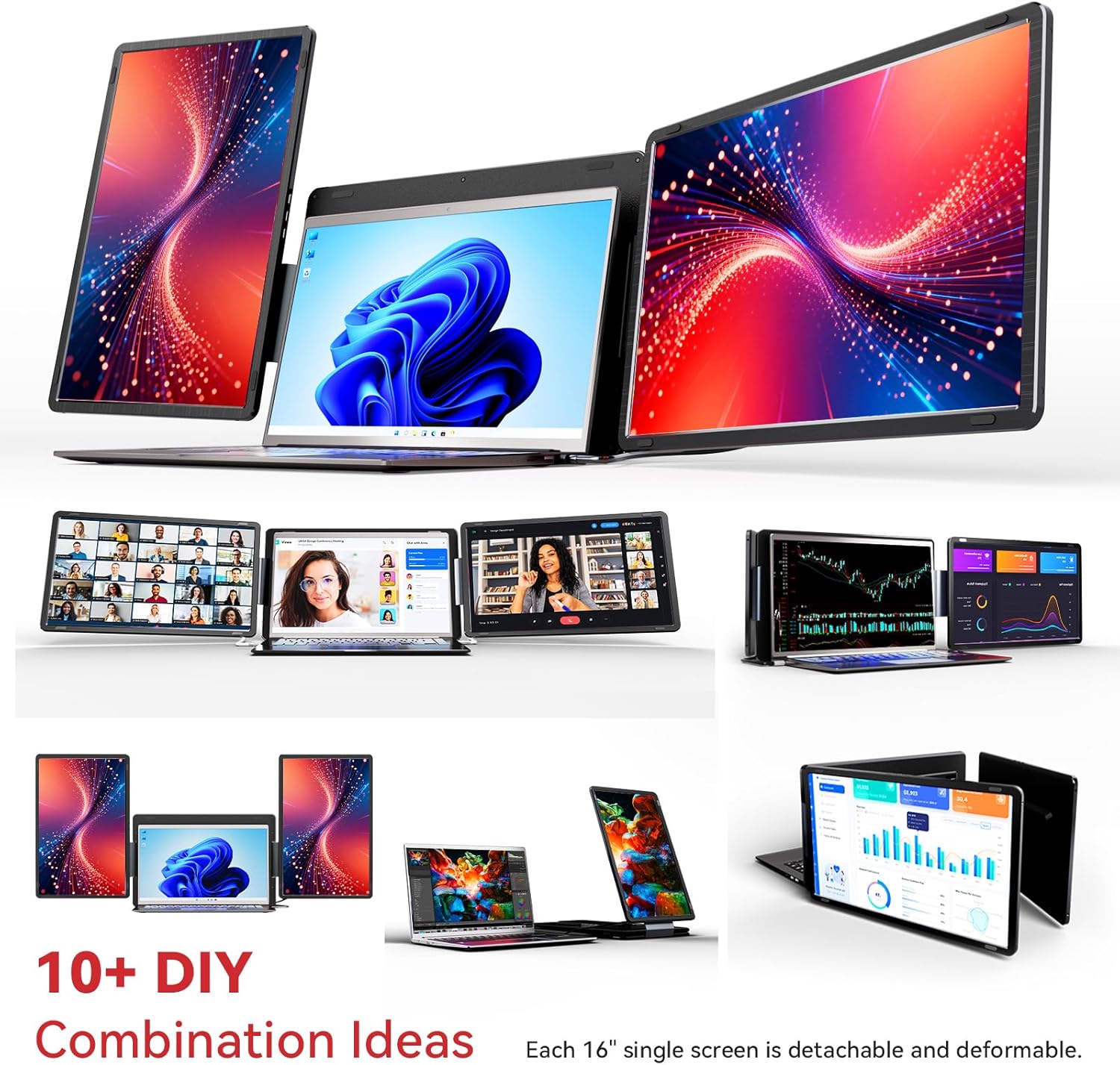
If your laptop screen feels just a little too small for real work, a laptop screen extender is one of those upgrades that can change your daily flow fast. The LXU Laptop Screen Extender is designed as a detachable, portable second (and in this listing, “triple”) display approach that plugs in and aims to reduce friction—no driver setup on supported Windows and Mac configurations.
That said, it’s not a magical replacement for a full workstation monitor. It’s more of a practical “add more working space” solution—so whether it’s worth your time depends on your laptop size, your workflow (spreadsheets, writing, coding, design), and which Mac chips you’re using.
Key takeaways
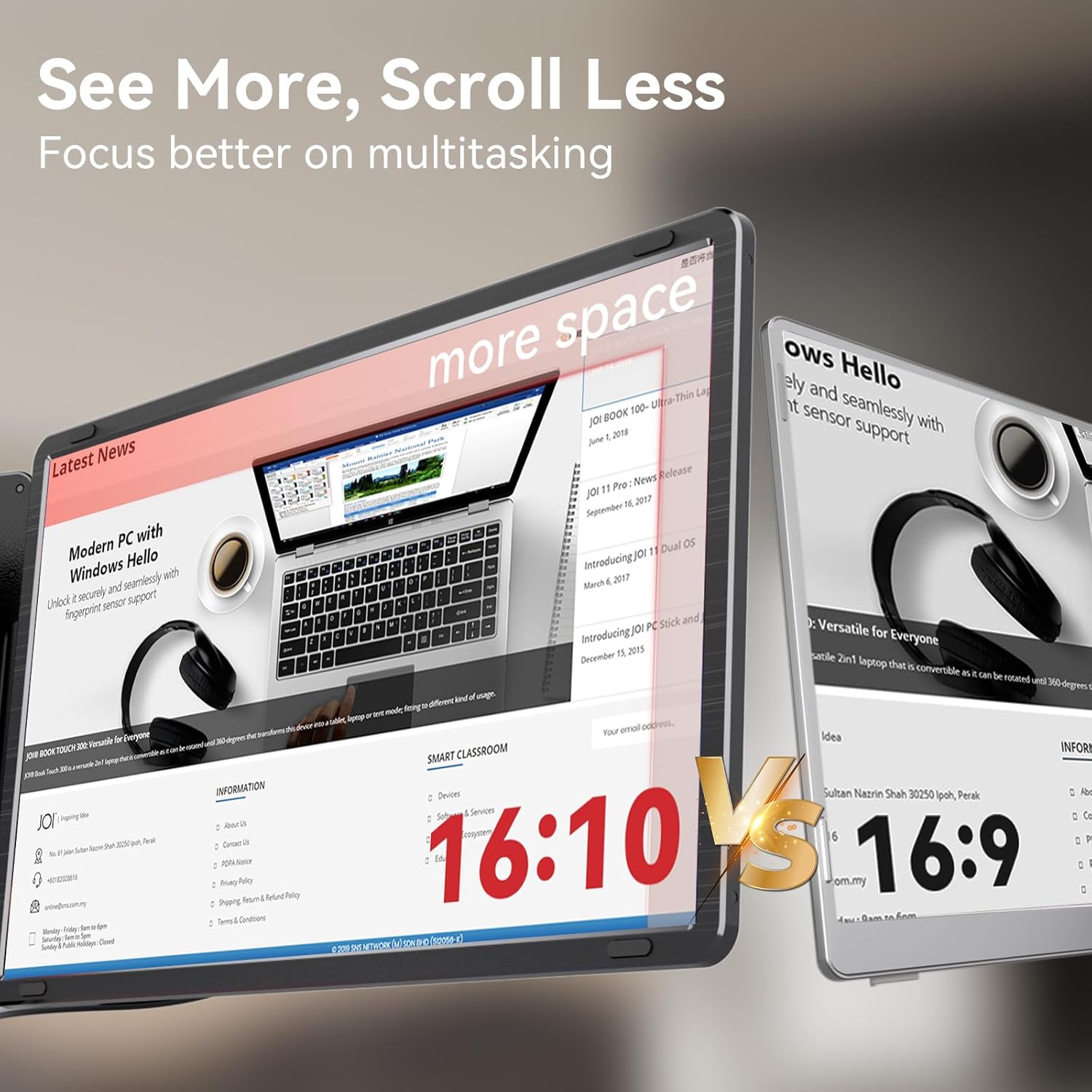
On paper, the big attractions of the LXU screen extender are its 16-inch “sweet spot” size, a 16:10 1200P resolution, and a plug-and-play setup meant to keep things simple. The 16:10 aspect ratio is also positioned as showing a bit more relevant content than the more common 16:9 format, which matters if you live in documents, dashboards, and side-by-side panels.
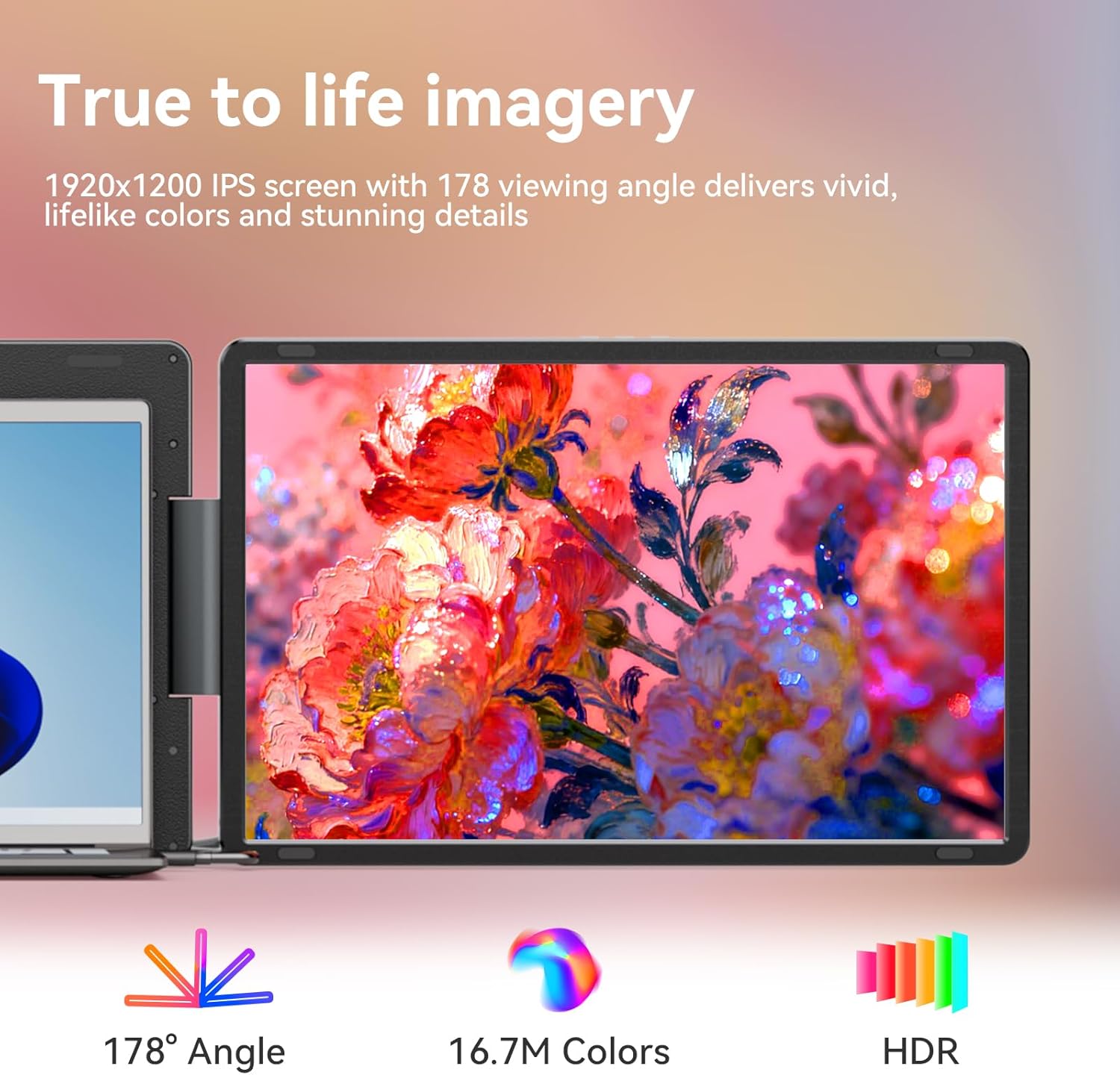
If you’re someone who does long sessions, the listing also highlights low blue light technology to help cut eye strain. It’s one of those features that won’t transform image quality overnight, but it can be a welcome comfort detail when you’re working for hours.
What matters most for everyday use
The day-to-day value here is less about “wow visuals” and more about reducing screen juggling. Instead of constantly switching windows—especially with toolbars, timelines, editors, and reference material—a second extended display can let you keep your main task on your laptop and use the extender for supporting work.
A concrete example: if you’re writing and researching, you could keep your draft on your laptop screen and put your sources, notes, or outline on the LXU extender. The 16:10 layout is well suited for that kind of vertical-friendly document work, since you’re less likely to feel constantly cramped.
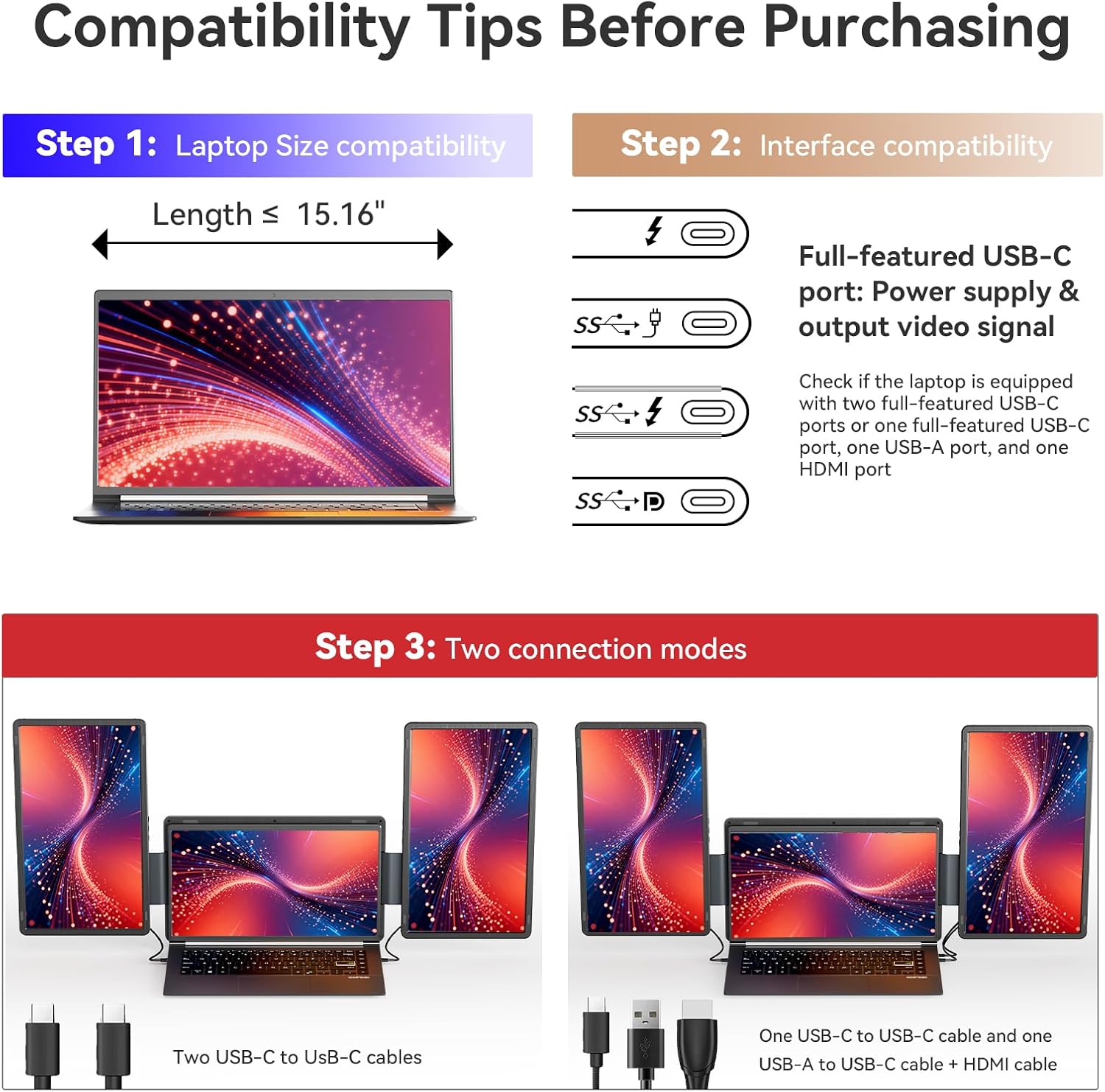
Also, the listing emphasizes portability and integration: detachable design plus no driver requirement. That matters if you travel, work between desks, or want a setup you can deploy quickly without fiddling.
Where it shines (and where it may fall short)
Where it shines most is in portable productivity. The 16-inch size is large enough to feel like you actually gained space, but the whole concept is still meant to stay practical for a laptop-first workflow.
The “no driver, plug-and-play” promise is particularly relevant if you dislike troubleshooting. If your setup is within the supported Windows and compatible MacBooks listed, this can be an easy way to extend your workspace.

However, there are two limitations you should take seriously. First, the compatibility note explicitly excludes MacOS M1, M2, and M3 chipset devices. Second, it’s not clear how it performs in every scenario (for example, multi-monitor configurations or any edge-case setups). If you tend to rely on more complex desk setups, you may need to confirm compatibility before committing.
Tech specs
- Name: LXU Laptop Screen Extender
- Type: Triple Laptop Monitor Extender (portable, detachable extended monitor)
- Size: 16-inch
- Resolution: 1200P
- Display ratio: 16:10
- Compatibility (chipsets noted): Windows plug-and-play, MacBooks supported except MacOS M1 M2 M3 chipset
- Driver requirement: No driver (plug n play)
- Low blue light tech: Included (for eye comfort during long sessions)
Who it’s for—and who should skip it
It makes sense if you’re a productivity user or content creator who wants more usable screen area without building a full desktop monitor setup. You’ll likely appreciate it if your work involves documents, dashboards, or tools where extra horizontal and vertical space reduces scrolling and switching.
It may not suit you if you own a MacBook with M1, M2, or M3 chipset (the listing clearly says it’s not for those). It’s also not the best match if you’re expecting a dedicated, premium “desktop monitor” experience—this is positioned as a portable extender concept, so it’s better thought of as workspace expansion rather than an end-all display replacement.
Is it worth it?
Buy the LXU Laptop Screen Extender if you want a detachable, portable way to add a 16-inch 16:10 (1200P) display to your laptop workflow, and you’re within the stated Windows/MacBooks compatibility boundaries (not M1/M2/M3). It’s a practical choice when productivity, screen comfort, and quick setup matter more than chasing maximum desk-display performance.
Don’t buy it if you’re on a MacBook with M1, M2, or M3 chipset, or if you need guaranteed behavior for every advanced multi-display setup. In those cases, it’s safer to look for a solution that explicitly matches your device and expected configuration.
FAQ
Does it need a driver to work?
The listing states it works without a driver and uses plug-and-play.
Is it compatible with all MacBooks?
The listing says it’s for compatible MacBooks, but it explicitly notes it is not for MacOS M1, M2, and M3.
Why 16:10 instead of 16:9?
According to the listing, 16:10 with 1200P shows about 15% more relevant content than 16:9, which can help with document and productivity layouts.
Is it meant for content creation?
Yes, the listing calls out productivity users and content creators as primary use cases, and it also includes low blue light tech for longer sessions.