

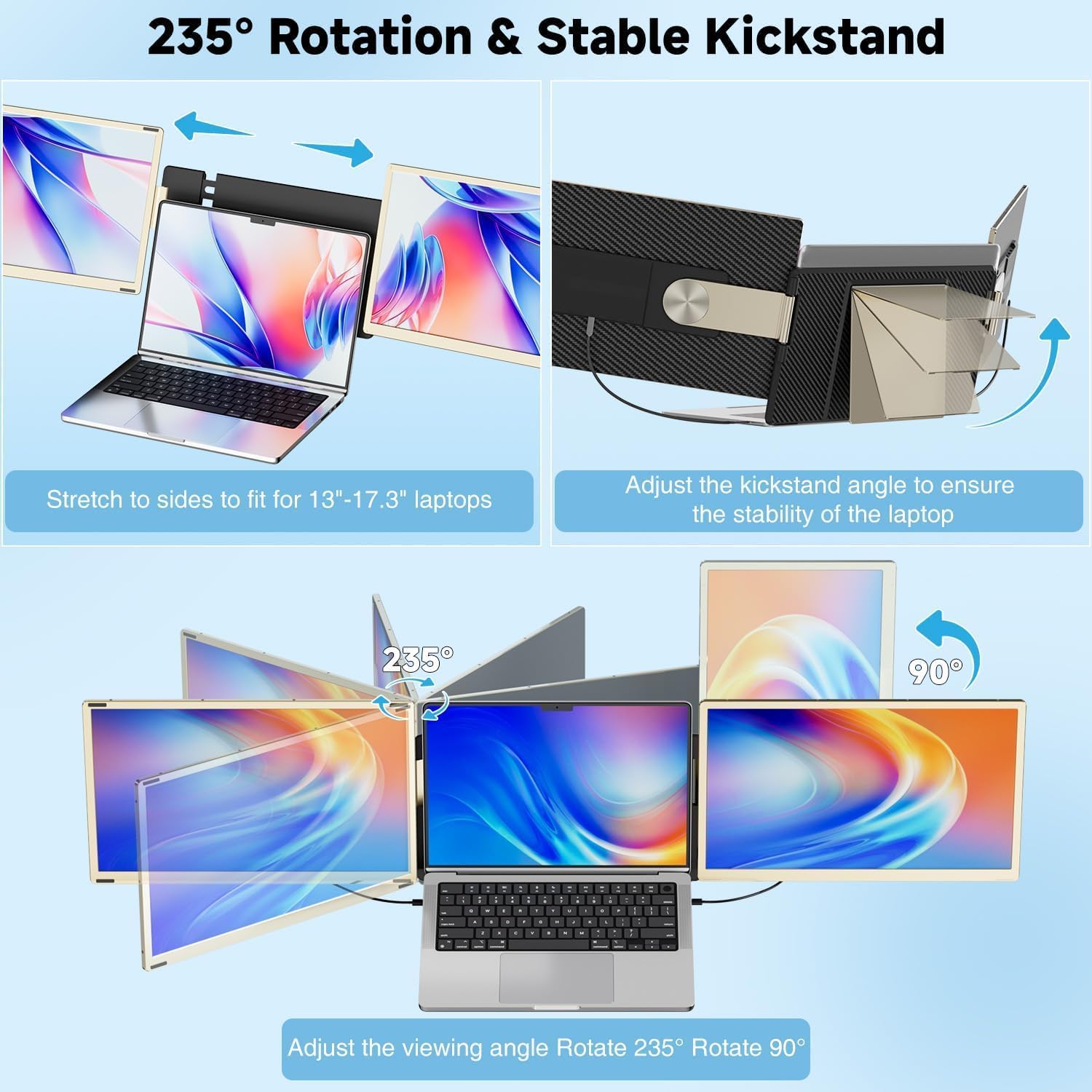
KEFEYA 15.6-Inch Laptop Screen Extender (Triple Portable Monitor), FHD 1080P, 120% sRGB, 235° Rotation
Reviews
Price
Product description
The essentials
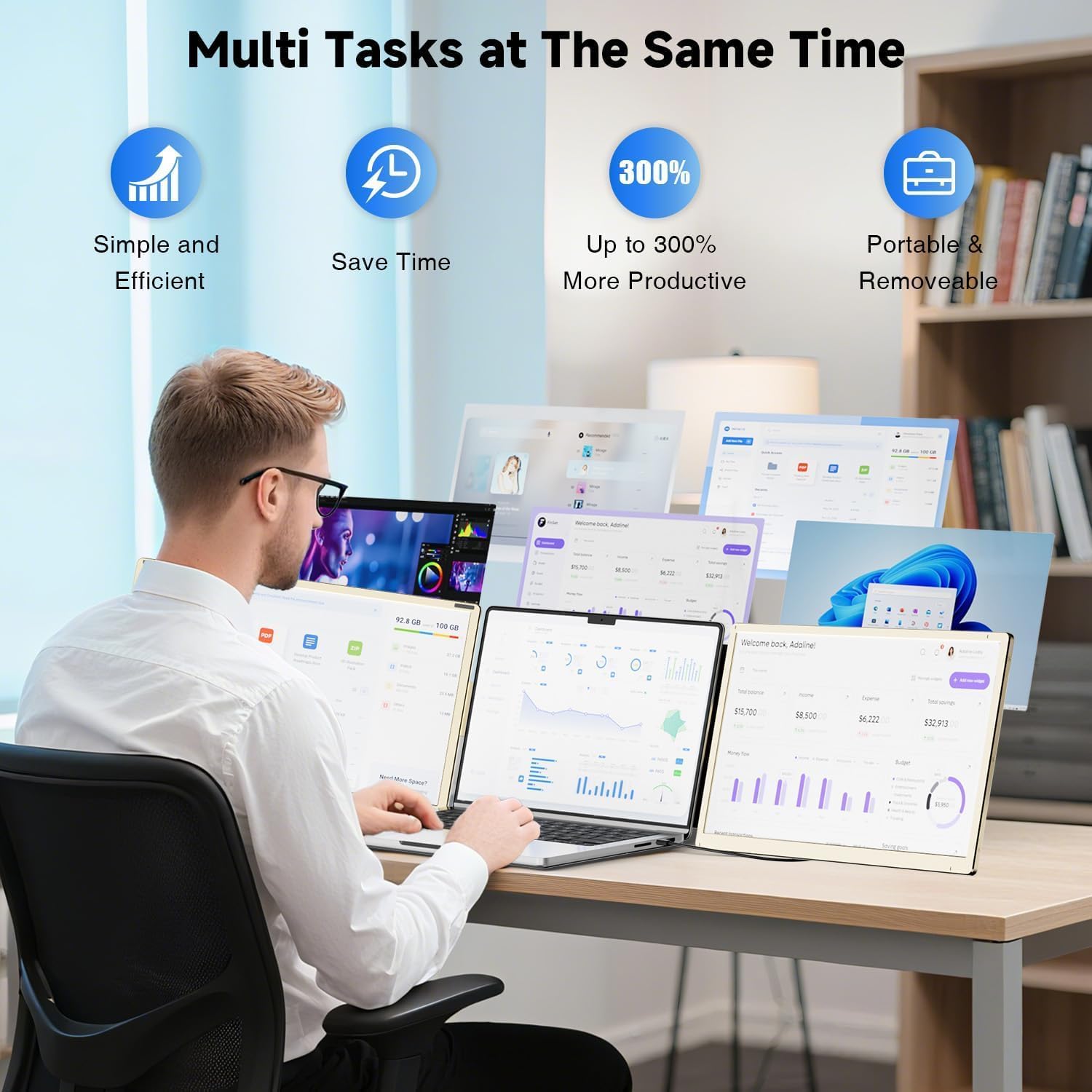
If you’re tired of bouncing between browser, spreadsheets, and video calls on one laptop screen, a portable screen extender like the KEFEYA can change how you work on the go. On paper, it’s built for people who want more workspace without hauling a traditional multi-monitor setup. The idea is simple: add an extra display path (and even multiple display modes) so multitasking feels less cramped—whether you’re working remotely, doing IT-type tasks, gaming, or just setting up a travel-friendly viewing station.
It’s also genuinely designed to move. The unit is described as detachable and comes with a leather bag, so you can pack it and take it along rather than treating it like a fixed desk accessory. That said, the real value depends on how you plan to connect it and what devices you’re using.
Key features and what you’ll notice day to day
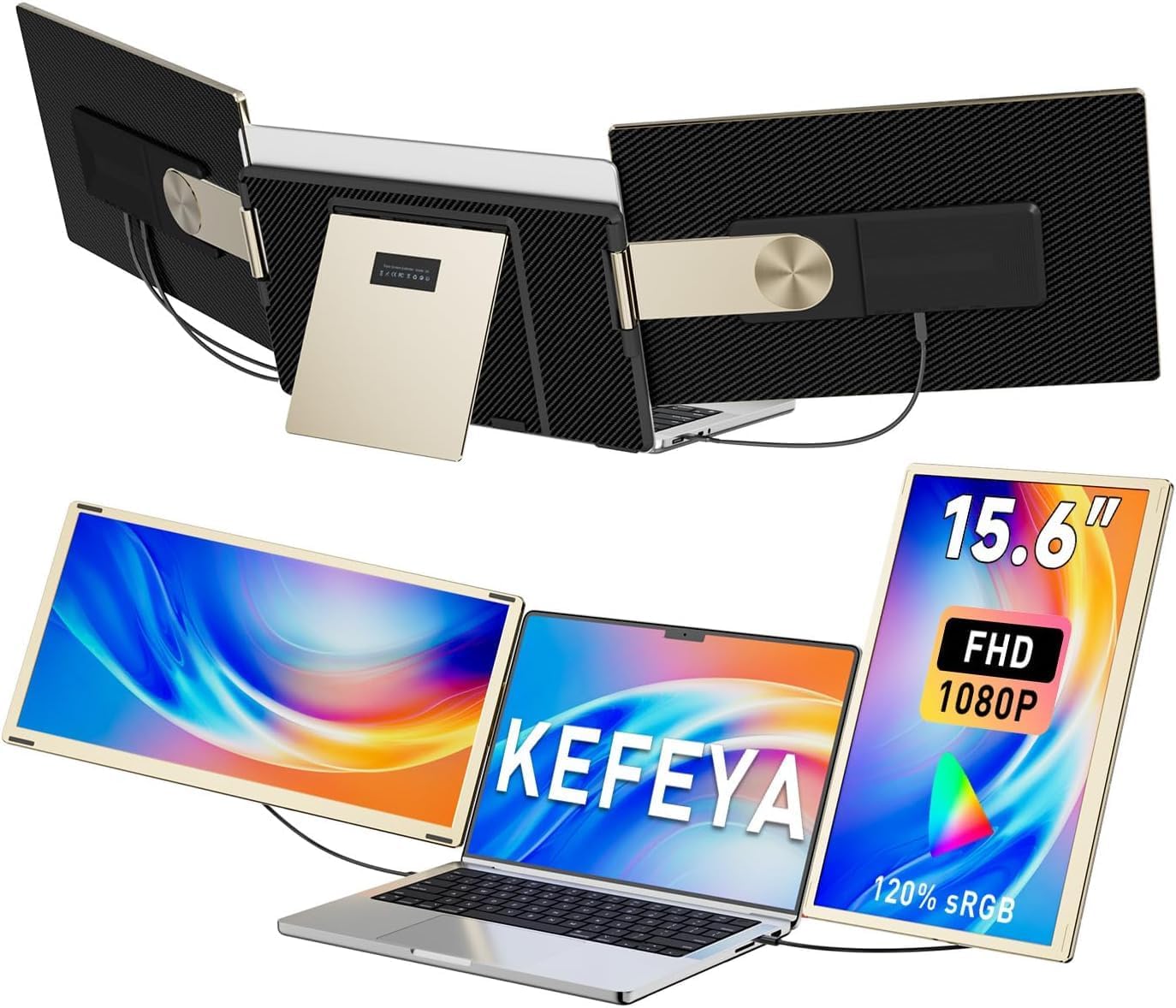
The KEFEYA extensor of 15.6-inch class uses an FHD 1080P IPS panel, and the listing calls out 120% sRGB color coverage plus a 1000:1 contrast ratio. For everyday use, that’s the kind of spec bundle that’s meant to keep images looking more vivid and readable, especially when you’re using it for mixed tasks like spreadsheets plus messaging plus video.
It’s also meant to be adjustable in how it sits. With 235° rotation and support for multiple display modes (mirror mode, extension mode, and horizontal/vertical orientations), it’s easier to position the screen the way you actually prefer. The listing even frames it as giving you “customized” viewing—because when you’re traveling or working in awkward desk setups, rigid positioning gets old fast.
Display modes and rotation: helpful… with a few “it depends” notes
This is where the product feels most practical. Extension-mode setups can let you spread tasks across screens rather than flipping windows back and forth. The listing also claims improved multitasking efficiency (up to 300%), which is believable as a general outcome of using more screen real estate—though your mileage may vary depending on the apps you use and how stable your workflow is with multiple displays.
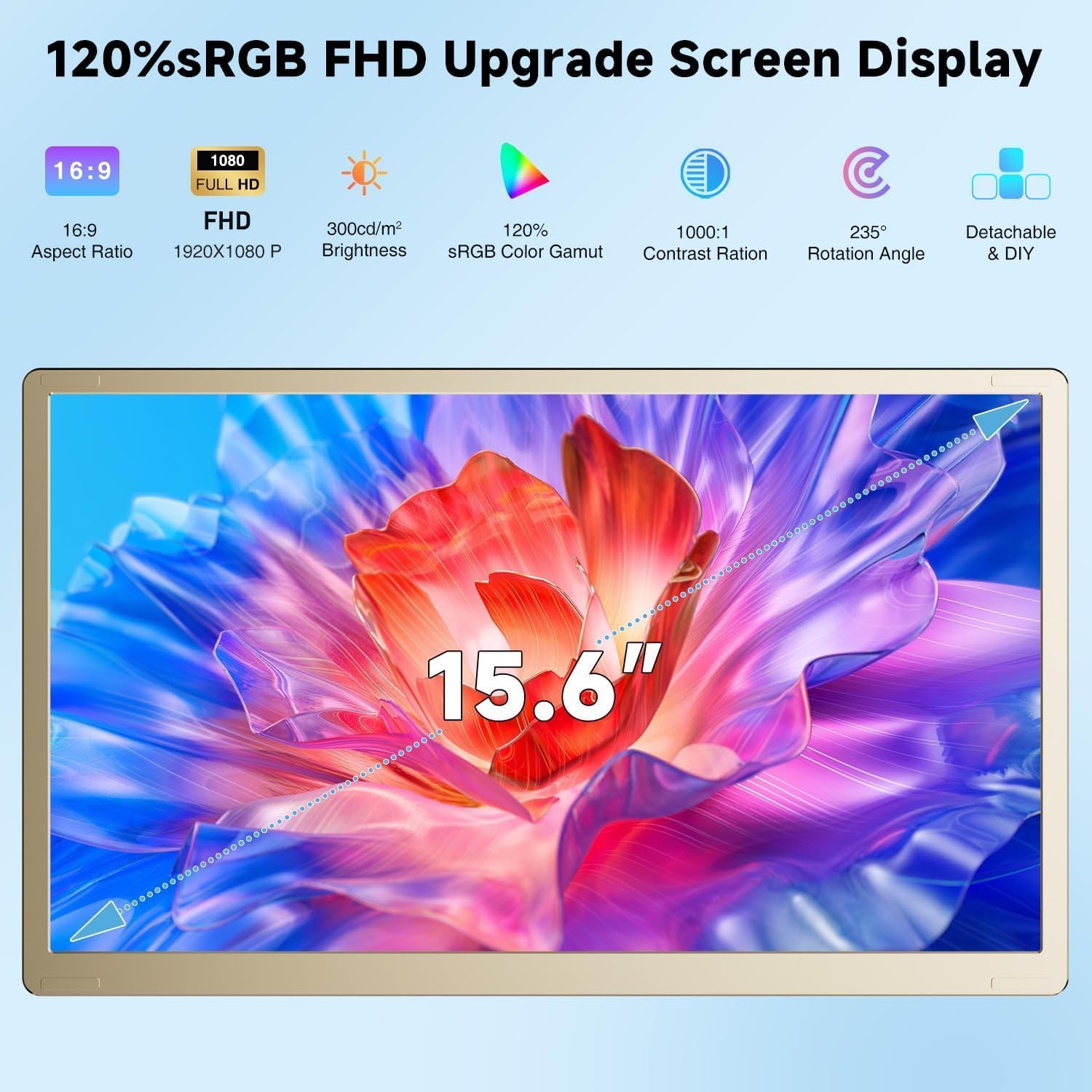
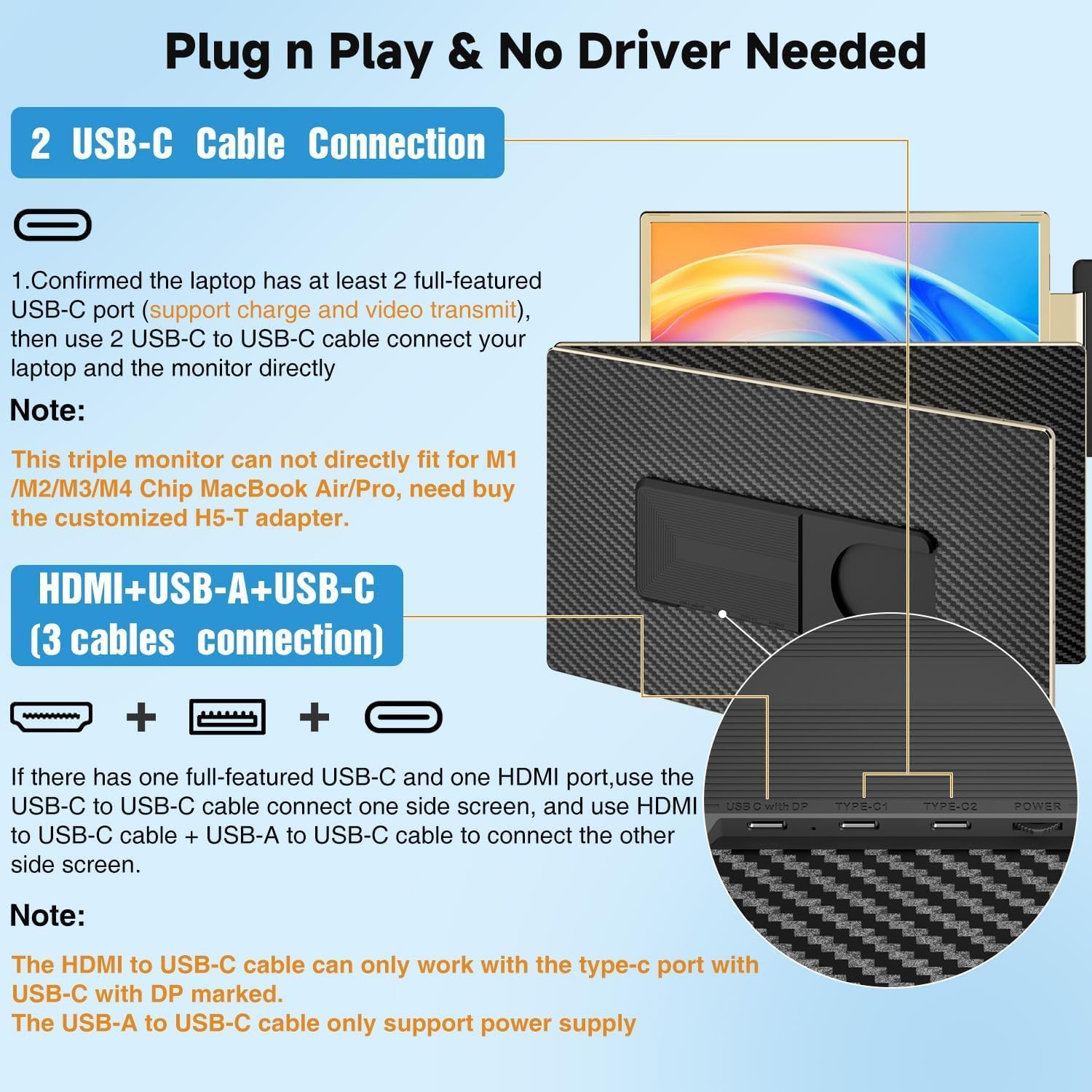
Two limitations to keep in mind: - It can be a little more dependent on your exact device compatibility and ports. - The listing includes an important note about Apple chips: it says it’s not compatible with Mac M1/M2/M3/M4 chips, but it may work with a specific adapter (H5-T), which is not included.
So if you’re on a recent Mac Apple-silicon setup, it’s worth double-checking compatibility before you buy.
Specs that matter for buying decisions
The listing highlights a 1920 x 1080 resolution for the 15.6-inch portable monitor extender. It also mentions that the monitor can adjust brightness, contrast, and backlight/other parameters independently, plus it’s framed as offering eye-friendly protection aimed at reducing eye fatigue.
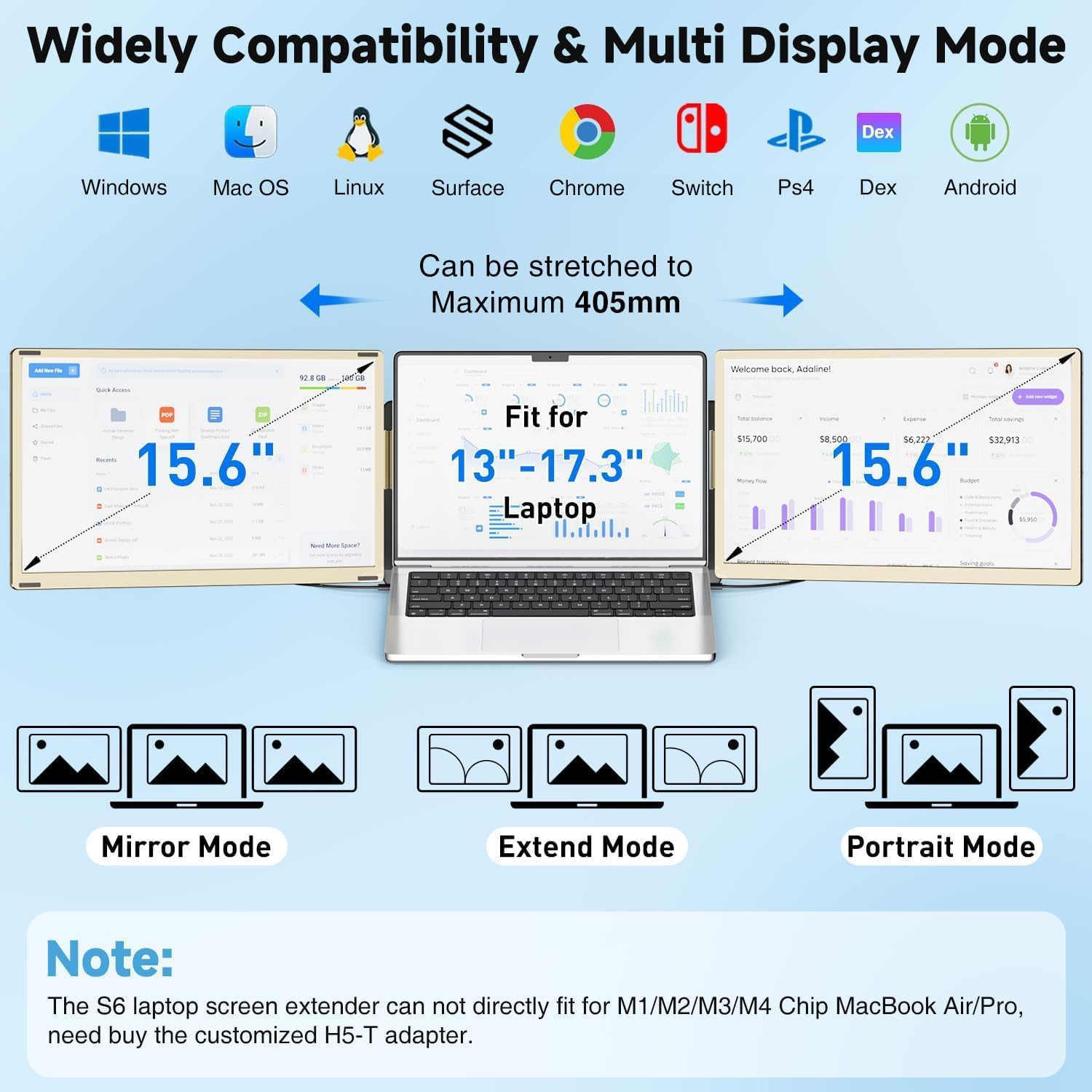
For color and image clarity, the advertised 120% sRGB is the standout spec for people who care about what they’re looking at—not just text. If you do anything visual (slides, photos, creative work in a pinch), that spec tends to matter more than you’d think.
Plug-and-play setup and multi-device compatibility
The KEFEYA is described as detachable and “plug n play,” with connectivity options that let you use either USB-C or USB-A to add HDMI. The practical takeaway: it’s meant to be quick to start using without needing drivers.
Compatibility is listed broadly across platforms: Windows, Mac (with the earlier M1/M2/M3/M4 limitation), Chrome OS via support claims, Linux, Android, plus several gaming consoles are mentioned (PS4, Xbox, Switch). The listing also references processor families like Intel, AMD, ARM, and Apple variants.
Still, compatibility claims are only useful if they match your exact device. If you’re planning to use it with a Mac setup on Apple silicon (especially M-series), the note about needing an adapter (not included) is a big deciding factor.
Who it’s for (and who should skip it)
This extender makes the most sense if you frequently work in places where a full desktop monitor setup isn’t practical. Examples where it fits the brief: traveling for work with a laptop, doing remote tasks from a temporary desk, or setting up a “working + calls + media” layout for long sessions.
It may not be the best match if: - You need guaranteed compatibility with Mac M1/M2/M3/M4 chips and don’t want to deal with an adapter situation. - You’re expecting a no-questions-asked, universal plug-in that behaves the same across every laptop and OS combination. With multi-display gear, some setups are smoother than others.
Mini FAQ
Does it work as a mirror or only for extended desktop?
The listing says it supports multiple display modes, including mirror mode and extension mode, plus horizontal/vertical orientations.
How far can the monitor rotate?
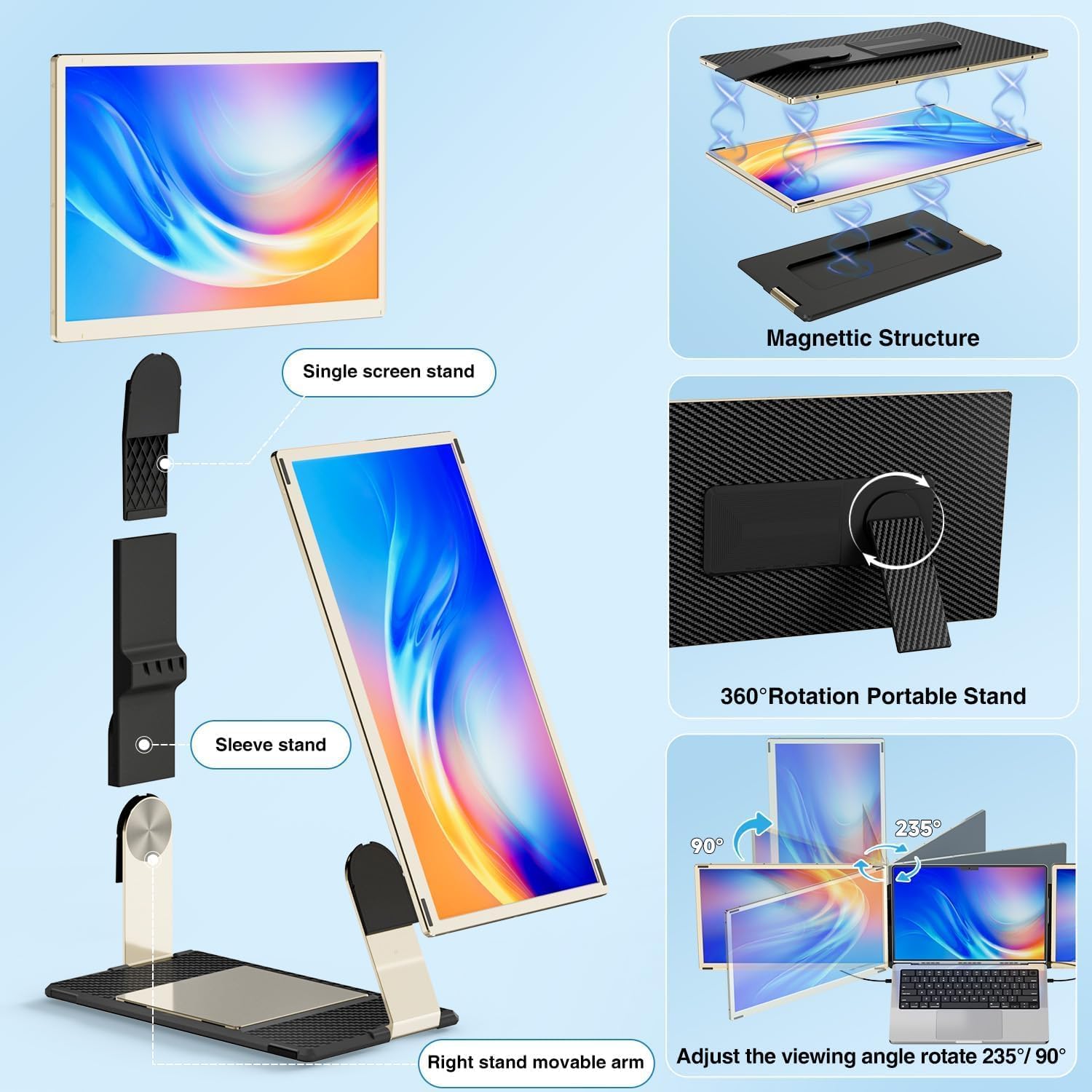
It’s listed as supporting 235° rotation, which should help you adjust viewing angle and placement.
Is it truly detachable for travel?
Yes, the listing describes it as detachable and mentions a leather bag included for carrying.
Is there any Mac compatibility limitation?
The listing notes it’s not compatible with Mac M1/M2/M3/M4 chips, but may connect with an H5-T adapter (not included).
Is it worth it?
The KEFEYA portable screen extender looks worth considering if your priority is flexible extra workspace while you’re mobile, and you want FHD 1080P IPS with 120% sRGB color coverage plus a display setup that can rotate and switch modes. It’s the kind of device that can make laptop multitasking feel far less cramped, especially for work-from-anywhere routines.
But don’t rush if you’re on a Mac with M1/M2/M3/M4 chips, because the listing’s adapter note (and the adapter not being included) adds friction. If you’re using a supported setup and you care about having more screen real estate without a full desk install, it’s a practical purchase to evaluate.