

Laptop Screen Extender Triple Monitor (FHD 1200P 16:10 IPS) for 12–16.2 inch Laptops
Product description
What it is and what problem it solves
A laptop screen extender that turns your setup into a more comfortable triple-monitor workflow on the go. Over time, most people hit the same wall: you open one more window, then another, and suddenly you’re constantly alt-tabbing instead of doing the work. This model is built for that “I need more screen space right now” moment—especially for people who work remotely, teach, code, design, or do content work while traveling.
The pitch here is simple: a 16:10 IPS portable panel with 1200P resolution, paired with a connection approach that supports plugging into your laptop and getting productive quickly. There’s also a durable aluminum alloy kickstand design intended to sit firmly on a desk or other flat surface, rather than relying on a clip that presses on your laptop screen.
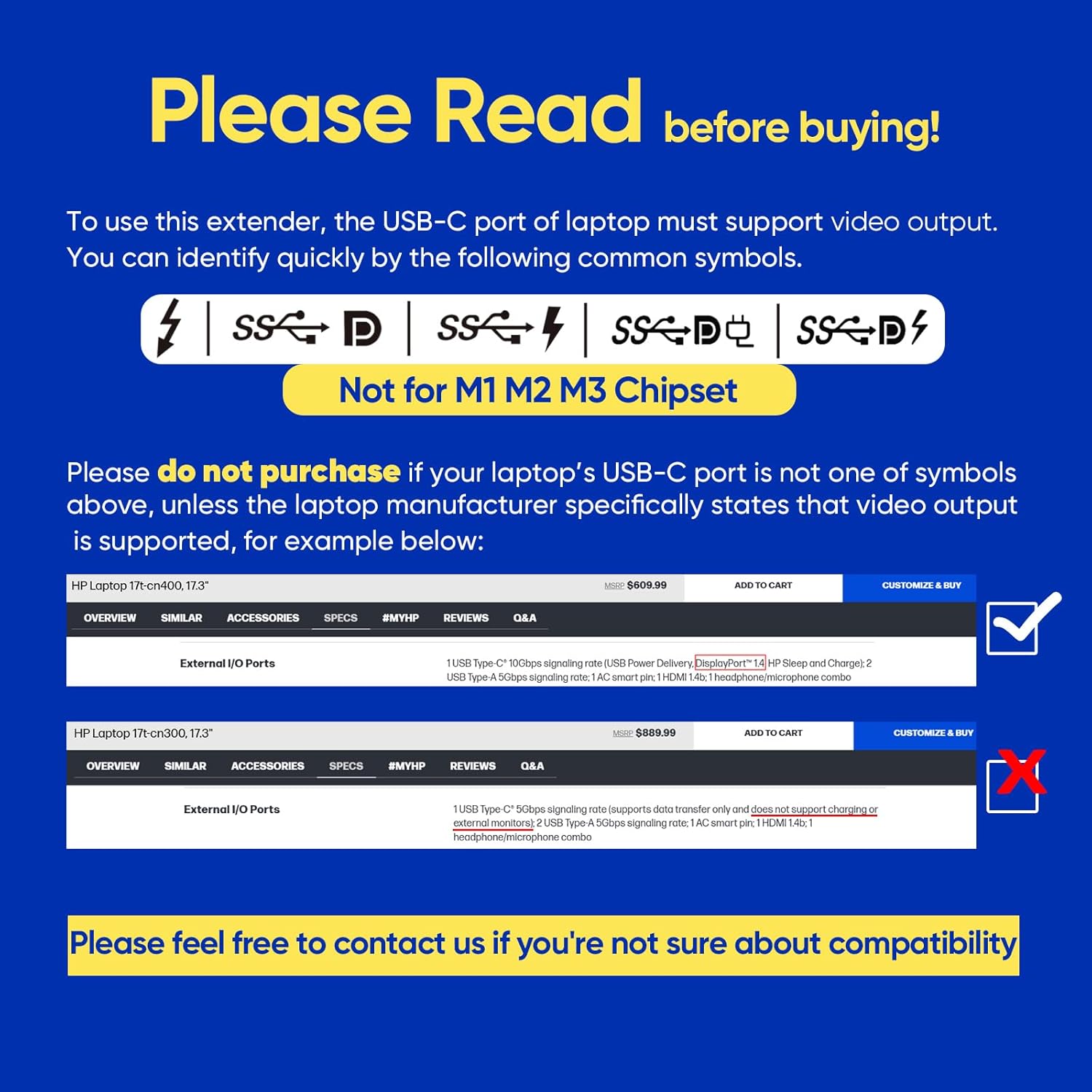
One important nuance, though: the input claims a compatibility limitation for certain Apple M-series chipsets (it “can’t be compatible” with M1, M2, M3). So before you get excited about triple-screen productivity, it’s worth checking whether your laptop’s chipset is in the supported range.
Key takeaways before you commit
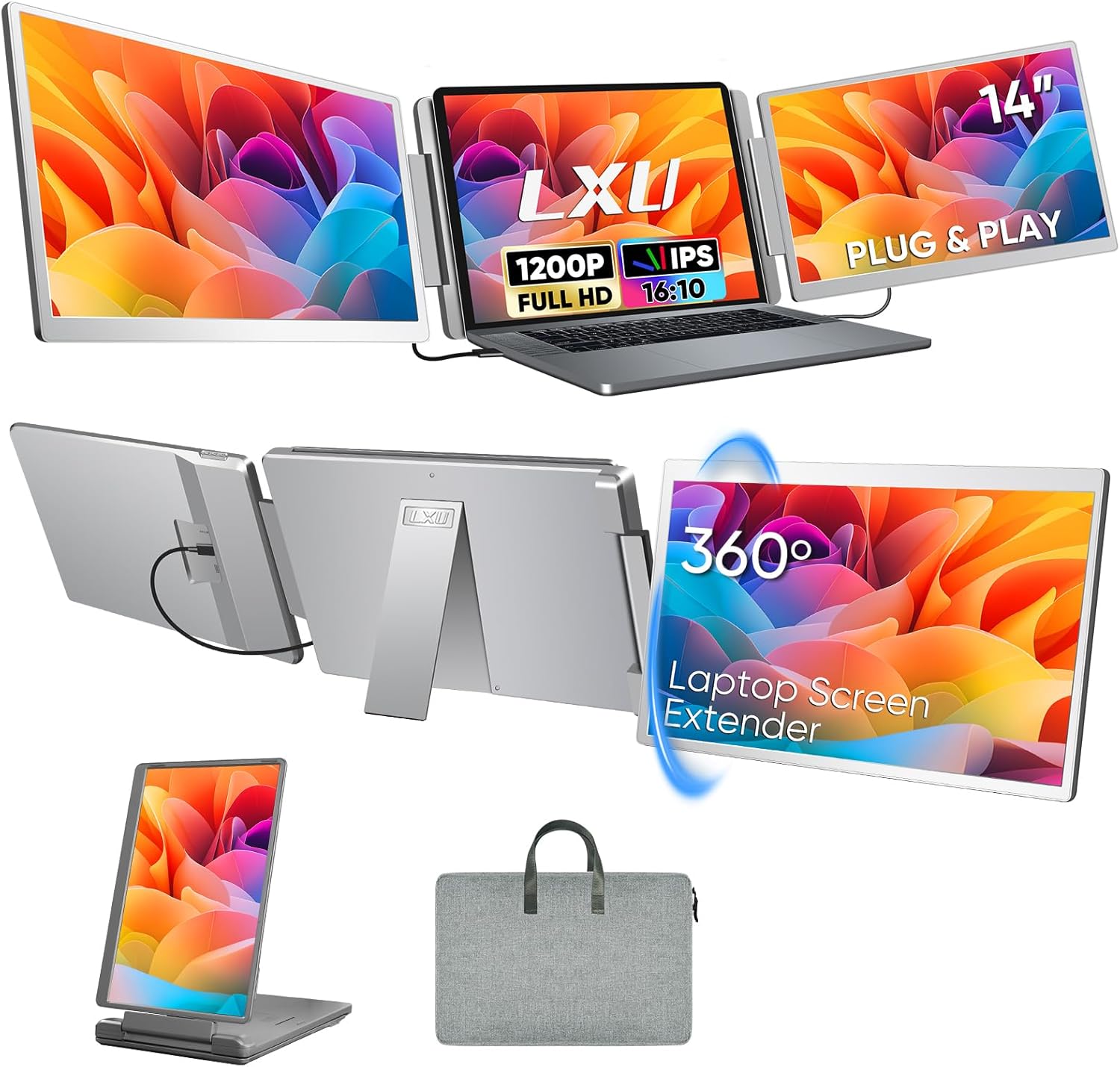
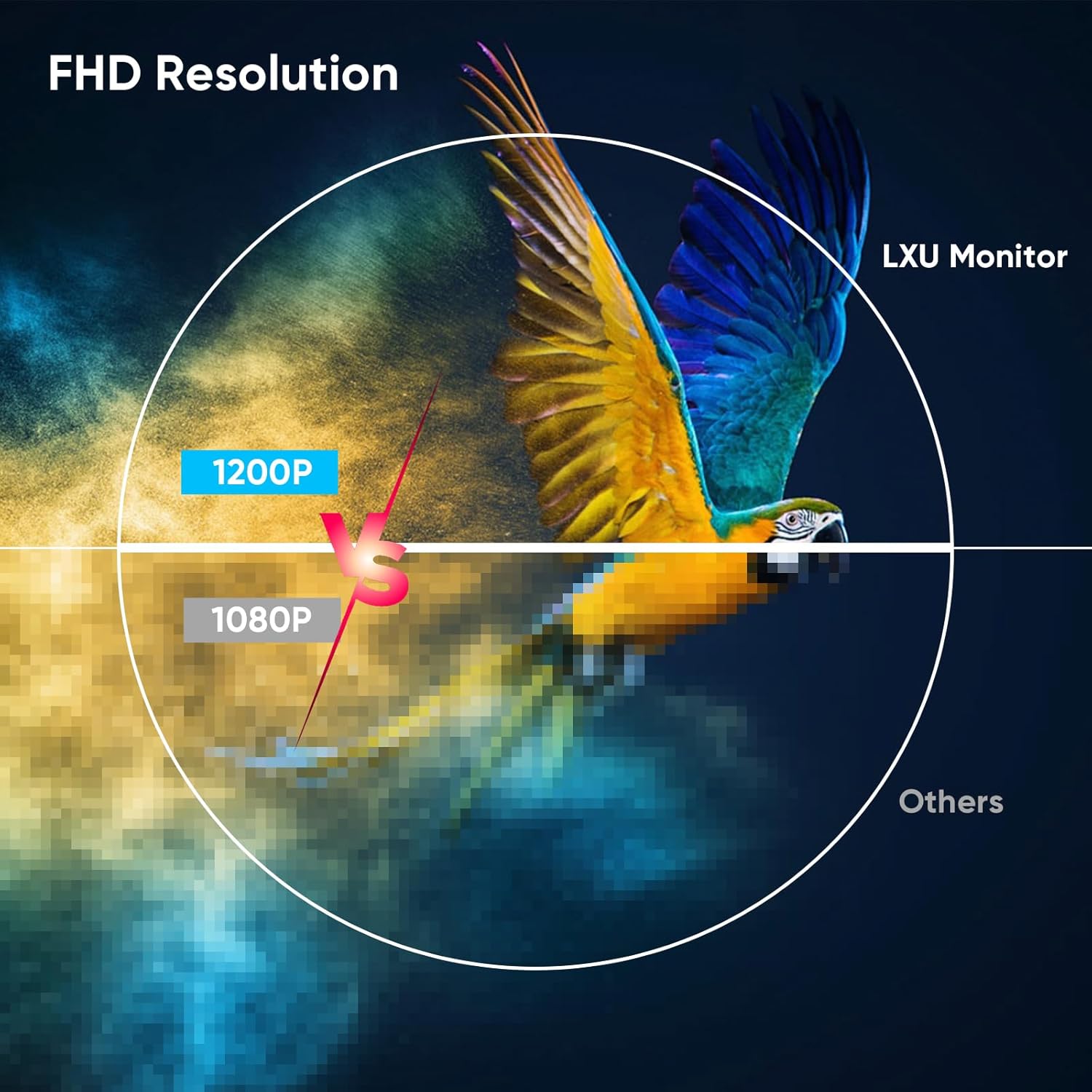
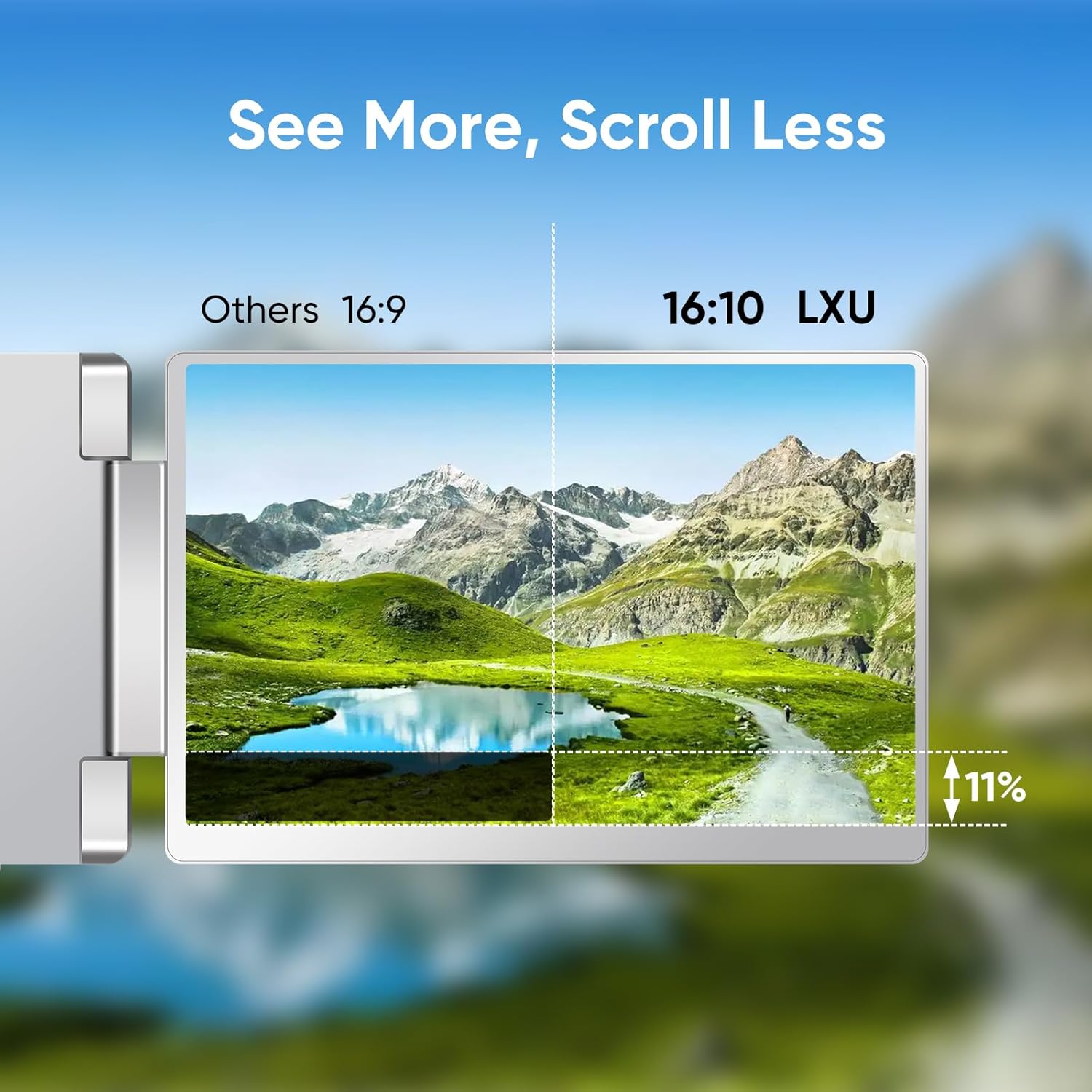
The main reason to consider this extender is the extra usable workspace. The display is described as a 16:10 1200P WUXGA IPS panel, which (on paper) brings more vertical room than typical 16:9 1080P screens, plus “sharper pixels” compared with standard 1080P 16:9.
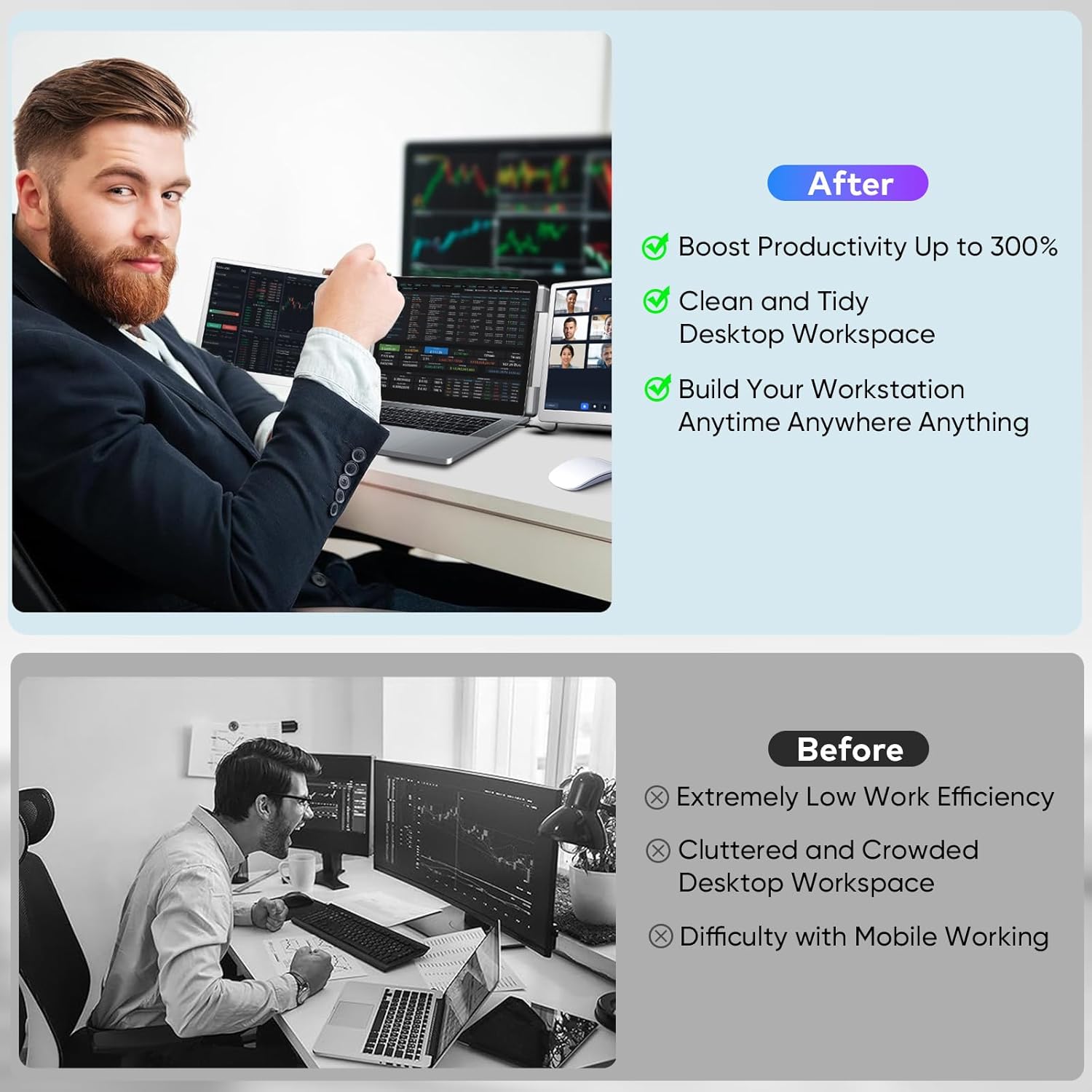
It’s also designed around a workflow idea: not just “more screens,” but doing multiple tasks at once—like side-by-side coding and documentation, timeline + preview for editing, or tools + canvas for design. The manufacturer claims productivity improvements “up to 300%,” which is the kind of number you should take with a grain of salt. Still, the direction makes sense: more simultaneous screen real estate usually reduces friction.
If you’re buying this for pure portability, it’s described as compact and weighing 3.5 lbs, which is light enough to travel with for work or school.
How the connections work (and where buyers can get stuck)
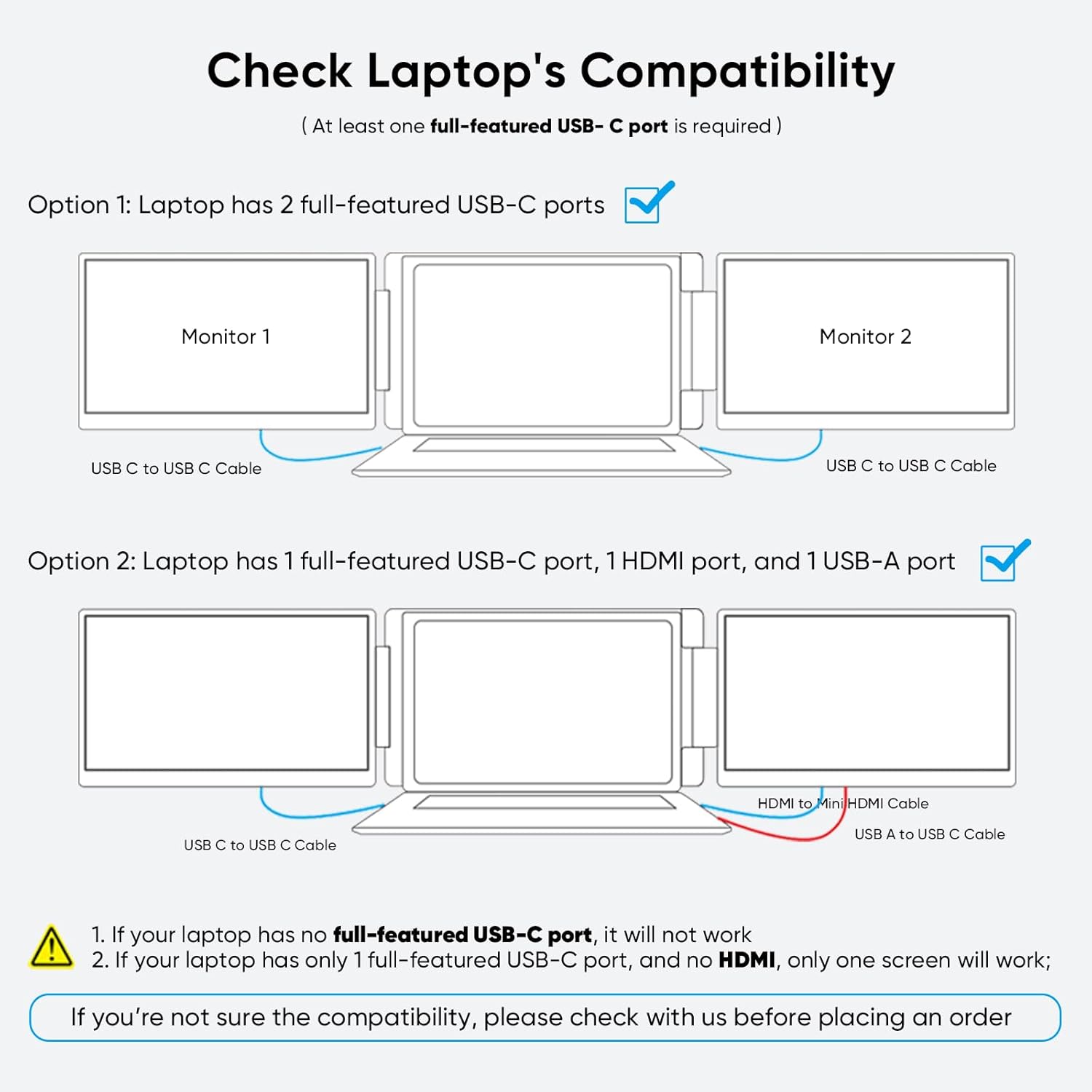
This extender offers two ways to connect:
- Full-featured USB-C connection (no driver needed)
- HDMI connection, but video output only, and the monitor must also be powered
That second point matters. If you plan to rely on HDMI alone, you’ll want to be ready to power the monitor separately at the same time you’re sending video.
There’s also a compatibility caveat called out explicitly: it says it can’t be compatible with M1, M2, M3, but it can work with Pro or Max series, and M4/M5 chipsets. So if you’re on an older Apple configuration, you may not get the experience you’re expecting.
What you’ll notice in daily use
A 16:10 aspect ratio tends to feel more “work-shaped” than 16:9, because you gain extra vertical space. In practical terms, that can mean fewer manual scrolls when you’re working with code editors, spreadsheets, or long documents.
For a concrete example: imagine a programmer pulling up their IDE on the laptop screen while the extender shows reference docs or output logs. With more vertical room, you can keep more lines visible at once, which often reduces the constant resizing and juggling.
For design or photo/video workflows, the IPS panel angle and the extra vertical space can help when you’re comparing timelines, layers, and preview windows side-by-side.
That said, it’s not positioned as a monitor that replaces a full desktop setup for every scenario. If your priority is high-end color accuracy or “serious studio” viewing, this is more of a portable productivity screen extender than a dedicated pro display.
Tech summary (spec sheet style)
- Display type: IPS
- Aspect ratio: 16:10
- Resolution: 1200P WUXGA
- Claimed pixel detail benefit: 18% sharper pixels vs standard 1080P 16:9
- Claimed vertical space benefit: 20% more vertical space vs standard 1080P 16:9
- Weight: 3.5 lbs (compact design)
- Power/connection options: USB-C (full-featured) or HDMI (video output only, needs power)
- Drivers: Plug & play (no driver needed)
Careful compatibility check (so you don’t waste time)
The biggest “before you buy” risk factor is platform compatibility. The listing states it can’t be compatible with M1, M2, or M3, but can work with Pro or Max series and M4/M5 chipsets.
If you’re using a Windows laptop, the USB-C path is generally where buyers expect smooth setup, since it’s described as plug & play. If you’re using HDMI instead, remember it’s video output only and you still need to power the monitor.
Also, consider your laptop size range. The extender is described for laptops roughly in the 12 to 16.2 inch category, so if you’re outside that, you may want to double-check whether the setup makes sense for your desk and viewing angle.
Is it worth it?
Buy it if you want extra screen real estate for multitasking and you’ll use a laptop-friendly, portable triple-screen workflow. This makes sense if you’re often on the move (remote work, students, teachers), or if your day is heavy on coding, documents, design panels, or editing timelines.
Don’t buy it if your laptop is based on an Apple M1, M2, or M3 chipset, since the listing says it can’t be compatible. It may also not suit you if you want a simple “HDMI only and done” setup, because HDMI is described as video output only and requires separate power for the monitor.
In short: it’s a solid productivity-focused extender on paper, with the key limitations being chipset compatibility and the HDMI power requirement. If those check out, it can be a practical way to reduce window clutter and keep more work on-screen at once.
Mini FAQ
What devices is it compatible with?
The listing says it can work with Pro or Max series and M4/M5 chipsets, and it explicitly states it can’t be compatible with M1, M2, or M3. It also mentions Windows, MacBook, Switch, and PS5 as intended use cases.
Do I need to install drivers?
No driver is needed, according to the plug-and-play description.
Does HDMI include everything I need for setup?
HDMI is described as video output only, and the monitor needs to be powered at the same time.
What resolution and aspect ratio does it use?
It’s described as a 16:10 IPS screen with 1200P WUXGA resolution.
How portable is it?
It’s described as compact and weighs 3.5 lbs, which is intended to support on-the-go use.