

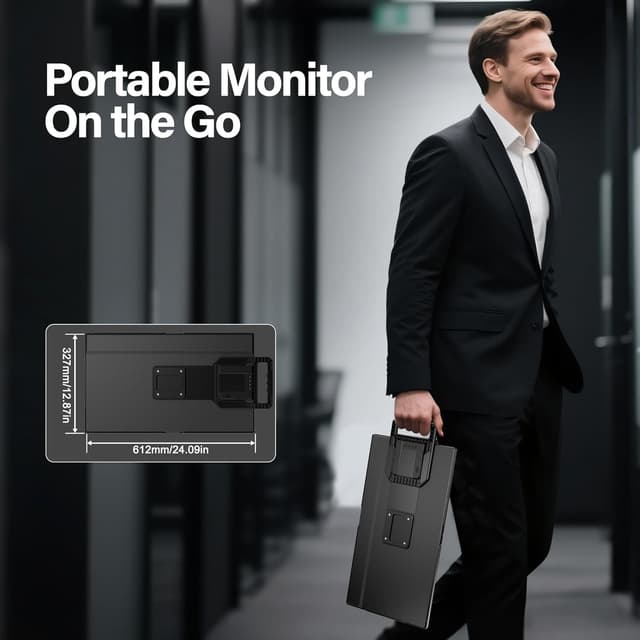
Setclod 23.8" Large Portable Monitor (1080P FHD, 100Hz, IPS) with USB Hub & Detachable Stand
Product description
What it is and why people buy it
The Setclod 23.8" Large Portable Monitor is a travel-friendly laptop screen extender designed for people who need more workspace on the road—or just want a second display without dealing with a big desktop setup. On paper, it’s aimed at multitasking (spreadsheets, docs, creative work) and also wants to cover casual gaming with a higher refresh rate than many “office-only” portable screens.
If you’ve ever tried to juggle two windows on a built-in laptop display, you already know the tradeoff: more tabs, smaller text, and more scrolling. This kind of monitor is built to reduce that friction by giving you a larger, separate screen you can place where it’s comfortable.
The essentials: display, motion, and color
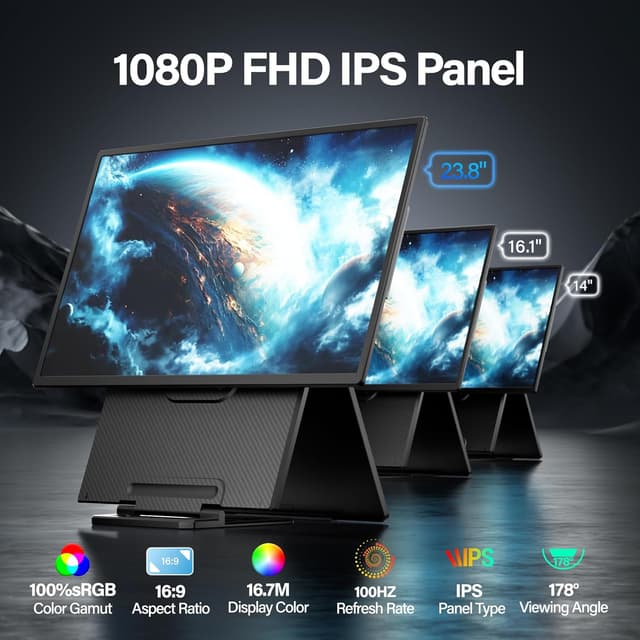
This model uses an IPS panel and is spec’d at 1920x1080 (16:9), with a 100Hz refresh rate. It also lists 300 cd/m² brightness and color coverage of 125% sRGB and 90% NTSC. The practical takeaway is that, if your source device supports it properly, you should be able to expect smoother motion than a typical 60Hz laptop extender and more pleasing color than the most basic budget displays.
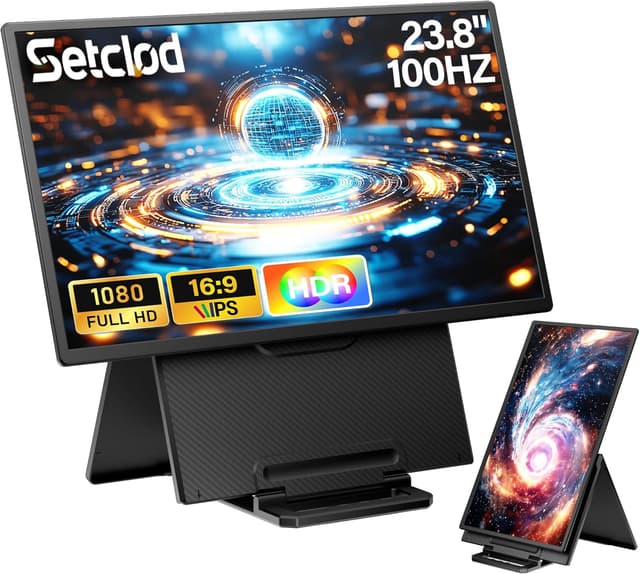
That said, it’s not positioned as a premium content-creation monitor from the spec alone. It’s more “solid portability with gaming-friendly responsiveness” than “color-critical studio tool.” If your work demands tighter professional color management, you’ll want to treat its color claims as a starting point and verify your expectations on your own workflow.
Ports and setup: plug-and-play, with one important power note
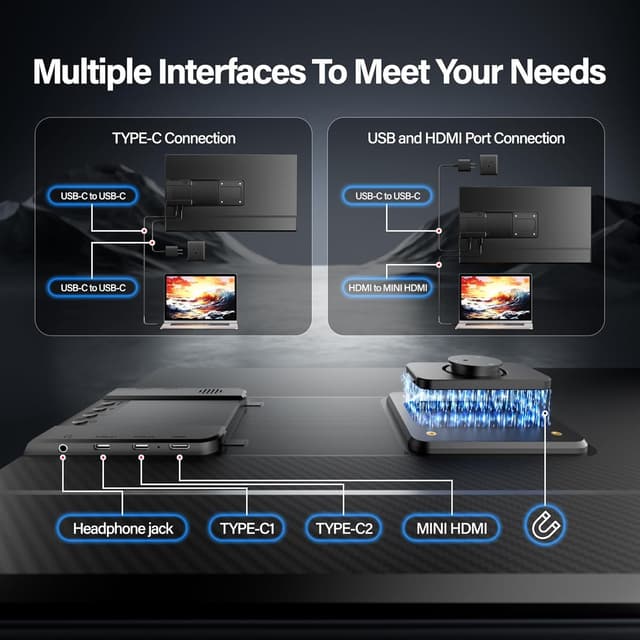
Setclod emphasizes driver-free connectivity and includes the essential cables you need: Type-C, USB-C to USB-A, and HDMI. The idea is straightforward: use the Type-C connection for convenience, or switch to HDMI when that’s the easier route.
There’s one detail you shouldn’t gloss over—when using the monitor, you need to connect a 30W power supply. If you don’t plan for that, setup can feel like it “almost works,” which is the kind of annoyance that kills momentum when you’re traveling or setting up a quick office corner.
The extra USB A hub: where it actually helps
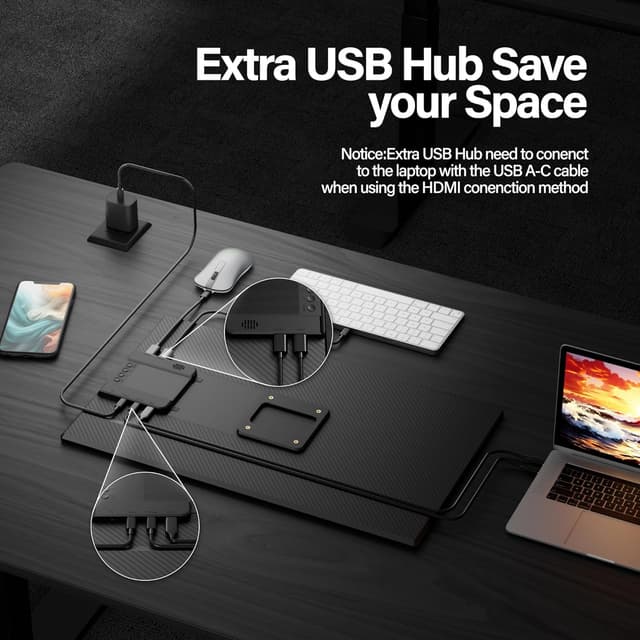
One of the more buying-relevant parts here is the extra USB A hub. Setclod says that when you’re using the full-featured Type-C connection—or using an extra USB A-C cable with HDMI—you can plug a keyboard and mouse into the hub. This is a small feature, but it can be the difference between “second monitor” and “usable mini workstation.”
If your laptop has limited ports, having a hub integrated into the monitor reduces the need for extra dongles. If your current setup already has plenty of free USB ports, you may not feel this benefit as strongly.
Stand, VESA, and day-to-day flexibility
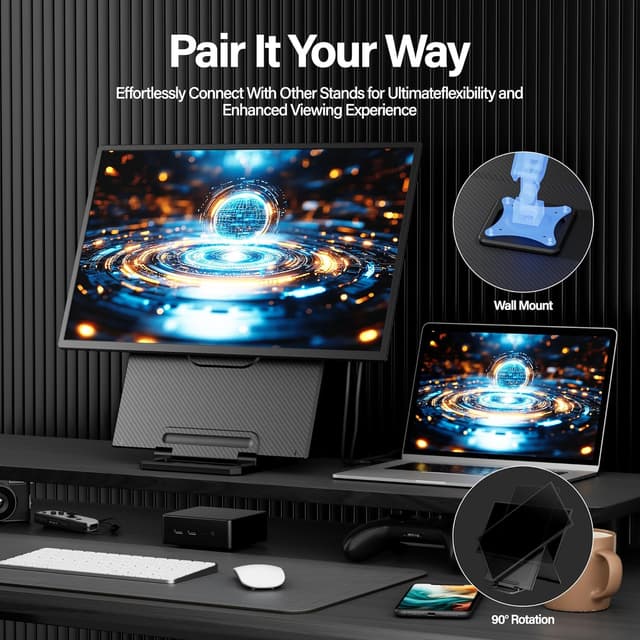
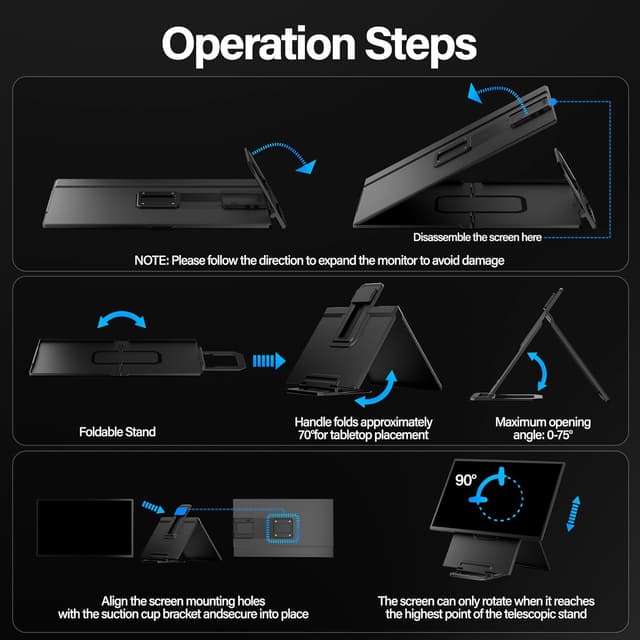
You get VESA compatibility and a detachable stand with an adjustable kickstand up to 75°. The integrated, travel-friendly approach matters because it changes how quickly you can go from bag to desk. For a lot of users, that’s the real “portable” difference—less fiddling, more time using it.
A concrete example: imagine you’re working from a hotel desk. You place the monitor beside your laptop, angle the kickstand for comfortable viewing, and plug your mouse/keyboard into the USB hub. Suddenly you can keep the laptop for one task and use the external screen for your main work—less alt-tabbing, less squinting.
Compatibility: who it fits (and what to double-check)
Setclod lists wide compatibility across operating systems and devices, including Windows, Mac, Chrome, Android, Linux, Dex, and Switch. That’s promising if you want a single external screen for multiple setups.
Still, compatibility isn’t just “will it connect?” It’s also about whether the connection mode you’re using delivers the right behavior (video signal and power expectations). Since Setclod notes different connection methods (Type-C vs HDMI) and specifically calls out the 30W power supply, it’s smart to check which device you’re using and whether your cable/port arrangement matches the intended setup.
Pros, cons, and who should skip it
On the positive side, this looks like a practical travel monitor with a mix of specs that make sense for both work and entertainment: IPS viewing angles, 100Hz for smoother motion, and listed color coverage for more vibrant visuals than many basic extenders.
On the more cautious side, it may feel more “middle-of-the-road” for serious creators depending on your calibration needs, and you also have that extra requirement of using a 30W power supply. If you’re hoping to run it purely off a laptop with no extra power planning, you may find it less convenient than you want.
It may not be the best choice if you only care about a simple second screen at any cost and don’t care about 100Hz or the USB hub. Likewise, it might not suit you if you need a very specific professional color workflow.
Is it worth it?
Buy the Setclod 23.8" portable monitor if you want a larger screen extender for multitasking, you’ll appreciate the IPS panel’s viewing comfort, and you like the idea of a 100Hz refresh rate for smoother motion in everyday gaming and entertainment. It also makes more sense if your laptop runs short on ports, since the included USB A hub can help you centralize keyboard and mouse.
You may want to skip it if you don’t want to think about power setup (remember the 30W power supply note), or if your requirements are highly color-critical and you expect tight, calibrated results without additional steps. Also consider whether you’ll realistically use a portable second screen often—if not, a simpler setup might be enough.
Tech summary
- Type: Portable IPS monitor for laptop and other devices
- Resolution: 1920x1080 (16:9)
- Refresh rate: 100Hz
- Brightness: 300 cd/m²
- Color coverage: 125% sRGB, 90% NTSC (as listed)
- Stand: Detachable, VESA-compatible, adjustable kickstand up to 75°
- Connectivity: Type-C and HDMI (with included cables), USB A hub for keyboard/mouse
Quick questions before you buy
FAQ
Does it work with laptops and consoles?
Setclod lists compatibility with Windows, Mac, and devices like Switch, plus other platforms. Just make sure you use the connection method that matches your device and follow the power guidance.
Do I need a power supply?
Yes—Setclod specifically notes that when using the monitor, you should connect a 30W power supply.
What connections come with it?
The box includes essential cables mentioned by Setclod: Type-C, USB-C to USB-A, and HDMI.
Will the USB hub let me plug in a keyboard and mouse?
According to Setclod, you can plug a keyboard and mouse into the extra USB A hub when using the full-featured Type-C connection, or with the added setup mentioned for HDMI use.
Is the 100Hz refresh rate good for gaming?
It’s positioned for smoother motion than typical 60Hz portable extenders, though your exact gaming feel will still depend on your console/laptop output and game settings.