

EPOMAKER Galaxy100 Lite QMK/VIA Mechanical Keyboard (Aluminum) with 8000mAh Battery, Numeric Keypad
Product description
At a glance
The EPOMAKER Galaxy100 Lite is a wireless-capable, aluminum mechanical keyboard built for people who want customization and a fuller layout—without giving up a smoother, “creamy” typing feel. It’s positioned with QMK/VIA support and hot-swappable switches, so it’s less about locking you into one fixed experience and more about letting you tune it over time.
On paper it’s also trying to cover multiple use cases at once: gaming comfort thanks to a south-facing RGB backlight, plus multi-device switching across connection types. Still, it’s not the kind of keyboard you buy once and forget—if you don’t care about layers, remapping, or switch/feel changes, you might find simpler boards do the job just fine.
What it’s designed to do (and where it fits)
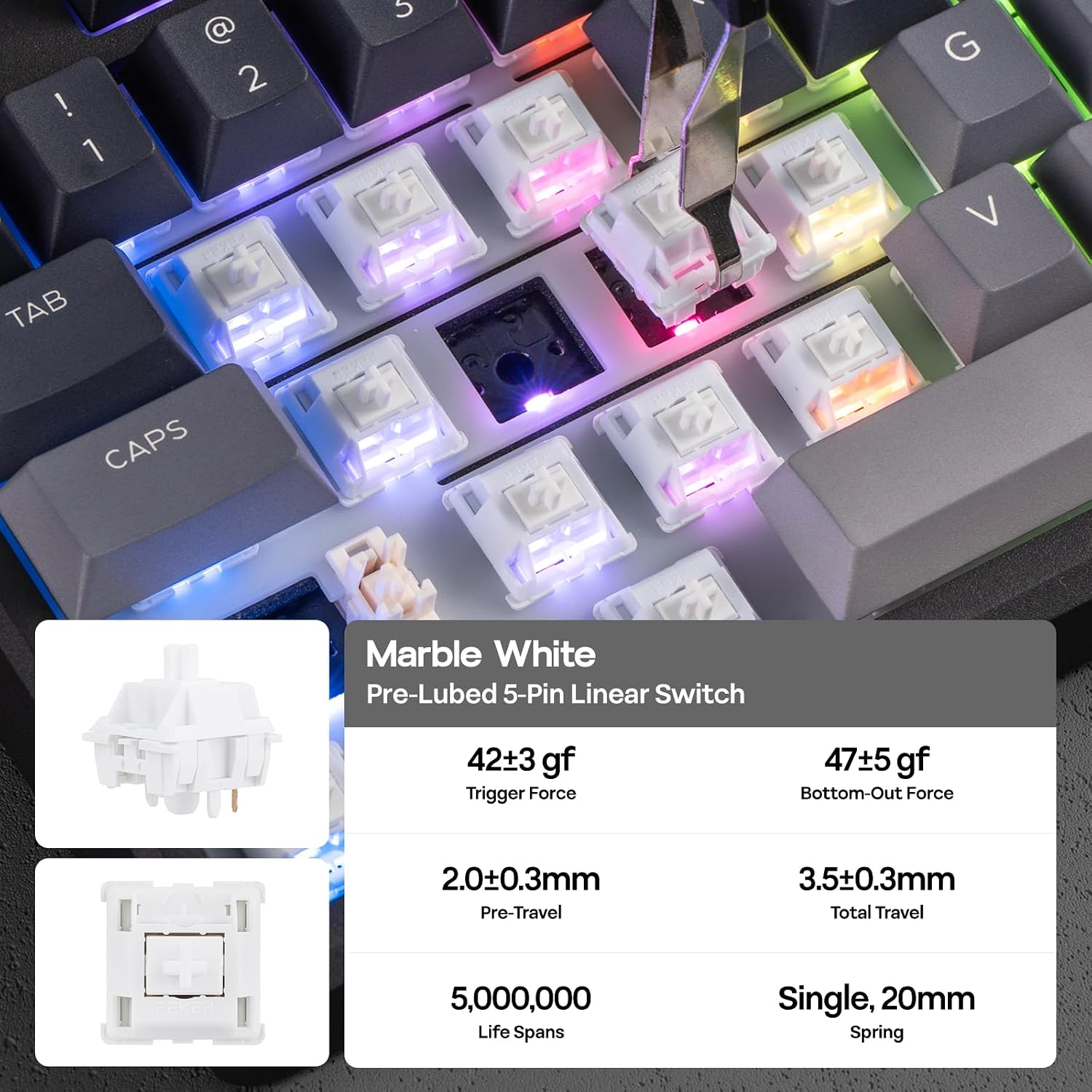
This is an aluminum gasket-mounted mechanical keyboard with pre-lubed linear switches and multiple sound-dampening materials. The goal is a specific typing character: a thocky “thud” with less harshness than many straightforward switch setups, plus comfort that doesn’t beat up your hands as quickly.
A very practical detail is the hot-swappable design. If you end up wanting a different linear switch feel later, you don’t need to rebuild the whole keyboard around soldering.
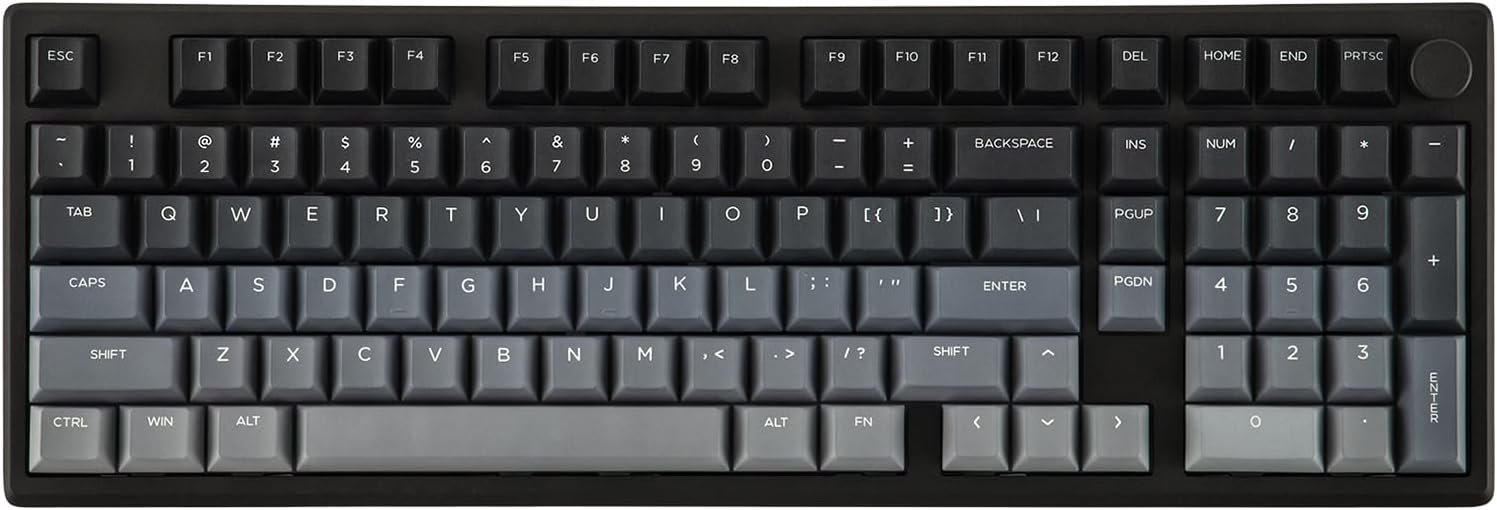
It also includes a numeric keypad, which matters more than people expect. If you do spreadsheets, data entry, or just prefer the number block for games and shortcuts, the layout reduces the “workaround” factor versus smaller boards.
Key features that matter in daily use
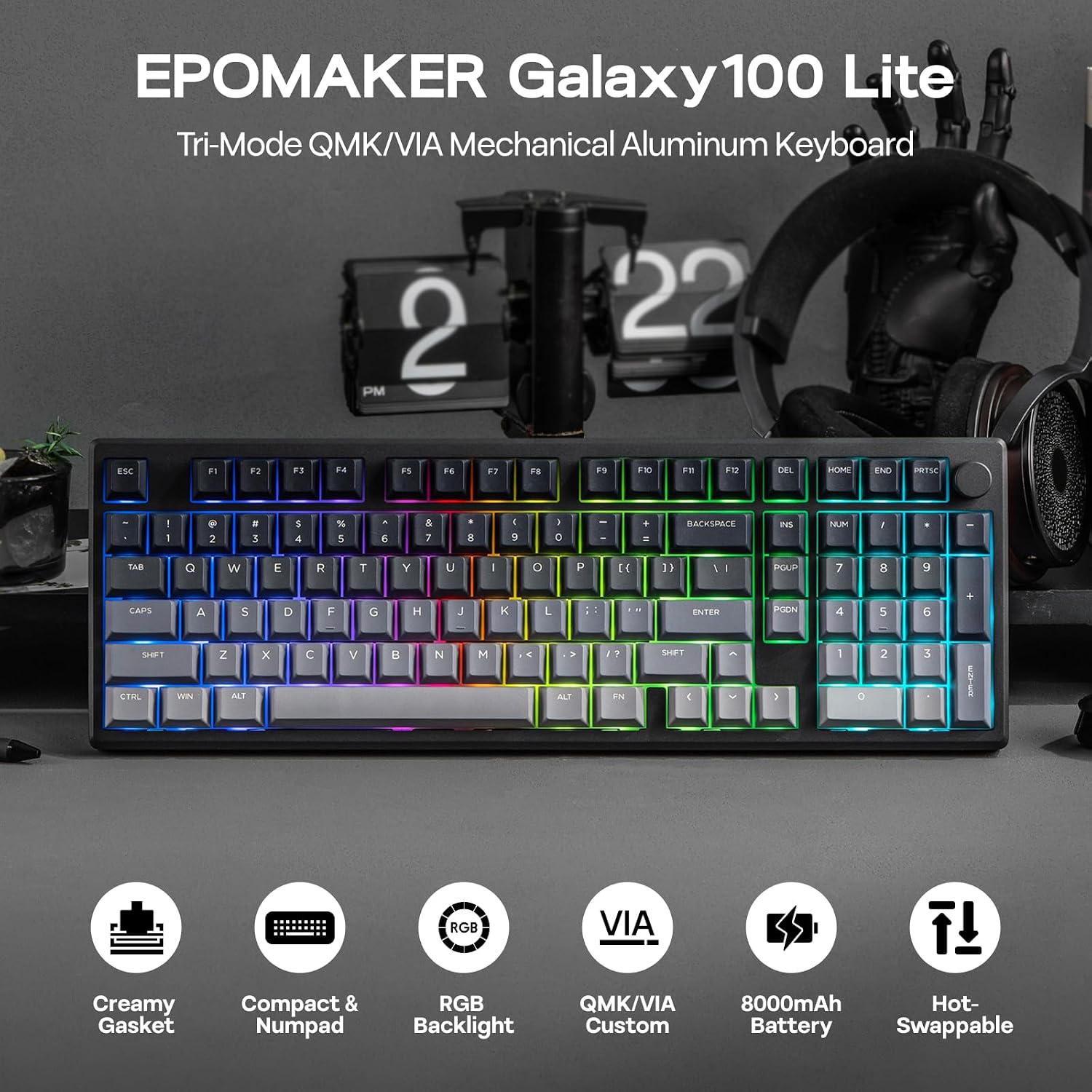
South-facing RGB that’s meant to be seen
Each key has a south-facing LED. That’s the kind of layout choice that can affect how lighting looks from a typist’s perspective. The keyboard supports brightness, colors, and lighting effects via VIA software or hotkeys.
One limitation to keep in mind: the keycaps are described as thick PBT and “non-shine-through.” So if you’re expecting the legends to light up like some translucent-cap setups, this one may look more subtle—more like colored backlighting than fully illuminated legends.
Wireless performance with three connection modes
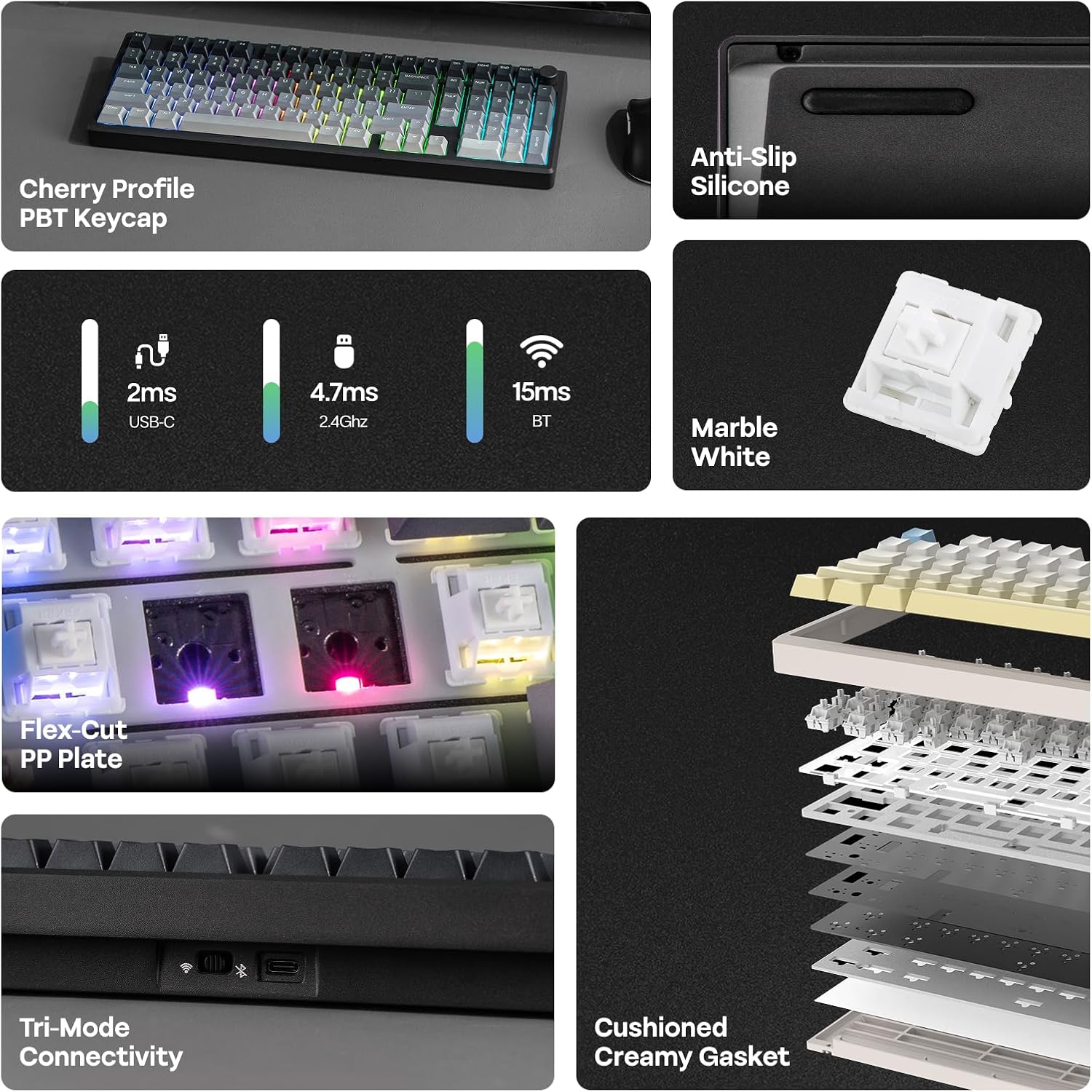
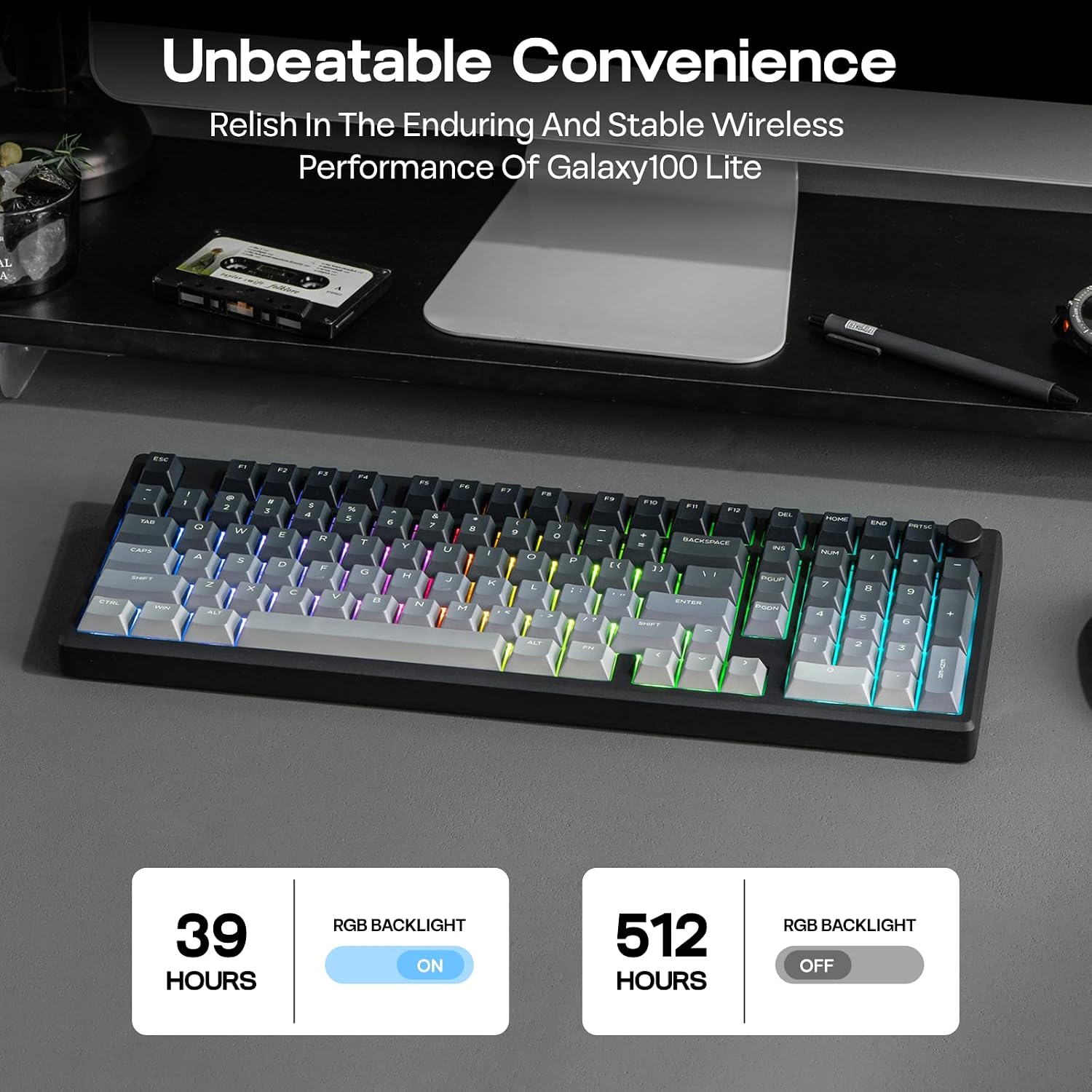
The keyboard is powered by an 8000mAh battery and supports three ways to connect: 2.4GHz wireless, a low-latency cable mode, and Bluetooth. That gives you flexibility if you bounce between a desktop and a laptop, or if you want a cable when you’re chasing the lowest delay.
The 2.4GHz + Bluetooth mix is especially useful when you want to keep your desk tidy. You can also avoid the “charging interruptions” problem that shows up on smaller battery keyboards.
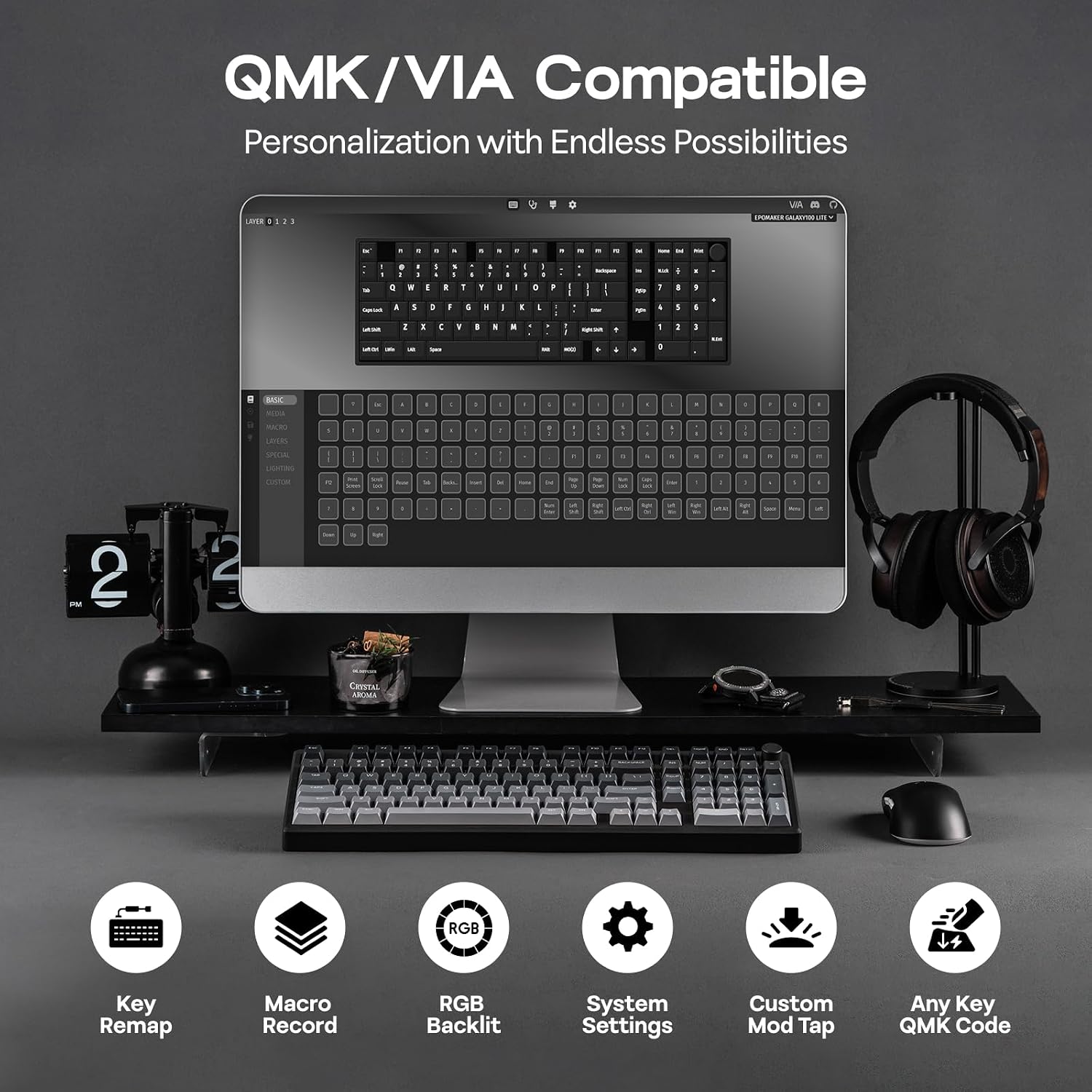
QMK/VIA customization (less “fixed,” more “yours”)
VIA support is included, and the description calls out remapping keys, setting automated macros for repetitive tasks, and tailoring layers. That’s the kind of setup that rewards people who like to tinker—making the keyboard behave differently by app, by device, or by your own workflow.
If you don’t plan to customize much, you may not feel the advantage quickly. But if you’ve ever wanted one key to do different things depending on context, this direction makes a lot of sense.
Tech specs (based on the provided details)
- Type: Mechanical keyboard
- Name: EPOMAKER Galaxy100 Lite QMK/VIA
- Layout: Includes numeric keypad
- Material: Aluminum alloy shell (aluminum case)
- Switch style: Pre-lubed linear switches
- Mounting: Gasket-mounted structure
- Hot-swap: Hot-swappable
- Sound-dampening: Poron, IXPE, EMDP, and a PET sound enhancement pad
- Wireless/battery: 8000mAh battery
- Connection modes: 2.4GHz, Bluetooth, and wired low-latency cable mode
- Software: QMK/VIA support with VIA customization
- Backlight: South-facing RGB backlight
- Keycaps: Thick PBT, non-shine-through, dye-sub legends
The typing feel and sound character (what to expect)
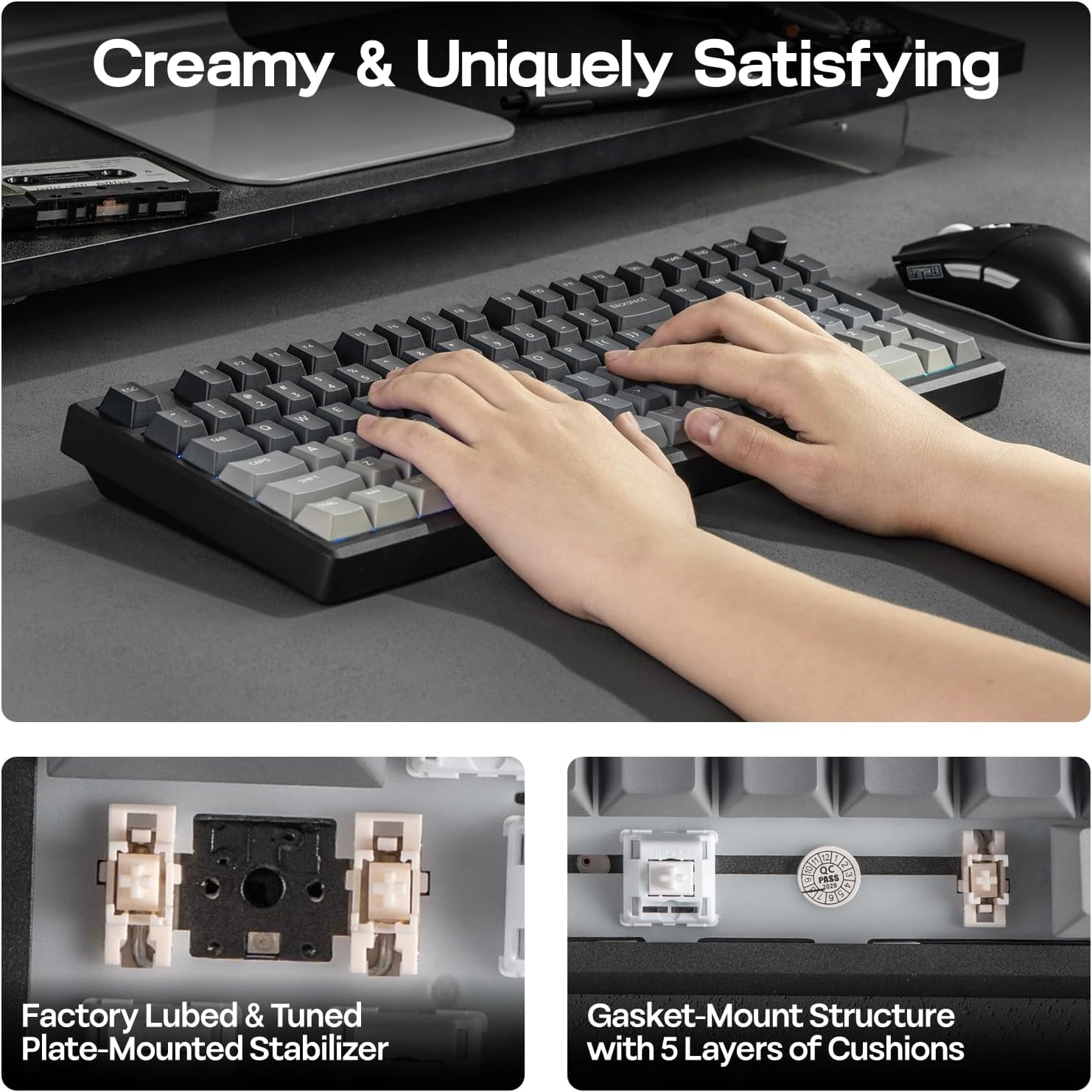
The big promise here is “creamy” typing. The combination of a gasket-mounted frame, multiple cushioning layers (5 layers mentioned), and several sound-dampening materials is aimed at muting keystrokes while still keeping that switch “thocky thud.”
In a normal everyday scenario—say you’re doing a long email-writing block in a shared office or late-night gaming with others nearby—you should expect a more controlled sound profile than many basic budget mechanical setups.
That said, sound is personal and depends on your desk, your keycap profile, and how loud your environment is. It’s not possible to guarantee perfect silence, but the design choices clearly lean toward comfort and noise reduction.
What to check before you buy
Before committing, it’s worth confirming a few things based on your preferences: - If you care about legends lighting up clearly, remember the keycaps are non-shine-through. - If you don’t want to mess with VIA/QMK layers or remapping, this keyboard’s customization features may be underused. - If you prefer tactile switches over linear ones, note that this one is designed around linear switches.
Also, double-check the colorway you’re choosing. The description mentions different schemes (milky white with yellow/blue accents, or a black version with gradient keycaps), so picking the look you’ll actually live with matters more than most specs.
Is it worth it?
Buy it if you want a mechanical keyboard that leans into customization (VIA/QMK), wireless flexibility (2.4GHz + Bluetooth), and a smoother, gasket-based linear feel with sound-dampening materials. It’s a strong match for people who do office work and gaming, or anyone who likes to remap keys and automate repetitive tasks.
You may want to skip it if you’re after a simple, no-tinkering keyboard, or if you expect fully illuminated legends from RGB. It also may not suit you if you specifically want tactile switch feedback rather than linear.
Finally, the best way to decide is to align it with your habits: if you’ll use layers/macros and appreciate the “creamy” sound approach, it’s the kind of board that rewards you. If you just want something straightforward, it can feel more feature-rich than you need.