

EPOMAKER TH108 V2 PRO Full-Size Mechanical Keyboard with Screen & Knob (Black, Sea Salt Silent)
Product description
What it is and the core idea
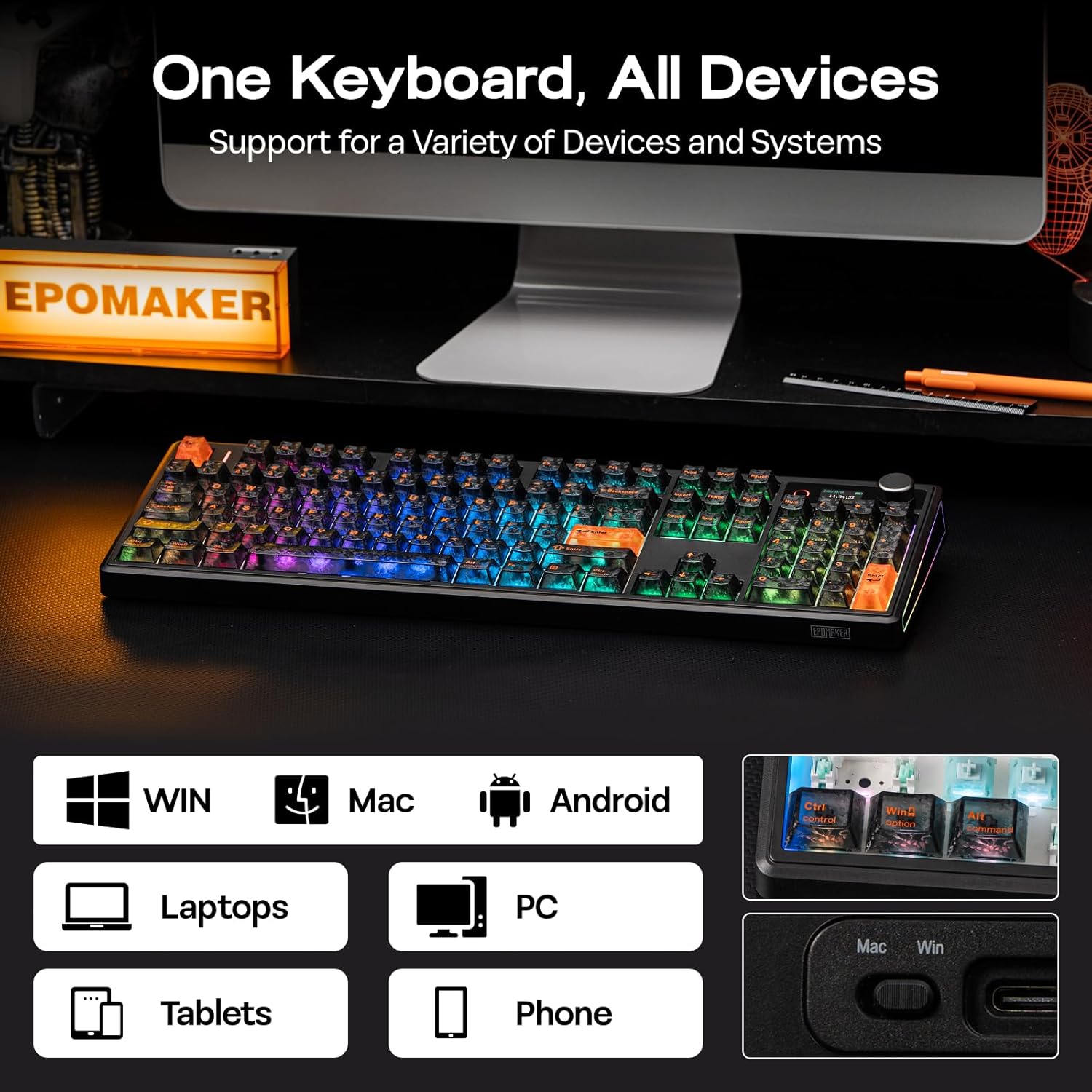
The EPOMAKER TH108 V2 PRO is a full-size mechanical keyboard designed to bridge work, play, and content creation. It supports three connectivity modes (BT, 2.4Ghz, and wired-like behavior over USB if applicable) and includes dedicated Mac modifier letters on PBT keycaps, which helps when switching between Windows and macOS. It’s built around a gasket-style build for a softer, “thocky” typing feel and aims to reduce fatigue during long sessions. If you’re juggling gaming and productivity on multiple devices, this keyboard promises seamless cross‑device switching via FN+Q/W/E across machines.
Notable hardware and features on paper
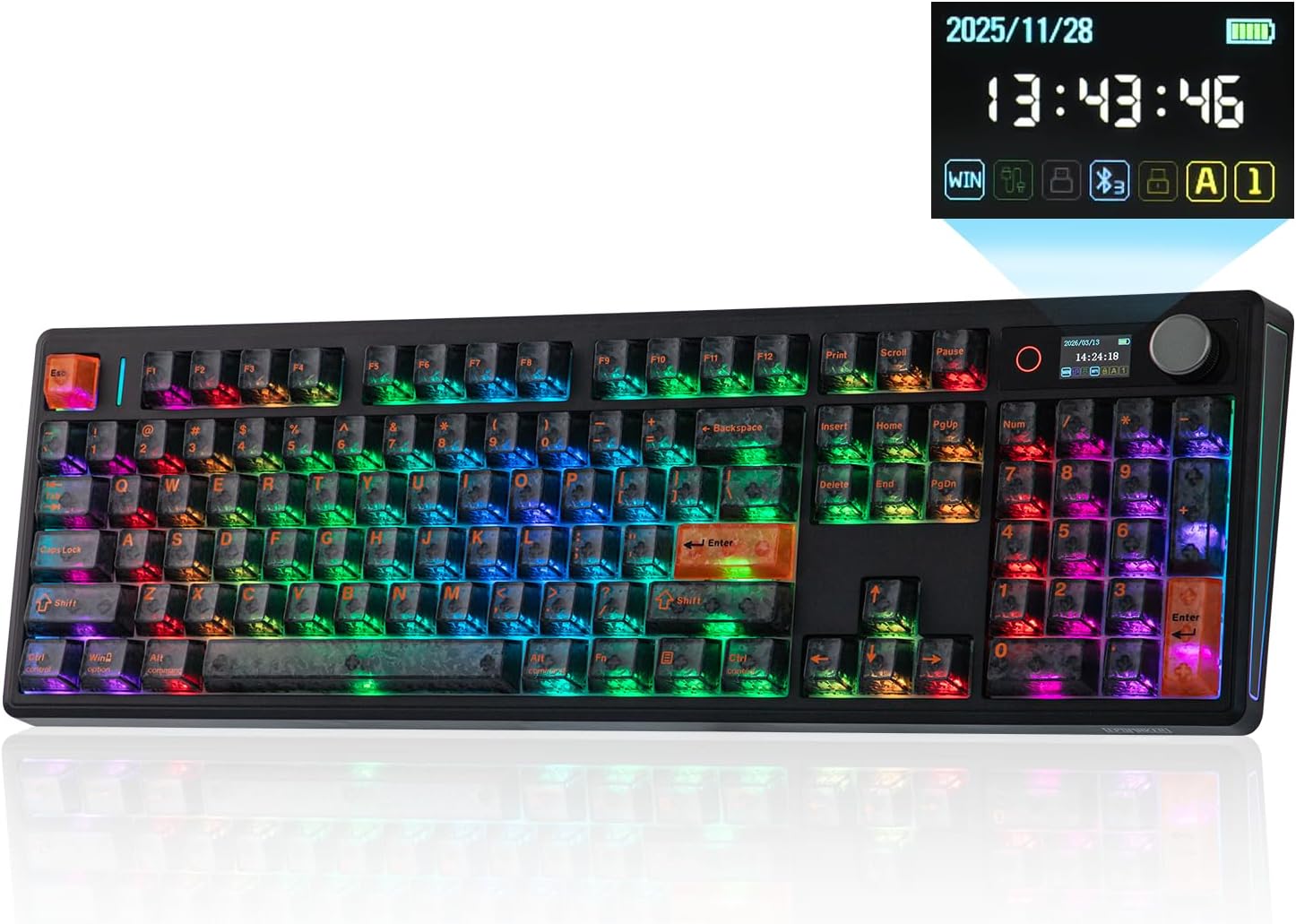
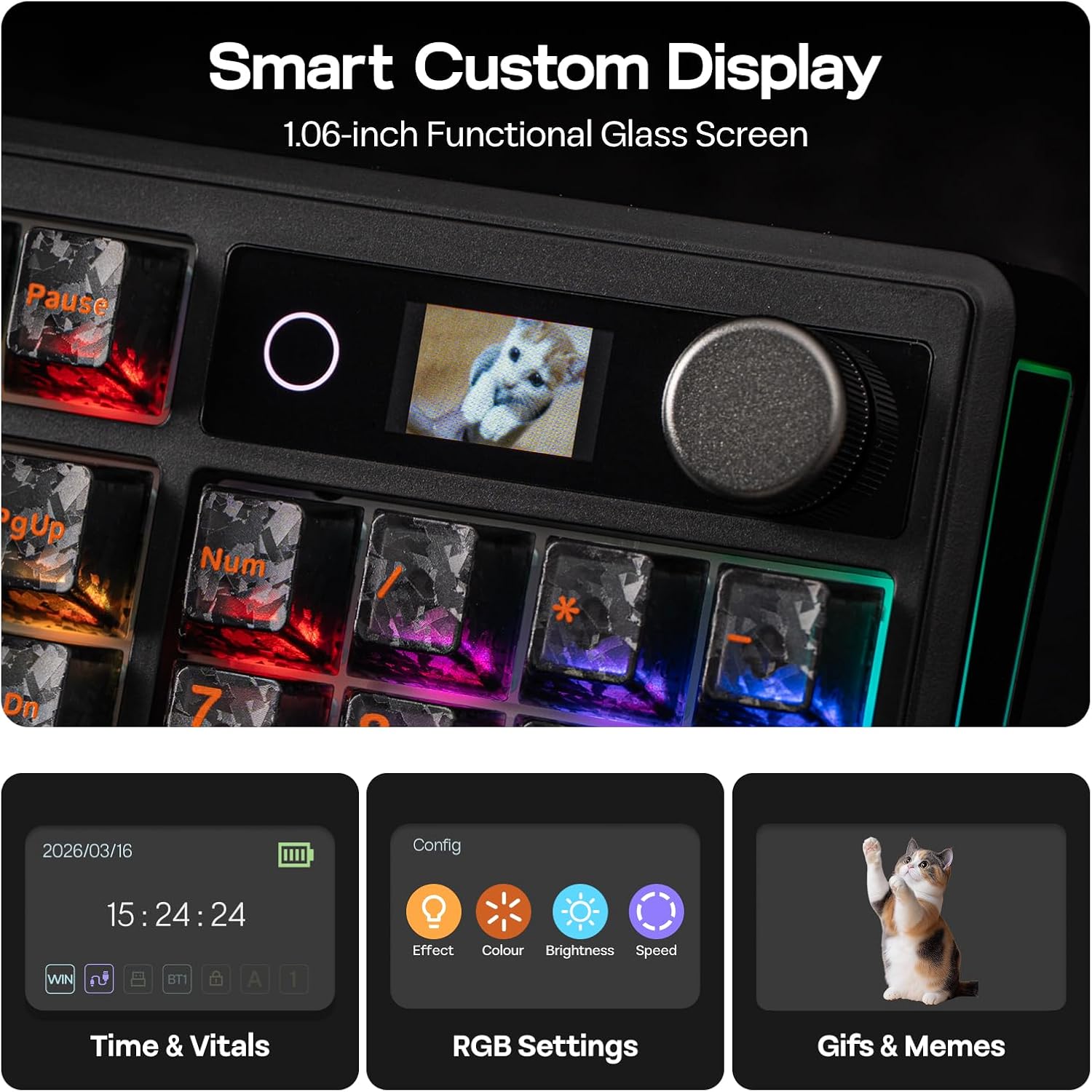
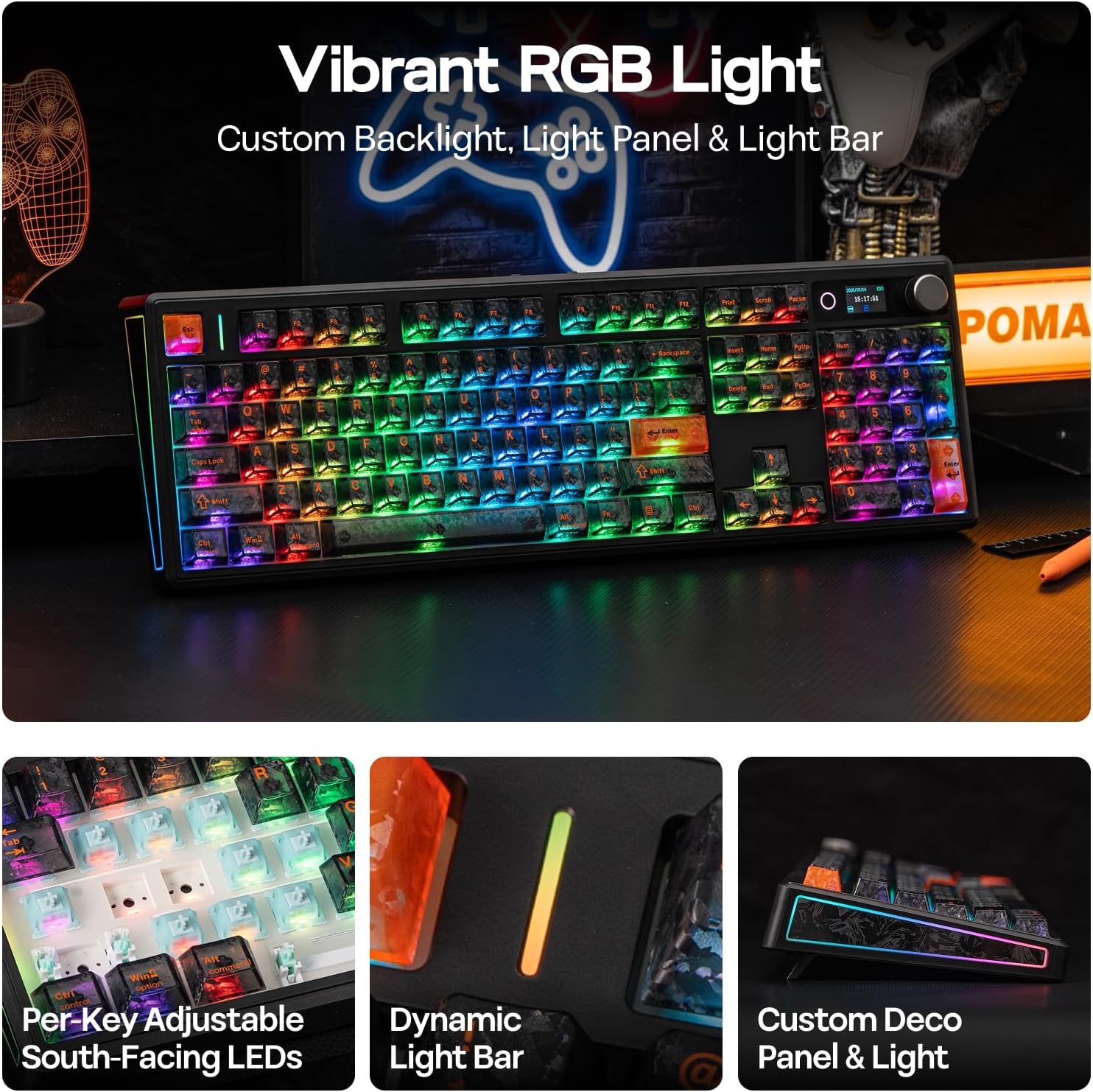
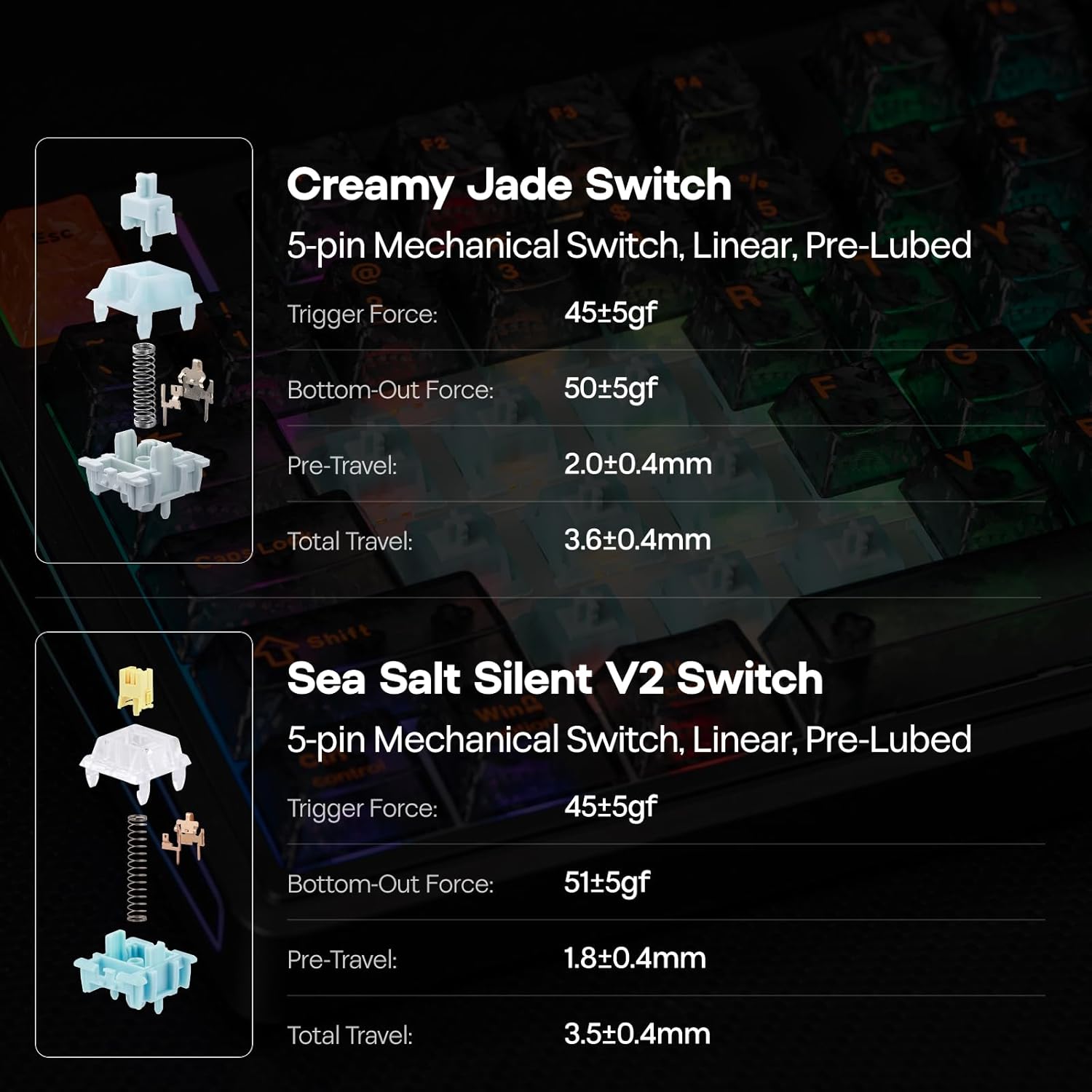
The TH108 V2 PRO stands out with a large 10000mAh battery, advertised to support up to 200 hours of continuous use, which could translate to days or weeks depending on backlight usage. It includes a built-in screen and a rotary knob for real-time keyboard information, backlight adjustments, and creative display possibilities (like GIFs or time sync) without heavy software. The keyboard uses factory-lubed switches for an even feel and claims 1000Hz polling with 2ms latency for gaming scenarios. In addition to gaming performance, the gasket construction and layered damping (PORON, latex, IXPE, silicone, and foams) aim to soften keystrokes and dampen noise, contributing to a more comfortable typing experience.
Who this is for
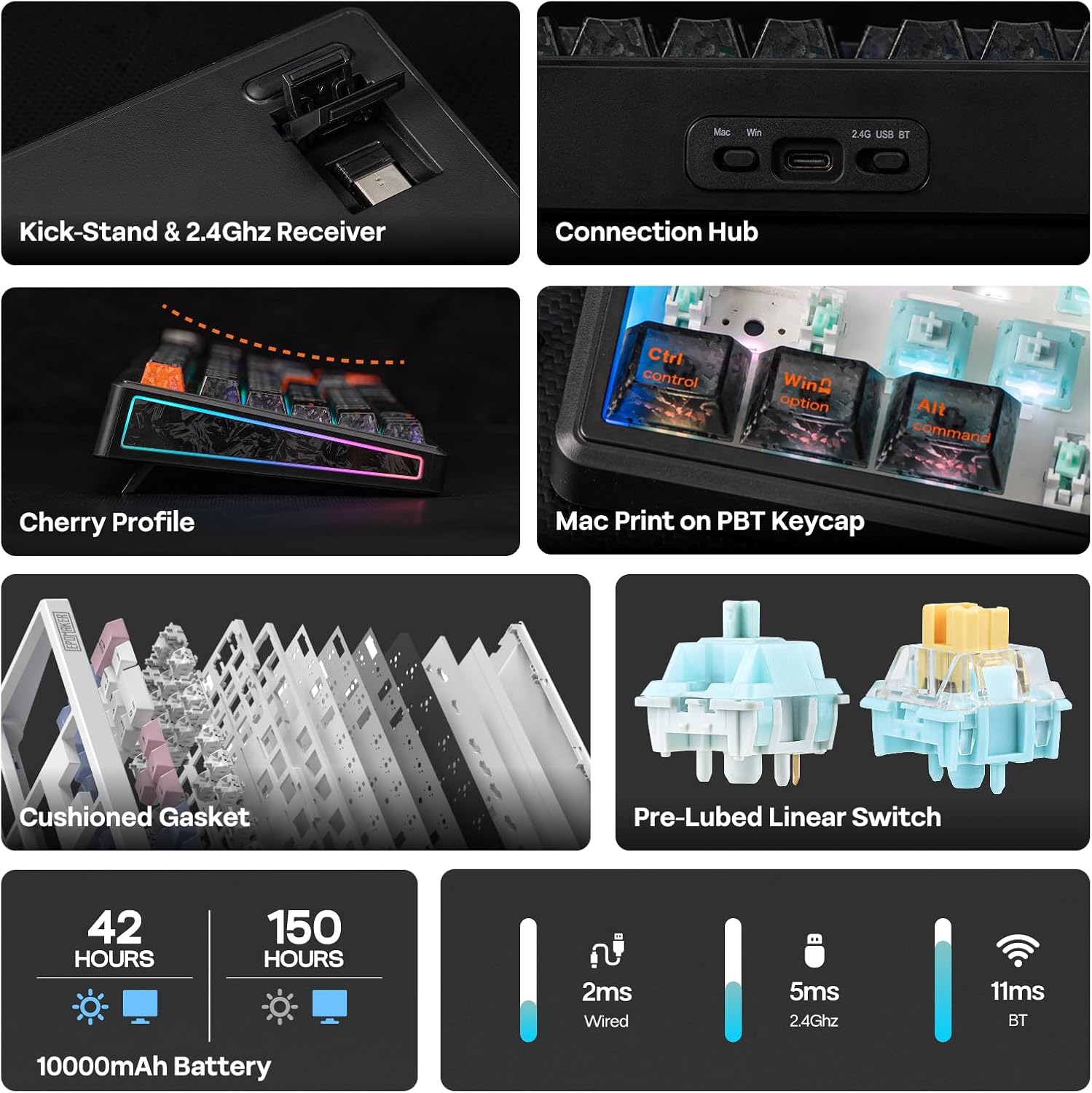
If you’re a multi-device user who values Mac compatibility and wants a premium typing experience with tactile feedback, the TH108 V2 PRO could align with your setup. It’s positioned more toward users who appreciate a balance of typing comfort (the gasket/damping approach) and gaming responsiveness (high polling rate, low latency). The inclusion of a screen and knob may appeal to tinkerers who like on-device control and real-time feedback without leaning on external software.
The good and the not-so-good (on the surface)
What makes it compelling: the tri‑mode capability, substantial 10000mAh battery, and the combination of a screen with a tactile rotary knob for quick adjustments. The dedicated Mac modifier keys on PBT keycaps are practical for cross‑platform work. The gasket design and layered dampening can deliver a softer, more satisfying typing sound and feel, which many people prefer for long sessions. The 104-key full layout with a number pad supports traditional office workflows alongside gaming.
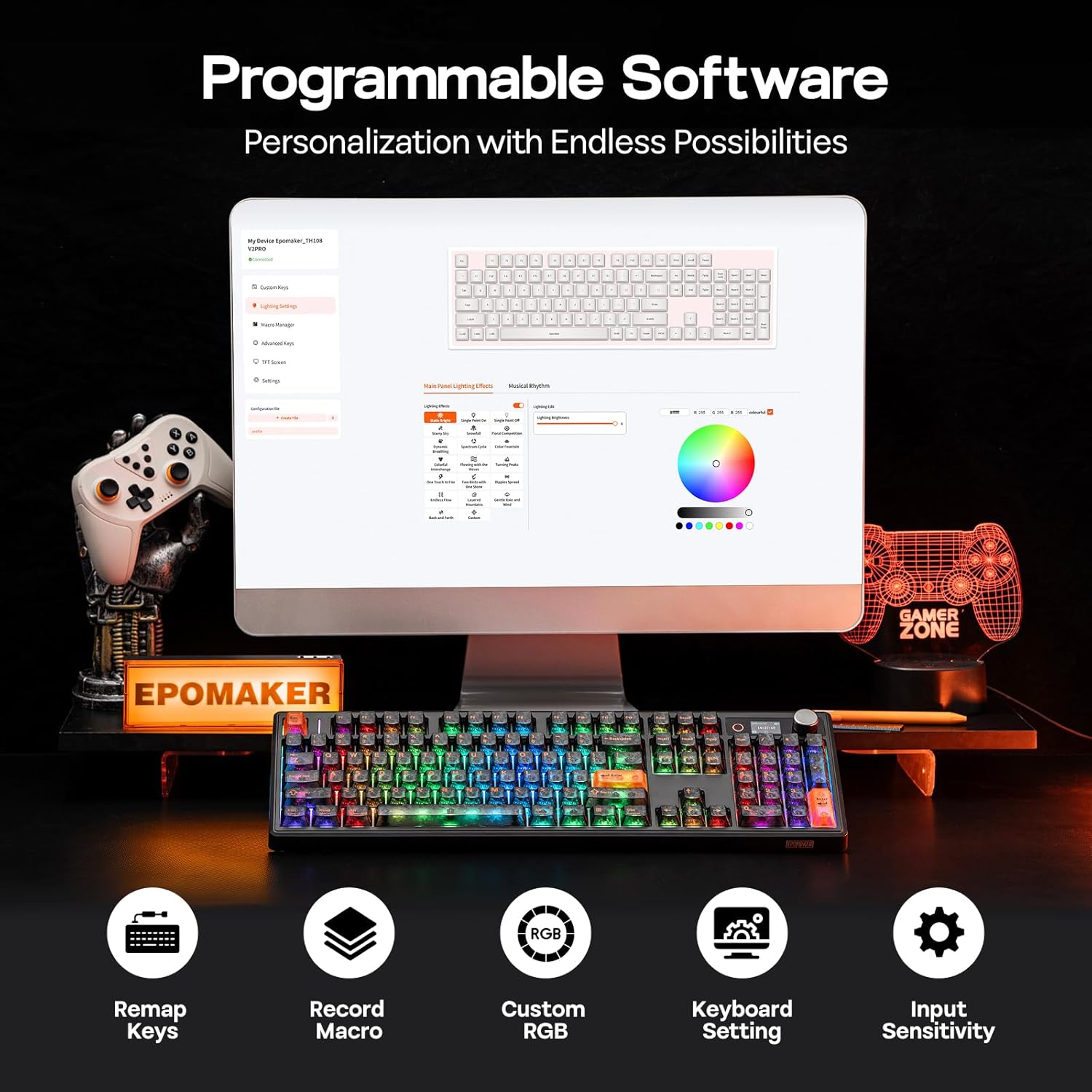
What might give you pause: the feature set is ambitious, which means the keyboard is heavier and more complex than typical compact builds. If you don’t plan to use the extra screen, knob, or multi-device switching regularly, some of the value might hinge on how much you enjoy the unique on-device interface. Also, the software described as Chrome-based and web‑driven may not suit everyone who prefers a native app experience or offline macro recording.
Practical use cases
- Gaming on PC while keeping a macOS laptop ready for streaming or document work: switch devices quickly with FN+Q/W/E and keep macros and remaps accessible via the web software.
- Creative work or coding sessions where a softer, more forgiving typing feel reduces hand fatigue during long edits or sprints.
- Desk setups that benefit from a visible on-board display and a volume/scroll knob to tune lighting, volume, or playlist without interrupting focus.
What to review before buying
- Confirm how you’ll actually use the screen and knob day to day: are you going to customize displays, time sync, or run GIFs? If not, is the extra hardware worth the price for you?
- Check your preferred OS workflow: the dedicated Mac modifier keys on PBT caps are helpful, but ensure your macOS and Windows workflows align with how you switch devices and trigger macros.
- Consider backlight and noise expectations: the gasket + dampening yields a particular thock and soft acoustics, if you crave a louder, sharper click, this may feel different.
- Battery life in real-world use depends on backlight intensity and connected mode, expect variation from the stated 200 hours in practical scenarios.
How it compares (implicit alternatives)
If you’re choosing between a traditional wired full-size or a multi-device wireless keyboard, the TH108 V2 PRO emphasizes versatility and comfort over pure minimalism. It sits between high-end gaming boards with extreme polling and ultra-slim office keyboards, offering a more premium typing experience without sacrificing cross‑device convenience. For users who don’t need the screen or Mac-oriented keycaps, a simpler model could be lighter and cheaper, but it would miss the multi-device workflow and the tactile, dampened feel this design aims to deliver.
Final advice: Is it worth it?
- When to buy: you’ll benefit if you regularly switch between devices, value a premium typing feel, and enjoy on-board controls (screen and knob) for quick adjustments without software overhead.
- When to skip: if you don’t care about multi-device use, don’t need Mac-specific keycaps, or if you prefer a lighter, simpler setup with no onboard display.
- Best-fit user: a multi-device professional or enthusiast who wants a weighted, comfortable full-size board with a distinct typing experience and on-board customization options.
Quick FAQ
- How many devices can it connect to simultaneously? The product description notes tri-mode capability, but exact pairing limits aren’t specified here.
- What’s the practical benefit of the screen and knob? The screen provides real-time keyboard information and lighting adjustments, the knob offers quick scrolling and volume control, plus macro triggers, depending on configuration.
- Is the Mac modifier keycap set compatible with Windows? The keycaps are designed with dedicated Mac modifier letters for cross‑platform use, which should help clarity when switching between OSes.
Final decision
Is it worth it? A solid pick if you prize multi-device flexibility, a premium typing feel, and on-device controls that can streamline your workflow. It may not be the ideal choice if you want a lightweight, ultra-minimal setup or if you don’t plan to leverage the screen and knob features regularly.