

DGYBDFC USB-C Docking Station 12-in-1
Product description
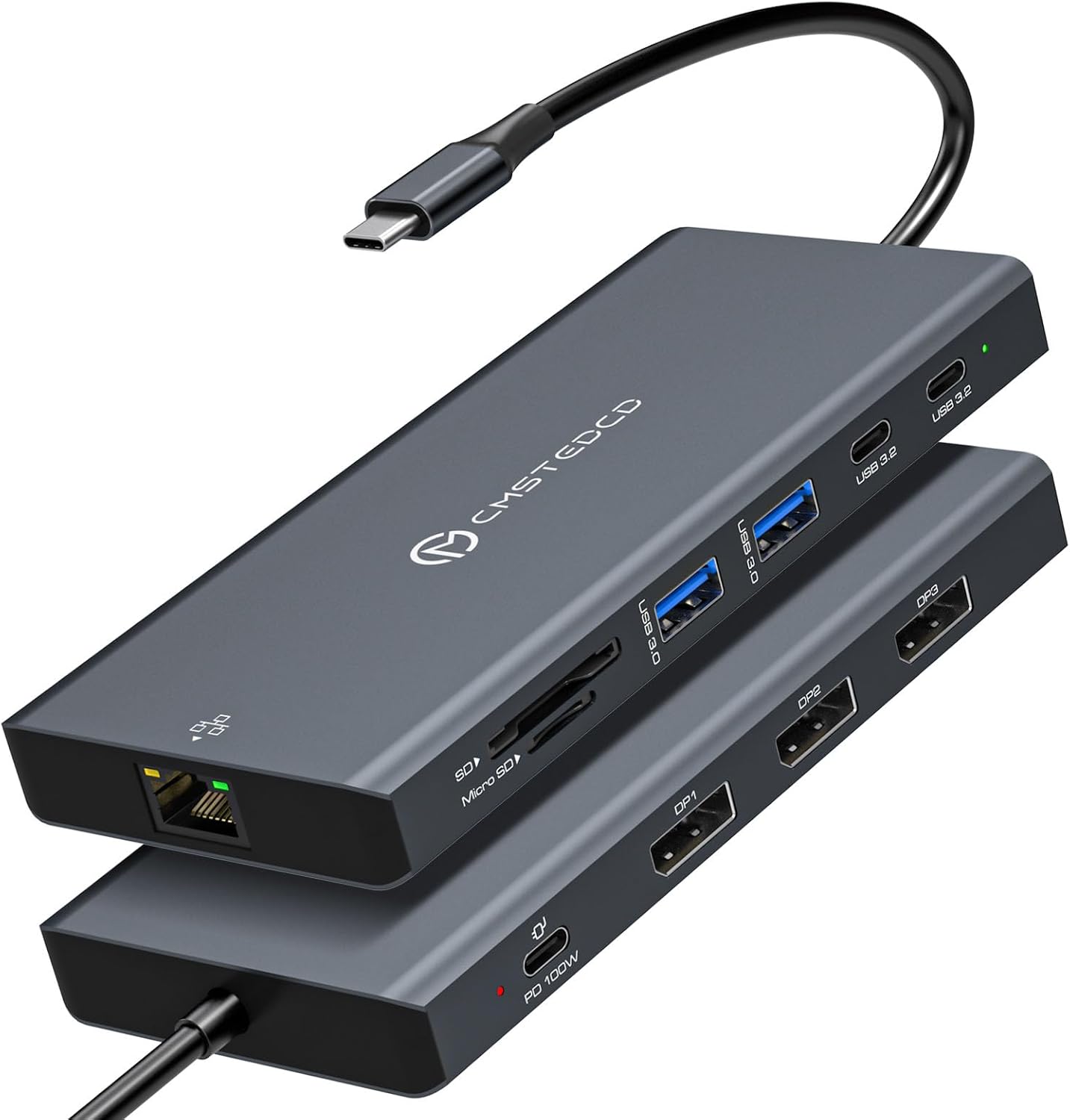
Three DisplayPort outputs are the standout feature: this dock is designed to connect a laptop to as many as three external monitors from one USB-C connection. That can make a desk setup with separate work windows easier to manage.
It also combines charging, wired networking, card readers, and USB ports in one hub, so you can leave several accessories connected instead of swapping them between ports.
If you prioritize a multi-monitor workspace, the display outputs are the draw, if you prefer a simpler setup with fewer cables and screens, a basic USB-C hub may be a more practical fit.
Where it shines
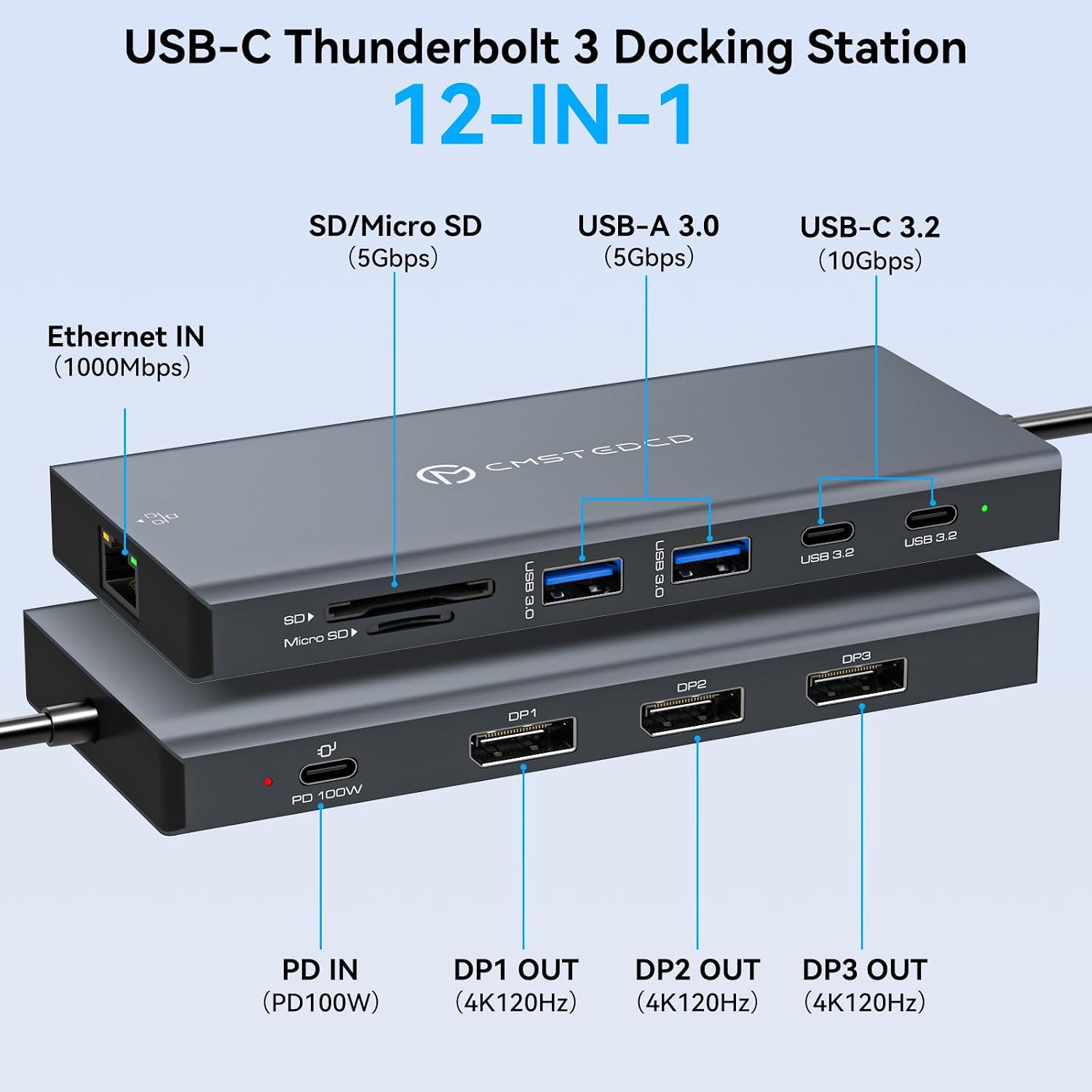
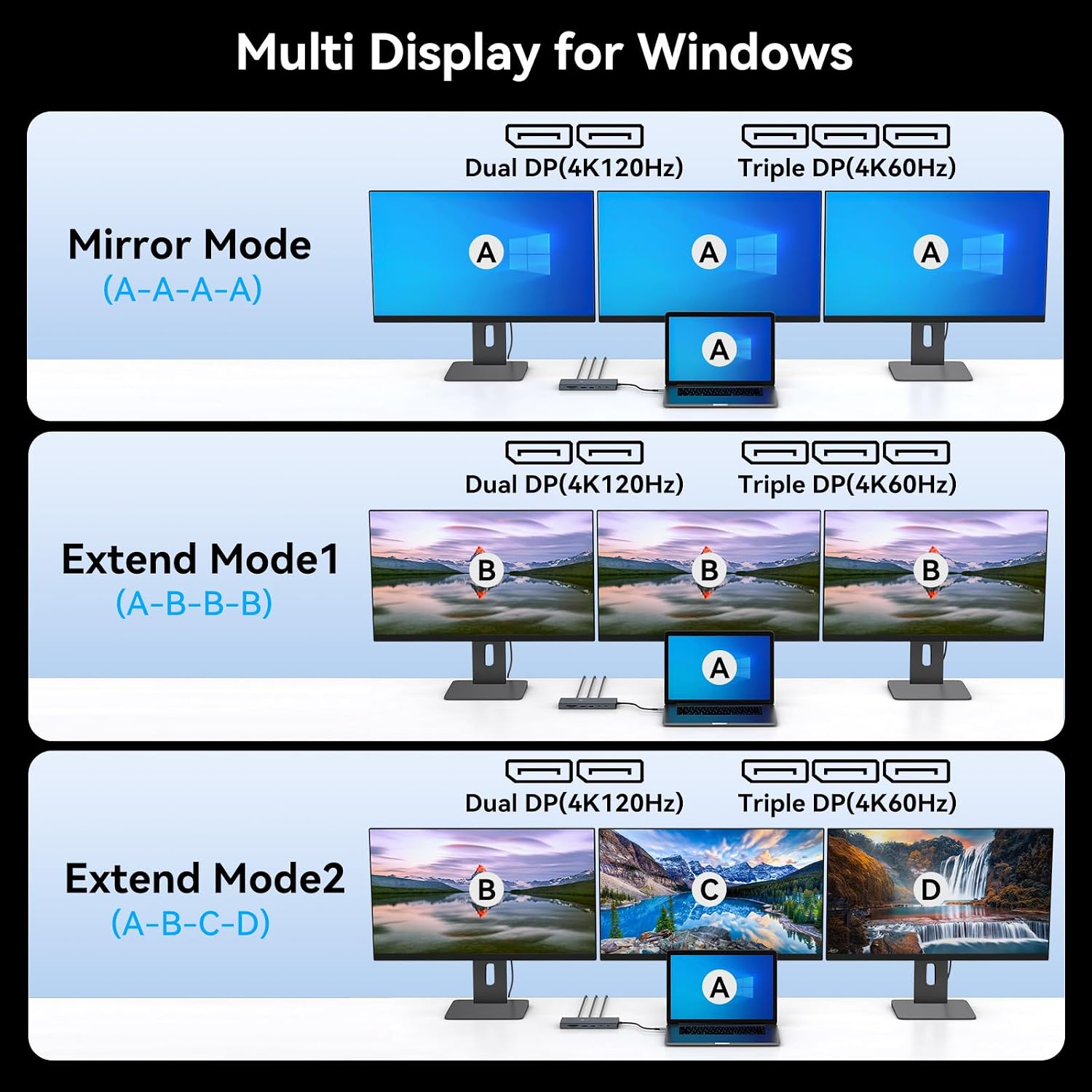
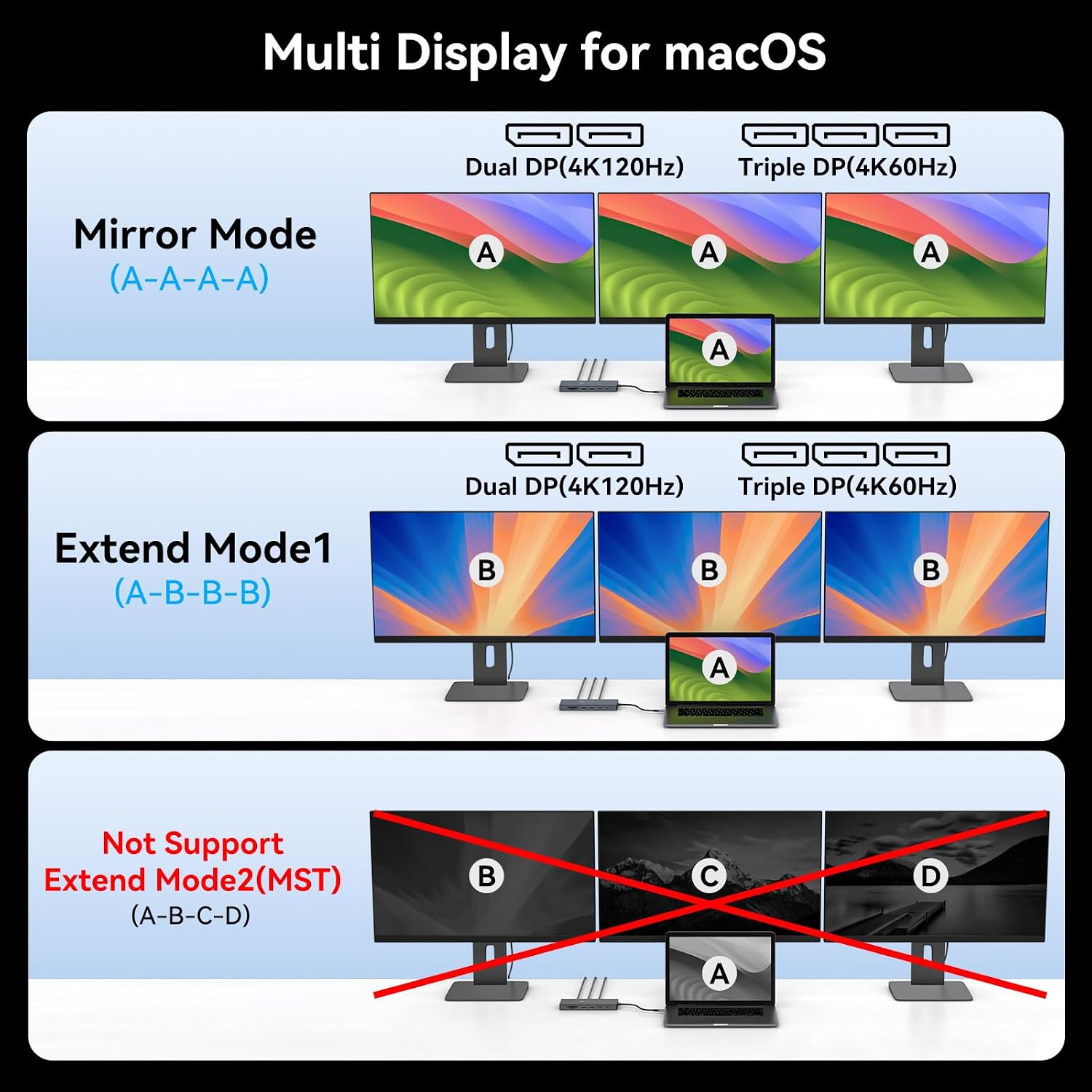
This DGYBDFC docking station is aimed at laptop users who want a more connected desk without relying on a collection of separate adapters. Its three DisplayPort connections support dual 4K at 120Hz or triple 4K at 60Hz, according to the maker. Reaching those resolutions depends on the computer, monitors, and DisplayPort 1.4 cables supporting the required setup, 8K is not supported.
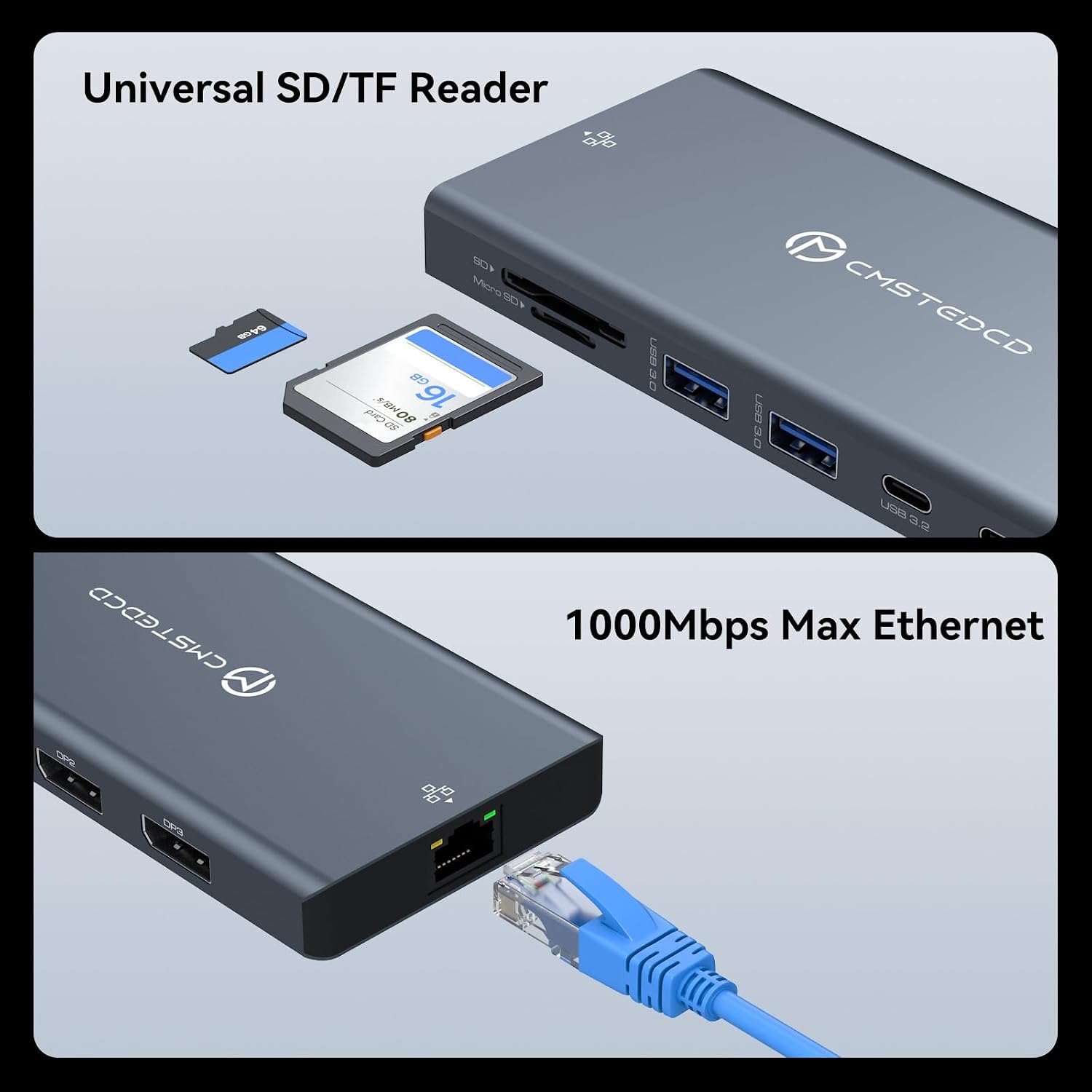
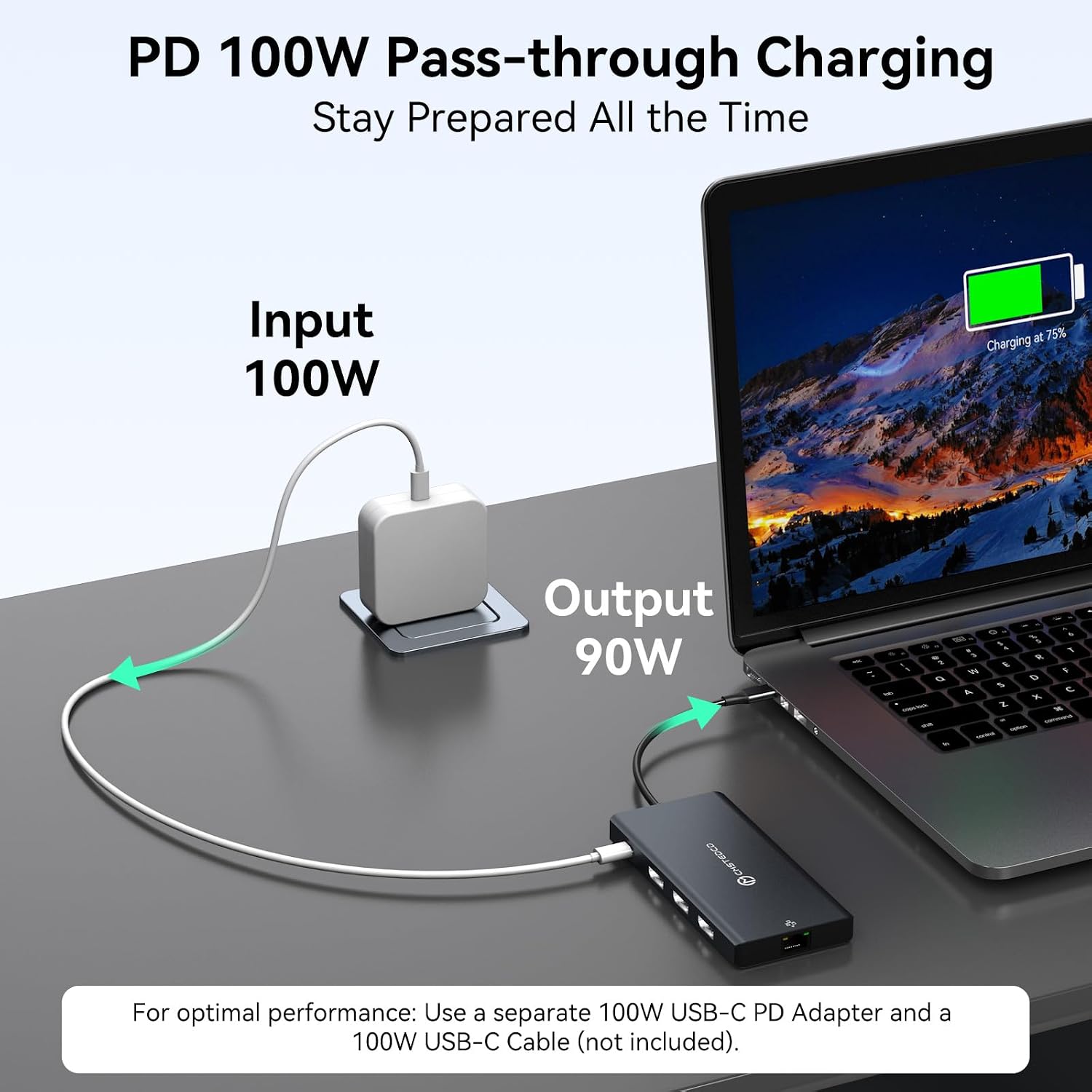
The extra connections are useful during a typical workday: connect monitors, keep a keyboard and mouse attached, plug in a wired Ethernet cable, and use the SD or microSD reader to access files from a card. Gigabit Ethernet provides a wired-network option, while the dock can pass through up to 100W of power to a laptop when paired with a suitable power adapter. The laptop’s USB-C port also needs to support power delivery for charging.
Key points
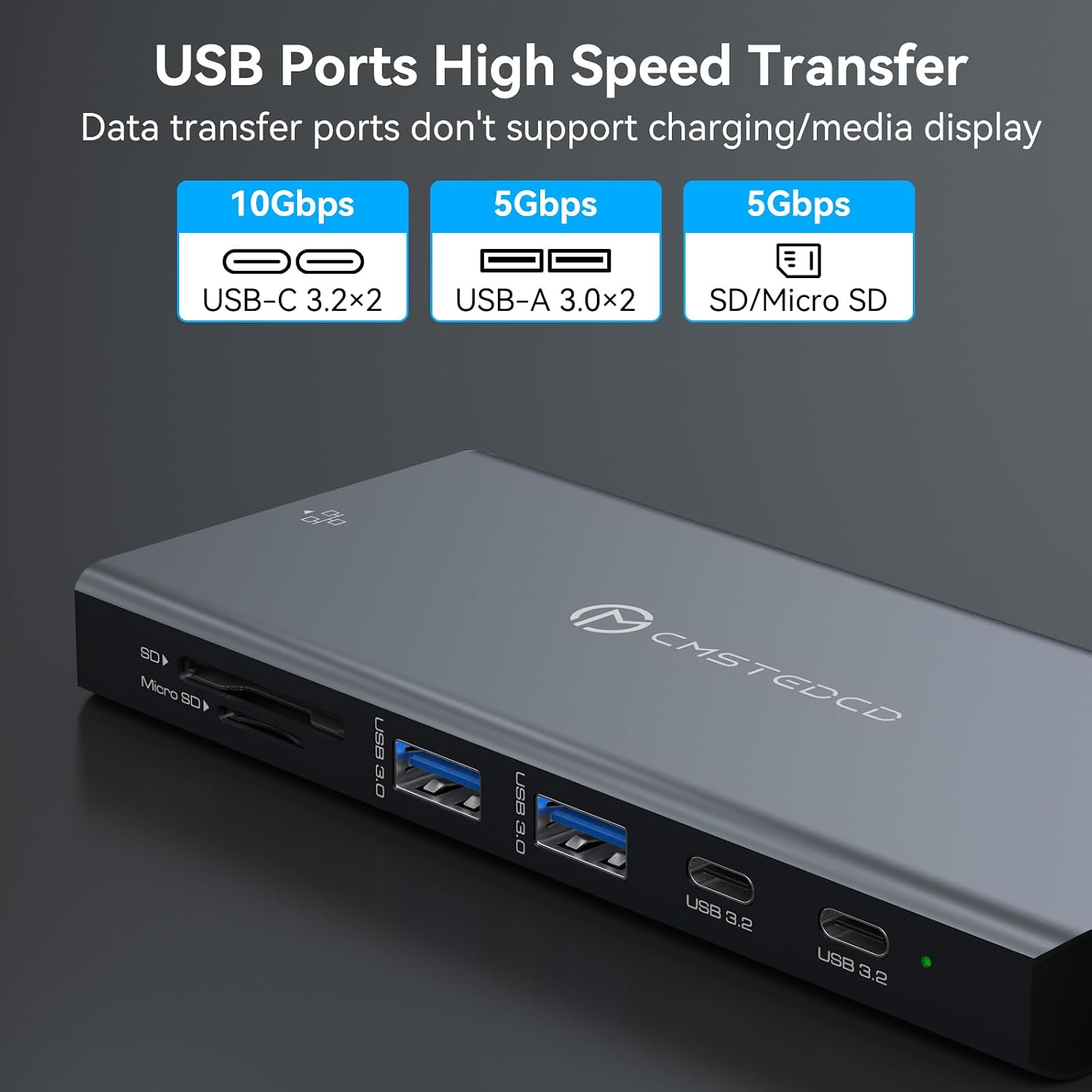
The dock offers three DisplayPort outputs, one USB-C PD port, two USB-A 3.0 ports, two USB-C 3.2 data ports, SD and microSD card slots, and Gigabit Ethernet. The two USB-C 3.2 ports are for data only, they do not output video. The listing gives transfer rates of up to 5Gbps for USB-A 3.0 and up to 10Gbps for USB-C 3.2, which can help when moving files or connecting everyday peripherals.
Display behavior is an important part of the buying decision. The dock supports mirrored and extended display modes, but macOS does not support extended display across the three external monitors here, all three show the same content. If you need three independent desktops on a Mac, this is a meaningful limitation, not a minor setup detail. Your laptop’s port must support DisplayPort Alt Mode or Thunderbolt, and maximum display performance also depends on the rest of your hardware.
Best use cases
It’s a great fit if you work with several screens, use wired networking, and want charging and common accessories connected at the same desk. For example, you could keep a spreadsheet on one monitor, a video call on another, and reference documents on a third—provided your computer and operating system support extended displays in that configuration.
It may not suit you if you need three independent external screens on macOS, want 8K output, or expect the USB-C data ports to carry video. Those requirements call for a different connection setup. The dock is described as plug-and-play, but that does not remove the need for compatible host ports, displays, cables, and a power adapter for charging.
Buying verdict
This is a feature-dense option for a desk built around multiple DisplayPort monitors and a laptop with a compatible USB-C or Thunderbolt port. Its combination of up to three displays, card readers, wired Ethernet, peripheral ports, and up to 100W power delivery could replace several separate connections. Choose it for that consolidated workstation setup, skip it if macOS extended displays or video over its two USB-C 3.2 data ports are essential. A 12-month product warranty is listed.