

Anker 8-in-1 USB-C hub
Product description
The built-in Ethernet port is the standout here: it gives a USB-C laptop a wired-network option alongside display, charging, card-reading, and data connections. That can make a single-port setup feel much less constrained.
At a desk, connect a monitor over HDMI, plug in a charger, and keep a mouse or storage device on the USB-A ports. The hub’s built-in USB-C cable is 7.48 inches long, so it is designed for nearby connections rather than reaching across a workspace.
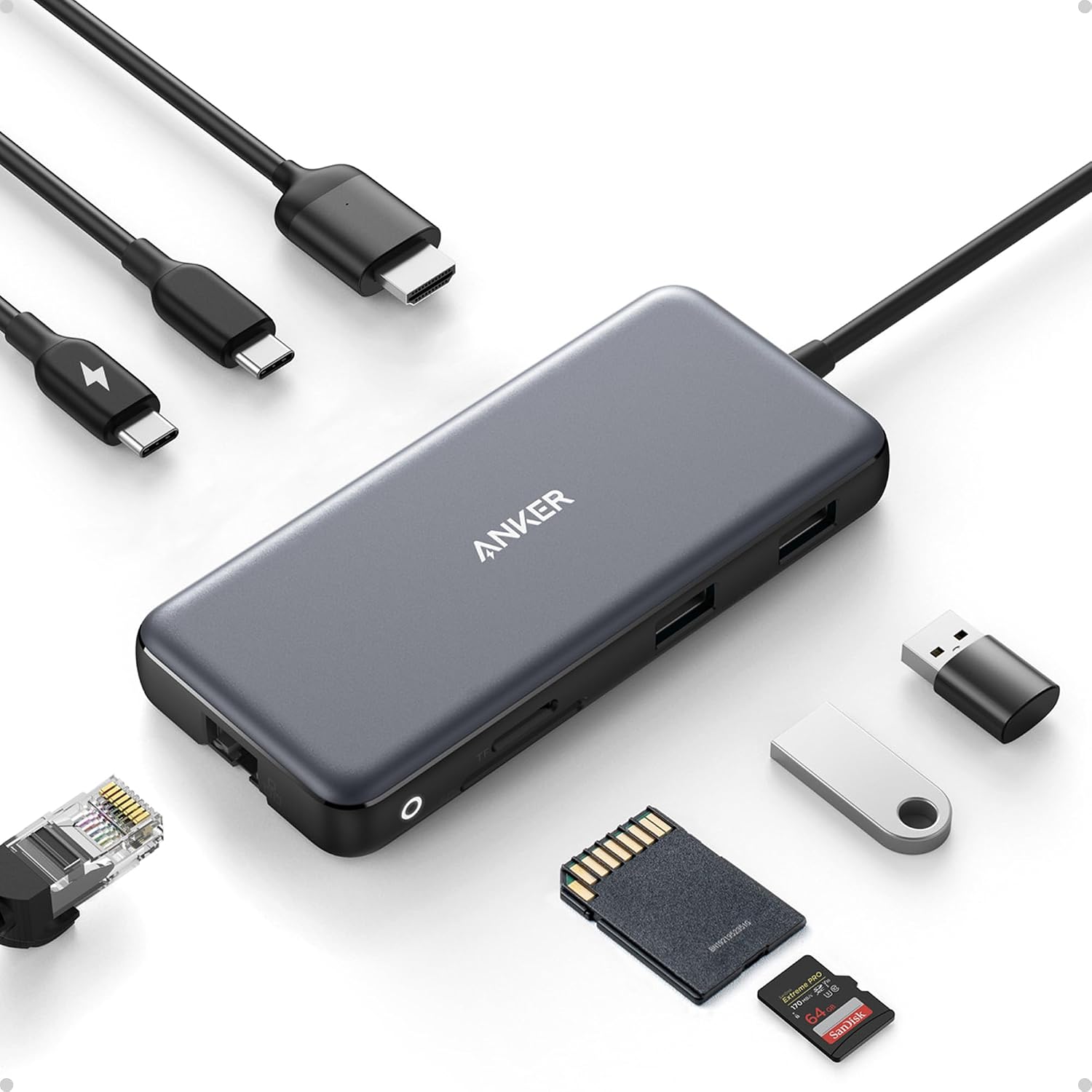
If you prioritize a broad mix of ports in one compact connection, this layout makes sense, if you prefer a minimal adapter for just one display or a single peripheral, several of these ports may go unused.
Getting the most from it
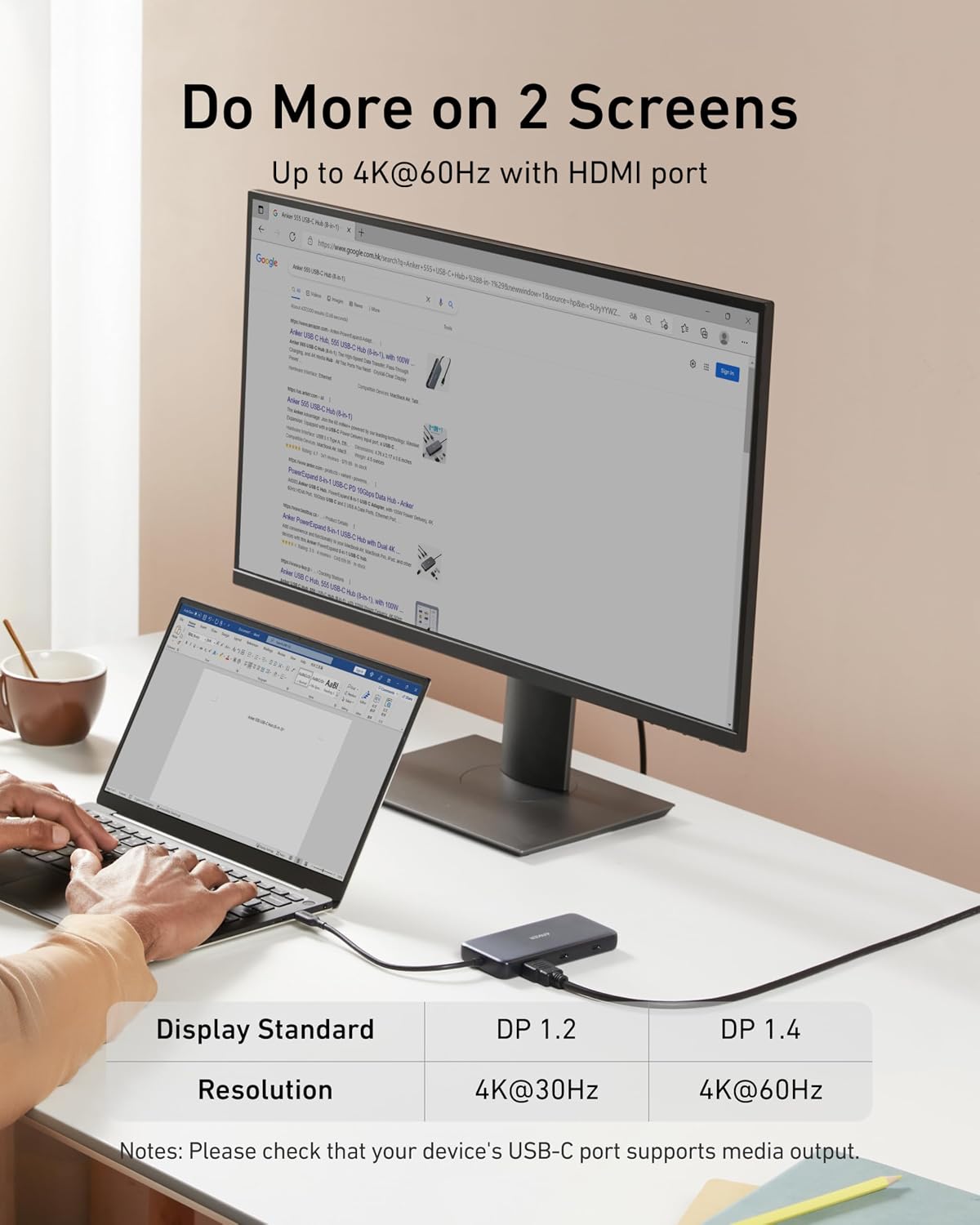
Use HDMI for an external display: it supports up to 4K at 60Hz with a DP 1.4 laptop, or up to 4K at 30Hz with DP 1.2. HDMI is the only port on this hub that carries video. The USB-C data port is for file transfers, not display output, so it cannot replace the HDMI connection for a monitor.
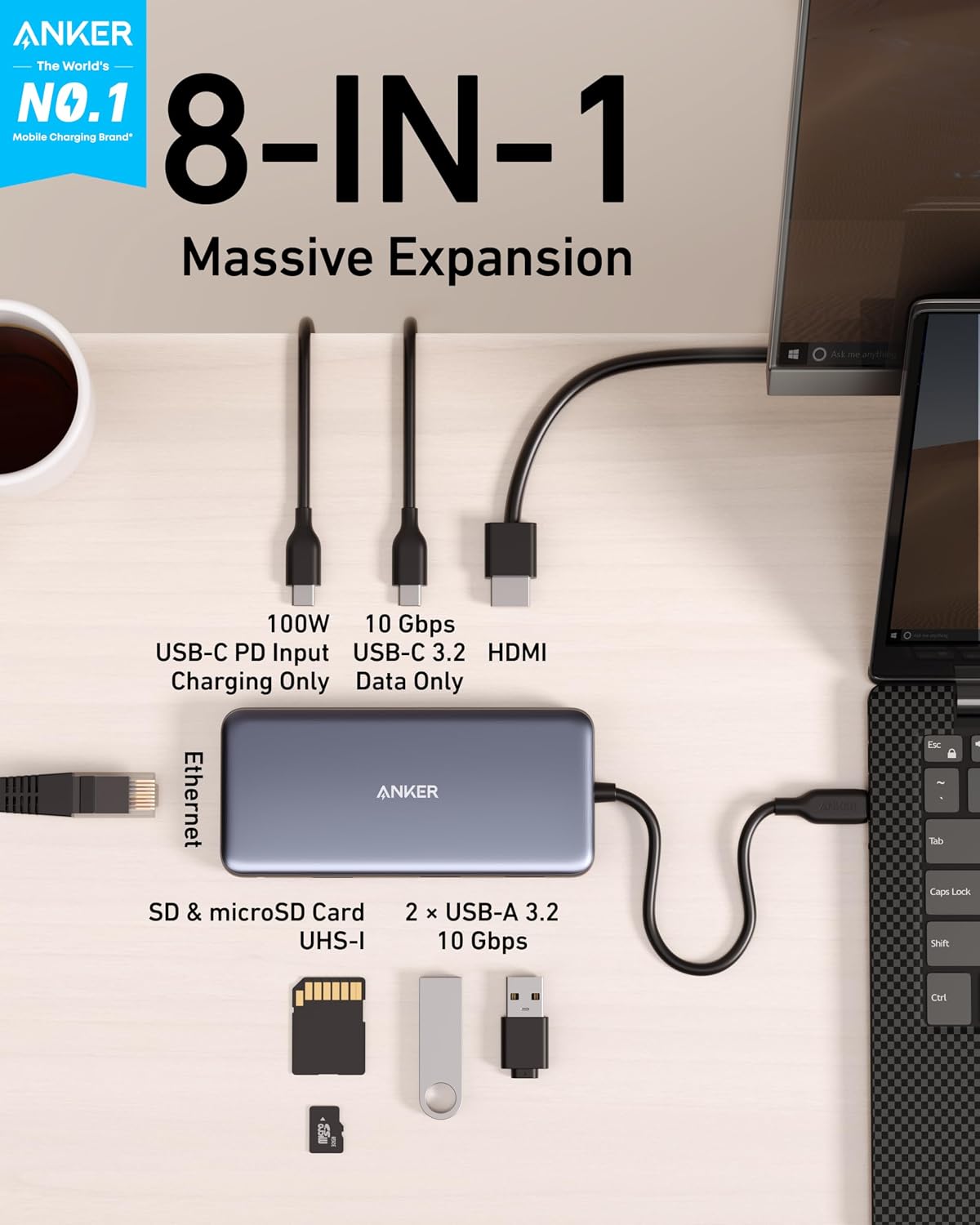
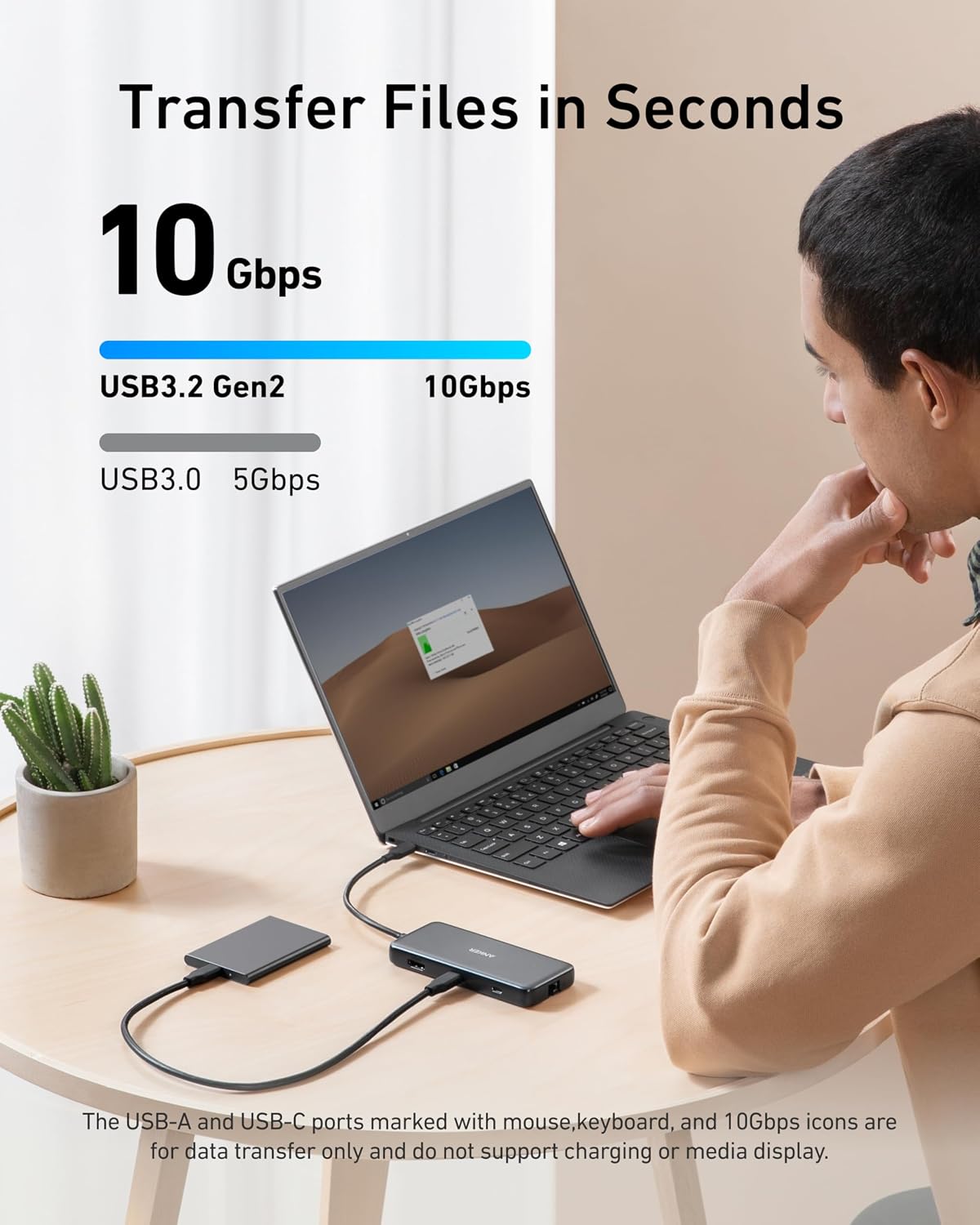
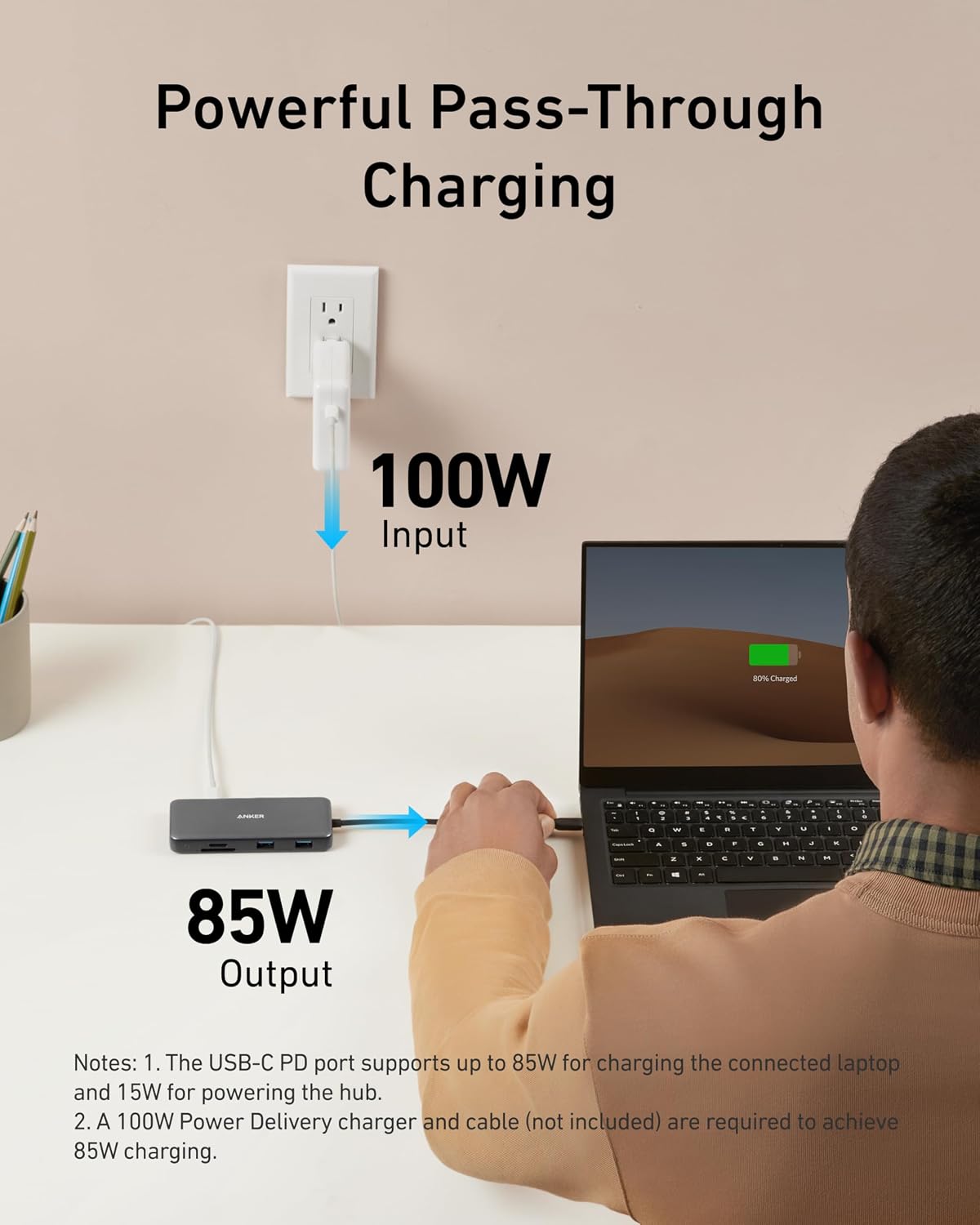
For a practical work setup, connect a display, run Ethernet for a wired network connection, and use the SD or microSD reader to bring in files from a camera card. The USB-C and two USB-A data ports support transfer speeds up to 10Gbps. Pass-through Power Delivery reaches 85W, but the hub uses 15W itself, Anker recommends a 100W PD charger and cable to provide adequate power.
Why it’s worth it
The useful part is not simply the number of ports, but the combination: Ethernet, HDMI, two card formats, USB-A, USB-C data, and charging input are all available through one host connection. That is more practical for someone who regularly switches between a wired desk setup and moving files than a basic USB-C adapter with only a couple of connections.
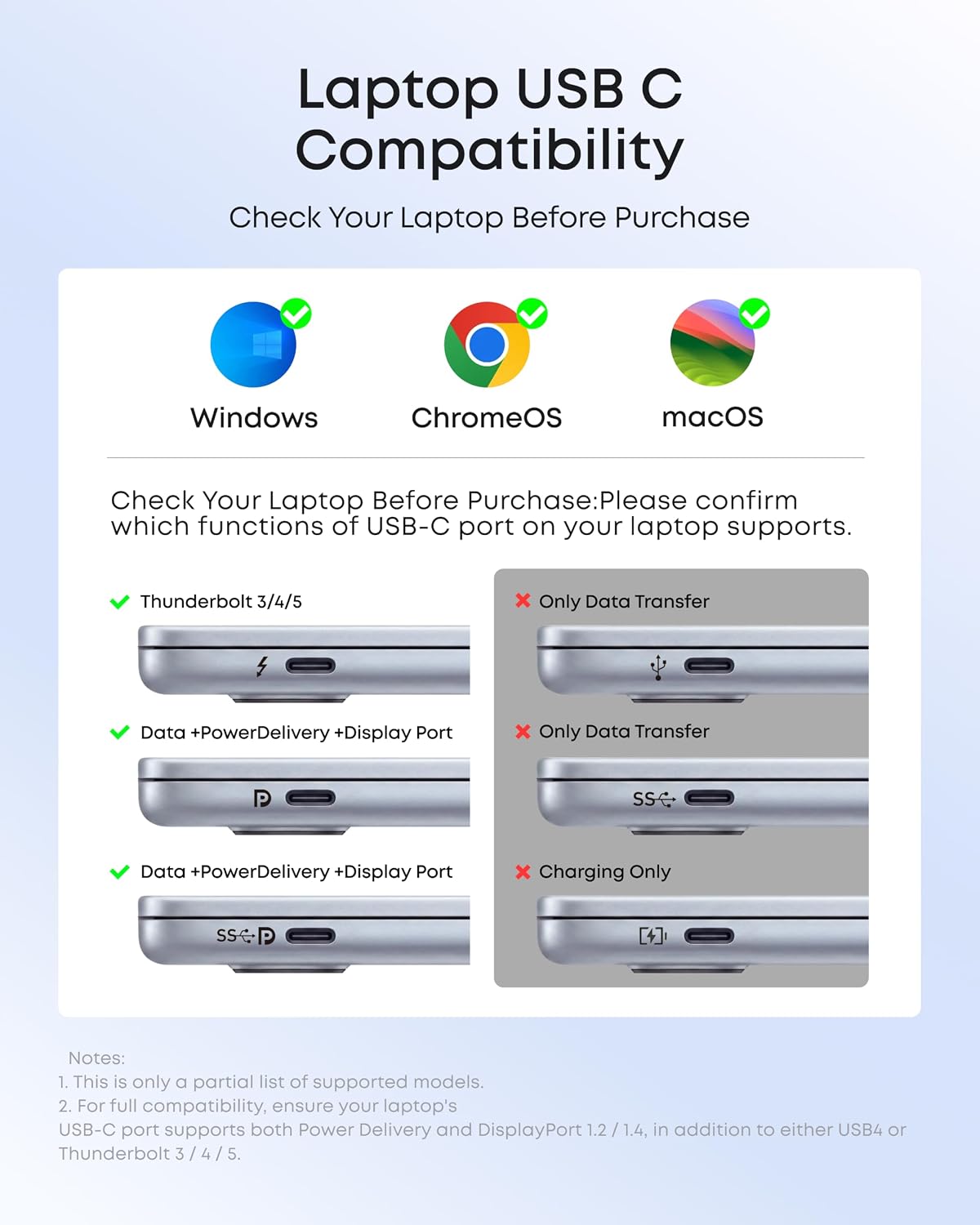
You’ll appreciate it if your laptop has USB-C and you want to connect a monitor, wired network, storage, or memory cards without swapping adapters. It’s not for you if you need Linux support, since this hub is listed as incompatible with Linux. Also, a 4K display at 60Hz depends on the laptop’s DP 1.4 support, a DP 1.2 system is limited to 30Hz through this hub. Without having tried it, those host-device requirements are the main details to keep in mind before choosing it.
At a glance
- Eight-in-one USB-C hub with a built-in 7.48-inch cable
- HDMI output, Ethernet, USB-C PD input, USB-C data, two USB-A data ports, and SD/microSD card reader
- HDMI: up to 4K at 60Hz with DP 1.4, or 4K at 30Hz with DP 1.2
- USB-C and USB-A data transfer: up to 10Gbps
- Pass-through charging: up to 85W, hub requires 15W
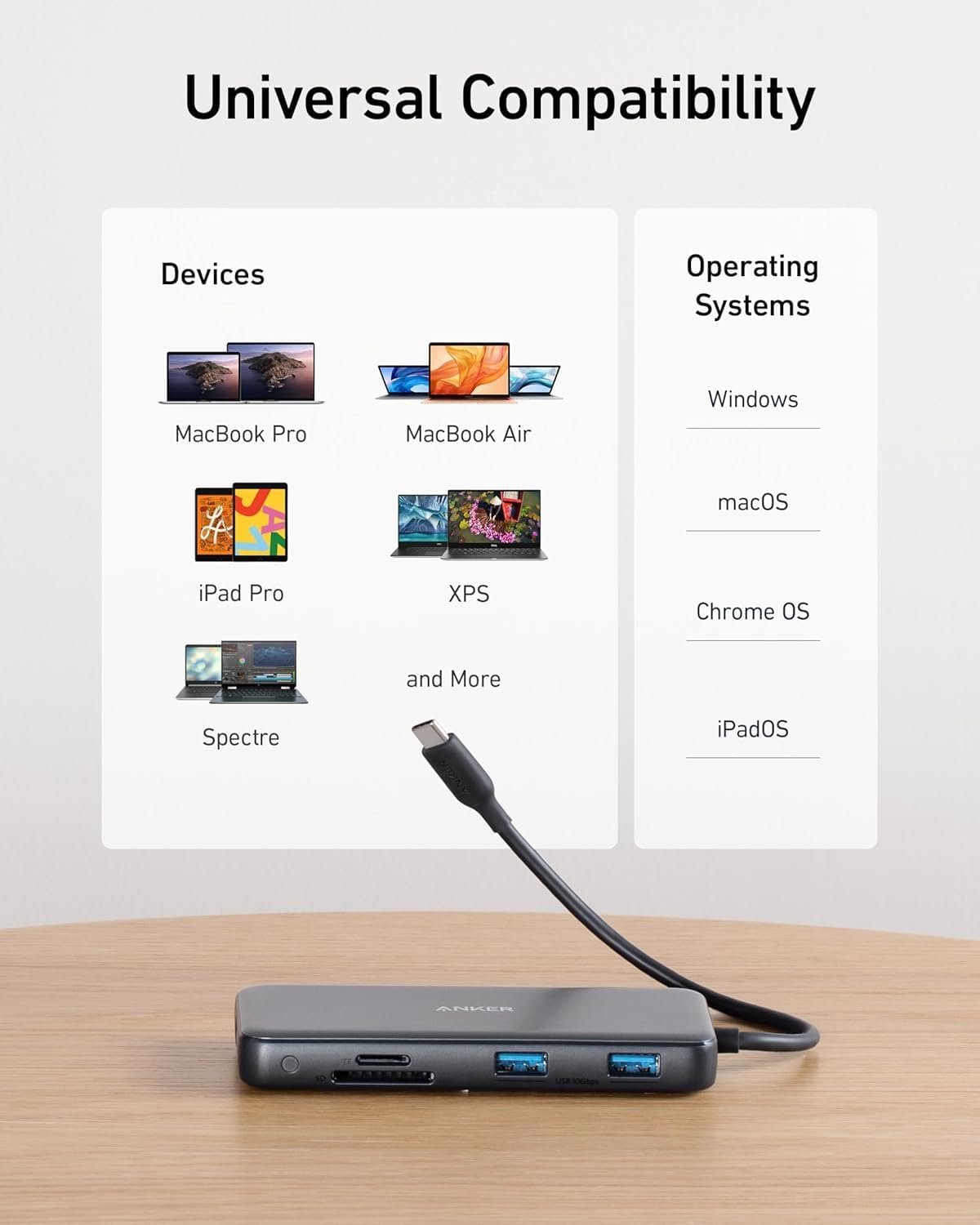
- Listed support: USB-C, USB4, and Thunderbolt connections, macOS 12 and newer, Windows 10 and 11, and ChromeOS
Should you buy it?
This Anker hub is a sensible fit if you want one adapter to cover everyday desk connections and occasional card transfers, and your laptop supports the required display and Power Delivery features. It offers more flexibility than a display-only dongle when Ethernet and card slots matter too. Skip it if your setup depends on Linux, you need video through USB-C rather than HDMI, or your laptop cannot meet the display mode you expect. The key decision is whether you will use enough of its different ports to justify carrying a larger multiport hub instead of a simpler adapter.