

Anker USB-C Hub 11-in-1
Product description
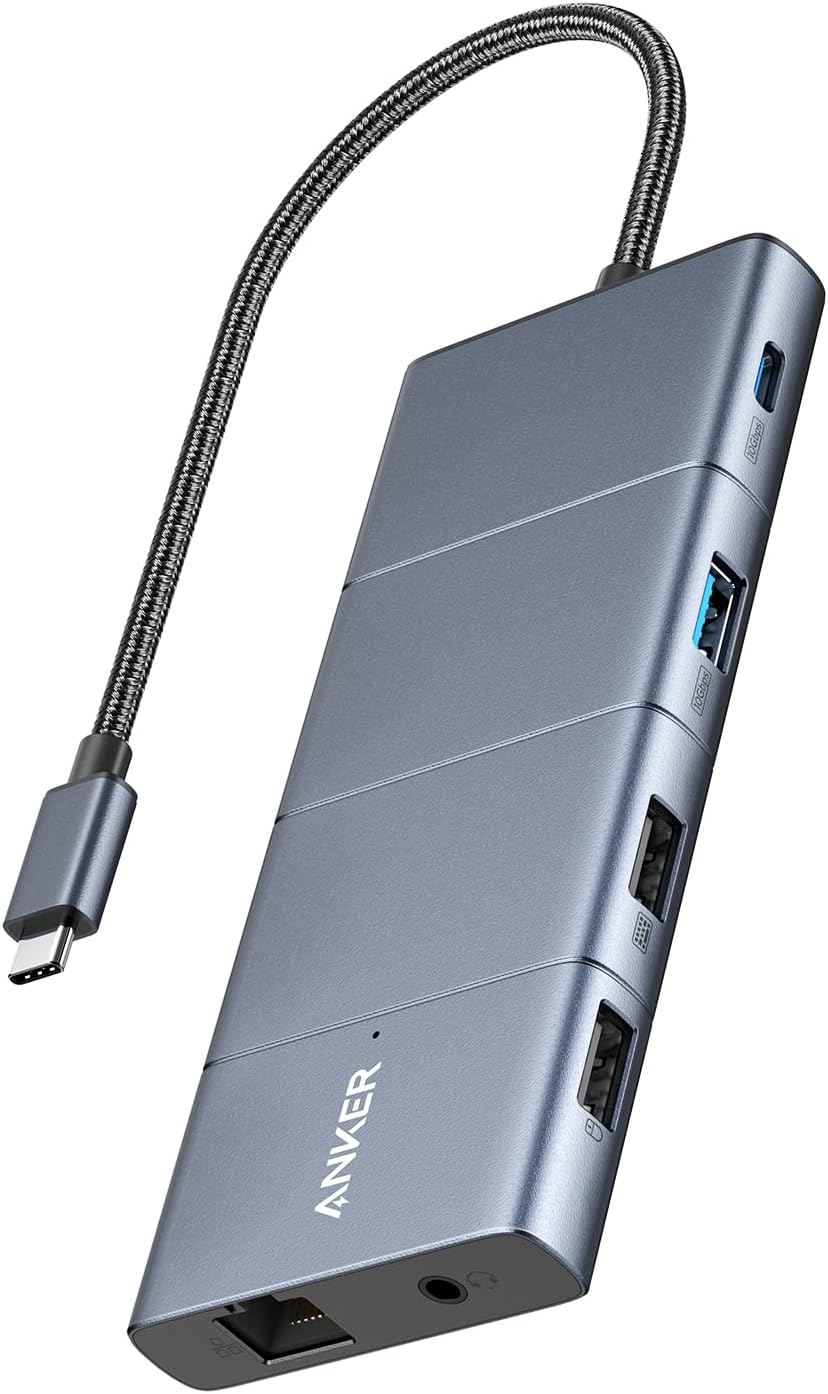
For laptop users who want to connect two external displays, wired Ethernet, storage cards, and everyday USB accessories through one USB-C hub, the Anker 11-in-1 brings those connections together in a single dock. It also supports pass-through charging, so you can keep a compatible laptop powered while using the hub’s other ports. At a desk, that could mean plugging in a monitor over HDMI, another over DisplayPort, and a wired network connection without swapping accessories between tasks. The important tradeoff is display behavior: macOS mirrors the same image on both external monitors, and Linux is not supported.
How to use it
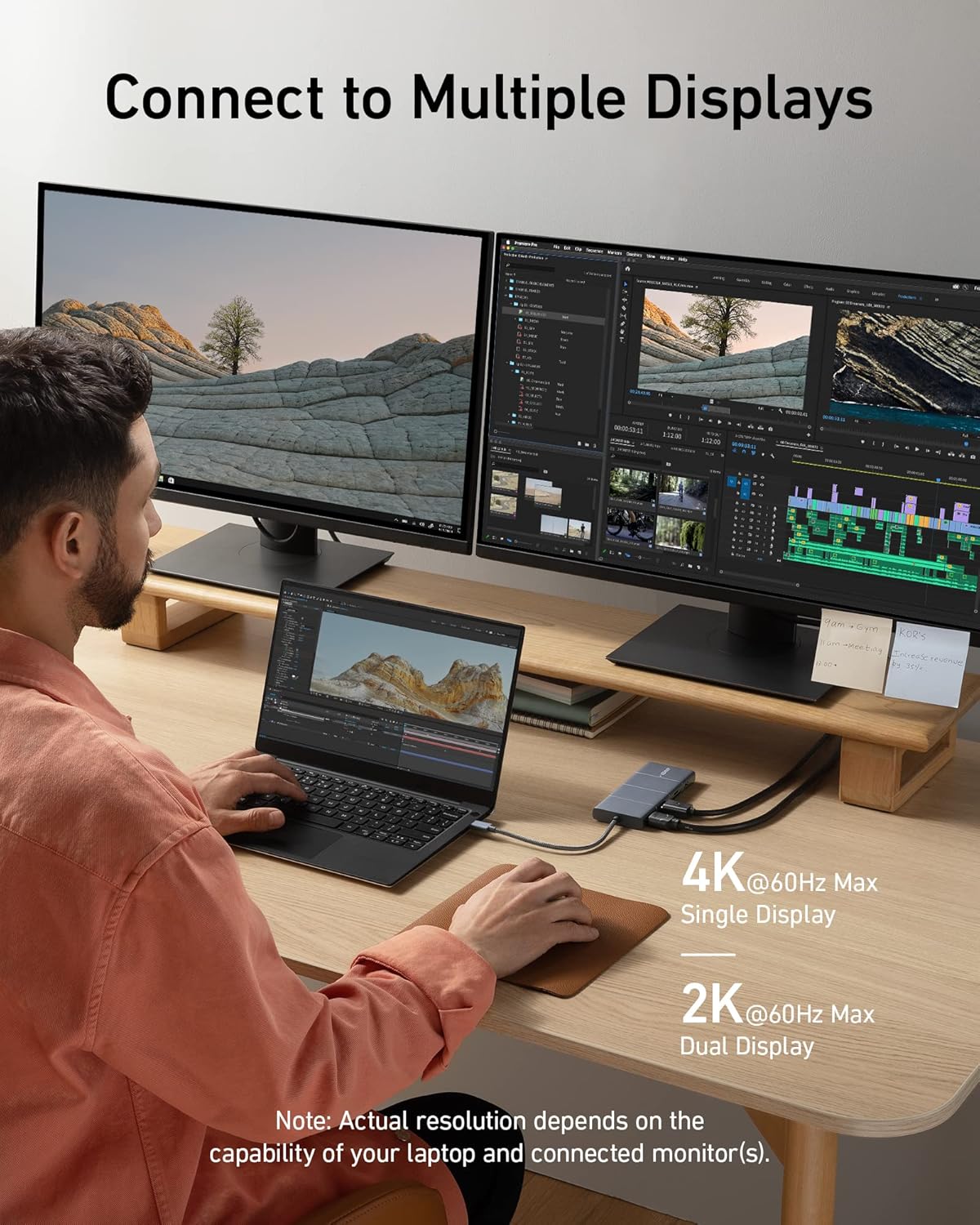
Connect the hub to a laptop with USB-C, USB4, or Thunderbolt, then attach displays through HDMI and DisplayPort. For a dual-monitor setup, the maximum listed output is 2K at 60Hz with a DP 1.4 laptop, or 1080p at 60Hz with DP 1.2. Those limits make the hub more suited to extending a work setup than to shoppers seeking higher-resolution dual-screen output. The USB-C ports on the hub do not carry display output, video is available only through HDMI and DisplayPort.
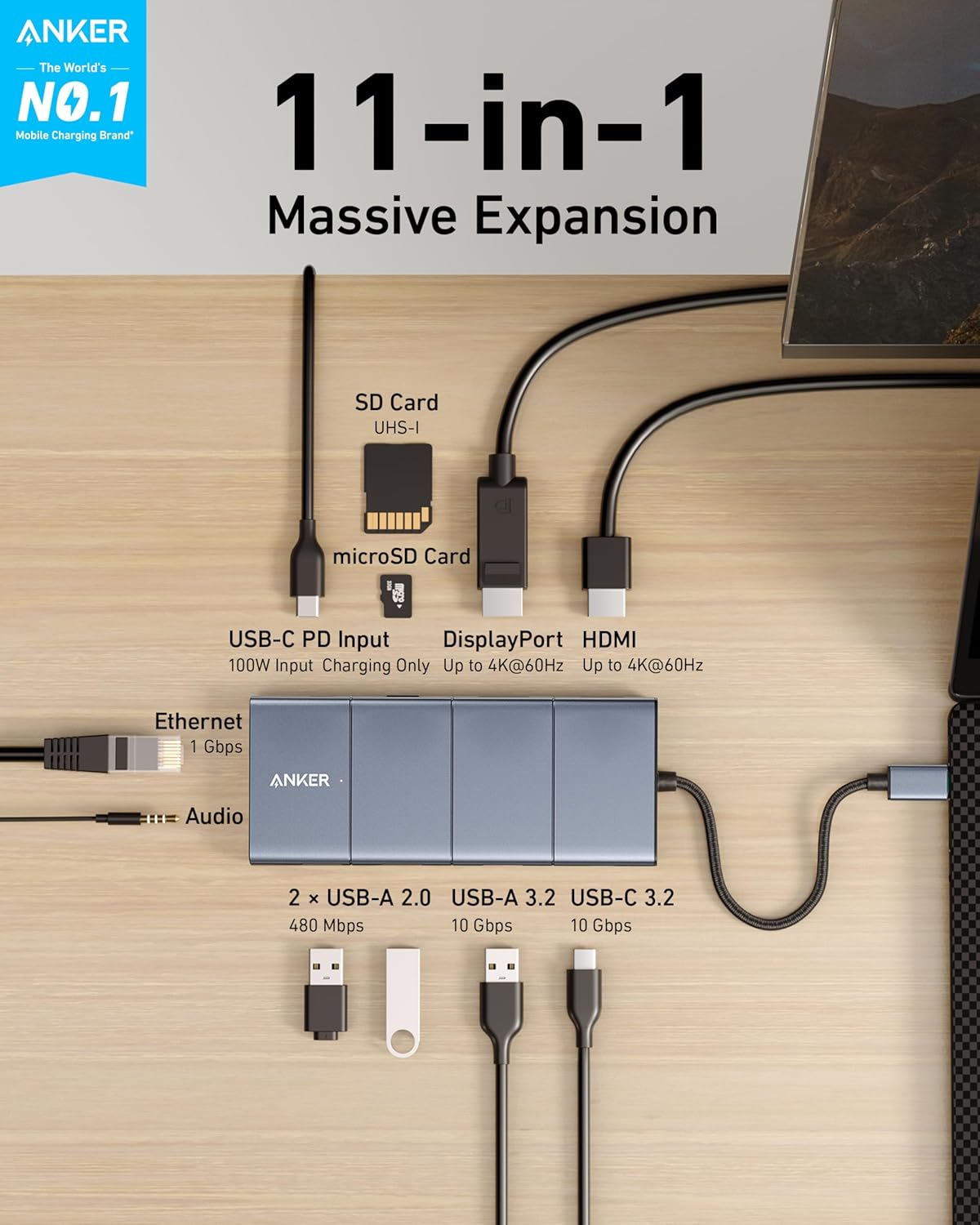
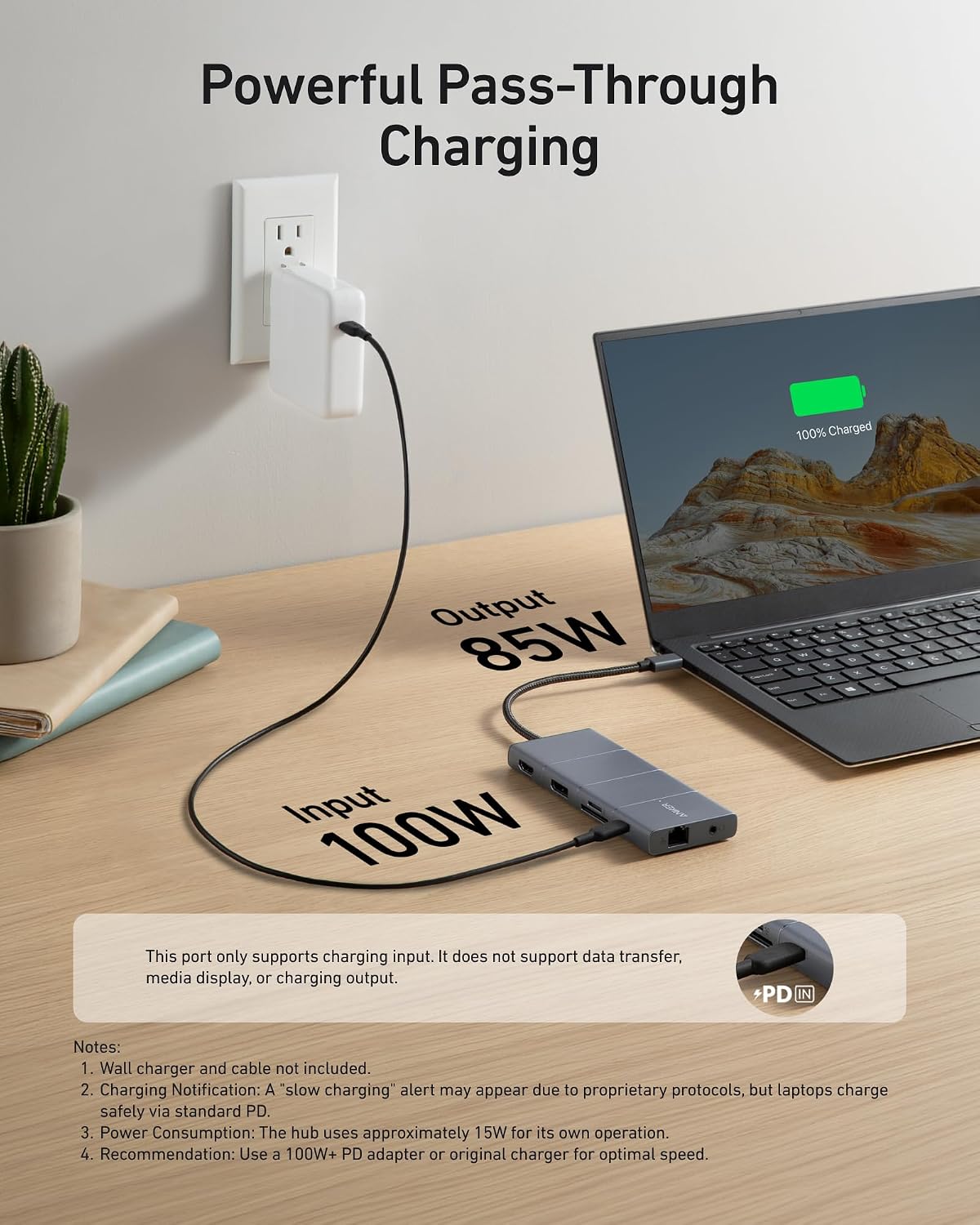
The port mix is useful when a laptop has few built-in connections: connect a mouse or other accessory to one of the two USB 2.0 ports, use the 10 Gbps USB-A or USB-C data port for supported file transfers, and access SD or microSD cards without a separate reader. The card slots are listed at up to 104 MB/s according to the maker. A 100W USB-C Power Delivery input accepts a separate charger, while pass-through charging to the laptop is capped at 85W, the charger is not included. It’s a great fit if you want a single desk hub for displays, wired networking, and mixed USB devices. It may not suit you if you need Linux support, independent images across both external monitors on macOS, or video through the hub’s USB-C ports.
Pros
- Combines HDMI and DisplayPort with Ethernet, AUX, SD and microSD slots, and multiple USB data ports.
- Includes both 10 Gbps USB-A and USB-C data connections alongside two USB 2.0 ports.
- Supports up to 85W pass-through charging while other hub functions are in use.
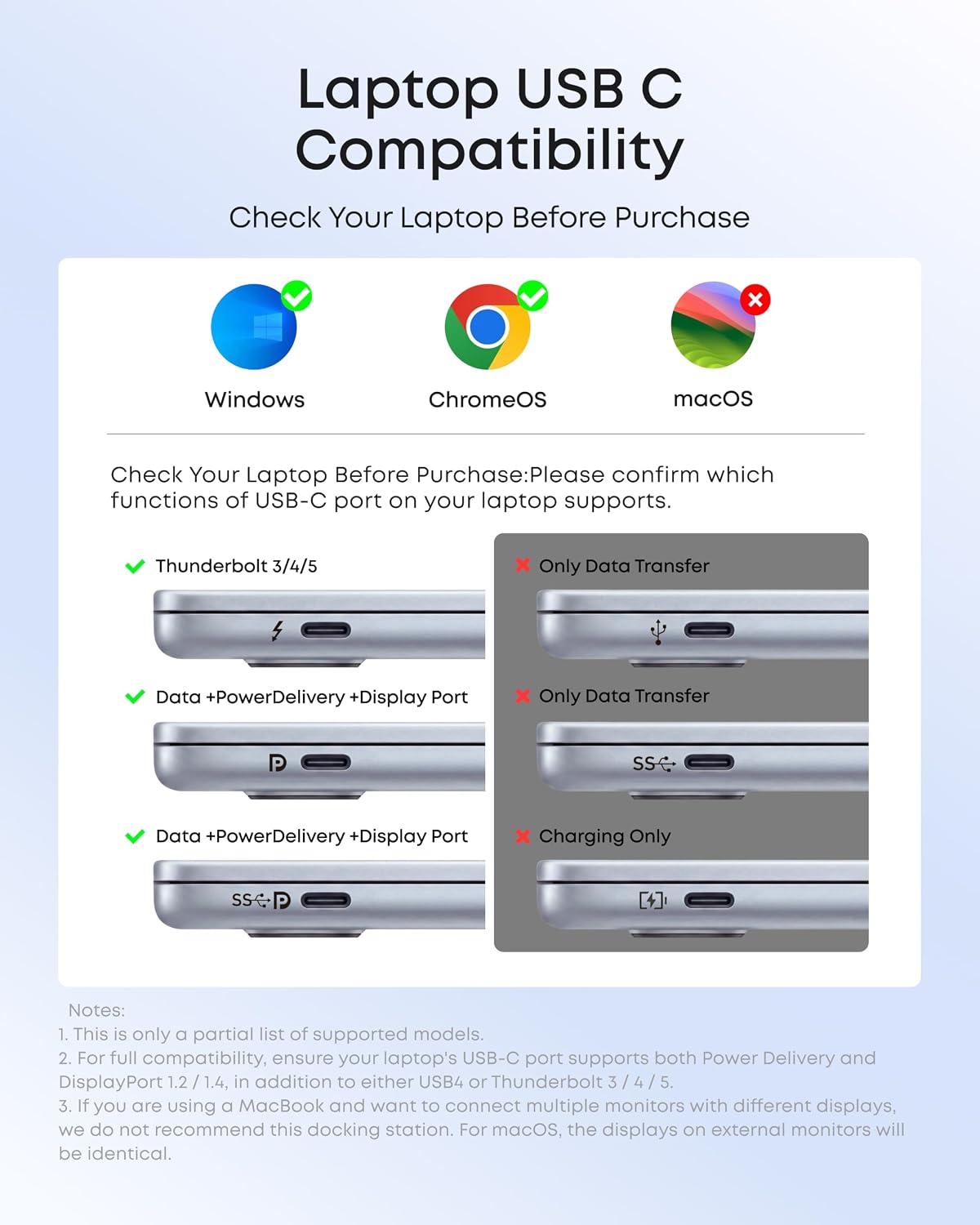
- Works with listed MacBook, Windows, and ChromeOS systems when the laptop supports DP Alt Mode and Power Delivery.
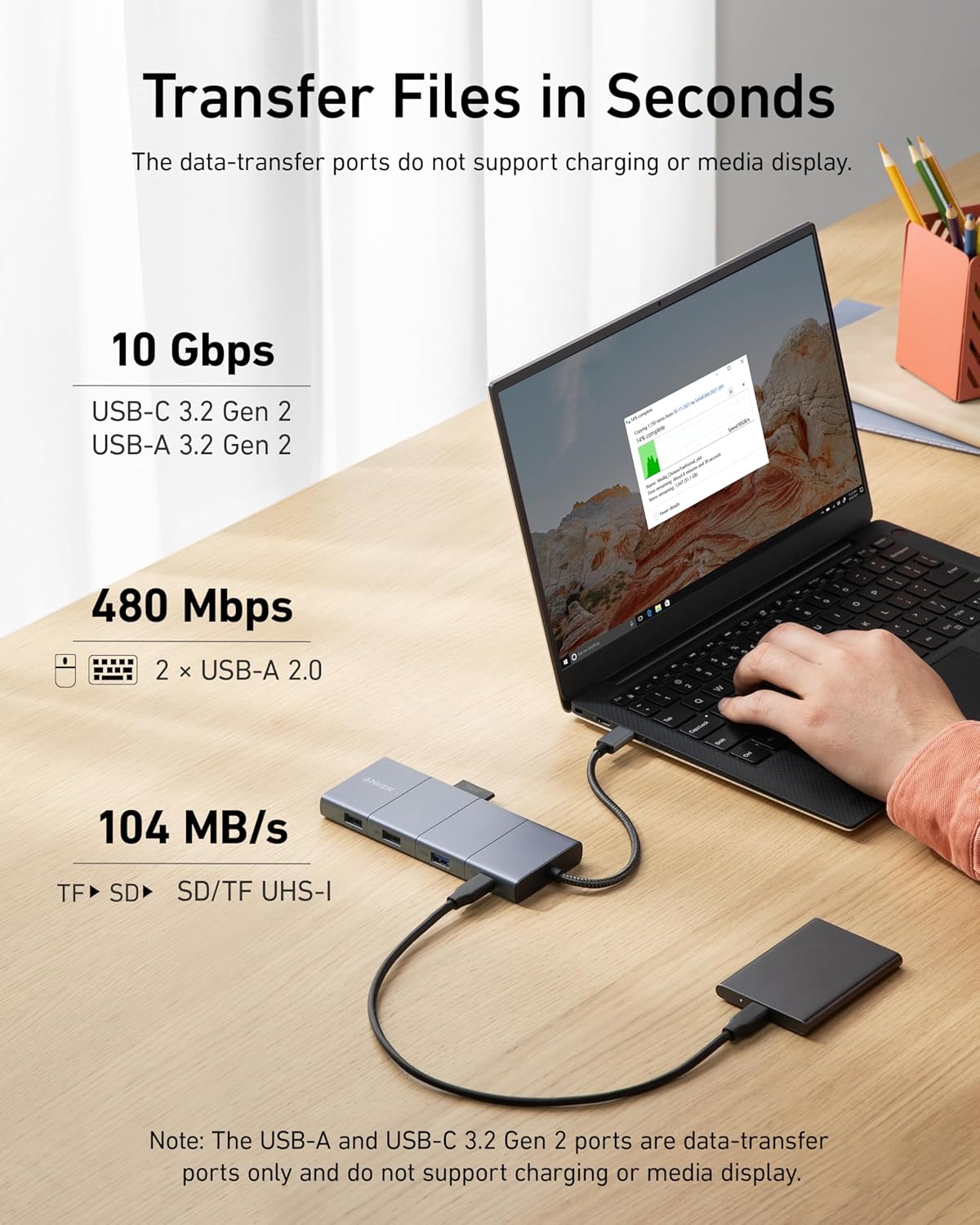
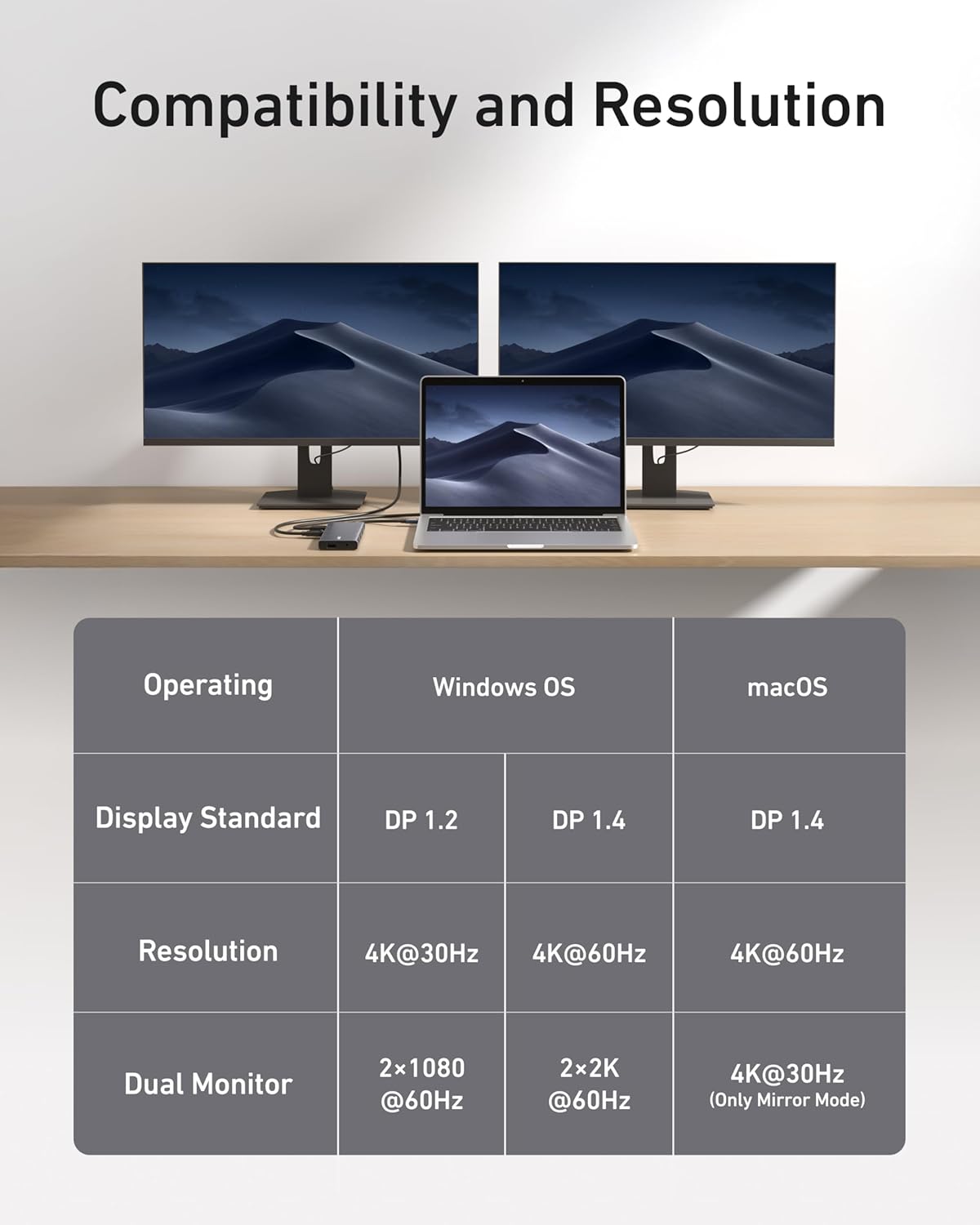
The main compromise is that this is a wired multiport hub, not a way to bypass the laptop’s display or operating-system requirements. A simpler adapter may make more sense if you only need one display connection, this model earns its extra footprint when you’ll actually use the card slots, Ethernet, charging, and several peripherals together.
Spec sheet
- Name: Anker 565 USB-C Hub
- Type: 11-in-1 docking station
- Video: 4K HDMI and DisplayPort ports, dual-display output up to 2K at 60Hz with DP 1.4 or 1080p at 60Hz with DP 1.2
- Data: One 10 Gbps USB-C port, one 10 Gbps USB-A port, and two 480 Mbps USB-A ports
- Other connections: Ethernet, AUX, SD and microSD card slots
- Power: 100W USB-C Power Delivery input, up to 85W pass-through charging
- Compatibility: USB-C, USB4, and Thunderbolt connections, MacBook with macOS 12 or newer, Windows 10 and 11, and ChromeOS. Laptop must support DP Alt Mode and Power Delivery. Linux is not supported.
Is it worth it?
This hub makes most sense for a compatible laptop that regularly moves between a lean mobile setup and a more connected desk. If your routine includes a wired network, memory cards, external displays, and USB accessories, consolidating them can reduce the need to plug in separate adapters every time you sit down. If you only need a basic USB port or a single monitor connection, its broader port selection may go unused, and the 85W charging limit and display restrictions matter more. Choose it for connection variety, not for unrestricted dual-monitor output: on macOS the two external screens show identical content, and the hub cannot send video through USB-C.