

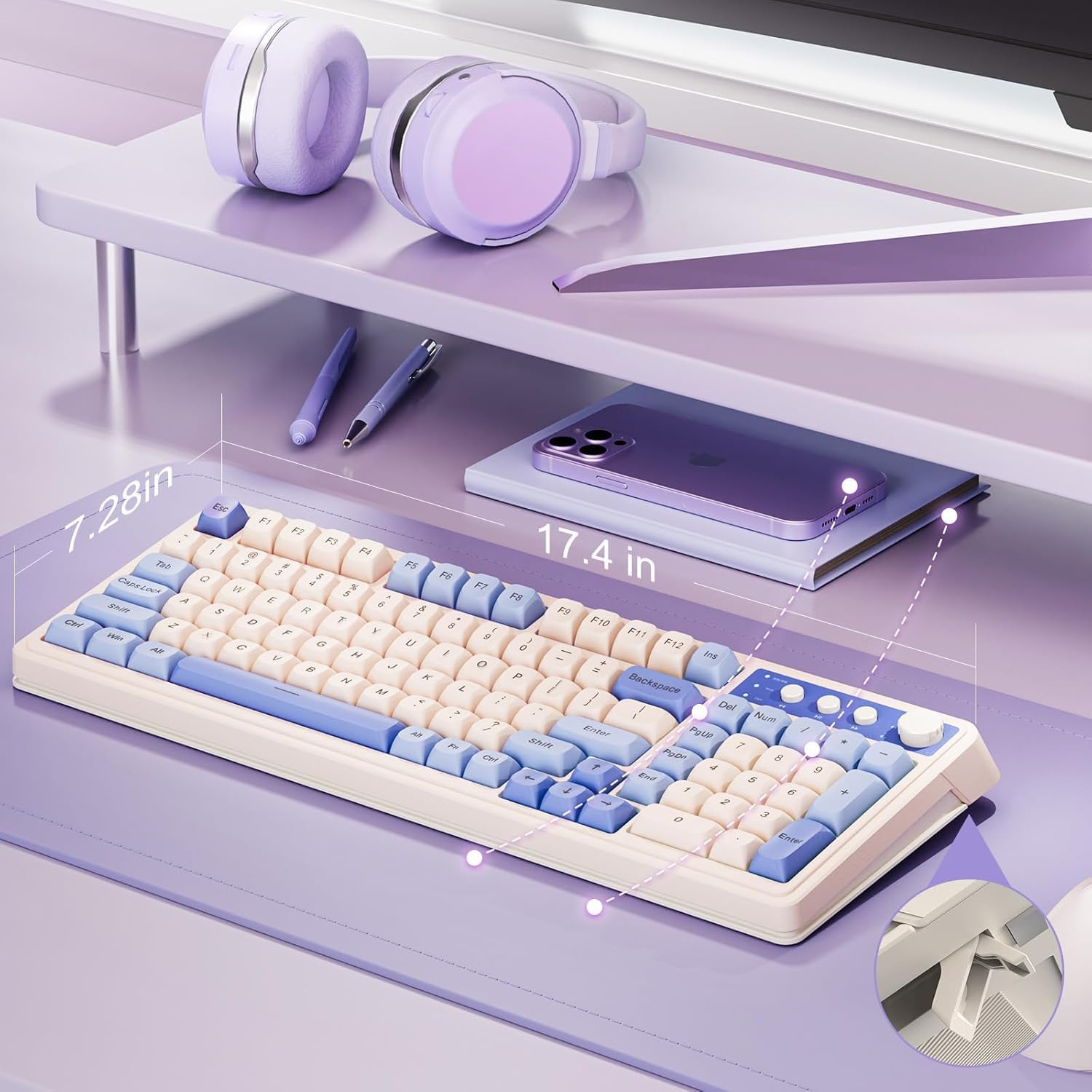
AULA S99 Gaming Keyboard review: a practical 96% wireless macro keyboard for multi-device setups
Product description
What is it and what problem does it solve
The AULA S99 is a 96% layout wireless keyboard designed to balance compact desk space with a full numeric keypad. It offers three connectivity options—Bluetooth 5.0, 2.4GHz wireless, and USB-C wired—so you can switch between devices or scenes without swapping keyboards. If you value a keyboard that adapts to office tasks, gaming sessions, and mobile use, the S99 presents a one‑keyboard solution rather than juggling multiple devices.
Design and build: feel and layout
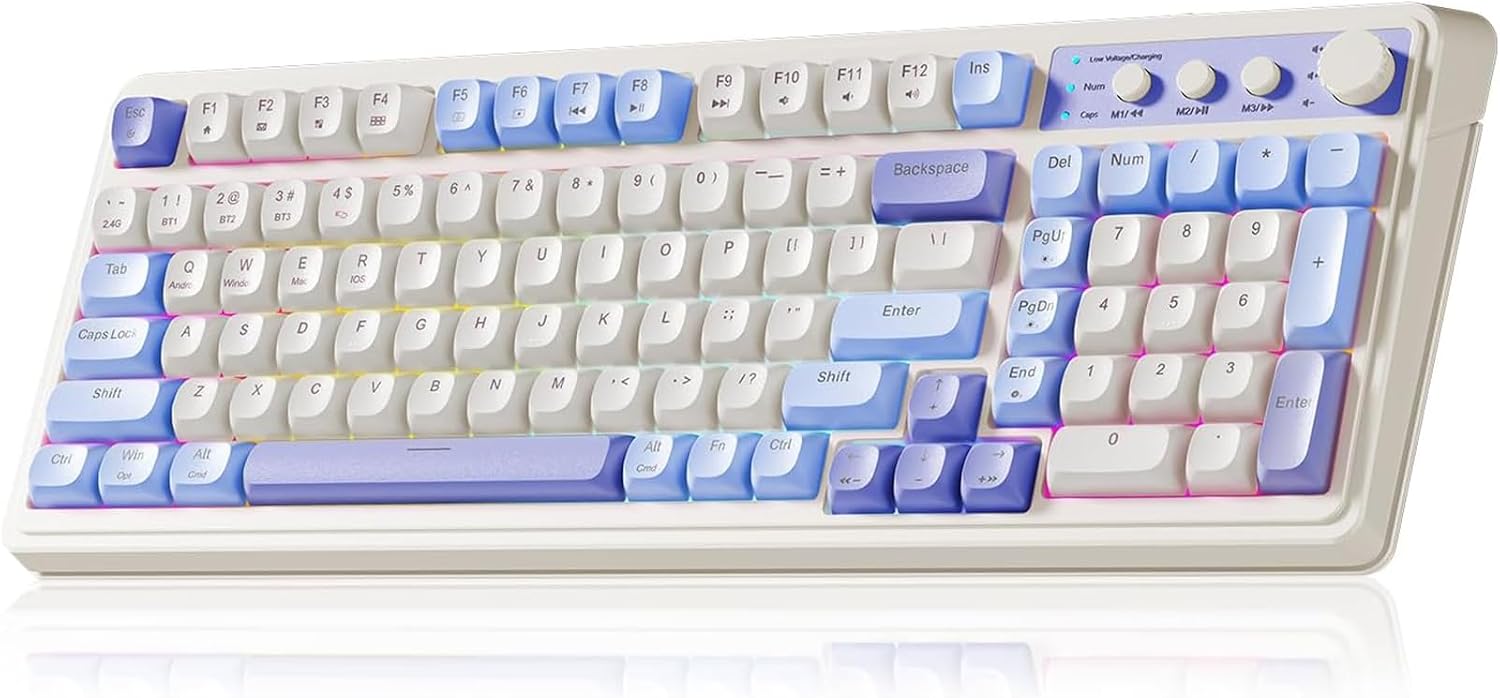
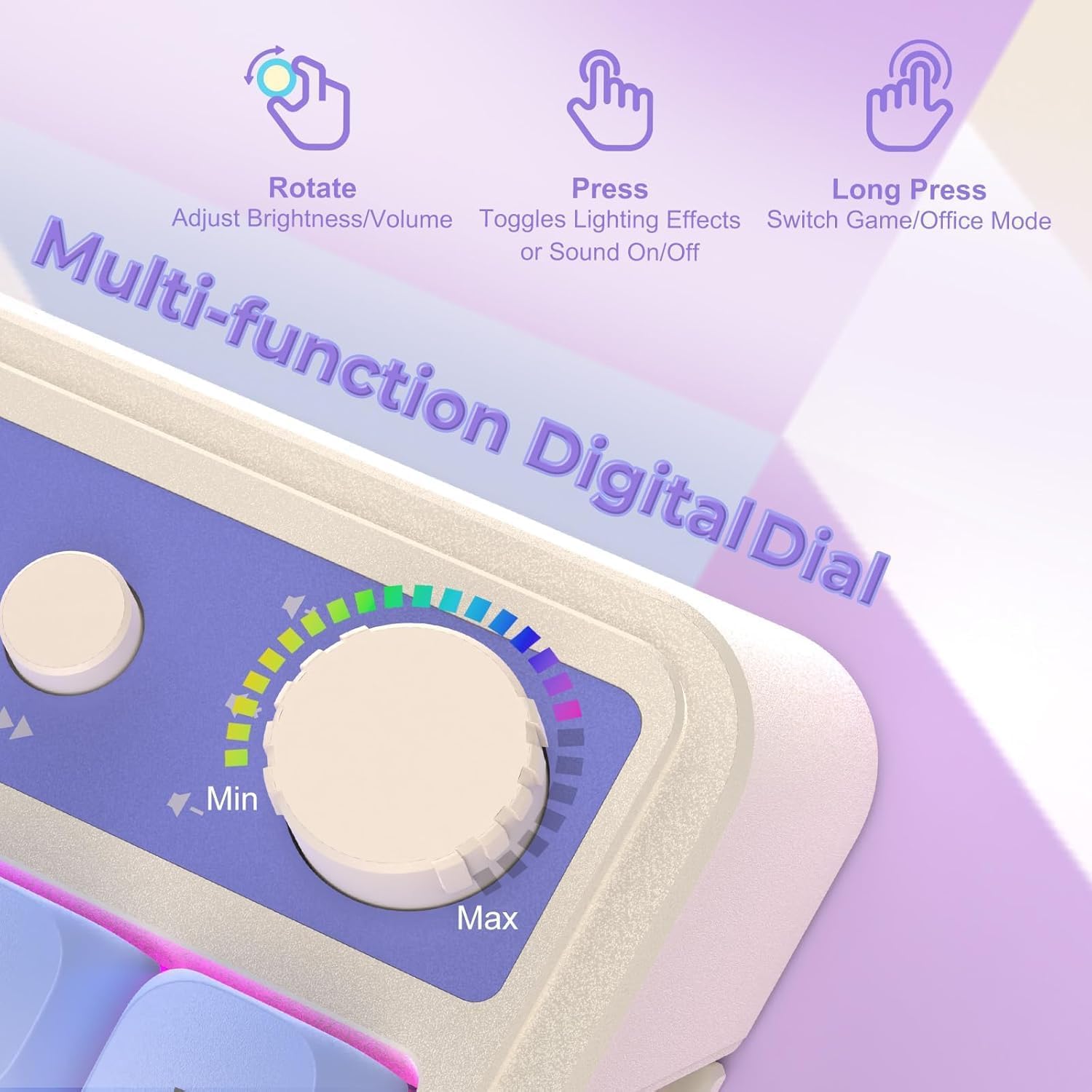
On the surface, the keyboard combines a retro aesthetic with modern craftsmanship. The membrane keyboard claims full key programmability, including macro recording to run complex actions with a single keystroke. A distinctive feature is the dual‑mode rotary knob, which lets you adjust volume, audio, and lighting in one place. A foldable two‑stage stand lets you tailor the angle for comfort, which can help reduce wrist strain during longer sessions.
Key features at a glance
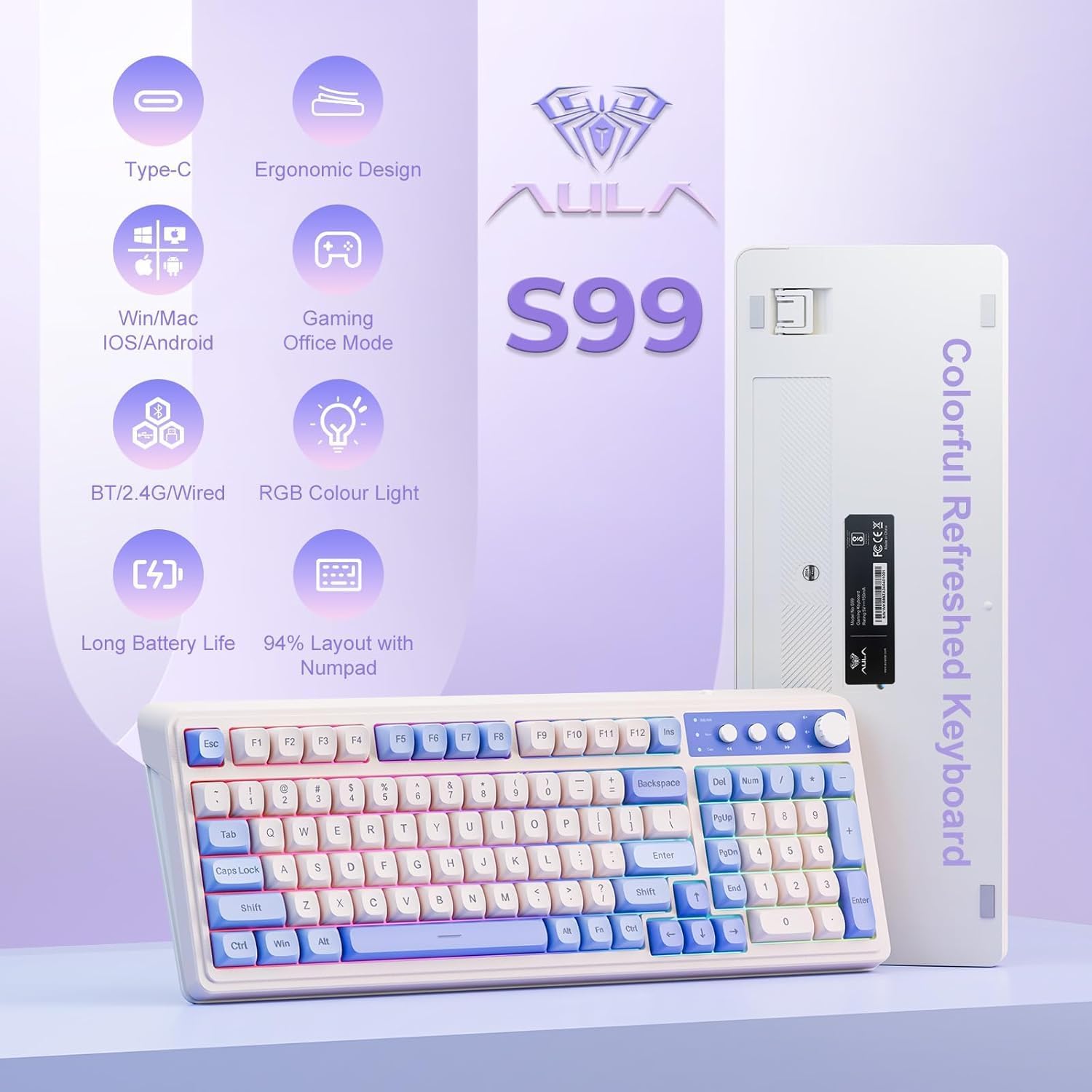
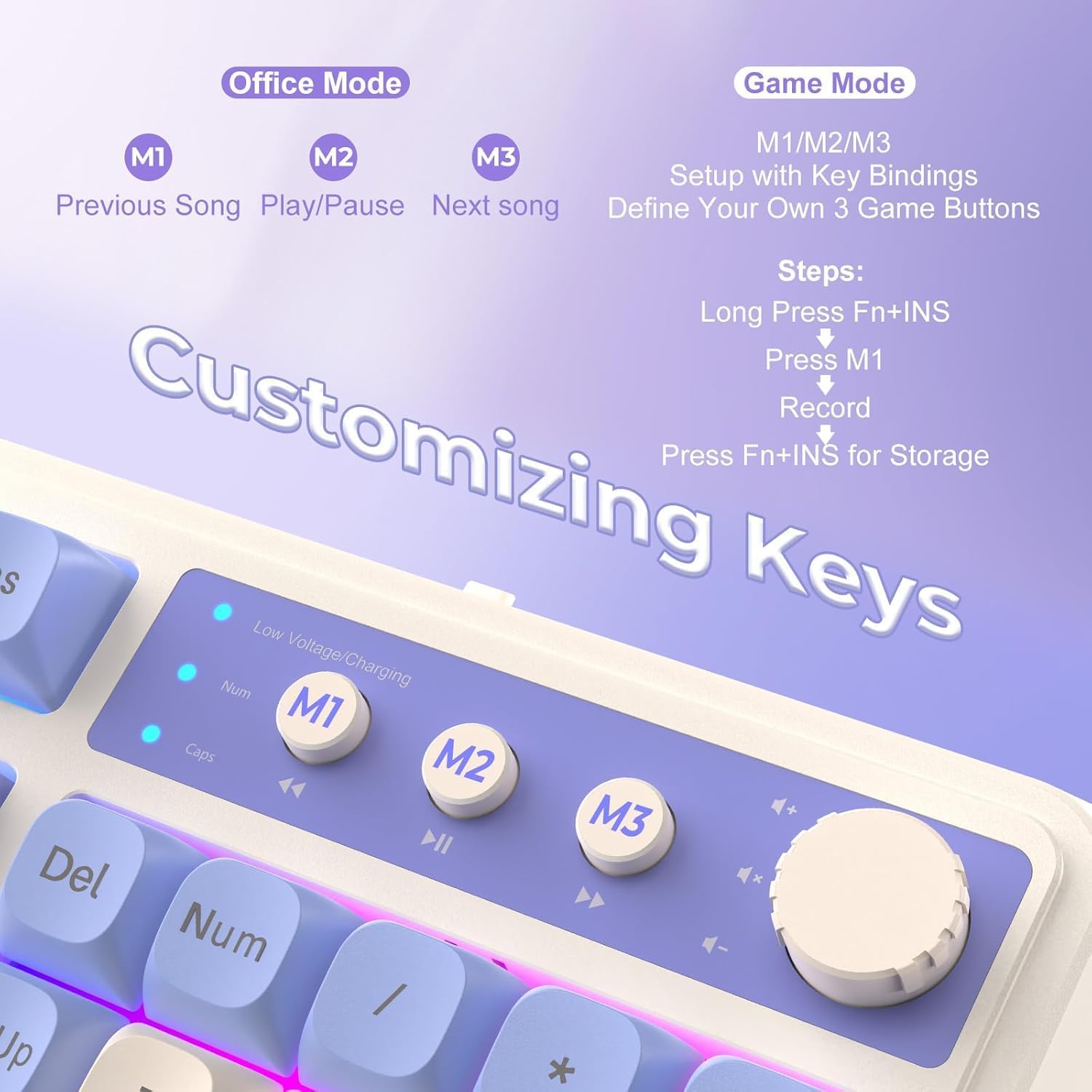
Users can set up and save macros across all keys, plus there are three dedicated shortcut keys (M1/M2/M3) for quick custom actions. The keyboard supports multi‑device connectivity and is compatible with Windows XP/7/8/10, Mac, Android and iOS, making it a flexible option for mixed ecosystems. Note that this is a membrane keyboard and does not support hot‑swapping.
Who this is for
If you’re looking for a compact, multi‑device keyboard with programmable keys and macro capabilities, the S99 could fit a mix of uses—from gaming to productivity on a laptop or desktop. It may appeal to users who want a nostalgic look without sacrificing modern features, and who don’t mind a membrane switch instead of mechanical‑style toggles.
What stands out
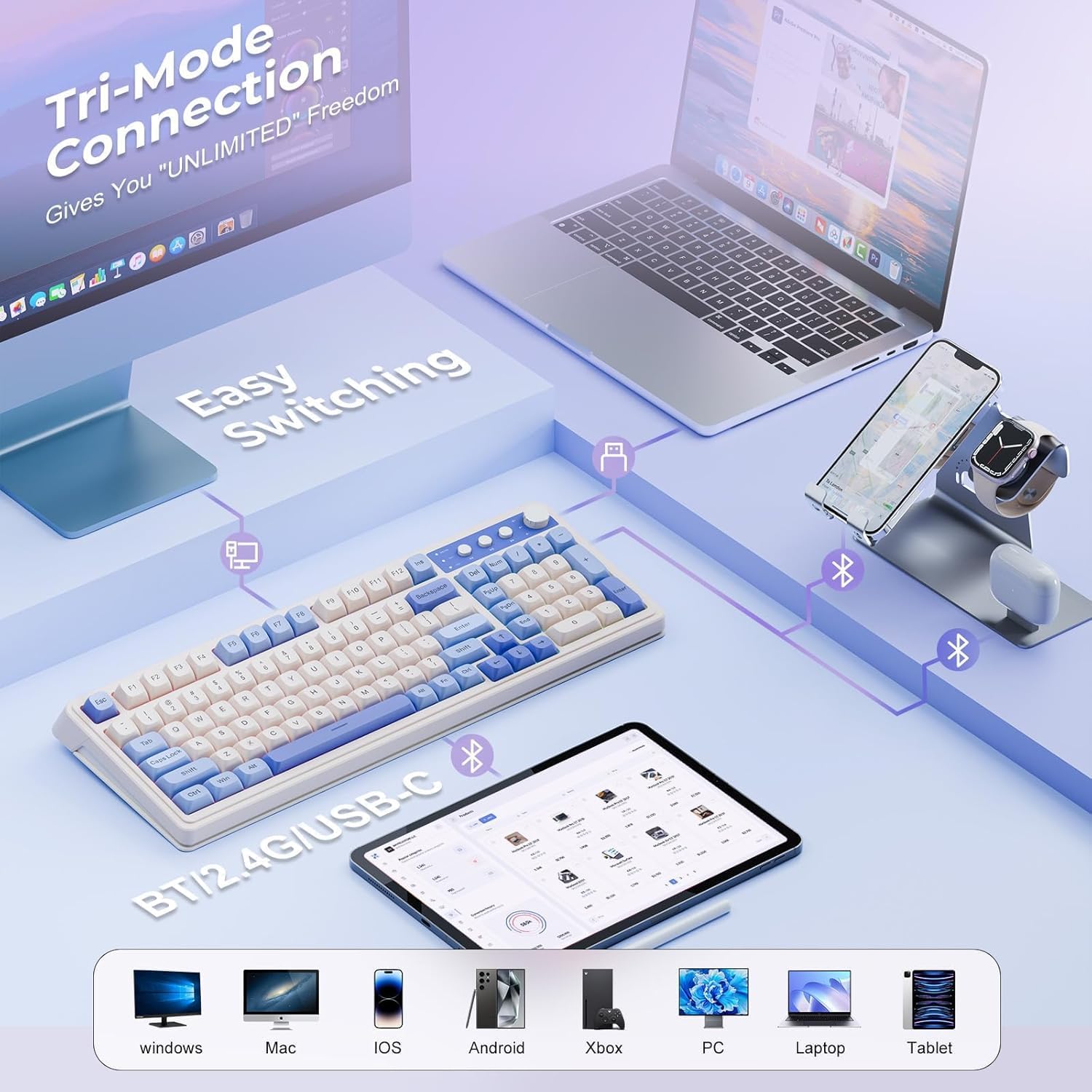
- The tri‑mode connectivity offers versatility across home and mobile setups.
- Full‑key macro programming enables shortcuts for efficient gameplay or workflow automation.
- The integrated numeric keypad preserves a familiar typing experience while keeping desk space reasonable.
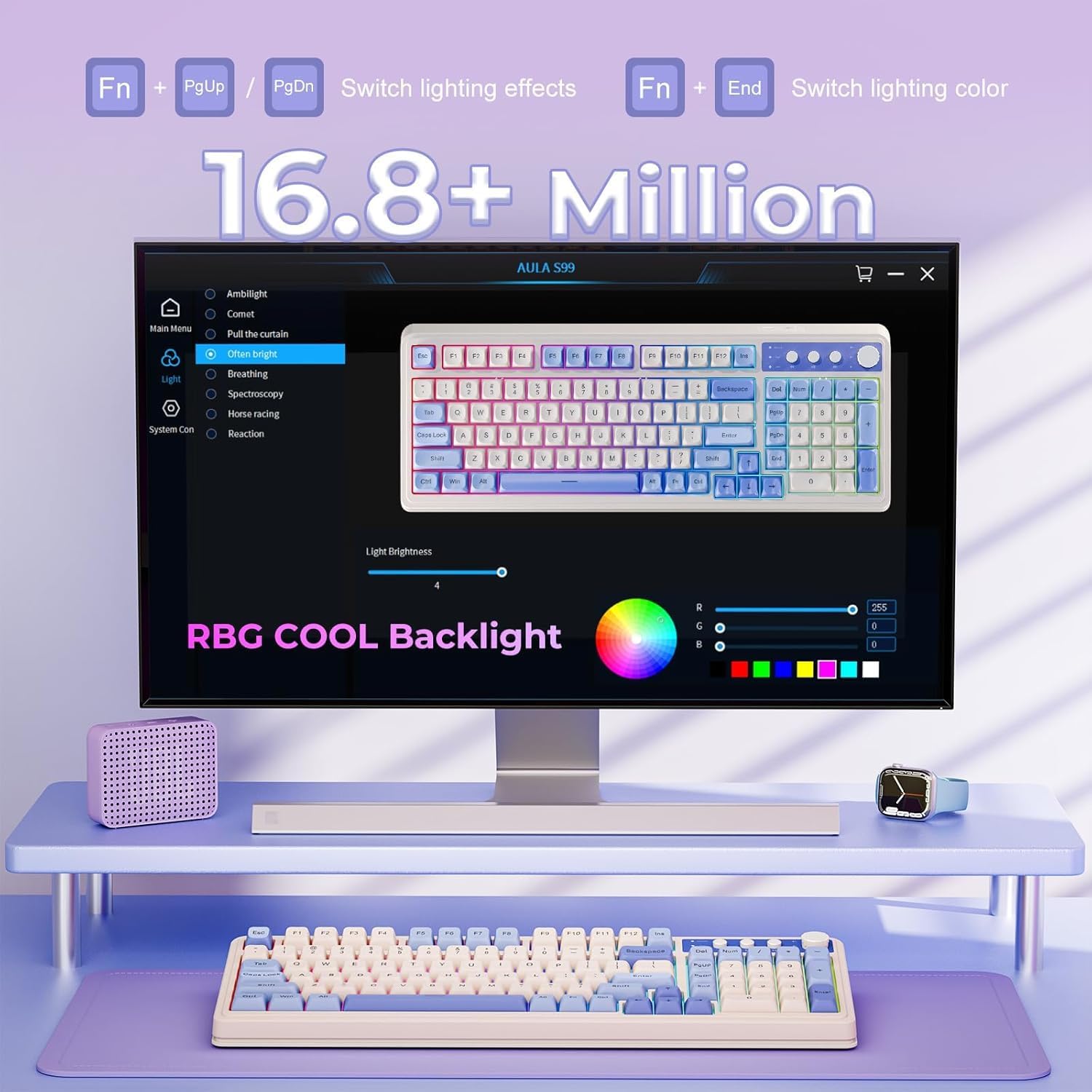
- The dual‑mode rotary knob provides tactile control for volume, audio, and lighting without leaving the main workspace.
Limitations and what may hold you back
- It’s a membrane keyboard, so it may not satisfy users after a high‑end mechanical feel or very precise tactile feedback.
- While macros are powerful, the effectiveness depends on how comfortably you can map actions to keys and how you manage profiles across devices.
- It isn’t ideal for users who prioritise hot‑swap capable boards or switch types beyond membrane feel.
How it compares to other approaches
For desktop gaming or heavy macro use, some might prefer a full mechanical keyboard with advanced hot‑swap options. If you prioritise space saving and multi‑device work without buying separate devices, this S99 offers a reasonable middle ground. In casual gaming or mixed‑device work, the macro capability and the rotary control can simplify routines that otherwise require multiple peripherals.
What to check before buying
- Ensure your devices support Bluetooth 5.0, 2.4GHz dongle compatibility, or USB‑C wired use as needed.
- Consider whether you want full macro programming on all keys or only on M1/M2/M3 and how you’ll manage macro profiles.
- If a tactile mechanical feel is essential, this membrane keyboard may not meet those expectations.
Practical use example
Imagine editing a document while streaming music: you can assign complex editing sequences to a single key, switch between gaming and office profiles with the dual‑mode knob, and adjust volume or lighting on the fly without leaving the keyboard. The foldable stand helps you set a comfortable angle for long coding or typing sessions.
Compatibility and care
The S99 is designed to work across Windows, Mac, Android and iOS, but remember it’s a membrane design and hot‑swapping isn’t supported. Caring for a membrane keyboard mainly involves regular cleaning and avoiding liquids on the keys to preserve longevity.
FAQ (based on available information)
- Q: Can I use the keyboard with multiple devices simultaneously? A: The keyboard offers multi‑device connectivity, with easy switching between Bluetooth, 2.4GHz, and USB‑C wired modes.
- Q: Is there RGB lighting and a media dial? A: Yes, it features RGB backlighting and a dual‑mode rotary knob for volume, audio, and lighting adjustments.
- Q: Does it support macro programming on every key? A: The keyboard supports full‑key macro programming to create exclusive shortcuts.
Final verdict
Is it worth it? Worth considering if you want a compact, multi‑device keyboard with macro capabilities and a handy media knob, without paying top‑tier mechanical‑keyboard prices. It isn’t the best option if you prioritise a tactile mechanical feel or hot‑swap functionality, in that case you might prefer something tailored to mechanical switches. For mixed use—office, light gaming, and mobile setups—the AULA S99 offers genuine convenience and a clear value proposition.