

AULA S75Pro Wireless Gaming Keyboard 75% with Screen, Hot-Swap, and 5-Layer Padding (Blue White)
Product description
What this is and why it exists
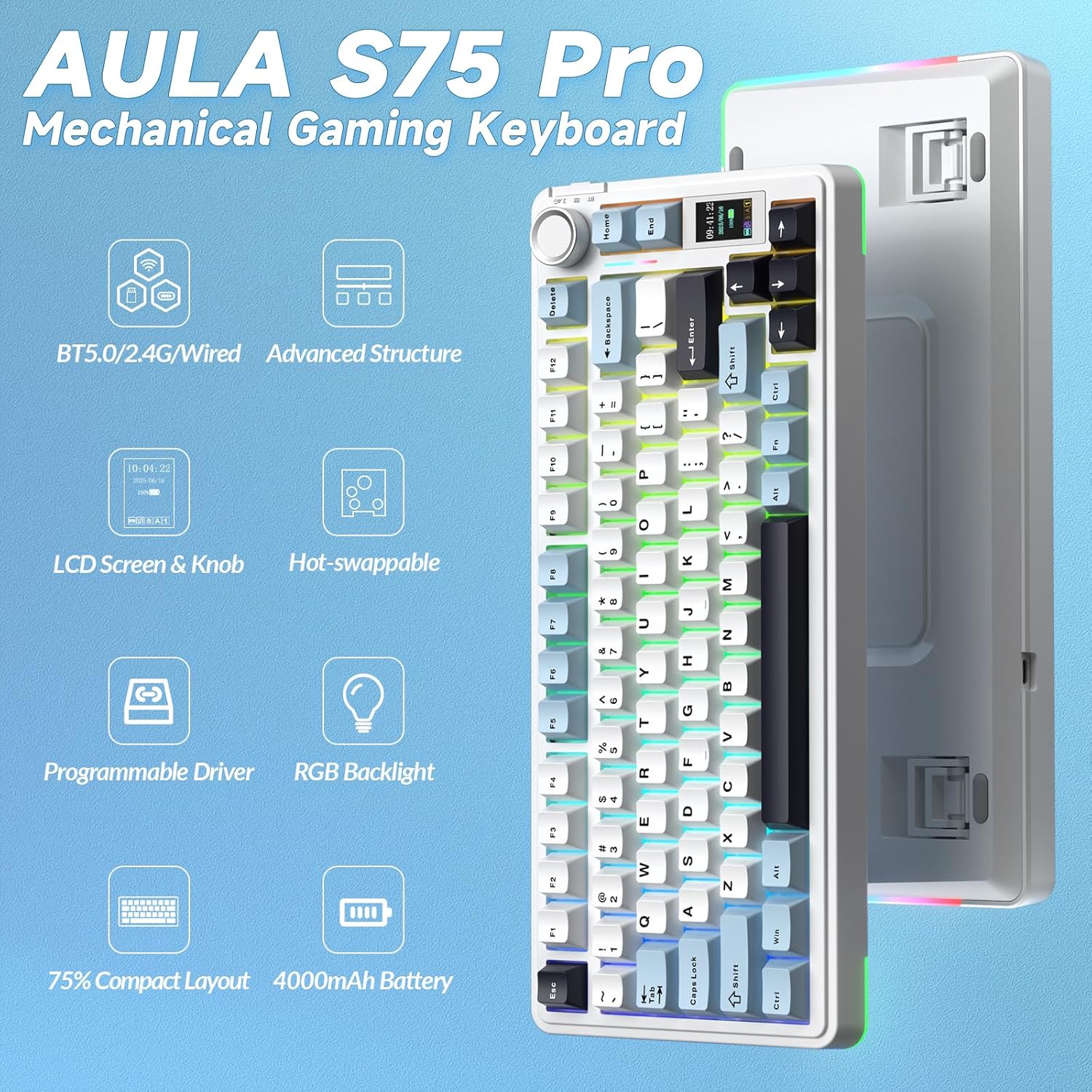
The AULA S75Pro is a 75% compact mechanical keyboard designed to blend gaming performance with office clarity. It combines three connectivity modes—BT5.0, 2.4G wireless, and USB-C wired—so you can switch between devices without rejigging your desk. If you value a tidy setup, comfortable typing, and responsive gaming, this model aims to deliver a dependable, customisable experience rather than a gimmick-led one.
How the triple connectivity helps your day
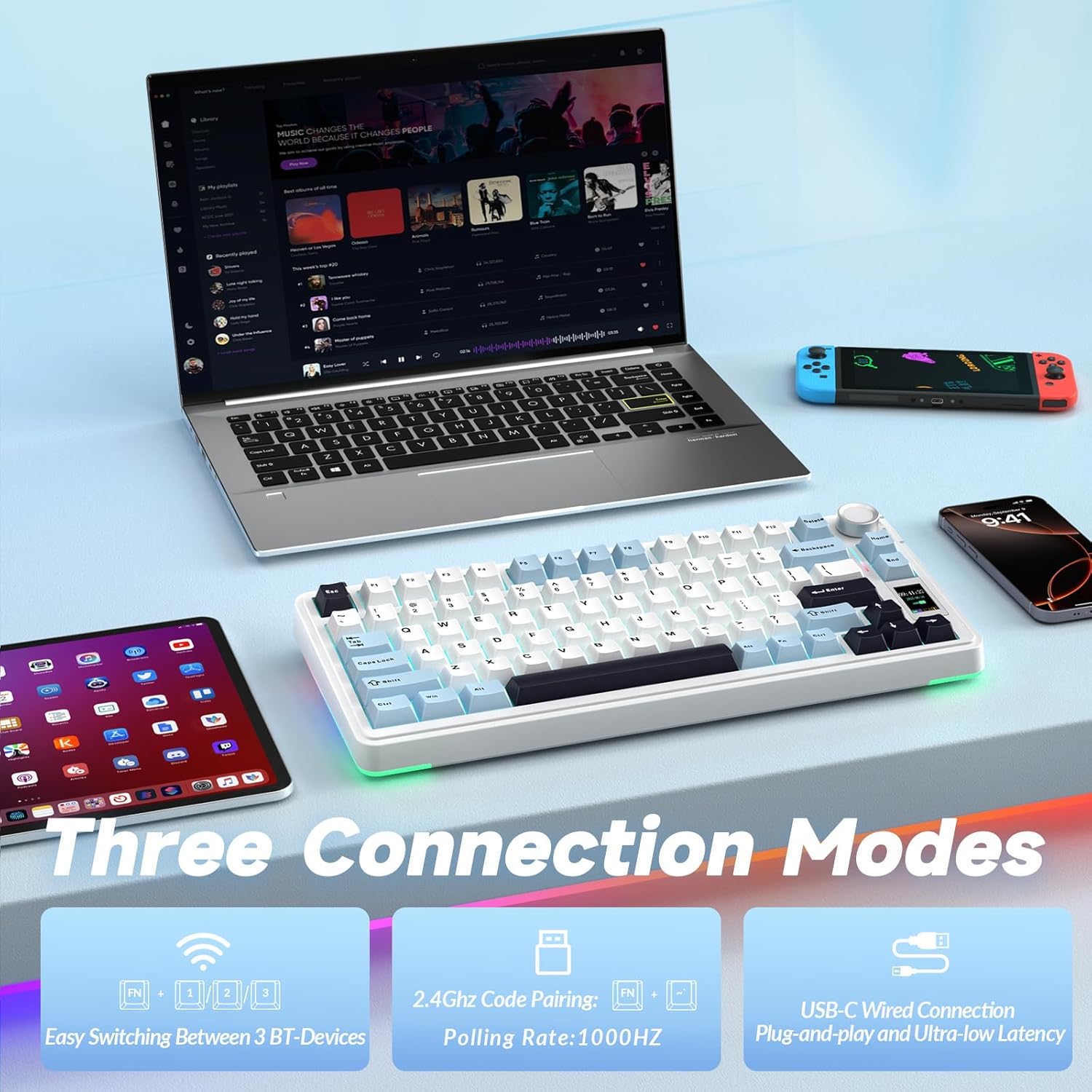
Triple-mode connectivity means you can pair the same keyboard with a laptop for work, a desktop for gaming, and a tablet for casual use, then switch on the fly. The promise is stable, lag-free input across devices. In practice, you’ll want to keep in mind that switching between modes may introduce a brief moment of re‑calibration, depending on system load and driver configuration. For most daily scenarios, the S75Pro reduces desk clutter and avoids the need for multiple keyboards.
Screen and multifunction knob: real utility or gimmick?
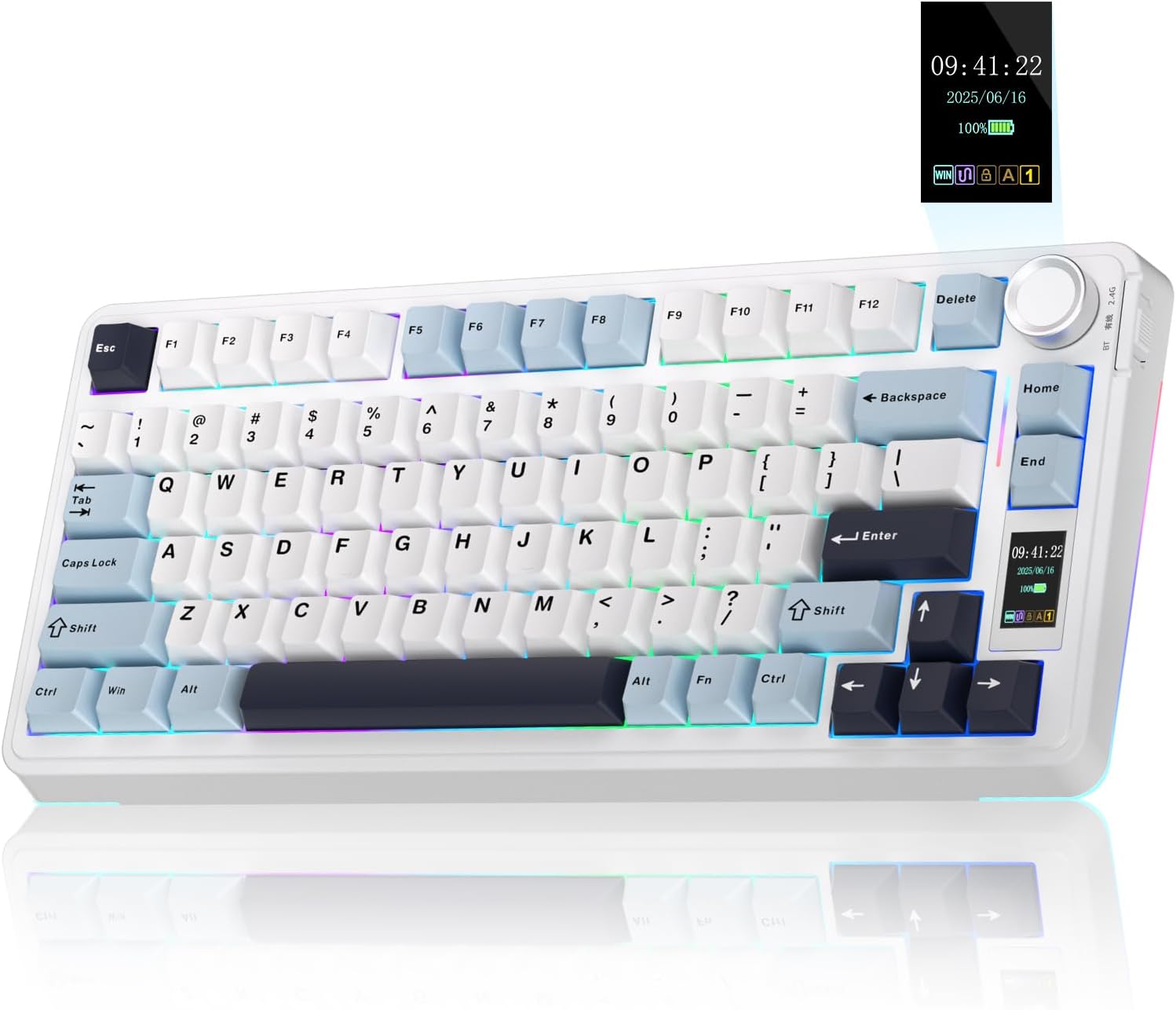
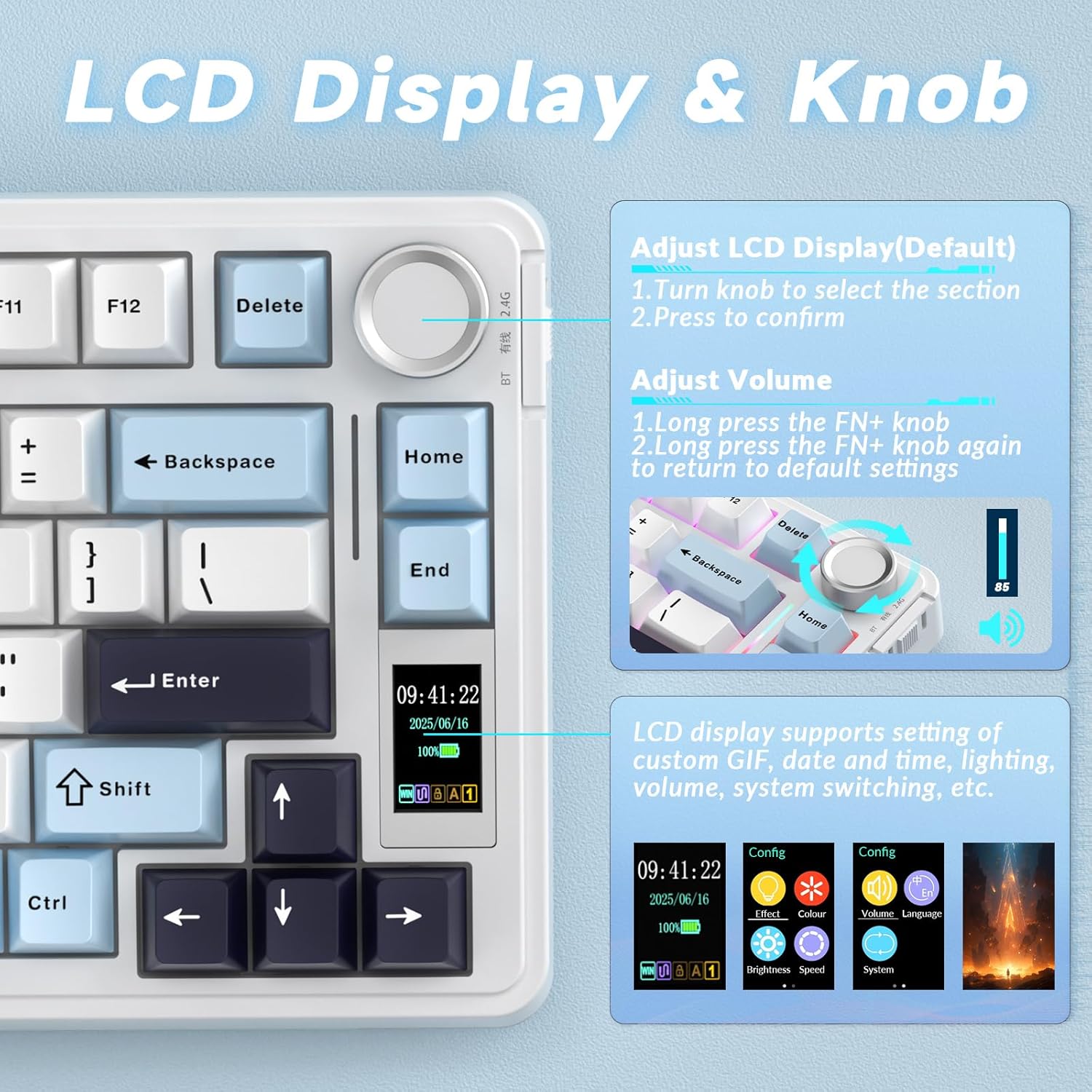
A built-in TFT LCD screen plus a multifunction knob provides on-device access to language, system switching, volume, date/time, RGB settings, and battery status. The driver also allows uploading GIFs to the LCD, which adds a personalised flair but is optional. If you prioritise a clean, distraction-free desk, you might choose to minimise on-screen elements, if you like customisations, this feature becomes a quick, tactile control centre.
Build and typing experience: padding, switches, and sound
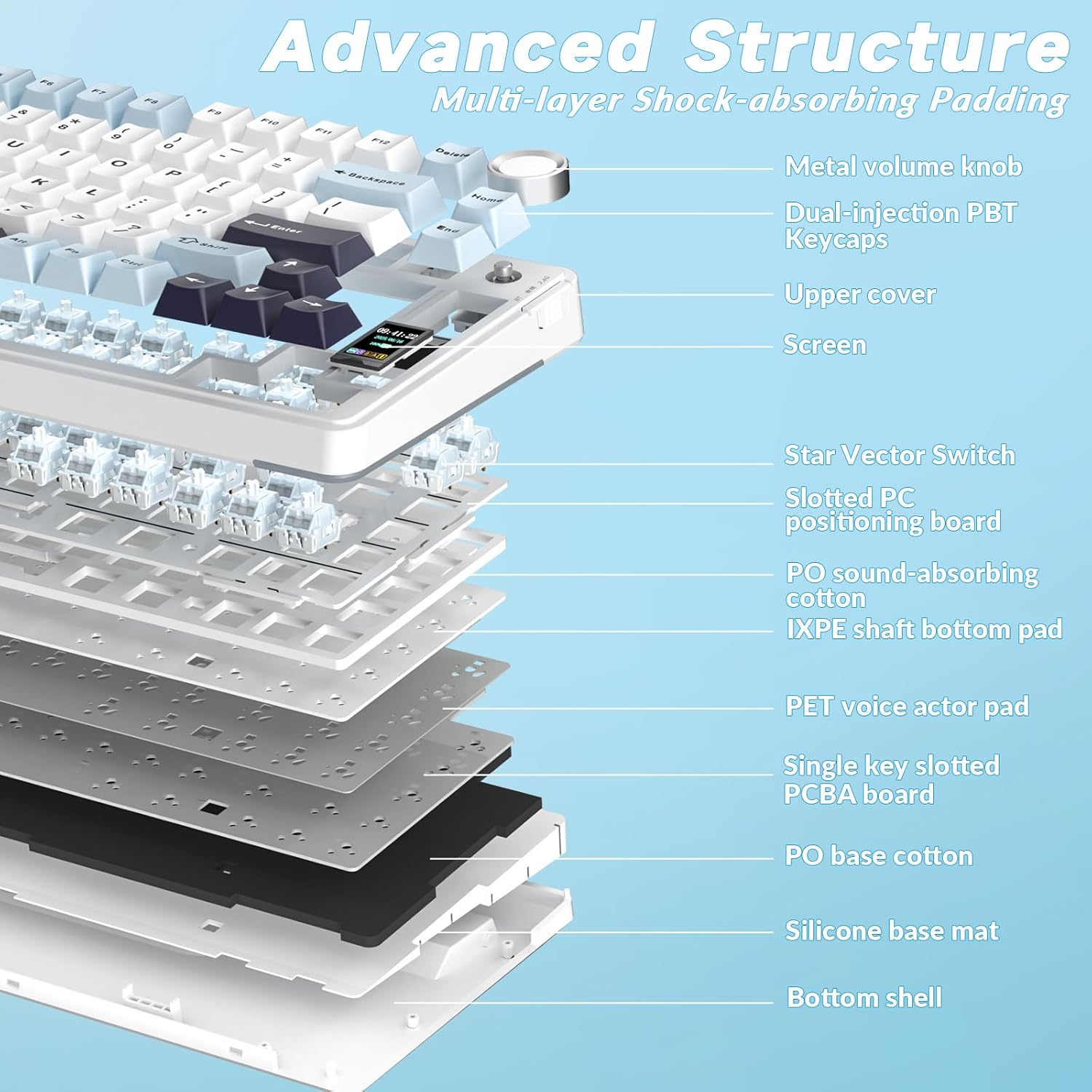
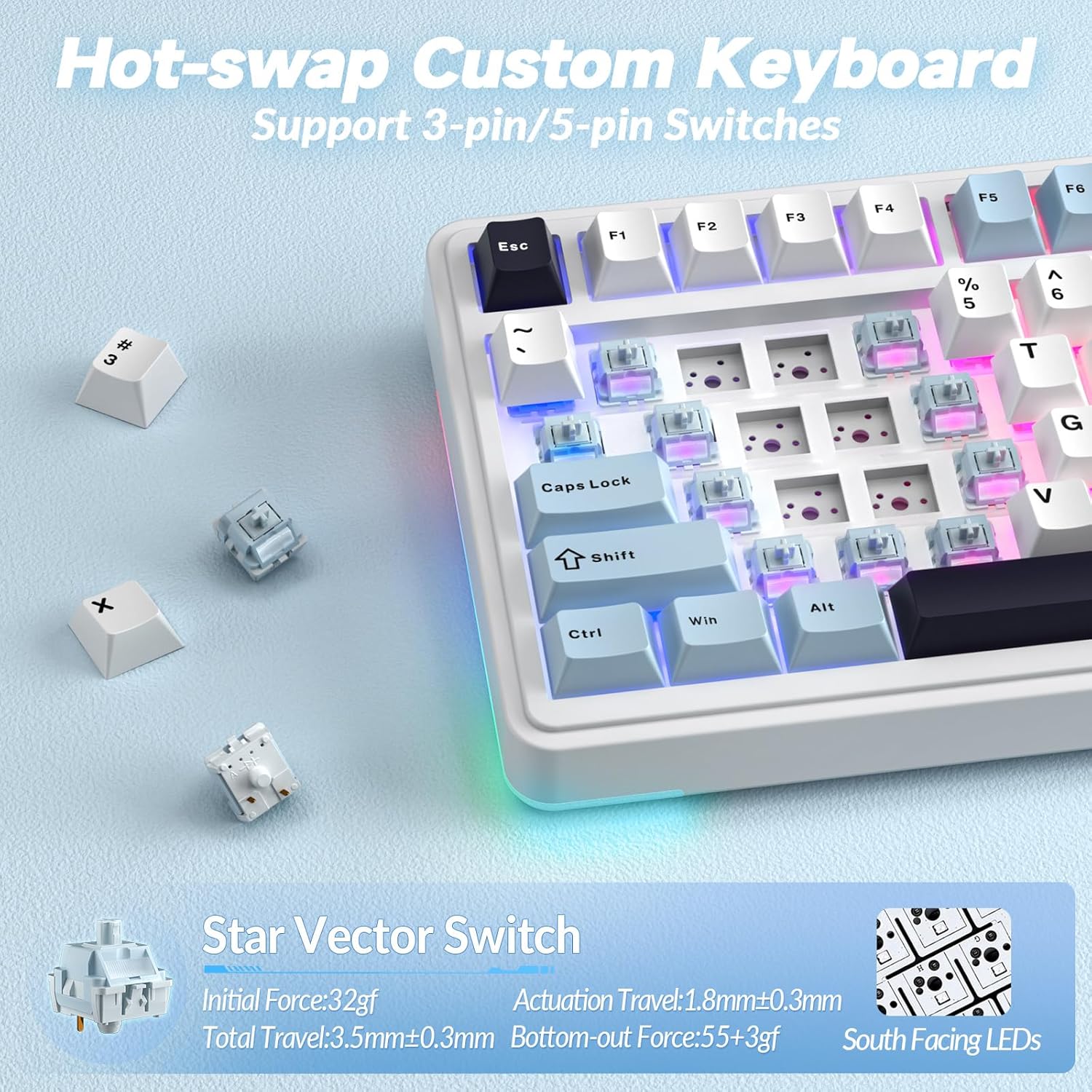
AULA emphasises a quieter, more refined keystroke through a five-layer padding system. The padding stack—along with IXPE switch pads and PET sound-enhancement pads—helps dampen noise and reduce vibration. The result is a deeper, creamier sound with smoother actuation. It’s not a purely silent keyboard, but it should be more forgiving in shared spaces or late-night sessions. The S75Pro ships with pre-lubricated switches (LEOBOG) and supports hot-swapping (3-pin and 5-pin), so you can swap switches without soldering. For enthusiasts, that means endless potential for tweaking feel and noise profile.
How you drive it: software, macros, and lighting
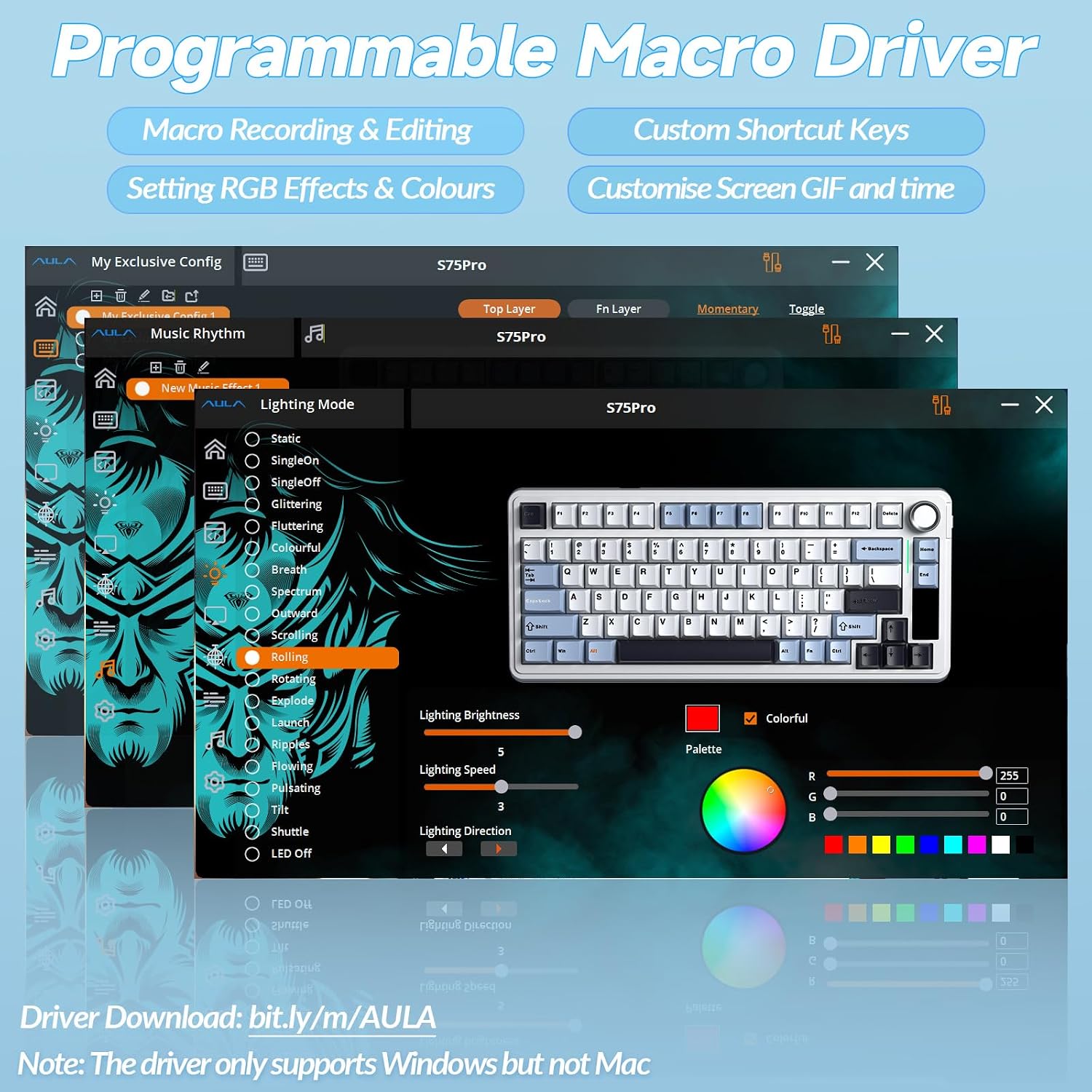
The Advanced Macro Driver unlocks programmable macros, key remapping, and multi-function shortcuts to speed up workflows or gain an edge in games. You can tailor RGB lighting with more than 16.8 million colours and up to 20 presets, then adjust via the knob, screen, or software. The south-facing LED layout helps with key visibility under various lighting. If you like dynamic lighting to match your game or mood, this is a meaningful differentiator. If you’d rather keep visuals simple, you can disable effects and still enjoy solid performance.
Who this keyboard is for — and who might prefer something else
It suits gamers and mixed-use users who value compact form without sacrificing function. The 75% layout keeps essential keys at hand while saving desk space, and hot-swapping makes it attractive for tinkering without cost of a complete switch overhaul. It’s likely to appeal to those who use multiple computers or devices and want a single, cohesive input solution. On the flip side, if you rely on a full-size keyset for frequent numpad work or heavy macro use in long sessions, you may feel the 75% footprint is a limitation. Also, if you don’t need a screen or RGB beyond a few favourite colours, the added features may feel superfluous rather than essential.
What to check before buying
- Confirm you’re comfortable with three connectivity modes and the potential for a brief pairing transition when switching devices.
- Consider whether the screen and knob are features you’ll actually use versus a curiosity that adds weight or complexity.
- If you customise keyboards, the hot-swap support (3-pin/5-pin) is a plus, but ensure your preferred switches are compatible.
- Reflect on your noise sensitivity and typing style, the five-layer padding helps, but a noisier switch choice could offset some of the damping.
- Think about desk space and layout, a 75% keyboard is generally well-suited to compact rigs but may require adaptation if you’re used to a full-sized layout.
How it compares (practical context)
Compared with a basic wired-only option, the S75Pro offers added flexibility for multi-device workflows and a richer visual setup with LCD feedback and extensive RGB. Against other hot-swappable keyboards, the inclusion of a TFT screen and a dedicated macro driver sets it apart for users who value on-device real-time information and custom commands without relying solely on software. If your use-case leans toward single-device simplicity and you don’t need on-board display or advanced lighting, a more straightforward model may deliver similar typing feel with fewer features.
Practical usage example
Imagine you’re juggling work on a laptop and gaming on a desktop. You can type on the S75Pro with the Bluetooth connection on your laptop during a meeting, then switch to wired USB-C for a gaming session with minimal latency. The LCD can show battery level while you adjust volume during a late-night raid, and you can programme a macro that launches your preferred in-game loadout with a single keystroke. The hot-swap feature invites you to experiment with tactile, quieter switches for quiet evenings at home.
FAQ (where data allows)
- Is it compatible with both Windows and macOS? The product description notes compatibility with Win/MAC environments, so cross-compatibility is a stated expectation.
- Do you need software to use the macro and lighting features? The Advanced Macro Driver is mentioned as the tool to unlock full features, basic use may still work without software, but for full customization you’ll want the driver.
- Can the LCD display show GIFs? Yes, GIFs can be customised via the driver, offering a personalised visual element.