


Logitech G203 LIGHTSYNC Gaming Mouse (Blue) with Customisable RGB, 6 Programmable Buttons & 8K DPI Tracking
Product description
If you’re shopping for a gaming mouse that feels simple and familiar, the Logitech G203 LIGHTSYNC is built around that idea. It keeps the layout straightforward with 6 programmable buttons, while the LIGHTSYNC RGB adds some flair without turning it into a complicated setup.
On paper, it’s aimed at players who want responsive tracking and adjustable sensitivity, but don’t necessarily need a mouse packed with features you’ll never use. The catch? Some people will prefer a more premium feel or more extensive custom controls—this model is more about being dependable than being “maxed out”.
The essentials
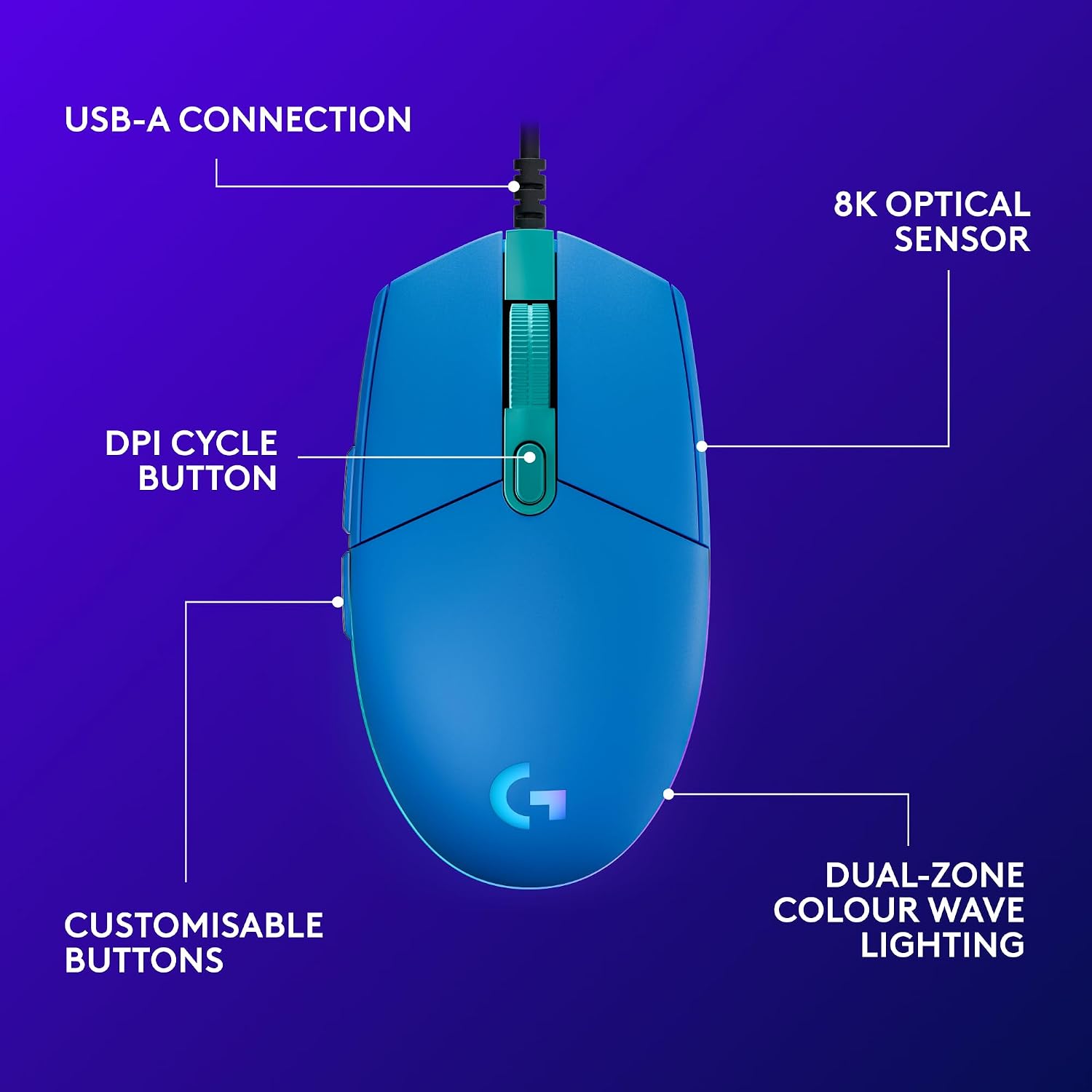
The Logitech G203 LIGHTSYNC is a gaming mouse with a gaming-grade sensor rated for up to 8,000 DPI tracking. It’s designed to respond precisely to movement, and it lets you tune your sensitivity settings using Logitech G HUB gaming software. You can cycle through up to 5 DPI settings, which is useful if you like switching between a low DPI for steady aim and a higher one for quick turns.
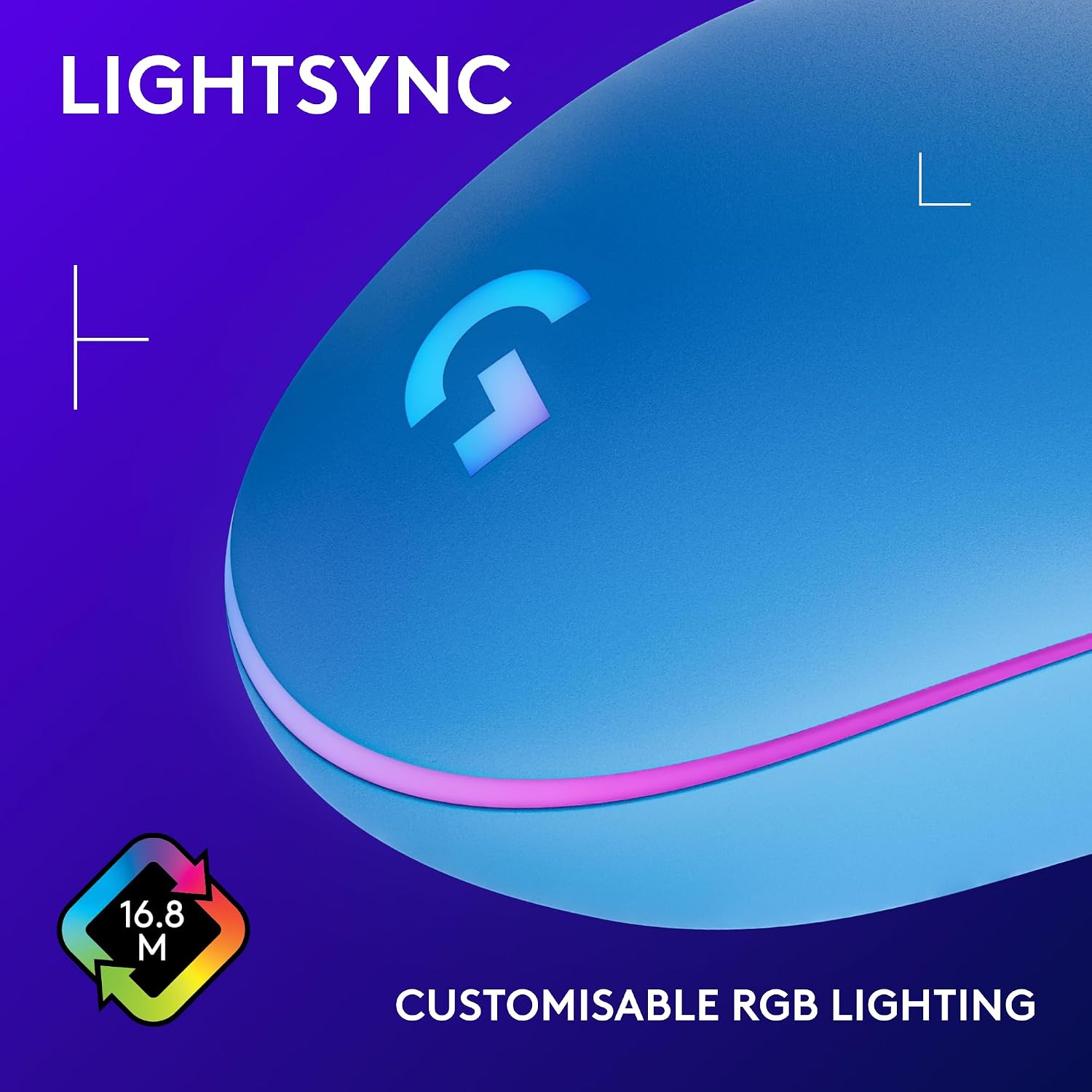
Lighting-wise, it includes LIGHTSYNC RGB with colour wave effects. You can customise the lighting across approximately 16.8 million colours, so it’s there for atmosphere as much as visibility. If you mainly care about performance, you can treat the RGB as optional decoration rather than the main event.
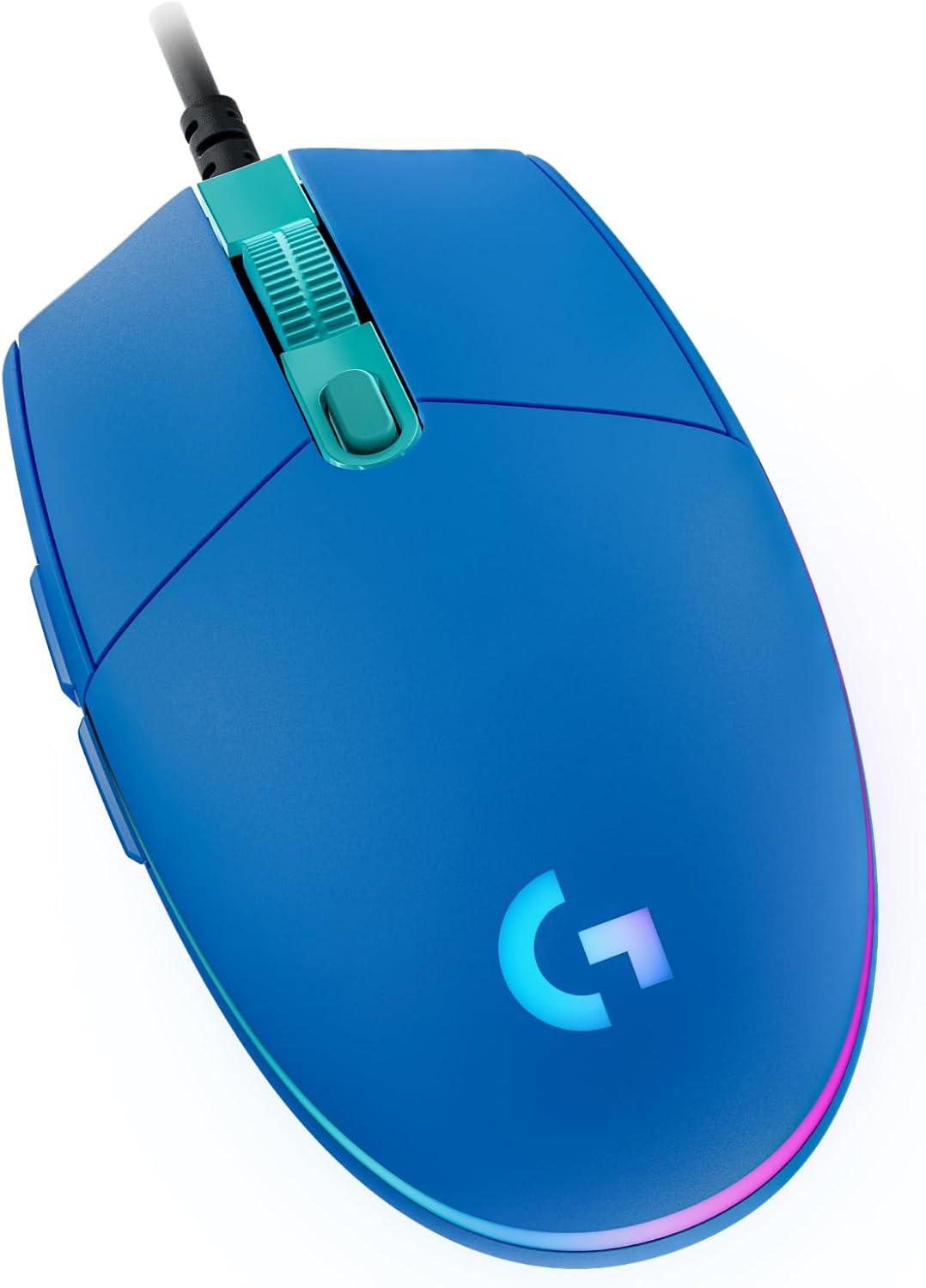
Ergonomics are another part of the pitch. The design is described as a classic gaming shape with a simple 6-button layout, built for comfort and control during longer sessions.
What you’ll notice in daily use
In use, the strongest day-to-day advantage is the combination of sensitivity control and a familiar button layout. The mouse is positioned around “ease first”: tune your sensitivity in G HUB, then cycle through up to 5 DPI steps instead of constantly fiddling mid-game.
There’s also an emphasis on how the main buttons feel. The primary buttons use mechanical spring button tensioning with durable metal springs, which is meant to support reliability and give an “excellent feel”. That’s the kind of detail you notice more over time than in spec sheets—especially if you’re someone who clicks a lot.
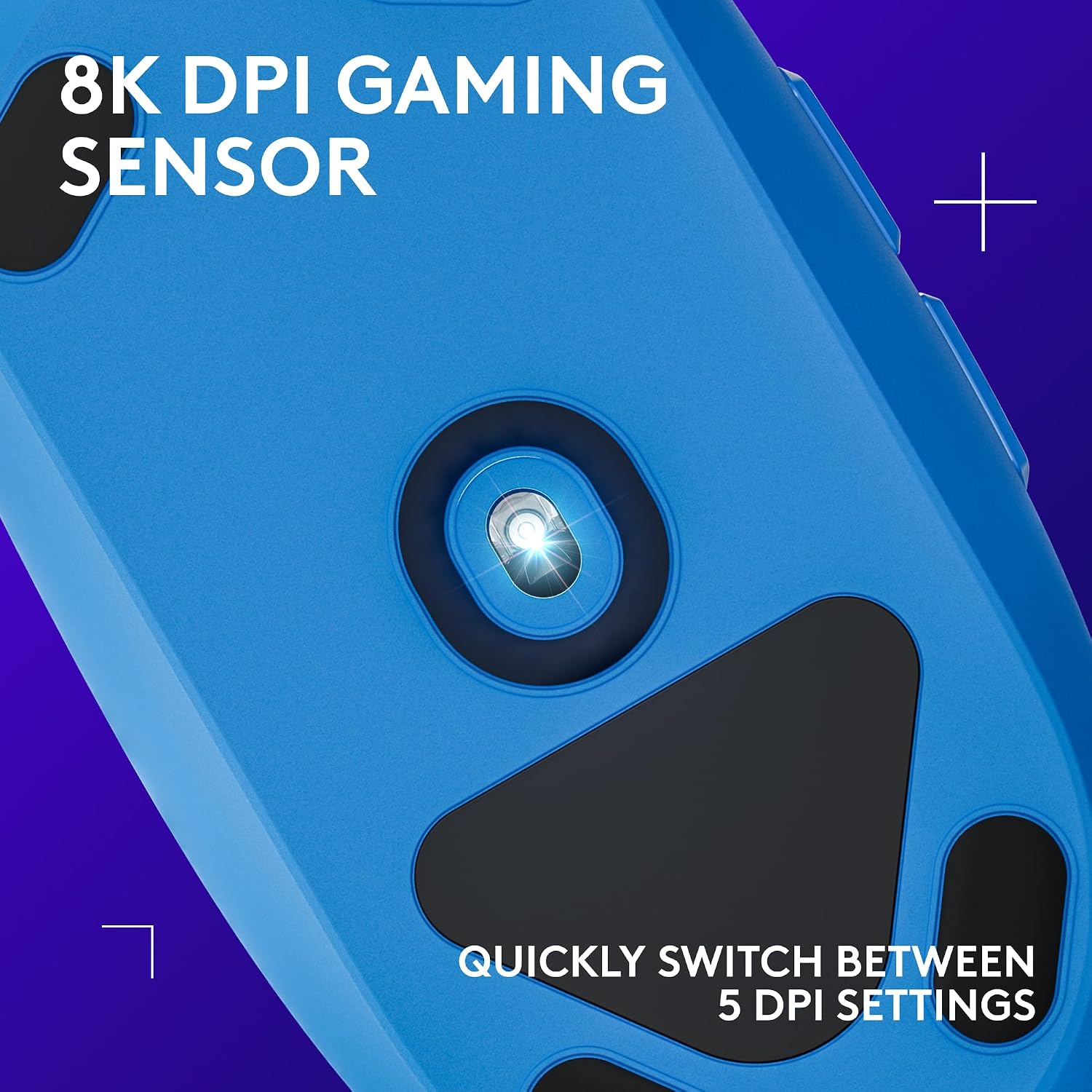
As a micro example, imagine switching from a low-sensitivity shooter aim style for tighter tracking to a higher DPI for quick flicks. With up to 5 DPI levels, you can set those profiles in advance and jump between them when the pace changes.
Key features that matter for gaming
A big part of whether this mouse is “worth it” depends on how you game and what you value most: tuning, control feel, and straightforward configuration.
- Sensor performance is described as gaming-grade, with 8,000 DPI tracking and precise response to movement.
- DPI management is handled via Logitech G HUB, with up to 5 DPI settings you can cycle through.
- LIGHTSYNC RGB offers vibrant effects (colour wave effects) and extensive colour customisation.
- The primary buttons use mechanical spring tensioning with durable metal springs, which should appeal if you care about button feel.
One limit to keep in mind: the description doesn’t mention features like advanced onboard profiles or extra macro-heavy controls. If your style relies on a lot of programmable inputs beyond 6 buttons, you may find yourself wanting more.
Key specifications

- Type: Gaming mouse
- Colour: Blue
- Buttons: 6 programmable buttons
- Sensor sensitivity: 8,000 DPI tracking
- RGB: LIGHTSYNC customisable RGB lighting with colour wave effects (about 16.8 million colours)
- DPI settings: Up to 5 DPI settings
Where it shines (and where it might not)
This mouse makes sense if you want a classic, gamer-tested layout with a sensible number of buttons and the option to adjust sensitivity using G HUB. It suits players who like to set up a few DPI levels and then focus on gameplay rather than constantly changing settings.
It may not be the best match if you’re specifically after a mouse that leans heavily into high-end “everything” features, extra programmable controls, or advanced customization beyond what’s outlined here. In other words, it looks more like a solid, performance-focused option than a fully loaded enthusiast pick.
You may also want to consider whether RGB is truly your priority. The LIGHTSYNC is prominent, but the core value here still comes down to the sensor response, DPI control, and button feel.
Who it’s for
It’s a strong candidate for everyday PC gaming where you want a reliable sensor, easy DPI switching, and a comfortable classic shape. If you’re new-ish to gaming mice and want something that doesn’t overwhelm you, the 6-button layout is a friendly starting point.
On the other hand, if you already rely on lots of extra controls or your setup needs very niche configuration, you might want to compare against mice that offer broader input options.
Is it worth it?
Worth buying if you care about responsive 8,000 DPI tracking, want to cycle through up to 5 DPI settings in Logitech G HUB, and prefer a classic 6-button layout with mechanical spring tensioning for the primary clicks. The LIGHTSYNC RGB is a bonus here, especially if you like colour wave effects and fine colour customisation.

Skip it if you need more than 6 programmable buttons, or if your buying checklist is about feature depth that goes beyond what’s described. It’s a practical gaming mouse, but it’s not trying to be the most complex controller-style input device.
Mini FAQ
Does the G203 LIGHTSYNC support DPI changes?
Yes—using Logitech G HUB you can customise sensitivity settings and cycle through up to 5 DPI settings.
How many RGB colours can it show?
It’s described as customisable across approximately 16.8 million colours.
What are the main buttons like?
The primary buttons use mechanical spring button tensioning with durable metal springs, aimed at reliability and a solid feel.
How many programmable buttons are there?
It has 6 programmable buttons.
What’s the sensor rating?
The description states 8,000 DPI tracking with a gaming-grade sensor that responds precisely to movement.