

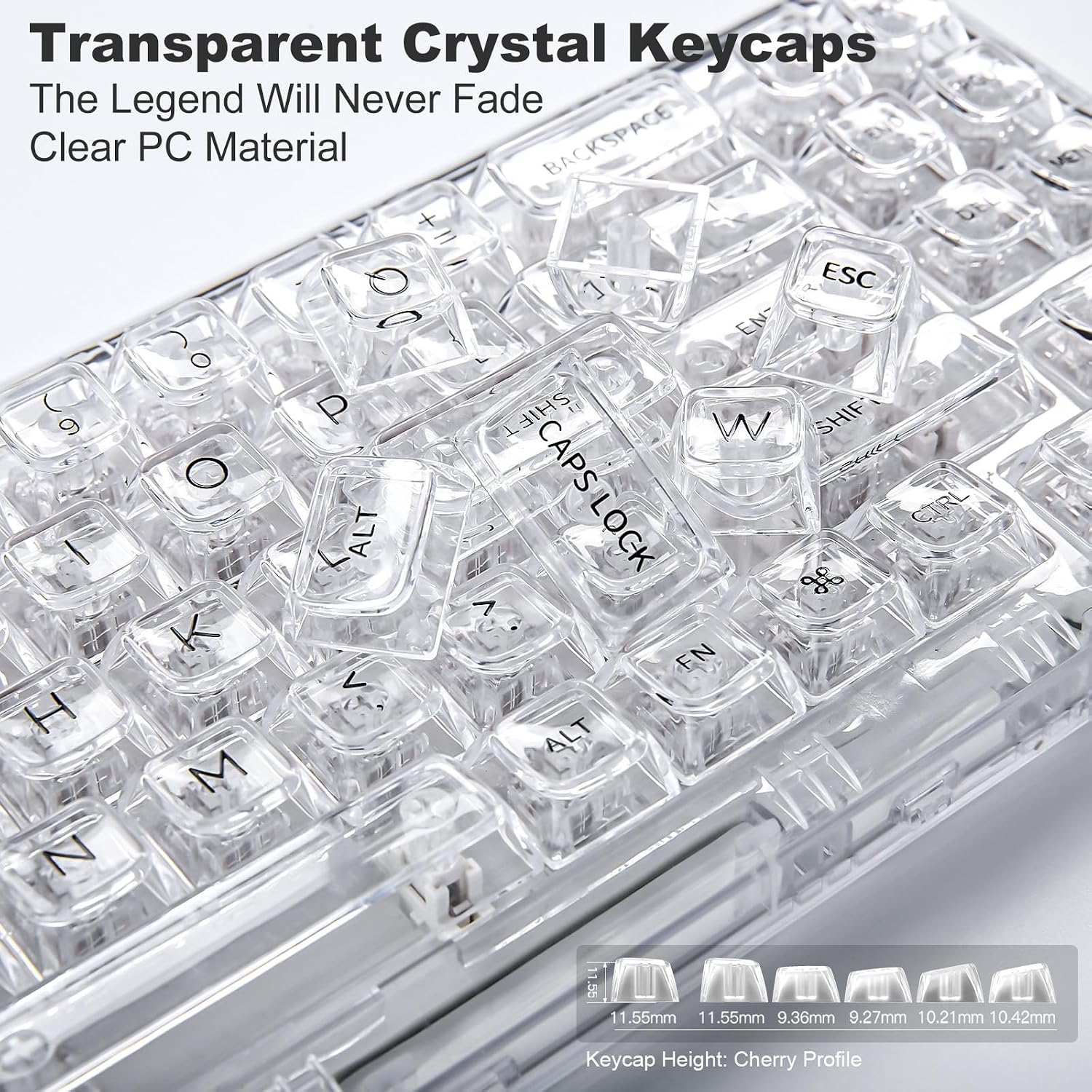
YUNZII X71 Transparent Mechanical Keyboard with Clear Keycaps
Product description
What it is
The YUNZII X71 is a compact 68% mechanical keyboard built from high‑transparency PC material, designed to keep the keys and casing looking clear and clean. It aims to blend a minimal desk footprint with RGB lighting, and a gasket‑mounted chassis for a smoother typing feel.
How it’s supposed to work
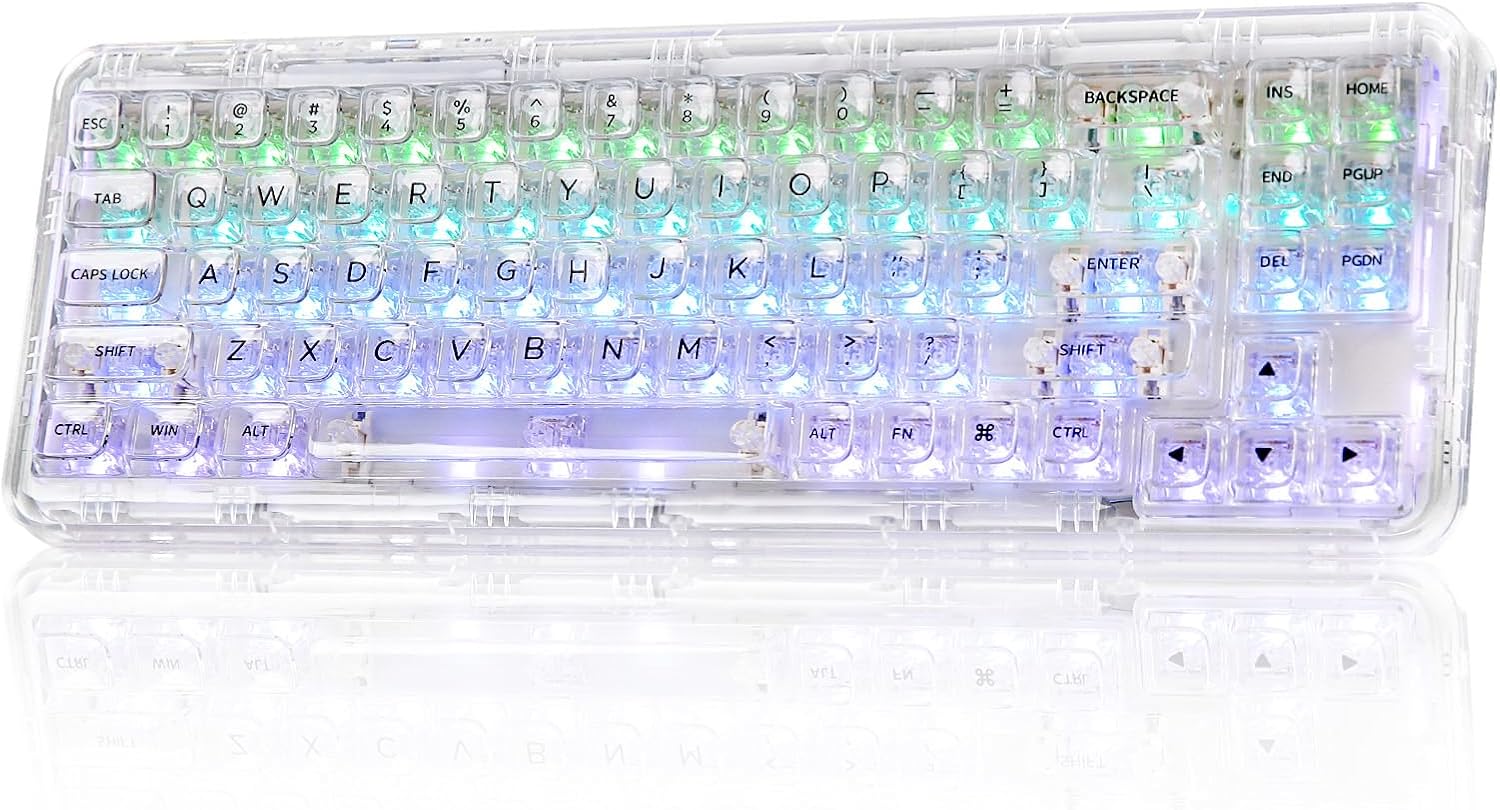
It supports three connection methods: Type‑C wired, Bluetooth 5.0 and a 2.4GHz wireless option. This tri‑mode setup makes it adaptable for a variety of devices, from laptops to tablets and phones, across Windows, Mac and other OS families. The keyboard also includes a switch to toggle between Windows and Mac layouts, helping you stay efficient on mixed setups.
What’s under the lid
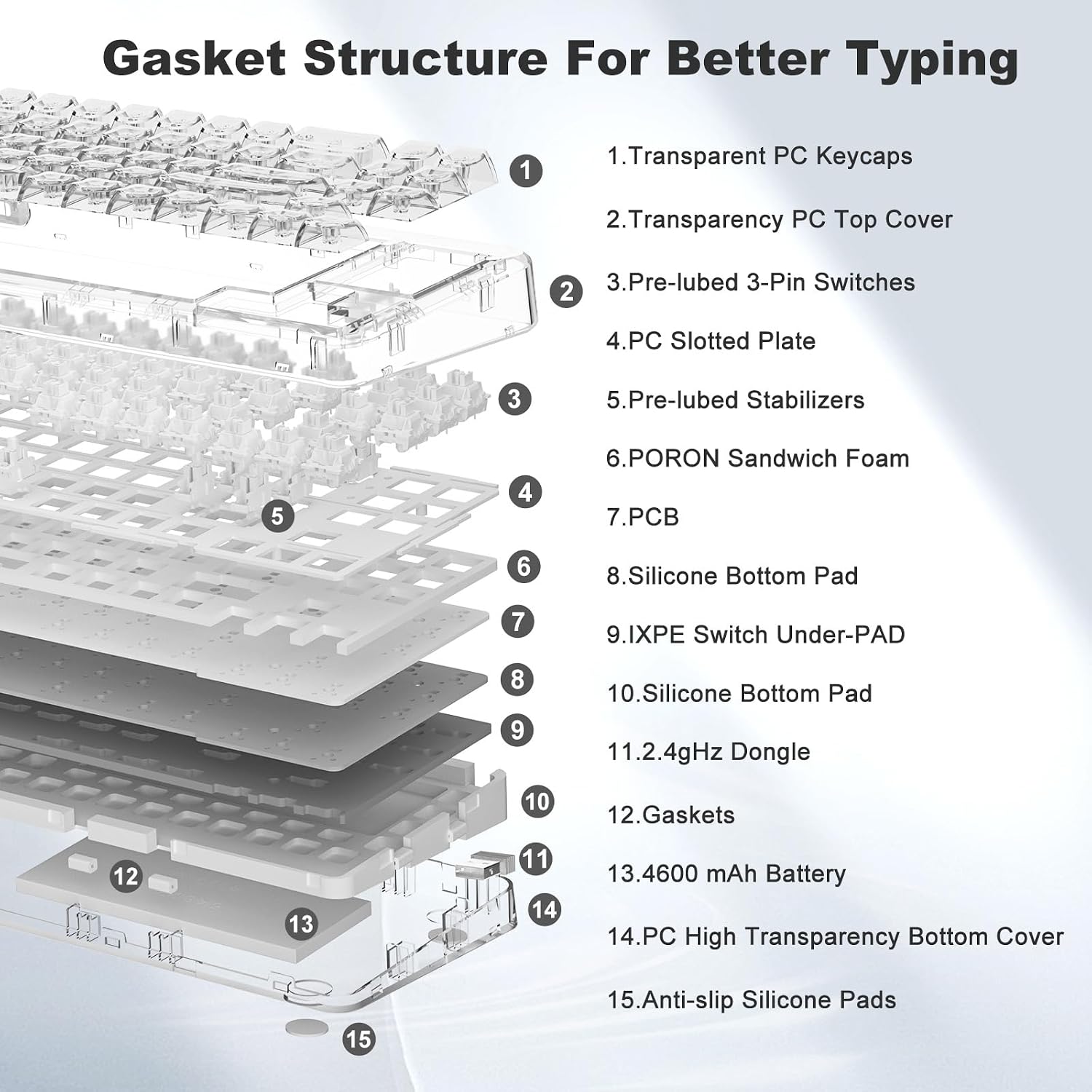
The X71 uses a gasket mount design paired with silicone pads and Poron foam to dampen vibrations and reduce noise. The result is a quieter, more cushioned typing feel compared with traditional rigid mounts. The keyboard ships with pre‑lubed transparent mechanical switches and a TTC socket, offering easy hot‑swap capability for 3‑pin and 5‑pin switches. It’s rated for up to about 50 million keystrokes, which gives a sense of long‑term durability for regular gaming or heavy typing.

Software and programming
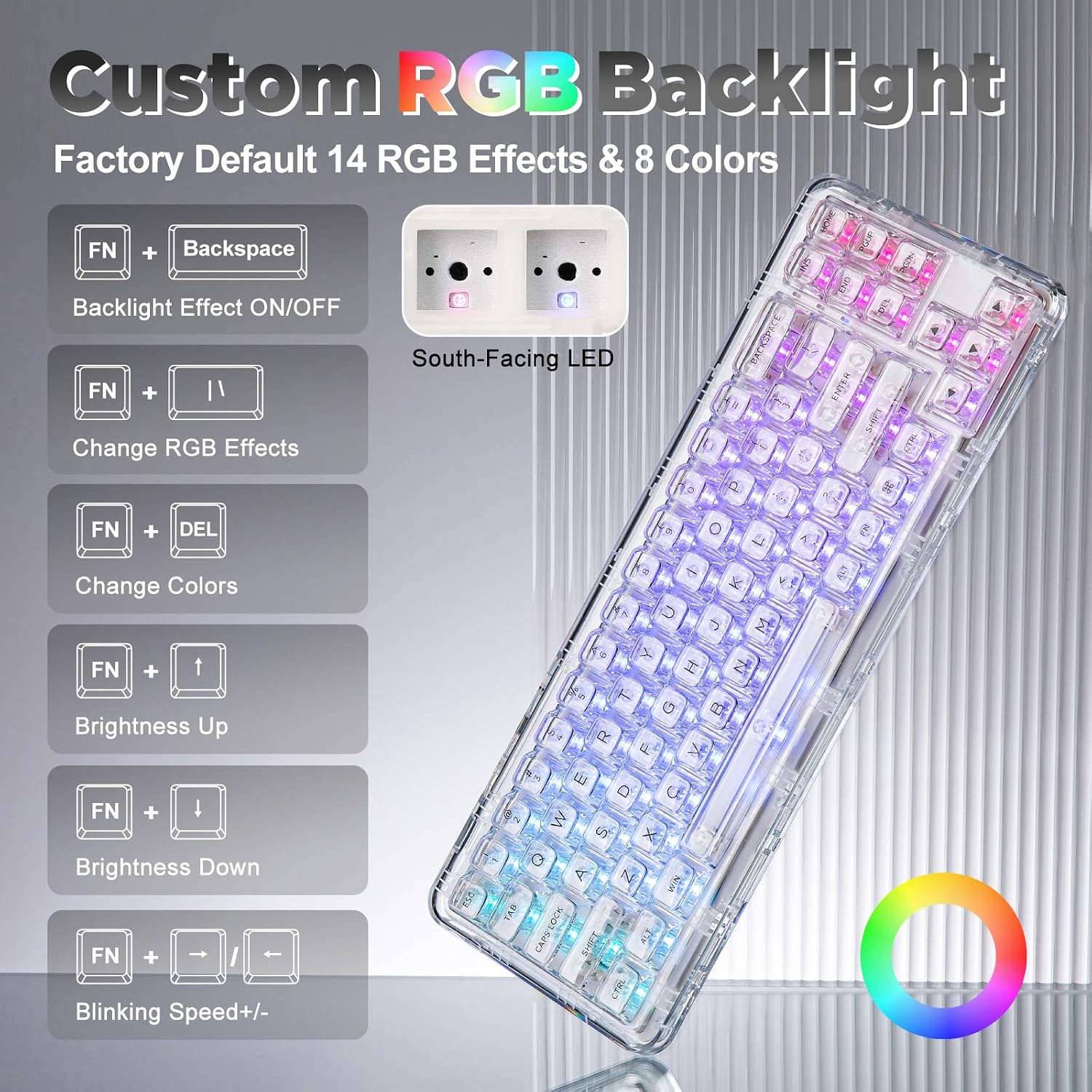
RGB is programmable, with software available for Windows to customise lighting and remap keys. Note that the software is not available for Mac OS. Expect a bright visual experience with factory settings featuring 14 preset lighting modes and rhythm options that respond to music or sound cues.
Who it suits
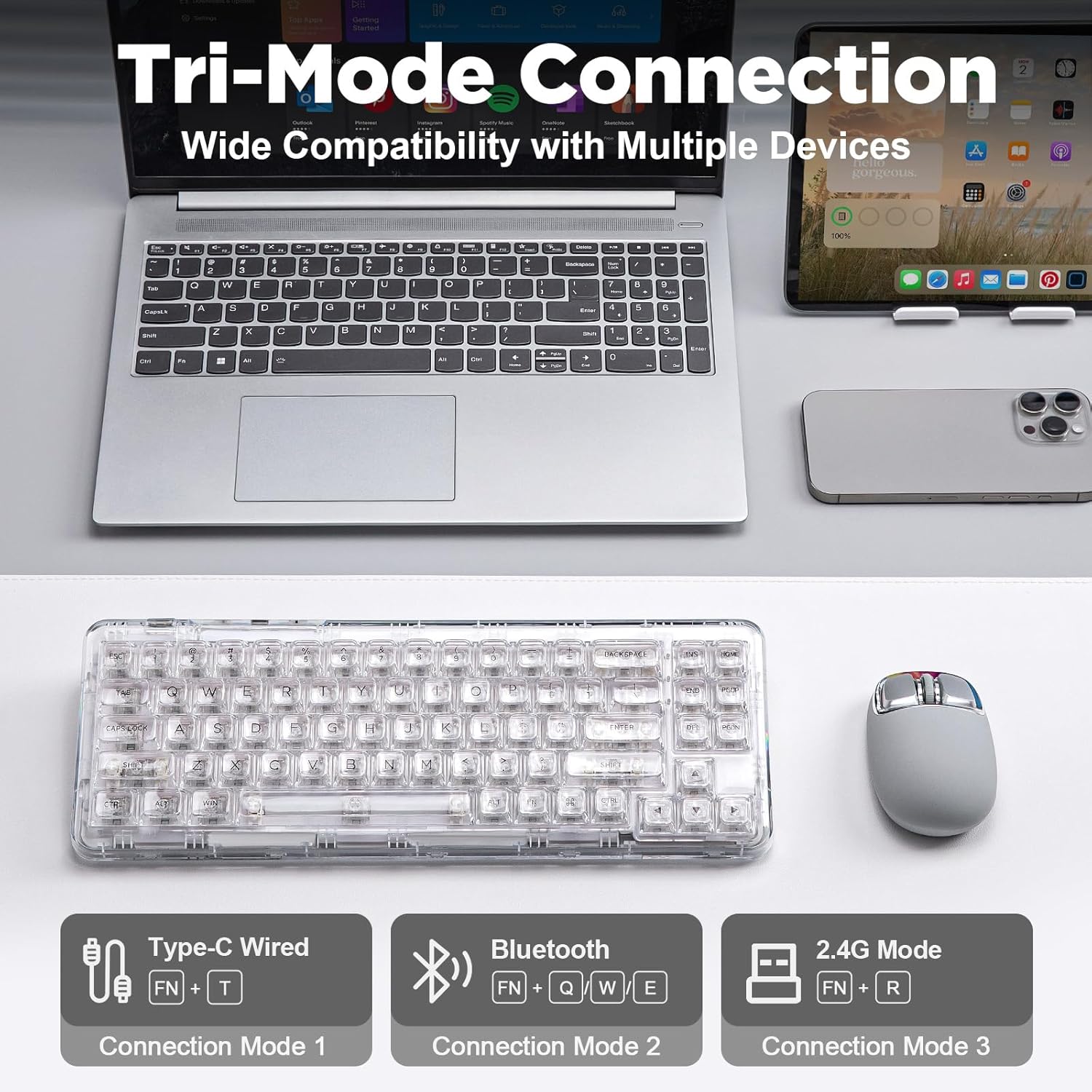
If you prioritise a compact desk footprint without sacrificing a premium typing feel, the X71 can fit well in gaming rigs or home offices. The large keycaps and ergonomic spread aim to support comfortable long sessions, whether you’re gaming, coding, or drafting documents.
When it may fall short
If you use Mac exclusively and rely on software customisation, you might find the Windows‑only keyboard software limiting. Also, being a 68% layout, it omits a number pad and some dedicated function keys, which could slow you down if you’re accustomed to a full‑size board.

What to check before buying
- Confirm you’re comfortable with a 68% layout and a compact form that lacks dedicated number pad.
- Consider whether you’ll use Windows software for RGB customisation, Mac users may need to adjust workflow accordingly.
- If you plan to swap switches later, ensure you’re comfortable with hot‑swapping via the TTC socket and that the switches you choose are 3‑pin or 5‑pin compatible.
- Think about your desk space and whether a gasket‑mounted, slightly bulkier chassis still fits your setup.
Practical use example
Imagine a quiet gaming session late at night: you’ve got the X71 connected via Bluetooth to a laptop, typing away with the RGB set to a subtle breathing effect. The gasket mount softens the keystroke, making it pleasant to type for extended periods while keeping the desk neat thanks to its clear aesthetic and compact footprint.
What stands out
- Transparent PC construction and clear keycaps keep the design visually clean.
- Tri‑mode connectivity adds versatility across devices and operating systems.
- Gasket mounting with damping materials aims to reduce noise and vibrations for a smoother feel.
- Hot‑swappable PCB opens potential for custom switch setups without replacing the entire keyboard.
What you’ll notice day to day
The dual emphasis on compact form and ergonomic surface design means you may type more comfortably in tight spaces, while RGB and macros offer a degree of personalisation for gaming or productivity routines. If you value hardware that can adapt to Windows software for lighting and mapping, this helps refine your setup—but expect some limits on Mac customization.
Final decision
Is it worth it?
Worth considering if you want a compact, visually clean keyboard with flexible wireless options and a moddable, gasket‑mounted design. It may not be ideal if you require full Mac software support or a traditional full‑size layout.
FAQ
- Do I need Windows to customise RGB on the X71? Yes, Windows is required for the full RGB and remapping software.
- Can I use this keyboard with Macs without Windows software? You can use it in Bluetooth or USB‑C wired mode on Mac, but RGB remapping requires Windows software.
- What’s the main limitation of the 68% layout? You’ll lose a dedicated number pad and some function keys, which can affect workflows that rely on those keys.