

UGREEN Maxidok Thunderbolt 5 Docking Station (Revodok 17-in-1 TB5 Dock) – 120Gbps, 8TB NVMe slot, 2.5GbE
Product description
If your laptop only has a couple of ports and you’re tired of swapping cables, a Thunderbolt 5 dock can genuinely tidy up your setup. The UGREEN Maxidok Thunderbolt 5 Dock (Revodok 17-in-1) is built around one idea: give you a lot of “real workstation” connections over a single upstream cable, while keeping performance steady for everyday use.
That said, it’s not for everyone. Thunderbolt docks tend to make sense when you actually need the extra bandwidth and features (multiple displays, fast networking, and/or a storage enclosure). If you just want basic screen-out and a few USB ports, this may feel like overkill.
The essentials
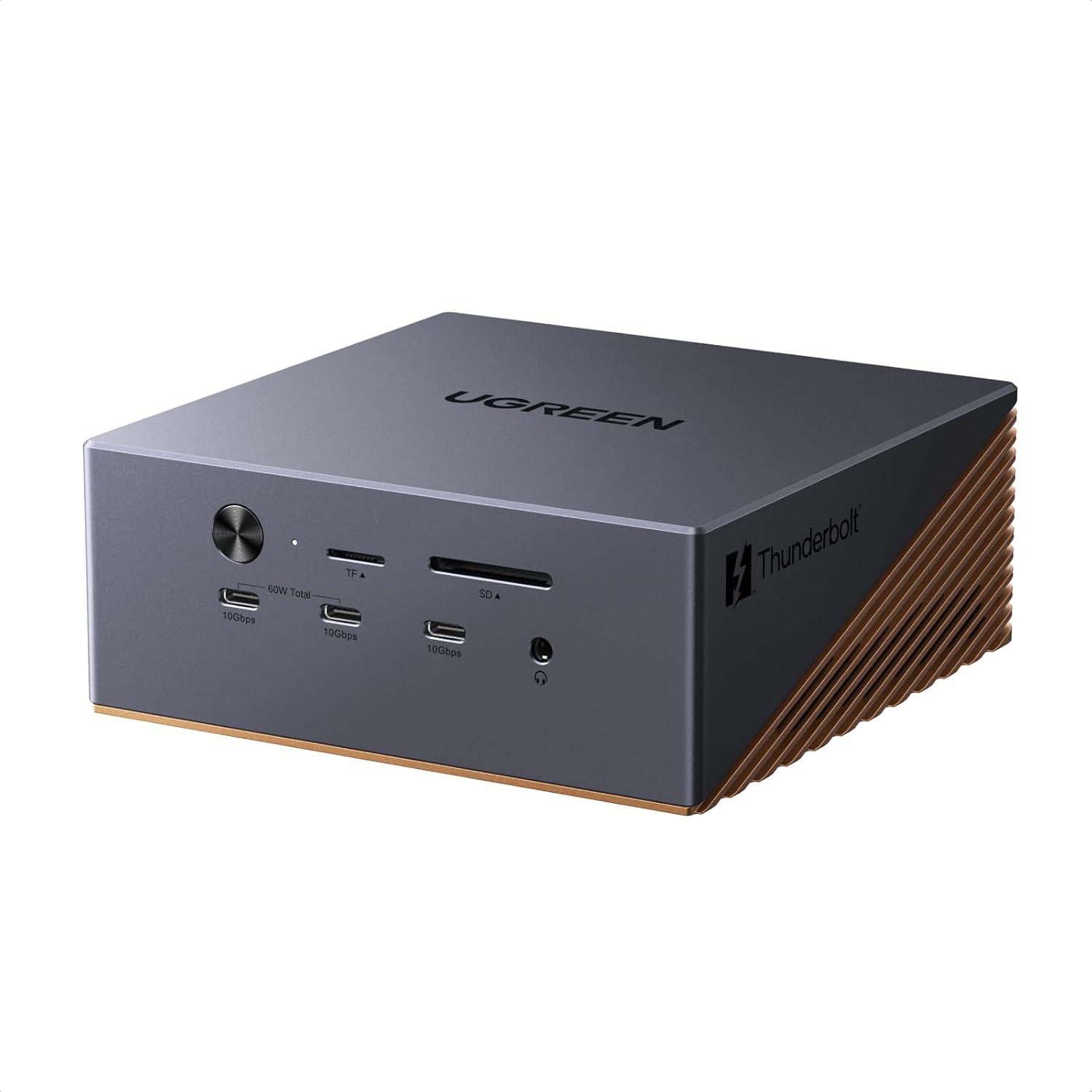
This is a 17-in-1 Thunderbolt 5 docking station designed for TBT5/TBT4 laptops. It uses Thunderbolt 5 upstream connectivity and offers dual downstream Thunderbolt ports, plus a DisplayPort 2.1 video output. On the connectivity side it brings a mixed bag of high-speed USB and legacy-style extras, including a SD/TF 4.0 card reader and three 3.5mm audio jacks.
Where it leans particularly “power user” is the storage expansion: it includes an M.2 NVMe SSD enclosure that supports drives up to 8TB. The dock also includes an active cooling system, and it’s explicitly positioned for sustained operation rather than short bursts.
What you’ll notice in day-to-day use
With a dock like this, the day-to-day win is less about peak specs and more about how smoothly everything stays connected. The bundle is aimed at setups where you’re juggling multiple peripherals at once, such as:
- One-cable connection to your laptop plus external storage and wired networking
- A desk setup that includes monitors, card reads from cameras, and audio devices
- Creators moving large files around, where sustained transfers matter
The cooling system is an important part of the pitch: it’s designed to help the dock run consistently even under continuous workload conditions. On paper, that matters if you leave your workflow running for hours rather than plugging and unplugging throughout the day.
There’s also a practical limitation to keep in mind: multi-display performance and display modes can depend on how your laptop and the dock negotiate video over Thunderbolt/DisplayPort. The dock supports specific display combinations, but the exact experience will depend on your setup.
Key specifications that shape the value
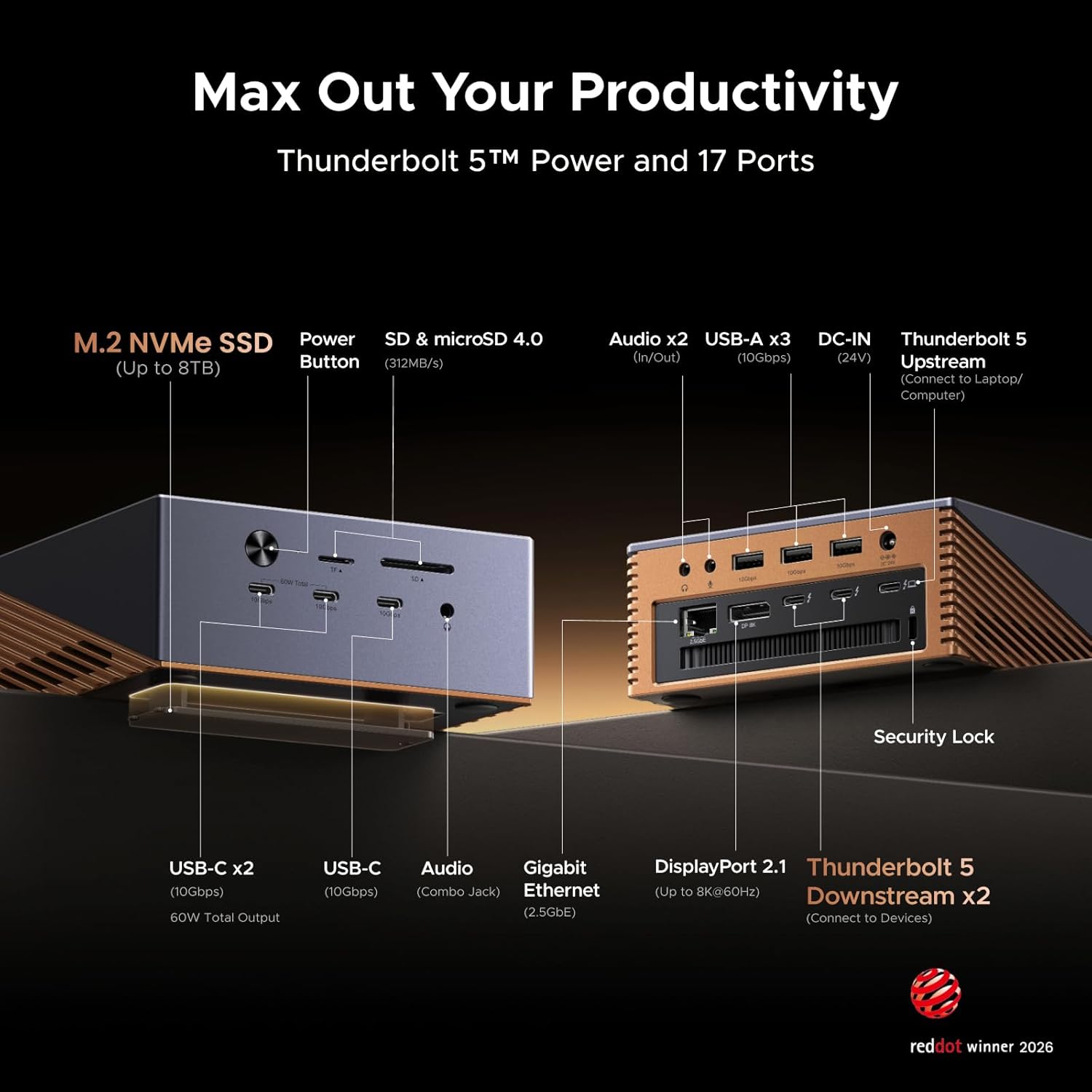
The headline numbers here are Thunderbolt 5 with up to 120Gbps bandwidth and an integrated 8TB max M.2 NVMe SSD enclosure. UGREEN also mentions up to 6000MB/s storage access for the PCIe 4x4 arrangement—useful if you intend to edit or access large media projects directly from the dock’s enclosure.
For networking, it includes 2.5GbE Ethernet. That’s a nice step up from standard 1GbE docks when you’re transferring big files or streaming high-resolution media from a wired NAS.
Ports-wise, you get:
- 3x 10Gbps USB-C ports and 3x 10Gbps USB-A ports
- SD/TF 4.0 card reader
- DisplayPort 2.1 plus Thunderbolt 5 downstream ports
- 3x 3.5mm audio jacks
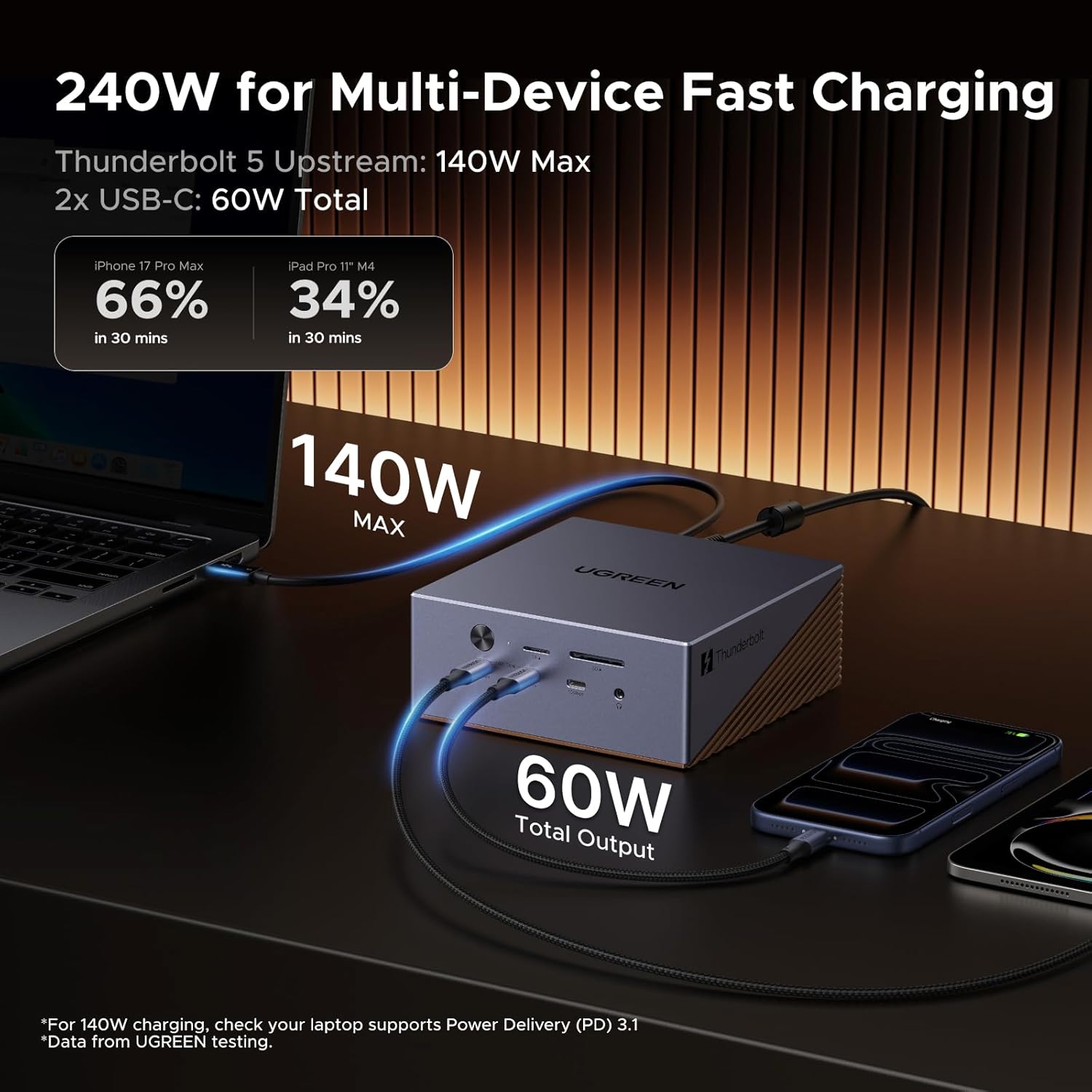
Power is also not an afterthought. The included power input is described as 240W DC, with up to 140W charging to the laptop via Thunderbolt 5 upstream, plus shared power up to 60W across the front dual USB-C ports for accessories.
Cooling and storage expansion: the “power desk” angle
If you’re buying a Thunderbolt 5 dock and not just a connector hub, the two features that tend to matter most are active cooling and storage expansion.
Active cooling is intended to support consistent, continuous operation (the brand specifically frames it around 24/7 use under heavy workloads). That’s helpful if you run long editing sessions, keep large libraries connected, or rely on the dock as a constant part of your workspace.
On storage, the dock’s integrated M.2 NVMe enclosure is interesting because it can reduce dependence on slower external drives. If your workflow involves grabbing assets quickly, editing directly off the dock’s NVMe, or keeping a project drive attached, this arrangement can feel more “built-in” than relying on USB storage.
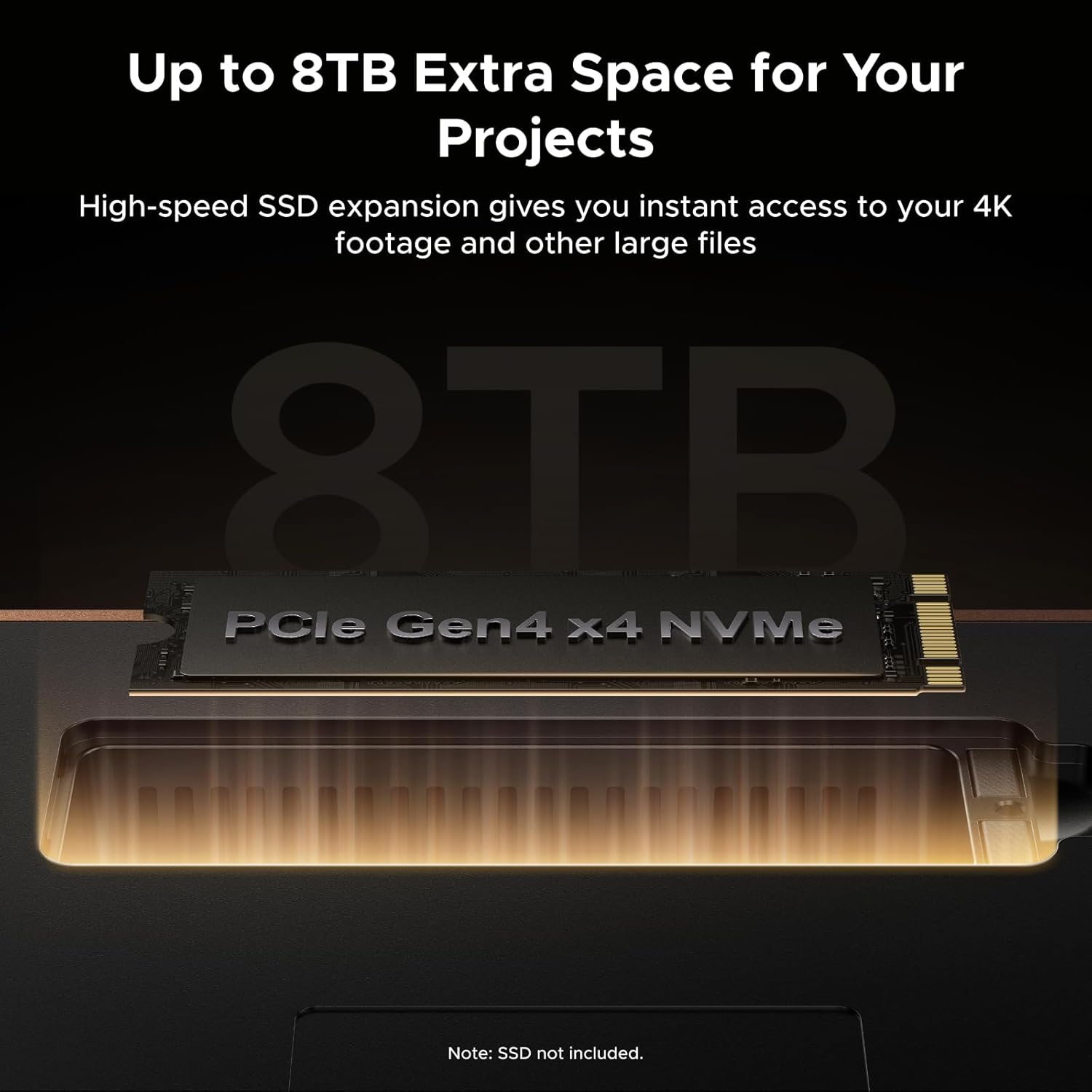
Still, there’s a caveat: without seeing compatibility details for your exact SSD size/type, you should confirm what NVMe drive form factor and installation requirements you plan to use. The dock says it supports up to 8TB and positions the enclosure as PCIe 4x4, but you’ll want to double-check the practical fit before buying an expensive drive.
Pros and where it might fall short
What stands out:
- Thunderbolt 5 upstream with up to 120Gbps bandwidth, aimed at high-performance setups
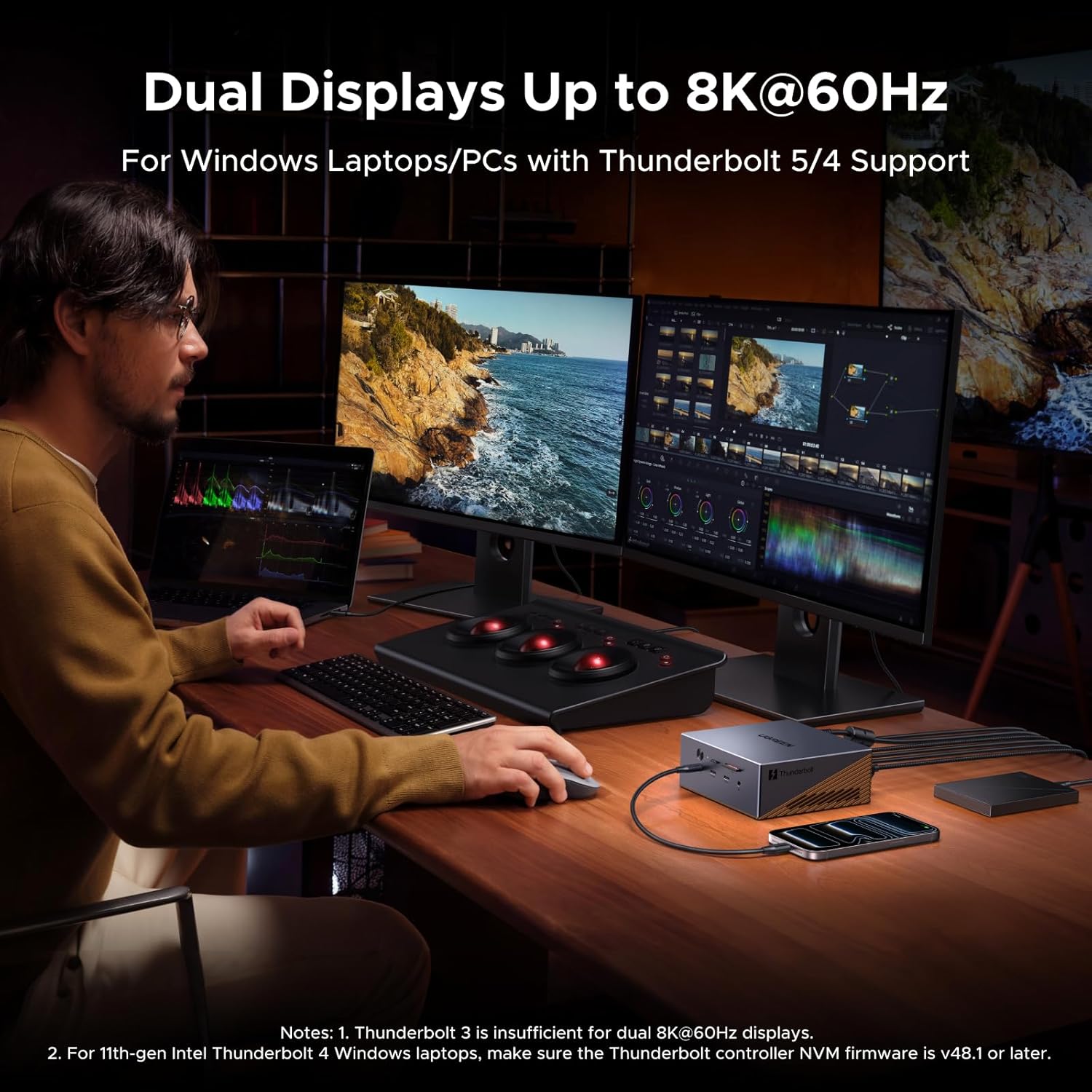
- Dual Thunderbolt 5 downstream ports and DisplayPort 2.1 for multi-display options (single 8K@60Hz or multi 4K scenarios, depending on configuration)
- Built-in M.2 NVMe enclosure up to 8TB for fast storage expansion
- 2.5GbE Ethernet for faster wired networking than typical 1GbE docks
- Active cooling designed for consistent continuous workloads
Worth noting (possible trade-offs):
- It’s a feature-heavy dock, if you only need a couple of USB ports and one monitor, it may be more cost and complexity than necessary.
- Multi-display outcomes can depend on laptop support and how your displays are connected, the dock’s headline resolutions are promising, but your real-world result may vary.
- With a lot going on (storage, multiple displays, high-speed USB), you should make sure your laptop and cable/port setup can actually benefit from Thunderbolt 5 rather than treating it like a generic USB-C hub.
Who it’s for (and who should skip it)
It makes sense if you’re building a desktop-like workstation around a Thunderbolt 5 (or Thunderbolt-capable) laptop, and you want one docking cable to cover monitors, fast peripherals, wired networking, and optional fast NVMe storage. It’s particularly appealing if you frequently transfer large files, work with high-resolution media, or want a tidy desk without external drive clutter.
You may want to skip it if your needs are modest—think mainly charging, a single extra display, and a few USB devices. In those cases, a simpler dock can be less hassle and better value, because you won’t be using most of the features.
FAQs

Can this dock charge a laptop?
Yes. It’s described as supporting up to 140W fast charging to the laptop via the Thunderbolt 5 upstream port, with PD 3.1 support.
Does it include NVMe SSD storage?
The dock includes the M.2 NVMe SSD enclosure, but the information provided focuses on drive support (up to 8TB). You’ll still need to supply the SSD if you don’t already have one.
What kind of displays can it support?
It’s stated to support up to a single 8K@60Hz display, and multiple lower resolutions up to triple 4K (with specific refresh-rate figures mentioned). The final setup depends on how your laptop and displays are configured.
Is the Ethernet fast?
It includes 2.5GbE Ethernet, which is positioned as faster than standard 1GbE for moving files and streaming without as much buffering.
Is it designed for long sessions?
The dock is marketed with an active cooling system intended to sustain consistent operation for continuous workloads, so it’s aimed at staying put rather than being a quick “plug-in and go” accessory.
Final verdict
Worth considering if you’re serious about a one-cable Thunderbolt 5 workstation: multiple high-speed USB devices, fast wired networking, multi-display support, and optional NVMe storage expansion with active cooling for long-running use.
But it might not be the best match if you only need basic connectivity. If you don’t plan to use the NVMe enclosure, the high-speed USB, or multi-display options, you could end up paying for features you won’t touch.