

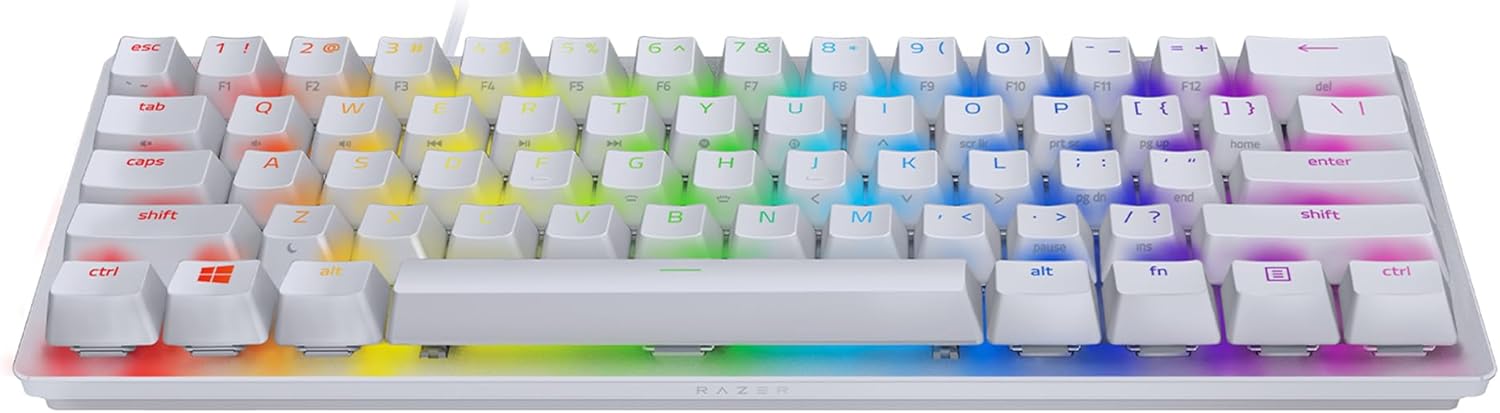
Razer Huntsman Mini (Purple Switch) 60% Compact Gaming Keyboard (Mercury White)
Product description
The essentials
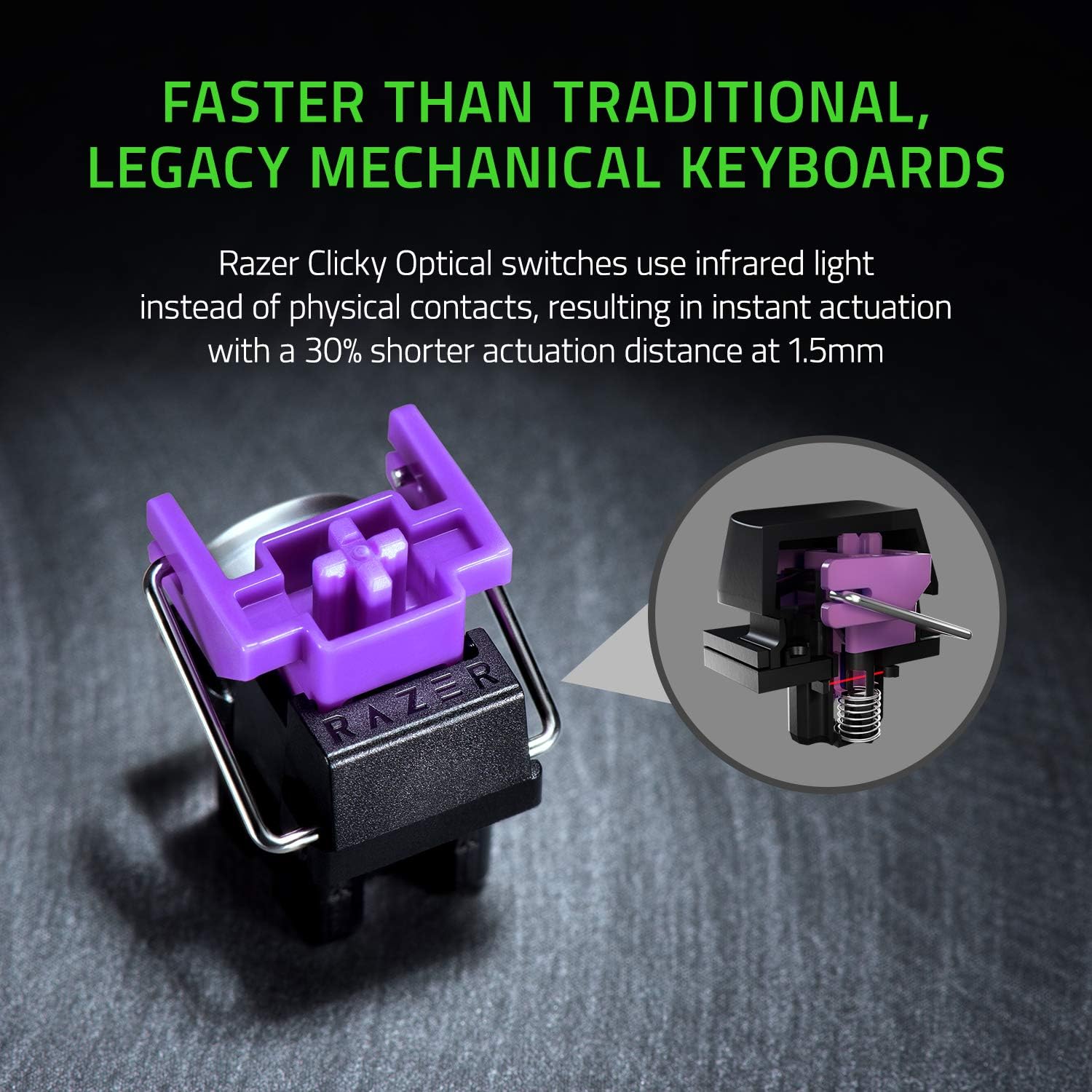
The Razer Huntsman Mini is a 60% compact gaming keyboard aimed at people who want a smaller desk footprint without giving up RGB and the feel of “optical-mechanical” clicky switches. On paper, it leans into speed and consistency: Razer describes its optical switch design as delivering faster, lighter and smoother actuation than traditional mechanical switches, with a longer lifespan thanks to fewer moving parts.
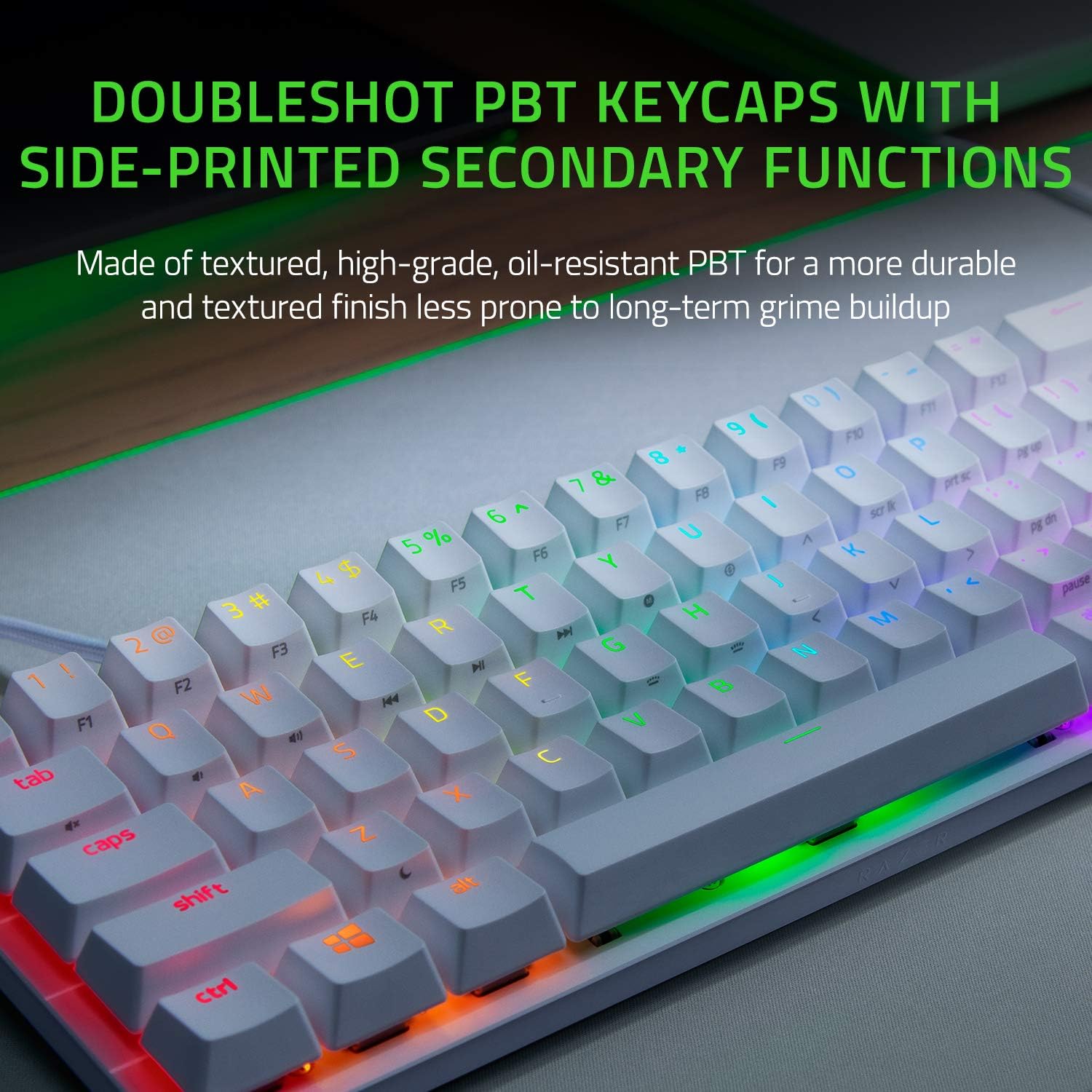
It’s also the kind of keyboard you buy for the day-to-day routine: quick access to your key functions, easy transport, and lighting that’s already configured. The Doubleshot PBT keycaps are positioned as more durable too, including a claim that the legends won’t degrade to a shiny finish or wear off in heavy use. That’s a sensible focus if you’re the type who actually plays a lot and doesn’t want the keyboard to look “worn” too quickly.
Key features that matter in real use
The headline choice here is the Purple “clicky” optical-mechanical switch variant. The practical implication is that you get tactile feedback and a more noticeable press than a linear switch version, which can feel satisfying for gaming and for typing sessions where you want confirmation. The optical approach also matters if you care about how quickly a key registers—Razer talks about lighter and smoother actuation rather than just speed.
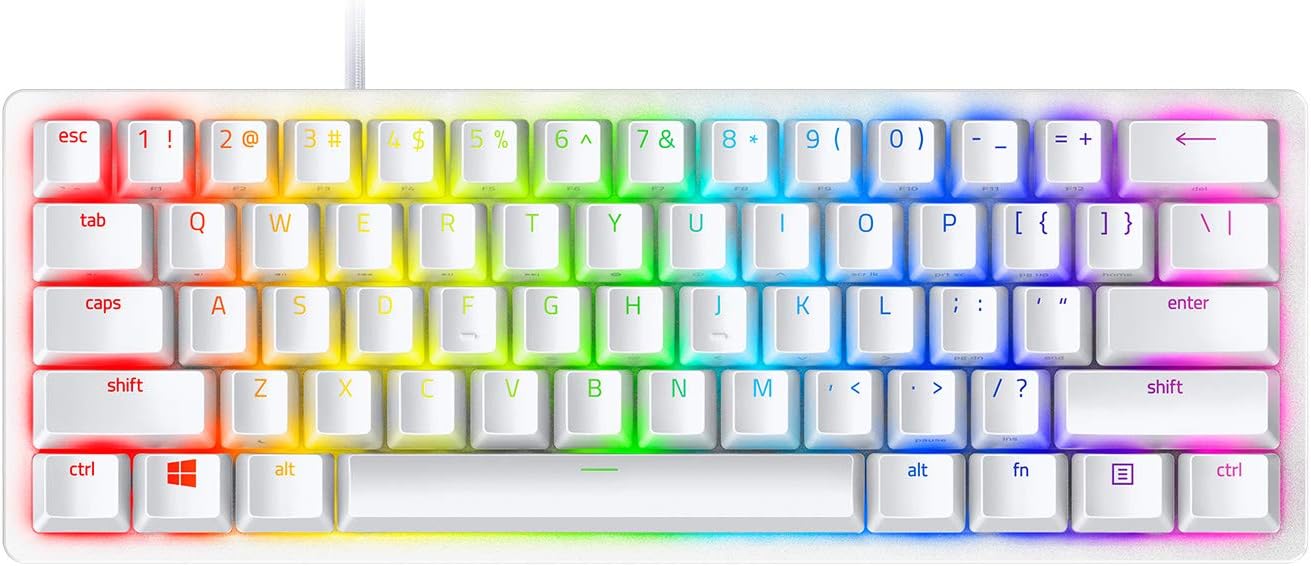
A neat touch for daily switching is the onboard memory and lighting presets. You can store and activate up to 5 keyboard profiles without relying on software. That’s particularly useful if you move between setups (workstation at home, gaming station at a mate’s, or LAN nights) and you want the board to “just be how you left it”.
The Mercury White build is paired with side-printed secondary functions. That’s one of those things you either love or ignore—if you use a lot of layers or shortcut keys, side-printing makes references faster and reduces the “where is that label again?” moment.
Tech specs (what to check before buying)
- Name: Razer Huntsman Mini (Purple Switch) - 60% Compact Gaming Keyboard
- Type: Clicky optical-mechanical gaming keyboard
- Format: 60% compact layout
- Keycaps: Doubleshot PBT keycaps
- Switch description: Optical switches designed for faster, lighter and smoother actuation, longer lifespan with fewer moving parts
- Side functions: Side-printed secondary functions
- Onboard memory: Stores and activates up to 5 keyboard profiles without software
- Lighting: Razer Chroma RGB effects already loaded with presets on the keyboard
- Connection: Detachable USB-C cable
- Layout: US layout
- Colour: Mercury White
Where it shines (and where it can disappoint)
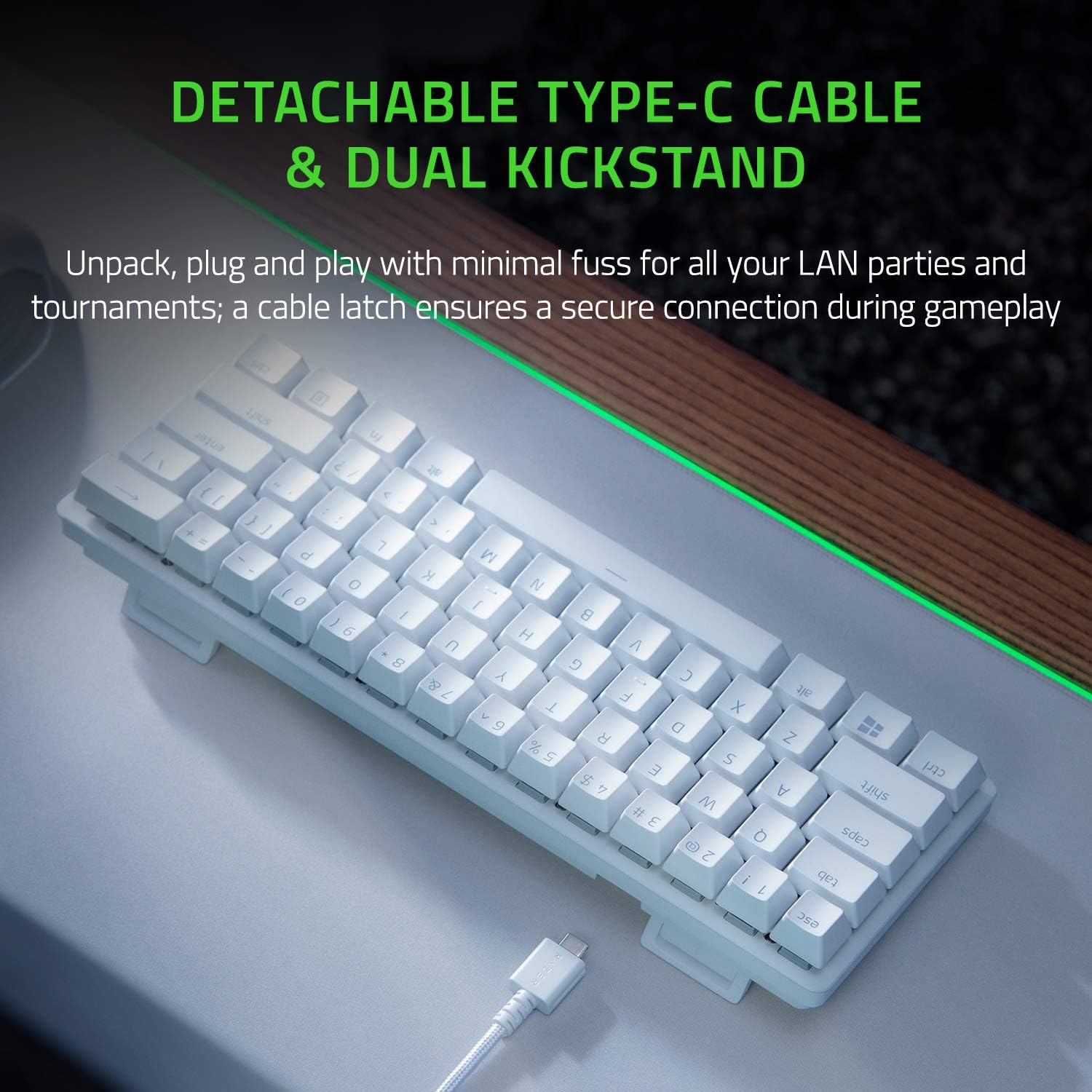
This keyboard makes the most sense if your setup is space-aware. A 60% design is ideal for minimalist or smaller desks, and it’s also easier to position when gaming because it’s not eating your entire desk. It’s also clearly built with movement in mind: Razer highlights a detachable USB-C cable designed to keep things straightforward for LAN parties and tournaments, including a latch to help the cable stay secure during play.
Where it may not land as well is if you rely on the full-size layout for everyday work or you’re used to dedicated keys that 60% boards typically drop. Even with side-printed secondary functions, this is still a compact format, so you may find the learning curve annoying if you need lots of dedicated keys all the time.
Also, if your priority is purely silent performance, a clicky switch isn’t going to be a “calm in shared spaces” choice. The clicky nature is part of the appeal here—just be aware it can be louder than linear options.
Getting the most from it
If you’re buying this for gaming, it’s worth planning around the compact layout. Spend a little time setting your main gameplay profile(s), then use the onboard memory so you’re not dependent on software just to get your preferred setup. Because it supports up to 5 profiles, you can keep one for your main game, one for another title, and maybe one for non-gaming use.
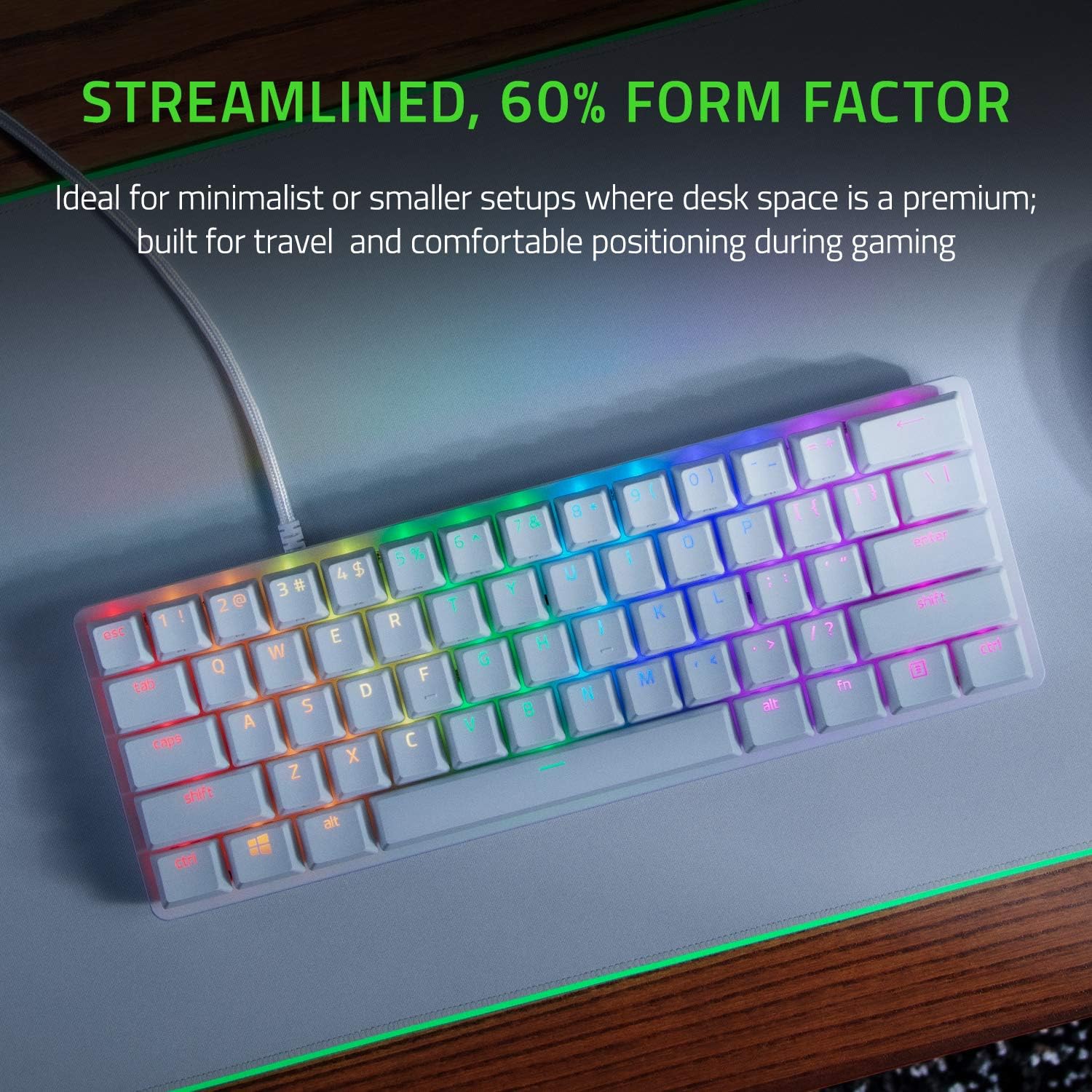
For a quick practical example: on a LAN weekend, you can arrive with your profile already saved on the keyboard. Plug in via the detachable USB-C cable, load your chosen profile, and rely on the side-printed secondary functions to navigate key layers without hunting for labels. That “no-faff” approach is exactly the kind of convenience a 60% board is meant to provide.
Care & durability notes
The spec focuses heavily on staying looking nice. Doubleshot PBT keycaps are described as being designed for durability, including a claim that the legends won’t degrade to a shiny finish or have labelling wear off with intense use. That’s a good direction if you’ve had cheaper keycaps fade or polish over time.
Still, a quick reality check: keyboard wear depends a lot on how you use it and how often the legends see friction. The claims are encouraging, but no keyboard is immune to time.
In short: Should you buy it?
When it makes sense
It’s a solid pick if you want a 60% compact gaming keyboard for a smaller desk, like clicky feedback from optical-mechanical Purple switches, and you care about durability (PBT keycaps and side-printed secondary functions). It also makes sense if you want onboard profile storage so your lighting and key setup can travel with you.
It might not be a great match if
You may want to skip it if you need a full-size layout with dedicated keys, or if you’re buying specifically for quiet use in shared spaces. And if you’re expecting a keyboard to feel “instantly familiar” despite switching to a compact format, it might take you a little adjustment.
Mini FAQ
Does it need software to use profiles?
Razer states that it supports onboard memory to store and activate up to 5 keyboard profiles without the need for software.
What makes it different from standard mechanical switches?
Razer describes its optical switches as offering faster, lighter and smoother actuation than mechanical switches, with fewer moving parts and less friction to support longer lifespan.
Is it good for travel or LAN events?
The detachable USB-C cable is designed for plug-and-play use with a latch to help keep the cable securely connected during gameplay, which should suit LAN-style setups.
What does “side-printed secondary functions” mean?
The keyboard includes labels on the side for secondary functions, intended to make it easier to reference key layers or shortcuts.
Is it compatible with UK setups?
The entry specifies a US layout. If UK layout key mapping matters to you, it’s worth double-checking your own requirements before buying.