

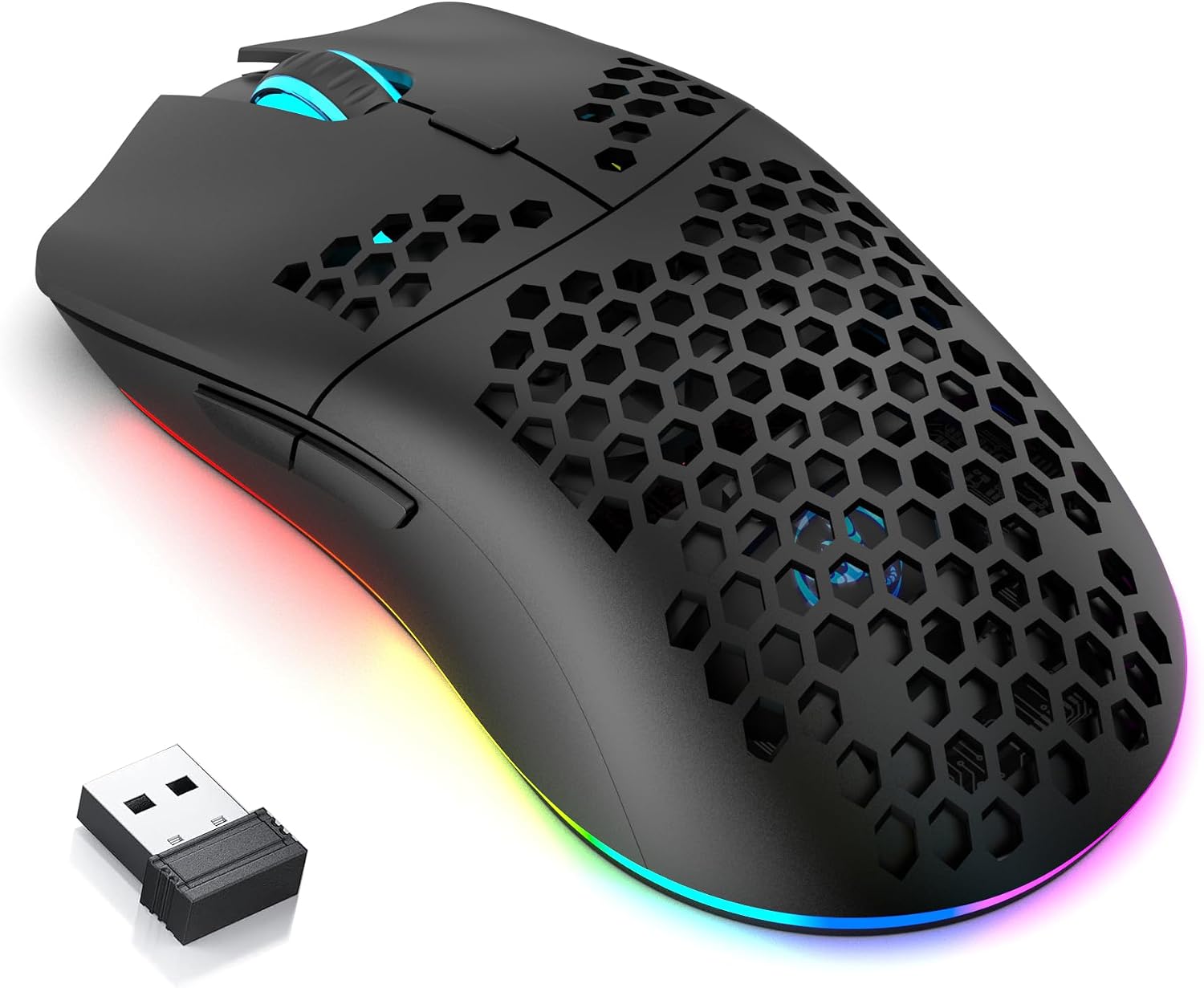
CROSS Zebra T66 gaming mouse 3600 DPI
Product description
If you want a gaming mouse that keeps up across different setups, the CROSS ZEBRA T66 gives you flexible connectivity plus precise control in a lightweight shell. The honeycomb design is built to feel comfortable over long sessions, while the sensor can be adjusted up to 3600 DPI for smoother aiming. Add in programmable buttons and RGB lighting, and you get a mouse you can tune for both competitive play and everyday computer use, whether that is web browsing, office work or gaming on a PC. 🎮
What matters most
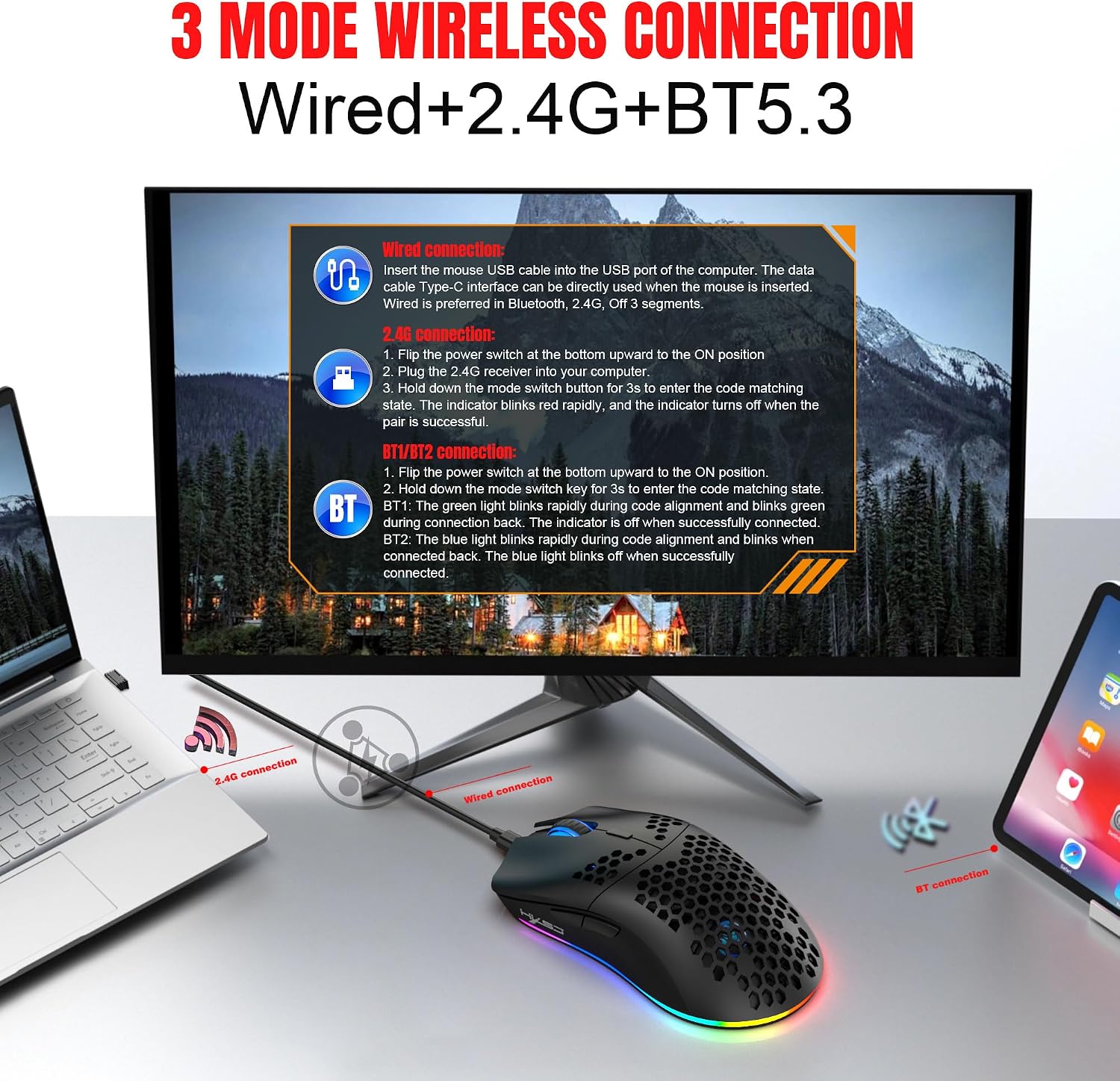
The CROSS ZEBRA T66 PC Gaming Mouse is designed around choice and consistency. It supports three connectivity modes, letting you switch between Bluetooth, 2.4G wireless and wired use depending on what your setup needs. That makes it practical if you move between devices or want a reliable option for a desk setup. It is also built with a lightweight honeycomb structure, which helps reduce weight while supporting airflow during extended gameplay.
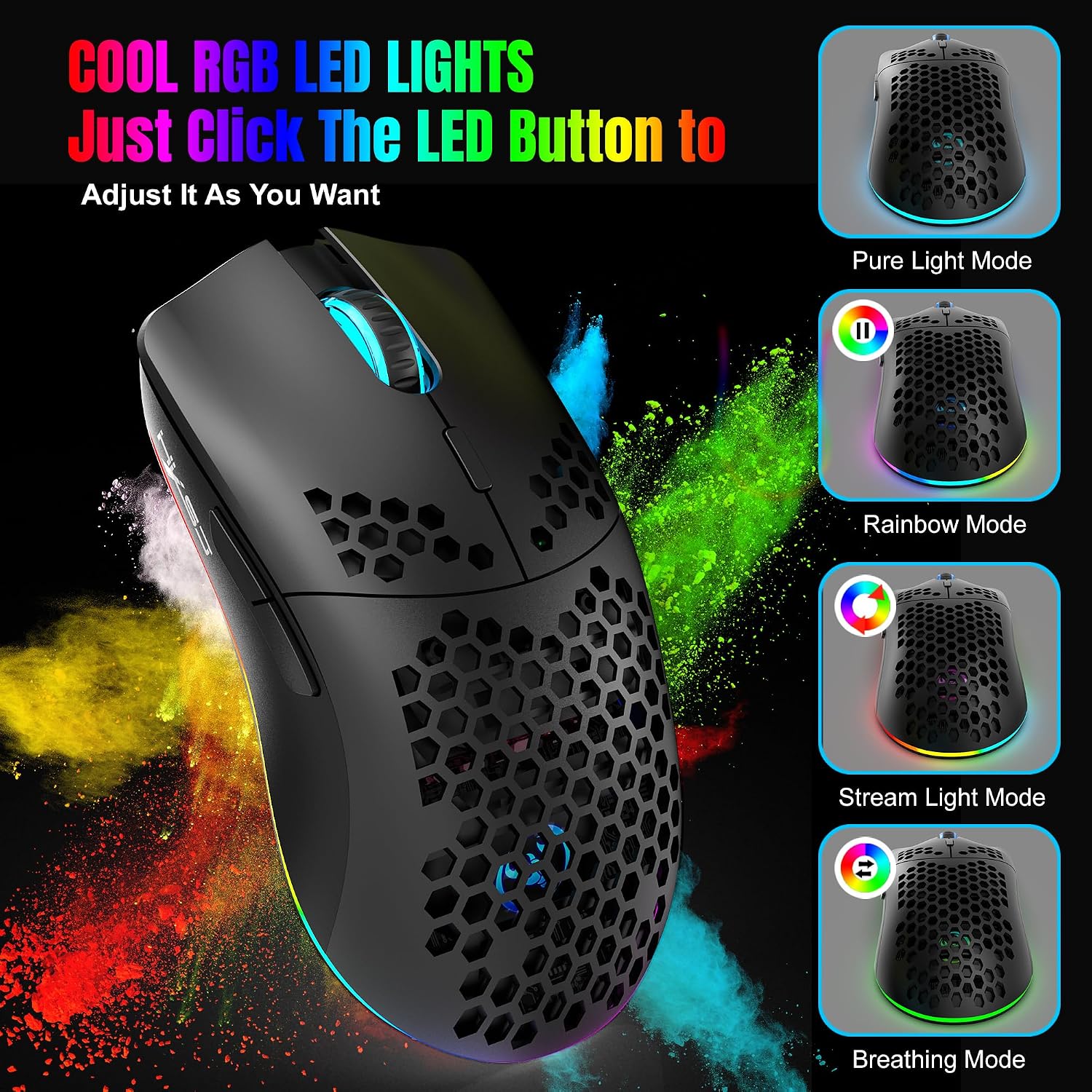
Customisation is another big part of the appeal. With dynamic RGB lighting and programmable buttons, you can adapt the look and the controls to match how you play. Macro programming is included, so you can set up command shortcuts for faster in game actions. And because the mouse can be used for more than just gaming, it also suits day to day tasks where comfort and control matter.
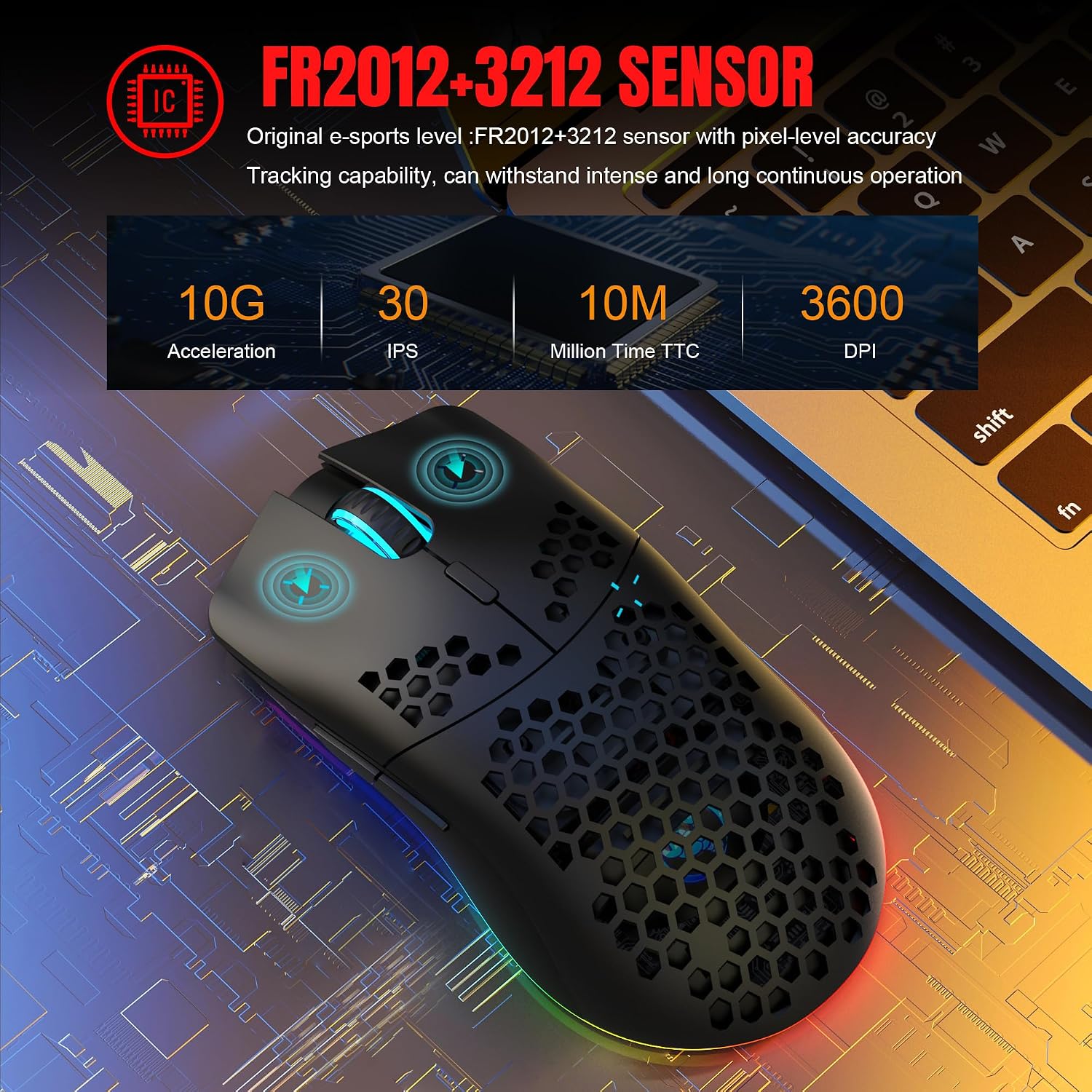
There is a long battery angle too. The T66 includes a 650mAh large battery, which should help you go longer between charges. For precision, the sensor is adjustable up to 3600 DPI, giving you the ability to fine tune cursor response for different games and mouse sensitivity preferences. 😀
Finally, it is made for long sessions. The ergonomic honeycomb shell supports a secure grip and comfort while you are gaming or working, which is particularly useful if you spend hours at the PC. It is positioned as a value focused option that aims to balance performance, style and reliability for PC gamers.
Key features
One of the standout qualities is its versatile connectivity. The triple mode approach means you can pick the connection type that best fits the moment, whether you prefer wireless freedom, Bluetooth convenience, or a wired connection for sessions that need stability. This can make a real difference if your gaming setup changes over time or if you share peripherals across different devices.
The honeycomb shell contributes to the overall day to day feel. Because it is lightweight, it can reduce the effort you feel during longer play, while airflow can help keep things comfortable. The ergonomic shape is also built for a secure hold, so you are less likely to feel that the mouse slips or feels bulky during extended use. 🕹️
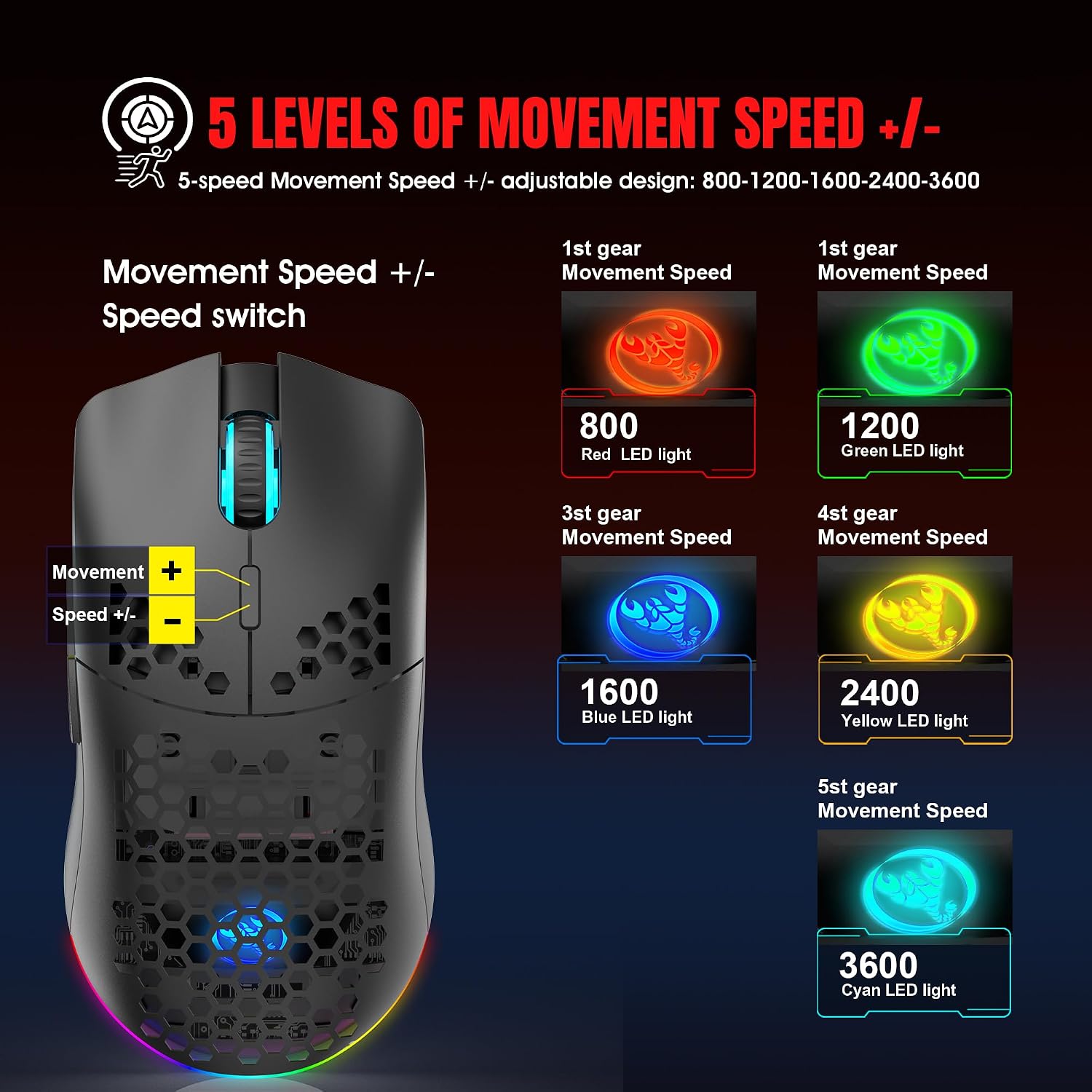
For performance control, the sensor supports adjustments up to 3600 DPI, which helps you dial in movement accuracy. If you prefer higher sensitivity for fast targets, or lower sensitivity for controlled tracking, the DPI adjustment gives you room to find your preferred feel. The mouse is also described as offering smooth cursor response, which is useful both in games and in everyday desktop navigation.
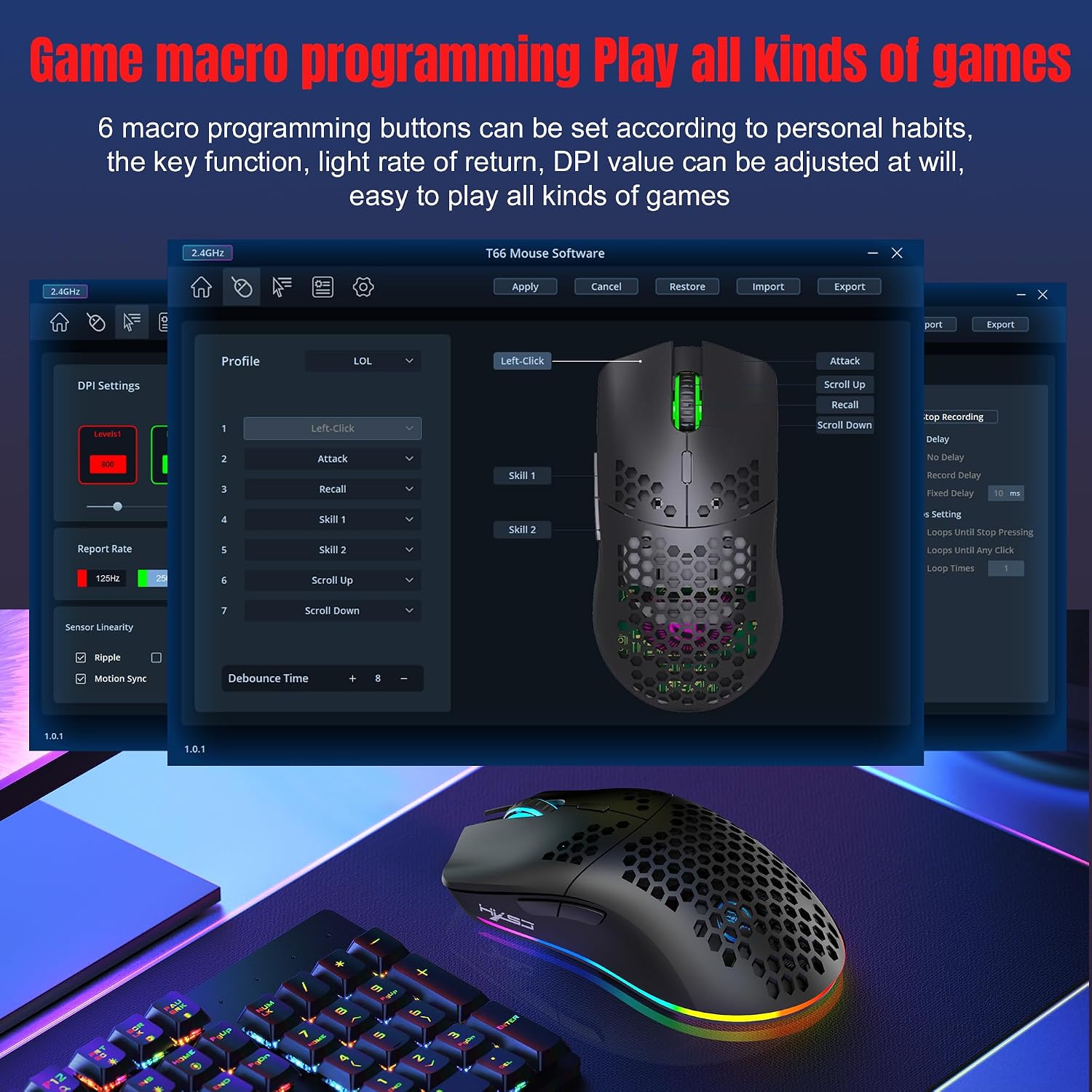
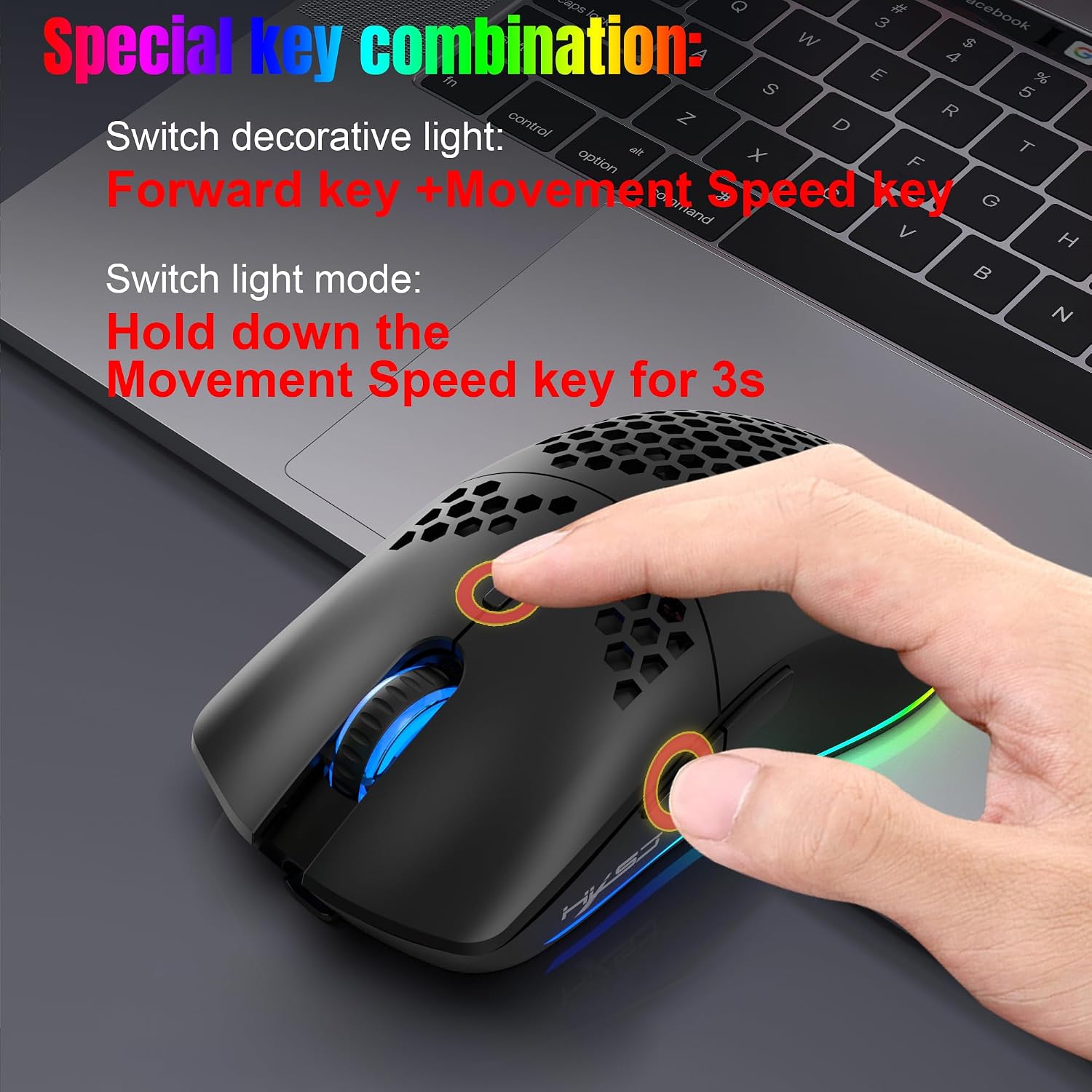
Custom controls and lighting add another layer of usability. You can program buttons and set macros for actions you use frequently, so you can reduce repeated inputs. The dynamic RGB lighting lets you tailor the visual style as well, which can be a nice extra if you like matching your setup. Keep in mind that to set up macros and adjust features, you will need the software download referenced by the manufacturer, so it is worth checking access before purchase.
If you want a single mouse that can cover FPS, MOBA, RPG and office work, the T66 is presented as a fit across that range. The idea is to give you a reliable daily driver with gaming ready features, and a clean modern look in black.
Tech specs
- Name: CROSS ZEBRA T66 PC Gaming Mouse
- Type: PC gaming mouse with triple connectivity
- Colour: Black
- Capacity: 650mAh battery
- Resolution: up to 3600 DPI
- Display: Cool RGB light
- Size: Lightweight honeycomb shell design
Who it suits
It is a solid pick if you want a gaming mouse with flexible connectivity so you can use Bluetooth, 2.4G wireless and wired modes depending on your setup. It also makes sense if you prefer a lightweight honeycomb style that supports comfort over long sessions, especially when you are playing for hours at a time.
You will likely like the CROSS ZEBRA T66 if you want programmable buttons and macro support, and you enjoy tuning your controls for faster command shortcuts. It also suits day to day PC use, including office work, where having a responsive sensor and comfortable grip can make everyday tasks feel smoother. If you are after a value focused mouse that still brings key gaming features like DPI adjustment, RGB and macros, this is worth considering.
Compatibility
It should work with PC setups where you can use Bluetooth, 2.4G wireless or wired connection for mouse input. Since the manufacturer mentions a software download for configuration, you will need access to that download on your PC if you want to set macros and customise button functions.