


BOSGAME E4 Home-Office-Mini PC with Ryzen 5 3550H
Product description
What it is
The BOSGAME E4 is a compact home‑office mini PC powered by a Ryzen 5 3550H processor. It's designed to sit on a small desk or be tucked away as a home theatre or workstation unit, delivering a balance of productivity performance and flexible connectivity in a tiny footprint.
Core performance and memory
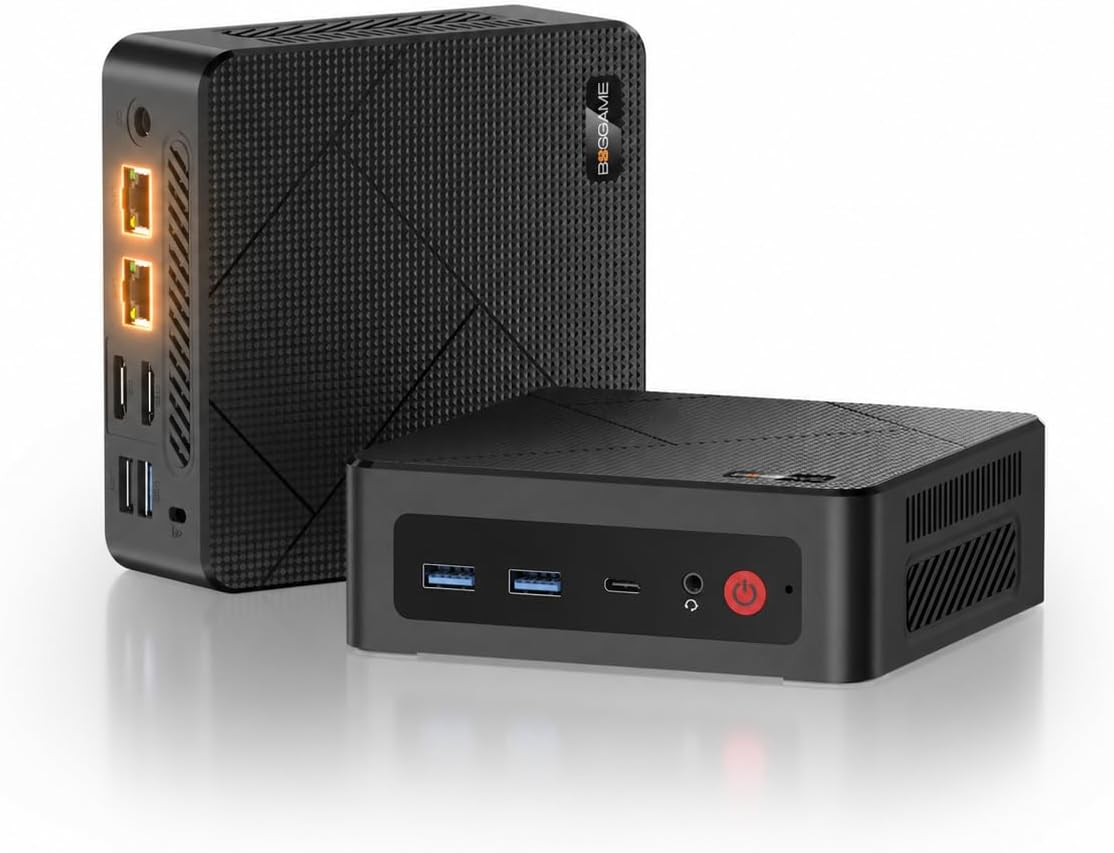
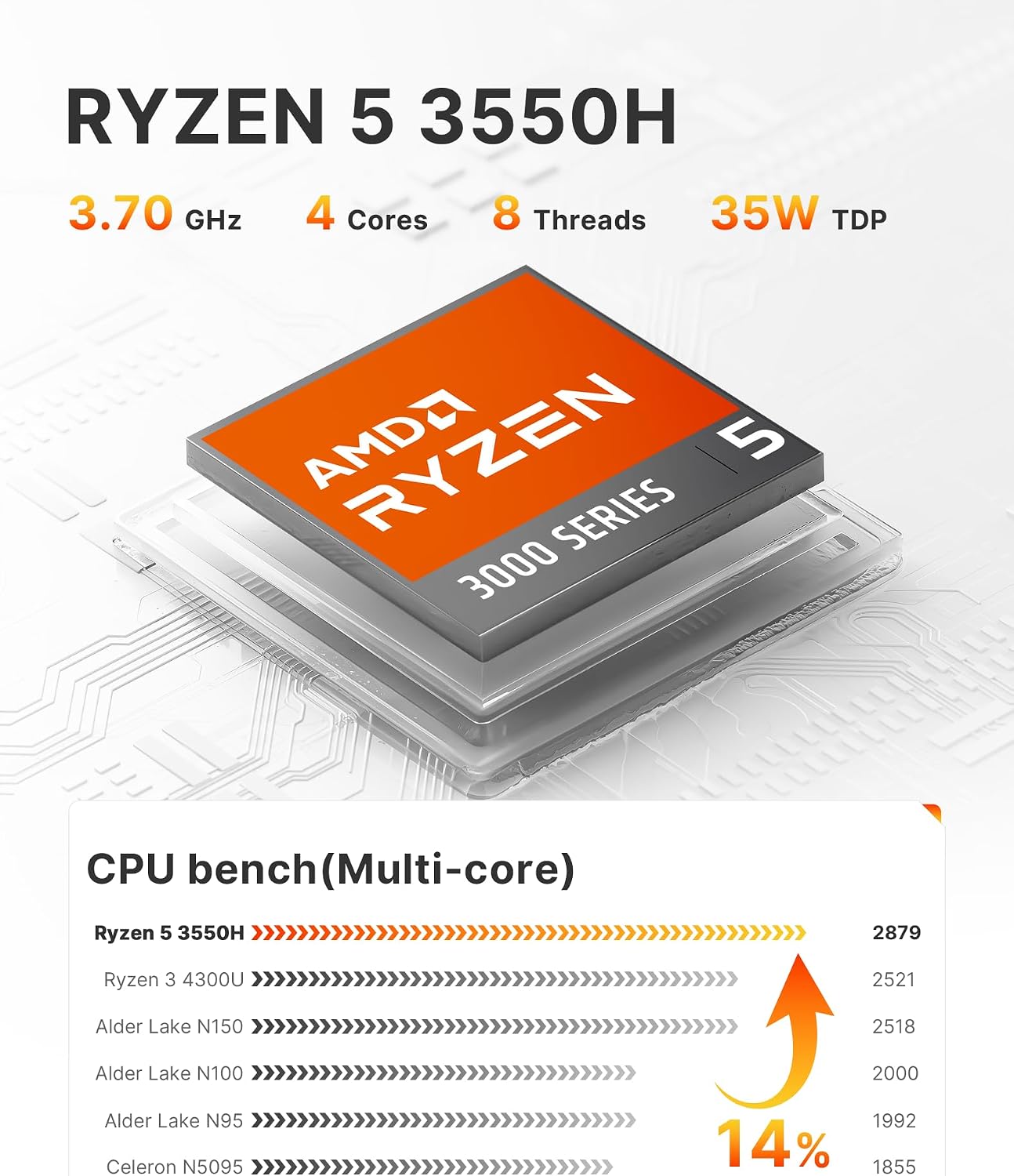
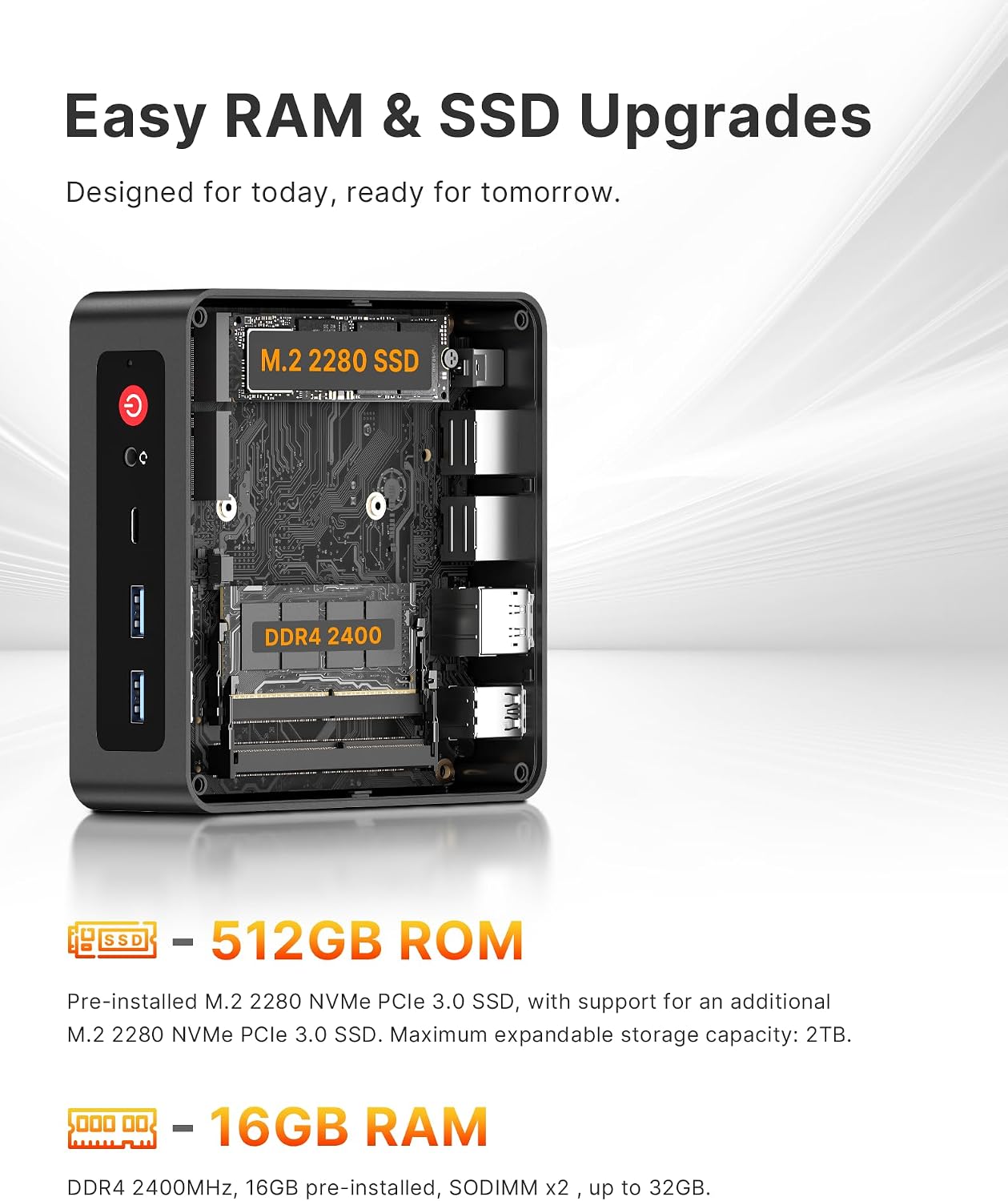
On paper, the 4‑core/8‑thread Ryzen 5 3550H can handle multitasking and everyday demanding apps with smoother response than many similarly sized systems. Paired with 16 GB of DDR4 RAM and a 512 GB NVMe SSD, it aims to give you quick boot times, snappy app switching, and ample local storage. If you ever need more space, the drive is set up with a pathway for expansion, though the exact upgrade options aren’t itemised here.
Display and connectivity
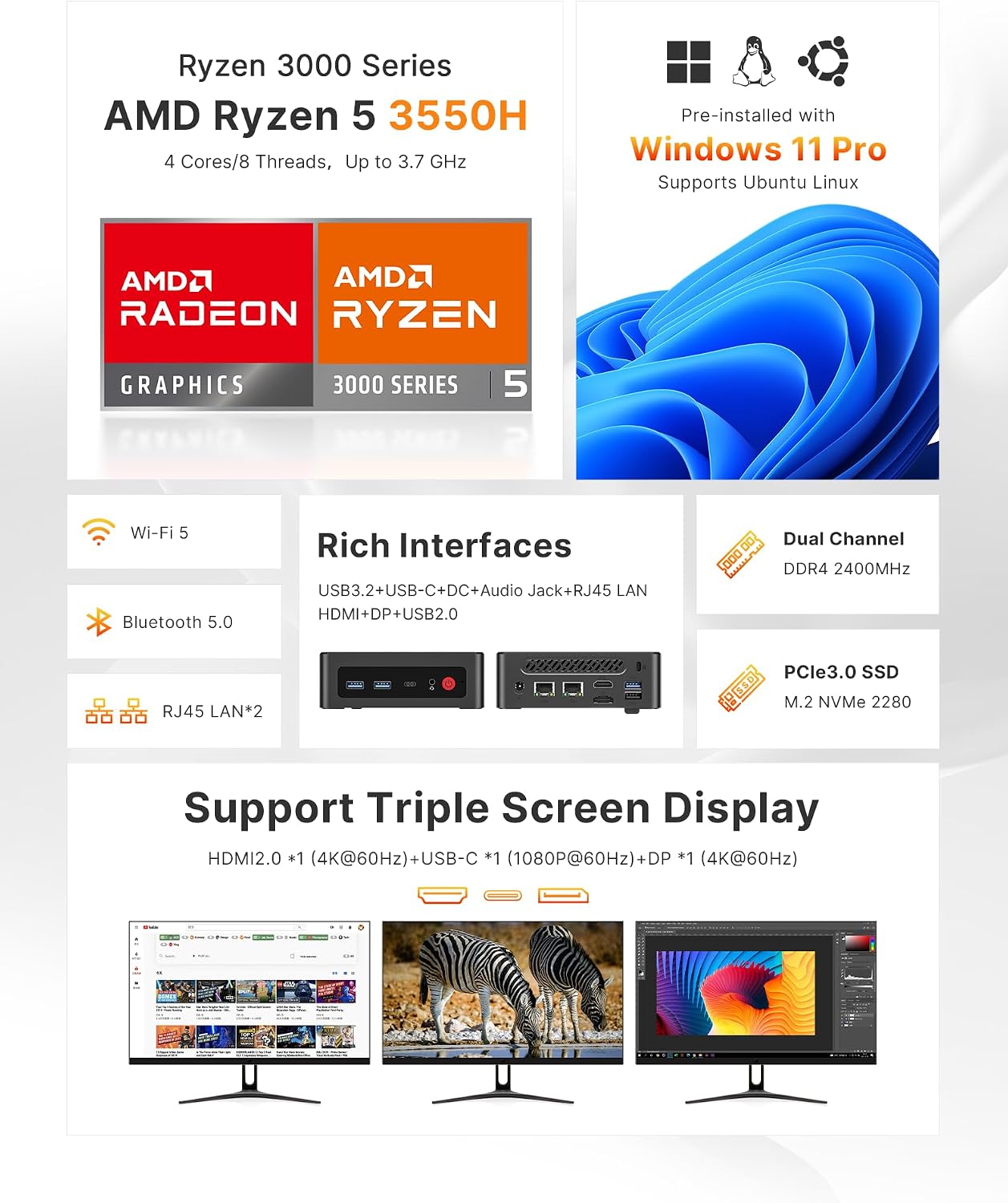
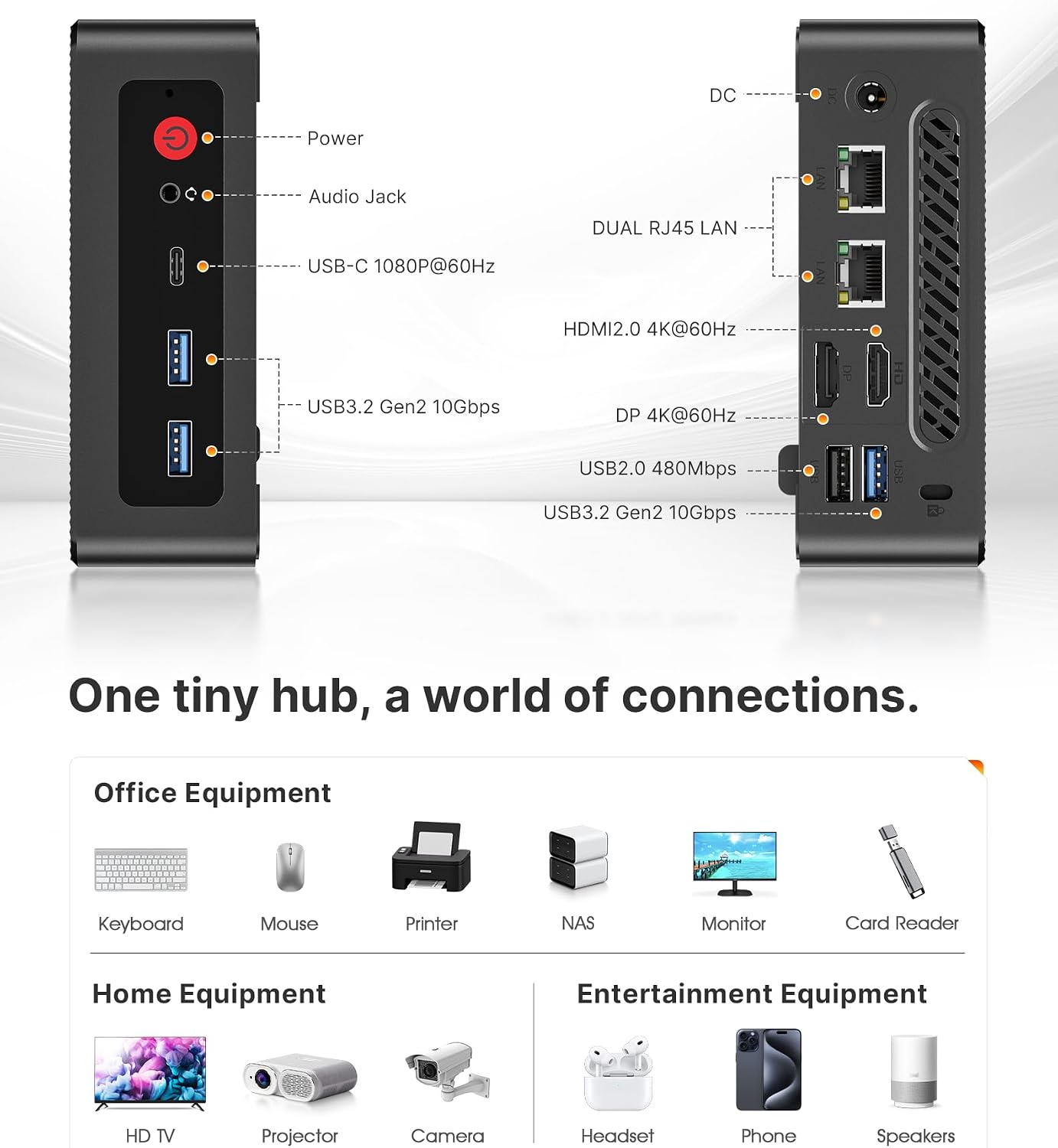
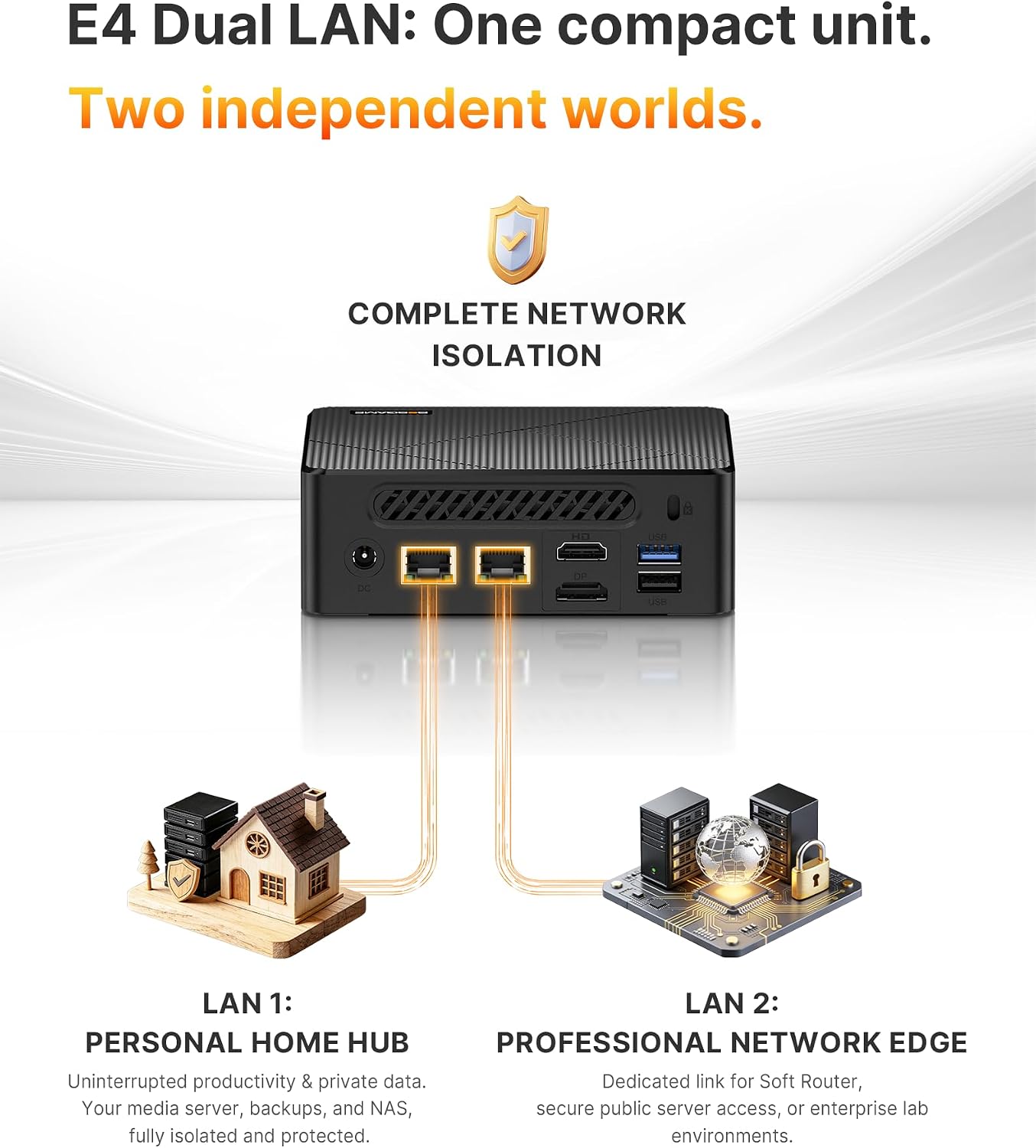
The E4 is built with flexibility in mind. It offers true 4K triple display support through HDMI 2.0 and DisplayPort, plus a versatile USB‑C port for newer monitors or hubs. A suite of USB ports ensures you can attach peripherals without crowding the workspace. For network reliability, there are dual Gigabit LAN ports, which is handy for network segmentation, NAS use, or ensuring a stable wired connection for video calls and streaming.
Wireless and peripherals
Wi‑Fi 5 and Bluetooth 5.0 provide solid wireless performance for most home environments, useful for wireless keyboards, mice, and headsets. The combination of wired and wireless options helps reduce desk clutter and keeps the unit flexible for different setups.
Operating system and support
Out of the box, it ships with Windows 11 Pro and is stated to support Linux/Ubuntu as well. The vendor highlights a 1‑year warranty and round‑the‑clock professional support, which can be a reassuring factor for a device intended as a workhorse in a home setting.
What it’s not perfect about
This isn’t the latest generation of CPU, and the Ryzen 5 3550H sits in a more mid‑range bracket for modern multitasking. If your workloads involve heavy 3D rendering or professional video editing, you may notice the limitations compared with higher‑end CPUs. The description doesn’t specify memory‑tiered configurations beyond 16 GB, so users with patience for future upgrades should verify upgrade paths with the seller.
Who it’s for
If you prioritise a compact, quiet desktop that can handle office tasks, light content creation, media consumption, and occasional gaming at modest settings, the BOSGAME E4 could fit well. It’s also suitable as a home theatre PC or a small business workstation where a compact footprint and reliable wired/network capabilities matter.
Who it isn’t ideal for
If your work demands high‑end processing power, professional GPU workloads, or demanding multi‑screen workflows that push modern CPUs to their limits, you might prefer a more capable desktop or a higher‑tier mini PC. It may also be less compelling if you need a large internal storage base or frequent on‑the‑fly upgrades.
Practical considerations before buying
Check the exact upgrade options for RAM and storage, as the description notes expansion but doesn’t detail compatible modules or bays. Consider your typical software stack and whether triple 4K output aligns with your monitors and use case. Verify power consumption and cooling behaviour in real‑world usage, as compact PCs can throttle under sustained heavy load.
How it compares to entry‑level alternatives
In this form factor, the E4 targets buyers who want more processing headroom than ultra‑compact sticks but without stepping up to a full desktop. If you value multiple wired connections and a robust network setup for a small office, it stands out. If you primarily need a simple home PC for browsing and streaming, a more basic mini PC could suffice and possibly be quieter or cheaper.
What’s included and setup notes
The description mentions Windows 11 Pro pre‑installed and a setup oriented to auto power‑on, which can simplify day‑to‑day use. For Linux enthusiasts, the stated compatibility is a plus, though real‑world installation experiences may vary by distribution.
FAQ (practical and concise)
1) Can I run three 4K displays at once? Yes, the device supports triple display output via HDMI 2.0 and DisplayPort, subject to monitor compatibility and GPU/CPU load. 2) Is there room to upgrade storage or memory? Expansion is mentioned, but exact upgrade paths aren’t detailed here—double‑check supported modules and slots before purchase. 3) Is it a good choice for home offices with heavy video calls? The dual LAN and reliable connectivity help, and Windows 11 Pro supports business features, expect solid performance for typical office tasks.
Final decision
Is it worth it? A solid pick if you want a compact, flexible PC for home office, media, and light multitasking with strong wired networking and 4K display support. It may not be the best option if you need top‑tier CPU performance or expansive internal storage today. Useful for small spaces, but verify upgrade options and monitor compatibility before committing.