

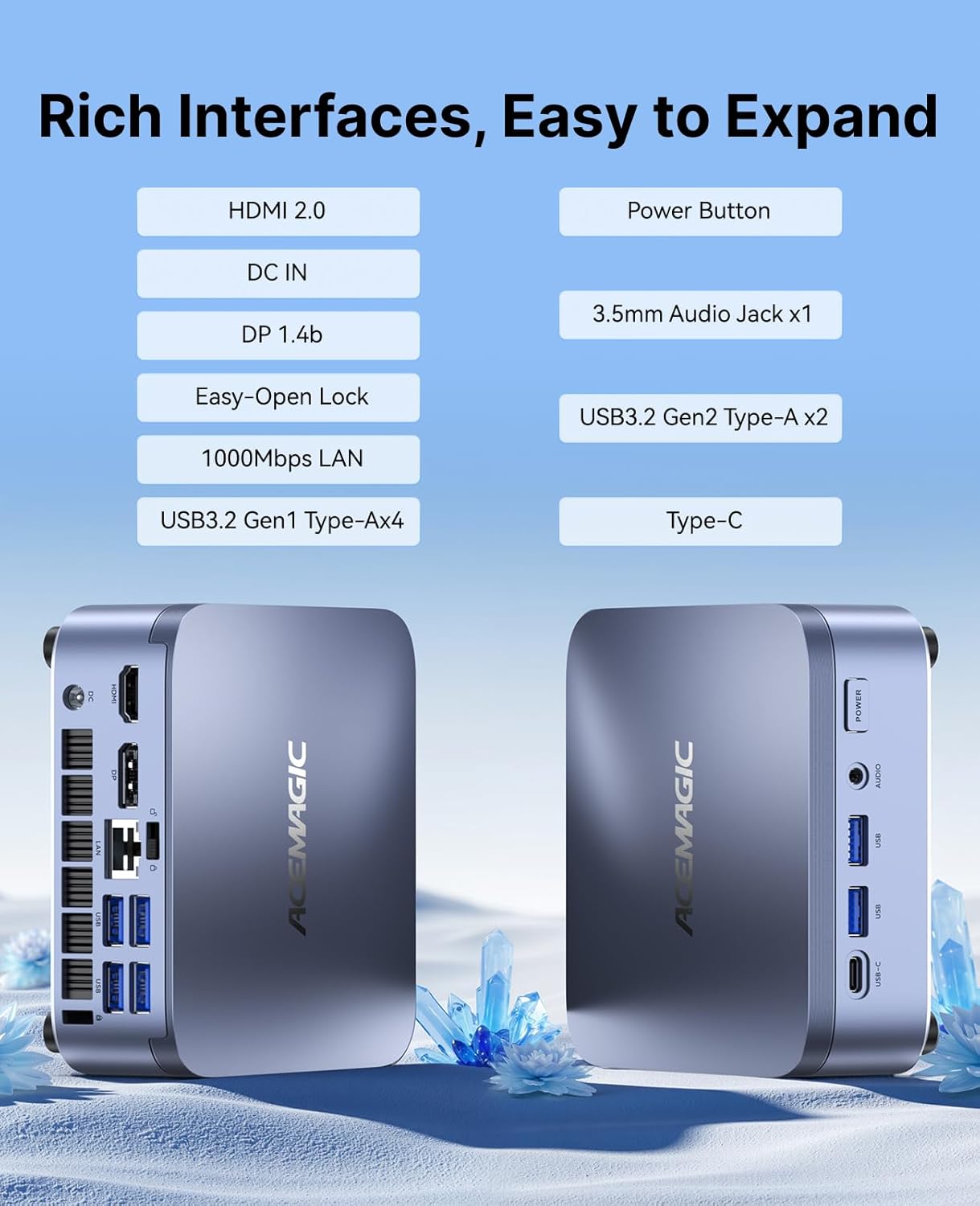
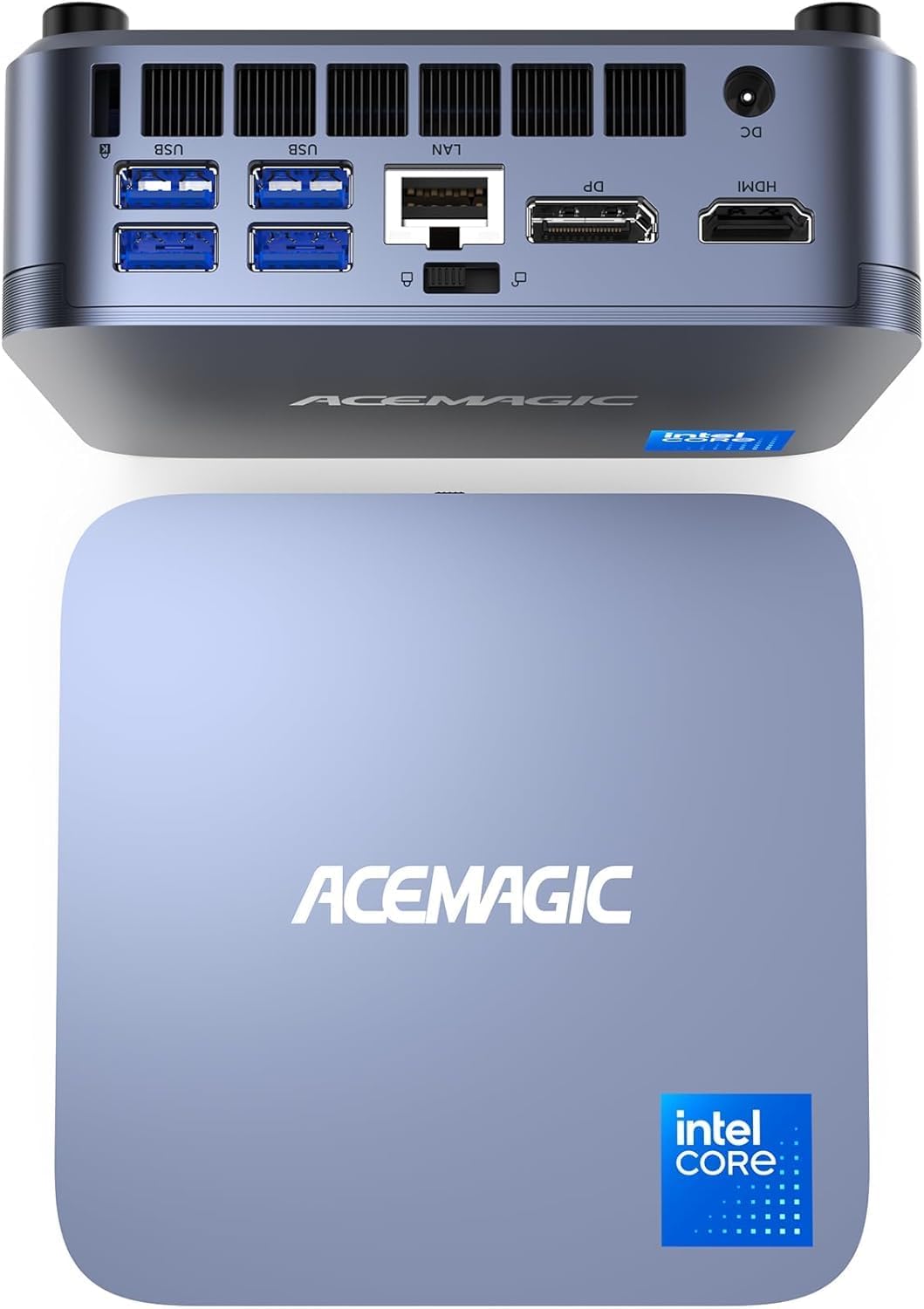
ACEMAGIC M5 Mini Gaming PC: Intel Core 14500HX Mini Computer
Product description
What it is and what it solves
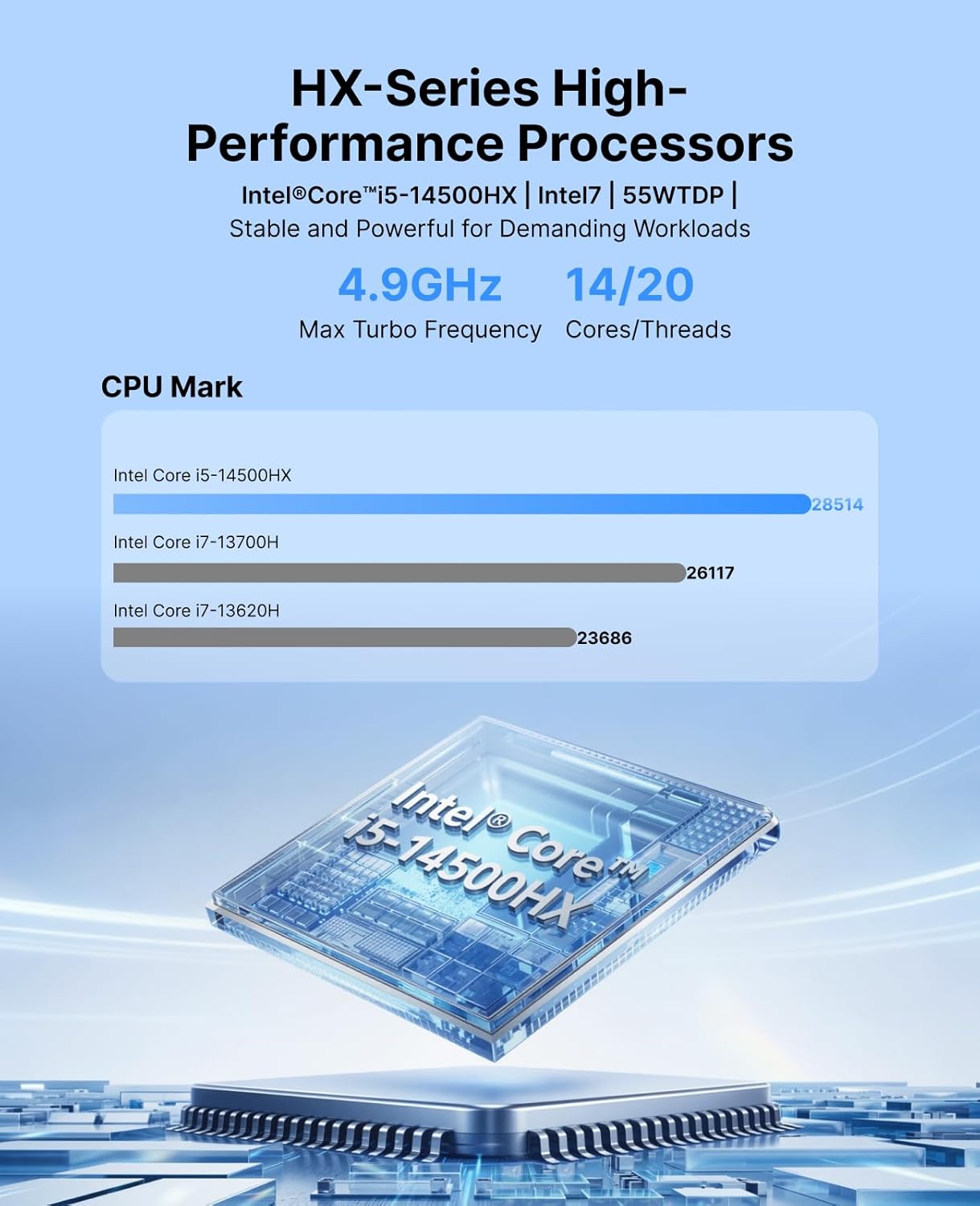
The ACEMAGIC M5 is a compact mini PC built around the Intel Core 14500HX processor. It’s designed to deliver desktop-class speed in a small form factor, with multi-core performance suited to heavy multitasking and demanding workloads. If you’re juggling coding, data analysis, light CAD, and occasional gaming from a compact desk setup, this machine aims to bridge the gap between a home office PC and a dedicated gaming rig.
The essentials
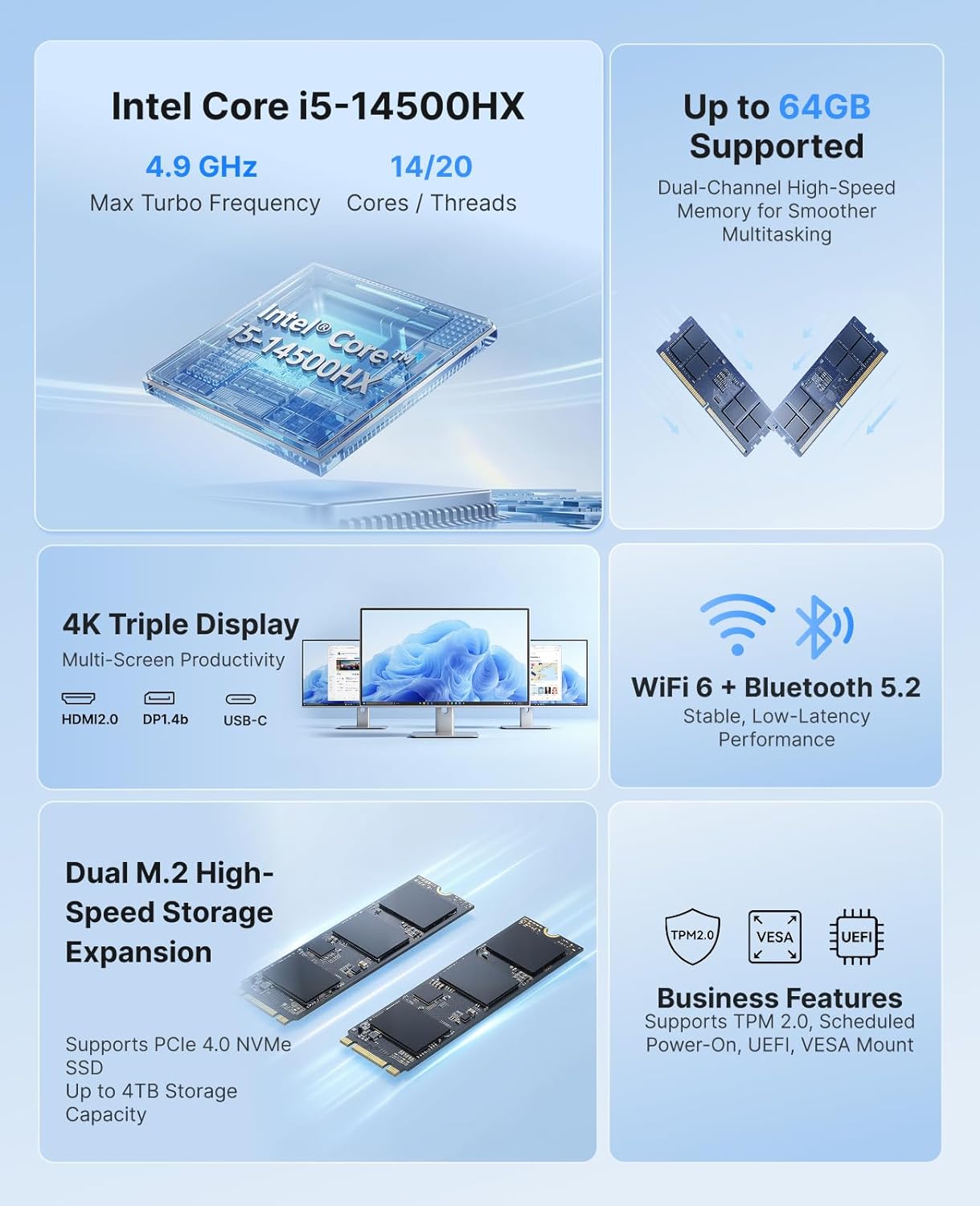
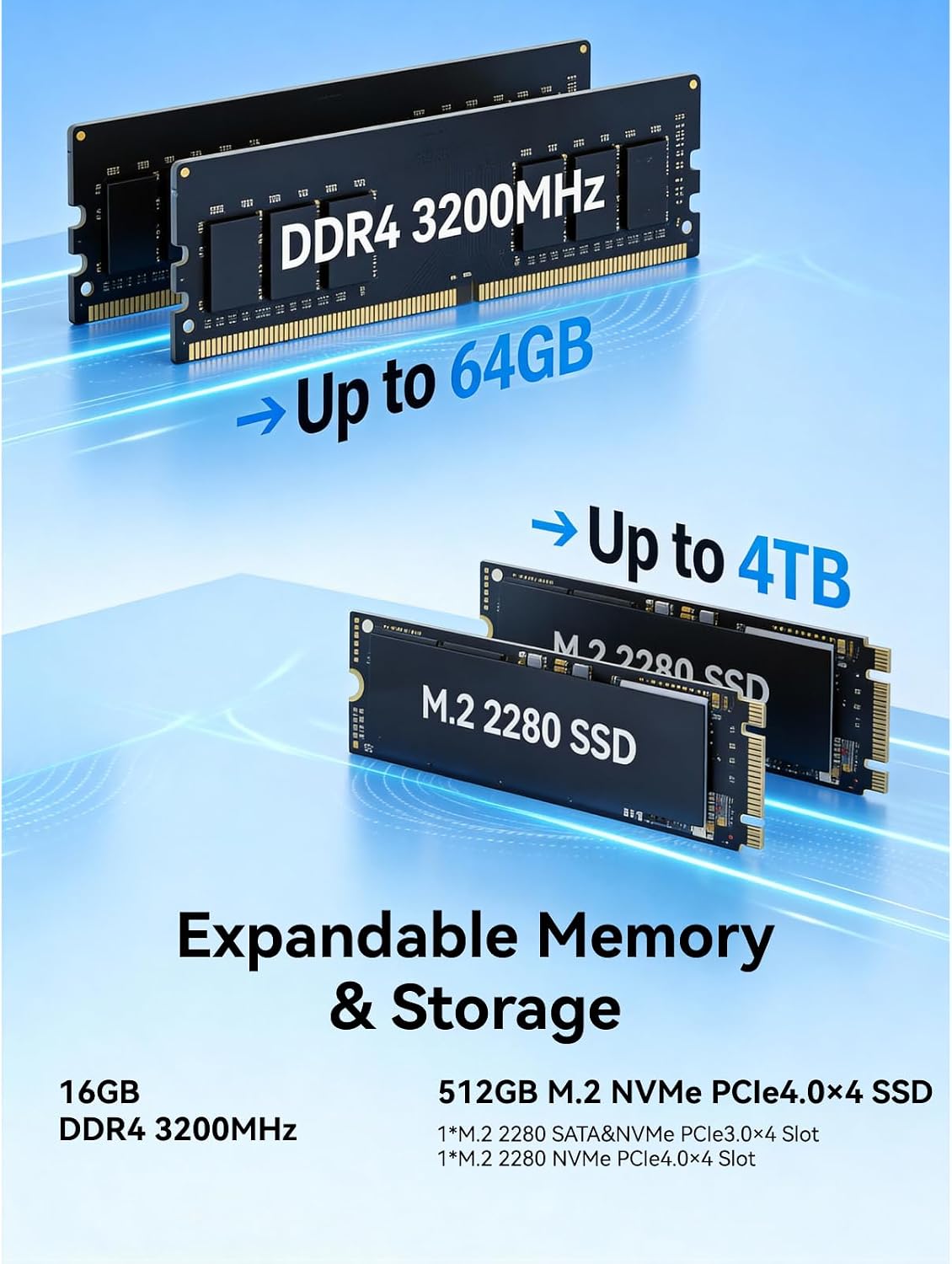
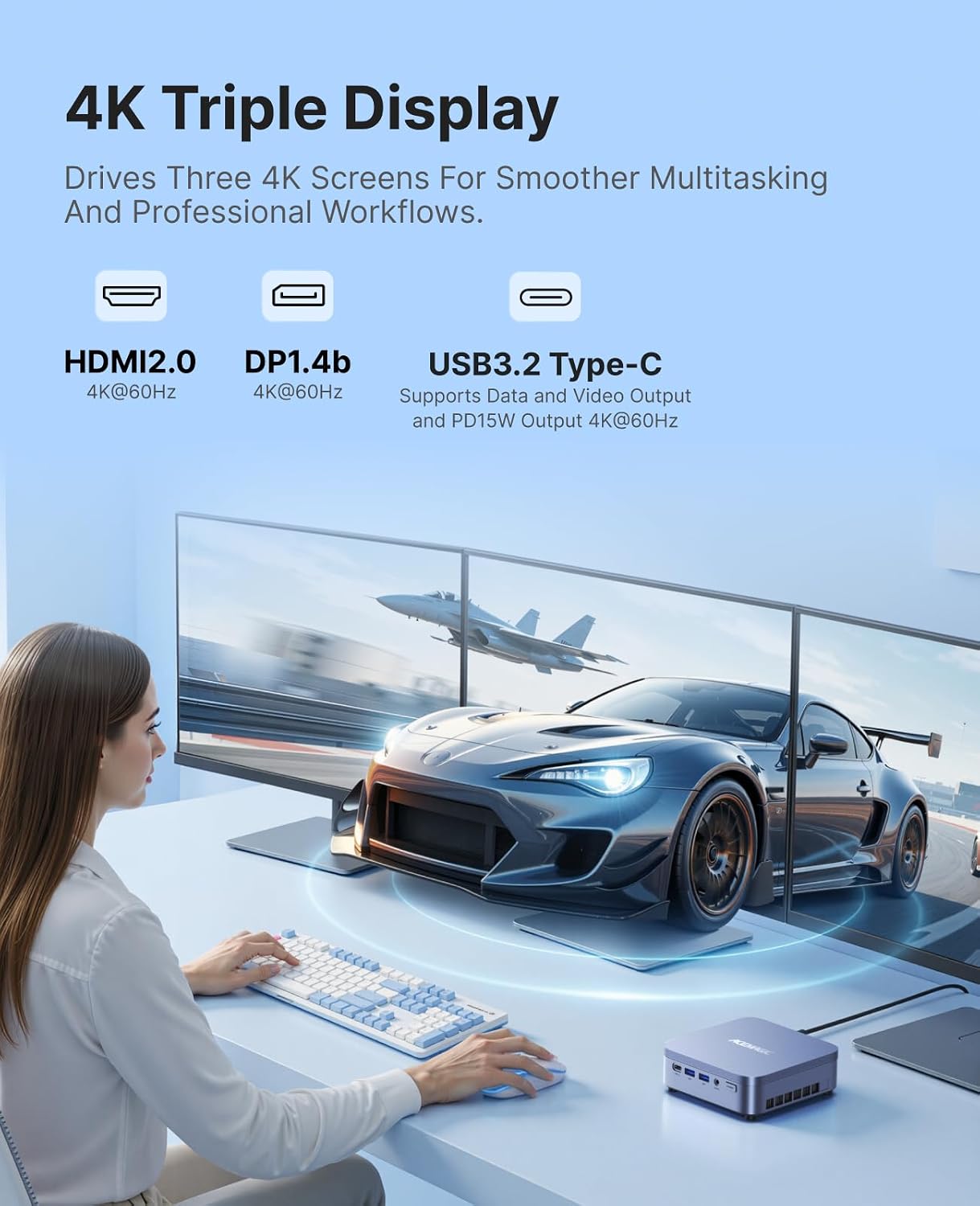
On paper, the M5 pairs a 14-core/20-thread HX-class CPU with 16GB of RAM and a 512GB NVMe PCIe 4.0 SSD. It supports upgrade paths—up to 64GB RAM and 4TB storage via dual M.2 slots—so it promises future-proofing for growing needs. The system runs Windows 11 Pro and offers triple 4K display support (4K@60Hz), which can be a real productivity booster for multi-window workflows, data analysis, or design work.
How it behaves in use
HX-class engines are known for stability under heavy workloads. In practice, the M5 is positioned for long-duration multitasking: video editing at 1080p, CPU-based rendering, multi-threaded compiles, and large data tasks. It’s not a high-end gaming rig, but it does support light gaming and multimedia tasks thanks to Intel UHD Graphics alongside the CPU. If your priority is a compact box that can handle sustained workloads with decent cooling and modest power draw, this model aims to fit that niche.
What stands out day to day
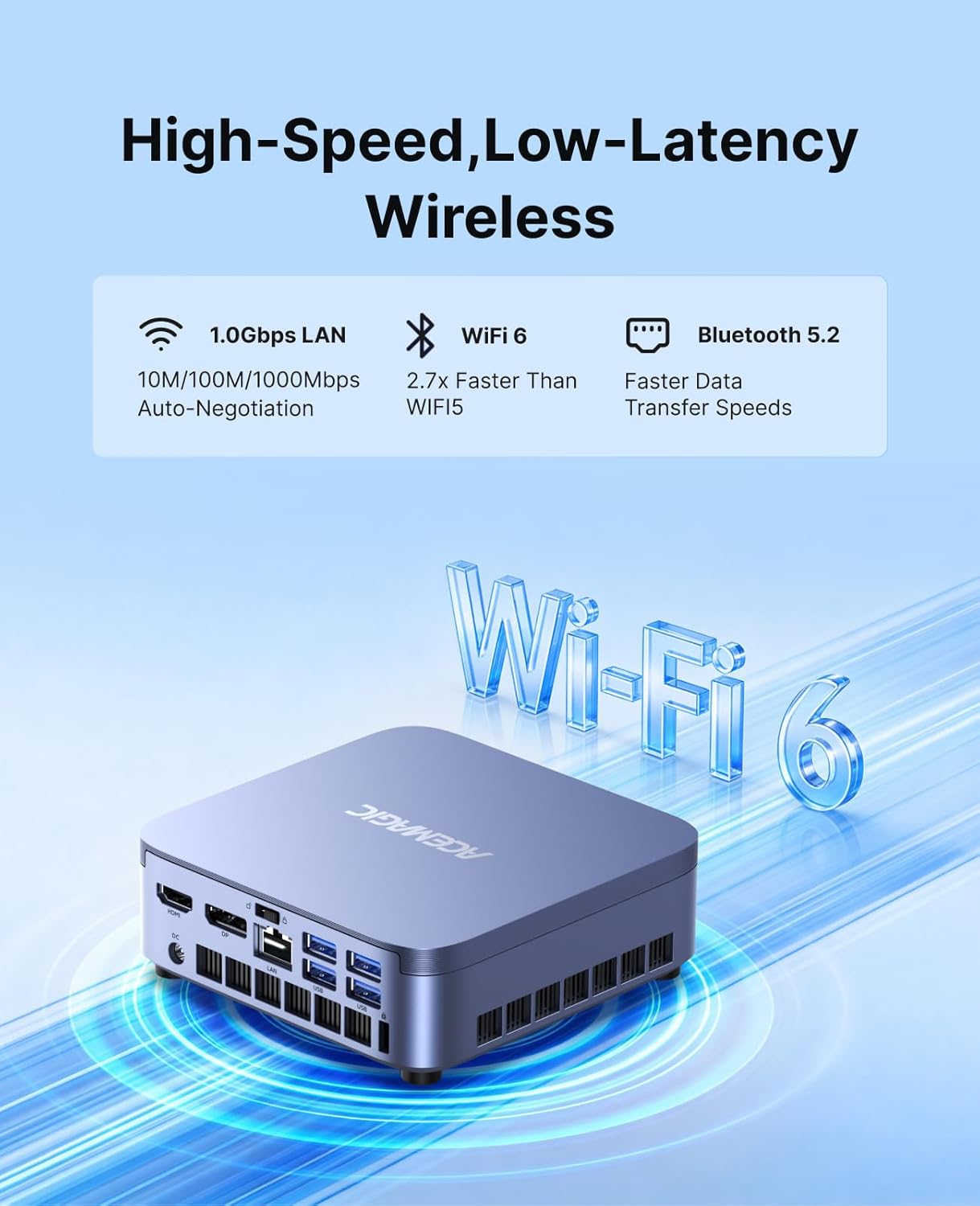
The cooling design emphasises low noise and sustained performance: centrifugal fans, dual copper heat pipes and a dual-fin stack cooling module, plus a dual-airflow layout. That means you may get stable multi-core performance for longer periods without as much thermal throttling as some other compact systems. In addition, the network stack keeps you connected with WiFi 6 and Bluetooth 5.2, which is useful for modern home offices, online streams, and remote work setups.
Where it shines
This mini PC is particularly attractive if you value a tidy desk with multiple displays. The triple 4K display support can help when you’re visualising datasets, editing video, or managing complex spreadsheets across several monitors. It also suits remote workers or students who need a robust desktop environment without a full-sized PC. If you plan to run Proxmox VE or similar environments, the upgradeable RAM and storage provide a pathway to expand as you grow.
Where it may fall short
If you expect a high-end gaming experience or it’s your primary gaming machine, you may find it lacks the raw GPU power of larger desktops or dedicated gaming laptops. While it can handle light gaming and media tasks, more demanding titles at high settings are unlikely to reach their best on this setup. Also, as with many compact PCs, the interior may require care during upgrades and could be less forgiving than a standard desktop when fitting larger components.
Who it’s for
This is a sensible option for developers, remote workers, students, and small business owners who need a capable all-rounder in a small footprint. It’s also appealing to homelab enthusiasts who want room to grow with memory and storage upgrades, while keeping the device discreet on a desk. If your workflow involves multiple Windows-based tools, 4K display setups, and occasional light gaming, the M5 aligns with that use case.
Who it isn’t ideal for
If your main priority is ultimate gaming performance or you require extensive GPU acceleration, this Mini PC may not meet those expectations. Those who want plug-and-play simplicity with zero upgrade hassle might also prefer a more self-contained system with fewer upgrade paths.
What to check before you buy
- Confirm the upgrade options you need: RAM up to 64GB and storage up to 4TB via dual M.2 slots.
- Consider your display setup and ensure your monitors support 4K@60Hz for all three outputs.
- If you rely on power users’ software, make sure your workloads benefit from the HX-class performance and multi-core efficiency.
- Check your budget against the future-proofing path: initial 16GB/512GB is solid, but assess long-term needs as software stacks grow.
Practical use case in real life
Imagine a trader who rests two monitors for charts and a third for data dashboards, they also compile scripts and run data analyses locally. The M5 offers a compact home-office footprint with enough CPU power to keep applications responsive while you switch between windows and tasks. In a designer's workflow, the triple 4K support could help keep reference images visible while editing, with the benefit of quieter operation than you might expect from a machine with desktop-class cores.
A realistic comparison approach
If you’re weighing choices, think in terms of form factor and upgradeability. The M5 is a mid-range compact option: better suited to those prioritising space-saving and future expansion than to buyers chasing maximum gaming frame rates. For pure portability or ultra-low footprint, a similarly specced laptop might be more convenient, for a fixed desk with multi-monitor layouts, the M5’s upgrade path and heat management offer tangible value.
Final decision
Final verdict
Conviene tener en cuenta if you prioritise a compact, upgradeable PC with strong multi-threaded performance and beginner-friendly expansion, for mixed workloads and multi-monitor productivity. It may not be the best fit if gaming at highest settings or ultra-compact portability are your sole criteria.
FAQ
- Can I upgrade the RAM to 64GB and storage to 4TB? Yes, via dual M.2 slots and supported RAM.
- Does it support 4K gaming? It supports 4K display outputs, but gaming performance depends on the GPU alongside the CPU.
- Is Windows 11 Pro included? Yes, it ships with Windows 11 Pro.