

Crucial P310 1TB NVMe PCIe Gen4 M.2 SSD (CT1000P310SSD801) for Laptop & Desktop
Reviews
Price
Product description
What it is
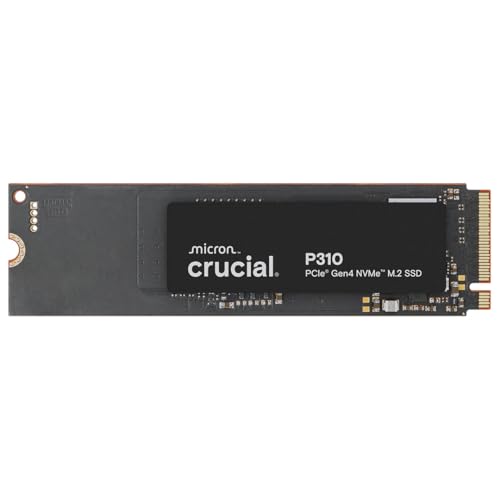
The Crucial P310 is a 1TB NVMe SSD in the M.2 2280 form factor, designed to upgrade both laptops and desktops. It plugs into PCIe Gen4 and promises high sequential read speeds up to 7,100 MB/s, which can translate into faster boot times, quicker file transfers, and snappier game loads. It’s a solid option if you’re looking to add storage and improve system responsiveness without replacing the entire machine.
How it performs in real use
On paper, the P310 delivers Gen4 performance, with notable improvements in everyday tasks such as booting Windows and launching productivity apps. In practice, you may notice faster startup times and shorter wait times when switching between applications like Photoshop or Excel. Crucially, the manufacturer cites up to a 20% uplift in real-world tasks compared with some Gen4 SSDs, which can matter if you juggle large files or multitask across programs. The drive is also backed by a 5-year limited warranty, which adds a layer of reassurance for typical consumer use.

What stands out and what might hold it back
What it does well is offer a straightforward upgrade path for increasing capacity and improving overall system efficiency, especially if you’re moving from older SATA SSDs or slower Gen3 NVMe drives. The Gen4 interface and 1TB capacity strike a balance between speed and practicality for mainstream users. On the downside, the performance advantage over mid-range Gen4 options may be less pronounced if you’re already on a very fast NVMe setup or you rely on sustained high-end workloads. Also, the 7,100 MB/s peak is subject to real-world bottlenecks like thermal throttling and the rest of the system, so you won’t always see the full headline figures in daily use.

Who it’s for
This drive is well suited to individuals wanting a substantial single-drive upgrade for both a laptop or a desktop PC, especially if you value faster boots, quicker app launches, and smoother workflow in creative or office software. If you’re building a new machine with Gen4 capacity or replacing an aging NVMe that’s clearly bottlenecking your system, the P310 can offer meaningful gains without a complex upgrade path.

Who it isn’t ideal for
If your setup already runs at high-end sustained NVMe speeds or you primarily need large-scale sustained write performance for heavy workloads like video editing on a professional level, you might want to compare with higher-tier models or consider more than 1TB of solid state storage. It’s also worth noting that the listed numbers are peak figures, real-world results will depend on your hardware, cooling, and workloads. For users on a tight budget, there may be other balance points to weigh as well.

When it makes sense to buy
Choose the P310 if you want a relatively painless upgrade that adds capacity and speeds up day-to-day operations. It’s particularly sensible if you’re upgrading an older laptop or desktop with PCIe Gen4 M.2 slots and you’re aiming for improved boot times, faster application startups, and better general responsiveness without changing other components.
What to check before buying
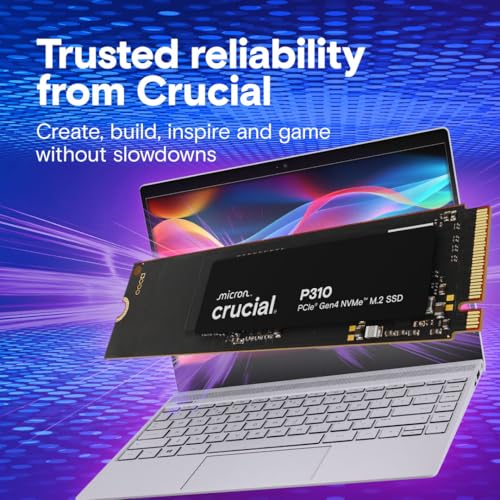
- Confirm your device supports PCIe Gen4 NVMe and an M.2 2280 slot.
- Check your current drive’s capacity to ensure 1TB aligns with your storage needs.
- Consider thermals: NVMe drives can throttle when running hot, ensure adequate cooling in laptops or desktops.
- Evaluate total system bottlenecks: even with a faster SSD, CPU or RAM limits may cap perceived gains.
How it compares to other approaches
If you’re choosing between upgrading to a Gen4 NVMe and sticking with a SATA SSD, the Gen4 NVMe option like the P310 offers a clear power-up in boot times and file handling. For users who don’t need top-tier sustained write performance, this drive presents a balanced choice—boosting real-world speed without venturing into the higher price brackets of premium Gen4 or Gen5 models. It’s useful to compare with alternatives in the same capacity range to gauge whether the incremental gains justify the cost given your workflow.
Decision: Is it worth it?
Worth considering if you want a straightforward upgrade that adds 1TB of fast NVMe storage and improves general responsiveness on a Gen4-ready system. It may not be the best pick if you routinely run extremely demanding sustained workloads or need the absolute longest endurance under heavy use. For most mid-range to modern laptops and desktops, the P310 represents a sensible balance of speed, capacity and warranty.
FAQ
- Is 1TB enough for gaming and productivity? It’s adequate for a reasonable library of games and typical productivity files, but if you store large media libraries, you might later opt for additional external or internal storage.
- Will it improve battery life? The drive claims a better performance-to-power ratio versus earlier Gen4 options, but real impact depends on overall system efficiency and usage patterns.
- Do I need to reinstall Windows? Some users prefer a clean install for best performance, but many will upgrade by cloning the existing drive. Check your laptop/PC cloning options and BIOS settings for NVMe boot.
- Can it be used in a desktop with a PCIe Gen4 slot? Yes, it’s designed for PCIe Gen4 M.2 slots, suitable for compatible desktops that support NVMe drives.
- How does warranty affect value? A 5-year limited warranty provides reassurance for typical consumer use and longer-term ownership.