

GMKtec Nucbox M5 Ultra mini PC with AMD Ryzen 7 7730U, 32GB DDR4 and 1TB PCIe SSD (Windows 11 Pro)
Product description
The essentials
If you’re shopping for a small “desk PC” that can handle office work but still has enough grunt for more demanding tasks, the GMKtec Nucbox M5 Ultra is built for that middle ground. On paper, it pairs an AMD Ryzen 7 7730U (8 cores / 16 threads, boost up to 4.50 GHz) with 32GB DDR4 RAM and a 1TB PCIe SSD, all running Windows 11 Pro. It’s the kind of mini PC you’d expect to sit in the corner of a home office or next to a monitor and just get on with things—without feeling like a toy.
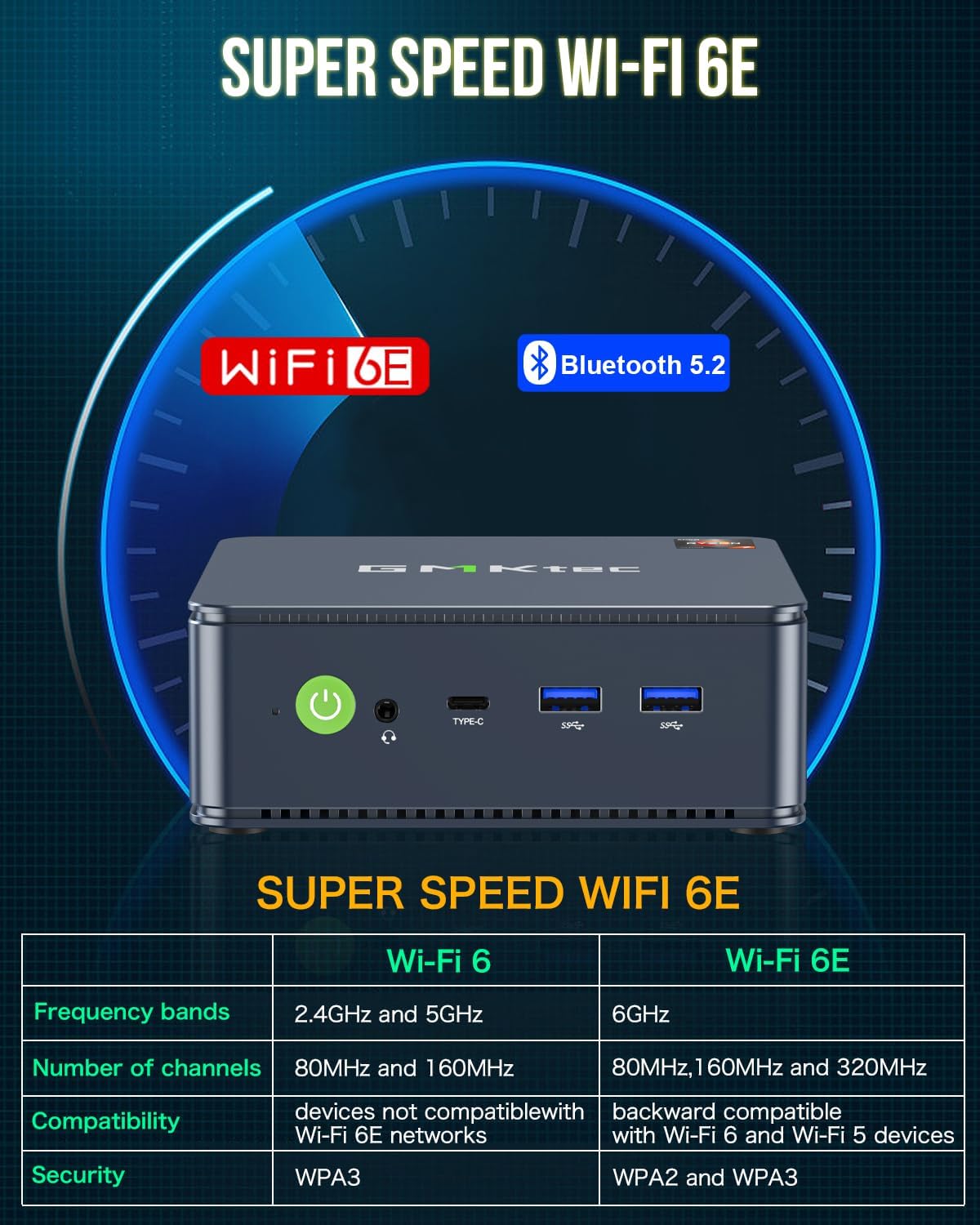
It also leans into connectivity rather than just raw speed: dual LAN (2.5G RJ45), Wi‑Fi 6E triple band, Bluetooth 5.2, and video-out options for multi-screen setups. That combination is what makes it more than a basic media box.
Key points
Where it stands out is the mix of CPU capability, ready-to-use memory and storage, and the networking options that matter in real life. For day-to-day productivity, office apps, web browsing and general multitasking, 32GB RAM and a 1TB PCIe drive are the sort of specs that reduce the “will it run smoothly?” question.
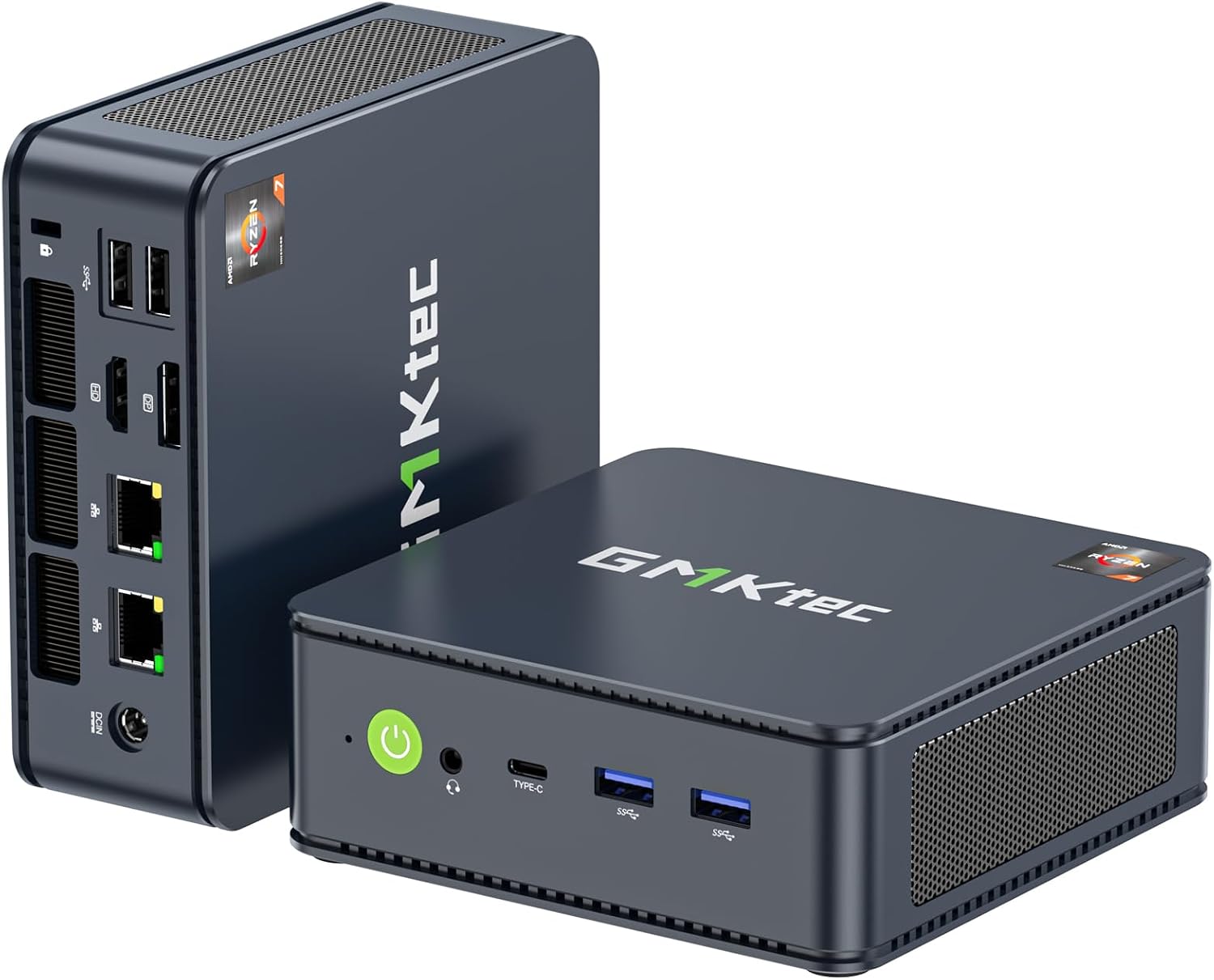
For connectivity-focused buyers, dual 2.5G LAN and Wi‑Fi 6E are a serious draw. Depending on your setup, you could run it as a compact workstation, a light server-style machine in an office environment, or a gaming-capable mini PC for more than just casual titles.
That said, it’s not perfect: mini PCs can be more constrained than full desktops when it comes to sustained high-performance workloads. If you plan on long, heavy renders or constant peak loads, it’s worth keeping expectations realistic and looking at how you’ll use it.
What you’ll notice day to day
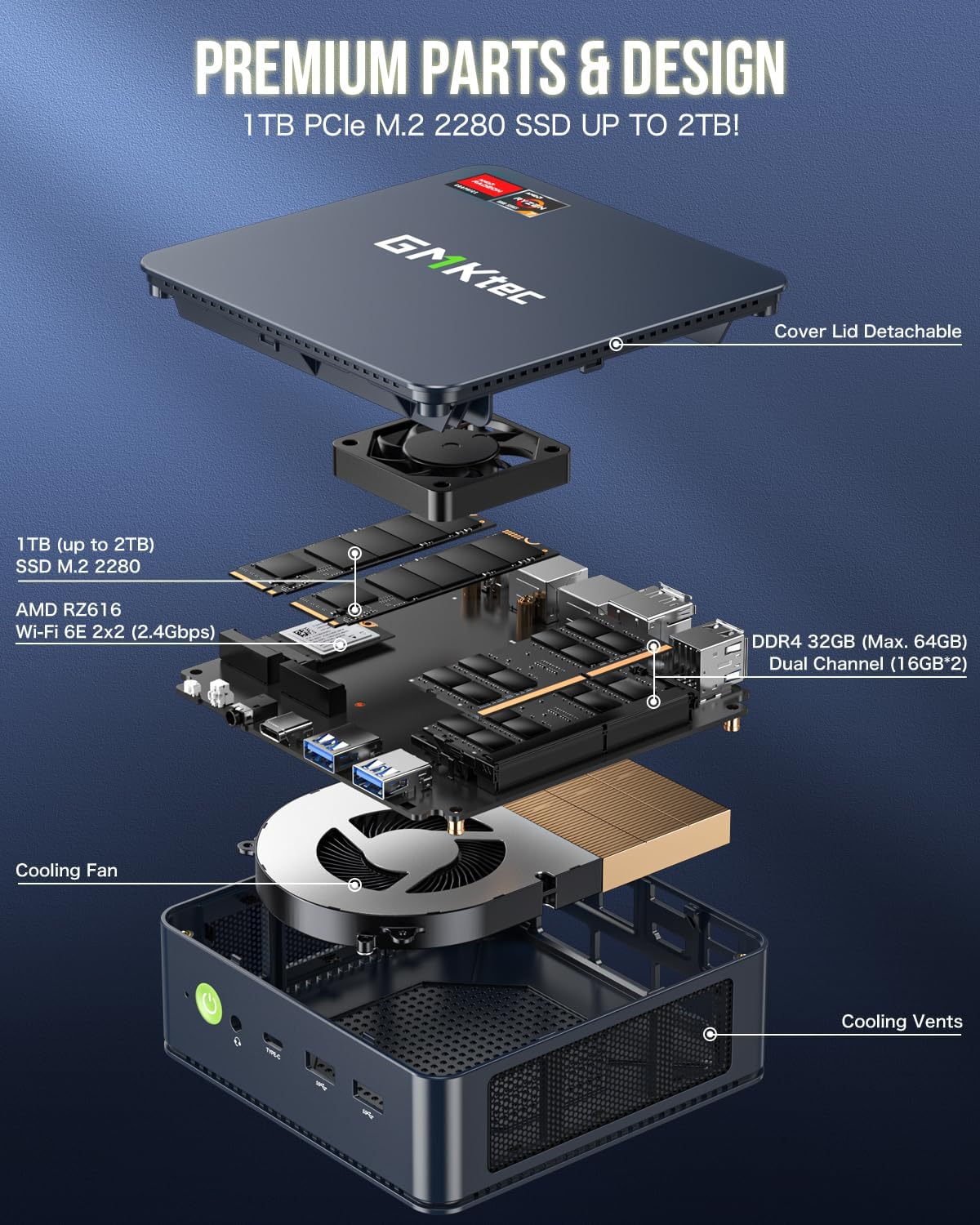
On the performance side, the Ryzen 7 7730U setup (Zen 3+ class) is aimed at responsive multitasking, and the spec sheet suggests a boost up to 4.50 GHz. Pairing that with 32GB DDR4 in dual channel should help when you’re juggling browser tabs, spreadsheets, documents and heavier apps.
The graphics side is also positioned as practical rather than just “it displays video”. The description mentions AMD Radeon graphics (8 cores, 2000 MHz) and the ability to drive multiple displays, including 4K output at up to 60Hz via HDMI. If you work with design software or you want 4K playback and editing on a compact machine, this is the sort of unit that fits that brief.
A small, concrete example: imagine you open a spreadsheet and several browser tabs, then move to a design or editing task on the same screen. With 32GB RAM and a fast PCIe SSD, you’re less likely to feel the lag spikes that can show up on lower-memory mini PCs.
Tech specs
- Name: GMKtec Nucbox M5 Ultra mini PC (W-11 Pro 7730U)
- Type: Mini desktop computer
- Processor: AMD Ryzen 7 7730U (8 C / 16 T), boost up to 4.50 GHz (Zen 3+)
- Memory: 32GB DDR4 RAM (2x16GB dual channel)
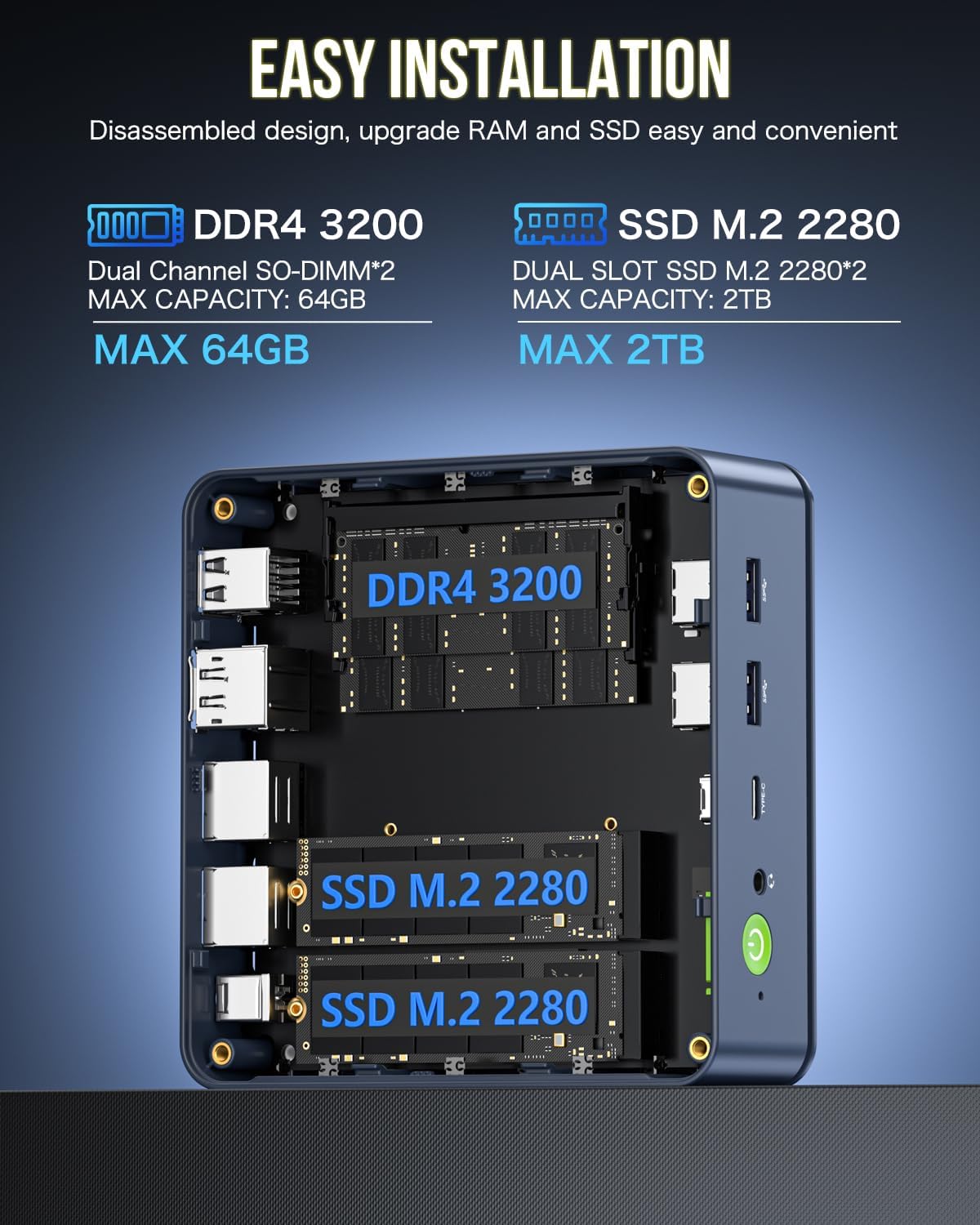
- Memory expansion: supports expansion up to 64GB RAM
- Storage: 1TB M.2 2280 PCIe 3.0 SSD
- Storage expansion: supports dual slot expansion up to PCIe 4.0 4TB SSD
- Graphics: AMD Radeon graphics (8 cores, 2000 MHz)
- Wireless: Wi‑Fi 6E (2.5G / 5G / 6G triple band)
- Bluetooth: BT 5.2
- Network: dual LAN 2.5G RJ45 (up to 2500Mbps transmission speed stated)
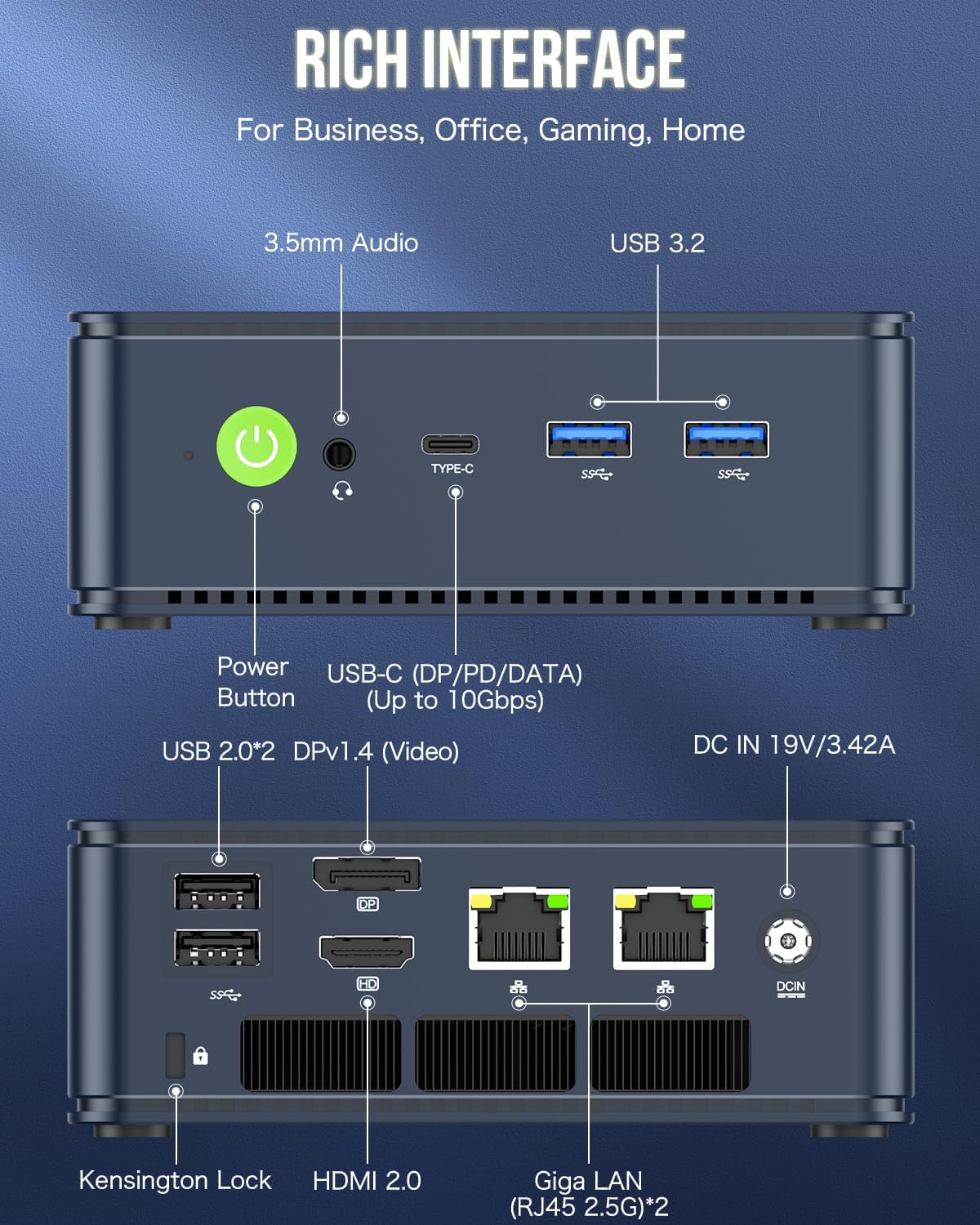
- Display outputs: HDMI 2.0 (4K @ 60Hz), DP port, USB‑C with PD/DP/data (multi-screen support stated)
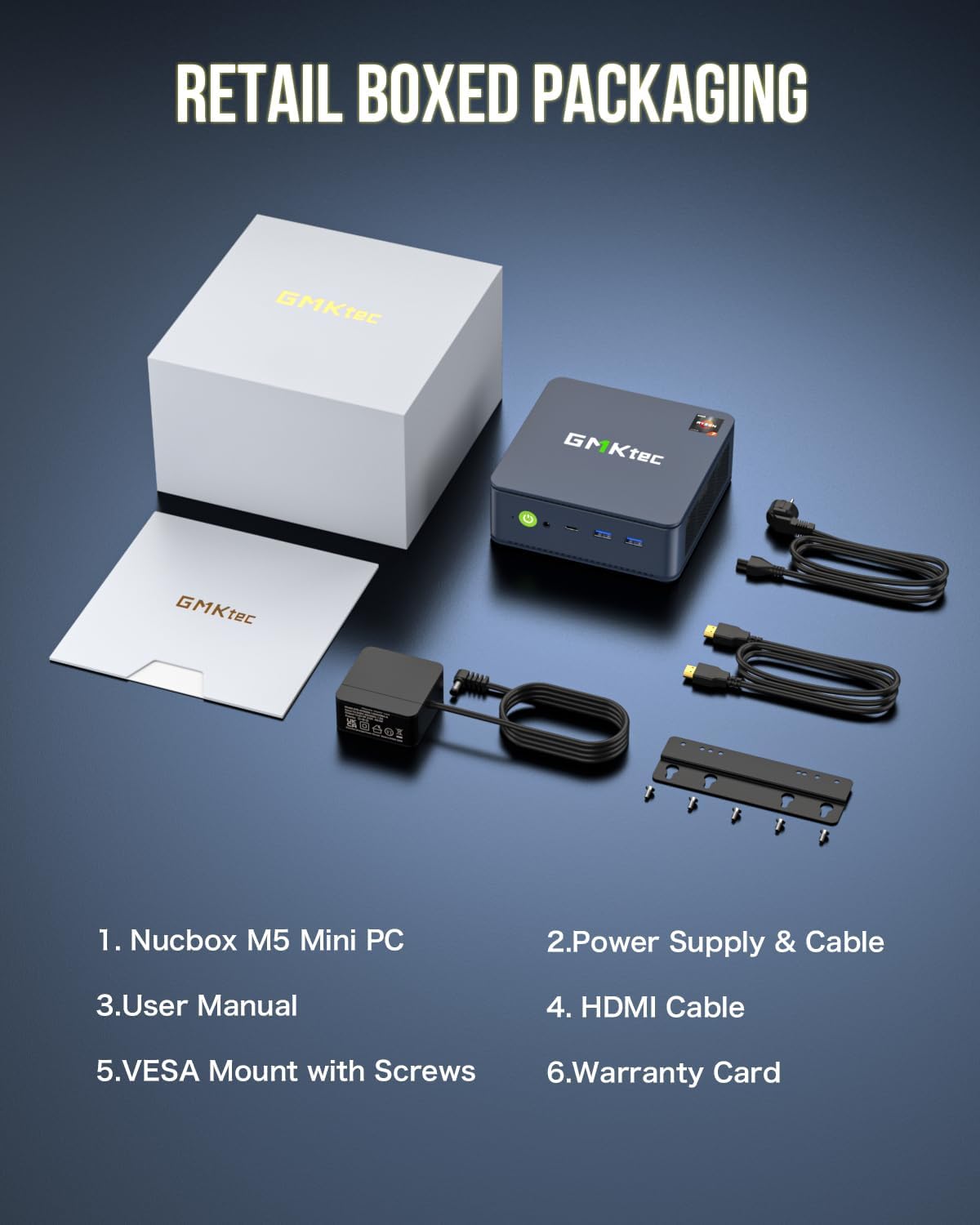
- Ports: 2x USB 3.2, 2x USB 2.0, 1x HDMI 2.0, 1x USB‑C (PD/DP/data), 1x DP, 3.5mm audio (HP/MIC), DC power
- Operating system: pre-installed Windows 11 Pro
- Warranty: 3-year limited warranty (one-year replacement, two-year repair)
Where it shines
Networking is the headline here. Dual 2.5G LAN plus Wi‑Fi 6E gives you options depending on whether you’re wired to a router/switch or relying on wireless. That flexibility is useful if your workspace changes, or if you want the stability of Ethernet for demanding sessions.
It also makes sense if you’re building a compact setup that can handle more than browsing. The combination of Ryzen 7, 32GB RAM and a 1TB PCIe SSD is a “do more” package: office work, productivity and even mid-range gaming are explicitly mentioned in the description, alongside workloads like complex design software and 4K video editing.
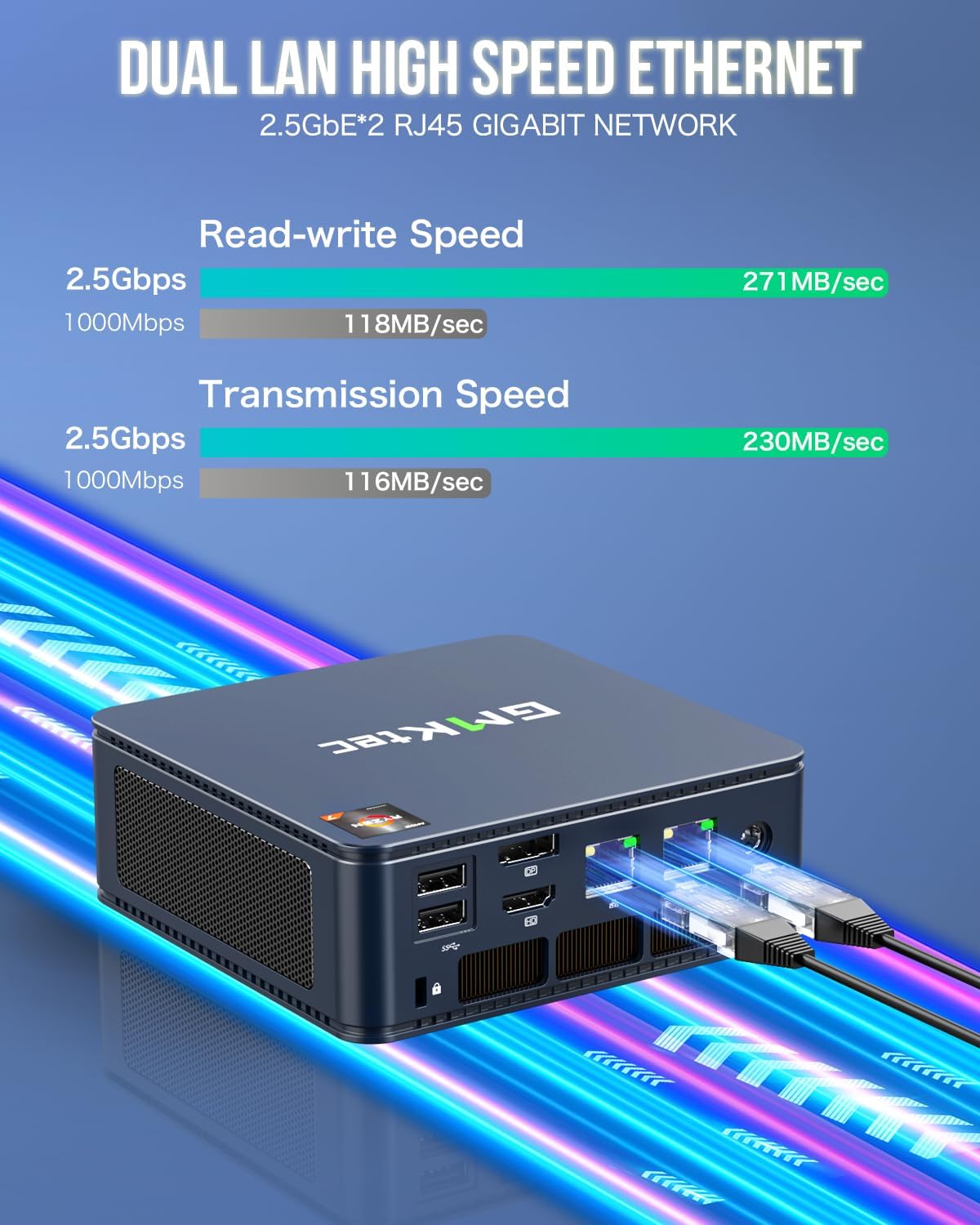
If you’re thinking about it as a mini server/office PC angle, the dual NIC 2.5G and the connectivity focus (with notes like Untangle / pfsense in the description) are clearly part of the intended appeal.
It may not suit you if
It might be a bit too “mini PC all‑in‑one” if your priority is maximum upgradeability and easy internal expansion like you’d get from a full-size desktop. The description mentions RAM and SSD expansion, but upgrades aren’t included, and mini PCs generally don’t match desktops for hands-on tinkering.
Also, if you’re planning heavy, sustained workloads for long stretches (for example, continuous high-end rendering and keeping high clocks for hours), remember that mini-form-factor cooling and power constraints can become the limiting factor, not just the CPU spec.
Should you buy it?
You should consider the GMKtec Nucbox M5 Ultra if you want a compact PC that arrives ready with Windows 11 Pro, with 32GB RAM and 1TB PCIe SSD so you’re not immediately looking at upgrades. The dual 2.5G LAN and Wi‑Fi 6E are especially compelling if your setup benefits from fast, reliable connectivity.
You may want to skip it if you need the kind of expandability, sustained performance headroom, or no-compromises tinkering experience you’d expect from a larger desktop. In that case, a more traditional desktop approach (even if it’s bigger) can be the better fit.
Finally, double-check your display and port needs. The description says it can connect to multiple screens and supports 4K @ 60Hz via HDMI, but your exact monitor inputs (HDMI/DP/USB‑C) will determine how straightforward the setup feels.
Quick check FAQ
Does it come with Windows 11 Pro?
Yes, it’s described as pre-installed with Windows 11 Pro.
How much RAM and storage does it include?
It includes 32GB DDR4 RAM (dual channel) and a 1TB M.2 2280 PCIe SSD.
Is it good for multi-screen work?
The description indicates support for connecting multiple displays and includes 4K @ 60Hz support via HDMI 2.0.
What network options does it have?
You get dual 2.5G RJ45 LAN, plus Wi‑Fi 6E with triple band support and Bluetooth 5.2.
Is it suitable for gaming as well as office use?
The listing positions it as “gaming office” and mentions mid-range gaming, but as with any mini PC, how well it fits depends on the games you play and how demanding you are with performance over time.