

Phomemo M832D Portable Thermal Printer – A4 Touchscreen, Inkless, Bluetooth & USB-C
Product description
What it is and what problem it solves
The Phomemo M832D is a portable A4 thermal printer that uses inkless thermal printing. Designed for home, office or travel use, it aims to provide on‑the‑spot printing of documents, notes, contracts and more without cartidges or ink. On paper, it promises straightforward printing when you’re away from a traditional desk, making it a practical companion for study, business trips and light administrative tasks.
How it feels in use
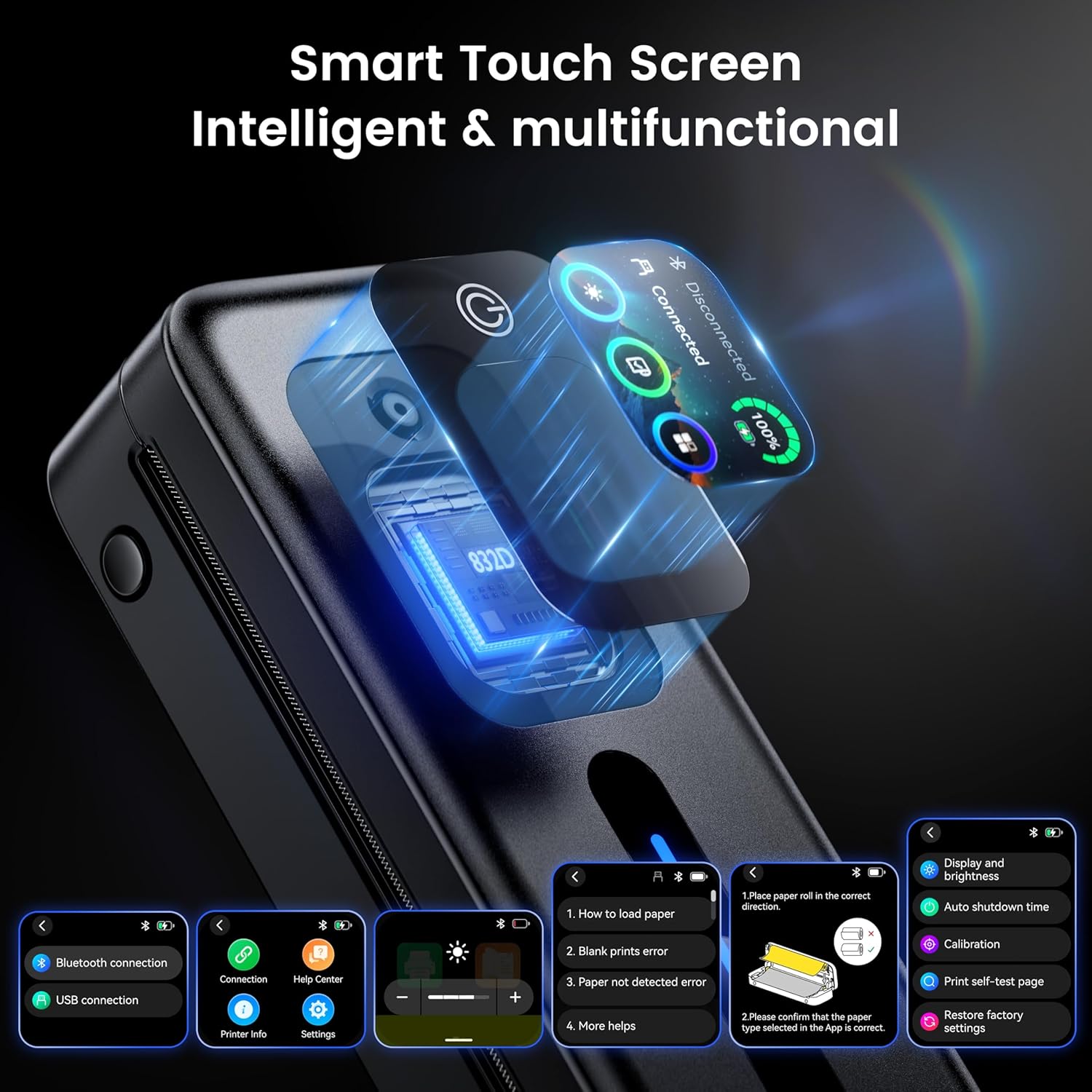
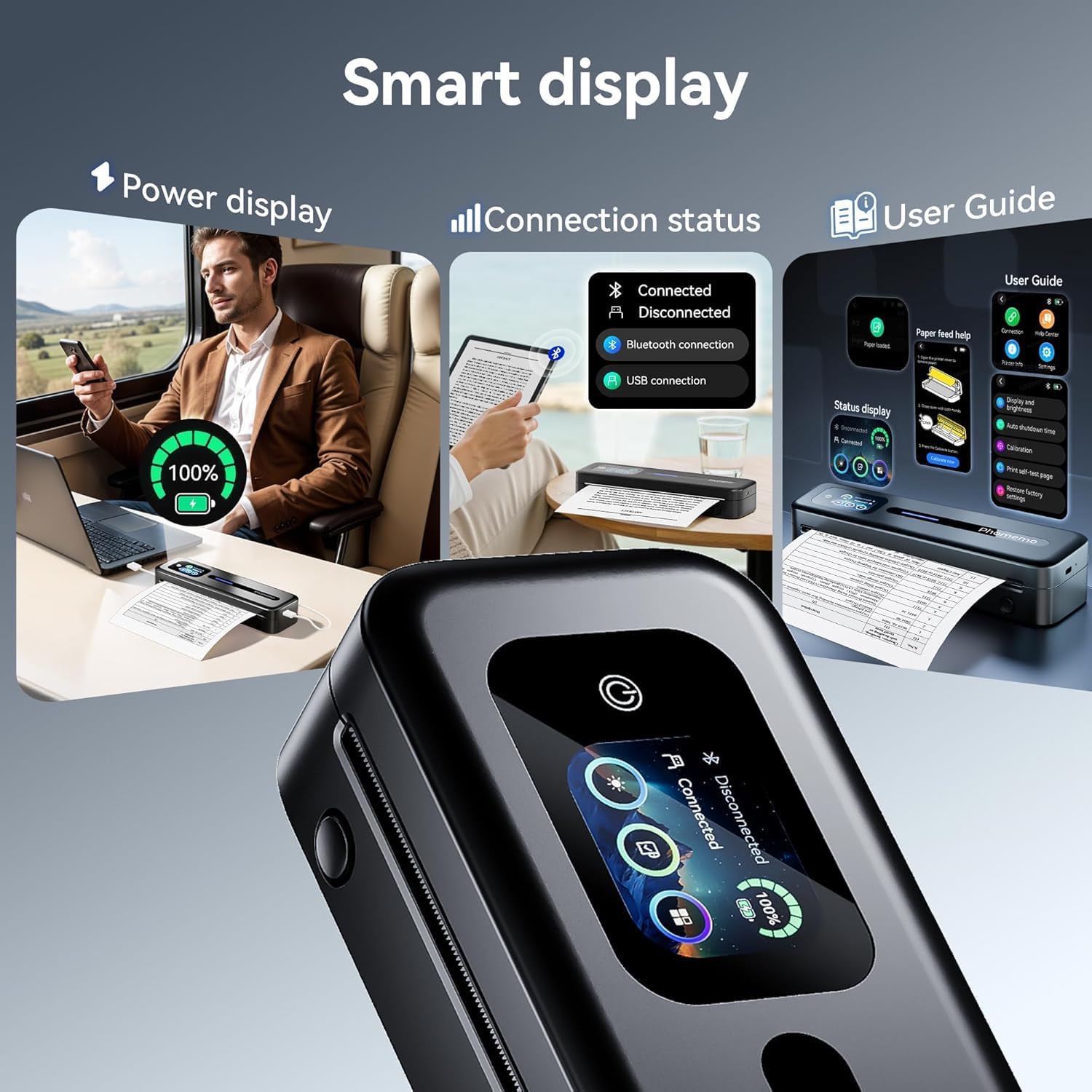
This model centres around a smart touchscreen for quick status checks—from battery level to paper tray placement. It’s pitched as user‑friendly, with access to a user manual, operating instructions and FAQs directly from the device. The on‑device controls also cover features like wallpapers, custom shutdown timings and paper tray calibration, plus brightness adjustment for different lighting conditions.
Design, weight and portability
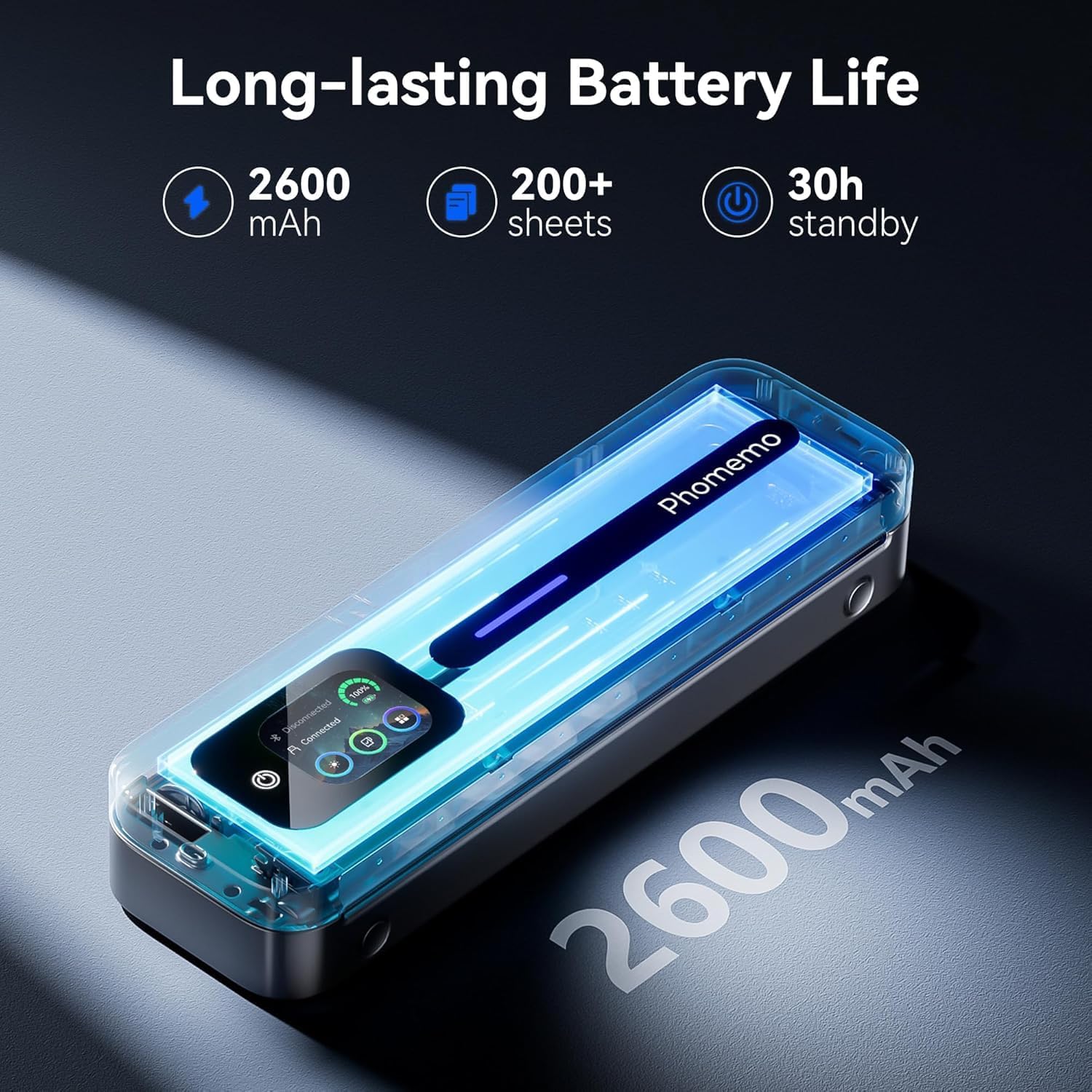
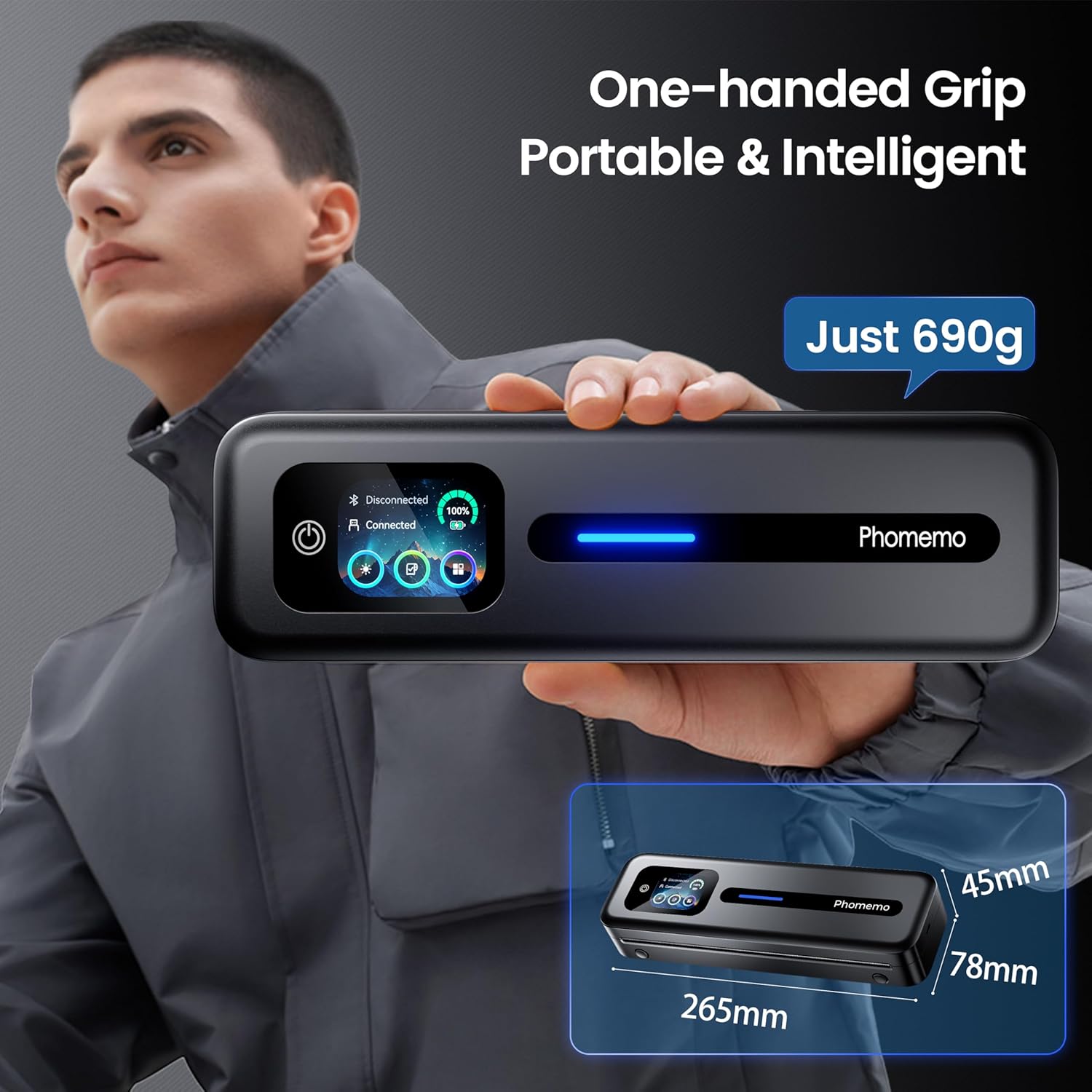
Weighing around 690 g with compact dimensions, the M832D is purposely designed to be mobile. The rigid, pocket‑friendly form factor is paired with a reasonable battery life: a 2600 mAh pack promises up to 30 hours of standby and enough charge for around 200 sheets of paper under typical use. This makes it a credible option for someone who needs to print away from a fixed workstation.
Connectivity and device compatibility
The printer supports Bluetooth and USB connections. For smartphones or tablets, the Phomemo app enables Bluetooth printing on iOS and Android. Laptops or desktops can connect via USB‑C, with compatibility claimed for Windows (x86 and ARM), macOS, Chrome OS and Linux variants. It’s designed to work with common document formats such as Word, Excel, PDF, TXT and JPG, converting them to the printer’s thermal media.
Printing quality and media
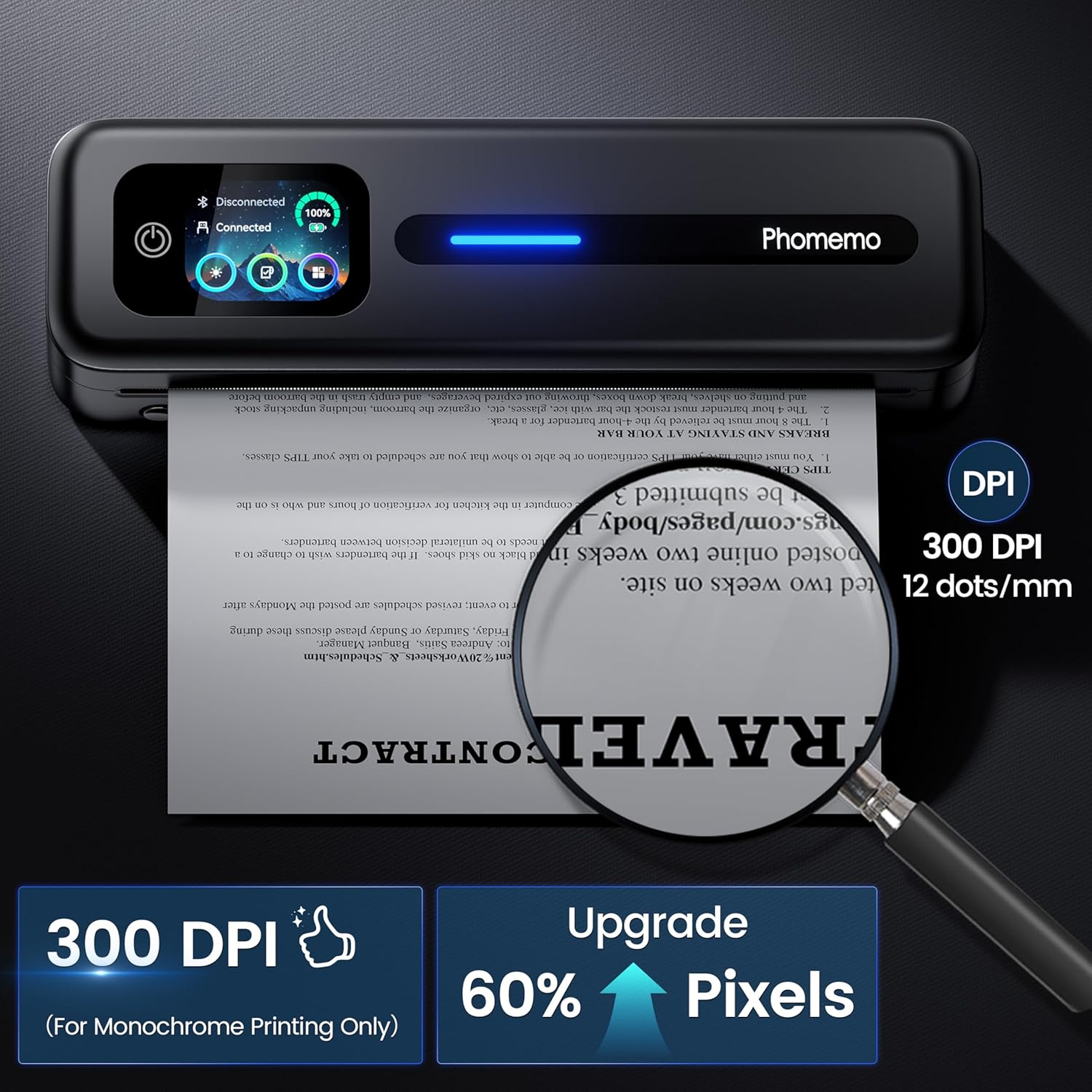
The M832D prints in 300 dpi, offering a straightforward, high‑definition text print on thermal paper. It’s important to note that it is inkless and limited to black and white printing. The ability to adjust print density in the Phomemo app provides some control over how bold the output looks, which can help in either highlighting key sections or saving paper.
What’s included and media options
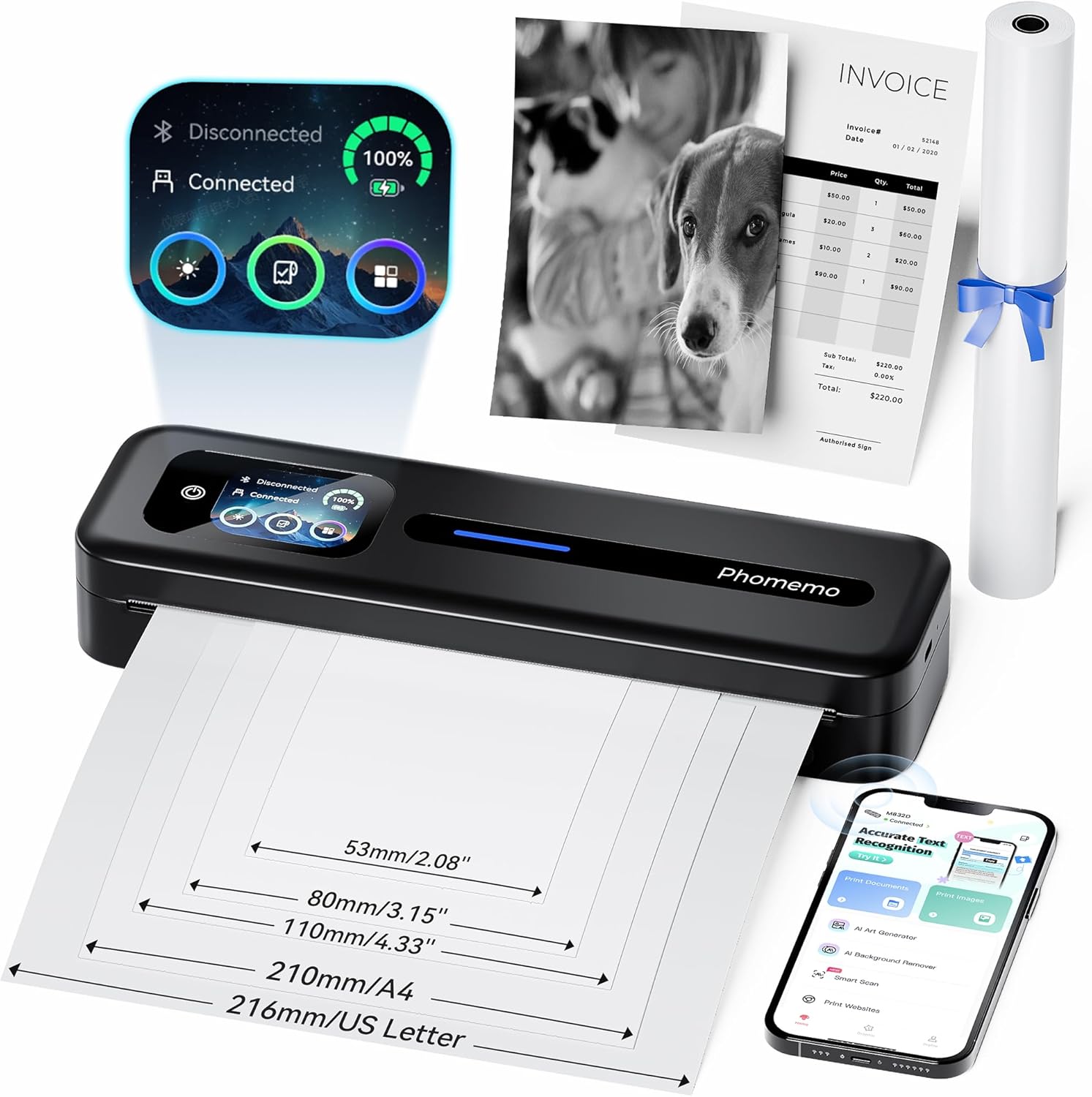
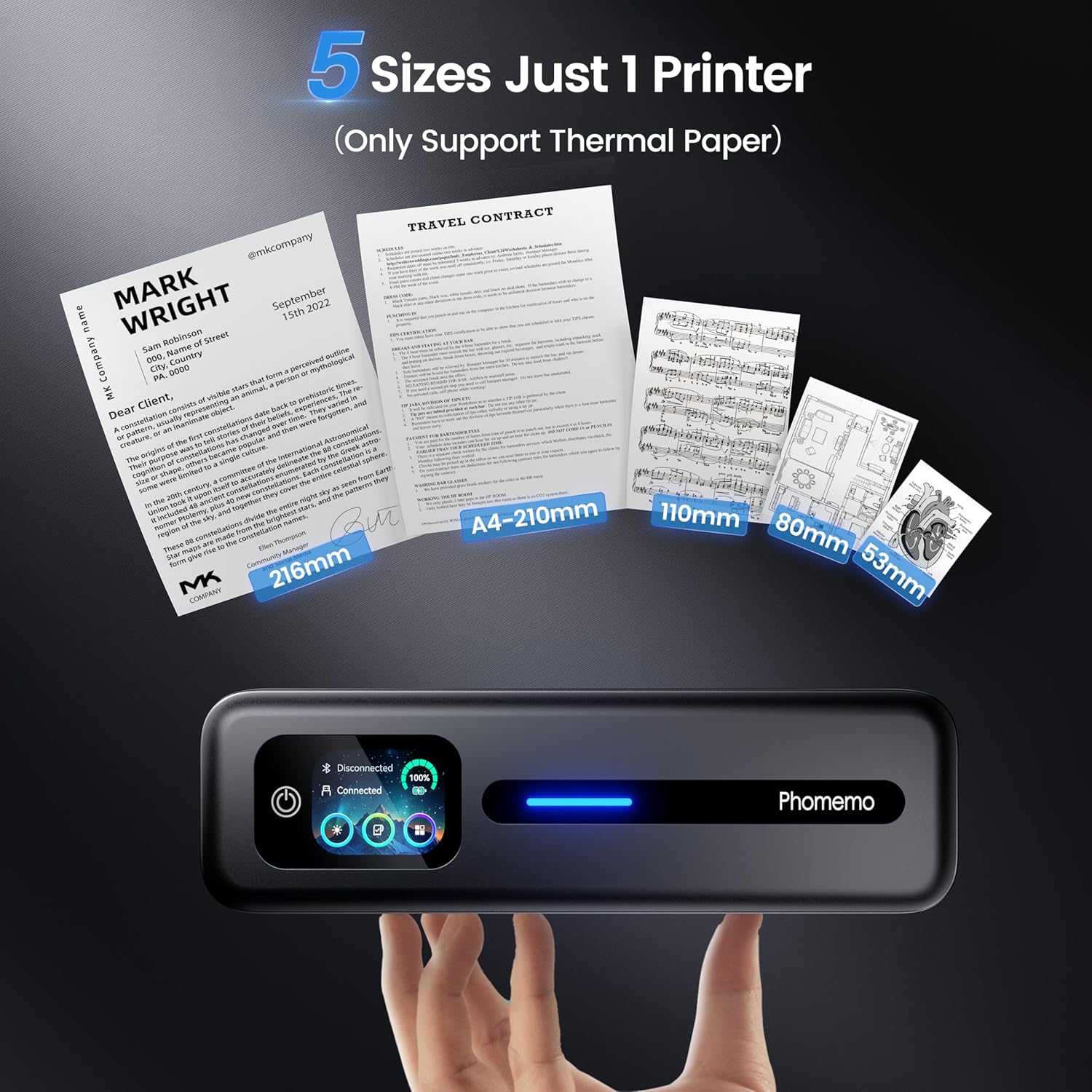
In the box you’ll find the M832D printer and a roll of A4 size thermal paper. The device supports five paper sizes (US Letter, A4, 110 mm, 80 mm and 53 mm) and three media types (rolled, single sheets, fold paper). The model is positioned for scenarios where you want to print on the go without worrying about ink replacement, though it may not suit higher‑volume or colour printing needs.
Best uses and who it suits
If your print tasks are lightweight and don’t require colour, the M832D can be sensible for quick contracts, notes, receipts, student handouts or drafts while travelling or on campus. It’s somewhat more practical for occasional use rather than daily heavy printing. Consider this if you prioritise portability and a clean, inkless workflow over sheer print volume or colour fidelity.
When it may not be the best option
It won’t replace a full‑size inkjet or laser printer for high‑volume printing or colour documents. The need to use thermal paper and the lack of colour output mean it’s best viewed as a supplementary device rather than a primary printer for a busy home office. If your work relies on colour, rich graphics or long multi‑page colour documents, this model will fall short.
What to check before buying
- Confirm you’re comfortable printing in black and white only with thermal media.
- Ensure you have ready access to a compatible device (phone, tablet or computer) and the appropriate connection (Bluetooth or USB‑C).
- Consider how often you’ll print on the go and whether the option to scale to larger paper sizes fits your needs.
Practical use snapshot
Imagine printing a quick contract on a train trip or a study note directly from your phone, then placing the page straight into a folder without smudges from ink. The on‑board brightness and calibration features can help if you’re printing in variable lighting, such as a hotel desk or classroom.
What stands out and what could be improved
On the plus side, the integrated touchscreen and faster Bluetooth responsiveness (per what the manufacturer claims) add convenience for quick checks and adjustments. The battery life offers decent standby time for travel, and the device is designed to be compact and light. On the downside, the lack of colour and the reliance on thermal paper limit the types of documents you can effectively print, and heavy daily printing isn’t its forte.
Is it worth it?
It suits buyers who prioritise portability, ink‑less operation and straightforward black‑and‑white output for light printing tasks on the move. If you need durable, paper‑free management for occasional documents and notes while away from a desk, it could be a pragmatic addition. If your work hinges on colour printing or high page volumes, you may want to consider alternatives that support colour or larger print runs.
FAQ
- Can I print photos with this device? It’s specified for black‑and‑white printing on thermal paper, photo printing isn’t highlighted as a feature.
- How easy is it to switch between devices? It supports Bluetooth and USB‑C connections, with the Phomemo app for mobile devices.
- What paper sizes can I use? It supports five sizes including US Letter and A4, plus 110 mm, 80 mm and 53 mm formats.
Final decision
Is it worth it? Worth considering if you need a compact, inkless printer for light, on‑the‑go printing with basic document formats and fast Bluetooth responsiveness. It’s best for users who value portability and simplicity over colour printing and high volume tasks.