

Nelko P21 Bluetooth Label Printer (Label Maker Machine with Tape) in White
Product description
The essentials
If you want neat labels without dragging a full desktop setup around, the Nelko P21 Bluetooth Label Printer is aimed at quick, on-the-spot organisation. On paper, it’s built to be small enough to keep handy and simple enough for home, school and office use: install a label roll, pair via Bluetooth, pick a template in the app, then print. It’s also a monochrome printer, so you’re not buying it for colourful design work in the usual way.
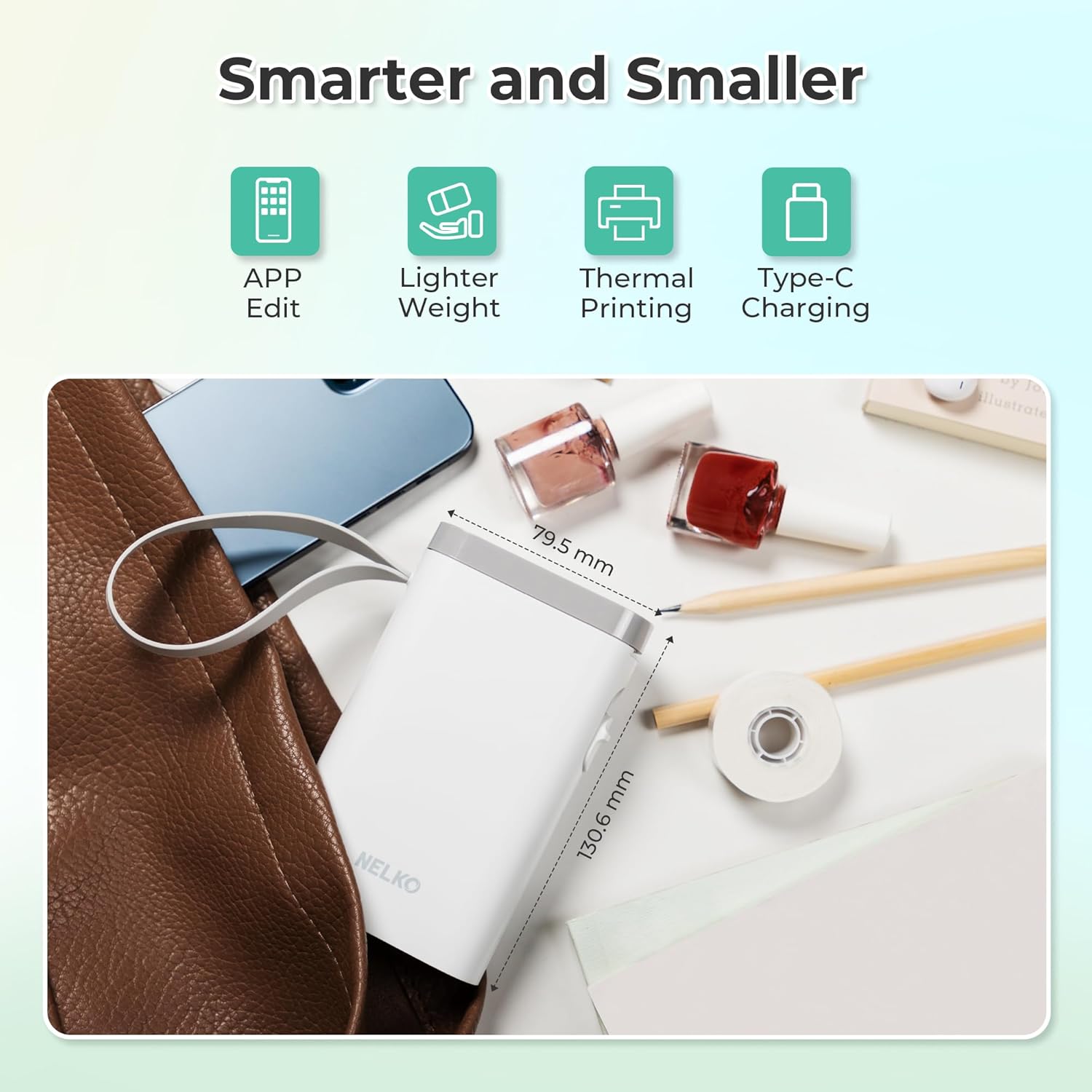
That “pocketable” angle is the key difference versus more traditional label makers. You’re getting a compact label maker that leans on a mobile app for templates, fonts and icons, rather than a computer workflow. The trade-off is that it doesn’t work with computers, and compatibility can be a bit more specific than you’d expect.
What it’s like to use (and what to expect)
The process is straightforward and designed around the app. You’re expected to:
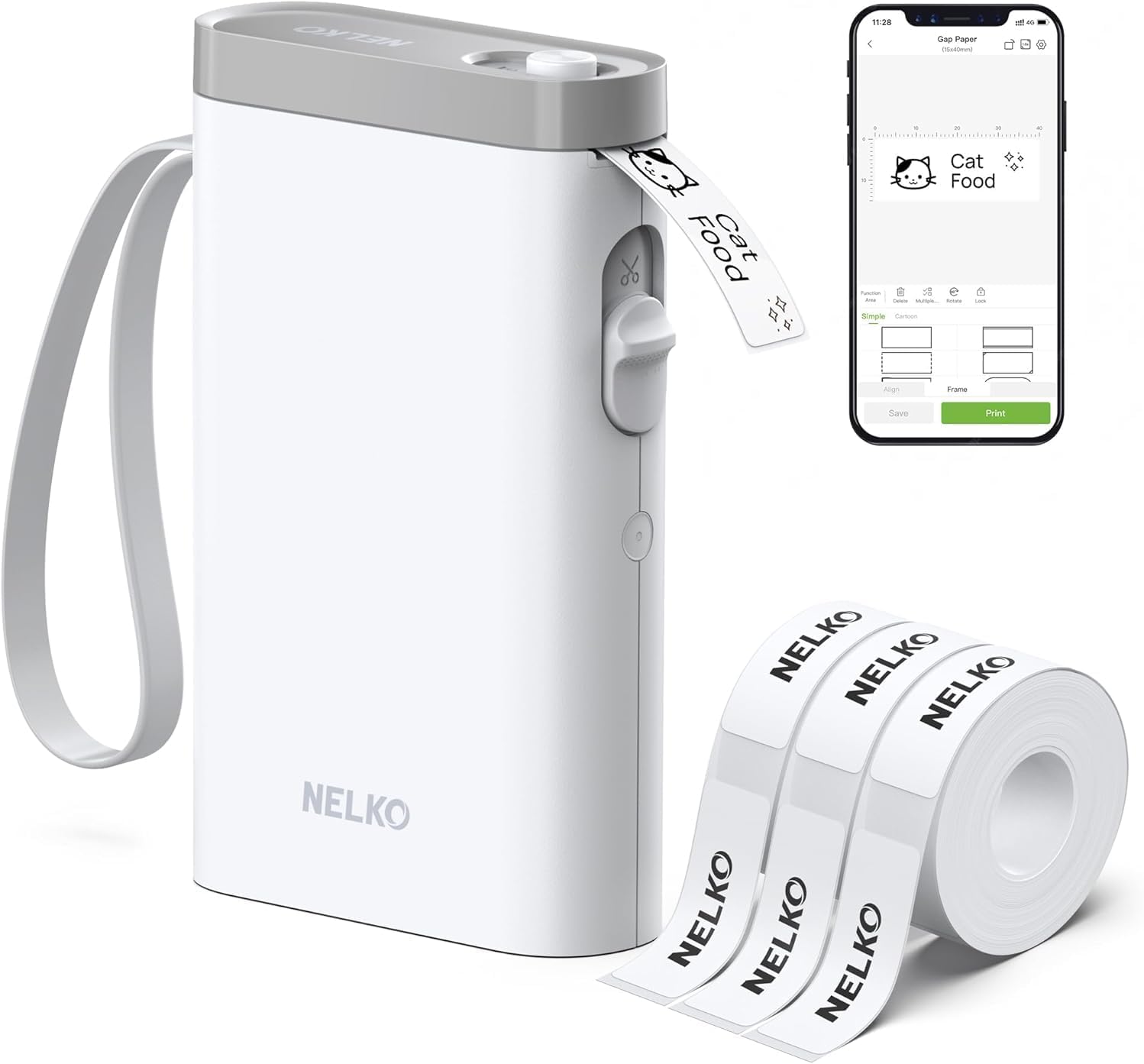
1) Download the “Nelko” app on iOS or Android. 2) Install the paper roll. 3) Connect the P21 Bluetooth in the app. 4) Choose a template and print.
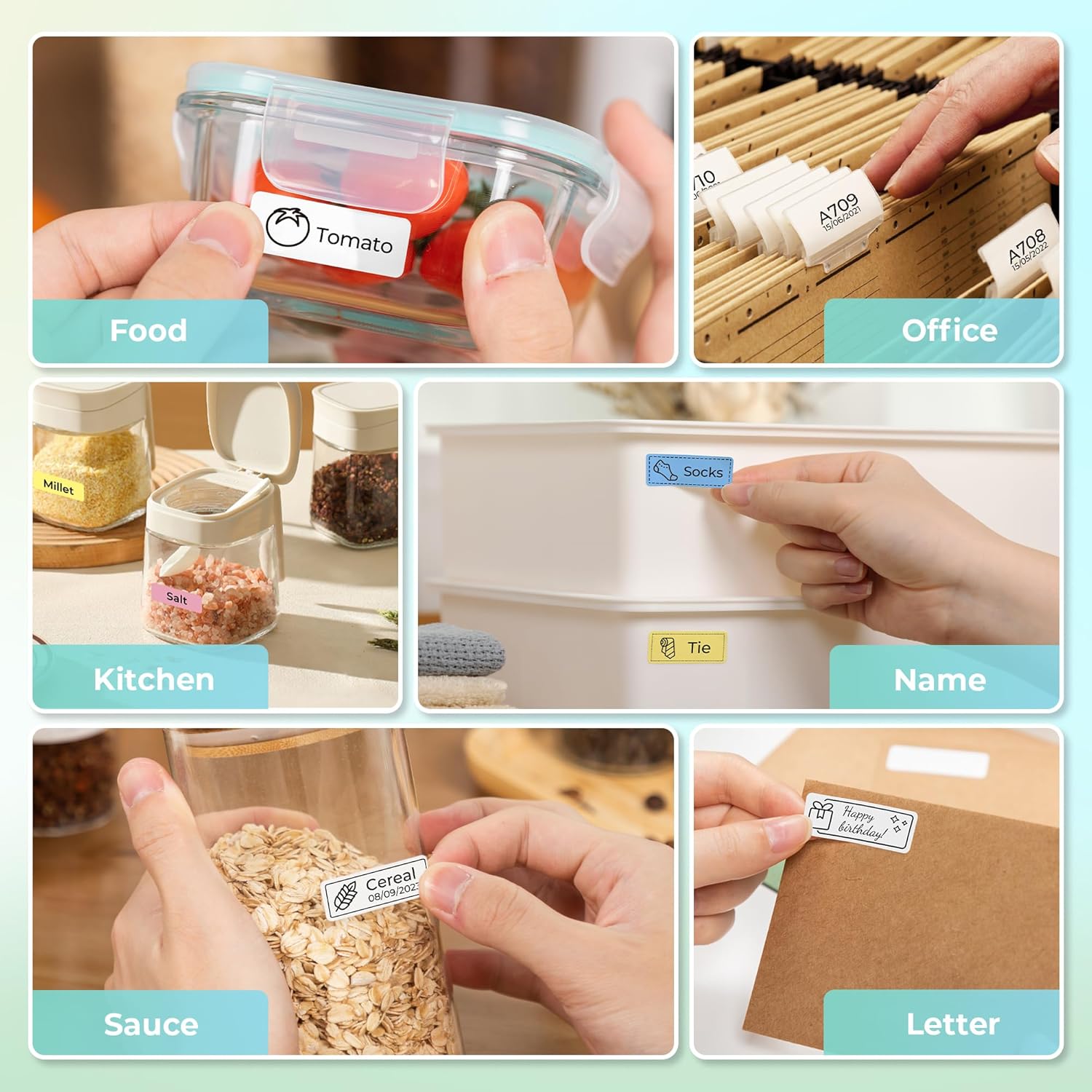
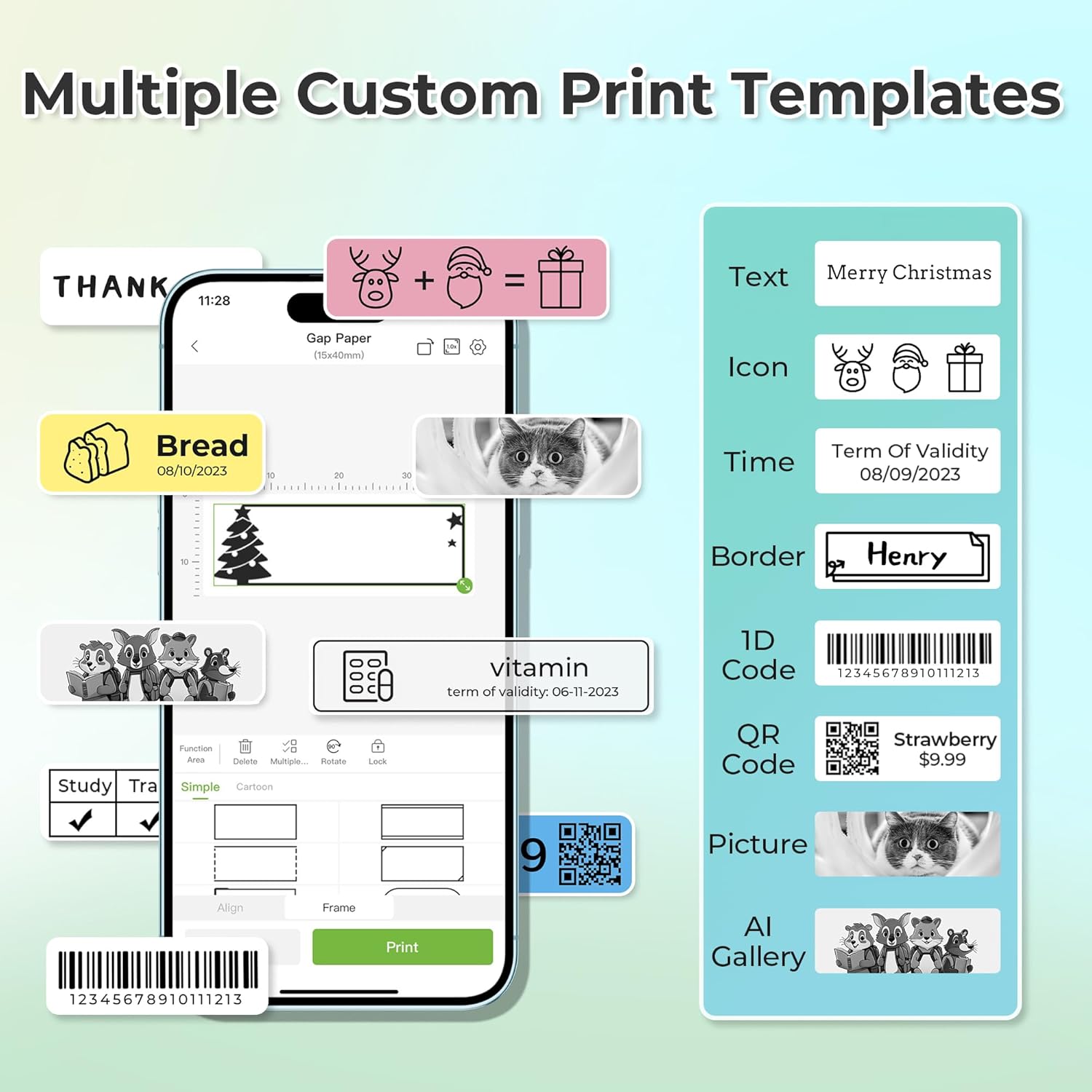
In day-to-day terms, this is the sort of device you can use when you’ve got five minutes between tasks: for example, labelling a container of dry goods so you can spot what it is at a glance, or adding name labels to classroom belongings before a busy week. Templates also include elements like QR codes and barcodes, plus options such as borders and materials.
One limitation worth knowing upfront: label length is fixed to specific sizes listed by the manufacturer, including options such as 12×40mm, 14×40mm, 14×50mm, and 14×75mm. If you need fully custom lengths, this won’t match that kind of workflow.
Key features that matter
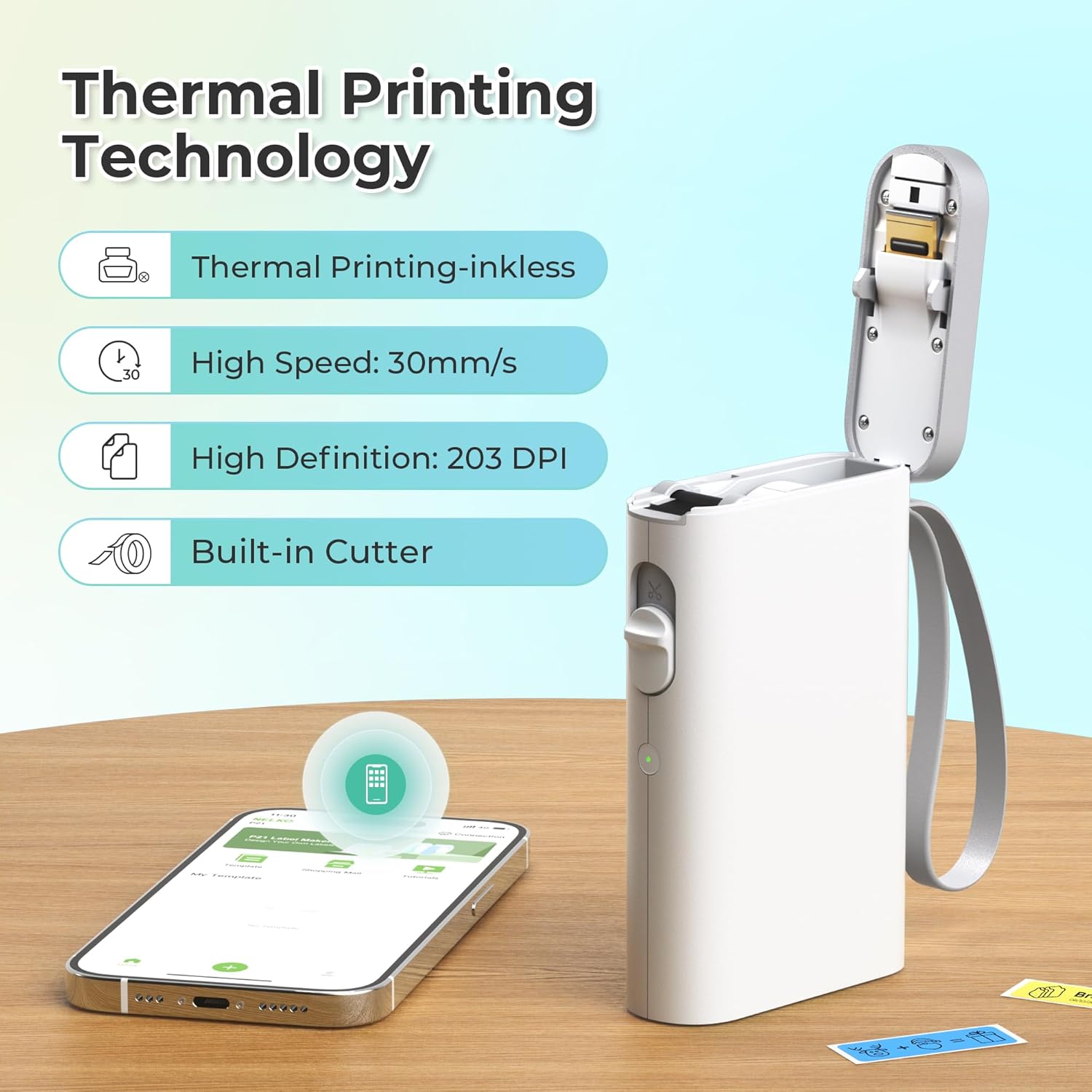
This model uses direct thermal printing technology with BPA-free materials mentioned by the brand, so you don’t rely on ink or toner cartridges. It’s specified as 203 DPI, which suggests crisp enough text for typical organisational labels (although, as always with thermal printing, it’s best thought of for practical everyday use rather than fine art).
It also comes with a rechargeable battery built in, positioned as the reason you can print “anytime, anywhere”. Do note the battery uses a rechargeable setup, but the charging adapter isn’t included. The brand also says it’s not suitable for fast charging adapters.
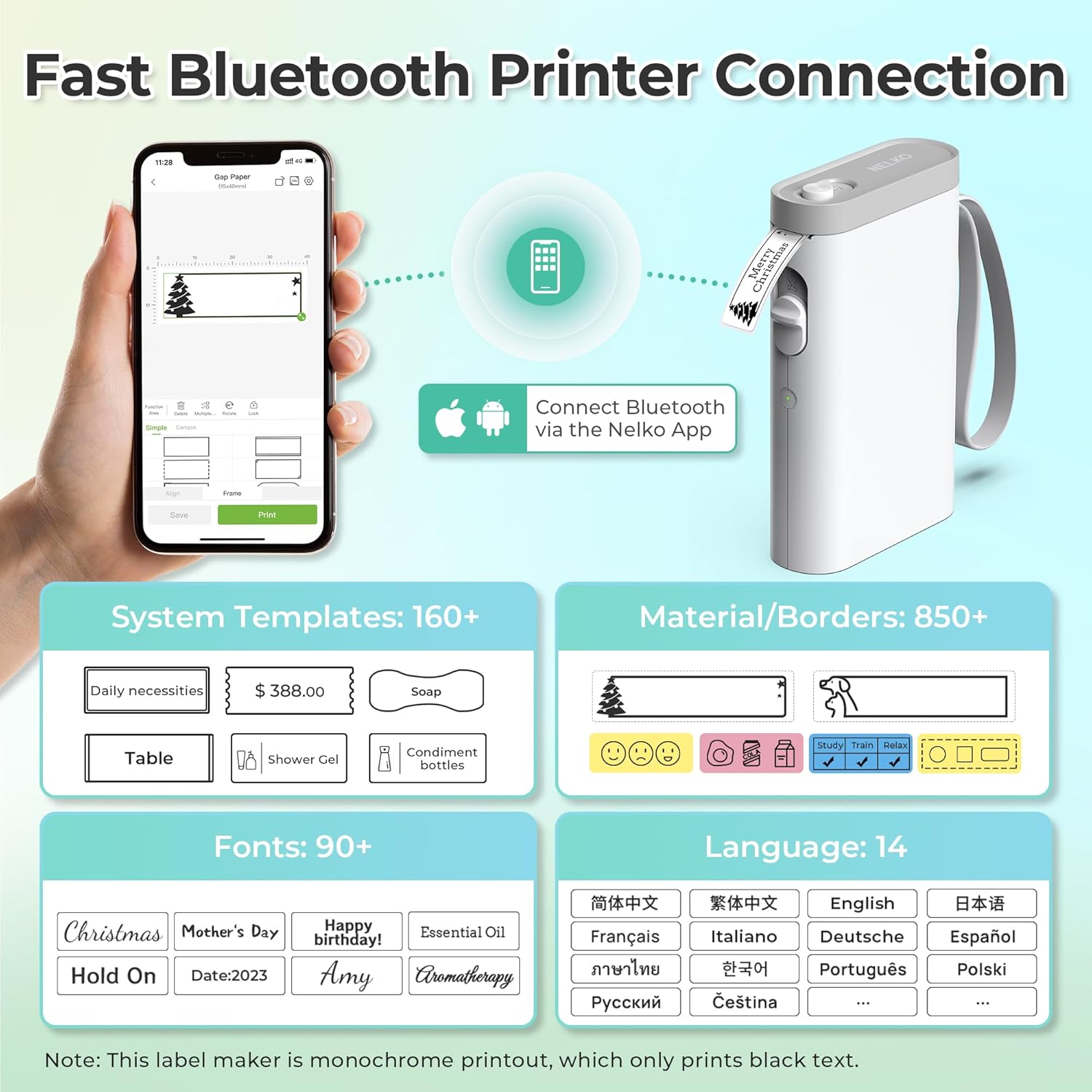
Creative side: the app includes 90+ fonts, 10+ languages and 450+ materials, along with multiple templates and editing elements. The templates can cover text, QR codes, barcodes, materials, images, time and borders.
Where it shines (and where it may fall short)
Where the Nelko P21 feels like it makes sense is when you want quick labels for real-life clutter: home storage, cosmetics items, mailings, office reminder tags, notebook tags, or classroom name labels. It’s especially convenient if you don’t want to sit at a desk with a computer.
However, it’s not perfect for every situation. A few practical limits stand out:
- It prints monochrome black text. If you want colour labels, you’d need colour pattern label tapes.
- It doesn’t support continuous label tapes.
- It only prints via the app, and the manufacturer states it doesn’t work with computers.
- There are some app/device quirks mentioned: for iOS users (P21 Nelko APP), the brand notes an issue with printing multiple copies and suggests updating the app to version V3.3.0.
- Compatibility constraints are also flagged: it’s not compatible with Google phones on Android 14.
So it’s a solid “app-first” label maker, but you may want to think twice if you expected a universal setup.
Tech specs (as stated by the manufacturer)
- Type: Bluetooth label printer (app-based)
- Printing method: BPA-free direct thermal technology
- Resolution: 203 DPI
- Print output: Monochrome (black text)
- Languages/fonts in app: 10+ languages, 90+ fonts
- Templates/materials in app: 450+ materials, multiple templates (includes QR code, barcode, images, borders, time)
- Label sizes mentioned: 12×40mm, 14×40mm, 14×50mm, 14×75mm, and more
- Connectivity: Bluetooth
- Power: Built-in rechargeable battery (charging adapter not included, not suitable for fast charging adapter)
Buying verdict
A good fit if you want a compact Bluetooth label printer for home, school or office organisation, and you’re happy to do design work in the Nelko app on your mobile. It suits people who value quick templates (including QR/barcode styles) and prefer a no-ink/no-toner setup.
It may not be for you if you need full colour printing out of the box, want continuous tape support, require computer printing, or you’re on Android 14 with a Google phone (the manufacturer explicitly says it isn’t compatible). It’s also not the best match if you expected custom label lengths beyond the listed sizes.
Mini FAQ
How do I print with the Nelko P21?
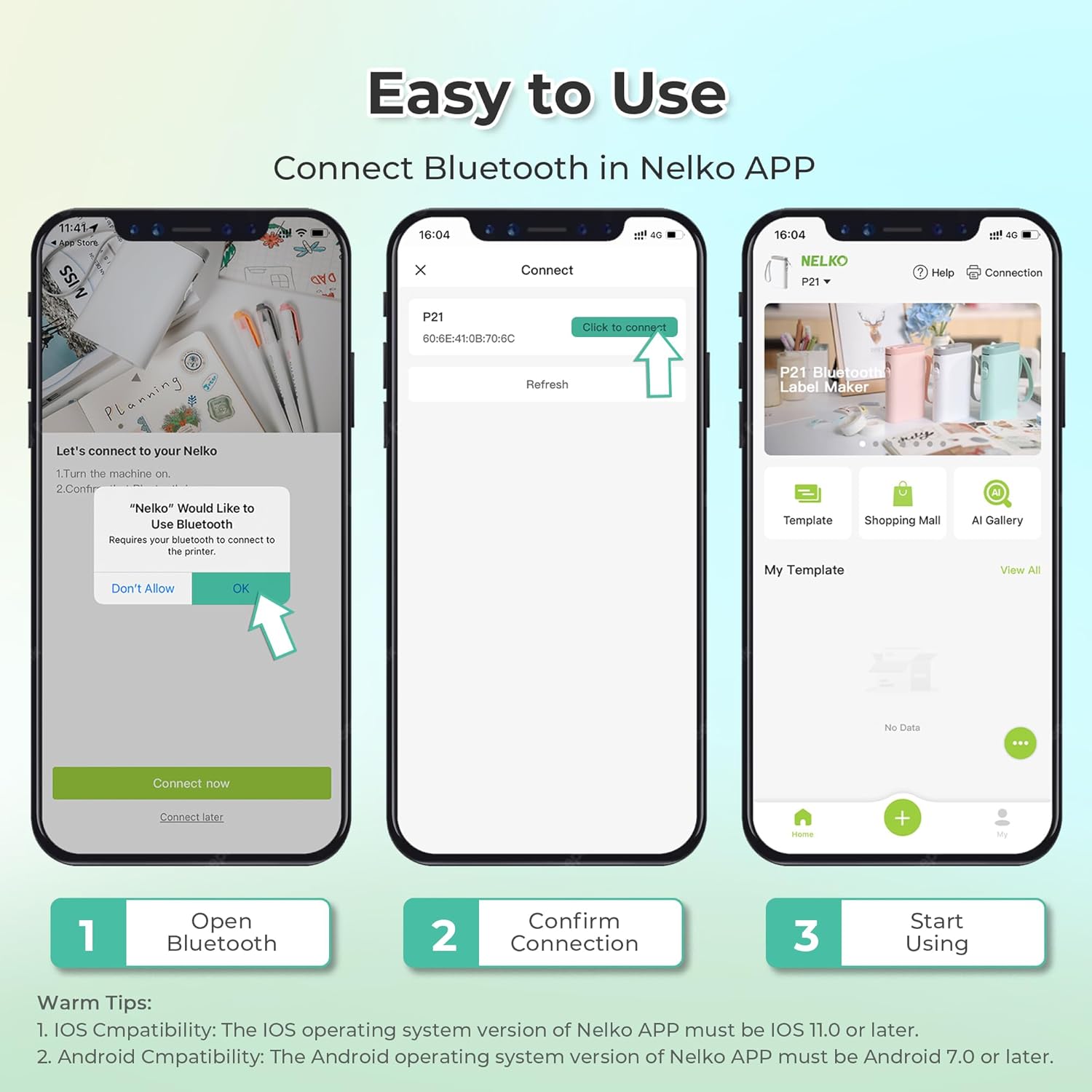
Install the label roll, connect the printer to the Nelko app via Bluetooth, then choose a template in the app and print.
Does it work with a computer?
No—this label maker doesn’t work with computers, based on the manufacturer’s notes.
Can it print colour labels?
It produces monochrome (black) text. The brand suggests using colour pattern label tapes if you want colour label designs.
Are there any known app issues?
For P21 Nelko APP on iOS, the brand mentions an abnormal behaviour when printing multiple copies and recommends updating the app to the latest version V3.3.0.
Is it compatible with Android 14 on Google phones?
The manufacturer states it is not compatible with Google phones on Android 14.
Is it worth it?
The Nelko P21 is worth considering if you want an app-led, pocket-friendly label maker for everyday organisation, especially for home, school and basic office tasks. Just make sure the monochrome output, fixed label sizes and phone-based workflow are acceptable for you—those are the parts most likely to decide whether it feels like a good buy or a frustrating mismatch.