

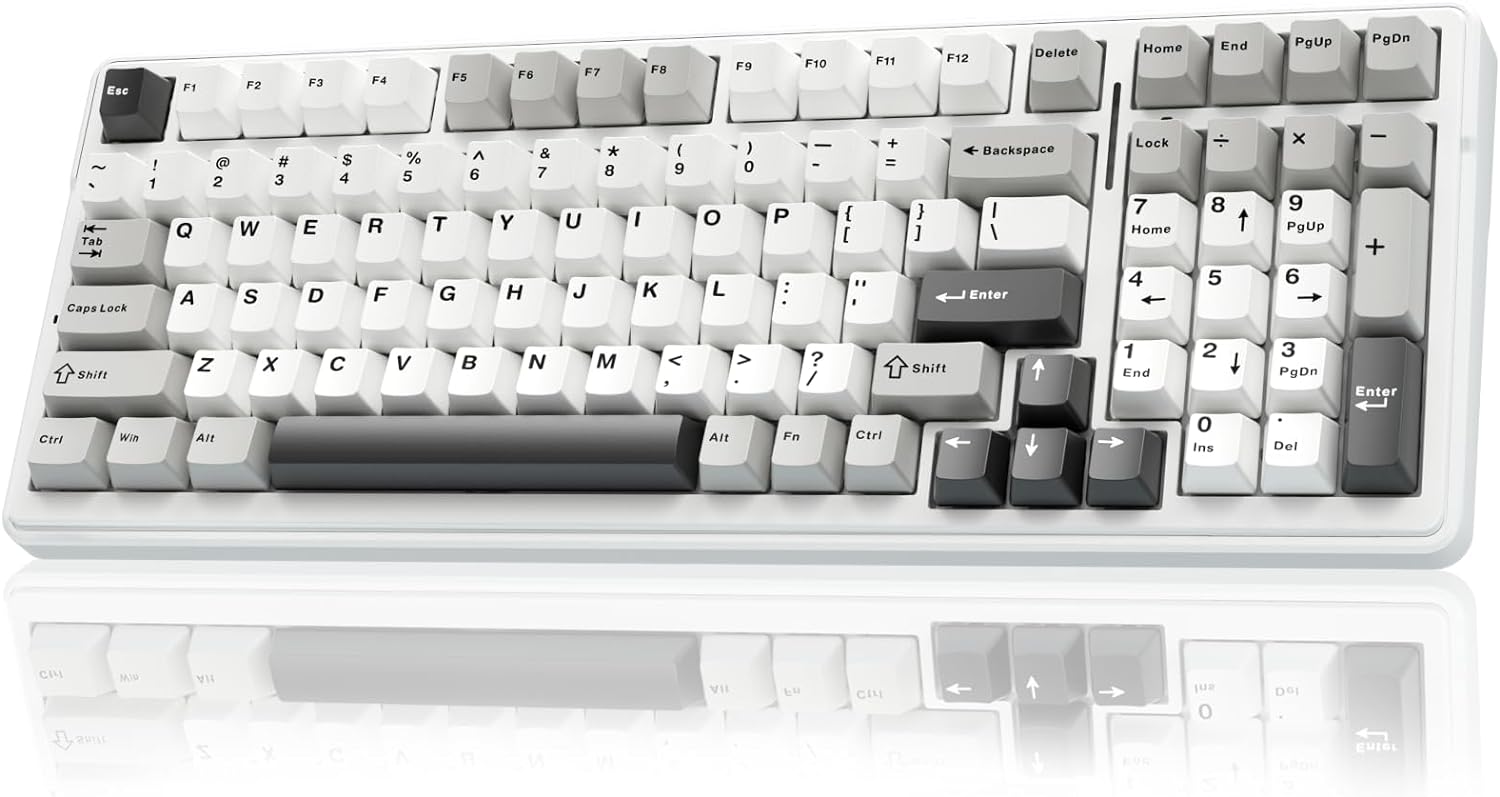
AULA F99 mechanical gaming keyboard (BT5.0/2.4GHz/USB-C, hot-swappable, RGB wireless) – Grey & white
Product description
The essentials
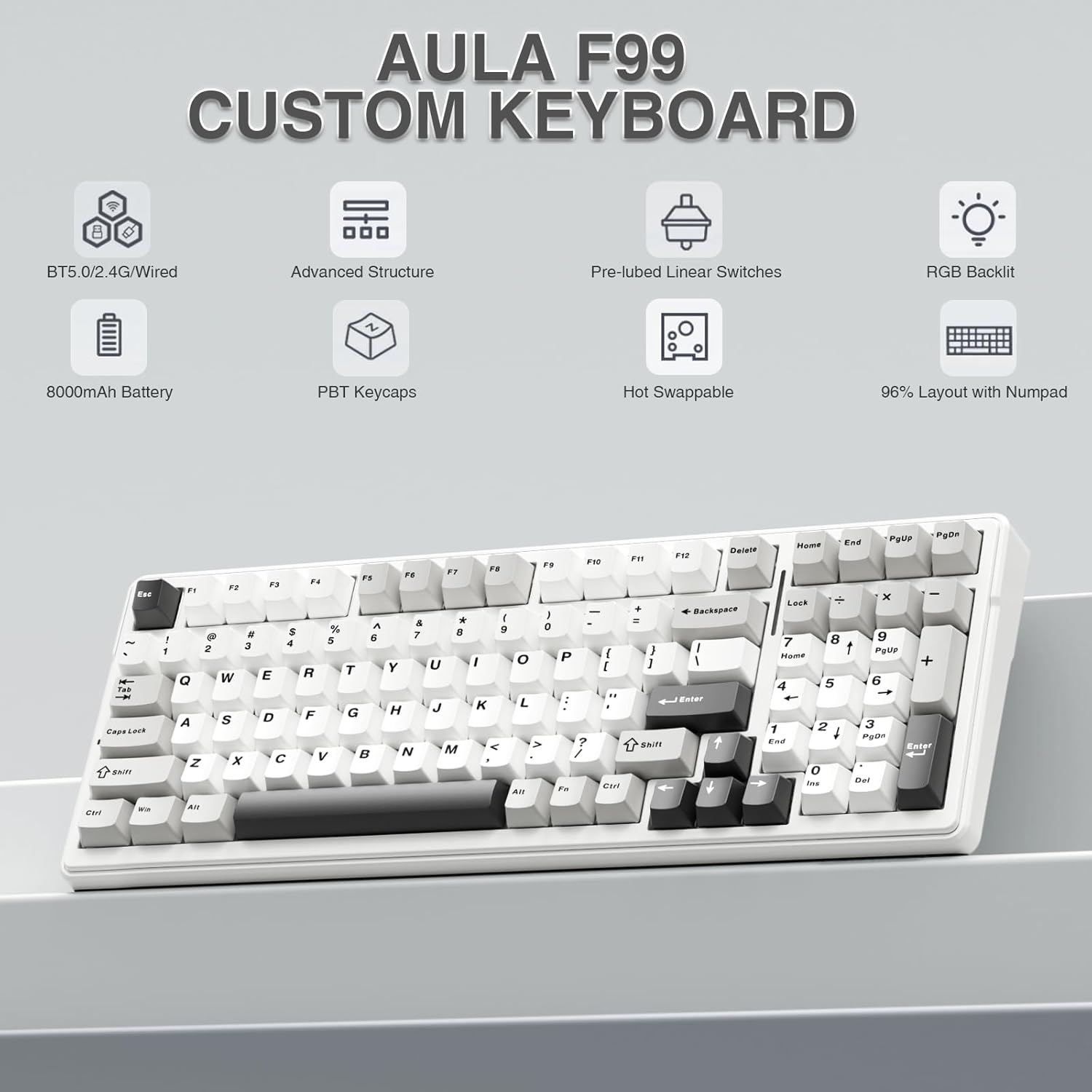
If you’re shopping for a mechanical keyboard that can handle both gaming and everyday typing without forcing you into one setup, the AULA F99 is built around flexibility. On paper, it ticks a lot of boxes: wireless in two ways (BT5.0 and 2.4GHz), a USB-C wired option, and even the ability to switch between multiple devices using Fn key combinations.
It’s also a keyboard with DIY-friendly ambitions. The hot-swappable design means you can change switches and keycaps without soldering, and the included switch/keycap tools are a nice touch if you’re the kind of person who enjoys tuning the feel over time. That said, it’s not positioned as the absolute top-tier enthusiast board here, more of a feature-rich “do-it-your way” option.
Connection options and device switching
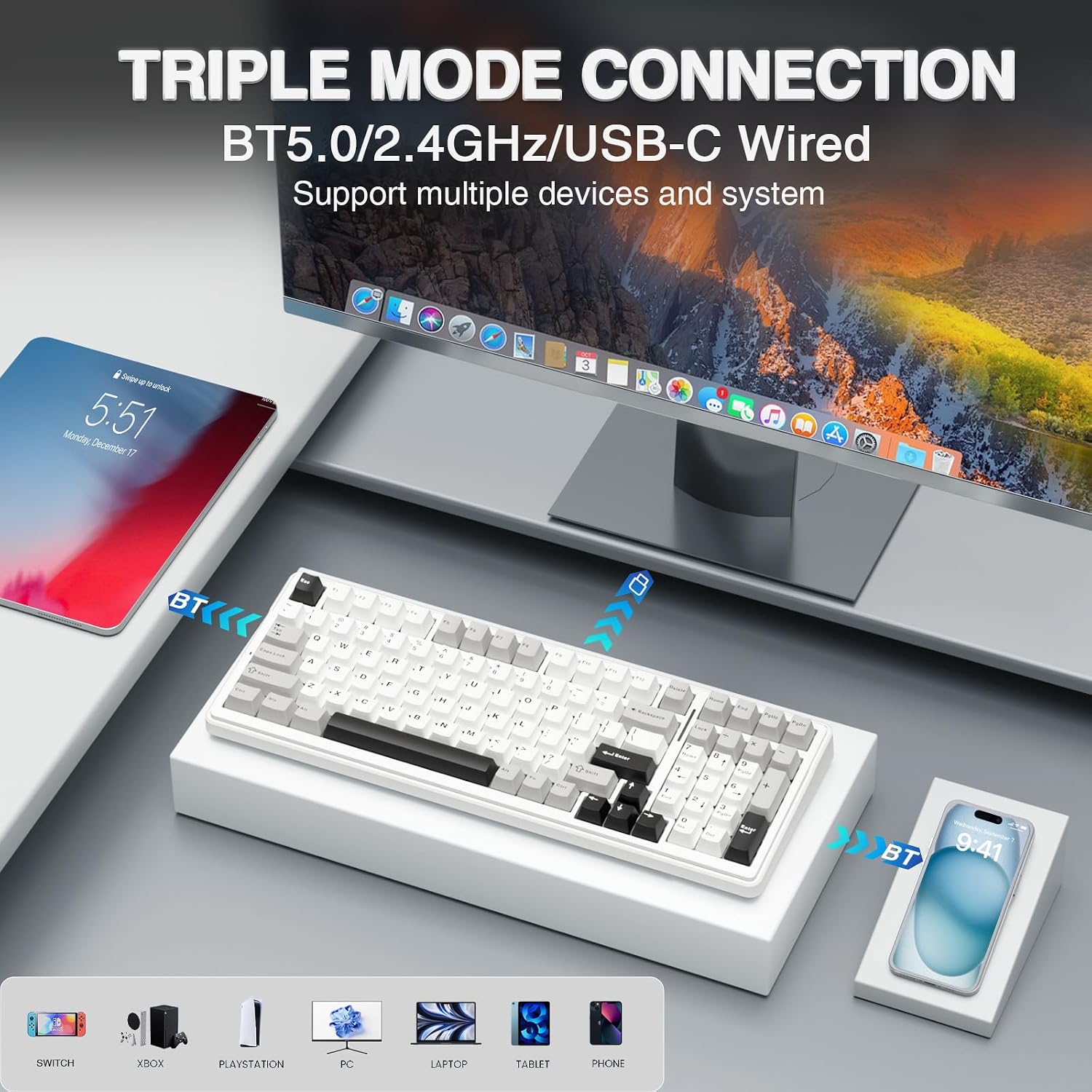
The standout convenience feature is the multi-device setup. The F99 supports three connection methods: BT5.0, 2.4GHz wireless, and USB-C wired mode. It can connect to up to five devices at the same time, then you swap between them using Fn shortcut keys.
That’s the sort of thing you notice in daily life. For example, you could keep a laptop connected via Bluetooth for study/work, run a PC on 2.4GHz for lower-latency gaming, then switch across when you need to. It’s a practical approach if you share a desk or want one keyboard that follows you.
What you’ll notice when you type (and game)
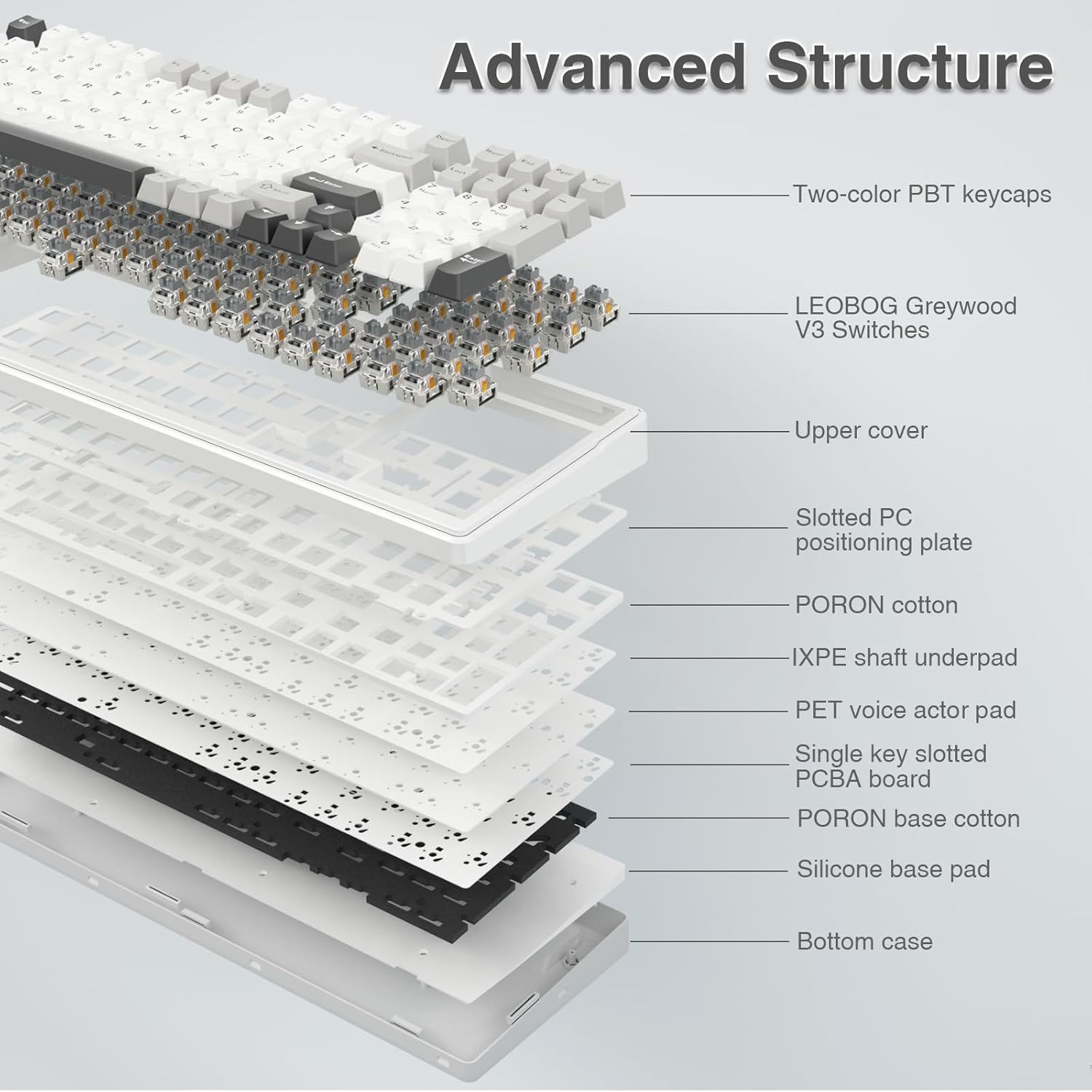
A big chunk of the F99’s “feel” comes from its layered approach to dampening and sound. It includes an extended integrated silicone pad and a five-layer filling silencer designed to reduce the gap noise where the shaft hits the positioning plate. The result, at least as the design intends, is a typing experience that feels softer and more elastic.
The keyboard also uses a single key slotting PCB structure, aiming to improve resilience and stability for more consistent key feel. This matters if you plan to game hard or type for long stretches, because small inconsistencies tend to show up quickly.
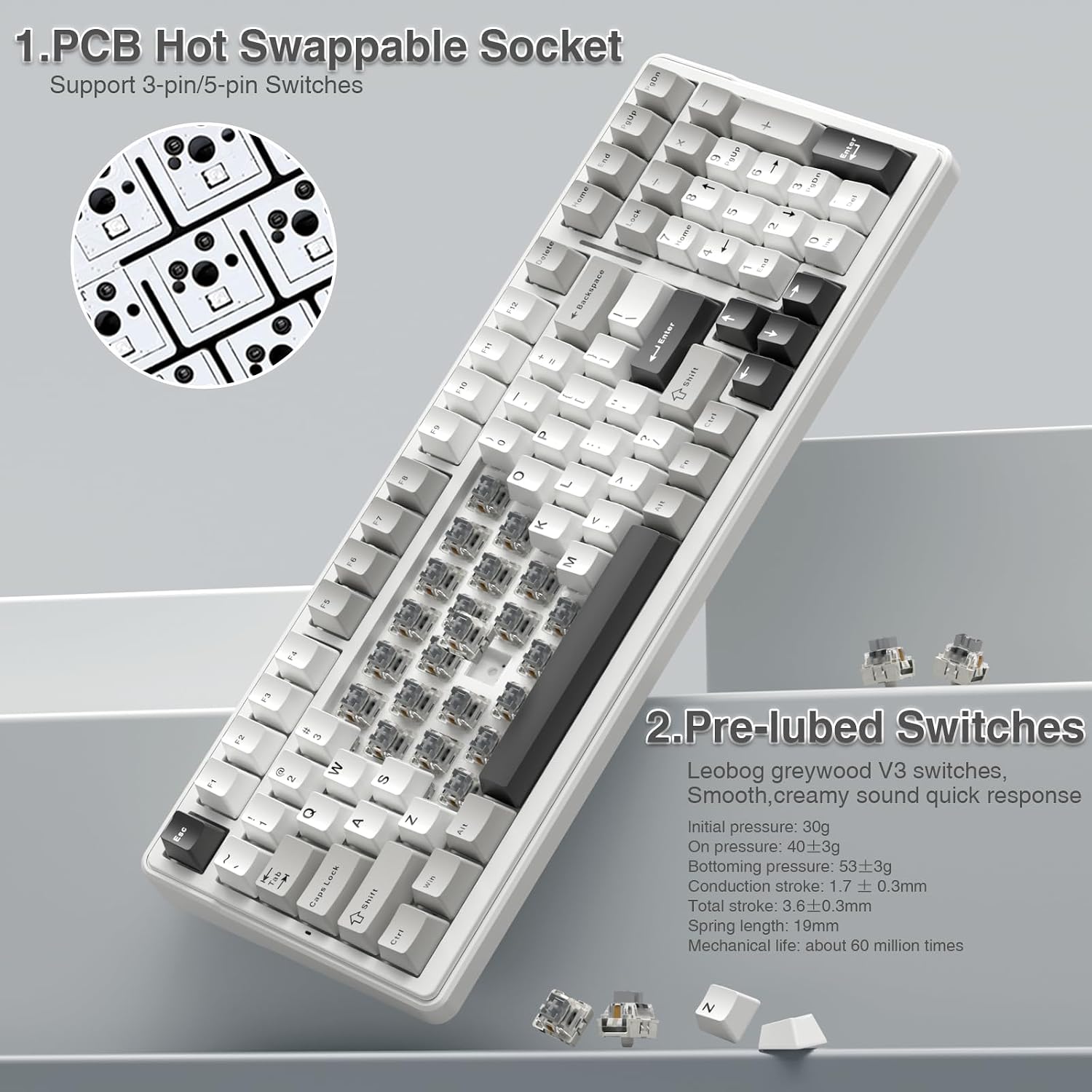
Switch-wise, it’s described as coming with LEOBOG greywood V3 switches, with a smooth typing feel and a pleasant sound profile, plus fast response for gaming.
Hot-swappable custom keyboard (without soldering)
If you’re curious about customising but don’t want to get into soldering, the hot-swappable design is the main reason to consider the F99. The entry point is straightforward: switches and keycaps can be replaced freely, and the package includes a switch/keycap puller.
The hot-swap PCB supports changing 3-pin/5-pin switches (as described) without soldering issues. So if you later decide you want a different switch character, you can experiment without turning the board into a project.
Worth noting: it’s still a specific board layout (a 99-key, 96% compact layout). That can be perfect if you like saving desk space, but it may feel limiting if you rely on a full-size layout every day.
RGB, macros, and responsiveness
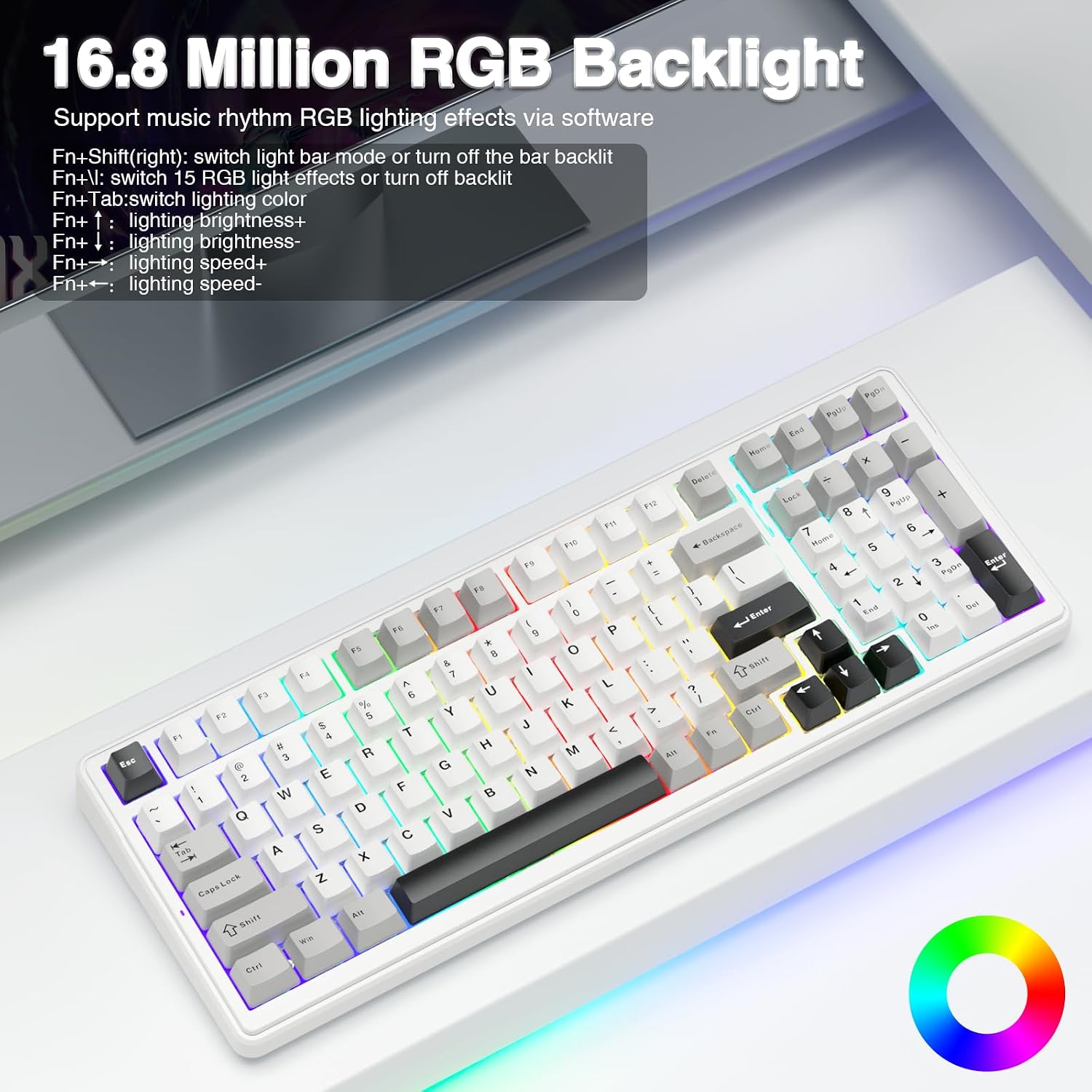
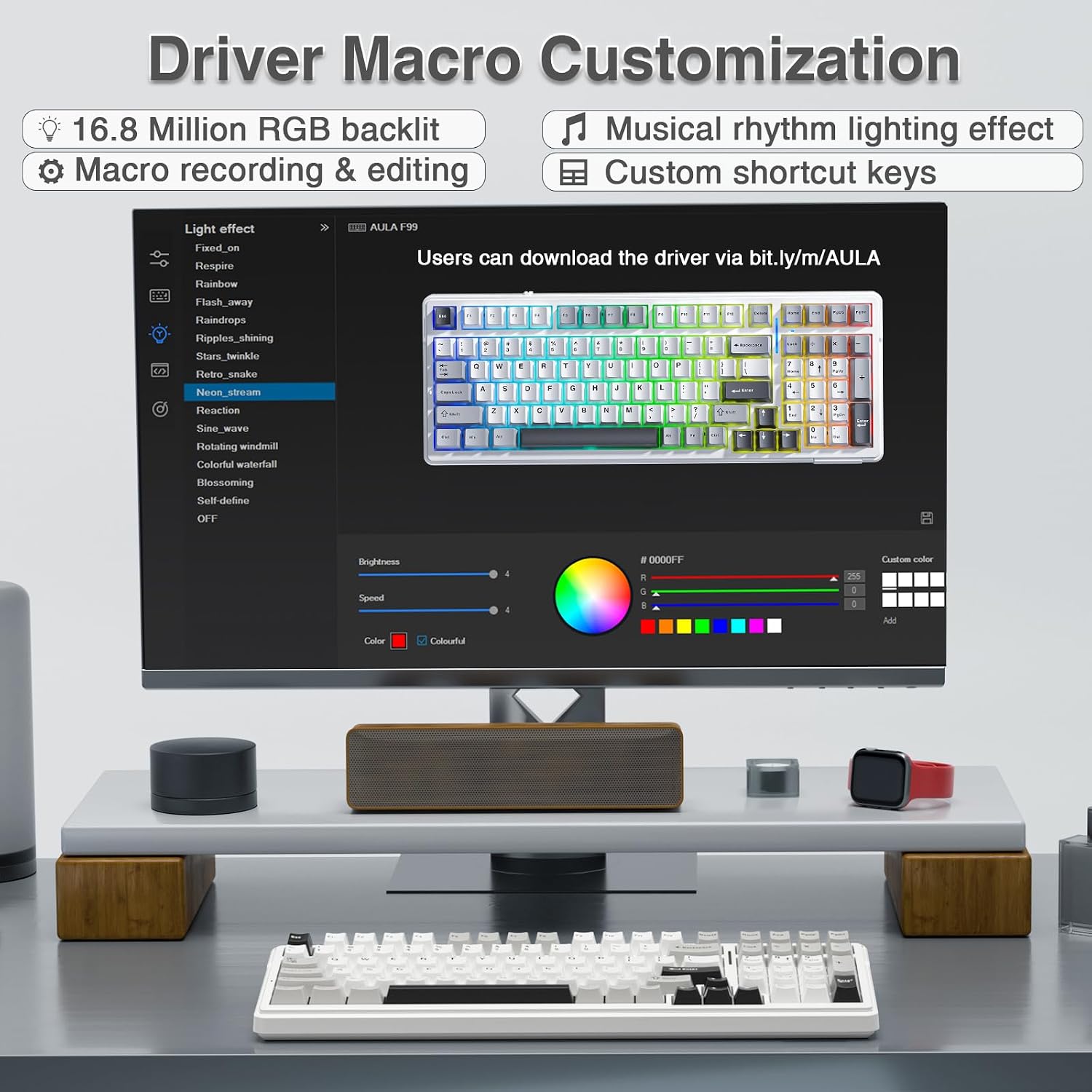
For gaming and productivity, the F99 includes 16 RGB lighting effects. The keyboard also supports macro customisation, including macro recording and editing, and you can customise key functions.
It’s also described as supporting N-key rollover, which means it can respond to multiple key presses at the same time. For fast, real-time games where you’re hitting combinations constantly, that responsiveness is one of the features that actually matters.
On the lighting side, you get 16.8 million light colour options and support for cool music rhythm lighting effects with a driver (so you’ll likely need the software to make the most of that part).
Keycaps and battery life: the practical bits
Keycaps are described as double-shot PBT, with two-colour material moulded into each other. The aim is clearer characters that maintain vibrance and saturation rather than fading quickly.
Then there’s the power angle: the F99 has an internal rechargeable 8000mAh battery. The promise is more power and longer battery life for wireless use.
However, there’s one limitation you’ll want to keep in mind: the board is “wireless RGB” in concept, and battery life can vary quite a bit depending on how you use lighting and connection method. The spec gives capacity, but it doesn’t spell out real-world hours.
Tech specs
- Type: Mechanical gaming keyboard (wireless + wired)
- Layout/size: 99 keys, 96% compact layout
- Connections: BT5.0, 2.4GHz wireless, USB-C wired mode
- Multi-device support: up to five devices
- Hot-swap: PCB supports 3-pin/5-pin switches (no soldering)
- Keycap material: Double-shot PBT
- Battery: 8000mAh rechargeable
- RGB: 16 lighting effects, 16.8 million colours
- Switches included: LEOBOG greywood V3 switches (as described)
Is it worth it?
The AULA F99 is worth considering if you want one compact mechanical keyboard that can switch between several devices easily, and you’re interested in hot-swapping so you can change switches/keycaps later. It also makes sense if you like the idea of a dampened typing feel (silicone pad + five-layer filling silencer) and you want RGB and macro support without going all-in on the most complicated custom-building route.
You may want to skip it if you only care about the simplest plug-and-play experience, or if you specifically need a full-size layout every day. Also, if you’re extremely sensitive to audio/feel differences between switch types, you’ll probably want to plan for some experimentation—because even with pre-lubed switches, customising is part of the board’s purpose.
Mini FAQ
Can I use it with multiple devices at once?
Yes. It’s described as supporting up to five devices at the same time, switching via Fn key combinations.
Does it support hot-swapping without soldering?
That’s the idea. The hot-swap PCB is described as allowing switch replacement without soldering issues, supporting 3-pin/5-pin switches.
What connection modes are available?
It offers BT5.0, 2.4GHz wireless, and a USB-C wired mode.
Are the keycaps included decent for long-term use?
They’re described as double-shot PBT keycaps, designed to keep characters clearer and less prone to fading.
What’s the battery capacity?
The keyboard includes an 8000mAh rechargeable battery, though the exact wireless runtime isn’t stated here.