

MeLE Quieter 4C Fanless Mini PC with N150, 32GB RAM, 512GB SSD – Triple Display and VESA Mounting
Product description
What it is and who it’s for
The MeLE Quieter 4C is a fanless mini PC built around the N150 Quad‑Core, intended for quiet, compact computing. With 32GB of RAM and 512GB of solid‑state storage, it’s positioned to handle everyday tasks—office work, media consumption, light content creation, and general home or small‑office use—without the noise of a traditional cooling fan. It’s also pitched as suitable for scenarios like IoT hubs, school environments, and even astrophotography workflows where a quiet, unobtrusive machine is valued.
Core performance and what you can expect
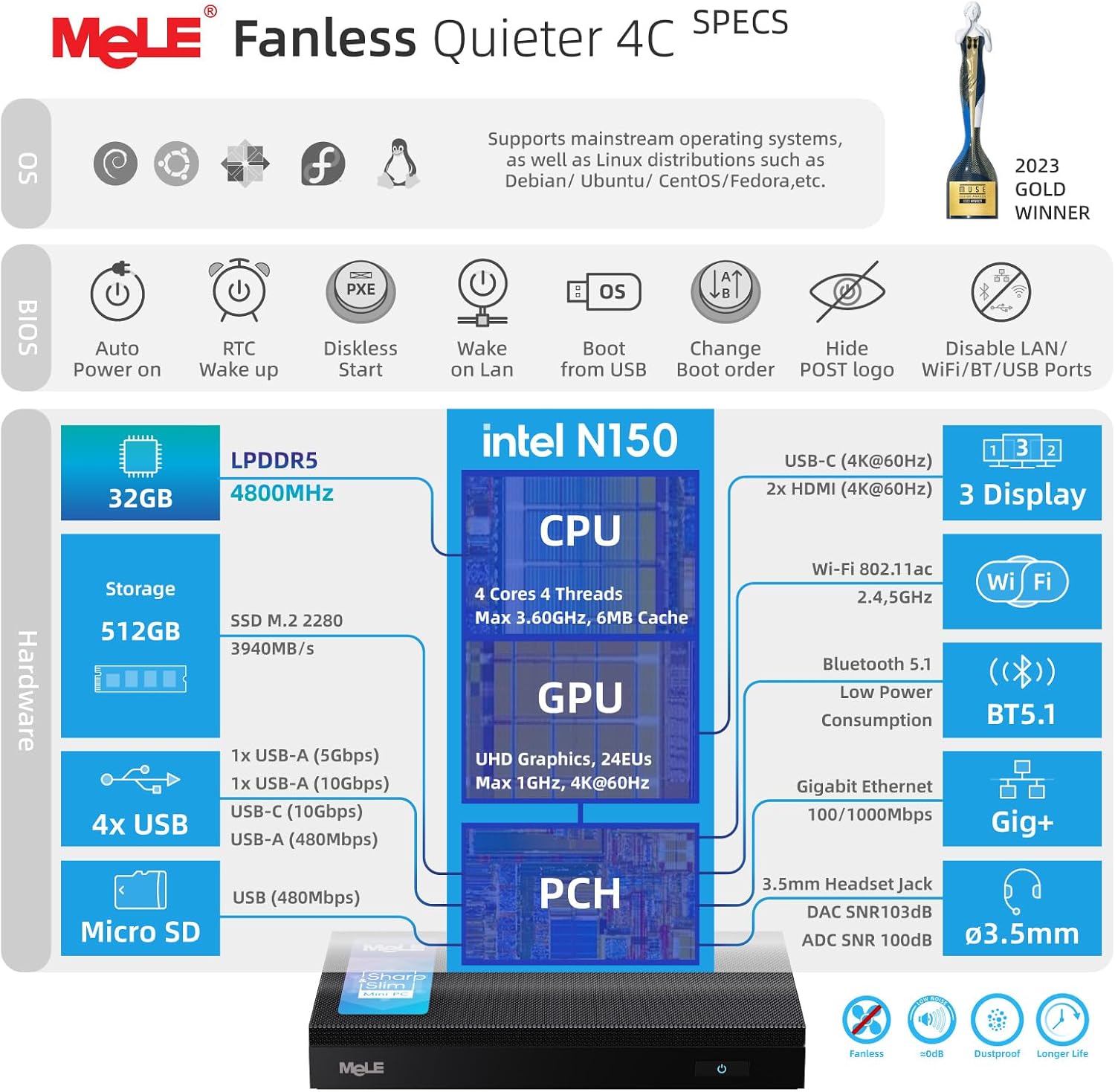
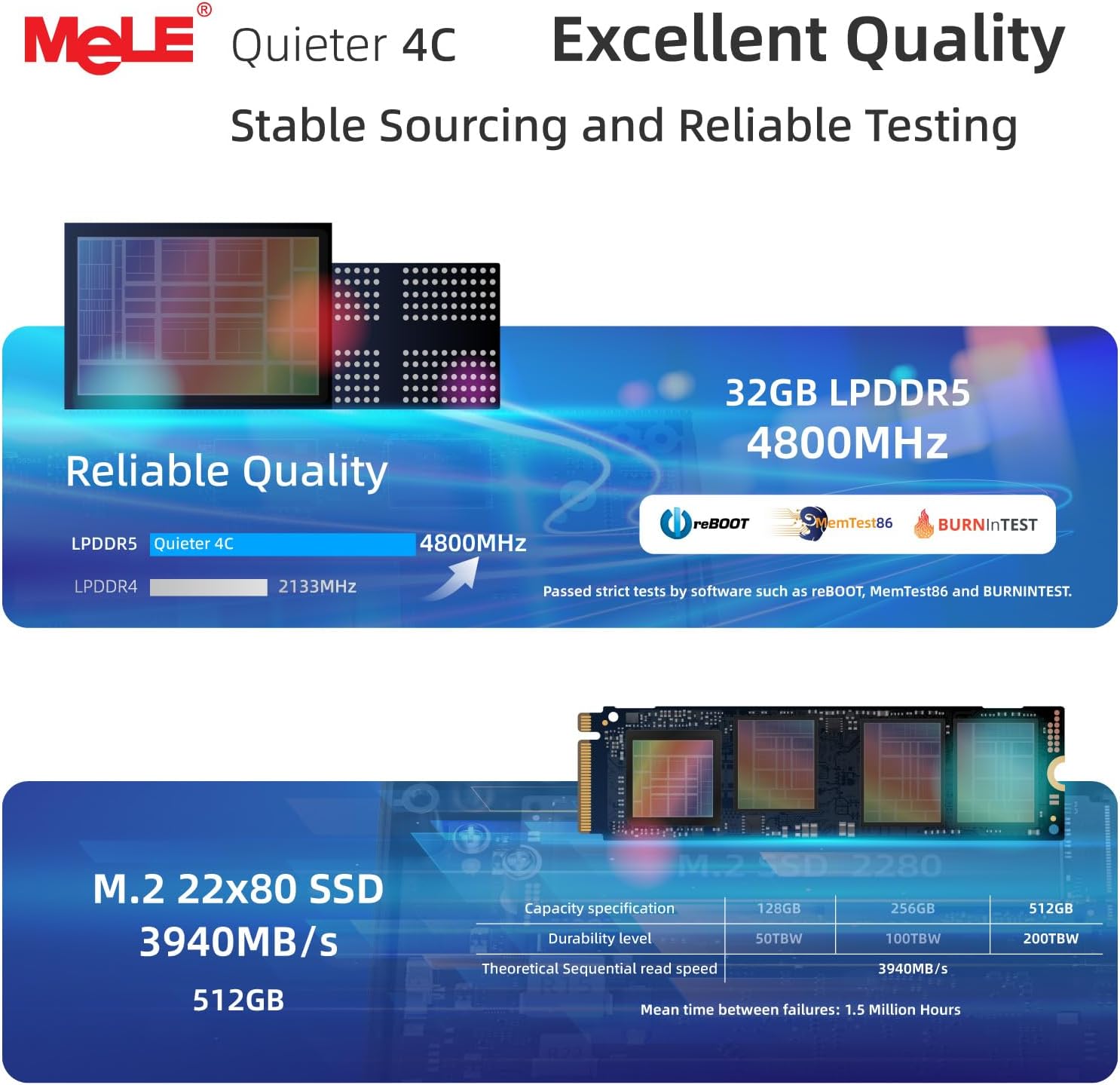
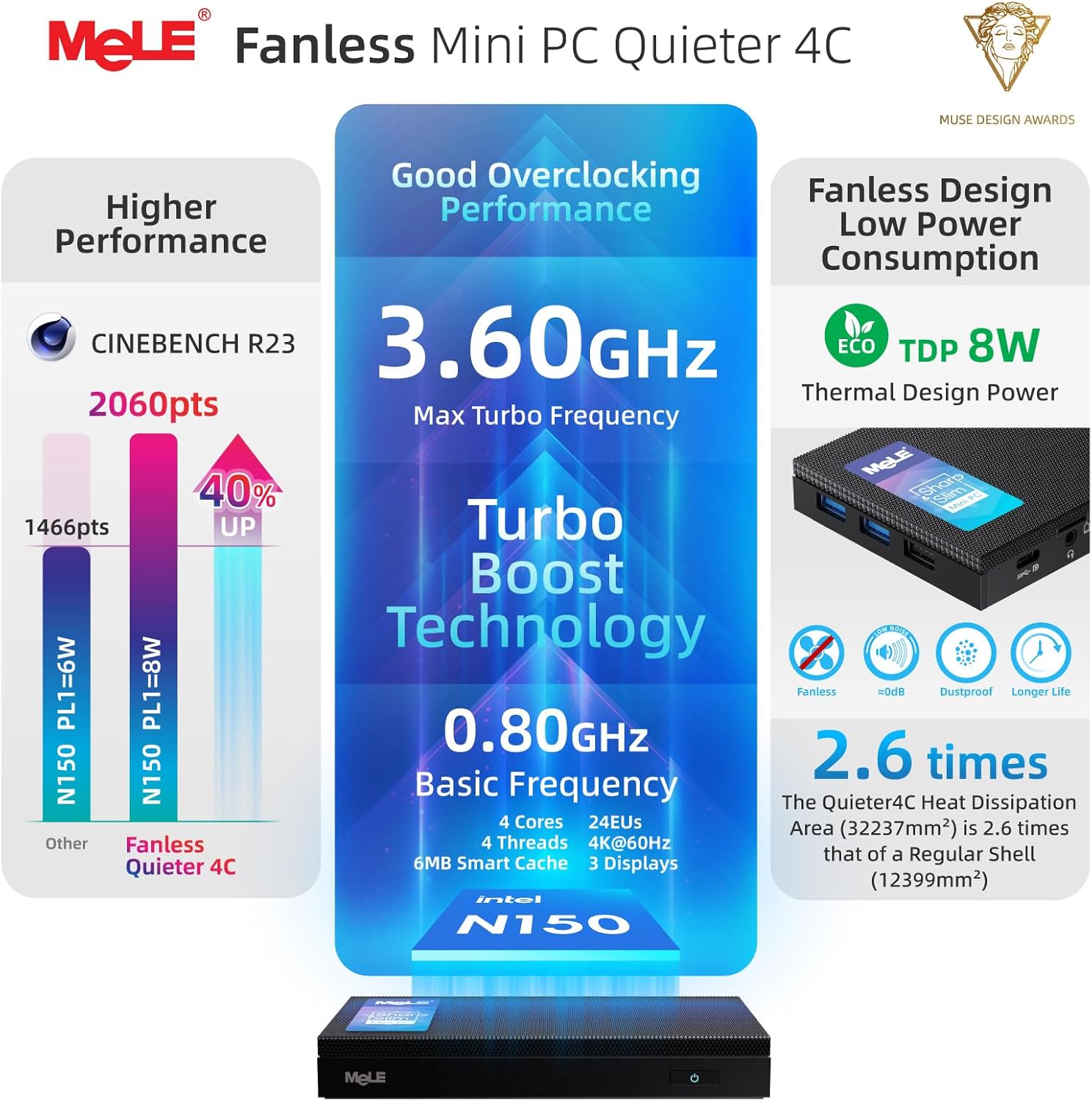
On paper, the Twin Lake N150 CPU delivers a modest uplift over some prior generations, with a burst speed up to 3.6GHz and an estimated improvement in general performance. The 32GB RAM helps with multi‑tasking across several browser tabs or application windows, while the 512GB SSD provides a solid base for the operating system, apps and active projects. There’s also a Micro SD card slot (up to 2TB) and an internal M.2 2280 slot (up to 4TB) for additional storage expansion, making it feasible to grow capacity if needed—though you should consider how you plan to use it and whether you’ll be pushing storage heavily.
Display and connectivity at a glance
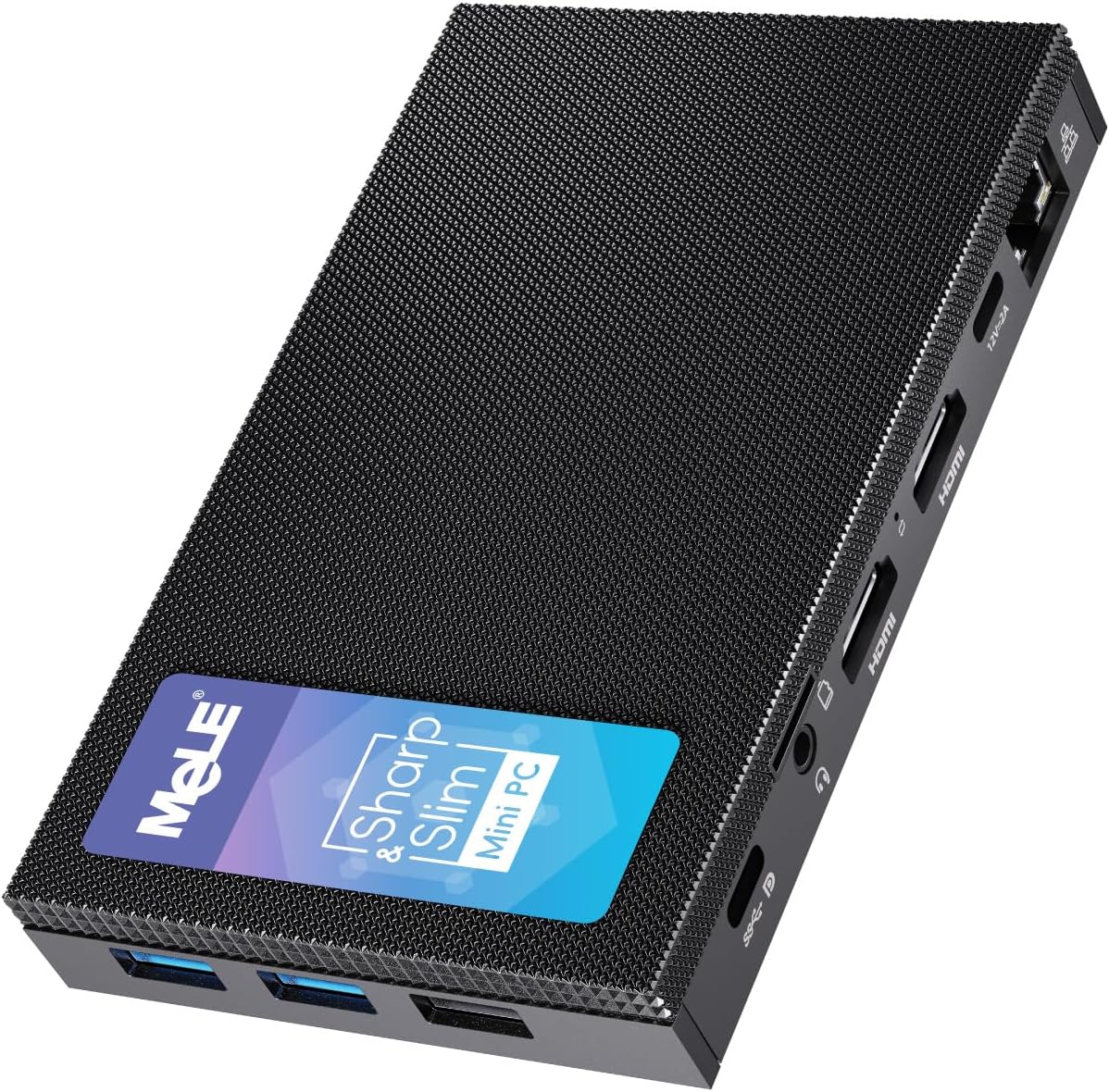
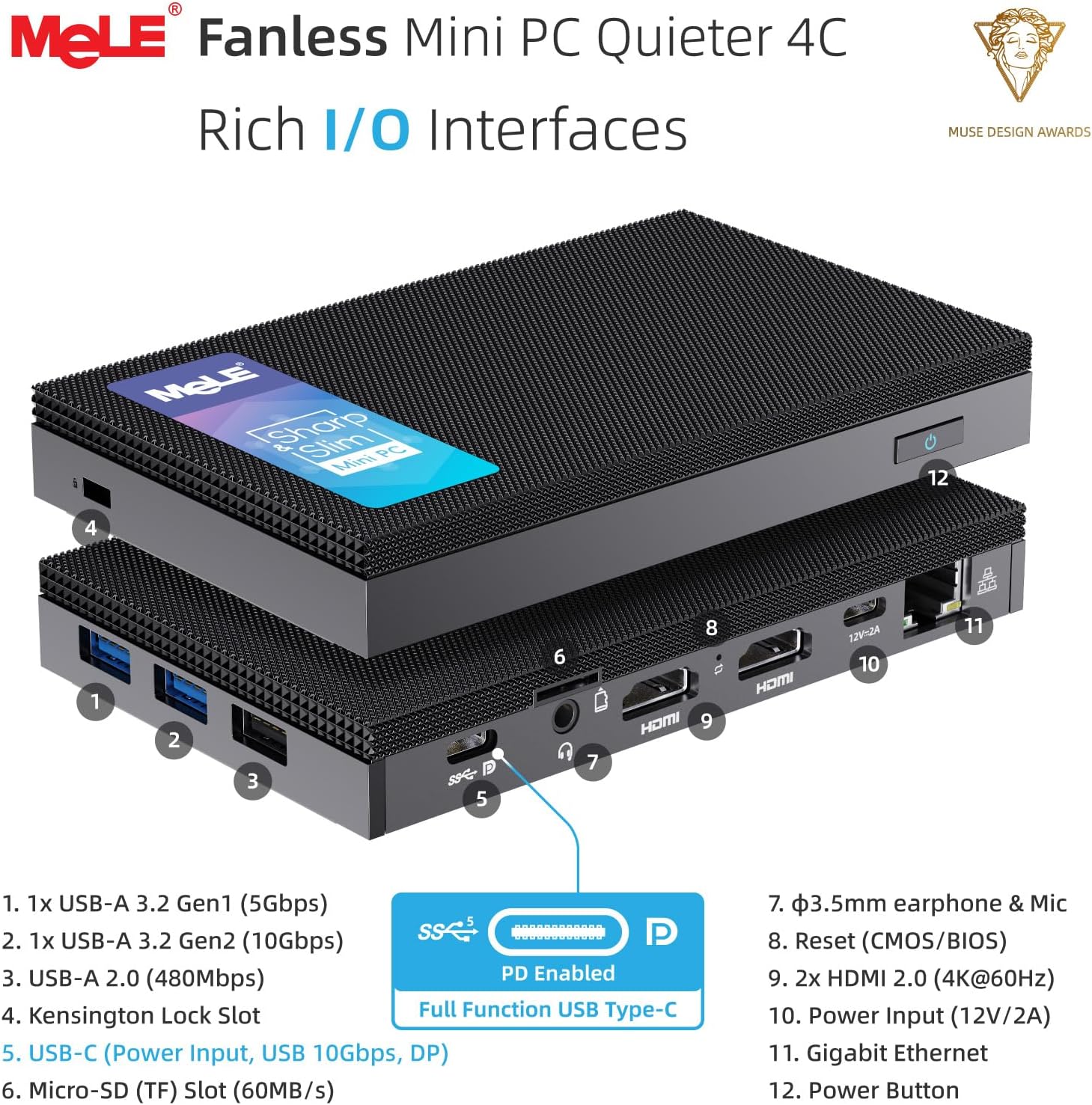
The device supports triple display output, routed through two HDMI ports and a full‑function USB‑C connection, with 4K at 60Hz if you push the GPU. That setup is useful for multitasking across screens, presentations, or a compact home office desk where space is limited. The USB‑C PD3.0 port enables power delivery, data transfer and display, which keeps cables tidy. Wireless connectivity leans on Wi‑Fi 5 and Bluetooth 5.1, which is reliable for routine tasks but may not be the fastest available in ultra‑high‑bandwidth scenarios.
Design and thermal approach
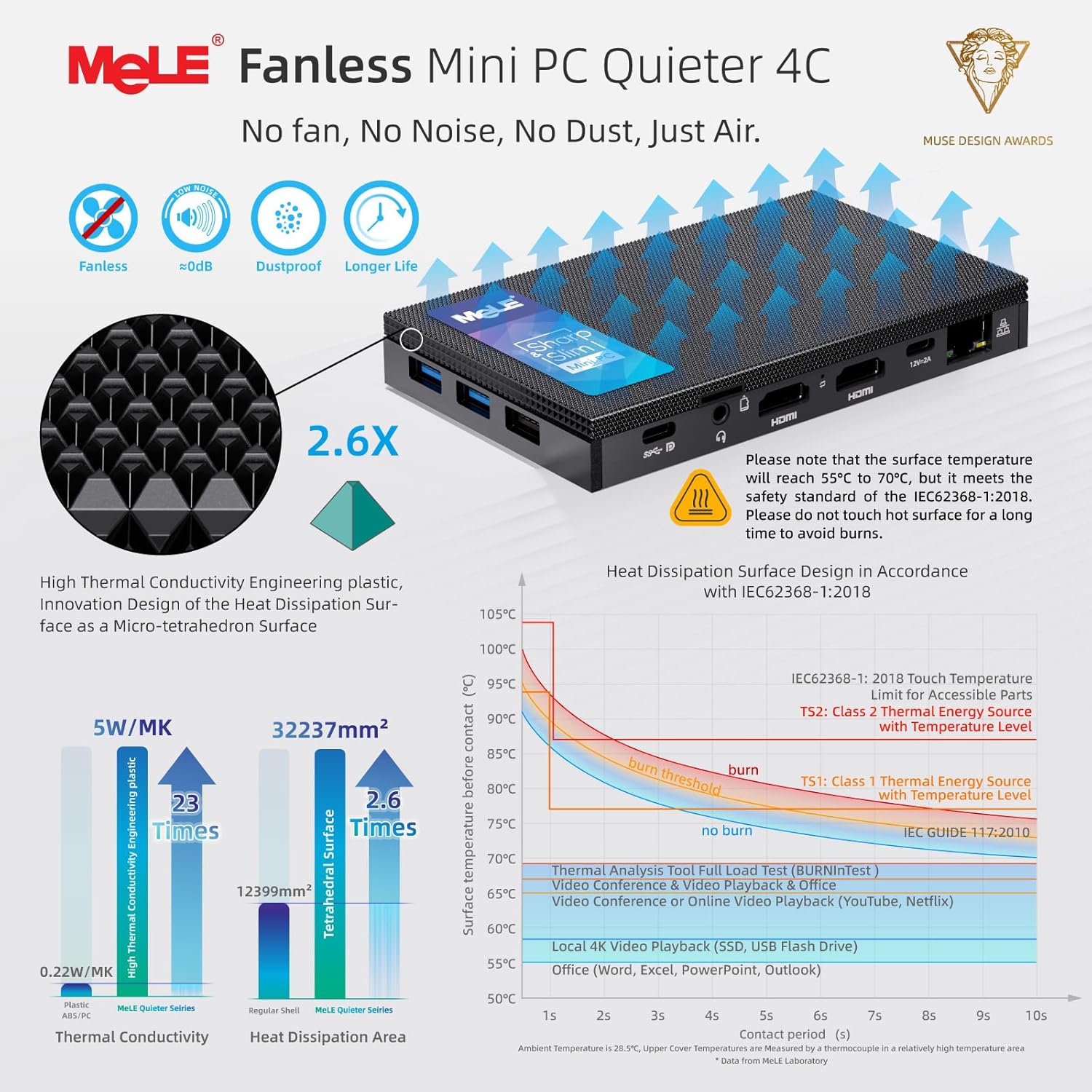
A key note is the passively cooled, fanless design. In practice that means whisper‑quiet operation and less dust ingress, which is attractive for a living room PC, a quiet office setup, or a classroom where noise matters. Surface temperatures are noted within a safe range (55°C–70°C) under typical loads, though sustained heavy workloads in hot rooms could temper performance. The chassis includes a VESA mounting option to keep the desk clear and reduce cable clutter.
Practical uses and who it suits
This mini PC is well placed for people who prioritise quiet operation and compact footprint: home offices, tiny workstations, home servers, or an astro photography workflow where a lightweight computer hosts software and stores data without drawing attention. If you often need to run several programs side by side, the 32GB RAM helps, but consider whether your workloads include heavy, GPU‑accelerated tasks or demanding video editing, which could demand more from the system.
What to watch out for and when it makes sense to buy
Notable considerations include the reliance on Wi‑Fi 5, which is fine for most everyday internet tasks but not the latest standard. If your space lacks reliable Ethernet or you require the fastest possible local network speeds, this is a factor. The triple display capability is a strong plus for a productivity setup, however, ensure your monitors and cables are compatible with 4K60 over HDMI and USB‑C PD3.0. If you need a truly silent, compact computer for light to moderate tasks, it can be a sensible addition, if you frequently push the system with heavy rendering, advanced gaming, or sustained high‑demand workloads, you may want to compare other options with more powerful cooling or newer connectivity standards.
How to choose and what to check before buying
- Verify your expected workloads and ensure that 32GB RAM aligns with your multitasking needs.
- Plan storage growth: decide whether the initial 512GB SSD plus potential microSD or extra M.2 slot meets your data needs.
- Confirm display setup: ensure your monitors and cables can run 4K60 through HDMI or USB‑C and that the triple‑display configuration fits your desk.
- Consider networking needs: if you rely on ultrafast local networks, you may accept Wi‑Fi 5 or explore wired alternatives where possible.
- Check power and mounting: confirm your power supply provisions (PD3.0) and how you intend to mount the unit via the VESA option for your space.
How it compares in practice
Compared with more typical desktop or high‑end mini PCs, the MeLE Quieter 4C prioritises quiet operation and a balanced mix of RAM and storage over raw multi‑core speed. It’s more about steady, reliable performance for everyday tasks and light professional workloads than pushing extreme workloads. If you prioritise a silent desk setup and a simple, expandable storage path, this unit offers a coherent bundle, if you need the most advanced connectivity and fastest wireless standard, you may find newer models more suitable.
Is it worth it?
Should you buy it now? If your priorities are quiet operation, a compact footprint, and a capable multi‑tasking base with room to grow storage, this MeLE mini PC offers a pragmatic path. It’s not a perfect fit for high‑end workloads or cutting‑edge wireless networking, but for home offices, education, and small business use where silence and space efficiency matter, it makes sense to consider.
Quick FAQ
- What is the main advantage of a fanless design? It reduces noise and dust while maintaining a compact form factor.
- Can I expand storage easily? Yes, via the Micro SD slot (up to 2TB) and an internal M.2 2280 slot (up to 4TB).
- Does it support three displays at 4K? Yes, via two HDMI ports and a USB‑C connection, for triple display setups.
- Is Wi‑Fi 5 sufficient? For typical tasks, yes, but if you rely on the fastest wireless speeds, you may want to factor in the limitations of Wi‑Fi 5.