

MSI MAG FORGE M100R White micro-ATX PC Case with tempered glass and ARGB fans
Product description
The essentials
The MSI MAG FORGE M100R White is a micro-ATX PC case aimed at people who want a clean, glass-fronted look without giving up practical day-to-day build and cooling. On paper, it leans into airflow and easy maintenance: there’s a mesh front for better circulation, tempered glass on the side to show off your components, and magnetic dust filters designed to be removed and cleaned without a hassle.
It also comes pre-loaded with RGB-style lighting that doesn’t rely on you buying extra fans straight away. You get ARGB fan support right from the start, plus an integrated 1-to-6 ARGB control board. The idea is straightforward: get a tidy gaming PC setup with lighting effects you can manage, while still keeping build constraints reasonable for a mainstream micro-ATX build.
That said, this isn’t a “maximise everything” case. If you’re planning a complex, high-radiator, high-end water-cooling build with lots of extras, you may find your options more limited than with larger mid-tower designs.
What you’ll notice day to day
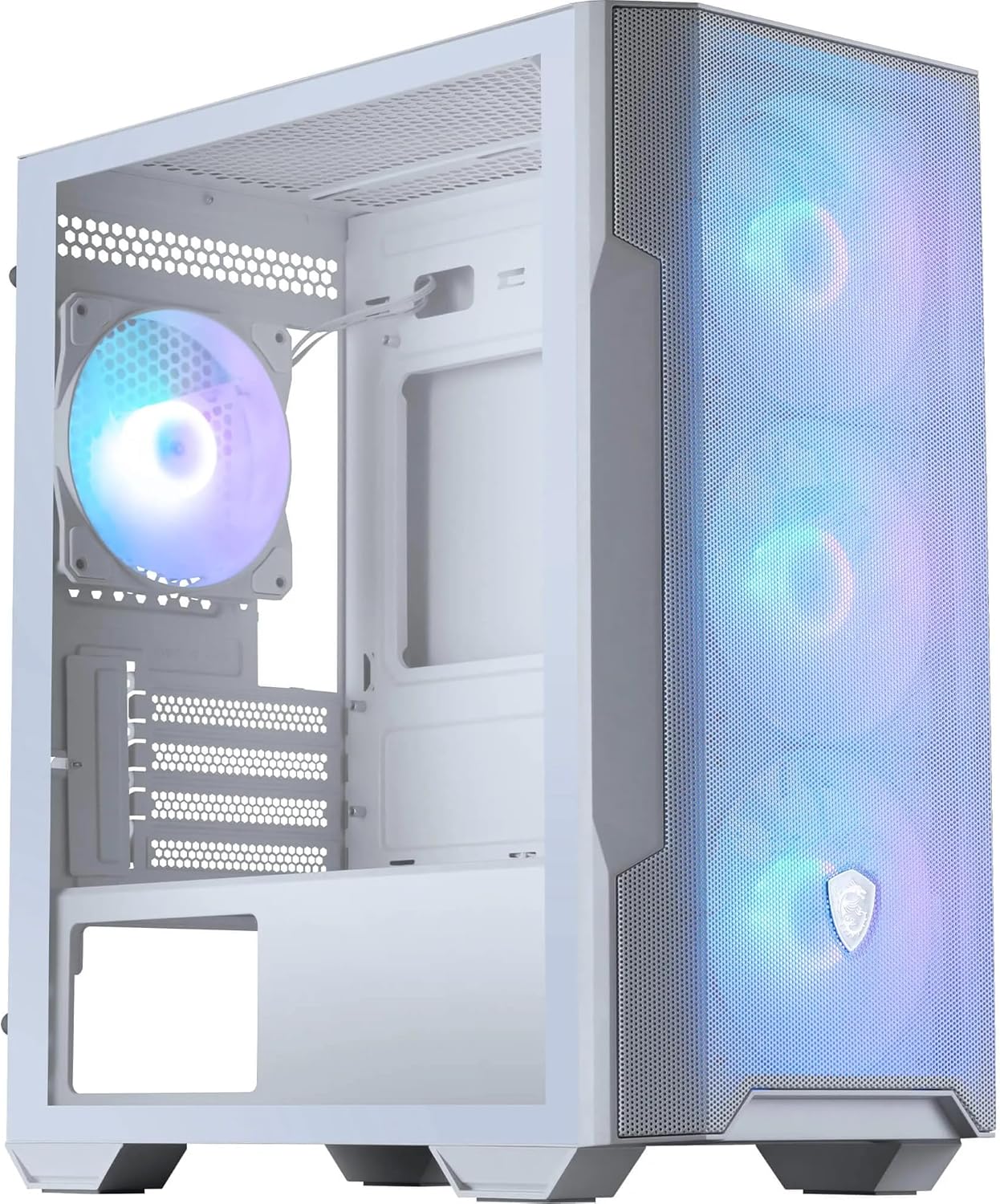
Cooling is the headline here. The mesh front is there for a reason: it helps keep the system breathing, especially when your PC is under load. With 3 x 120 mm ARGB fans installed at the front and 1 x 120 mm ARGB fan installed at the rear, you’re not starting from zero airflow.
The temperate glass window (3 mm) is the other practical visual element. It’s meant to be durable while still giving you a clear view of your hardware. If you like building in a way that looks good through the side panel—GPU lighting, CPU cooler style, cable layout—this case is clearly aligned with that.
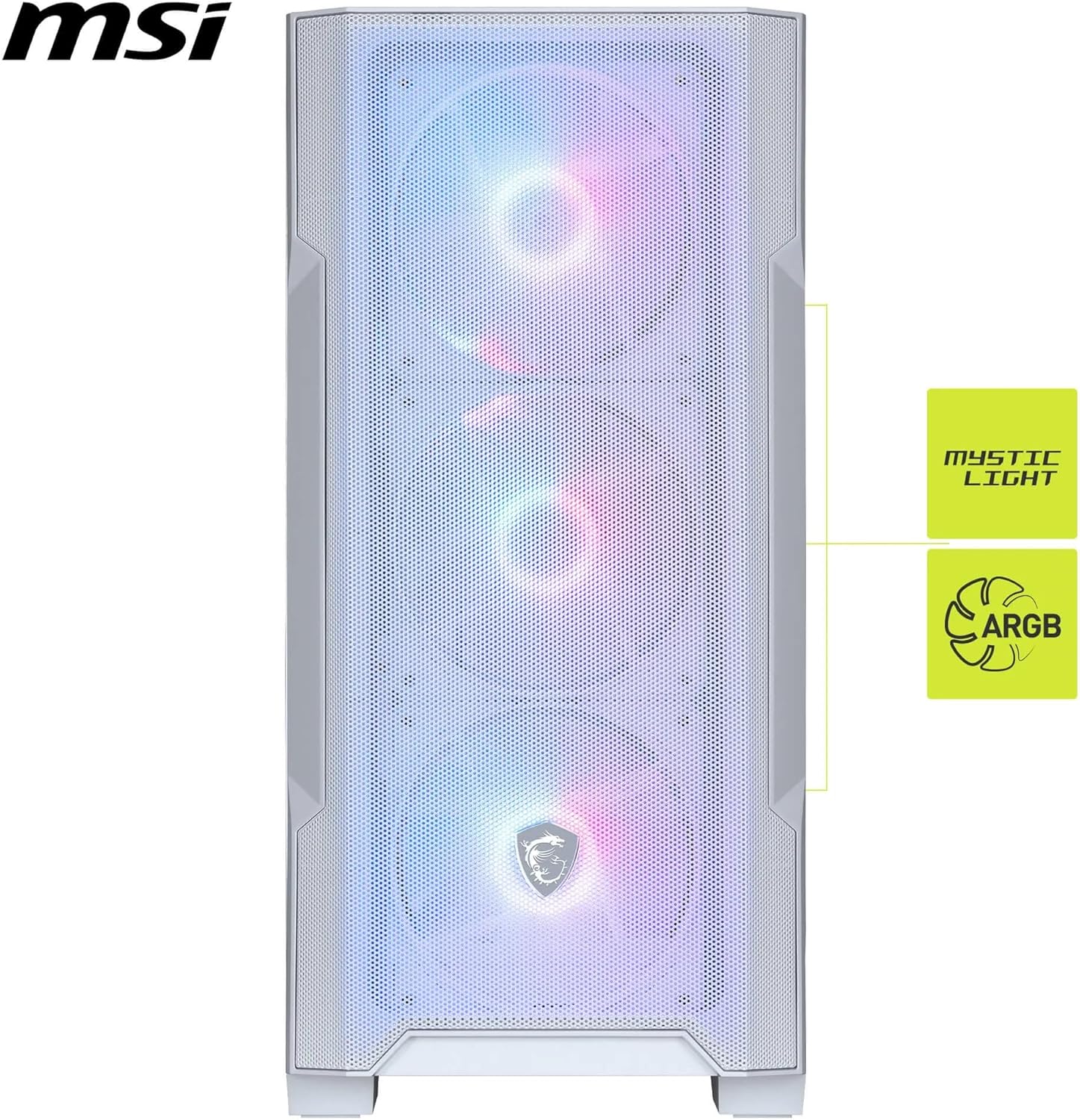
Magnetic dust filters are one of those features that feel minor until you own the PC for a few months. Dust tends to creep in over time, and being able to pop filters off for cleaning is a better experience than fighting with awkward clips.
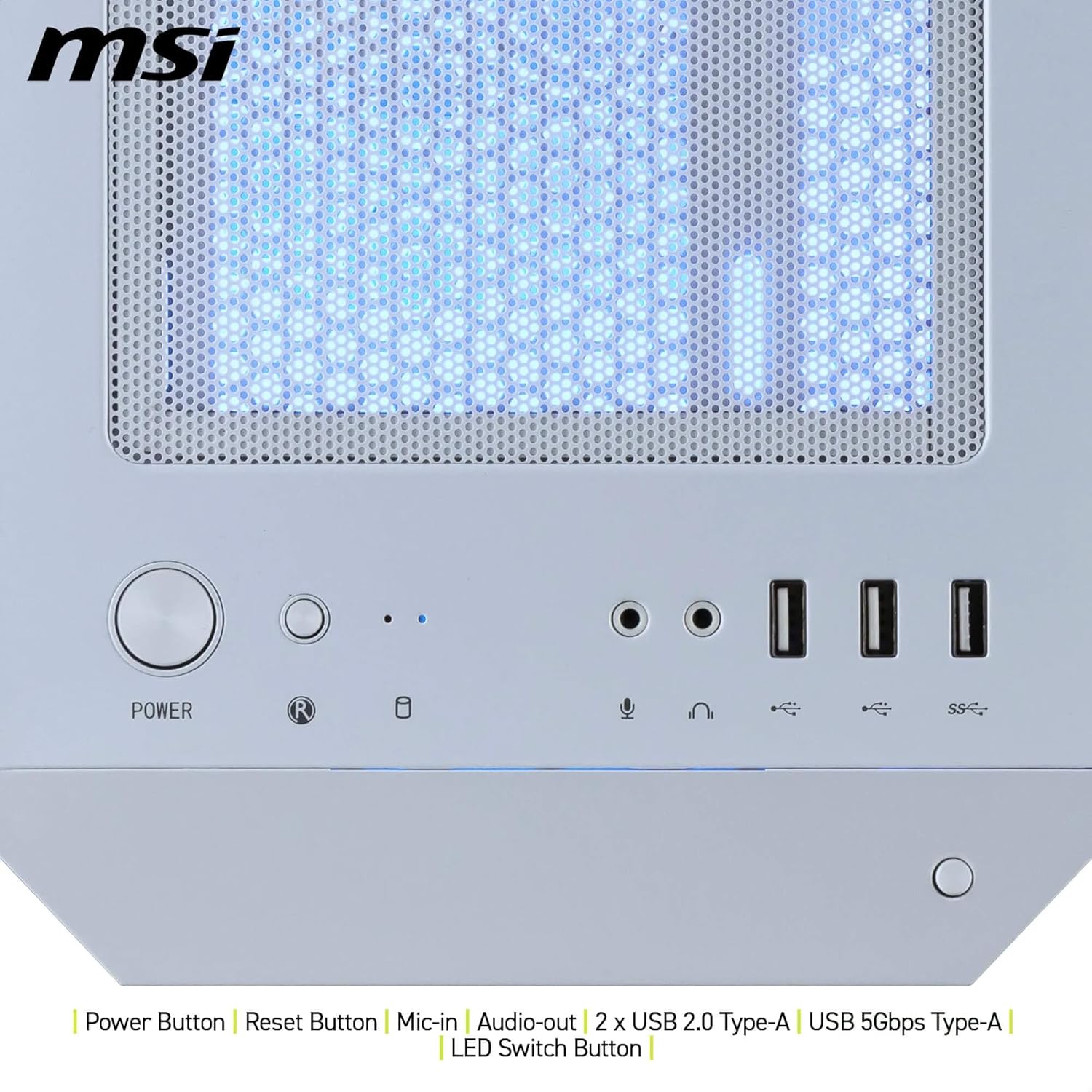
And the front-top I/O panel covers the basics: power and reset buttons, microphone/audio ports, and 2 x USB 3.2 Gen 1 Type-A ports. There’s also an LED switch button that supports control via the ARGB hub.
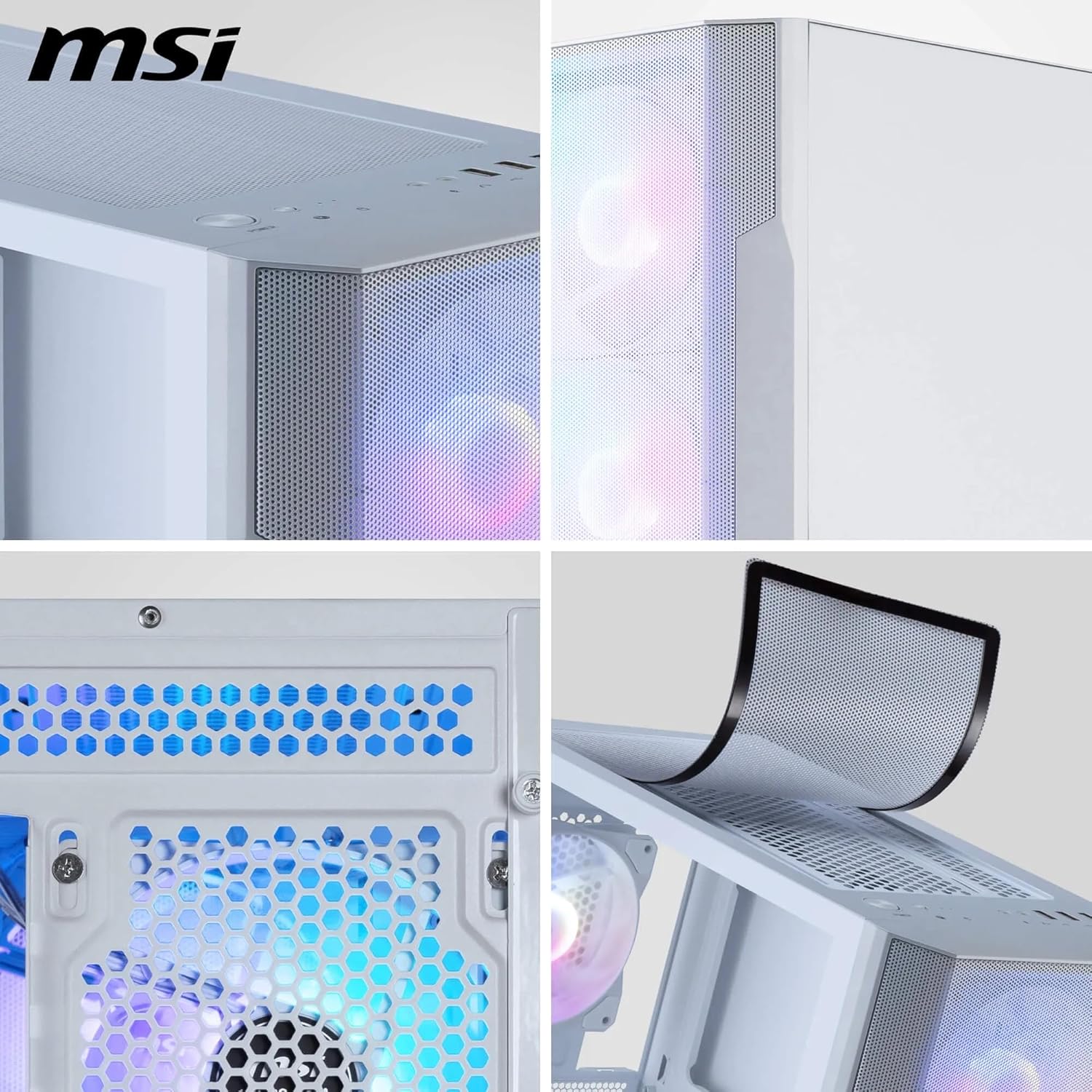
Where it gets more interesting is the lighting control. The integrated 1-to-6 ARGB controller supports 26 LED effects and can be controlled via Mystic Light, using a 3-pin 5 V MB connector. If you want simple lighting management rather than fiddling with lots of separate bits, it’s a sensible approach.
Key specifications
- Type: micro-ATX PC case
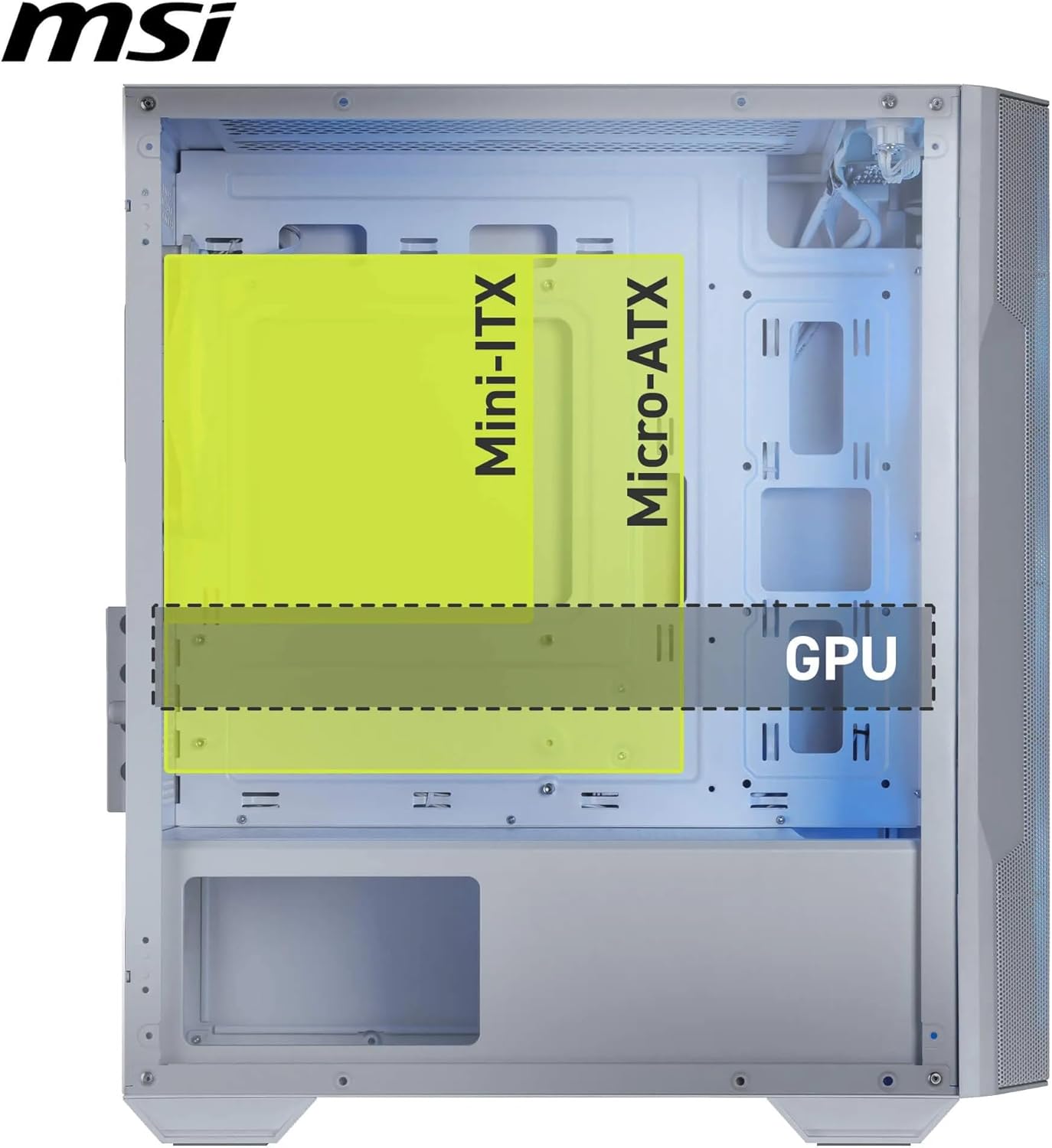
- GPU support: up to 300 mm long (4 expansion slots)
- CPU cooler clearance: up to 160 mm high
- PSU support: ATX power supply up to 180 mm long
- Included fans: 3 x 120 mm ARGB front, 1 x 120 mm ARGB rear
- ARGB control: integrated 1-to-6 ARGB control board with 26 LED effects
- ARGB control method: Mystic Light (requires a 3-pin 5 V MB connector)
- Front cooling design: mesh front for airflow
- Dust management: magnetic dust filters
- Side panel: 3 mm tempered glass window
- Front/top I/O: power and reset buttons, microphone/audio ports, 2 x USB 3.2 Gen 1 Type-A ports (5Gbits)
Where it shines
Worth considering if your main goal is a micro-ATX build that looks good, stays reasonably cool, and doesn’t turn into a maintenance chore.
It suits you if you want: - Pre-installed ARGB fans so you can light things up quickly - An airflow-focused front (mesh) rather than a solid panel - Magnetic dust filters for easier cleaning - Clear component visibility through a tempered glass side
If you’re doing a typical “from-the-box” setup—GPU, a mid-range air cooler up to the stated height, and a standard ATX PSU within the length limit—this case’s dimensions and inclusions feel built for that reality.
And here’s a small, realistic micro-experience: once the PC is running, the mesh front + front fan group gives you a noticeable front-to-rear flow. Later, when dust settles, you’re not forced to dismantle half the front panel just to clean the filter area.
Limitations to be aware of
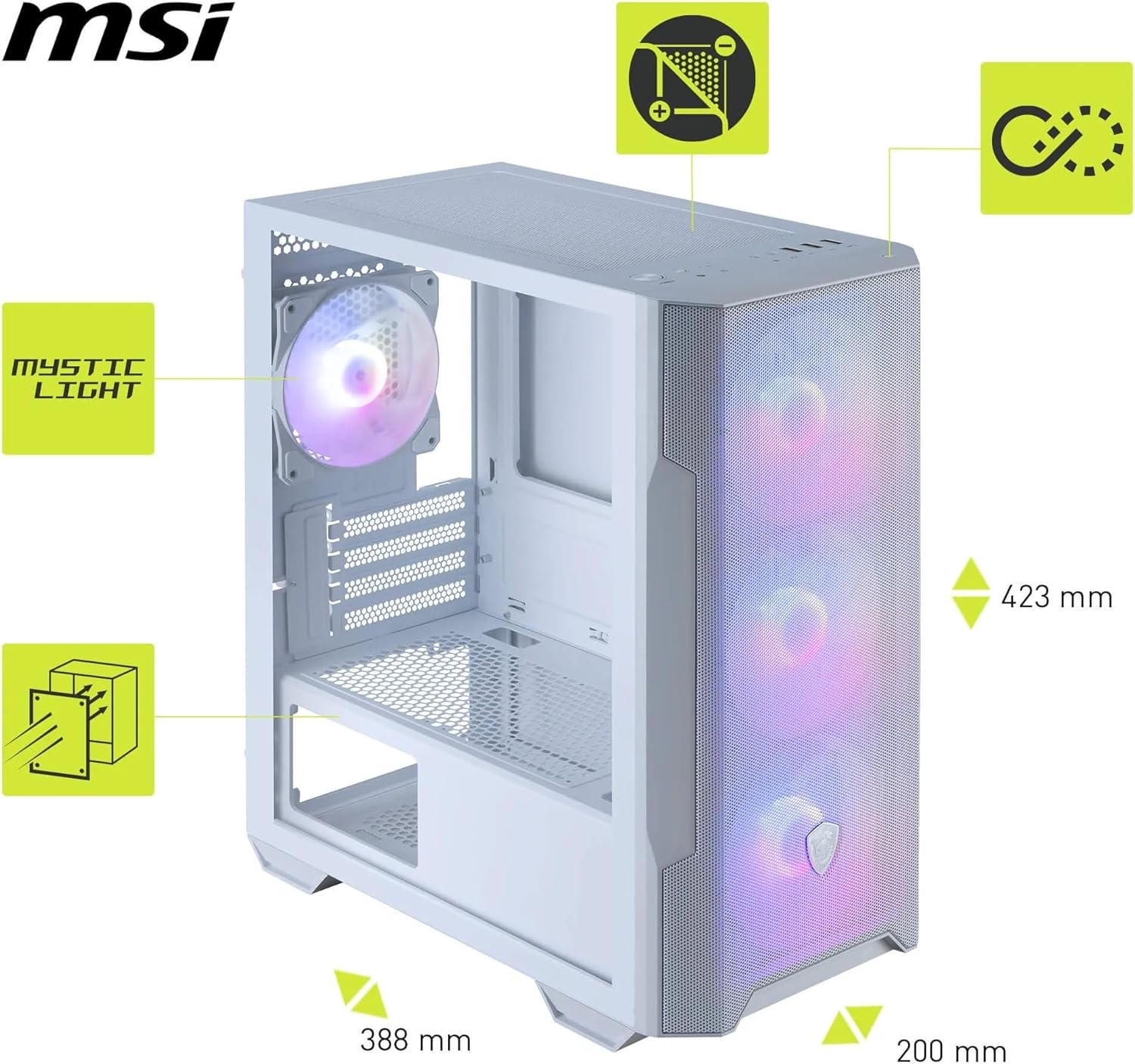
It might not be a great match if you’re trying to squeeze in very long GPUs, very tall CPU coolers, or unusually long PSUs beyond the listed clearances—those are the kinds of things you should measure before you commit.
Also, it’s not perfect if you’re chasing maximum expandability. Being micro-ATX in size, it’s naturally more constrained than bigger cases, so the “plug in everything” approach can feel tighter than expected.
Finally, the ARGB control relies on the specified motherboard connector type for Mystic Light control, so it’s worth checking your board has the right 3-pin 5 V MB header if you care about controlling effects through software.
Is it worth it?
It’s a good fit if you want a micro-ATX case with straightforward cooling, pre-installed ARGB fans, a tempered glass window for visibility, and magnetic dust filters that actually make maintenance easier. It suits most mainstream builds where your components fit within the stated GPU, CPU cooler, and PSU size limits.
You may want to skip it if you’re planning a highly ambitious build that pushes the limits of component sizes, or if you prefer the extra breathing room and expansion flexibility you typically get from larger cases.
Quick buying check: confirm your GPU length, CPU cooler height, and PSU length are within the stated support figures, and ensure your motherboard can provide the required 3-pin 5 V MB connector if Mystic Light control matters to you.
FAQ
What’s included with the MSI MAG FORGE M100R White?
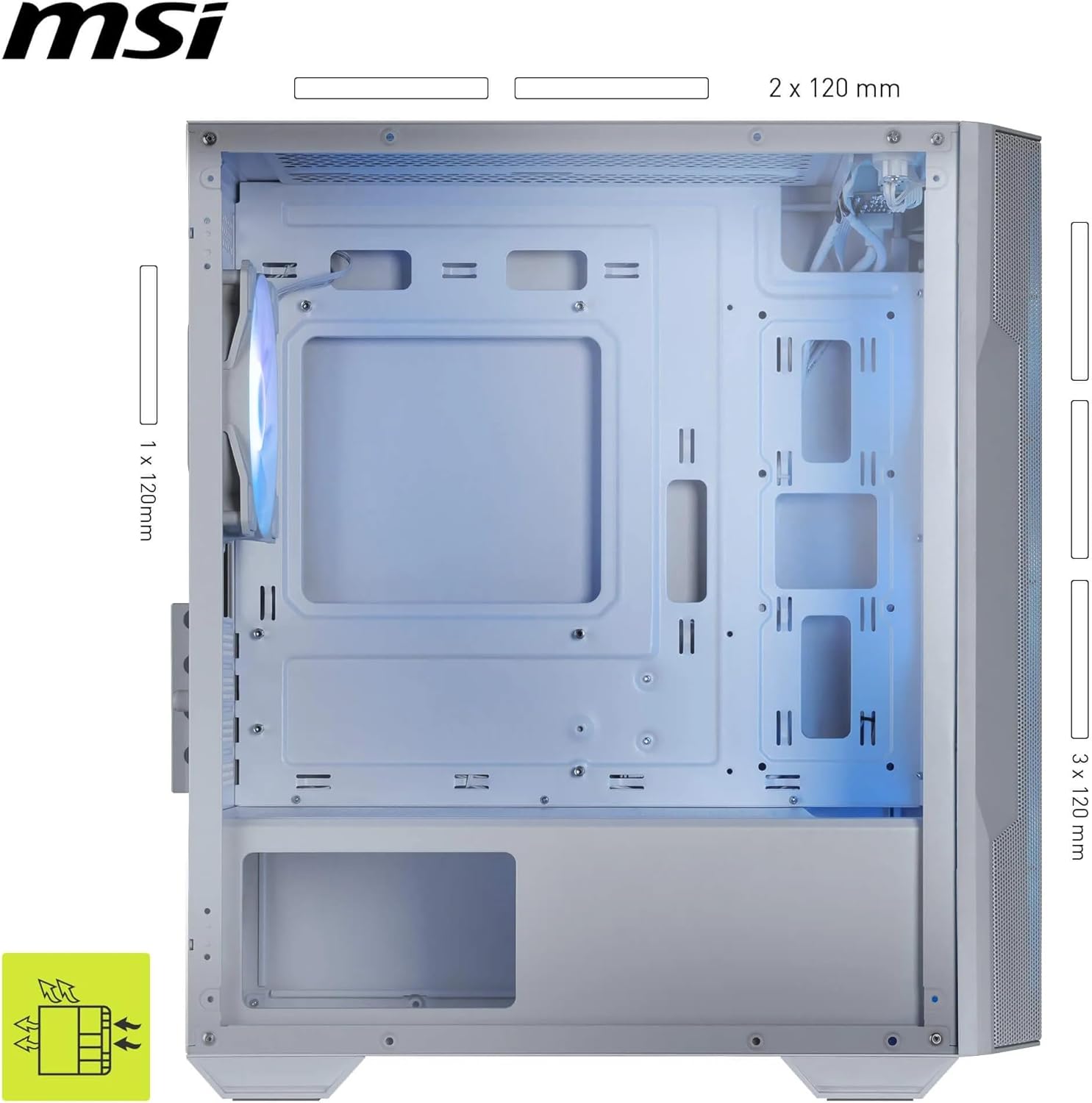
It includes 3 x 120 mm ARGB fans pre-installed in the front and 1 x 120 mm ARGB fan pre-installed at the rear, plus an integrated 1-to-6 ARGB control board.
Does it have dust filters?
Yes. It uses magnetic dust filters designed to prevent dust falling inside while being easier to remove for cleaning.
How does the ARGB control work?
The case has a built-in 1-to-6 ARGB controller with 26 LED effects, controllable via Mystic Light using a 3-pin 5 V MB connector.
What front I/O ports are on the case?
On the I/O panel at the top/front, you’ll find power and reset buttons, microphone/audio ports, and 2 x USB 3.2 Gen 1 Type-A ports rated at 5Gbits.
Will it fit my GPU and CPU cooler?
It supports GPUs up to 300 mm long and CPU coolers up to 160 mm high. If your parts exceed those limits, you’ll want to rethink before buying.