


KOORUI 27-inch Gaming Monitor (G2721E) — 320Hz QHD Fast IPS, Adaptive Sync, VESA
Product description
What this monitor is for
A 27-inch gaming monitor built around high refresh rates is exactly the sort of upgrade that makes fast games feel less “stuttery” and more responsive. The KOORUI 27-inch Gaming Monitor (G2721E) targets that goal with a 320Hz refresh rate paired with QHD (1440p) and a Fast IPS panel. On paper, it also leans into colour and everyday usability, with an ergonomic stand (tilt, height lift, and rotation) and VESA mounting for desk setups.
That mix matters if you play action-heavy titles where motion clarity is noticeable, but you also want a screen that doesn’t feel purely “for gaming” during work or media time.
Key points (the stuff you’ll care about)
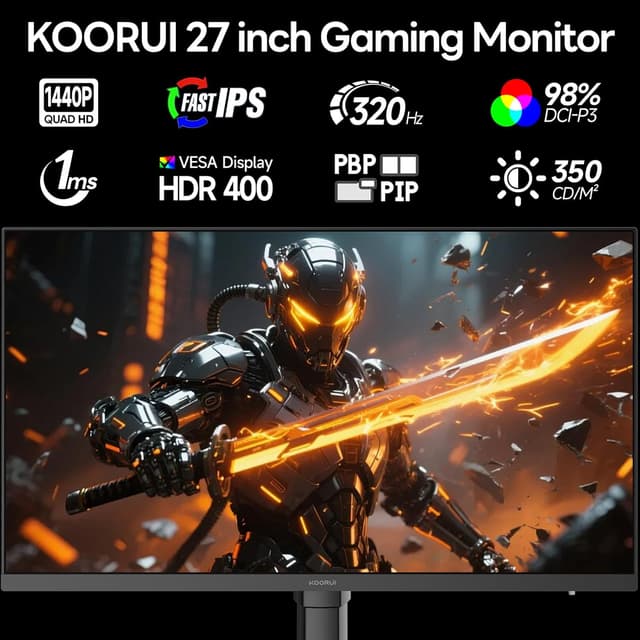
The headline here is smooth motion: up to 320Hz refresh rate, plus Adaptive Sync aimed at reducing tearing and lag during gameplay. Colour performance is another focus, with HDR400 mentioned in the base description and a claimed wide colour coverage (99% sRGB).
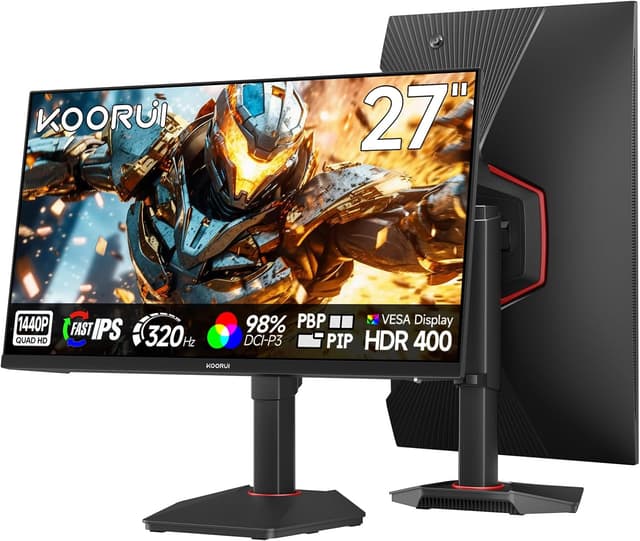
The design is also meant to be practical. You get an adjustable stand with tilt (-5° to 20°), a height lift (±100mm), and rotation (±90°), which helps if you share a desk, use the monitor in different positions, or simply want it closer to your preferred viewing angle.
One more real-world detail: the crosshair function is included for gaming sessions. It’s not essential, but it can be useful if you like having an in-game aiming reference without relying on overlays.
Where it shines in use
If you’re the kind of player who notices frame pacing and reacts quickly, the combination of QHD and a very high refresh rate is the point. The base description also specifies connection behaviour that affects what you can realistically run:
- Using DisplayPort (DP), you can reach 1440p at up to 320Hz.
- Using HDMI, there are two cases mentioned: 1080p at up to 240Hz, or 1440p at up to 144Hz.
So the “best experience” path is fairly clear: for maximum refresh at QHD, you’ll want DP rather than HDMI.
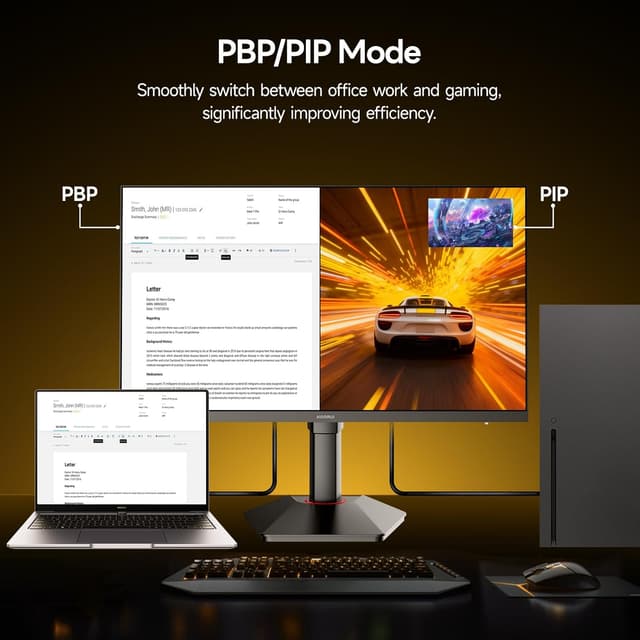
A quick example of day-to-day usage: imagine you’re switching between a fast shooter match and then a work task like spreadsheets or browsing. With DP/HDMI switching described as seamless, you can move between your PC and a console/laptop without constantly reconfiguring inputs.
Tech overview (what to know before you commit)
This is a 27-inch QHD 1440p gaming monitor with Fast IPS and features designed around smoother motion. The base description also calls out:
- Refresh rate: up to 320Hz
- Response performance: 1ms (as stated in the listing text)
- Adaptive Sync to help minimise screen tearing and lag
- Ergonomics: tilt, height lift (±100mm), and rotation (±90°)
- VESA mounting compatibility: 75×75mm
- Connectivity: HDMI and DP
- HDR400 and a 99% sRGB claim (with additional colour space detail noted as 98% DCI-P3)

One limitation to keep in mind: those HDMI “cases” mean you may need to compromise either resolution or refresh rate, depending on your device and the output you’re aiming for. If you want 1440p at the top-end refresh, DP is the route.
Is it good value, and where it may fall short?
For gamers who want high refresh on a 27-inch QHD screen, this makes sense as a focused, spec-led purchase rather than a purely budget compromise. It ticks several boxes at once: motion smoothness (320Hz), Adaptive Sync, and an adjustable stand that many cheaper monitors still skimp on.

That said, it’s not automatically the best choice for everyone. If your priority is the smoothest experience at QHD and you only have HDMI available, the listing suggests you won’t get the same top-end combination. Also, the HDR claim is present (HDR400), but the practical “feel” of HDR will vary depending on content and your setup—so if you’re chasing a deep HDR experience above all else, you may find it’s more of a bonus than the main event.
Who it suits (and who should look elsewhere)
It’s a strong match if you want a 27-inch gaming monitor that can handle fast scenes smoothly, and you also care about having colours and ergonomics that work for normal desk use.
You may want to skip it if: - You don’t have a DP output available from your gaming device and you specifically need 1440p at the highest refresh rates. - You’re mainly buying for colour-critical HDR work and expect HDR to behave like higher-end “proper HDR” setups (the listing positions HDR400, but it’s still in the mid-range tier).
Final verdict
A sensible buy if you’re targeting smooth QHD gaming and you can use DisplayPort to get the best pairing (1440p + up to 320Hz as described). The adjustable stand and VESA mounting also help it fit real desks, not just test setups.
It may not be the best match if your console/laptop/PC setup forces you to rely on HDMI and you don’t want to trade between resolution and refresh rate. In that scenario, it’s worth double-checking what input your device supports before you assume the top spec will land.
Quick FAQ
Is the 320Hz refresh rate achievable at 1440p?

According to the listing text, 1440p at up to 320Hz is reachable via DisplayPort, while HDMI has different cases (1080p + up to 240Hz, or 1440p + up to 144Hz).
Does it support Adaptive Sync?
Yes. Adaptive Sync is included to help minimise screen tearing and lag during gaming.
Can you mount it to a wall or desk arm?
It’s VESA mountable with 75×75mm compatibility, which is useful if you want a monitor arm or wall setup.
How adjustable is the stand?
The base description lists tilt (-5° to 20°), a height lift of ±100mm, and rotation of ±90°, so you should be able to fine-tune your viewing position.
Does it connect to consoles and laptops?
The listing mentions HDMI and DP support and describes connecting to Xbox, PS5, PCs and laptops, with input switching used to move between work and gaming.