

MAGICRAVEN Second Screen Portable Monitor 15.6-inch 1080P IPS (USB-C / Mini HDMI) with Dual Stand
Product description
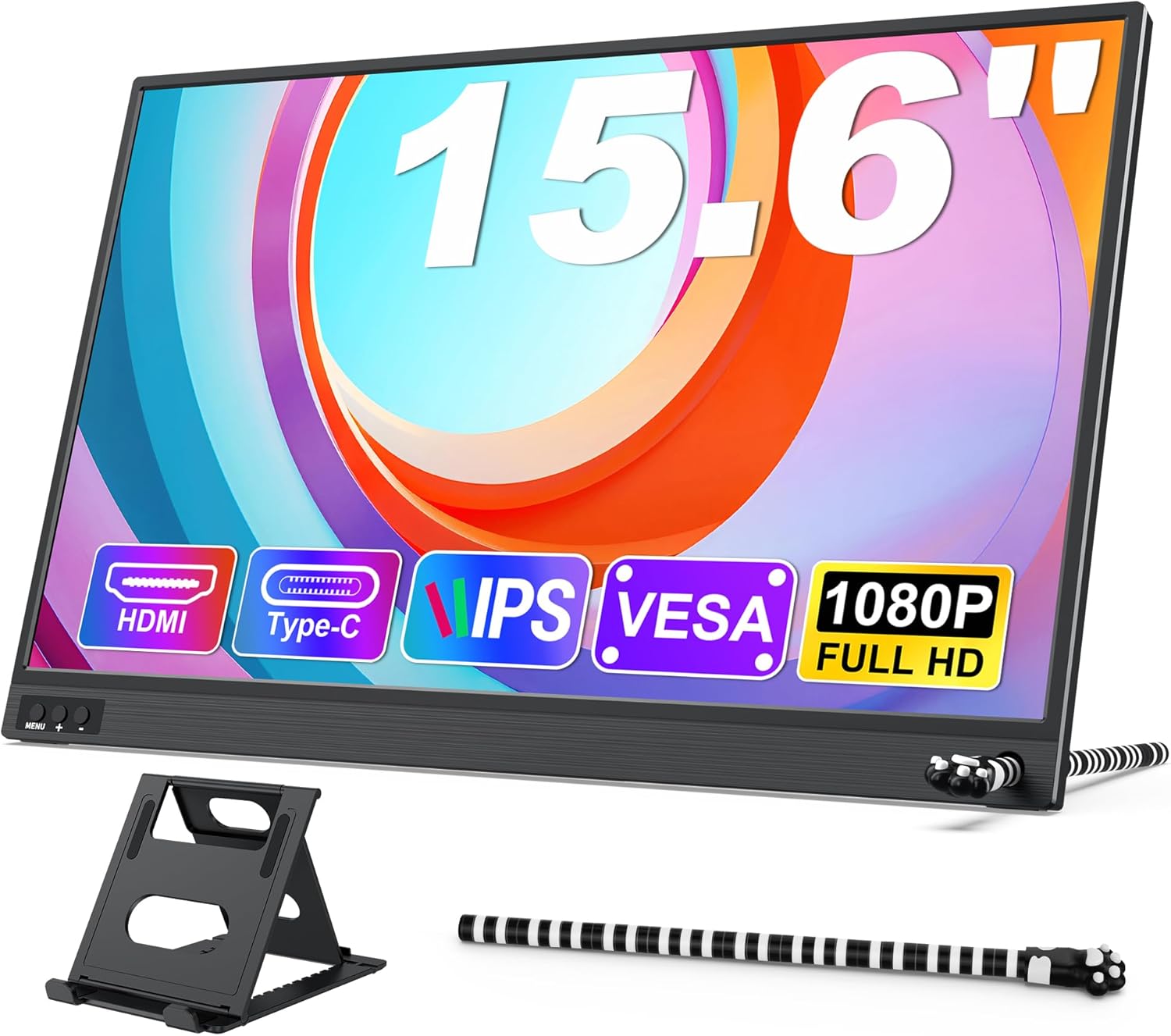
If you’ve ever wished your laptop screen had just a bit more space for spreadsheets, research tabs, or a second app, a portable second monitor is the kind of upgrade that can feel surprisingly practical. The MAGICRAVEN Second Screen Portable Monitor is built for that “add a screen anywhere” idea, with plug-and-play use and a lightweight, travel-friendly design.
That said, it’s not perfect for every setup. For example, there’s no power adapter included, and the USB-C route depends on your device supporting video transfer. Worth checking before you assume it will behave like a fully self-contained monitor.
The essentials
This is a 15.6-inch portable IPS display aimed at people who want an extra screen on the go—whether that’s work in cafés, meetings, remote days, or simply using more screen real estate at home. It’s positioned as a secondary display rather than a replacement for a desktop monitor, so the experience depends heavily on how you connect it and what your device can output.
The manufacturer’s pitch is straightforward: plug and play with no drivers or apps, connect via USB-C or HDMI, then use one of the supported display modes (duplicated, extended, or “second screen” mode). It also includes portrait and landscape orientation options, which can be useful when you want a more vertical layout for documents.
What you’ll notice day to day
Where this monitor feels genuinely useful is in everyday multi-tasking. Imagine you’re writing a report on one side, while keeping a reference doc, notes, or a spreadsheet visible on the other. In that scenario, the extra workspace can reduce the constant tab-switching that slows you down.
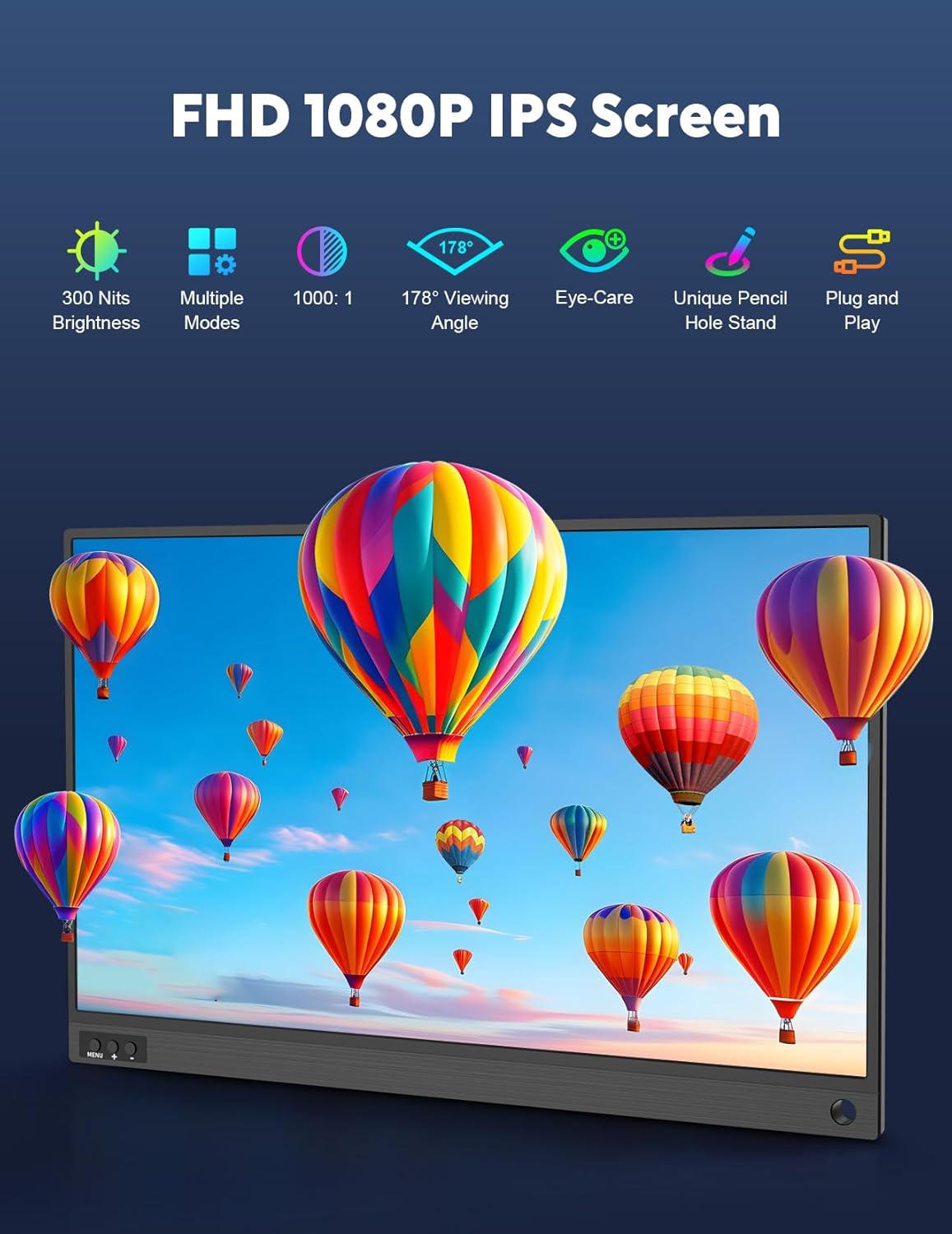
For media and lighter creative work, the spec sheet suggests a 1080P Full HD IPS panel, a low blue light claim, and anti-glare screen. It’s also described as having a 2ms rapid response speed, which is the kind of detail that matters if you’re watching fast-moving content or doing something more interactive than pure browsing.
However, it’s worth being realistic: portable monitors can vary in perceived “feel” depending on lighting, viewing distance, and how steady the stand setup is for your desk. The included stand helps, but if you need a high-end desk monitor experience, you may find it’s more of a portable, practical add-on than a premium replacement.
Connections and power: the part to check first
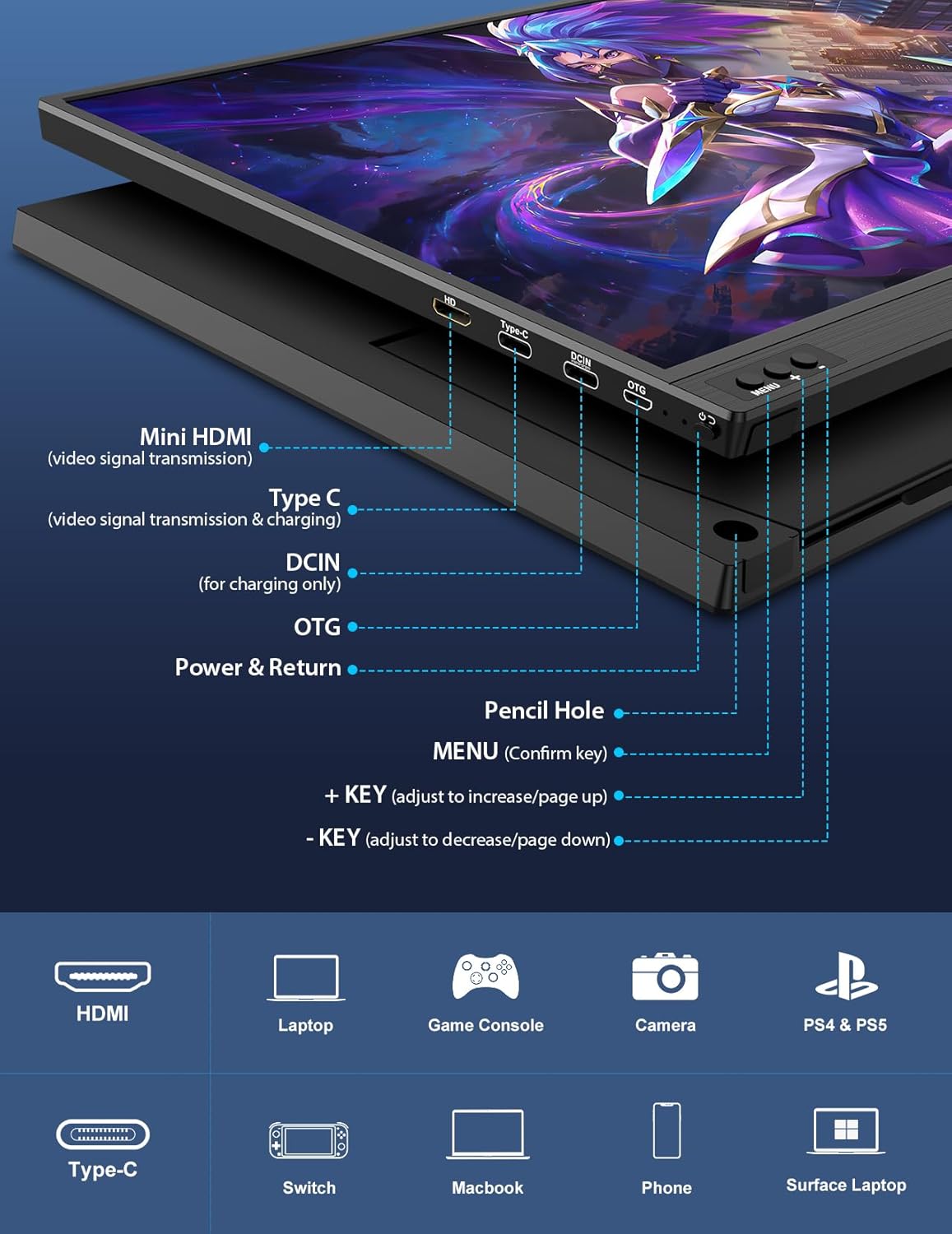
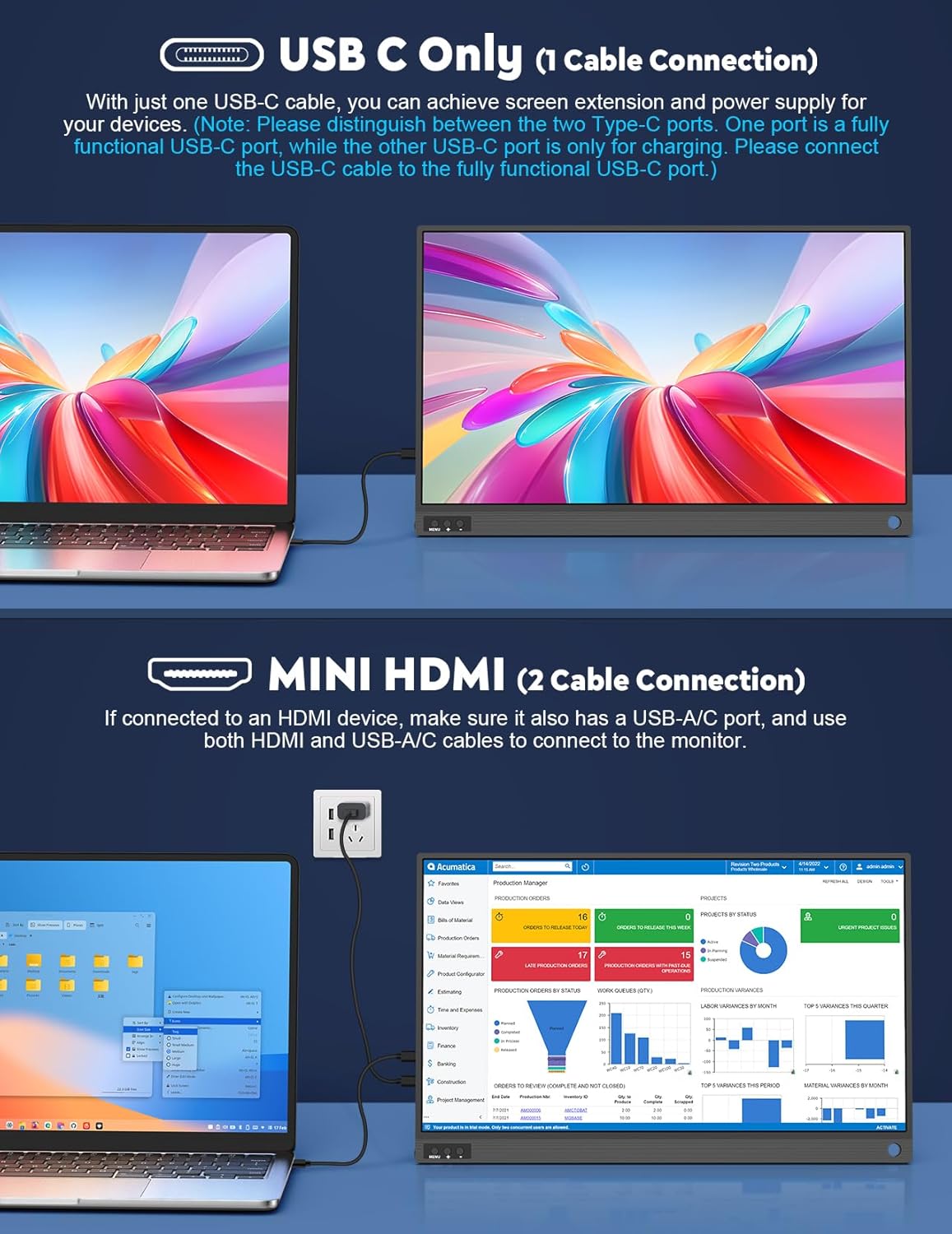
This monitor supports connection via HDMI and USB-C.
- If you choose HDMI, the instructions say you’ll need a USB-C to USB-C cable connected at the same time.
- If you choose USB-C, you only need a single USB-C to USB-C cable—but your device must support video transfer.
One key limitation to plan around: it doesn’t come with a power adapter. The guidance also notes that the USB-C monitor does not have a built-in battery, so you’ll need power during use.
If you travel a lot, this matters. You may need to ensure you can supply power while using it, otherwise it’s not going to be “grab-and-go” in the way you might hope.
Screen modes and orientation
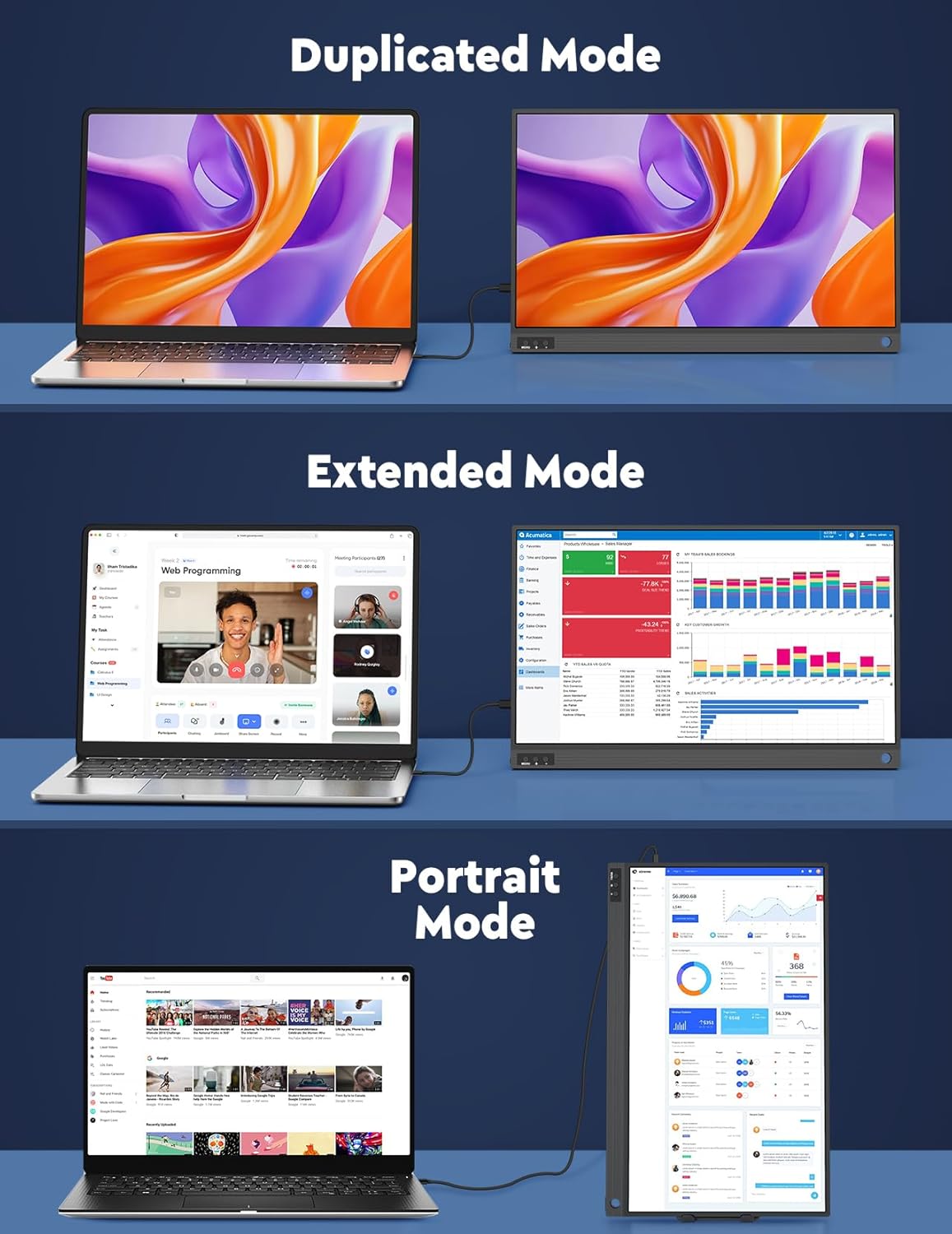
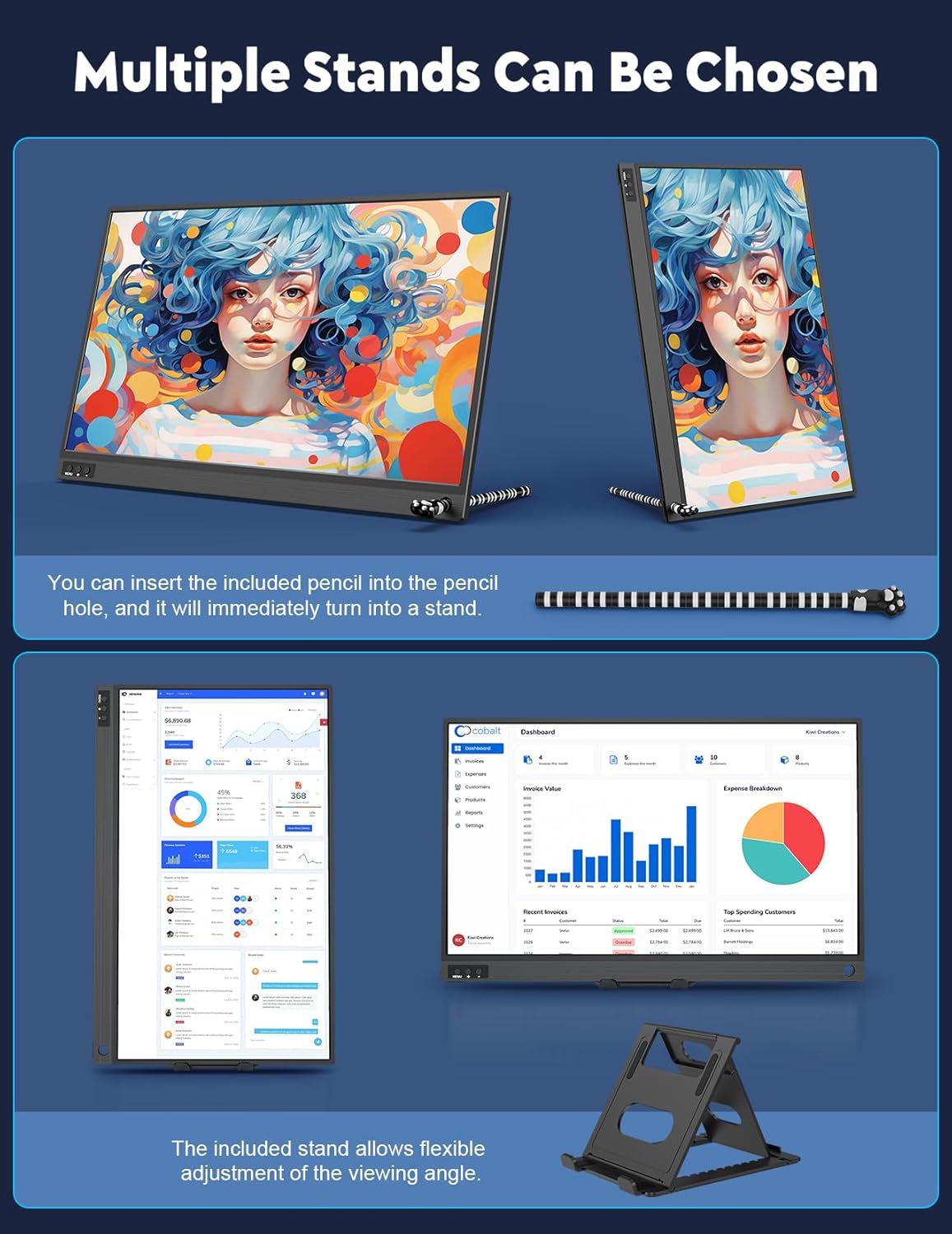
The package is designed to cover different viewing needs through multiple display modes: duplicated, extended, and second screen mode. You also get portrait (vertical) and landscape (horizontal) orientation options, which can help when you want a different layout for reading or document work.
From a buying perspective, those modes matter if your workflow changes throughout the day—say, switching between presentations, spreadsheets, and reading content. If you mainly want a simple mirror of your laptop screen, duplicated mode may be all you’ll use. If you want real multi-tasking, extended or second screen setups are where this kind of monitor earns its keep.
The stand setup (and why it helps)
Included in the box are two support options: a stand and a pencil used as a secondary stand solution.
The main stand can be adjusted to different angles to suit office work, reading, or watching movies. The pencil trick is a neat detail for portability: you insert the pencil into the monitor’s pencil hole so it can act as a temporary support. On paper, that’s the kind of small feature that makes the monitor easier to live with, especially when you’re setting up in less-than-ideal spaces like a café table.
That said, pencil-as-stand solutions can be a little desk-dependent. If your surface is uneven, or you want a more stable long-term setup, you’ll likely lean on the adjustable stand more often.
Tech summary
The display is described as a Full HD IPS panel with 1920×1080 resolution and an IPS viewing angle technology claiming up to 178°. It’s listed with a 1000:1 contrast ratio, coverage of 16.7 million colours, and a 2ms rapid response speed.
As for eye comfort, the product description mentions low blue light and an anti-glare screen. It also highlights an A-level energy efficiency approach, which is more about the category’s power use than a guarantee of a specific real-world bill—but it’s still a reasonable consideration for longer sessions.
Is it worth it?
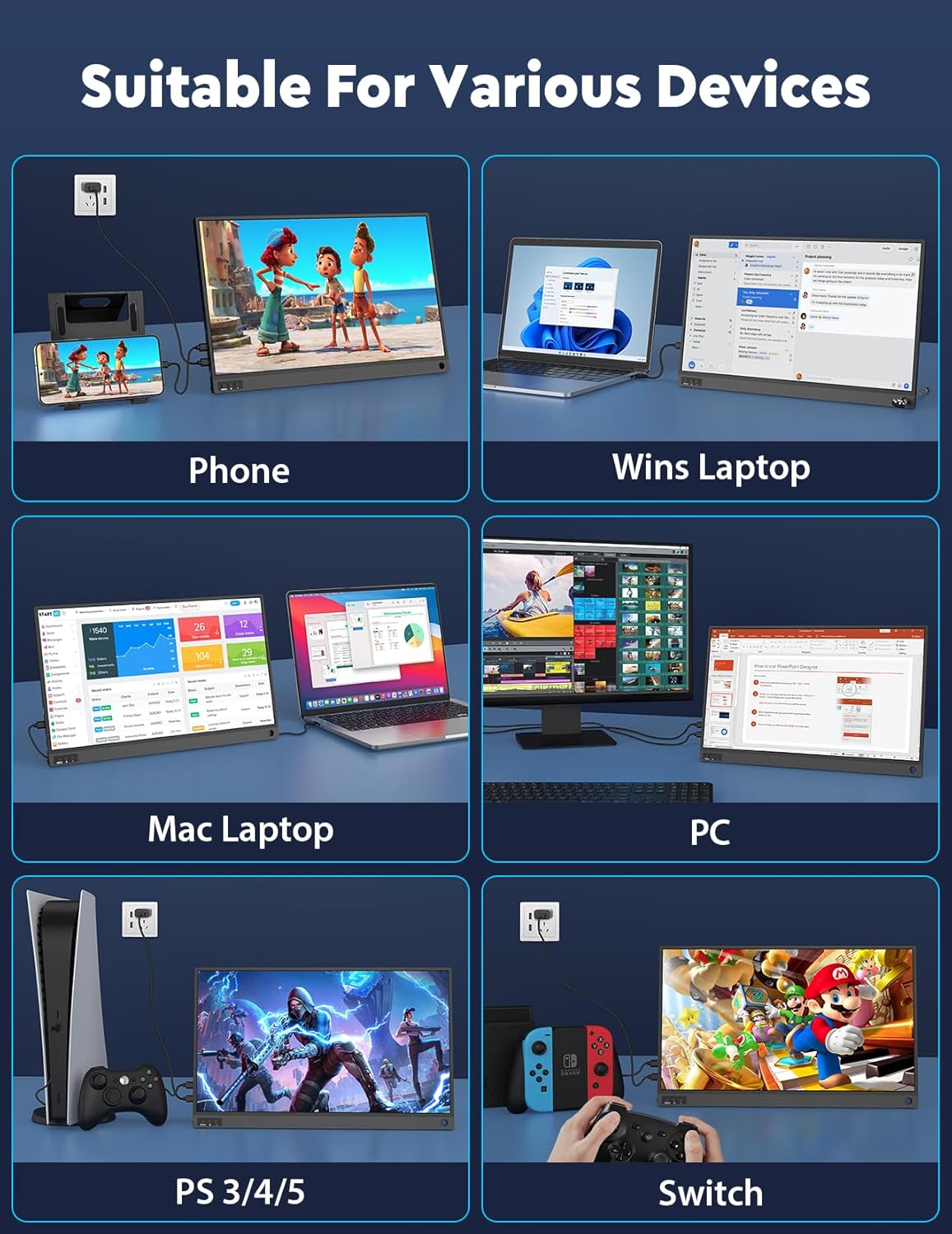
It’s a solid pick if you want a portable second screen for work and study and you’re comfortable planning the connection method (USB-C with video transfer support, or HDMI with the extra USB-C cable step). The plug-and-play approach and included stand/pencil idea make it more “use it quickly” than some more complicated portable displays.
You may want to skip it if your priority is a fully self-contained monitor experience. The lack of a power adapter and the note that the USB-C version needs power during use are genuine constraints, not small details. Also, if you don’t know whether your device supports video transfer over USB-C, you’ll want to check that first—otherwise you could end up needing to rely on HDMI with the extra cable requirement.
If you’re after something simple for cafés, travel days, or occasional second-screen use, this one makes practical sense. If you’re expecting a high-end desktop monitor feel or a carefree setup with zero power/cable thinking, it might feel a bit more limited than you’d like.
Mini FAQ
Will it work without drivers or apps?
The description says it’s plug and play with no drivers or applications—connect and use.
Do I need a power adapter?
No power adapter is included, and it’s noted that the USB-C version has no built-in battery, so you’ll need power during use.
Can I connect it using only USB-C?
It can be connected via USB-C, but you need to make sure your device supports video transfer.
Does it support extended desktop?
Yes—duplicated, extended, and second screen modes are mentioned.
Does it support portrait mode?
Portrait (vertical) orientation is included alongside landscape.