


AOC Q24V4EA 24-inch QHD monitor with IPS, Adaptive Sync and built-in speakers
Product description
What it is and the kind of job it does
The AOC Q24V4EA is a 24-inch QHD (2560x1440) monitor built around an IPS panel, with a 75Hz refresh rate and 4ms response time. On paper, that combination points to a display aimed at everyday use with a bit of gaming flexibility: crisp text for work, sharper detail than a standard 1080p setup, and smoother motion thanks to Adaptive Sync.
If you’re setting up a home office, studying, or working from a laptop and want a screen that doesn’t look “pixel-y” at typical desk distance, QHD is often the sweet spot. Pair that with the frameless design, and it’s the sort of monitor that can work nicely in a dual-monitor arrangement without the bezels feeling like they’re stealing attention.
Key features that actually affect day-to-day use
An IPS panel generally helps with consistent-looking colours and viewing from different angles, so you’re less likely to see the image wash out when you’re not viewing dead-centre. In practical terms, that makes it easier to move between tasks—spreadsheets, documents, and browsing—without the display feeling temperamental.
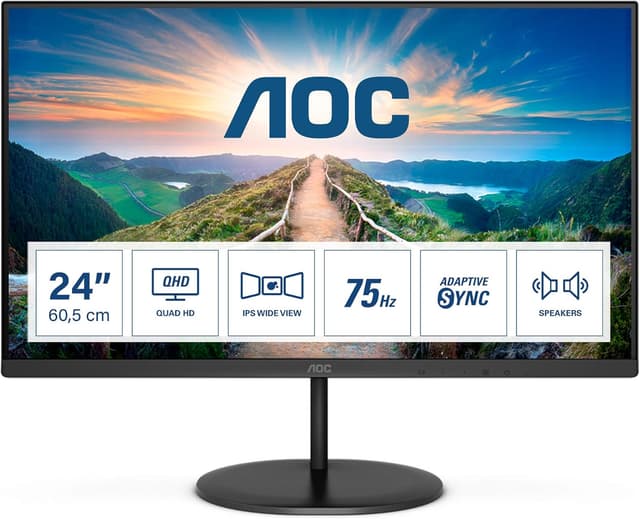
Adaptive Sync is there to help reduce mismatches between what your GPU outputs and what the monitor refreshes. The result is smoother motion during gaming and other video-heavy moments, which matters if you’ve ever noticed stutter or “tearing” in fast scenes.
There’s also a FlickerFree approach included, which is aimed at minimising flicker-related distractions. It’s not a miracle fix for every eye comfort issue, but if you’re sensitive to flicker on some screens, this is a sensible checkbox.
The Low Blue Light feature is also worth noting: it’s designed to reduce harmful wavelengths without changing the colour composition too aggressively, so it can make longer sessions feel more manageable.
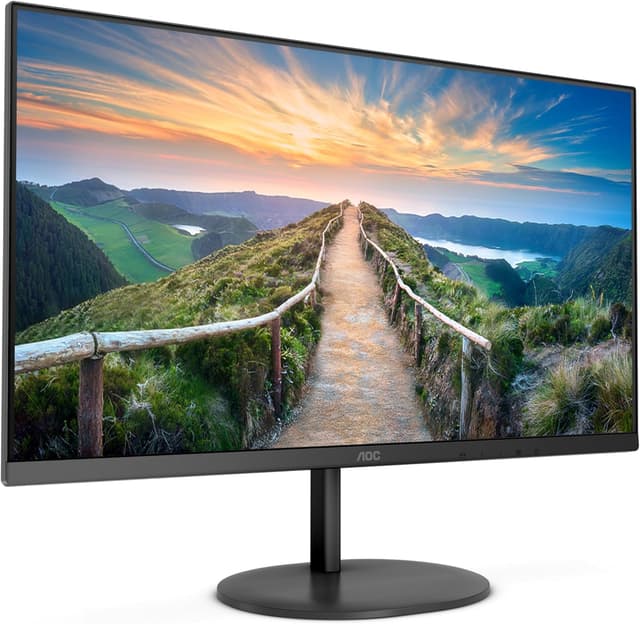
Finally, built-in speakers are a practical bonus. They won’t replace a dedicated sound system, but for calls, casual videos, and quick audio playback, it saves you from extra desk clutter.
Connections and setup: what you can plug in
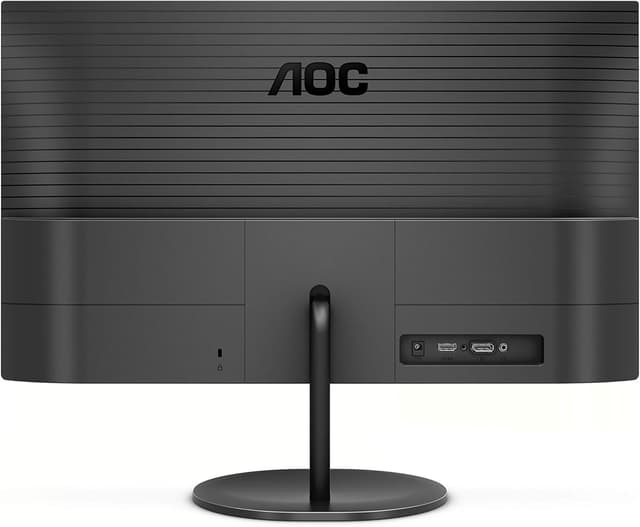
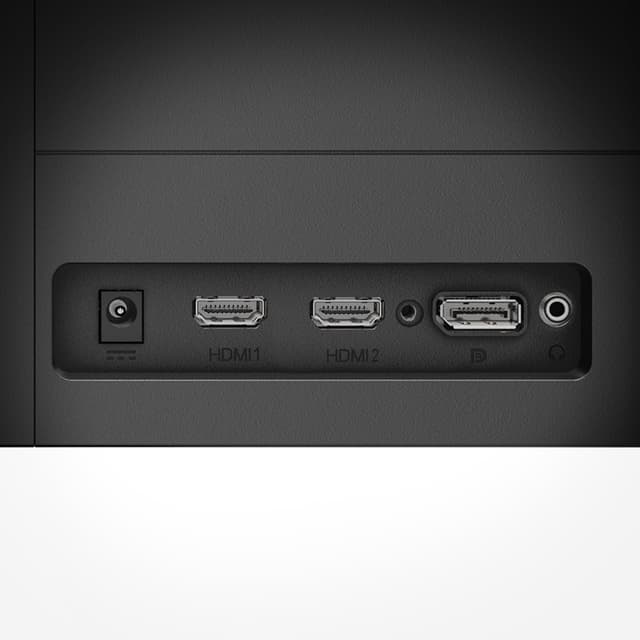
For connectivity, the monitor includes HDMI 1.4 and DisplayPort 1.2. That should cover many common laptop and desktop setups, especially if you’re deciding between using a laptop dock or a PC tower.
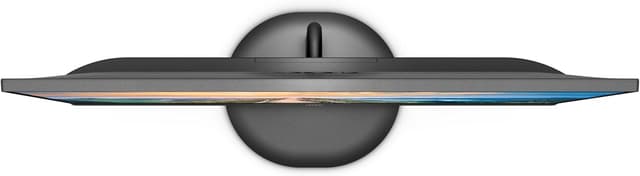
It’s also described as having a frameless design, which is typically the kind of detail that helps when you’re building a multi-monitor workspace. Having the option to place displays side-by-side without bulky bezels can reduce the visual disruption you get from thicker borders.
Limitations and who should be cautious
A couple of things to keep realistic expectations. First, with a 75Hz refresh rate and 4ms response time, this isn’t positioned as a top-end esports-only panel. If you’re trying to chase the highest refresh rates for ultra-competitive play, you may find you want something more performance-focused.
Second, the Low Blue Light feature is meant to reduce certain wavelengths, but comfort preferences are personal. If you’re very particular about colour accuracy for creative work, it’s worth checking that you can handle any colour shift introduced by comfort modes (the listing suggests reduced harmful wavelengths without sacrificing colour composition, but it doesn’t spell out how it looks in practice).
Best use cases (and a quick example)
This monitor makes sense if you want a sharper desktop experience without jumping all the way to larger-than-life sizes. QHD at 24 inches can make text and UI elements look more detailed than a 1080p display, which is handy for reading, coding, or spreadsheets.
For example, imagine you’re working on a timetable or budgeting sheet: with QHD you get more room for columns and clearer small text. Then after work, you switch to casual gaming or streaming—Adaptive Sync helps smooth motion, and the built-in speakers let you keep things simple without additional audio hardware.
Compatibility considerations before buying
You’ll want to confirm that your device supports either HDMI 1.4 or DisplayPort 1.2, especially if you rely on a particular port. If you’re connecting a desktop, this is usually straightforward, for laptops, it depends on what ports you have available.
Also, while “frameless” suggests a clean multi-monitor look, the ultimate success of a multi-screen setup depends on your desk spacing and whether you can align the monitors comfortably at eye level.
Is it worth it?
It’s a solid pick if you’re after a 24-inch QHD monitor with an IPS panel, Adaptive Sync for smoother motion, and built-in speakers for everyday convenience. The FlickerFree and Low Blue Light features also make it a reasonable choice if you’re spending long stretches at your desk.
You may want to skip it if your priority is chasing the highest refresh rates for competitive gaming, or if you’re investing in a display primarily for demanding colour-critical creative work where you’ll be extremely sensitive to any comfort-mode changes. In other words: it’s geared more towards value-for-money daily use than squeezing out top-tier gaming performance.

Mini FAQ
Does Q24V4EA support smoother gaming?
It includes Adaptive Sync, which is intended to align the monitor’s vertical refresh rate with your GPU’s frame rate, helping motion look more fluid.
What resolution does it run at?
It’s listed as 2560x1440 (QHD) at up to 75Hz.
Which video connections does it have?
It features HDMI 1.4 and DisplayPort 1.2.
Are there built-in speakers?
Yes, speakers are included, which is useful for everyday video and calls.
Is it good for long work sessions?
Features like FlickerFree and Low Blue Light are specifically aimed at comfort, which can help if you find some monitors fatiguing over time.