

Philips Evnia 27M2N5500 27-inch QHD gaming monitor (180 Hz, FreeSync Premium, G-Sync compatible) with HDR400
Product description
If you want a 27-inch gaming monitor that feels properly responsive on-screen, the Philips Evnia 27M2N5500 is built around fast refresh and HDR support. On paper, it ticks a lot of sensible boxes for QHD gaming: 180 Hz refresh for smoother motion, a very quick response figure, and a mix of HDMI and DisplayPort connections.
That said, it’s not perfect for everyone. HDR400 is a specific level of HDR support, and you’ll want to manage expectations around “cinematic” HDR performance versus a full-fat HDR setup. Still, as a general-purpose gaming display that can also do everyday work, it looks like it could earn a spot on the shortlist.
The essentials
The Philips Evnia 27M2N5500 is a 27-inch QHD gaming monitor aimed at players who care about motion clarity and overall smoothness. With 180 Hz refresh, it’s designed to reduce the “laggy” feeling you can get on lower refresh displays, especially in fast-paced titles. Philips also includes FreeSync Premium and notes it is G-Sync compatible, which is relevant if you want a more stable picture during gameplay.
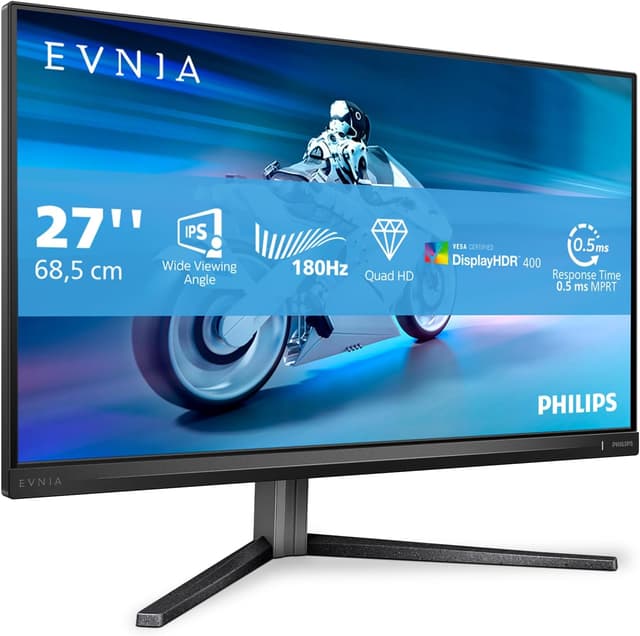
On top of that, there’s HDR400 support. In practice, HDR is most noticeable when content is actually mastered for it and when your expectations match what HDR400 can realistically deliver. You’re looking at a monitor that tries to combine gaming performance with a more vivid, “punchier” look rather than something that replaces a high-end HDR TV.
There’s also mention of a LowBlur mode. That’s the sort of feature that can matter for long sessions, depending on the way you game and how sensitive you are to motion blur and eye fatigue.
Key features that affect gameplay
The most influential specs here are the refresh rate and response time claims. A 180 Hz refresh rate can make scrolling menus and fast movement feel smoother, but its real value shows up in gameplay where frame pacing matters. Pair that with variable refresh support (FreeSync Premium and G-Sync compatibility), and the monitor is set up to help smooth over tearing or stutter when your frame rate isn’t locked.
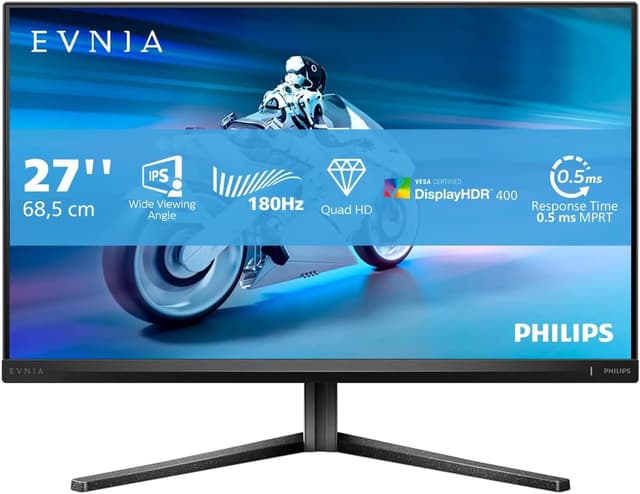
Philips also highlights a 0.5 ms response (MPRT). That figure is aimed at sharper motion during action scenes. Whether you feel the benefit depends quite a lot on the game, your frame rate, and your chosen motion settings—but it’s clearly positioned as a motion-focused panel.
HDR400 is the other headline feature. The intent is more realistic, more “spectacular” images, but it’s still best viewed as entry-to-mid HDR support. If you’re specifically chasing dramatic HDR highlights, you may find HDR400 a little restrained compared with higher-tier HDR displays.
What stands out in day-to-day use
For gaming, you’re getting a display that should feel smooth thanks to 180 Hz and the quick response target. For productivity, the mention of LowBlur suggests Philips is thinking about comfort during longer stretches.
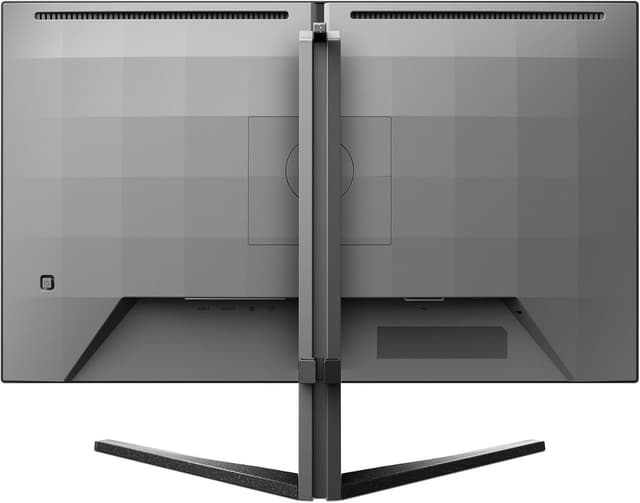
A practical example: imagine finishing a match cycle in a fast shooter, then switching straight to documents and spreadsheets. On a monitor like this, the high refresh rate can make desktop movement and window switching feel less “steppy”, while the LowBlur approach may help if you notice blur during scrolling or rapid UI movement. It’s not a replacement for comfort-focused features like flicker-free design (not stated here), but it does point towards reducing that slightly annoying motion softness.
Worth noting before you buy
It’s worth taking a careful look at how you’ll use HDR. HDR400 support is a specific category, and it won’t automatically make every game look like high-end HDR footage. If your priority is purely visual drama in HDR, this may feel more like a capable gaming monitor than an enthusiast HDR centrepiece.
Also, the most important performance benefits (smoothness and response) depend on your system. If your PC can’t comfortably push higher frame rates at QHD, the 180 Hz advantage can be partially wasted. You may still enjoy variable refresh support, but if you’re frequently running well below typical high-FPS targets, the experience won’t match the spec sheet fully.
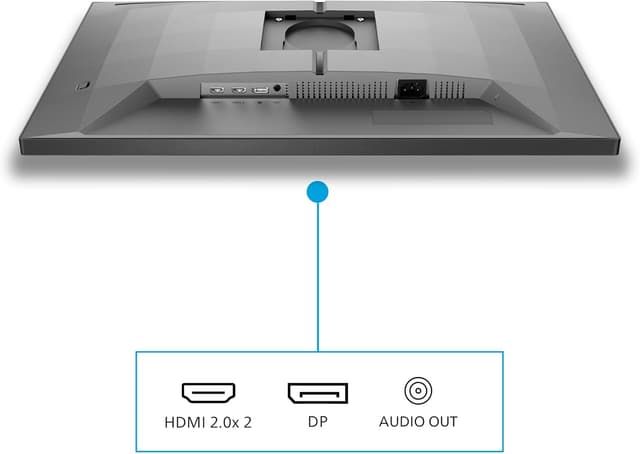
Finally, you’ll want to confirm your connection preference. Philips lists HDMI and DisplayPort, which covers the common routes—just make sure the port layout fits your setup.
Tech specs (highlights)
- Resolution: 2560x1440 (QHD)
- Refresh rate: 180 Hz
- Response time: 1 ms (MPRT)
- HDR: HDR400
- Variable refresh: FreeSync Premium
- Compatibility: G-Sync compatible
- Connectivity: HDMI, DisplayPort
- Size: 27 inch
- Colour: black/gray
Is it worth it?
Buy it if you’re after a 27-inch QHD gaming monitor with a strong focus on smooth motion (180 Hz), quick response (as claimed), and variable refresh support (FreeSync Premium plus G-Sync compatibility). It also makes sense if you split your time between gaming and everyday productivity and you’re curious about LowBlur for more comfortable long sessions.
Don’t buy it if HDR wow-factor is your top priority. HDR400 is likely to feel more “more vivid” than truly transformative, especially when compared with higher-spec HDR displays. It might also not be the best match if your PC setup can’t take advantage of QHD + high refresh rates—then the monitor’s headline smoothness can’t fully show.
For most buyers, it lands in the practical, mid-to-gaming-leaning bracket: a sensible choice for players who want fluid performance without jumping into ultra-premium territory.
Mini FAQ
What does FreeSync Premium and G-Sync compatibility mean here?
FreeSync Premium and G-Sync compatible support are aimed at reducing visible tearing and stutter by syncing the monitor’s refresh behaviour with your GPU output, which is most helpful when frame rates fluctuate.
Is HDR400 strong enough for serious HDR viewing?
HDR400 can improve the look of supported content, but it’s not positioned as a top-tier HDR performer. If you expect dramatic, TV-level HDR impact in every scenario, you may end up a bit disappointed.
Will 180 Hz matter if I don’t always hit high frame rates?
It can still help with responsiveness and general smoothness, but the full benefit is greatest when you’re frequently running higher frame rates at QHD. If you often play far below that, you may want to manage expectations.
What connections does it have?
The monitor is listed with HDMI and DisplayPort, which should cover the standard modern PC/console connection options.
Does LowBlur help with productivity too?
It’s designed to reduce blur, and the idea is that it can make productivity less tiring on the eyes. Whether you notice a difference will depend on your sensitivity and the types of tasks you do.