


HP Series 5 27" FHD Monitor (527sf): A balanced, comfortable setup for everyday work and play
Product description
What it is
The HP Series 5 27" FHD Monitor (527sf) is a relatively slim, light 27-inch display designed to cover everyday tasks from browsing to light multimedia and hobby projects. It offers a 1080p panel, a 100 Hz refresh rate and a solid contrast/brightness package meant to deliver smooth scrolling and clear visuals without demanding hardware or a steep price tag. On paper, it aims to strike a balance between value and performance, with a straightforward set of features that fit typical home or small-office environments.
What it’s for
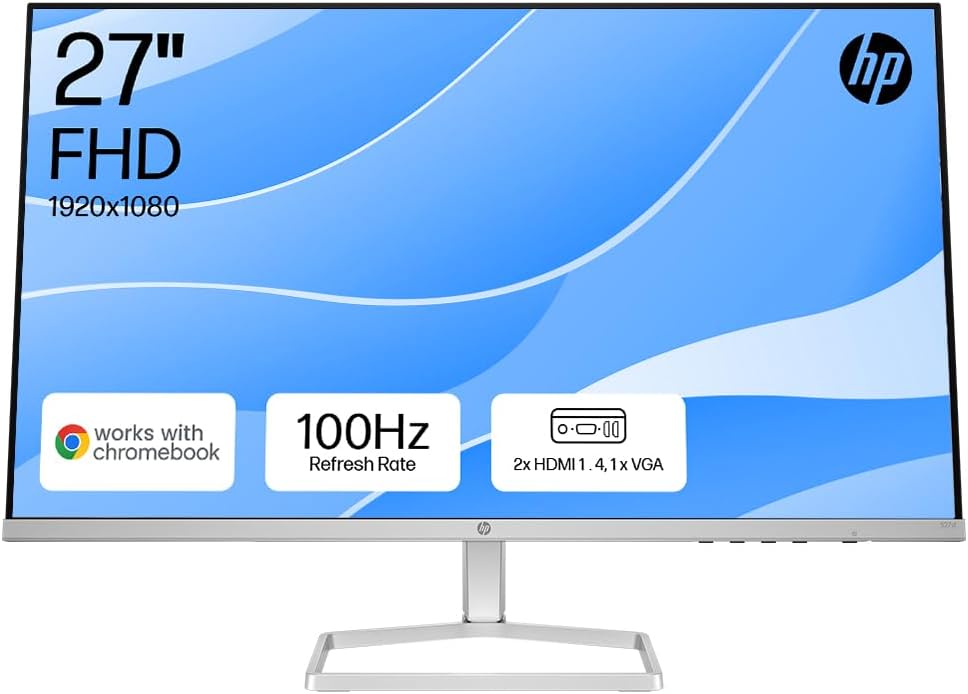
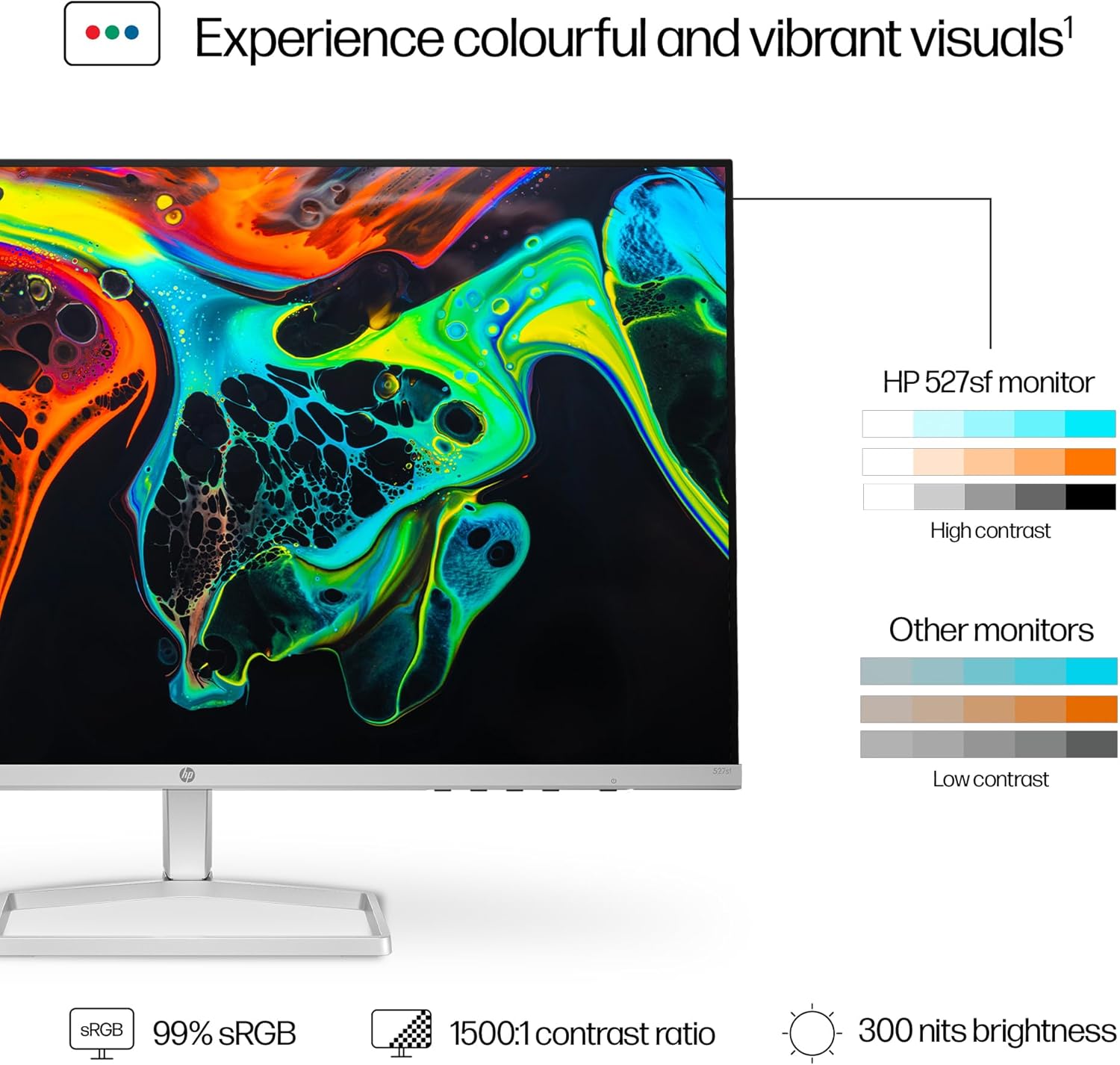
If you’re building a practical workspace or a casual entertainment corner, this monitor aims to cover a range of daily needs: comfortable eye comfort during long sessions, decent colour reproduction for general media viewing, and a compact footprint that still feels substantial for a 27-inch screen. The 99% sRGB colour coverage and 1500:1 contrast ratio suggest it will handle vibrant imagery and legibility well enough for most everyday tasks, from document work to streaming and light photo/video editing that doesn’t require high-end colour accuracy.
How it performs and what stands out
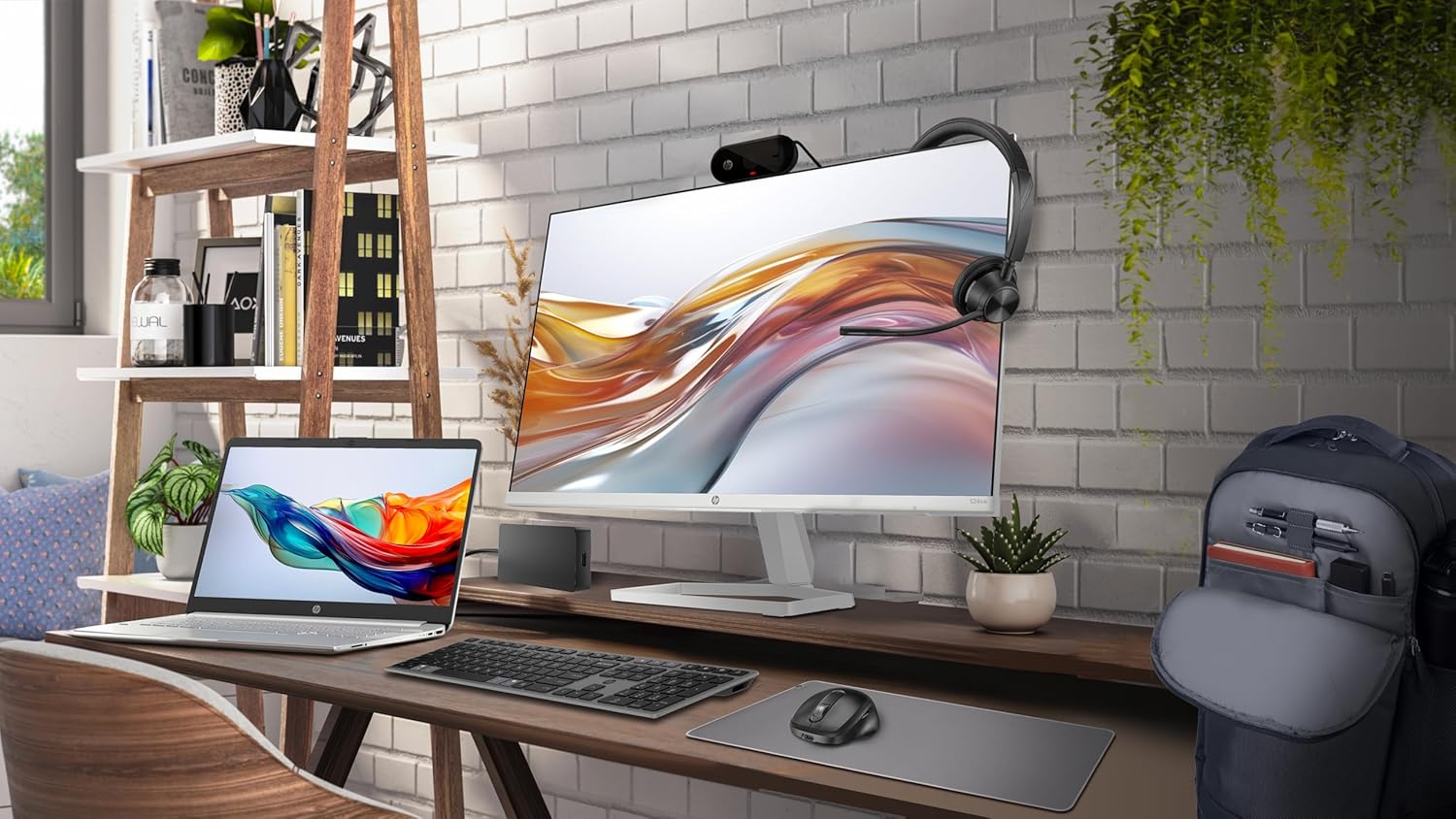
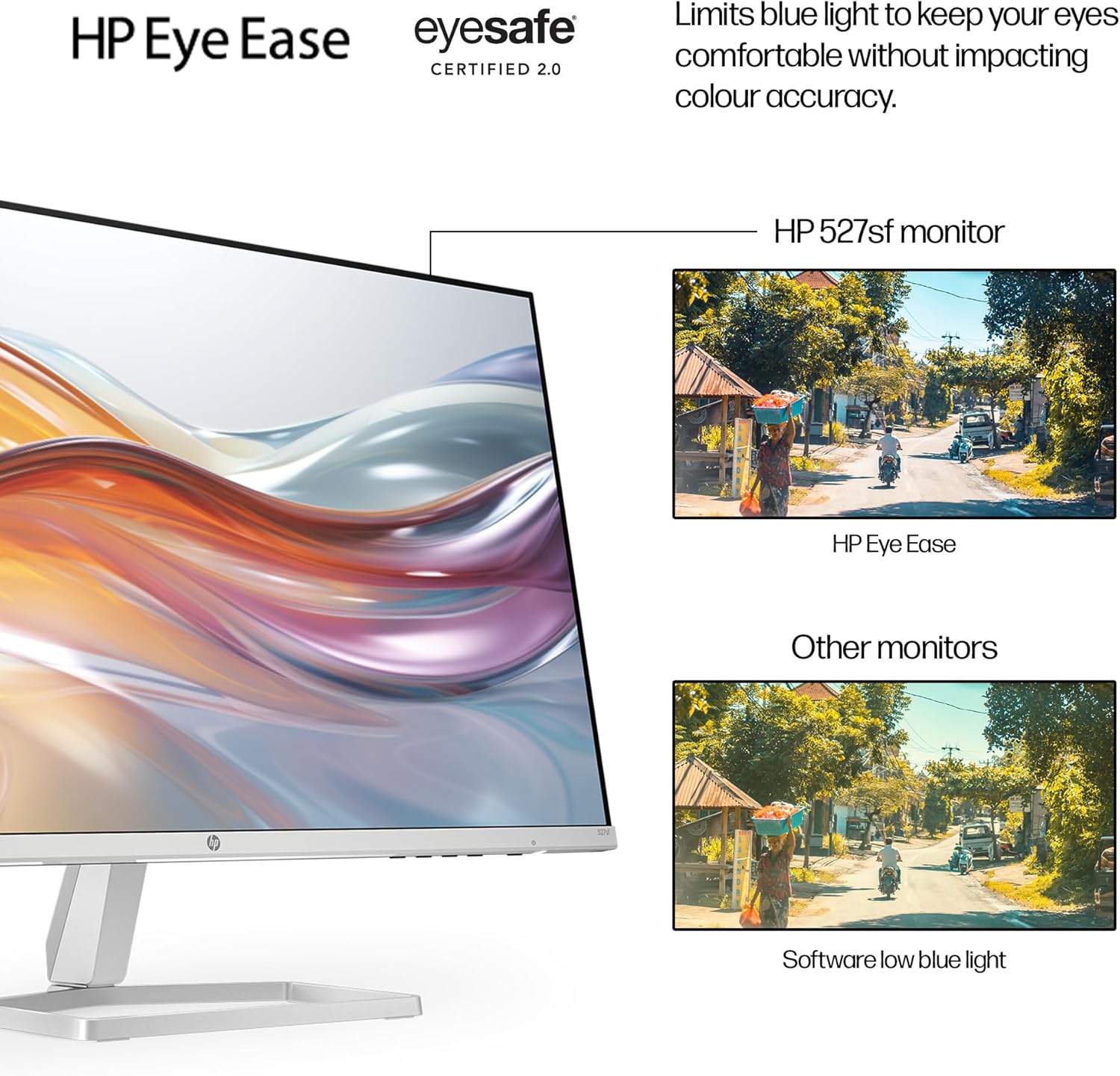
On the positive side, the 100 Hz refresh rate supports smoother scrolling and reduces stutter during web-browsing or video playback, which can make long sessions more pleasant. The ergonomic tilt adjustment and the HP Display Centre’s Setup Guide imply you can tune the stand and viewing angle to suit your desk setup. Eye comfort features, including HP Eye Ease with Eyesafe certification, help limit blue light without an obvious colour shift, which is helpful if you’re staring at the screen for extended periods.
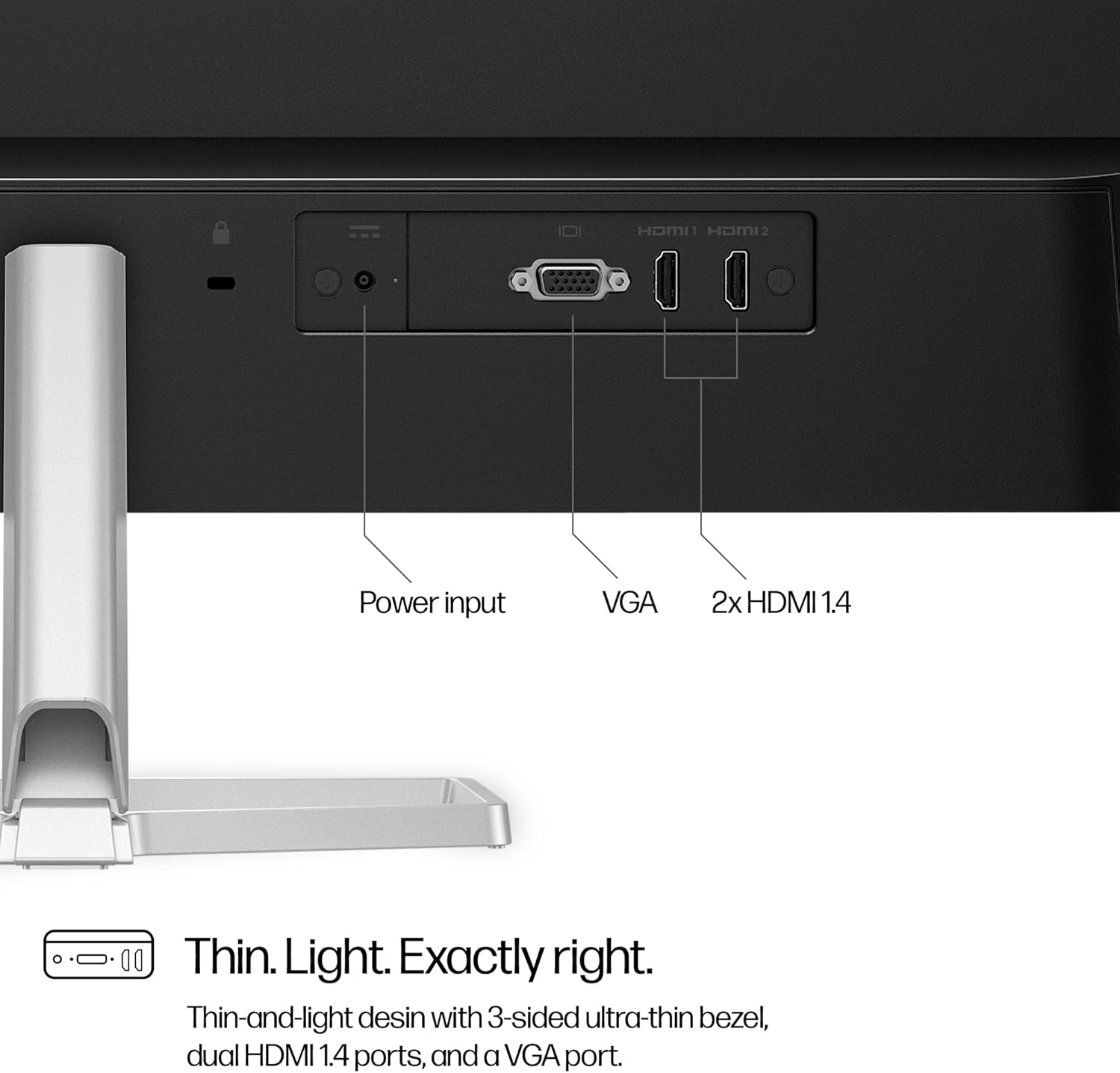
The design emphasis is on being thin, light and borderless on three sides, which aids in multi-monitor layouts and keeps a clean, modern look in a neutral space. The connectivity is pragmatic: two HDMI 1.4 ports and one VGA port cover the typical accessories and legacy devices you’re likely to plug in. A clutter-conscious setup is helped by simplified cable management.
Even better, the product makes a visible claim about sustainability: a design that uses a high proportion of recycled materials, ocean-bound plastics and packaging that’s 100% sustainably sourced, alongside ENERGY STAR certification and an EPEAT Gold rating. That combination isn’t a feature you can measure in pixels, but it’s meaningful for buyers who value responsible manufacturing alongside performance.
The potential drawbacks

If you’re someone who relies on calibrated colour accuracy for professional work, you may find that a 99% sRGB coverage on a consumer-grade panel doesn’t replace a dedicated colour-critical monitor. Likewise, with a 1080p resolution on a 27-inch panel, you’ll notice the pixels more than on higher-resolution displays when you zoom in for detail-heavy tasks or large-scale photo editing. The built-in speakers aren’t mentioned, so don’t expect a cinema-like audio experience—this is a monitor for visual content and productivity, not entertainment audio. Finally, while two HDMI ports cover common needs, there’s no USB-C or built-in USB hub listed in the base requirements, which could matter if you want a more future-proof or cable-free desk.
Who it’s for
This monitor suits students, home workers and casual creators who want a comfortable, grown-up screen without stepping into higher price tiers. It’s a sensible upgrade from very basic 1080p monitors if you value a better refresh rate and more convincing colour for day-to-day media. It also makes sense for a compact dual-screen setup where you want a second display that blends into the background rather than dominating the desk.
Who it isn’t for: if you require precise colour accuracy for professional photo or video work, or if you want high-end gaming with adaptive sync or higher than 1080p resolution on a larger panel, you’ll likely prefer something more specialised and expensive.
What to check before buying
- Confirm your desk space and viewing distance suit a 27-inch 1080p panel to avoid over-pixelation at close range.
- Ensure you have the HDMI devices you intend to connect, if you rely on USB-C or a hub, this model’s I/O may feel limited.
- Consider how important eye comfort features are for your routine, HP Eye Ease and Eyesafe are helpful but not a substitute for good lighting and breaks.
- Think about longevity and sustainability, which this model markets itself on, but verify warranty terms and service options in your region.
How it compares in context
Compared with higher-end 27-inch displays, this model trades some advanced calibration tools and higher brightness for a lower price point and practical features like a slim design, dual HDMI, and low-blue-light technology. It aligns more with sensible, everyday use than with elite professional or hardcore gaming needs. If you prioritise a tidy setup, easy on-eyes operation and a reasonable colour spread for casual media, this monitor makes sense. If you want gaming-focused performance with higher refresh rates, adaptive sync or a dedicated display pipeline, you’ll likely look elsewhere.
The decision moment
Is it worth it?
It makes sense if you want a straightforward, comfortable 27-inch display for everyday work and media without chasing premium specs. It’s a sensible fit for a practical home office or student setup where the emphasis is on value, reliability, and a relatively gentle environmental footprint. It may not be the best pick if you need flawless colour accuracy, high-end gaming performance, or USB‑C connectivity as a standard, but for many, it offers solid balance.
Quick FAQ
- What is the viewing angle and panel type? The base information focuses on size, brightness and contrast but doesn’t specify panel type or exact viewing angle beyond typical consumer models.
- Does it include speakers? There’s no mention of built-in speakers, so plan for external audio if required.
- Can I mount it on a wall? The data provided does not specify VESA compatibility, check the product’s mounting options before purchase.
- How does the low blue light work? The Eyesafe certification indicates blue light reduction without compromising colour fidelity, aiding comfort during long sessions.