

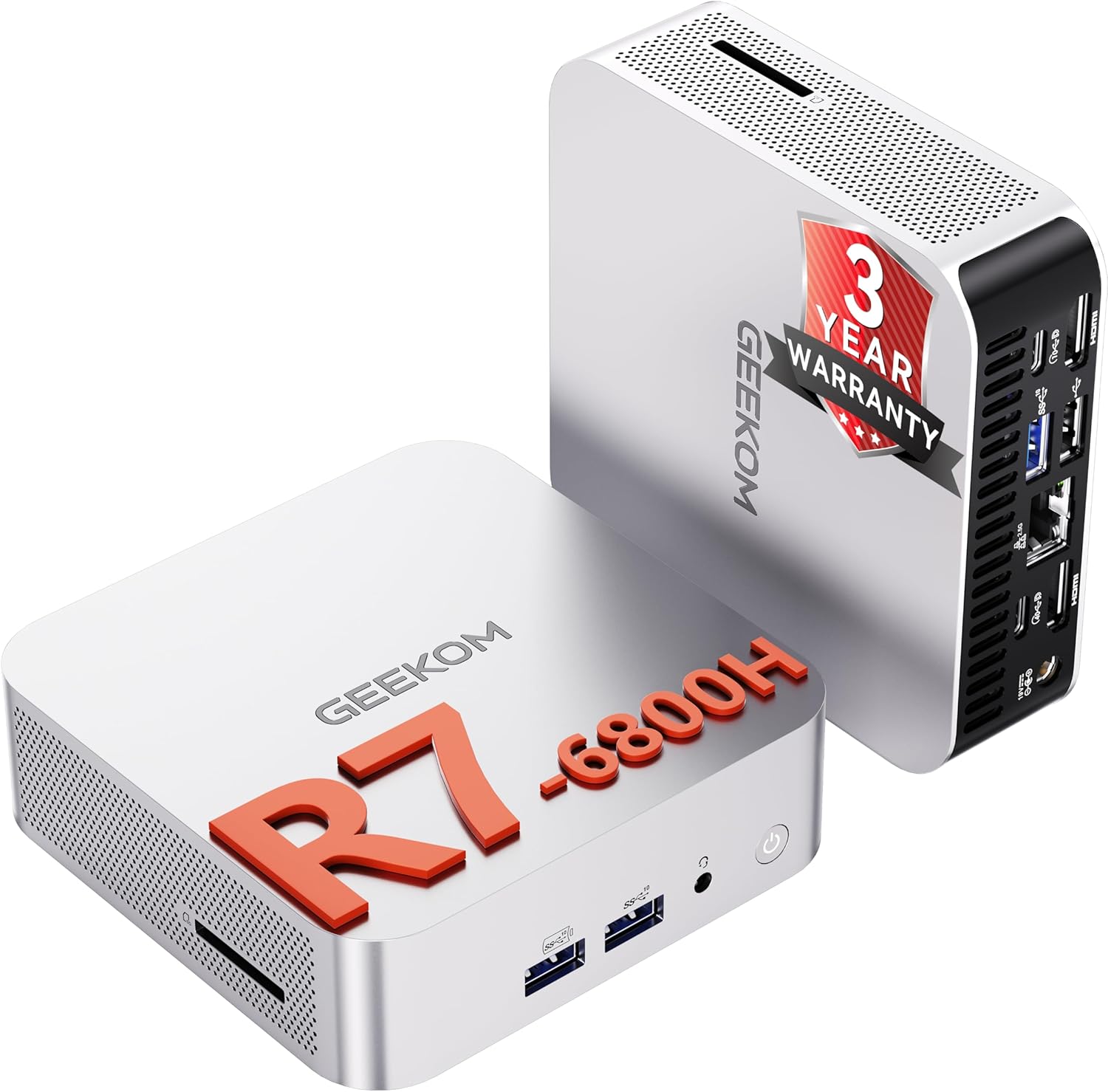
GEEKOM A6 Mini PC with Windows 11 Pro, AMD Ryzen 7 6800H, 16GB DDR5 & 1TB SSD (Quad Display via Dual HDMI + USB4)
Reviews
Price
Product description
The essentials for everyday buyers
If you’re looking at a mini PC, you usually want two things: the space-saving footprint and the ability to handle “real work” without feeling underpowered. The GEEKOM A6 is designed with that in mind, pairing a Ryzen 7 6800H with 16GB DDR5 RAM and a 1TB PCIe 4.0 NVMe SSD, all running Windows 11 Pro. On paper, it sits in a more serious performance tier than the basic office mini PCs people often start with.
It also leans into connectivity and desk-friendly multitasking: dual HDMI plus a USB4 hub concept means you can aim for a quad-display setup, which is a big deal if your workflow involves timelines, reference material, or multiple panels. For creative work like video editing and graphic design, or for gaming when you want something compact, the spec story is fairly coherent.
That said, it’s not a magic box—mini PCs share some limits around cooling headroom and upgrade paths compared with larger desktops. If you expect workstation-style expandability on day one, you’ll want to read the details carefully (especially on ports, storage options and upgrade ability) before buying.
Key features that matter in daily use
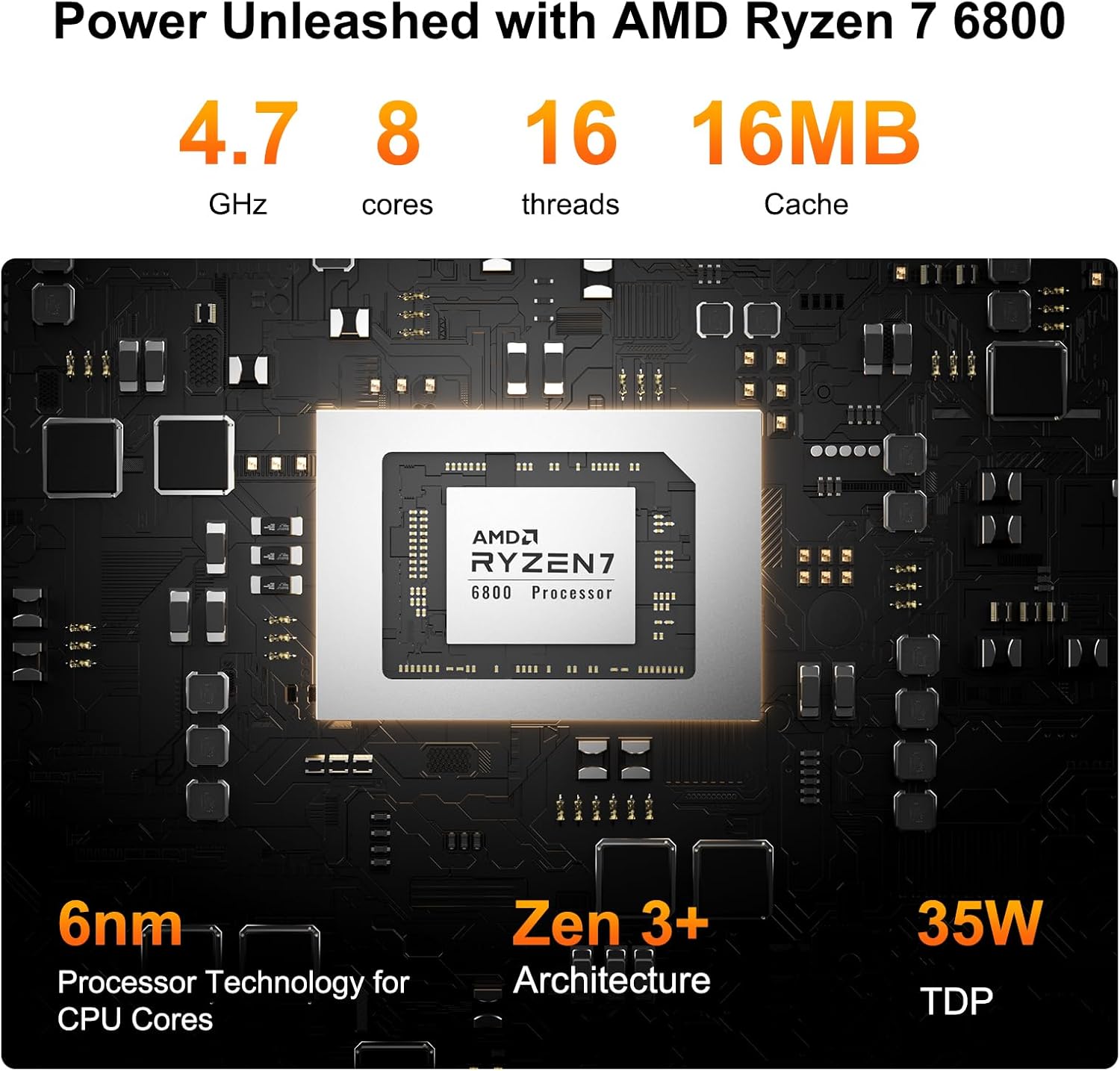
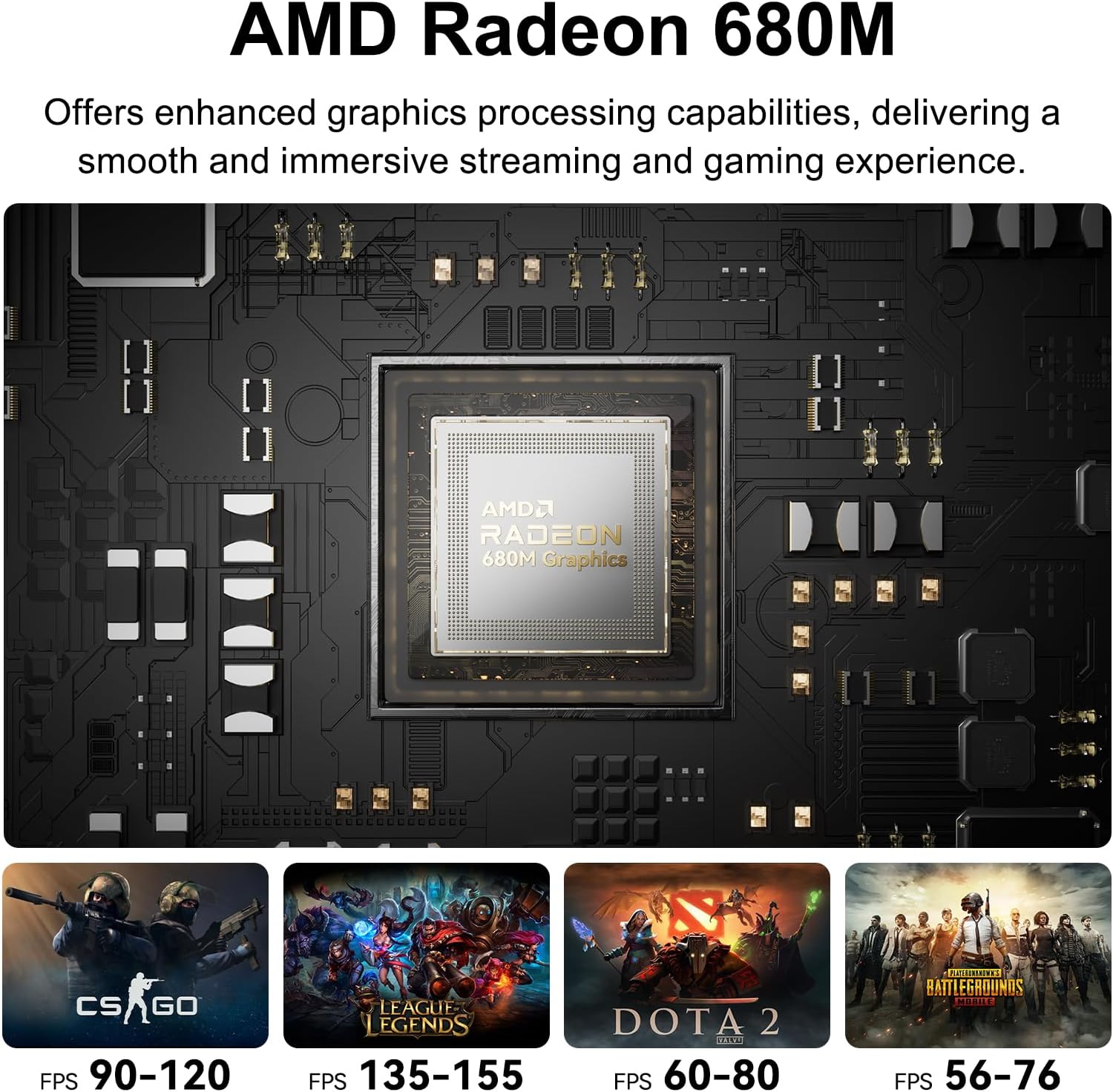
The headline here is the combo of processor + fast memory + fast storage. The AMD Ryzen 7 6800H is an 8-core, 16-thread chip, and the included Radeon 680M graphics are there to cover not just normal desktop tasks but also more demanding creative and development workloads, plus casual gaming.
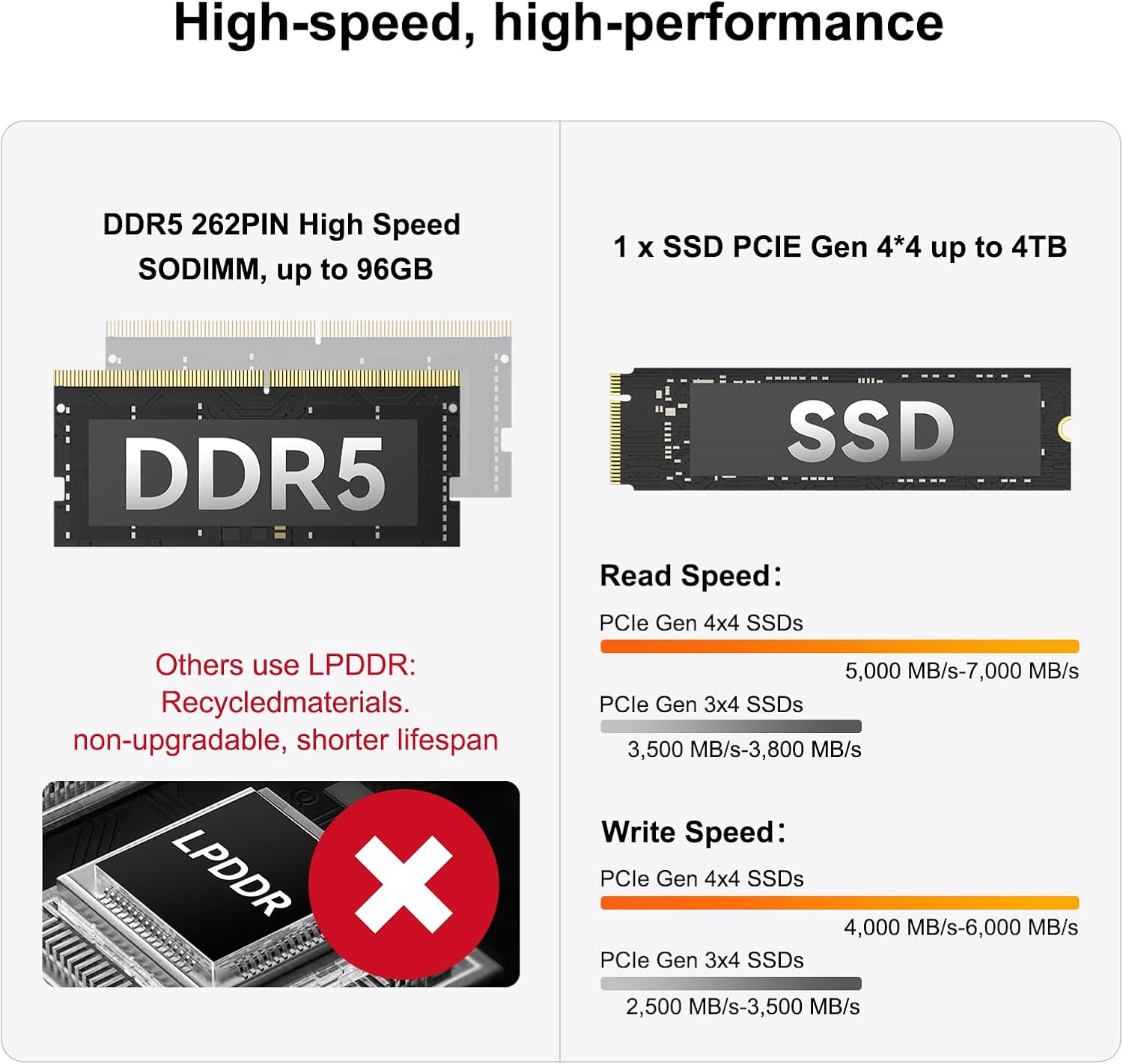
For RAM and storage, you’re getting 16GB high-speed DDR5 and a 1TB PCIe 4.0 SSD. In practical terms, that’s the kind of baseline that usually feels responsive when you’ve got multiple browser tabs, editing software, and supporting apps open at the same time. It’s also a configuration that makes sense if you plan to keep a decent library of projects and media locally, rather than relying entirely on external drives.
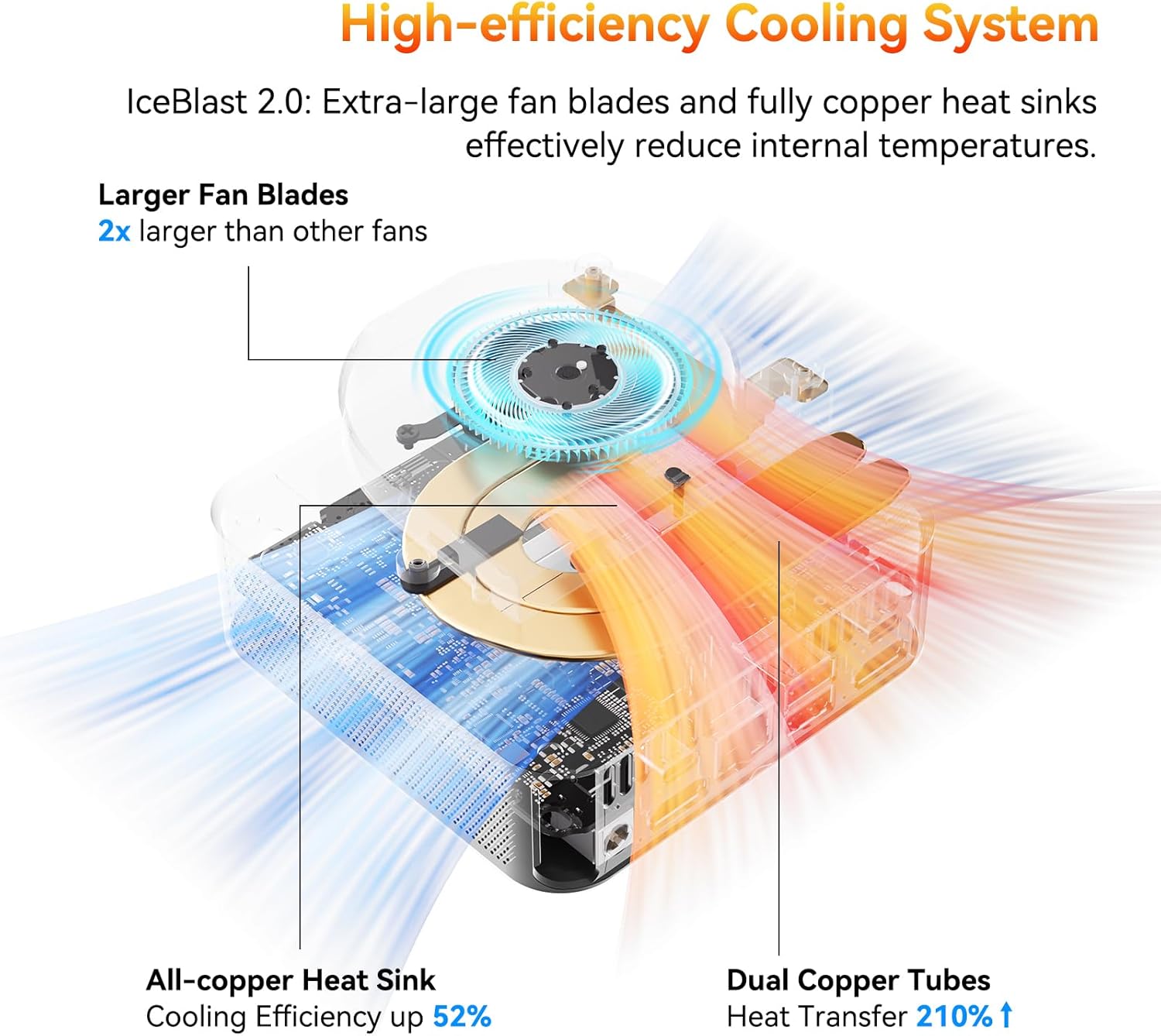
A second “big” theme is the physical size and cooling. The chassis is described as compact (about 4.4 x 4.6 inch) with an advanced thermal solution and a quiet approach. If you care about having the PC on your desk for long sessions, that’s more than marketing—it affects whether you end up tolerating the machine or trying to hide it in another room.
Where it shines: displays, connectivity and creative workflows
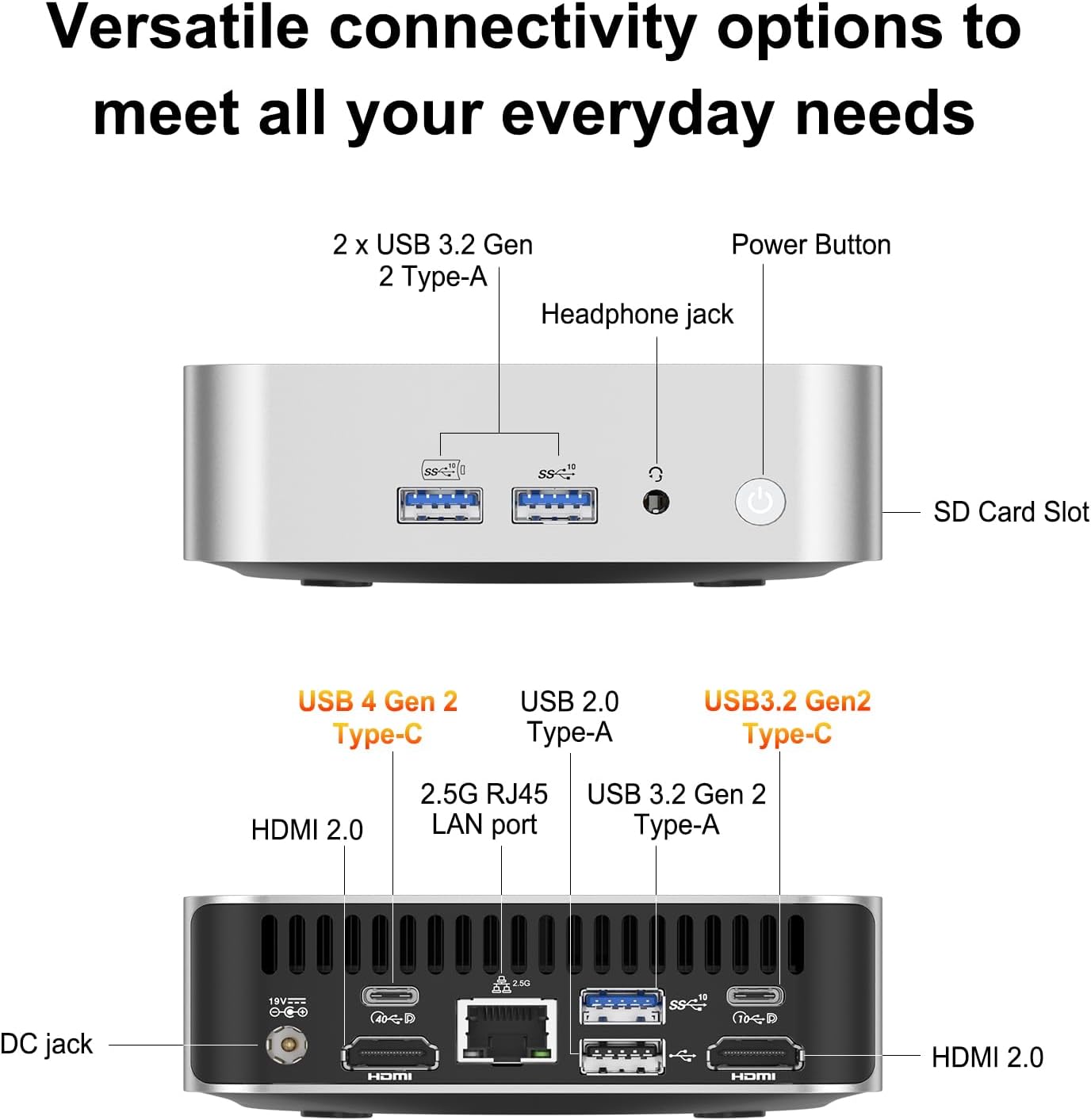
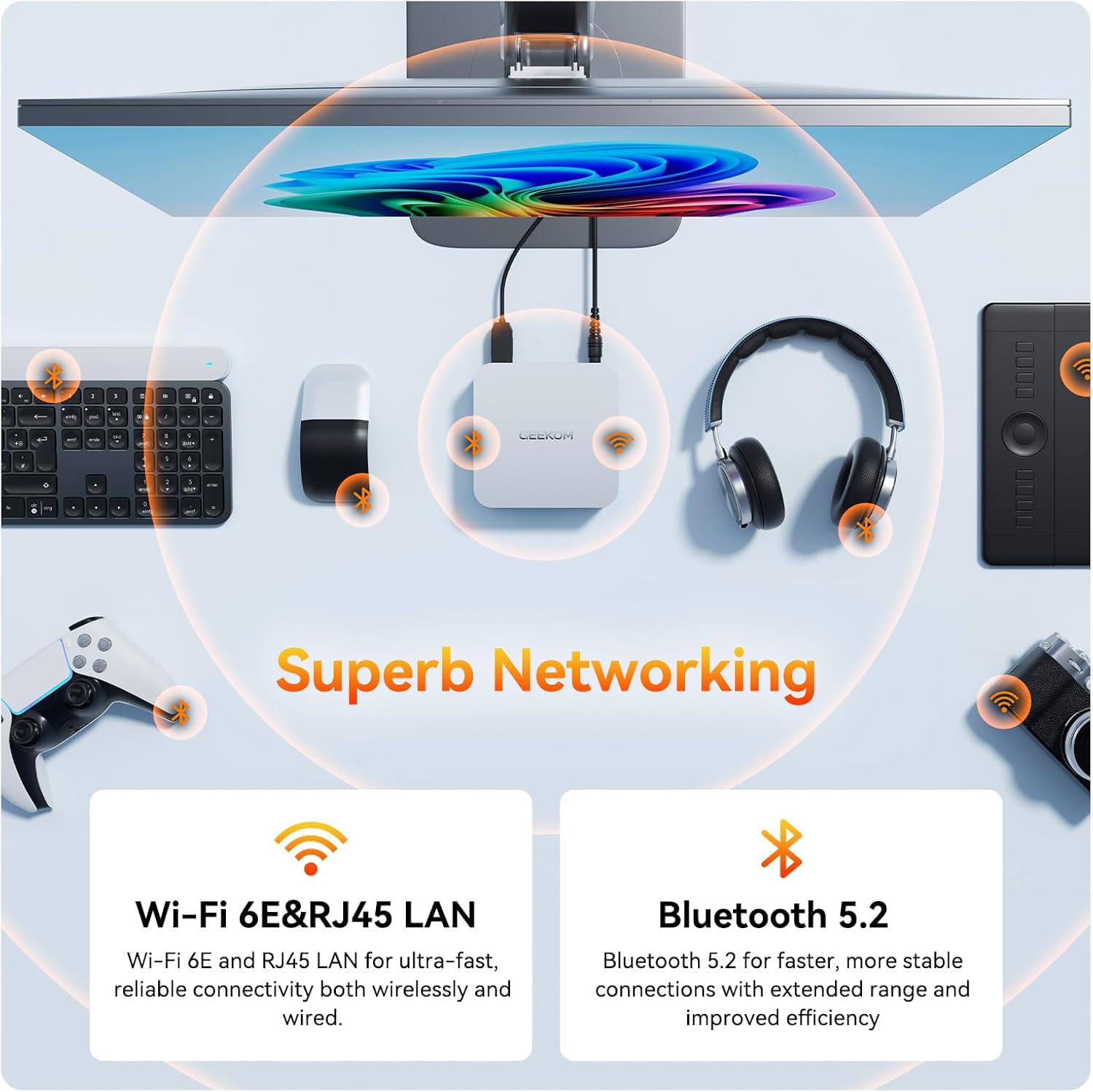
This mini PC is built around the idea of being a central hub. It includes USB4 with a stated 40Gbps capability, plus Wi‑Fi 6E and 2.5Gbps Ethernet for stable connections. For people doing video editing, graphic design or anything that benefits from a wider workspace, the promise of connecting up to four monitors is a key selling point.
On top of that, the system includes dual HDMI 2.0 ports alongside the USB4 display output flexibility. The intention is clear: fewer dongles, fewer “which port do I need?” moments, and a setup that can support multi-screen layouts.
A small micro-scenario: imagine you’re editing a YouTube cut. You can keep the timeline on one screen, your reference footage on another, the media library on a third, and tools/panels on a fourth. Mini PCs aren’t automatically ideal for every editor, but multi-display support is often what makes a compact machine usable for longer sessions.
Do note the input from the manufacturer’s guidance in the description: if you want more accessories or extra storage capacity, “more” might be constrained by what’s physically supported on the model. That’s not unique to this PC, but it’s worth checking before you commit.
What you’ll like—and the limit to keep in mind
The “like” list is fairly straightforward: 16GB DDR5 plus a 1TB PCIe 4.0 SSD is a sensible, current-spec foundation, the Ryzen 7 6800H provides the processing headroom the name suggests, and the whole desk setup angle (USB4, dual HDMI, multi-display) is aimed at real productivity.
However, it may not suit everyone. Mini PCs can be a bit of a trade-off compared with larger desktops, particularly if your priority is maximum sustained performance under heavy loads or lots of internal expansion. The description mentions quiet operation and heat dissipation, but it doesn’t spell out sustained benchmarks for long rendering sessions—so if your work is extremely heavy and continuous, you may want to think twice or validate your expected load.
It also doesn’t promise every laptop-style peripheral experience. You should consider your planned monitor inputs and whether your display setup will rely mostly on HDMI or on USB4. If you’re not ready to work through a hub-style setup, that’s something to factor in.
Tech summary (so you can sanity-check the spec)
- Name: GEEKOM A6 Mini PC
- Type: Mini PC / Windows 11 Pro
- Processor: AMD Ryzen 7 6800H (8-core, 16-thread)
- Memory: 16GB DDR5 (high speed)
- Memory upgrade potential: up to 96GB (as stated)
- Storage: 1TB PCIe 4.0 NVMe SSD
- Graphics: Radeon 680M
- USB: Dual USB4.0 (stated 40Gbps USB4 capability)
- Video outputs: Dual HDMI 2.0 + USB4 for up to four displays (as described)
- Networking: Wi‑Fi 6E and 2.5Gbps Ethernet
- Warranty: 3-year warranty (as stated)
- Form factor: compact chassis (about 4.4 x 4.6 inch)
Care, warranty and what to double-check before you buy
A big confidence signal in the description is the included 3-year warranty, which is longer than the typical “one year and done” approach some electronics ship with. If you’re buying for long-term day-to-day use, that matters.
Before purchasing, it’s worth doing a quick reality check on three things:
- Your monitor setup: whether you plan on using dual HDMI alone or relying on USB4 for multi-display.
- Your workload pattern: creative and development tasks can be demanding, but mini PCs aren’t always the same as larger desktops for sustained high-intensity rendering.
- Your expansion expectations: the description states memory can go up to 96GB, but it’s still worth confirming what is actually upgradeable and how.
Buying verdict
It makes sense if you want a compact Windows 11 Pro mini PC that’s aimed at demanding workflows—think video editing, graphic design, and development—without stepping down to a basic “just for browsing” class of machine. The 16GB DDR5 + 1TB PCIe 4.0 SSD pairing, plus Ryzen 7 6800H and the multi-display focus (dual HDMI plus USB4), is a coherent match for people who want a tidy desk and a bigger workspace.
You may want to skip it if you specifically need heavy sustained performance with lots of upgrade flexibility in the chassis, or if your display plan is complicated and you’re not keen on USB4-based display routing. And if you’re expecting something that’s purely “set-and-forget” like a larger all-in-one desktop with fewer output considerations, this might feel a bit more DIY-adjacent than you’d like.
Mini FAQ
Will it handle demanding creative work?
The description positions it for video editing, 3D modelling and graphic design, using an 8-core Ryzen 7 6800H and Radeon 680M graphics. Real-world performance will still depend on your software and project size, but the spec target is clearly aimed at more than basic office use.
How many monitors can I connect?
The description says you can connect up to four monitors simultaneously using USB4 and dual HDMI 2.0 ports. If you’re building a multi-monitor setup, it’s worth checking your monitor inputs and how your cables/adapters will be handled.
Does it come with Windows 11 Pro?
Yes. It’s described as coming with Windows 11 Pro pre-installed.
What memory and storage does it include?
It includes 16GB DDR5 RAM and a 1TB PCIe 4.0 NVMe SSD, with stated potential to reach up to 96GB RAM.
Does it include a warranty?
Yes, the description states a 3-year warranty.