

ATTACK SHARK X85 Gasket Mechanical Keyboard with Knob (75% Tri-Mode) - Black Gradient PBT Keycaps
Product description
What it is and who it’s for
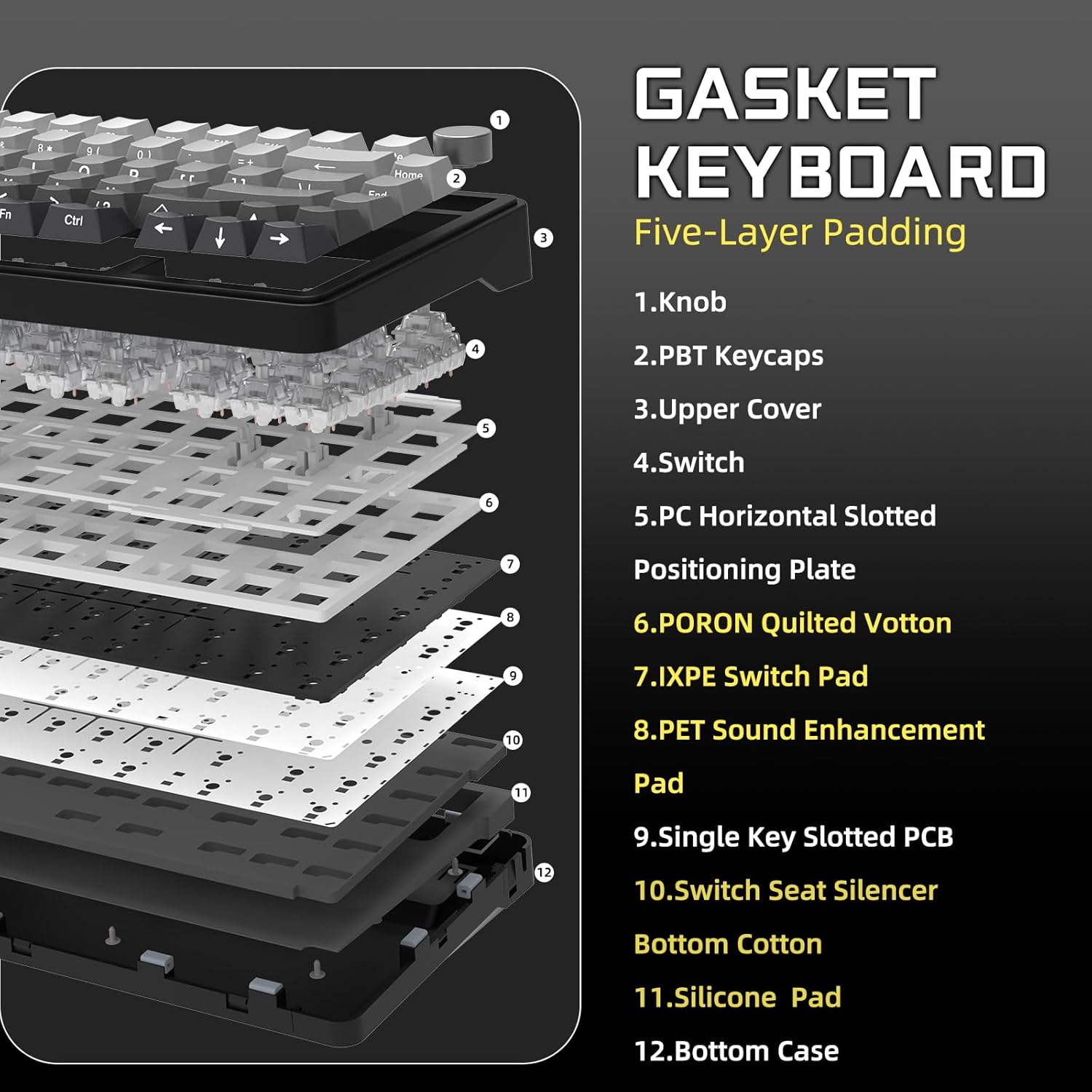
The ATTACK SHARK X85 is a compact 75% gasket-style mechanical keyboard designed for gaming and everyday use. With an 81-key footprint, it aims to save desk space while keeping most essential keys at hand. If you value a quieter, more cushioned keystroke and the ability to connect via USB-C, Bluetooth 5.0, or 2.4 GHz, this model is positioned as a flexible option for a range of setups—from home office to battlestation. The standout feature is the gasket mount coupled with five-layer padding, which is intended to dampen sound and soften actuation, giving a distinct “soft, flexible feel” when pressed.
Key features at a glance
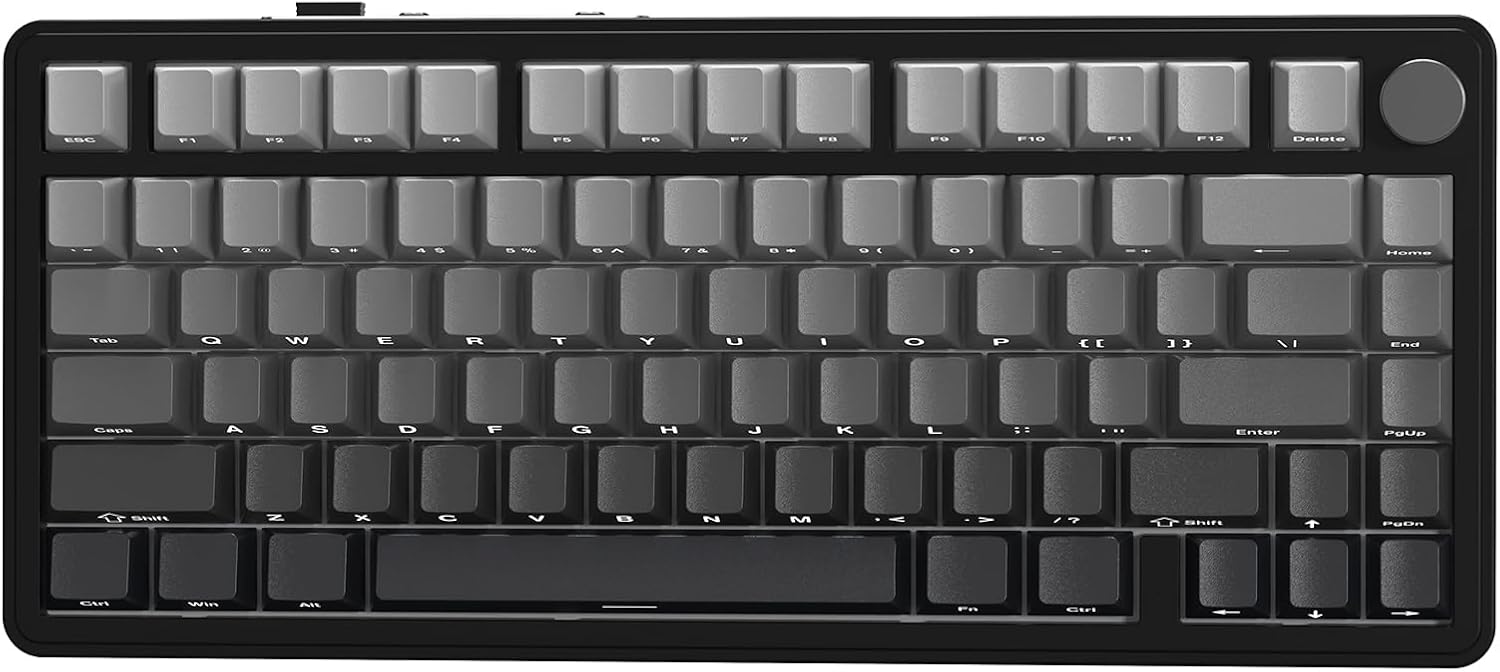
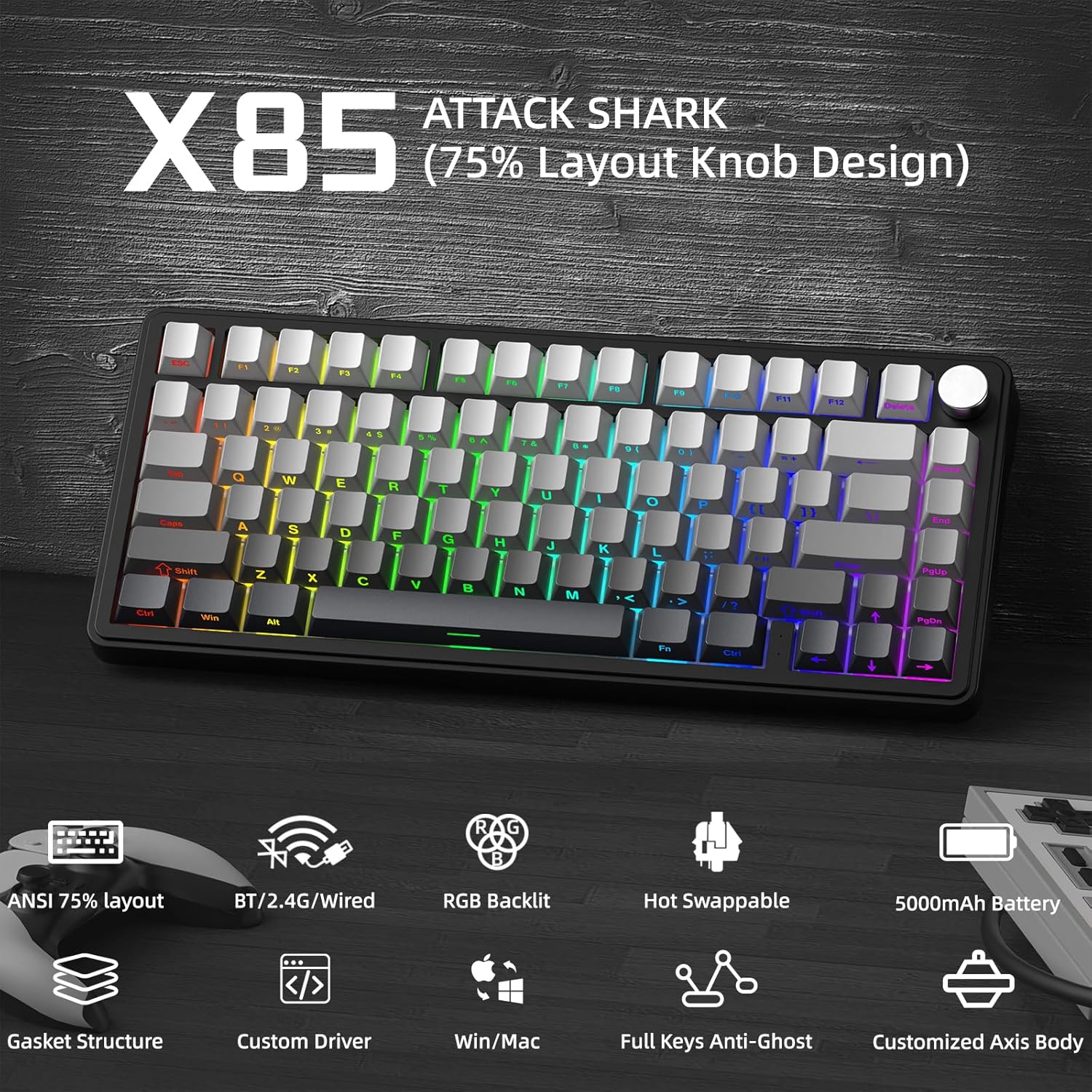
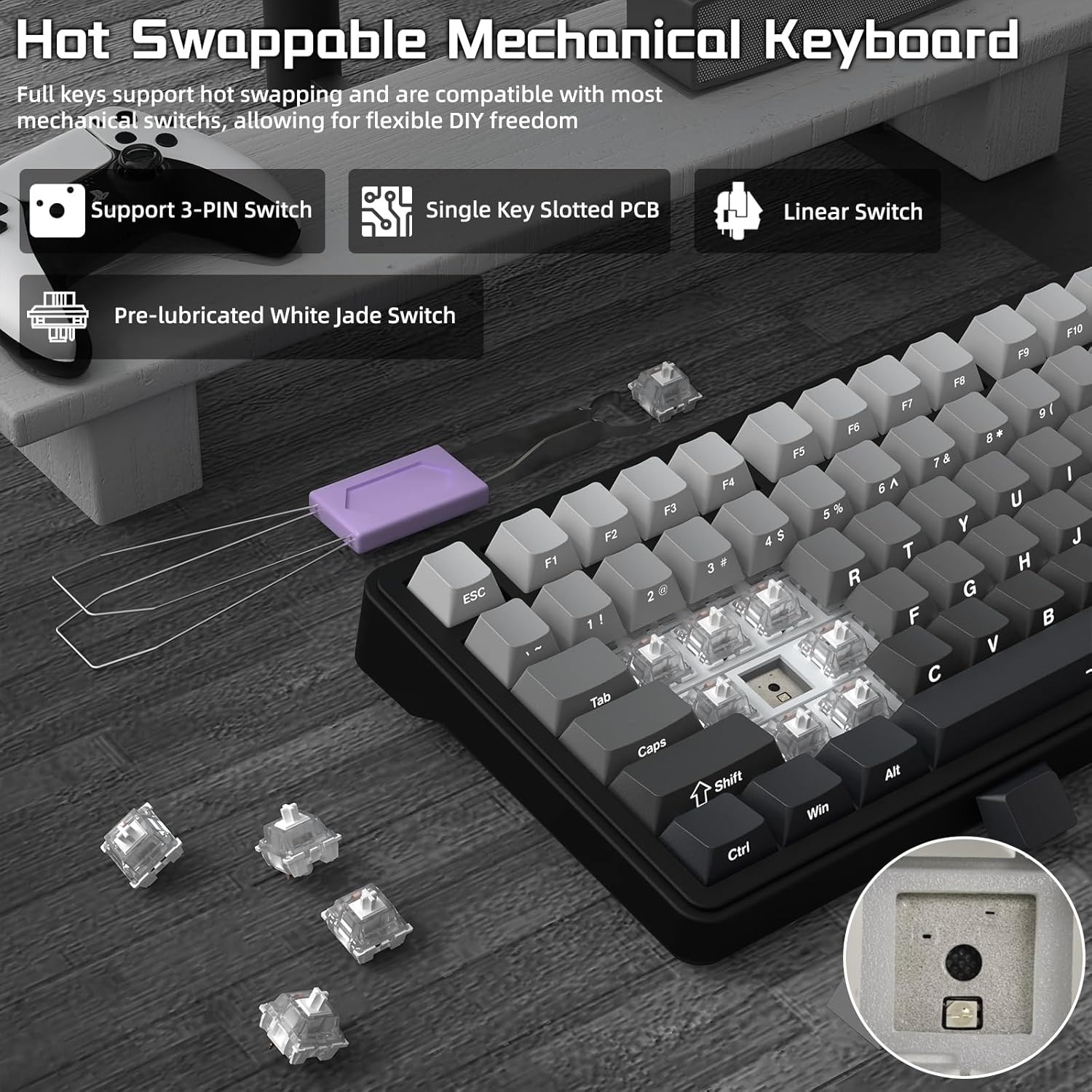
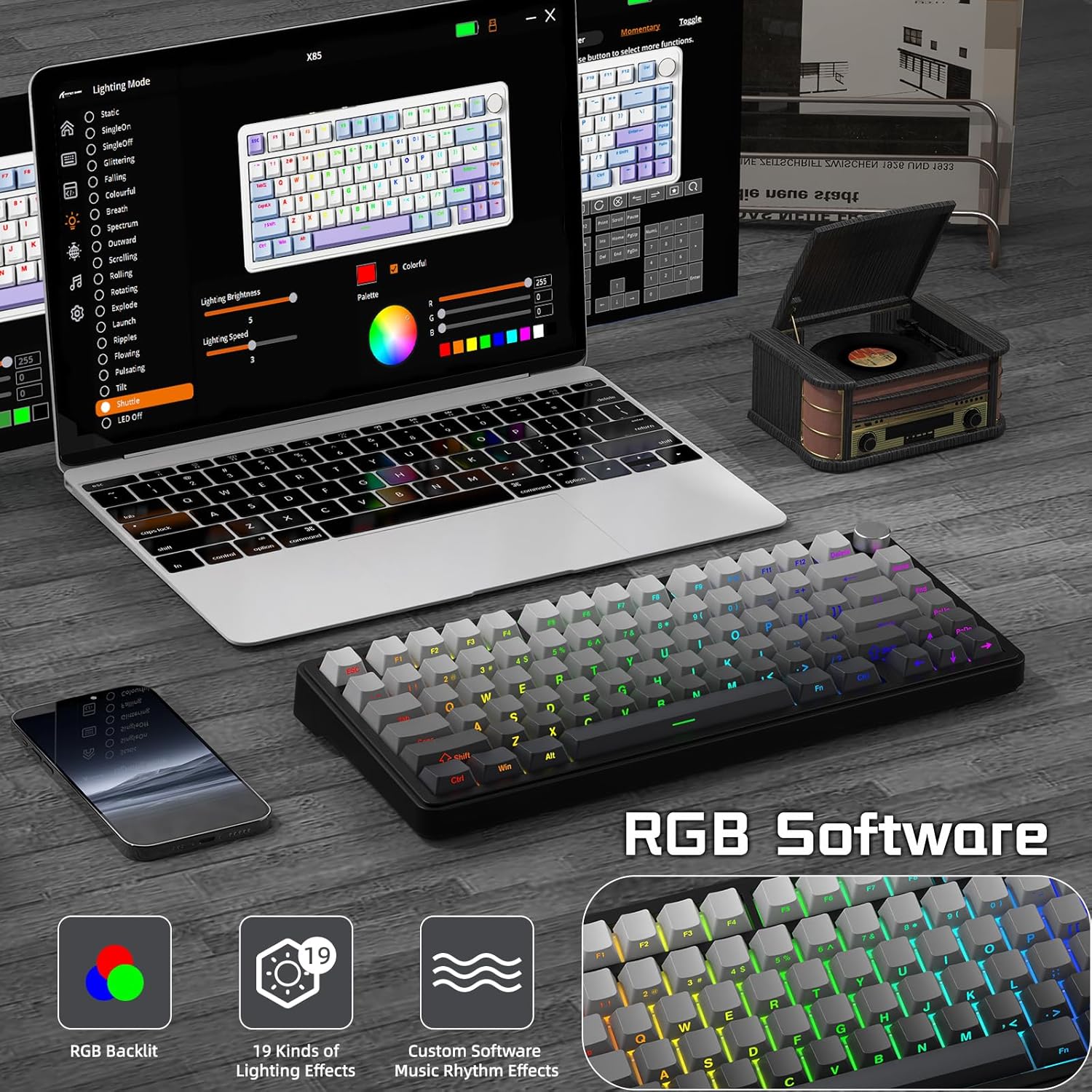
A few aspects to consider on the surface: hot-swappable 3‑pin switches mean you can experiment with different tactile experiences without soldering. The keyboard also ships with PBT gradient side-print keycaps, touted for durability and a vibrant LED shine-through. RGB and multiple backlight modes heighten atmosphere for gaming or late-night work. Battery life is supported by a 5000mAh cell and auto-sleep tech, which promises longer unplugged use.
How it connects and what that means for you
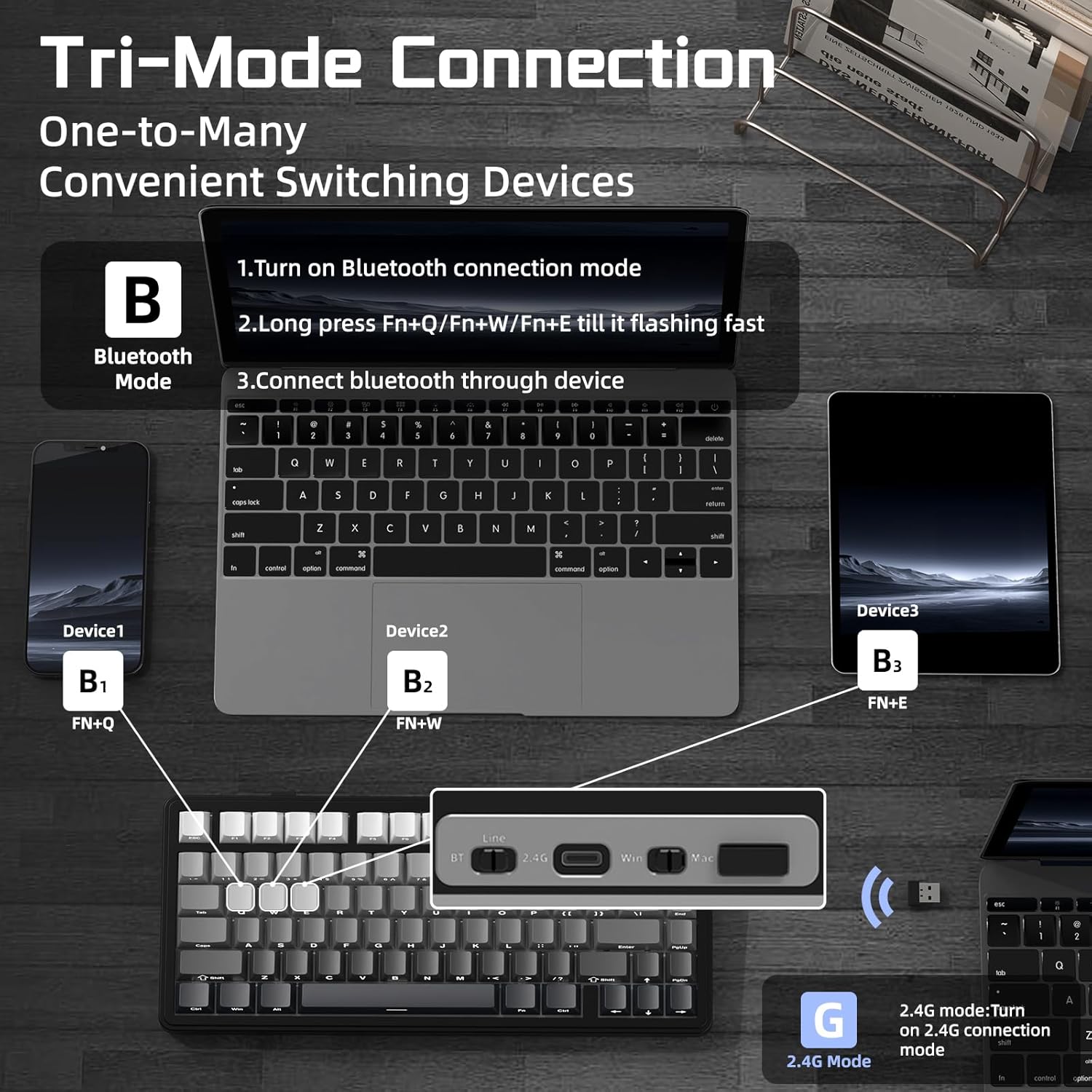
The X85 offers three connection modes—USB-C, Bluetooth 5.0, and 2.4 GHz wireless. It can pair with up to three devices via Bluetooth simultaneously, with the connection mode switchable from the keyboard itself. Practically, this makes it convenient for moving between a PC, a laptop, and a tablet without re-pairing.
Real-world use and feel
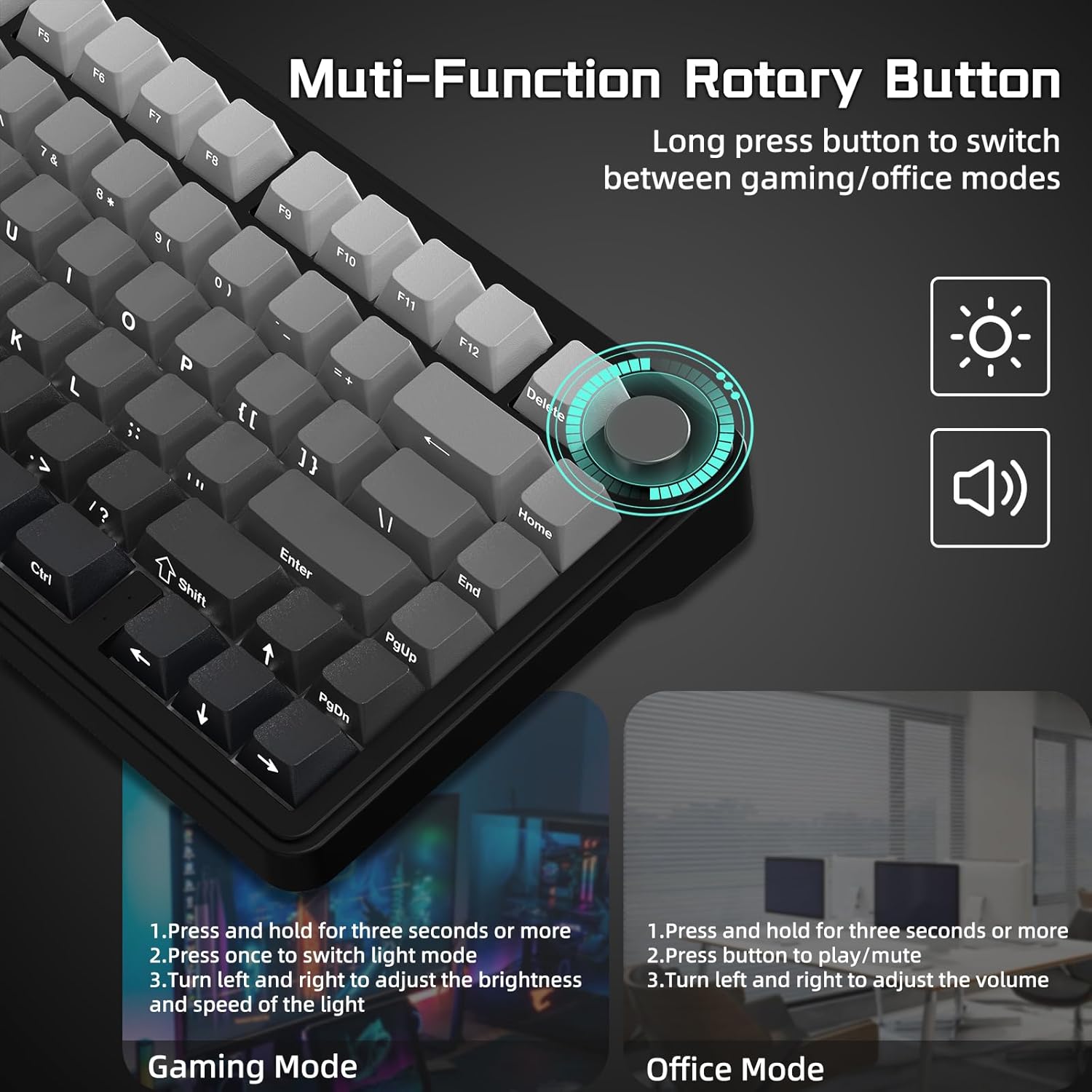
On the desk, the gasket and padding construction is meant to reduce hollow echoes and produce a more forgiving, springy return. This can be a plus if you type a lot or game with rapid keystrokes. The inclusion of a dedicated control knob adds quick-access volume and backlight adjustments, which can streamline day-to-day usage and reduce cursor or mouse-wheel fiddling during gaming sessions.
What’s best about it
- Five-layer padding plus gasket mount for a softer, dampened keystroke feel.
- Hot-swappable 3-pin switches let you tailor tactility without soldering.
- Tri-mode connectivity with multi-device pairing and convenient back-end switching.
- Large 5000mAh battery paired with auto-sleep for longer periods between charges.
- PBT gradient side-print keycaps resist wear and keep the legend readability under backlight.
- Mac/Windows compatibility broadens its usability across devices.
Where it might fall short
- The gasket design and padding are hardware choices that may not suit everyone, purists seeking a very rigid, loud, “classic” mechanical feel might find it too plush.
- Battery life is impressive on paper, but real-world longevity depends on backlight usage and Bluetooth activity. If you always use full RGB and frequent backlight effects, you may see shorter runtime.
- Firmware/software for key remapping and lighting is not described here, if you rely heavily on custom macros, verify compatibility and ease of use beforehand.
Ideal buyers
This keyboard tends to suit players and power users who value a compact footprint, multi-device wireless flexibility, and a softer keystroke profile. It’s particularly convenient for those who like to switch between devices without re-pairing and appreciate personalised lighting cues.
Who may want to skip it
If you prioritise an ultra-light or extremely clicky switch experience, or if you rely on a very traditional, non-gasket feel, this model may not be your first pick. Also, if you don’t need three wireless modes, the extra hardware of the X85 might be more than you require.
Before you buy: quick checks
- Confirm you’re comfortable with a 75% layout (missing some dedicated function keys and a numpad).
- Consider whether you’ll benefit from hot-swappable switches and if you’re prepared to experiment with different tactile experiences.
- If you rely heavily on software for macros, check whether the keyboard’s software supports your workflow.
- Think about your desk space and whether you’ll use the knob for quick adjustments or prefer a separate audio control.
Comparisons in mind
Compared with full-size or ultra-minimalist boards, the X85 sits in a practical middle ground: greater desk real estate efficiency than a full-size, yet more features than the most basic compact boards. If you want a mix of portability, multi-device connectivity and a cushioned typing experience without sacrificing modern lighting and aesthetics, this could be a sensible option. If you prefer a rigid, standard mechanical feel with a more traditional layout, you may want to consider other layouts as alternatives.
Decision point: should you buy it?
- Is it worth it? It makes sense if you value a compact yet feature-rich wireless keyboard with a cushioned keystroke, flexible multi-device use, and the option to swap switches without soldering.
- Not ideal if you need a large layout, or if you prefer a non-gasket, very crisp keystroke and straightforward, no-frills operation.
- Best for gamers or remote workers who want a ready-made all-rounder with room to personalise through switches and lighting, and who appreciate long battery life.
- If you prioritise a straightforward plug-and-play experience with minimal maintenance, test that your devices support the trio of connection methods reliably in your environment.
FAQ
- Can you use the X85 with macOS and Windows? Yes, it claims compatibility with both Mac and Windows.
- How easy is it to swap switches? The PCB is hot-swappable for 3-pin switches, which should be straightforward for users comfortable with basic hot-swap procedures.
- How does the knob work in practice? The knob controls volume and backlight, holding it for three seconds switches modes, and a press toggles light or sound modes depending on the current state.