

YUNZII B75 Pro Wireless Mechanical Keyboard (75% with knob) – Hot-swap, pre-lubed switches, tri-mode connectivity
Product description
If you want a compact 75% mechanical keyboard that doesn’t feel like an afterthought, the YUNZII B75 Pro is built around a few practical ideas: a 75% layout with a control knob for day-to-day tweaks, wireless flexibility, and a sound/feel that aims to be creamy straight out of the box.
It’s not trying to be a full-size workstation keyboard, though. You’re buying into that smaller form factor, plus the expectation that you’ll like the specific feel of the included switch setup.
The essentials
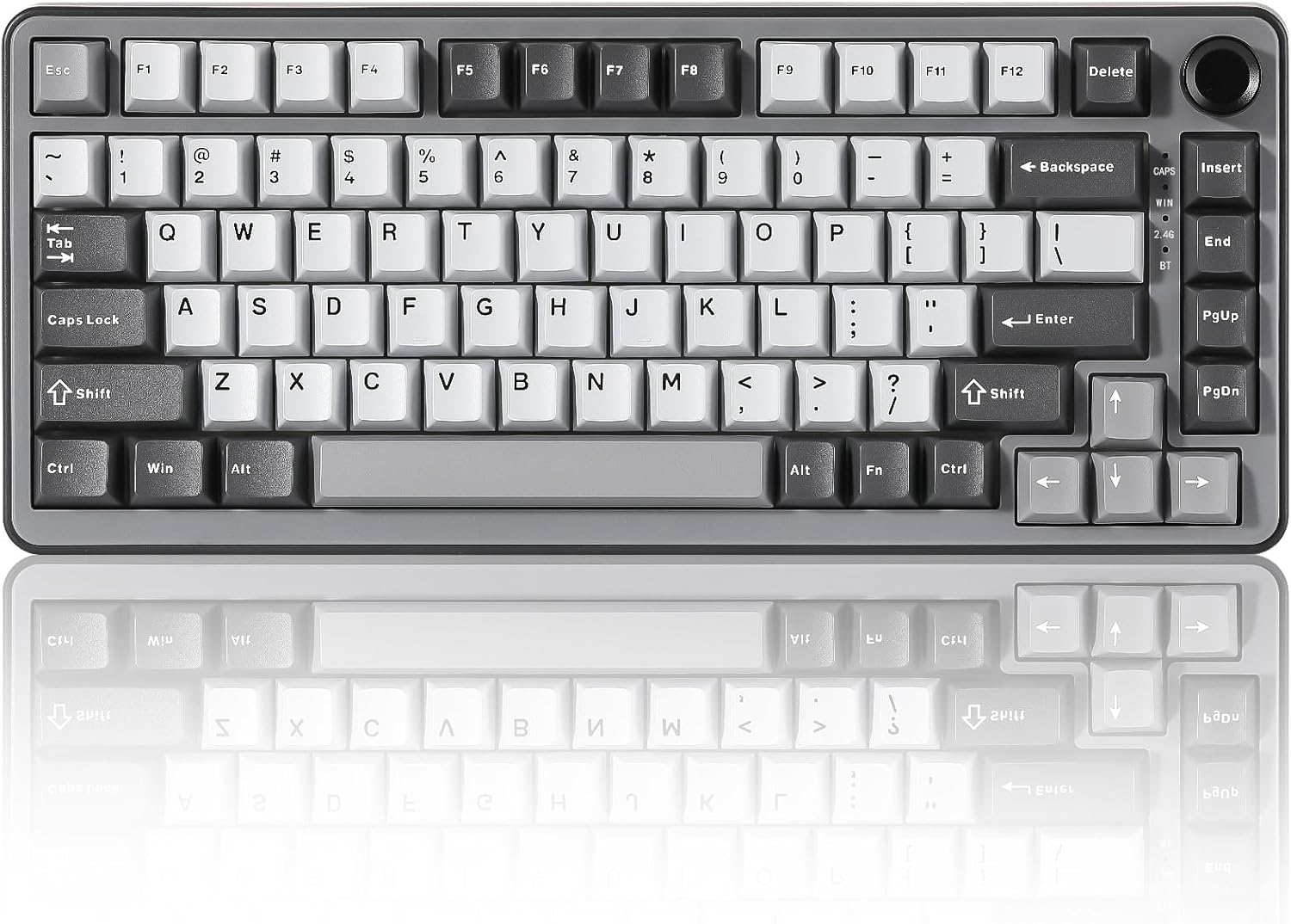
The B75 Pro is a 75% gasket-mount mechanical keyboard designed to combine typing comfort with quick control. On the layout side, it keeps a compact footprint while including number keys, function keys and arrow keys at the same time. That matters if you do a mix of spreadsheets, everyday browsing, and gaming without wanting to go fully down to a minimal board.
A standout feature is the multi-function knob. On paper it’s there for two things: adjusting sound/backlit effects quickly, and switching between gaming and office modes with a long press. For many people, that’s the kind of feature you notice daily rather than something you set once and forget.
What stands out in use
The keyboard uses a gasket keyboard structure with five-layer padding, plus precision-tuned stabilisers and double shot keycaps. The intended result is a smoother, more “rounded” sound and a solid typing feel, rather than a harsher, clicky experience.
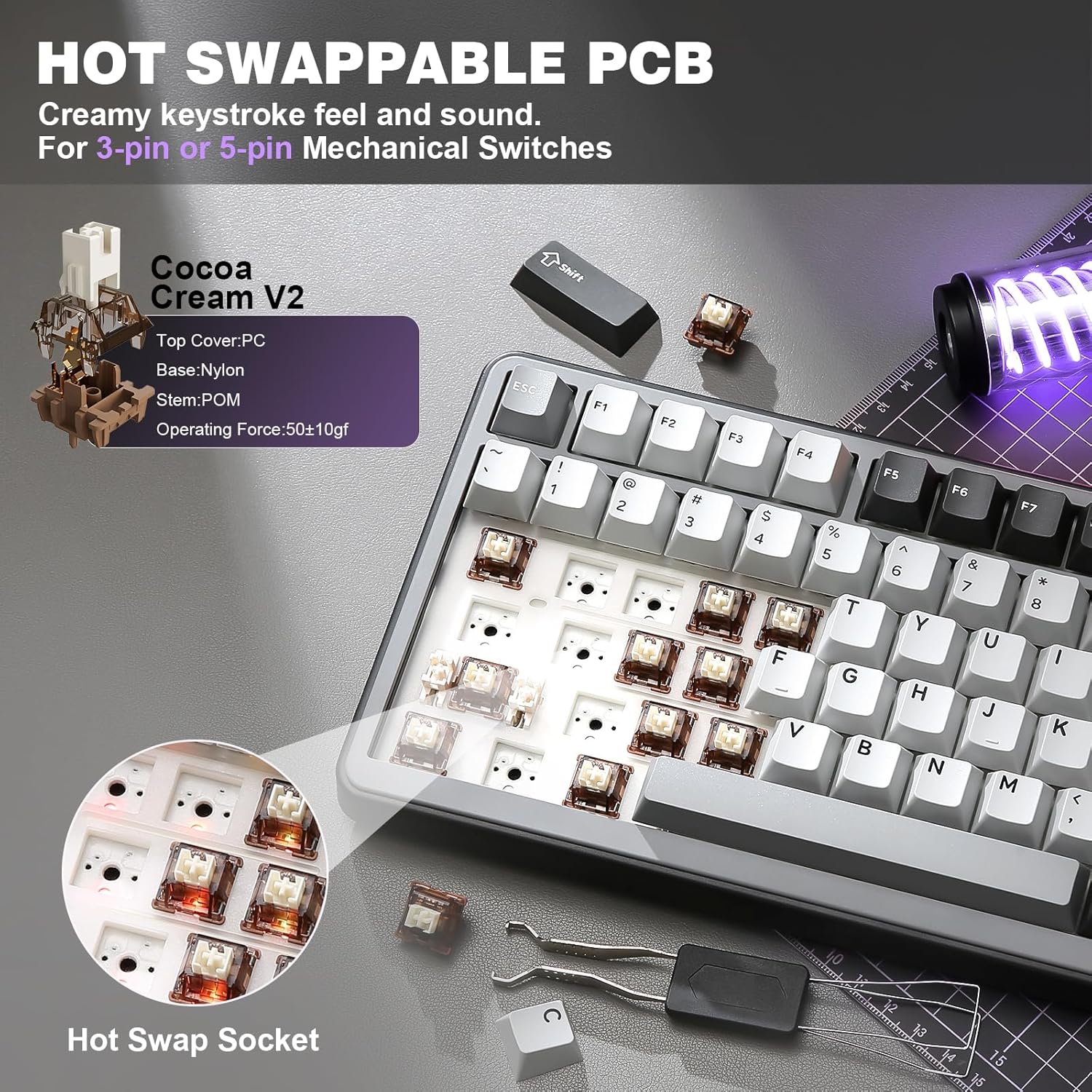
It’s also described as having pre-lubed mechanical switches (cream/cocoa cream V2 linear mentioned in the product name) and a hot-swappable setup. In practical terms, that gives you two routes: if you like the included linear feel, you can use it immediately, if you later want to experiment, the hot-swap sockets are there to support switch changes without soldering.
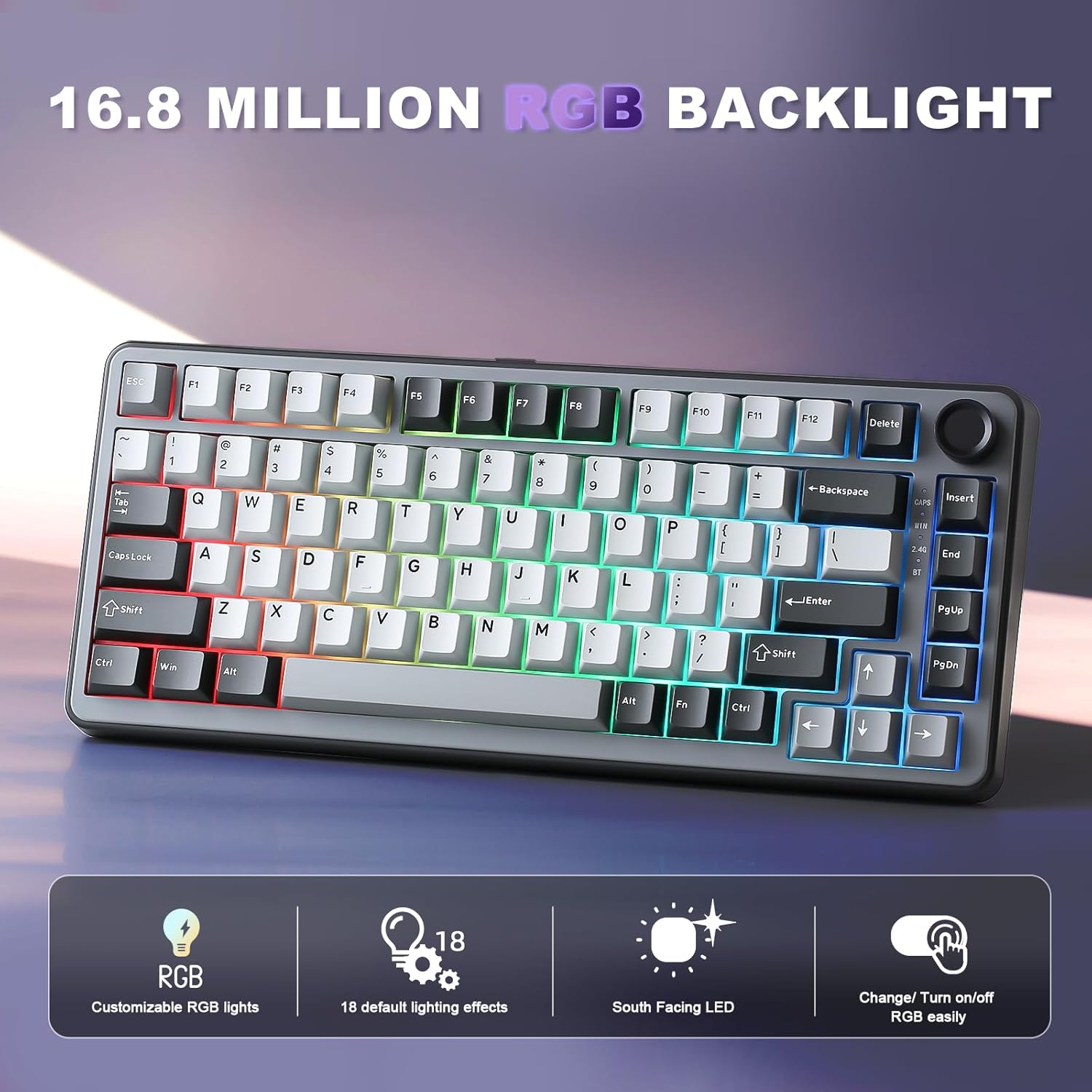
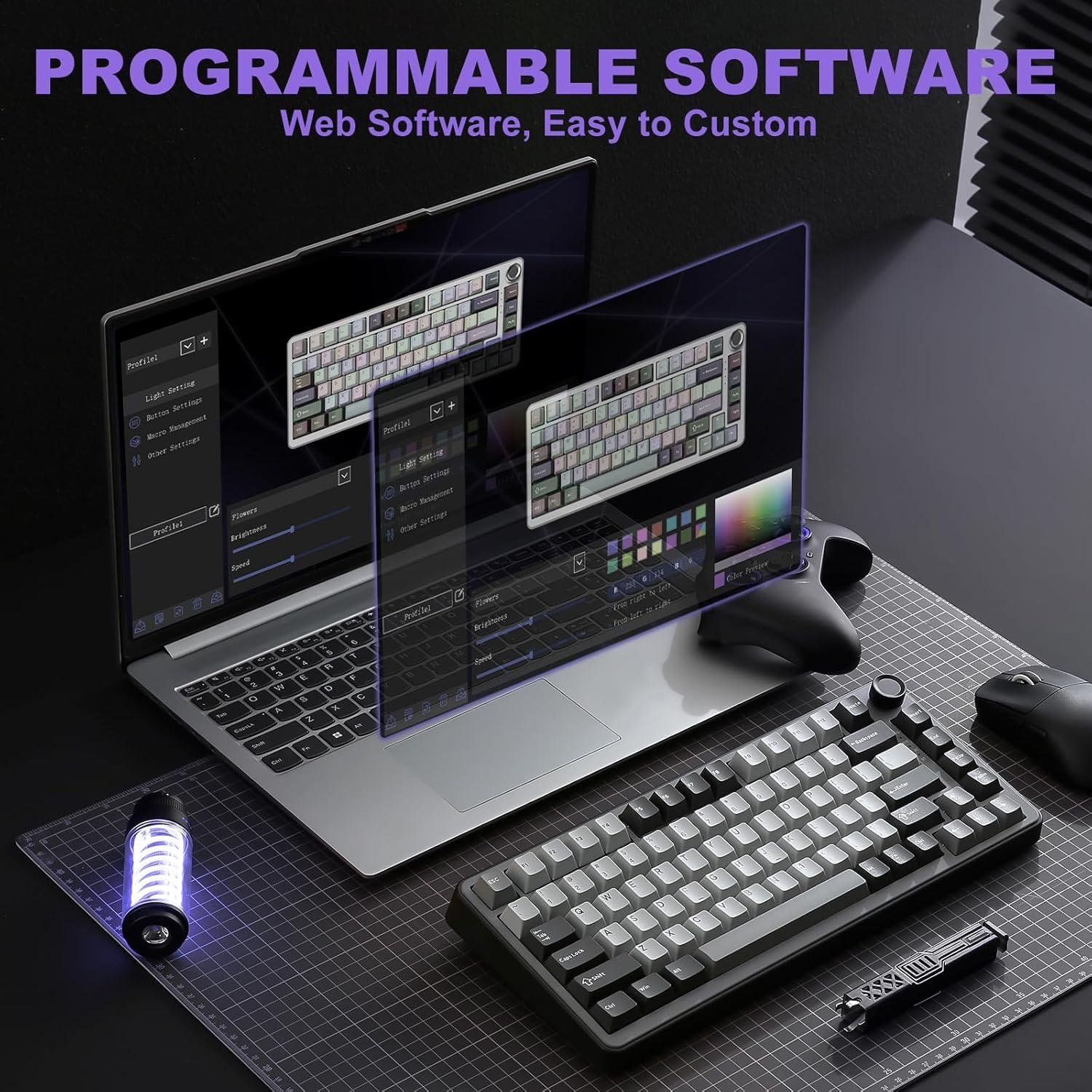
There’s an RGB angle too: south-facing LEDs, more than 20 built-in backlight modes, and support for programmable settings and macros through software on Windows (and mentioned as compatible with MacOS). Whether you actually use RGB much or you keep it subdued, south-facing LEDs can be a sensible choice for visibility.
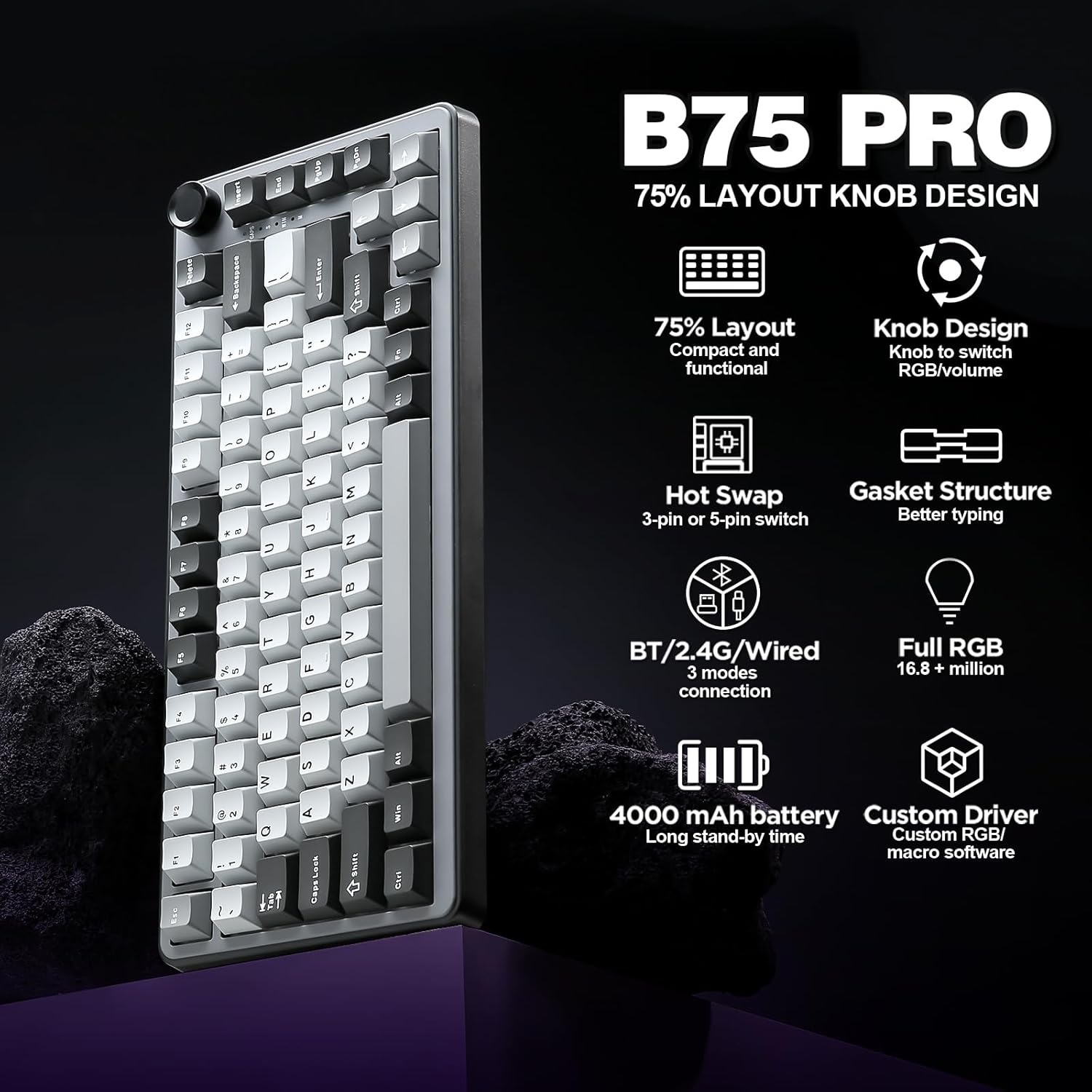
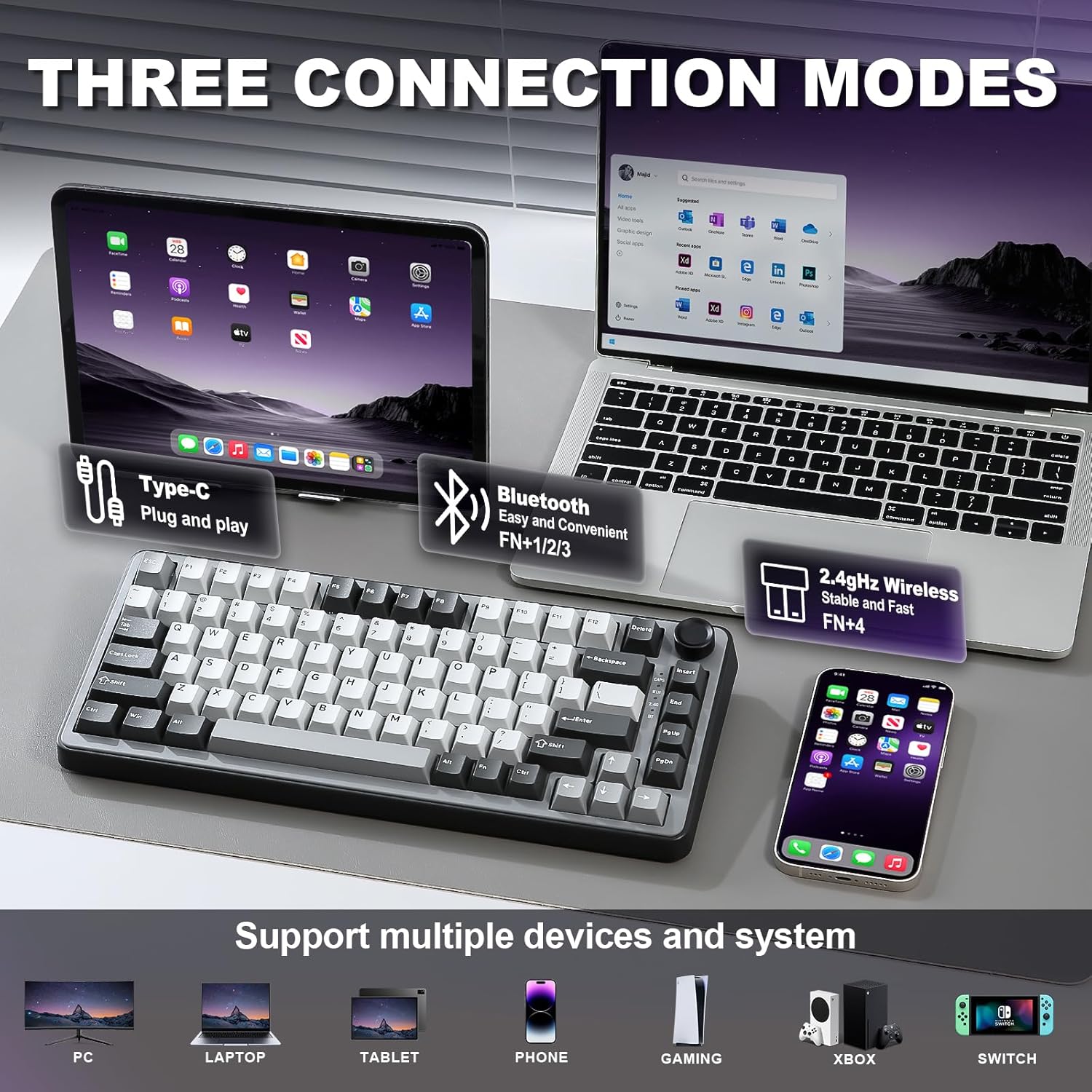
And for connectivity, it supports tri-mode: Bluetooth, 2.4G wireless and a stable wired connection, backed by a 4000mAh battery for longer wireless use.
Key points about the layout and controls
This is a 75% layout with 82 keycaps, designed so you still get the keys most people miss when they shrink from TKL/full-size. With number keys and arrow keys present, it can be easier to live with for day-to-day tasks than a more stripped-down 60/65% style.
The knob is where the board differentiates itself from the more “set-and-forget” crowd. If you like quick adjustments—like lowering volume or cycling RGB effects on the fly—this is the sort of control that can save you from jumping through menus.
Worth noting: if you don’t care about a knob or you prefer purely minimal aesthetics, you may not get much benefit from that extra hardware.
Tech specs
- Type: Wireless mechanical keyboard (gasket mount, 75% layout)
- Layout: 75% with 82 keycaps, includes number keys, function keys and arrow keys
- Hot swap: Full-key hot-swappable sockets, compatible with 3pin/5pin switches (as stated)
- Switches: Creamy pre-lubed linear switches mentioned (Cocoa Cream V2)
- Mounting/structure: Gasket keyboard with five-layer padding
- Battery: 4000mAh high-capacity battery
- Connectivity: Bluetooth, 2.4G wireless, and wired connection
- Lighting: RGB backlit with south-facing LEDs, 20+ built-in backlight modes
- Programming: Redefine keys and macro settings, programmable RGB via software (Windows mentioned)
- Compatibility: Windows and MacOS (as stated)
Who it suits (and who should think twice)
It’s a solid pick if you want a compact keyboard with a bit of personality—especially if you like the idea of a dedicated knob for volume/backlight and mode switching between gaming and office use.
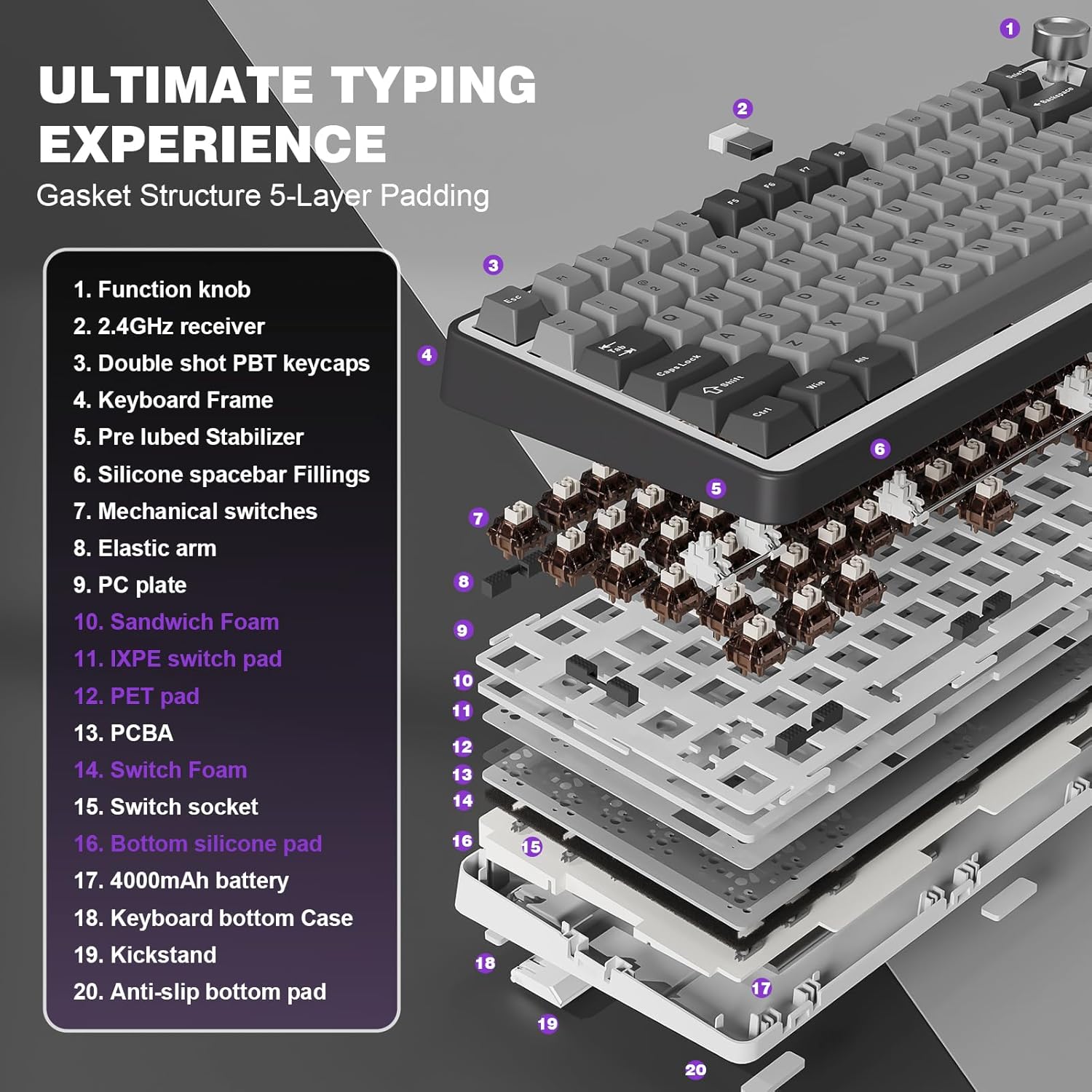
It makes sense if you’re chasing a gasket-style typing feel and are the type of person who enjoys tweaking: the combination of gasket construction, stabilisers and pre-lubed switches is aimed at a smoother sound, and the hot-swap design gives you freedom later.
It might not be the best match if you only care about absolute simplicity (no knob, no software-based programming), or if you’re very specific about switch feel and sound enough that you want to choose everything yourself—because while hot-swap helps, you still need to like the included direction (linear with pre-lube, per the description).
Also, if you expect “high-end” custom keyboard performance straight from the box, keep in mind this is presented as a feature-rich mid-range style approach rather than something backed here by detailed measurements or independent testing.
Final verdict
When it makes sense
Buy the YUNZII B75 Pro if you want a 75% keyboard that keeps useful keys (including arrow and number keys), supports tri-mode wireless, and includes pre-lubed linear switches with a gasket structure designed for a creamy sound. The knob and RGB programming are best viewed as practical bonuses, not just decoration.
When you may want to skip it
You may want to avoid it if a 75% layout doesn’t suit your workflow, if you strongly dislike linear switches, or if you prefer a more minimal control setup with no knob.
Quick checks before buying
Make sure the 75% key arrangement and the presence of a knob actually fit your habits. Also double-check your preferred connectivity method—Bluetooth, 2.4G, or wired—because tri-mode is great, but you’ll get the most value when your day-to-day setup matches how you plan to use it.
Mini FAQ
Does it support switch changes without soldering?
Yes. It’s described as a hot-swappable keyboard with full-key hot-swappable sockets, compatible with 3pin/5pin switches.
What connectivity options does it use?
It supports Bluetooth, 2.4G wireless, and a stable wired connection.
Can you programme keys and macros?
The description states you can redefine keys and set macros, and it mentions programmable RGB via software on Windows (and compatibility with MacOS is also stated).
Is the RGB aimed at visibility?
It uses south-facing LEDs and includes 20+ built-in backlight modes.
What does the knob do?
The knob is described as multi-function: adjusting sound level and backlit effects, and long-pressing to switch between gaming and office modes.