

EPOMAKER X Aula F75 Max Wireless Mechanical Keyboard (75% w/ TFT screen & knob, hot-swappable)
Product description
If you like a compact 75% keyboard but still want more control than a standard “no-screen” board, the EPOMAKER X Aula F75 Max is built for that. It adds a customizable TFT display (plus a dedicated knob) and pairs it with wireless options for PC use, while keeping the layout focused on day-to-day typing and gaming.
It’s not perfect on paper—like any feature-heavy keyboard, it’s best for people who actually plan to use the screen, shortcuts, and software features. If you just want a plain mechanical board with minimal setup, you may find this one a bit busy.
The essentials
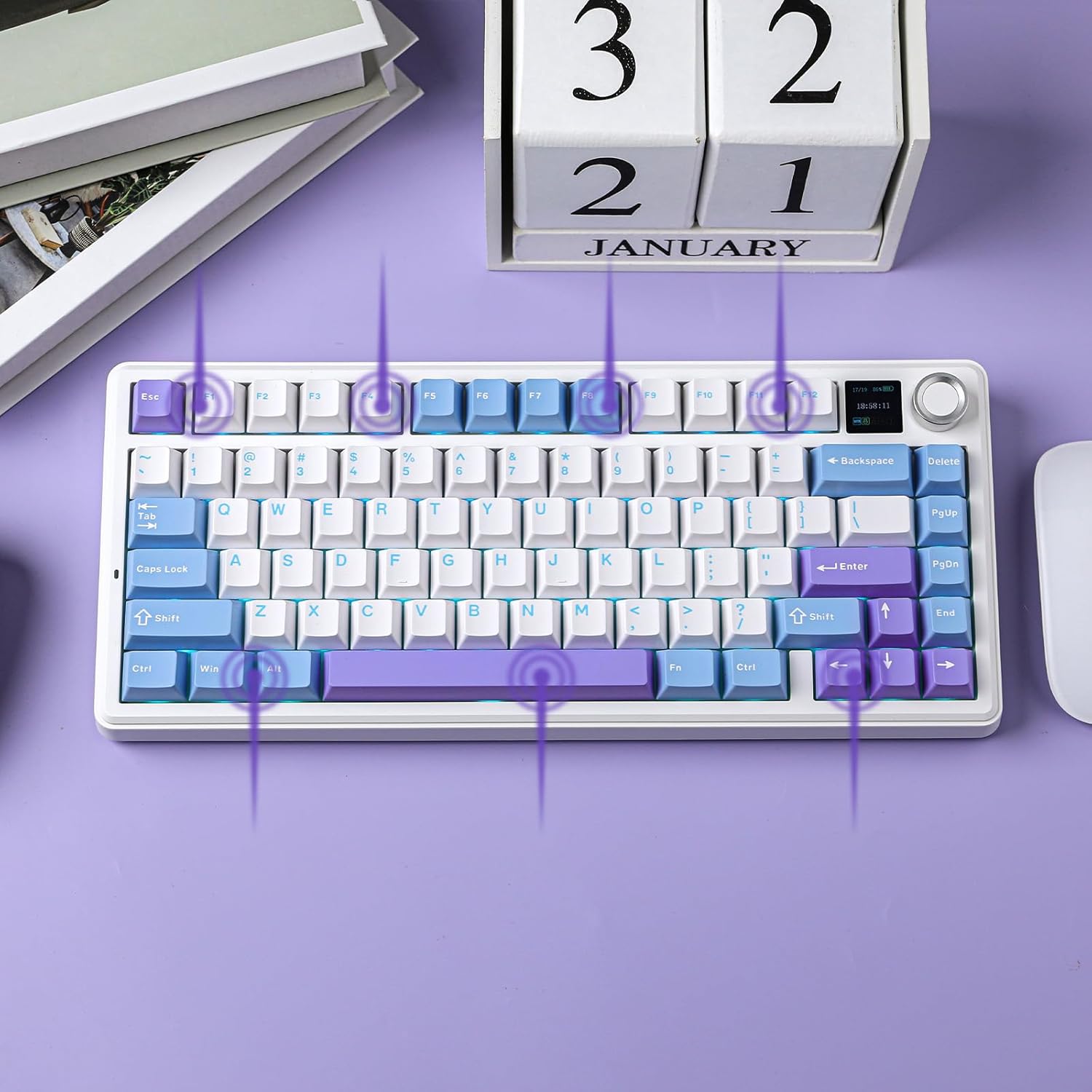
The Aula F75 Max is a 75% wireless mechanical keyboard designed to cover both productivity and gaming. It uses a compact 75% layout while bringing 80 programmable keys, a TFT smart display with backlight customization, and a volume knob meant to make adjustments feel quick instead of menu-based.
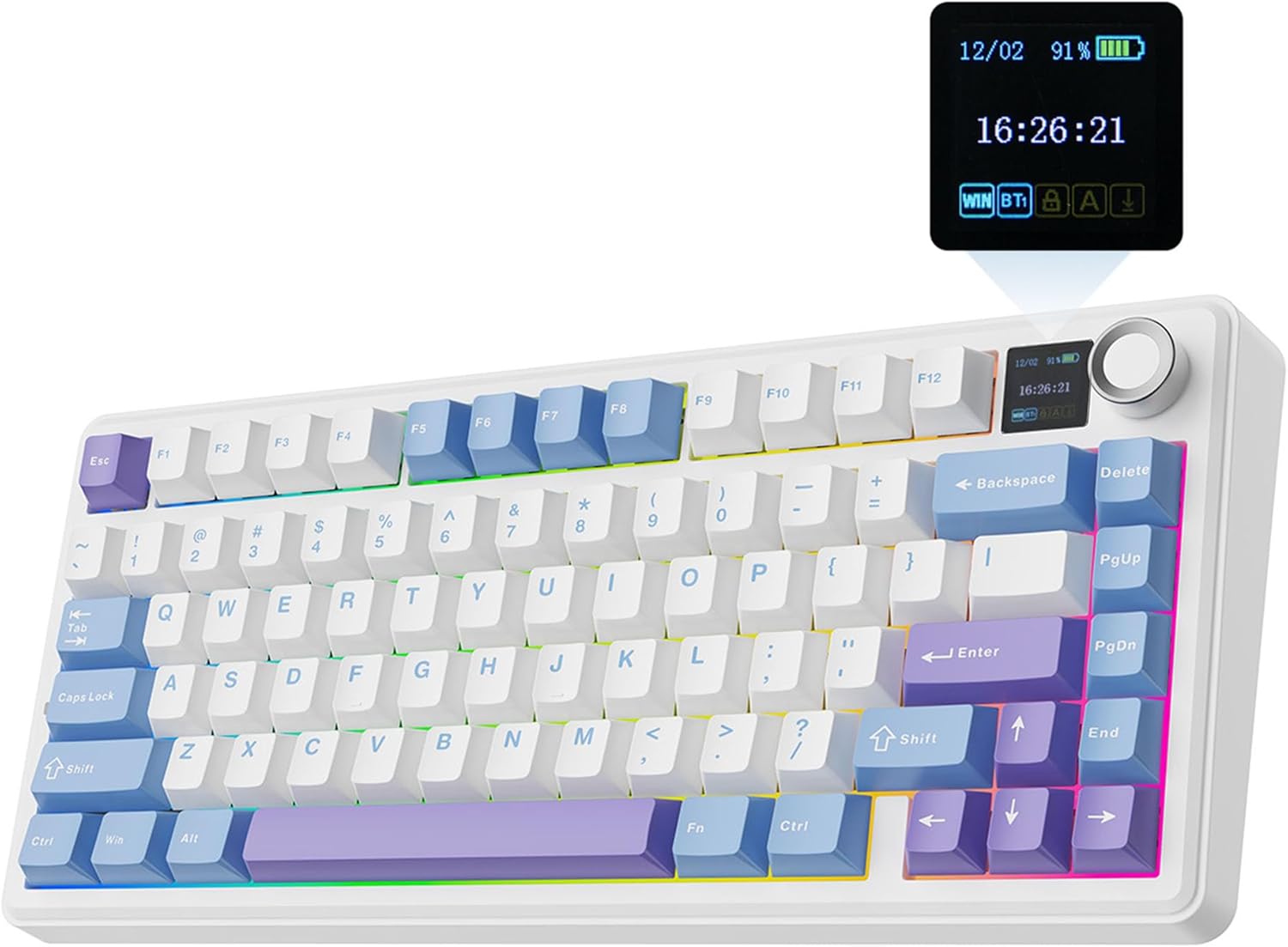
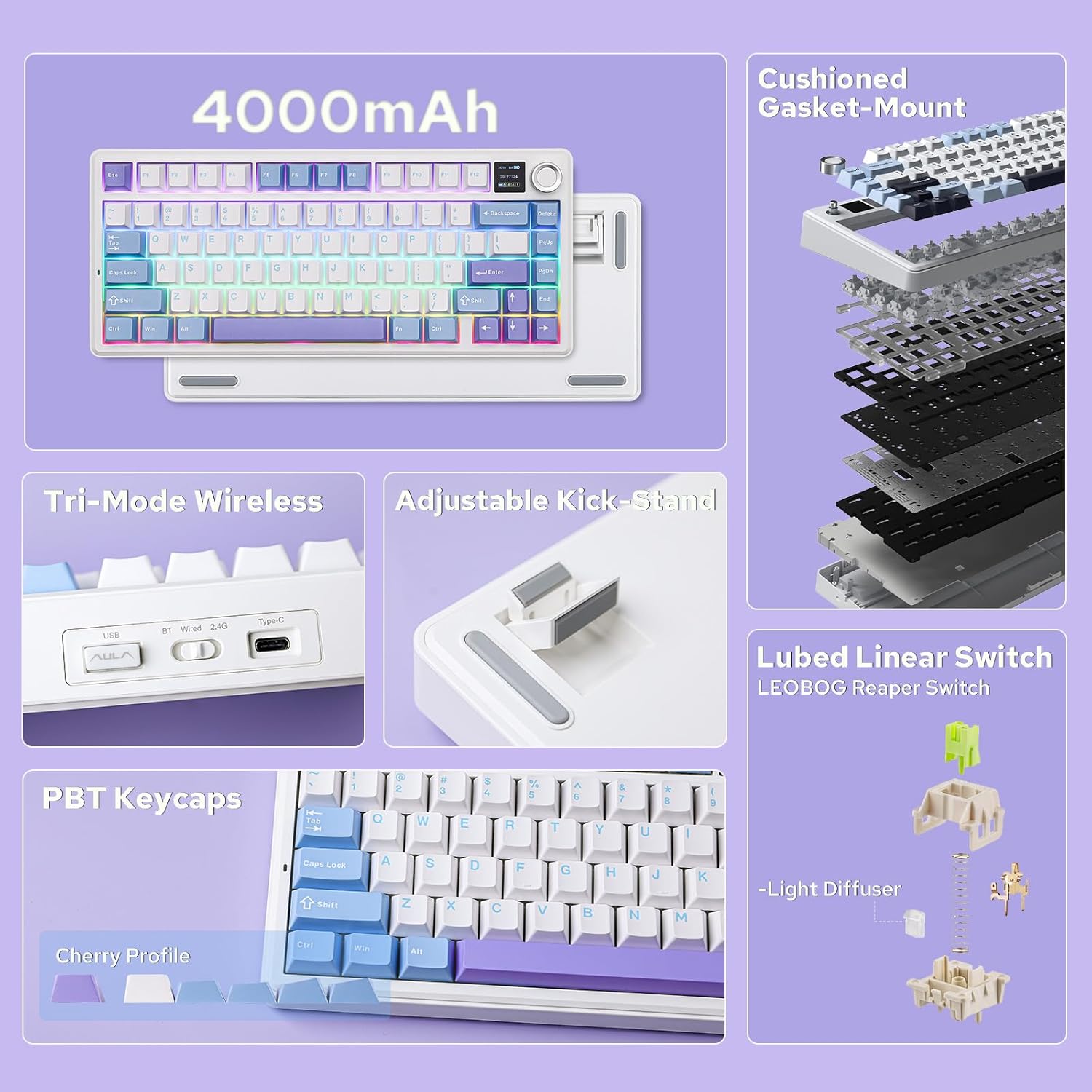
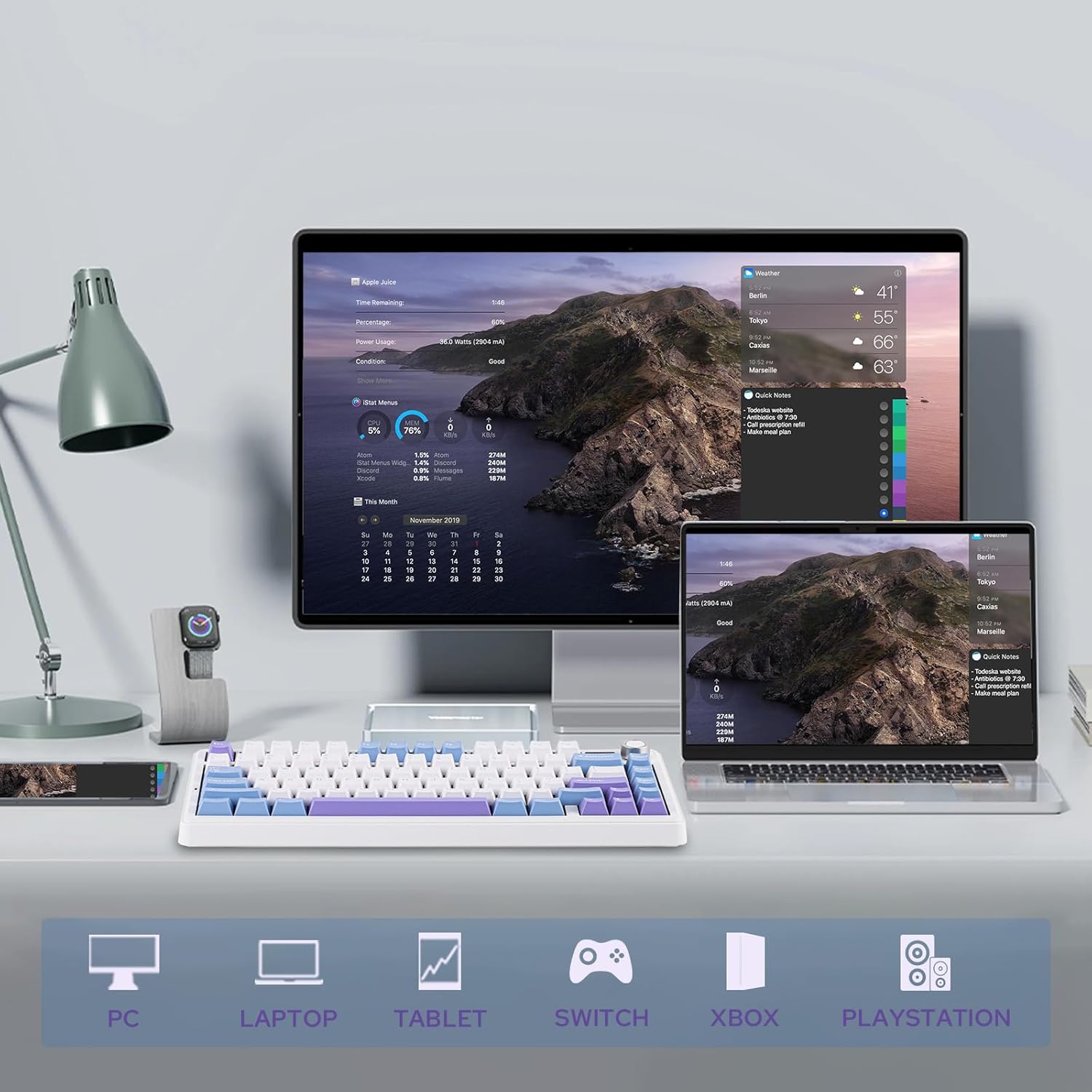
On the connectivity side, it’s positioned as a versatile PC/Mac/Linux keyboard with BT and 2.4G wireless modes, plus a cable mode. The package also emphasizes a battery monitor and indicator lights, so you’re not left guessing when power is getting low.
What you’ll notice in daily use
This keyboard’s “feel” and ergonomics are clearly part of the pitch. The front height is described as low (about 2cm), and it includes a 2-stage adjustable kickstand so you can set a higher or lower typing angle depending on your desk setup.
Typing sound and comfort also get a lot of attention. The F75 Max uses a gasket-mount style structure intended to reduce harsh bottom-out by separating the PCB from the shell. It also mentions a flex-cut PC plate and multiple damping materials (foams and silicone sandwiched between the plate, PCB, and bottom case). In plain terms: it’s aimed at users who want a softer, more controlled, “creamy/thocky” typing experience rather than a sharper, louder clack.
Here’s a realistic example: imagine you’re gaming or writing for an hour. With the knob and screen, you can adjust backlight behavior or check status indicators without leaving your workflow. Meanwhile, the gasket/damping approach is meant to keep keystrokes from sounding hollow or echo-y.
Connectivity, key performance, and gaming basics
For gaming, the board is described as anti-ghosting with stable performance and support for NKRO, which is useful when you need multiple keys registered at the same time (the listing calls out FPS and rhythm-style play).
It also claims a 1000hz polling rate in USB and 2.4G wireless modes, and it states that it supports reliable input in BT, 2.4G wireless, and cable modes. One thing to keep in mind, though: your real-world experience will depend on your setup and your chosen connection mode, so it’s worth thinking about how you’ll actually use it (PC desk, couch gaming, office portability, etc.).
Customization and RGB you can actually control
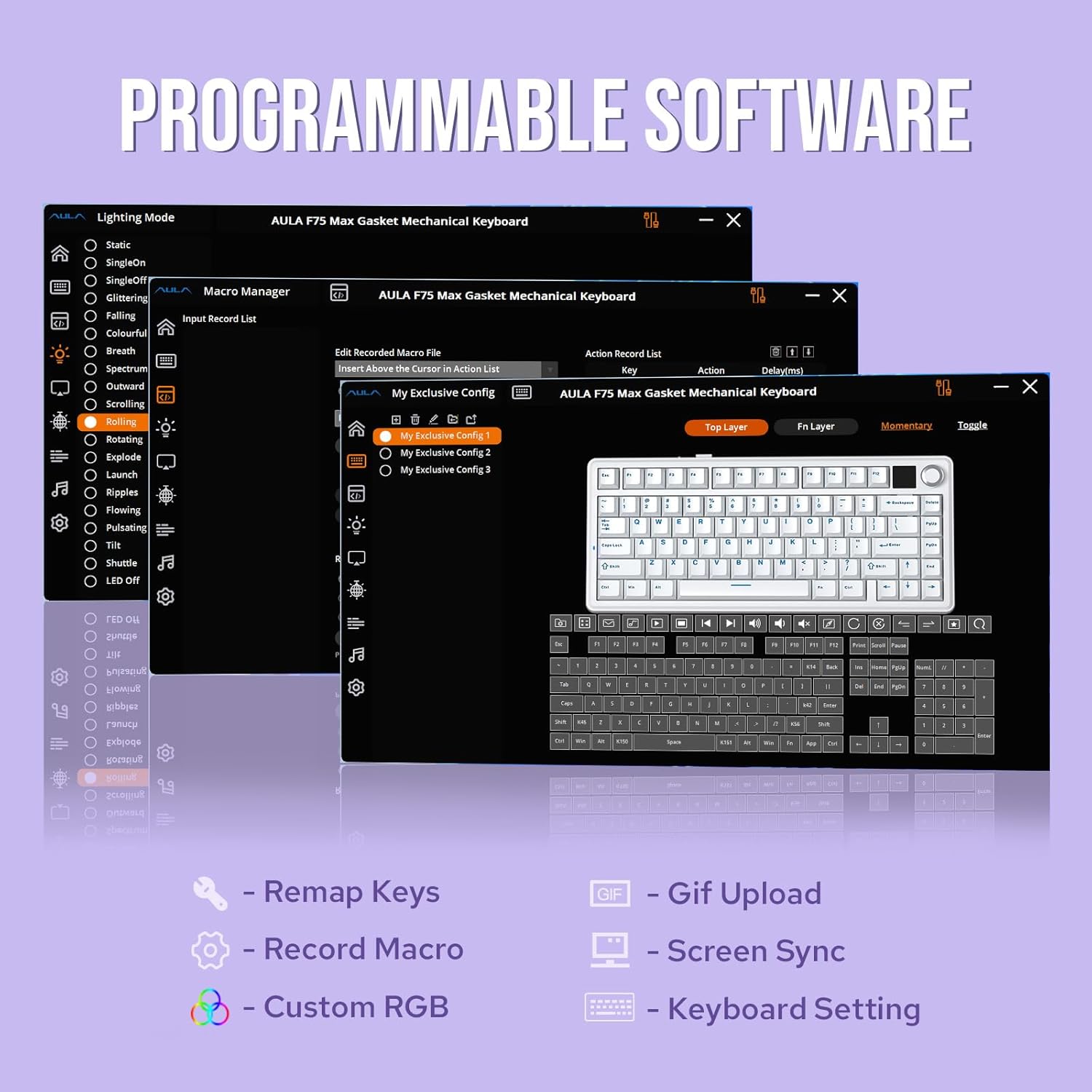
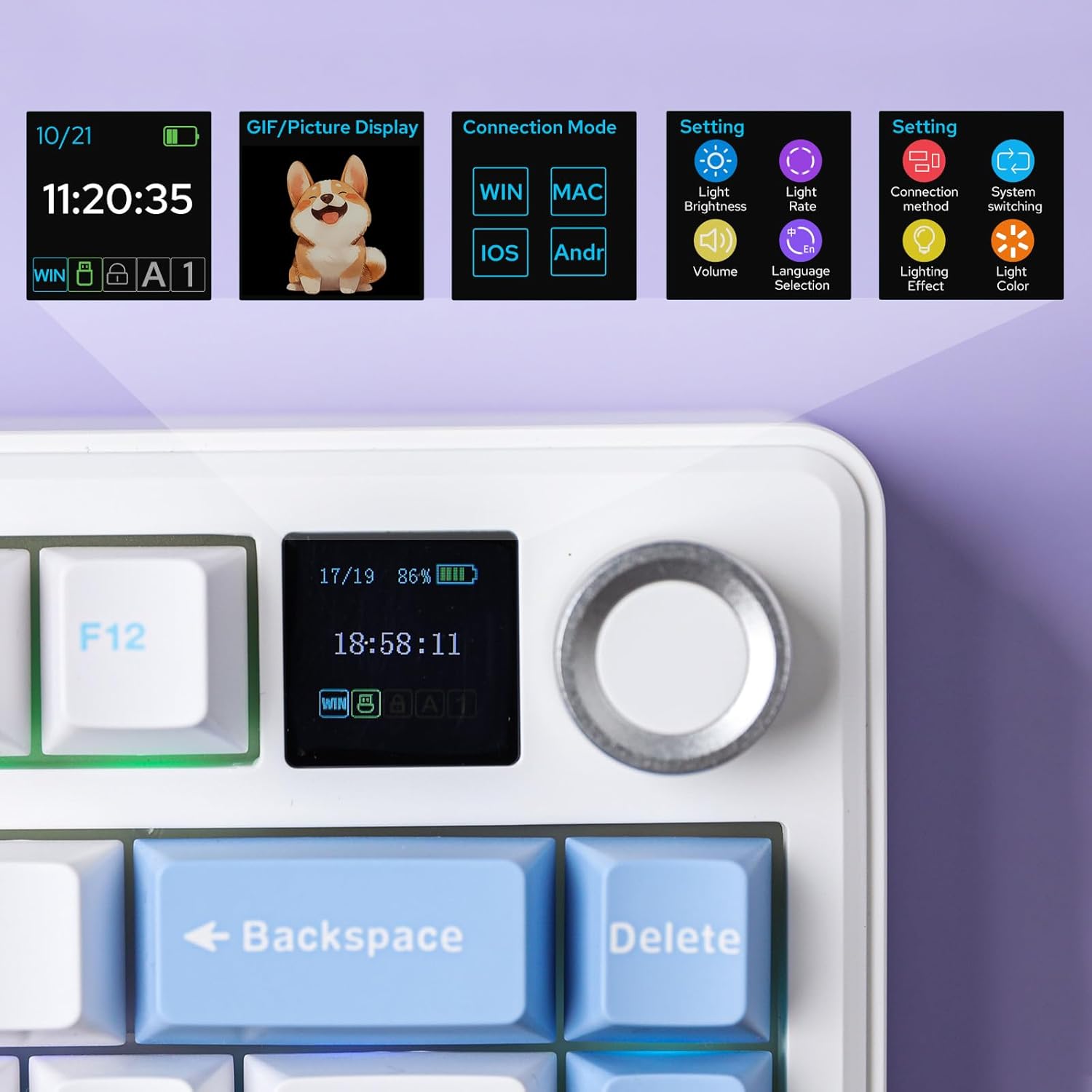
The biggest “extra” here is the TFT screen and the knob. The listing suggests that the GIF-showing screen makes backlight customization more fun and easier, and it combines display features with connectivity/battery/status indicators.
For lighting, it uses south-facing per-key LEDs and includes light diffusers over the keyboard’s switches. It supports preset dynamic effects, and color/style adjustments are described as being controllable via software, the screen, and shortcuts.
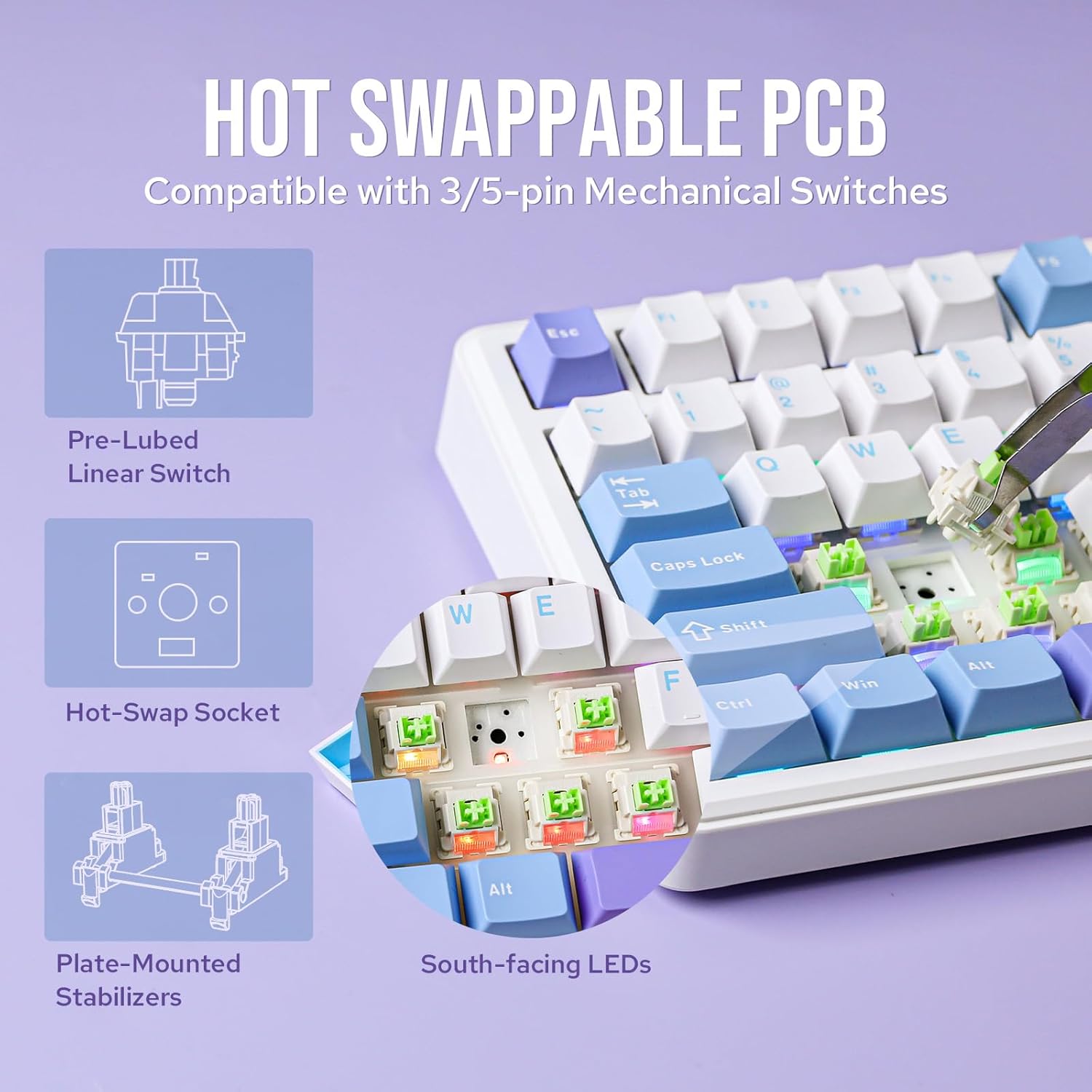
Hot-swappability is also a practical win. The keyboard includes plate-mount stabilizers, while being compatible with 3/5-pin mechanical switches and screw-in stabilizers. That makes it easier to experiment with switch feel and stabilizer style without committing immediately to one exact setup.
Tech specs (quick scan)
- Type: Wireless mechanical keyboard (75% layout)
- Size: Compact 75% form factor
- Keys: 80 programmable keys
- Display: TFT smart screen
- Polling rate: 1000Hz in USB and 2.4G modes (as stated)
- Switches: Hot-swappable, compatible with 3/5-pin mechanical switches
- Layout features: Gasket-mount structure with flex-cut PC plate
Who it’s for (and who should think twice)
This keyboard makes sense if you want a compact 75% board but don’t want to give up customization. It’s a strong fit if you enjoy tweaking lighting, using a display for quick control, and you’re the type to experiment with switch and stabilizer setups thanks to hot-swap compatibility.
It may not suit you as well if you’re mainly looking for something straightforward. The TFT screen and software-driven customization can be “more than you need” if you prefer minimal setup and don’t plan to use the screen/knob regularly. Also, if your priority is only pure performance with zero fiddling, you might feel this one is aimed a bit more at enthusiasts and power users.
Mini FAQ
Does the Aula F75 Max work in multiple wireless modes?
Yes—it's described as supporting BT, 2.4G wireless, and cable mode, with a battery monitor and indicator lights included.
Is it hot-swappable?
It’s listed as hot-swappable, with compatibility for 3/5-pin mechanical switches and support for experimenting with stabilizers.
What’s the point of the TFT screen and knob?
The listing frames the screen as a way to make backlight customization easier and fun (including GIF display), while the knob adds convenient control for things like volume.
Is it good for gaming?
On paper, it’s designed for gaming use with anti-ghosting, NKRO support, and a stated 1000Hz polling rate in USB and 2.4G modes.
Is it worth it?
The EPOMAKER X Aula F75 Max is worth considering if you want a 75% wireless mechanical keyboard that leans into customization (TFT screen + knob) and a comfort-focused typing sound profile (gasket mount, damping materials, and a flex-cut plate). It’s especially appealing if you like tinkering—hot-swappable switches and stabilizer compatibility are a real part of the value.
You may want to skip it if you want a no-fuss mechanical keyboard. The feature set assumes you’ll use the screen, software controls, and extra customization options. In that case, it can feel like effort for features you won’t touch.