

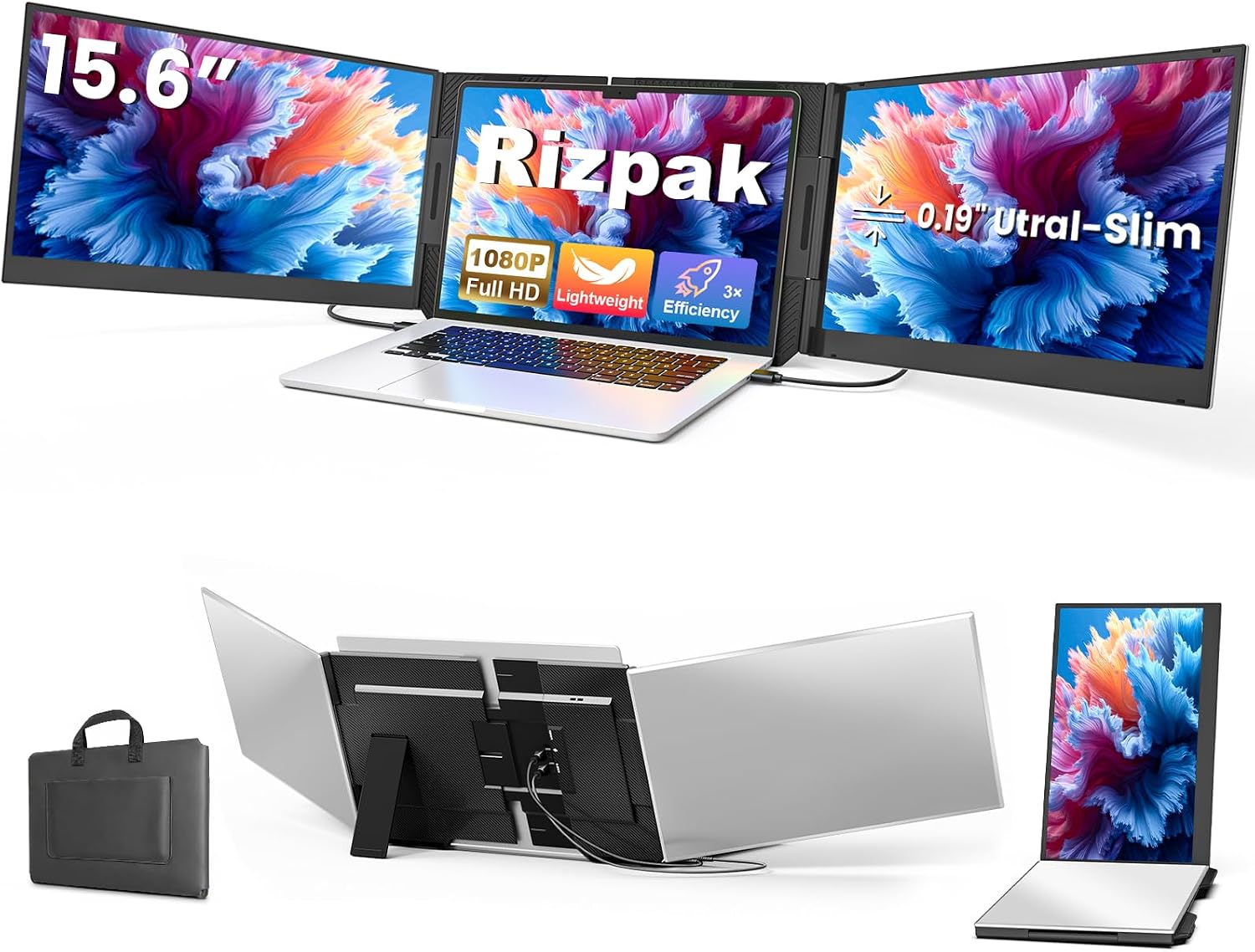
Rizpak 15.6" FHD IPS Laptop Screen Extender, Freestanding, Fits 12"–17.3" Laptops
Product description
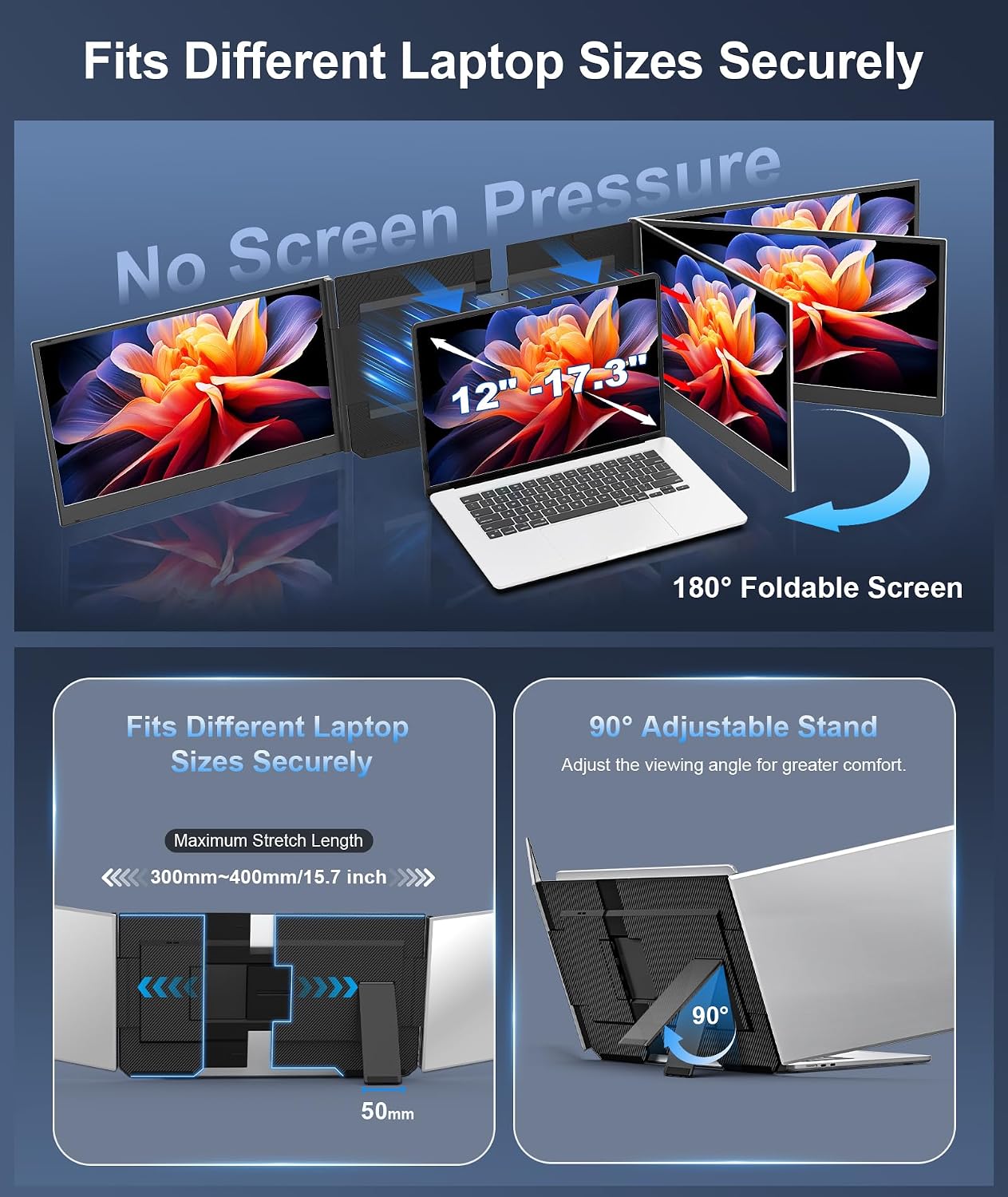
A freestanding design gives this screen extender its own place on the desk, rather than attaching it to a laptop display. That setup adds a separate viewing area without putting extra pressure on the laptop hinge.
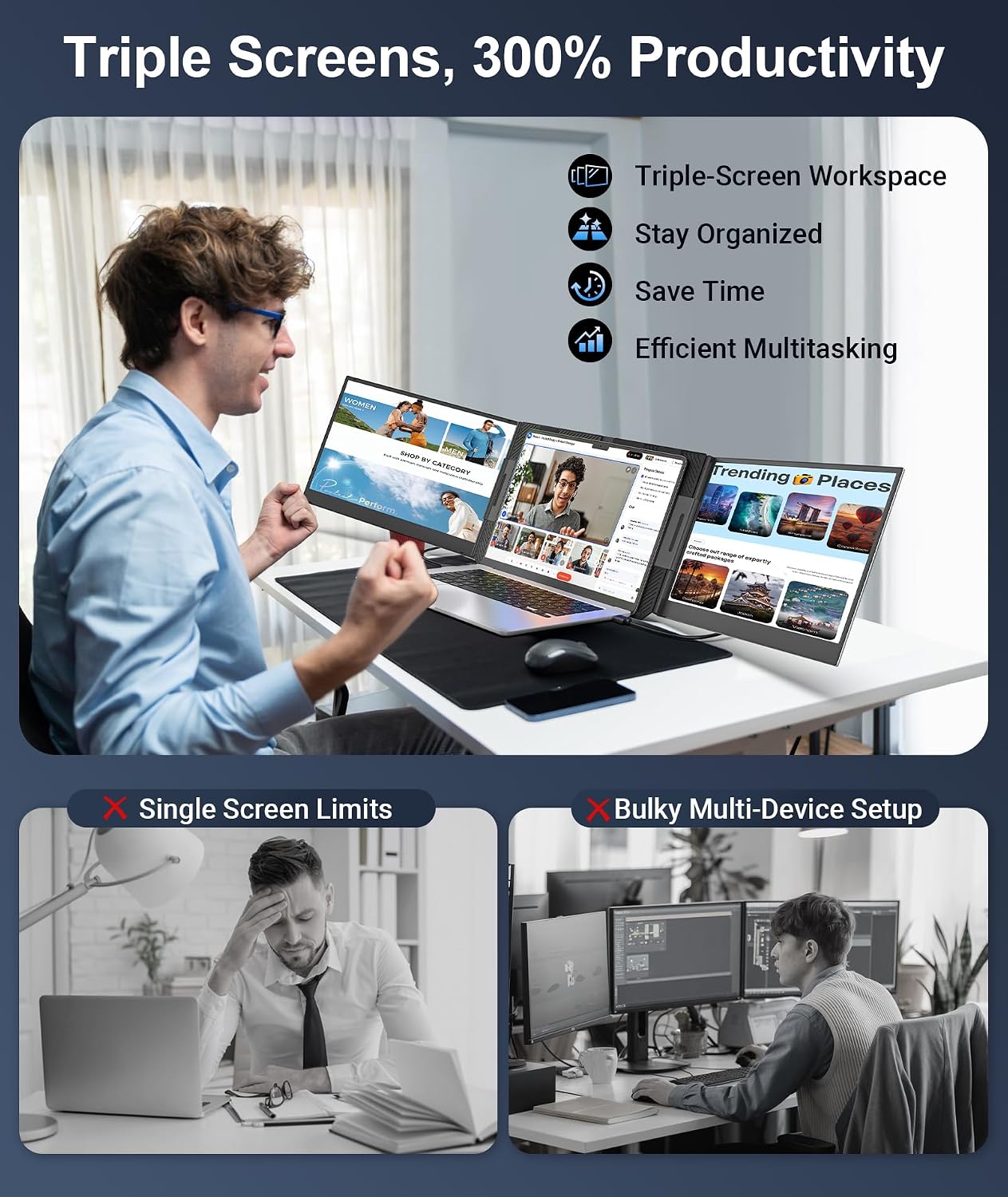
The 15.6-inch FHD IPS screen is intended to expand a laptop into a triple-screen workspace. Documents, meetings, and other open windows can stay visible alongside your main display.
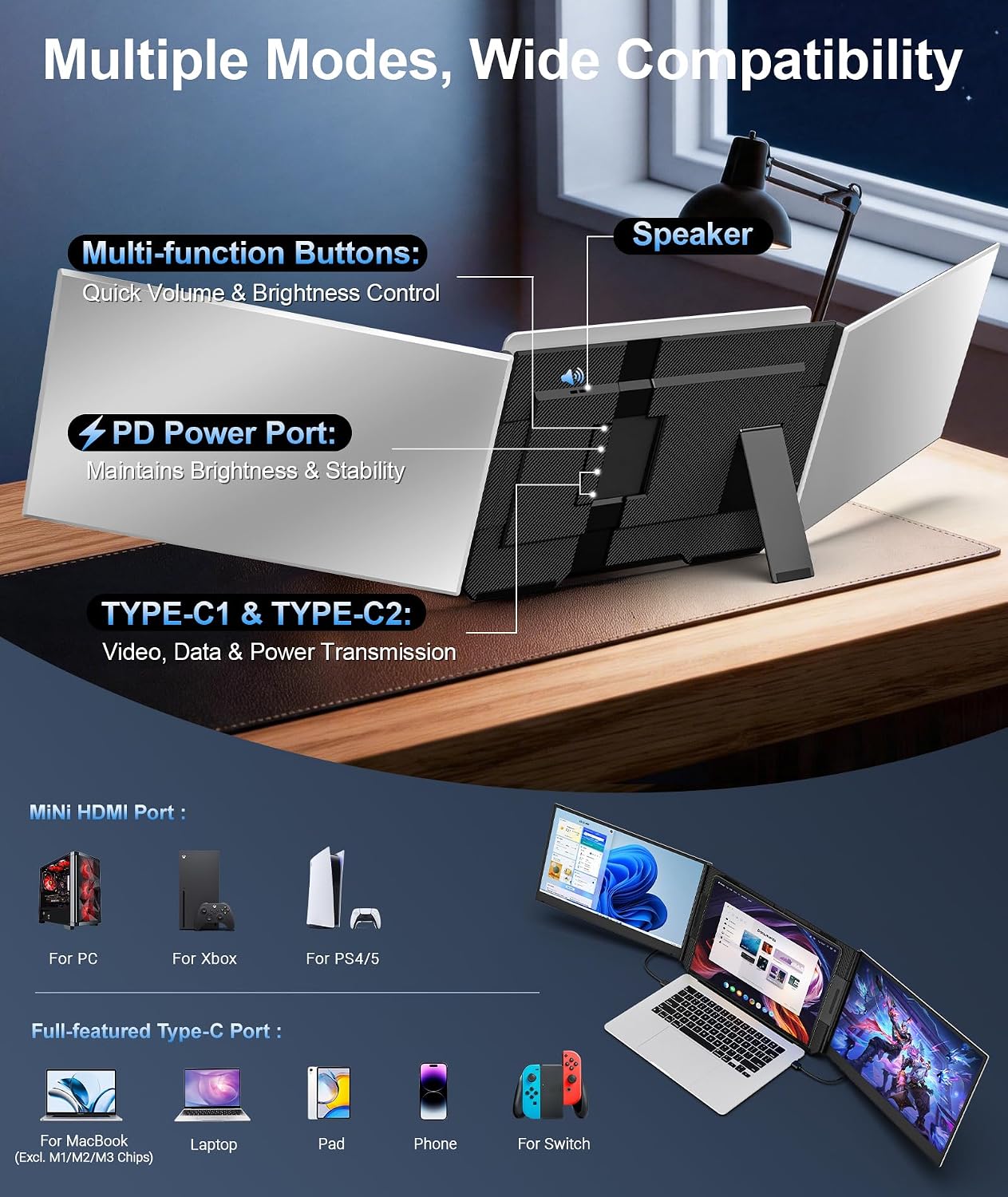
It supports laptops from 12" to 17.3", but compatibility depends on the device’s video output. Some MacBooks with M1, M2, or M3 chips may need an H5 adapter and additional setup steps.
Specifications
- Name: Rizpak laptop screen extender
- Type: Freestanding portable monitor
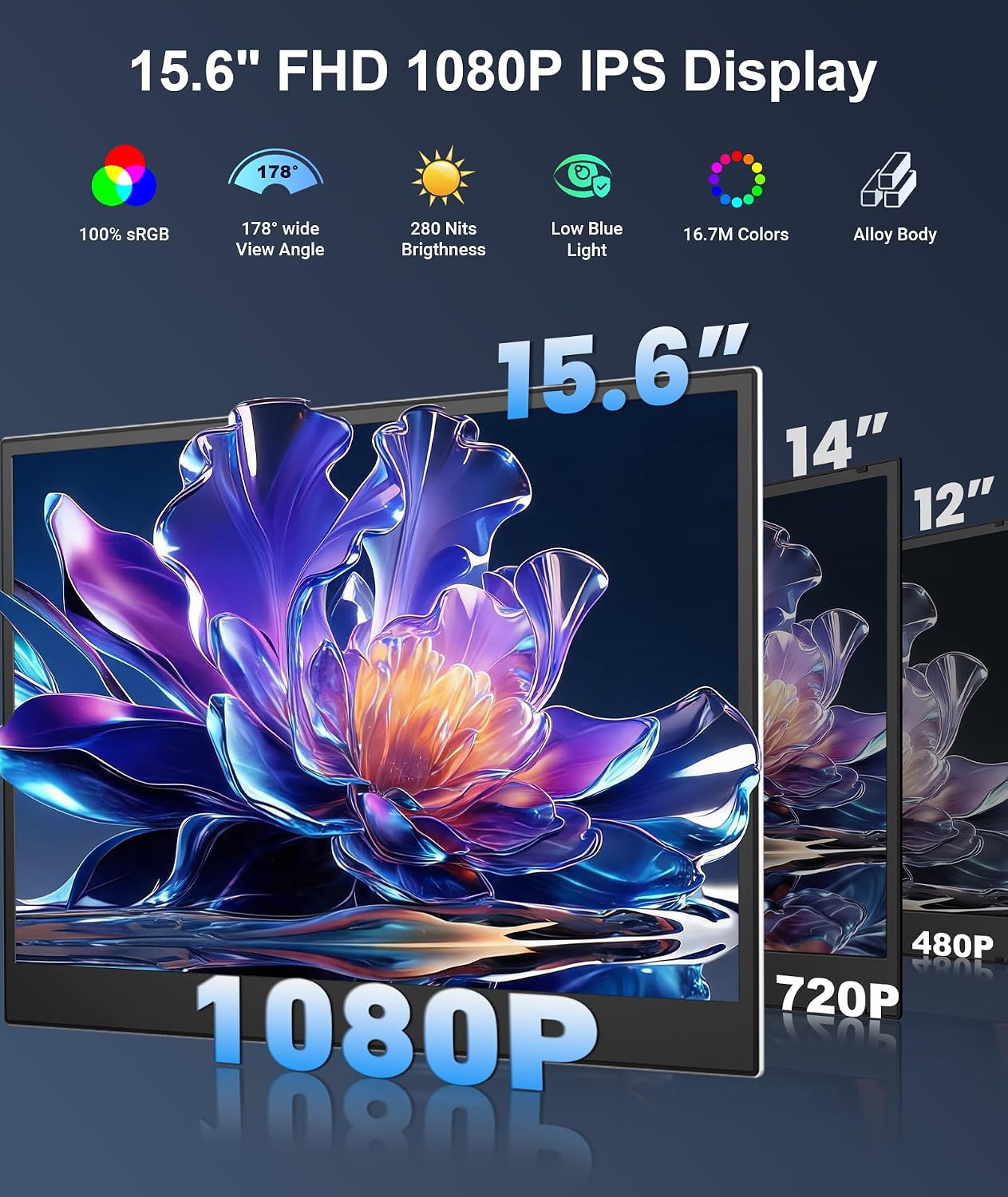
- Display: 15.6-inch IPS, glossy surface
- Resolution: FHD 1080p
- Aspect ratio: 16:9
- Compatibility: Designed for 12"–17.3" laptops, supports Windows, macOS, ChromeOS, Linux, Android, and other compatible devices
- Connectivity: USB-C and HDMI on compatible setups, laptops need full-function USB-C video output for the stated laptop compatibility
- Power: An external 5V/3A or higher power supply is recommended for optimal brightness and stable performance
- Material: Aluminum alloy
- Profile: 0.19" thick
- Display features: 100% sRGB and HDR support
Usage tips
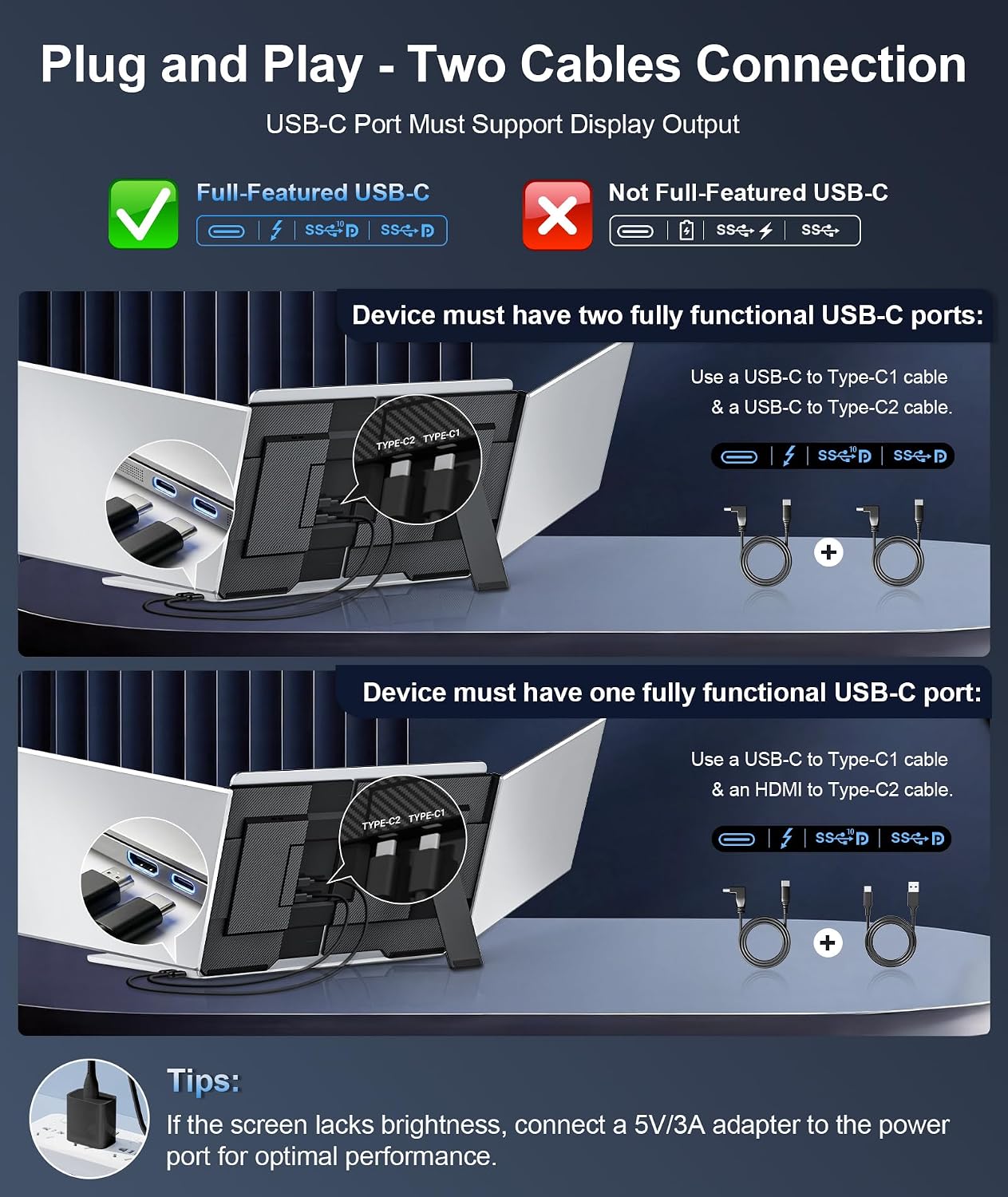
Plan your setup around the laptop’s available ports. The product description calls for a two-cable connection and says no driver installation is needed on supported devices, USB-C and HDMI operation still depends on a compatible setup. If the laptop lacks a full-function USB-C video port, don’t assume a direct connection will work as described.
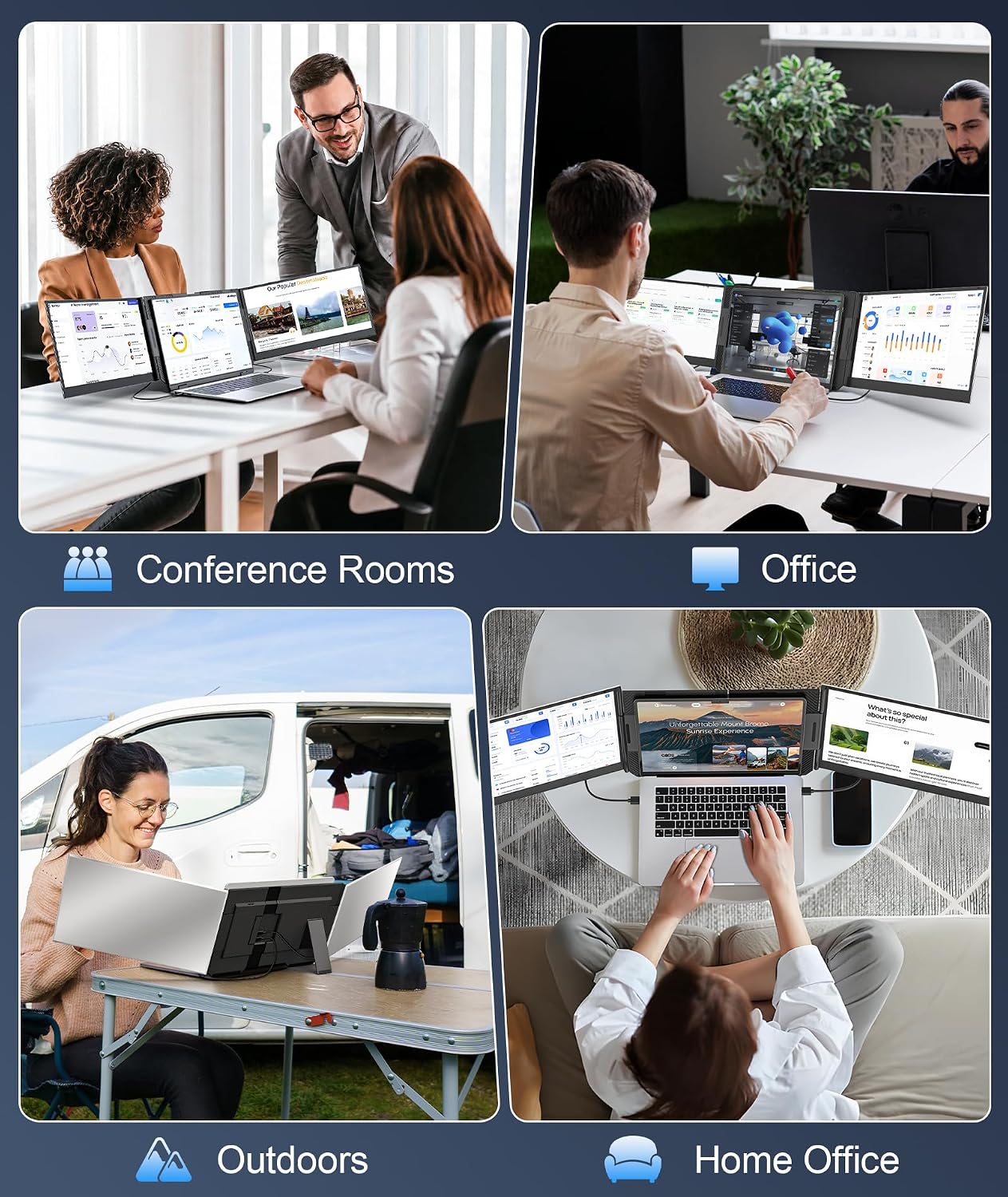
For desk use, the freestanding design and 50mm-wide reinforced metal stand keep the extender separate from the laptop screen. That can suit a home office, study space, or temporary work area where a clip-on monitor would be less appealing. Its slim profile is also intended to make it easier to carry between locations, while its 15.6-inch screen offers more viewing space than a compact add-on display.
For best brightness and stable performance, the manufacturer recommends an external 5V/3A or higher power supply. Check your device’s port arrangement before choosing cables or planning where the screen will sit, the listing doesn’t specify which cables or other accessories are included.
Getting the most from it
Use the added screen for material you want to keep in view—such as a meeting beside working documents—while leaving your main laptop display available for active tasks. Its FHD resolution and 16:9 aspect ratio are documented details to consider if you’re comparing it with a larger desktop monitor or a smaller portable display. This model prioritizes an additional 15.6-inch workspace and a stand-alone desk setup, rather than mounting directly to the laptop.
Questions before you buy
Does it work with every laptop in the listed size range? No. The size range alone doesn’t establish compatibility, the laptop needs a suitable video connection, including full-function USB-C video output for the stated laptop setup.
Will a MacBook with an M1, M2, or M3 chip connect directly? Some models may require an H5 adapter and additional connection steps, so the listing advises getting compatibility guidance before purchase.
Does it need an external power supply? An external 5V/3A or higher supply is recommended for optimal brightness and stable performance. The description does not say that it is included.
Buying verdict
It’s a great fit if you want a freestanding 15.6-inch screen to extend a compatible laptop workspace without attaching a monitor to the laptop lid. You may want to skip it if you need a display that works with your particular laptop without checking its video output or, for certain MacBooks, allowing for an adapter and extra setup. The key buying decision is device compatibility, not just whether the laptop falls within the stated size range.