

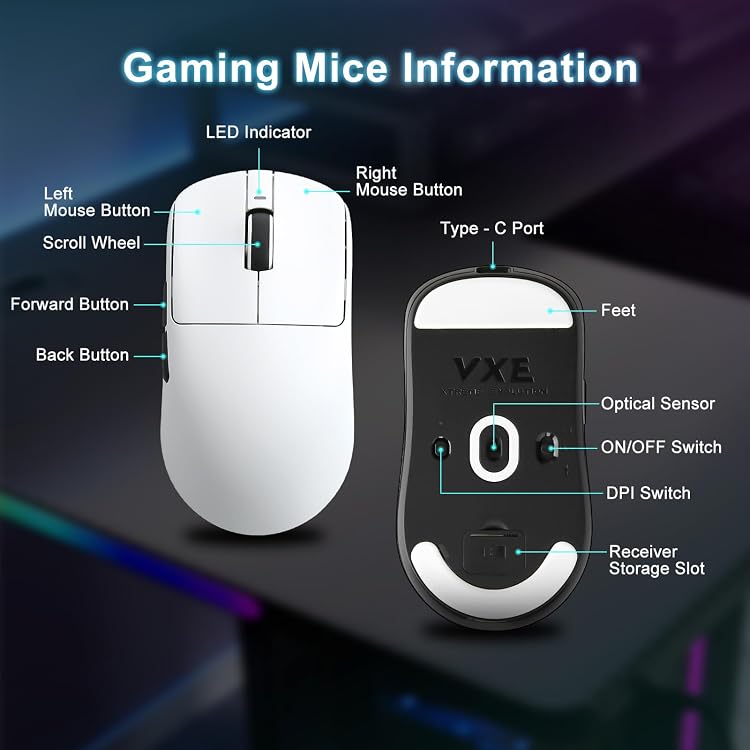
MIKIBY R1 SE+ Wireless Gaming Mouse — 18000 DPI, 55g, PAW3395 SE Sensor, Tri-Mode USB-C/2.4G/BT5.0
Product description
What this is and what it solves
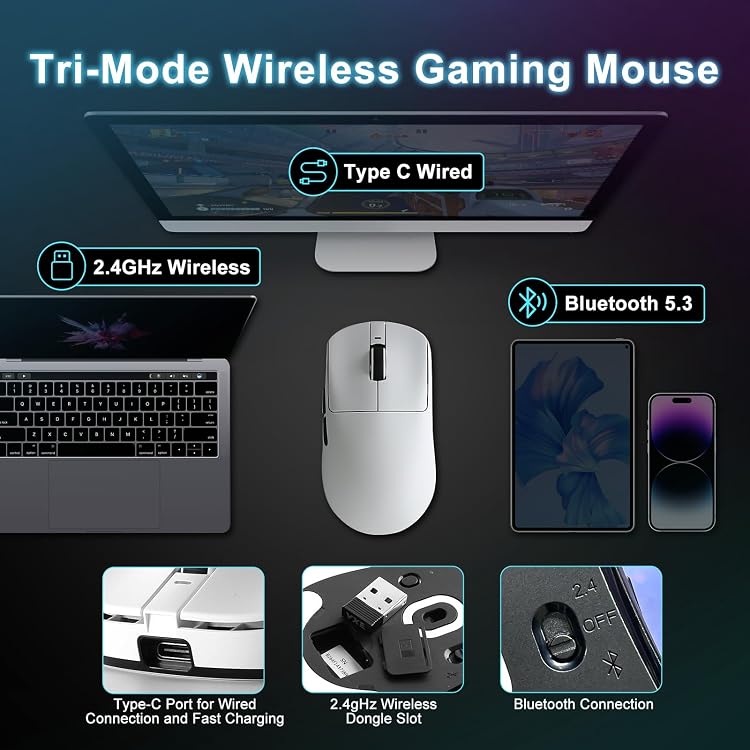
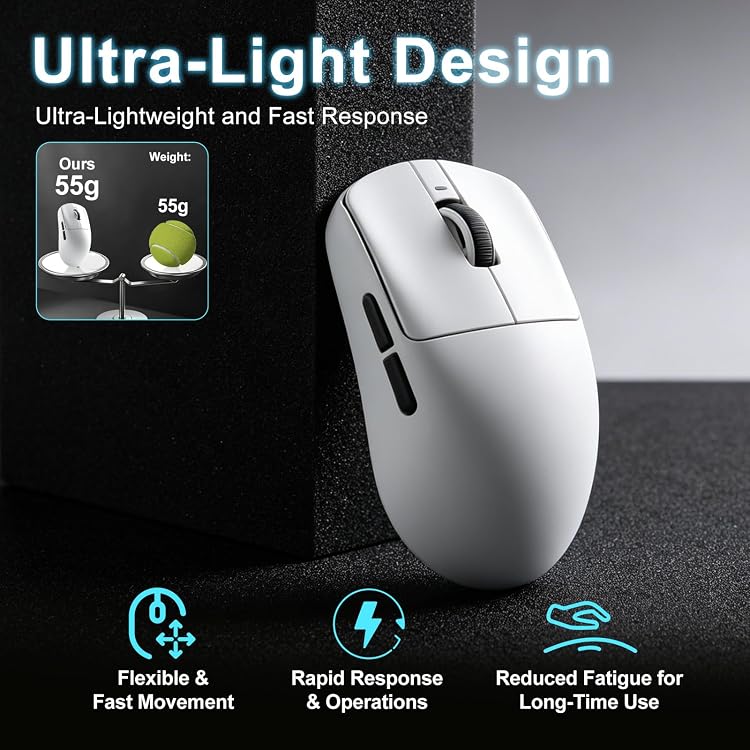
The MIKIBY R1 SE+ is a wireless gaming mouse designed for fast, precise control across PC, laptop, and Mac setups. It combines a lightweight 55-gram shell with a high-precision PAW3395 SE sensor and a flexible tri-mode connection (USB-C wired, 2.4G wireless, and Bluetooth 5.3). If you value low latency for shooters, or smooth cursor movement for creative work, this mouse is built to cover a broad range of play styles without dragging you down by weight.
How it feels in use
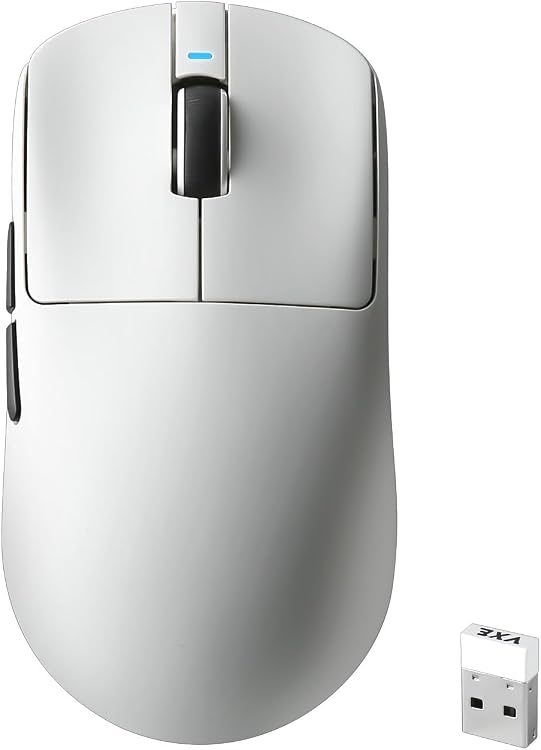
On the hand, the ergonomic shape is crafted around natural gripping curves, aiming for comfort whether you palm, claw, or fingertip grip. The light weight reduces fatigue during long sessions, and the shape is designed to stay stable during rapid flicks. If you prioritize quick, clean aiming or precise micro-adjustments, the R1 SE+ keeps up without forcing a heavier, slower feel.
What stands out on paper

Three big differentiators matter here: a 18000 DPI ceiling, a PAW3395 SE sensor for accurate tracking, and true tri-mode connectivity. The mouse supports 400/800/1600/3200 DPI with a web-driven interface to push up to 18000 DPI via software, plus adjustable polling rates from 125 Hz to 1000 Hz. This combination can be especially appealing if you switch gear often or work across devices, since you can tune sensitivity and latency to fit each scenario.
The good, the not-so-perfect
What’s compelling: the ultra-light design, high DPI range for both precise aiming and fast movements, and the flexibility of wired, wireless, and Bluetooth connections. The web-based customization is convenient for tailoring button functions and DPI rollout on different games or workflows. What could be a limitation: while the sensor is capable, some users might find the 18000 DPI setting excessive for everyday use, preferring lower, more controllable stepping. The weight, while light, still depends on your grip and grip style, if you’re used to ultra-light mice, 55g might feel neutral or slightly heavy at first. Also, as with many multi-mode gaming mice, the on-device button customization is most powerful with the web interface, so expect to connect to the web settings to unlock the full potential.
Who it’s for
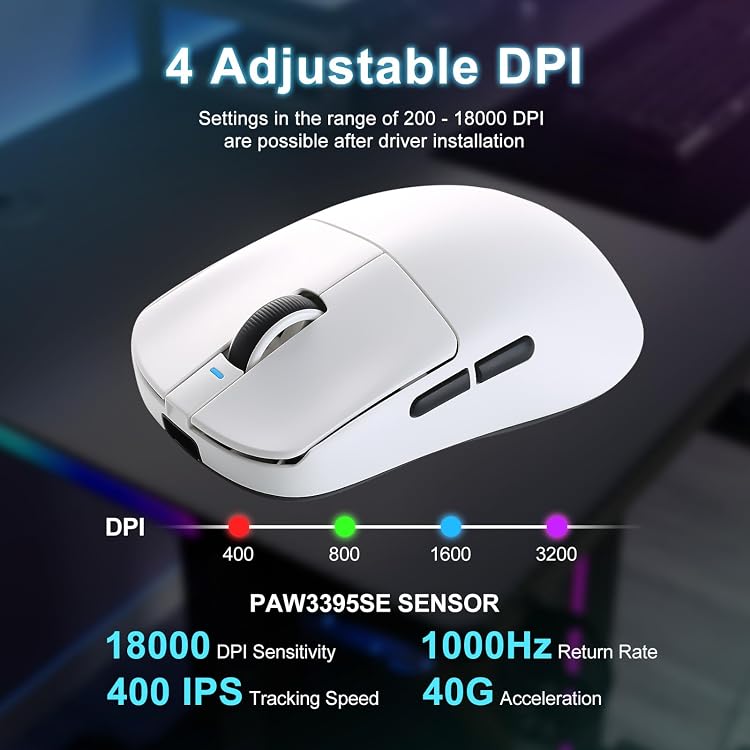
If you’re a gamer who values rapid on-the-fly DPI changes, cross-device use, and a lightweight profile, this mouse can fit well. It’s also reasonable for productivity on a laptop or tablet when you need precise cursor control with minimal hand fatigue. Those who don’t need triple connectivity or extremely high DPI ceilings might still appreciate the ergonomic design and responsiveness, but the benefits are most visible in fast-paced or mixed-use scenarios.
Who might want to skip it
For users who rely on a heavier, more robust wired mouse, or who don’t plan to use Bluetooth cross-device features, the R1 SE+ might feel like overkill. If you rarely adjust DPI beyond a standard mid-range, you may not experience the full advantage of the 18000 DPI and web-based tuning.
How to decide before buying
Consider the following: do you need cross-device mobility and a lightweight body? Is ultra-fast, highly adjustable sensitivity important for your games or creative work? Do you have easy access to the web interface to customize buttons, DPI steps, and polling rate? If yes, the R1 SE+ is worth a closer look. If you primarily game on one device with a fixed setup and don’t need Bluetooth pairing, you might prioritize a simpler, possibly more affordable option.
Practical usage example

Imagine alternating between a fast FPS match and a precision sniping session on a laptop: you can switch from a comfortable palm grip with a mid DPI for general play to a highly sensitive setting for micro-adjustments in a follow-up round, all without unhooking or swapping hardware. The tri-mode connectivity makes it easy to jump between devices without losing your preferred button mappings.
What to check before you buy
- Confirm you have a host that supports USB-C wired or 2.4G wireless or BT5.3 for cross-device use.
- Decide whether you’ll customize the DPI steps and button mappings via the web interface and how often you’ll adjust polling rate.
- Try a grip you typically use to ensure the 55g weight feels comfortable in long sessions and doesn’t feel too light or unstable for your style.
FAQ snapshot
- Q: Can I reach 18000 DPI in gaming mode? A: The page indicates up to 18000 DPI via web customization.
- Q: Is the sensor compatible with both Windows and macOS? A: The data implies broad compatibility via multiple connection modes, but always verify driver and software availability for your OS.
- Q: Will the mouse feel comfortable for long gaming sessions? A: The ergonomic design aims to support various grips and keep fatigue low, though comfort is personal.
Final decision
Is it worth it? If cross-device use, ultra-low-latency gaming, and highly tunable sensitivity are priorities, the MIKIBY R1 SE+ has distinct advantages that may justify the investment. It isn’t the only option in its class, but the combination of 55g weight, PAW3395 SE precision, and tri-mode connectivity makes it a compelling pick for gamers who value customization and portability. If those factors align with your needs, this mouse deserves serious consideration.