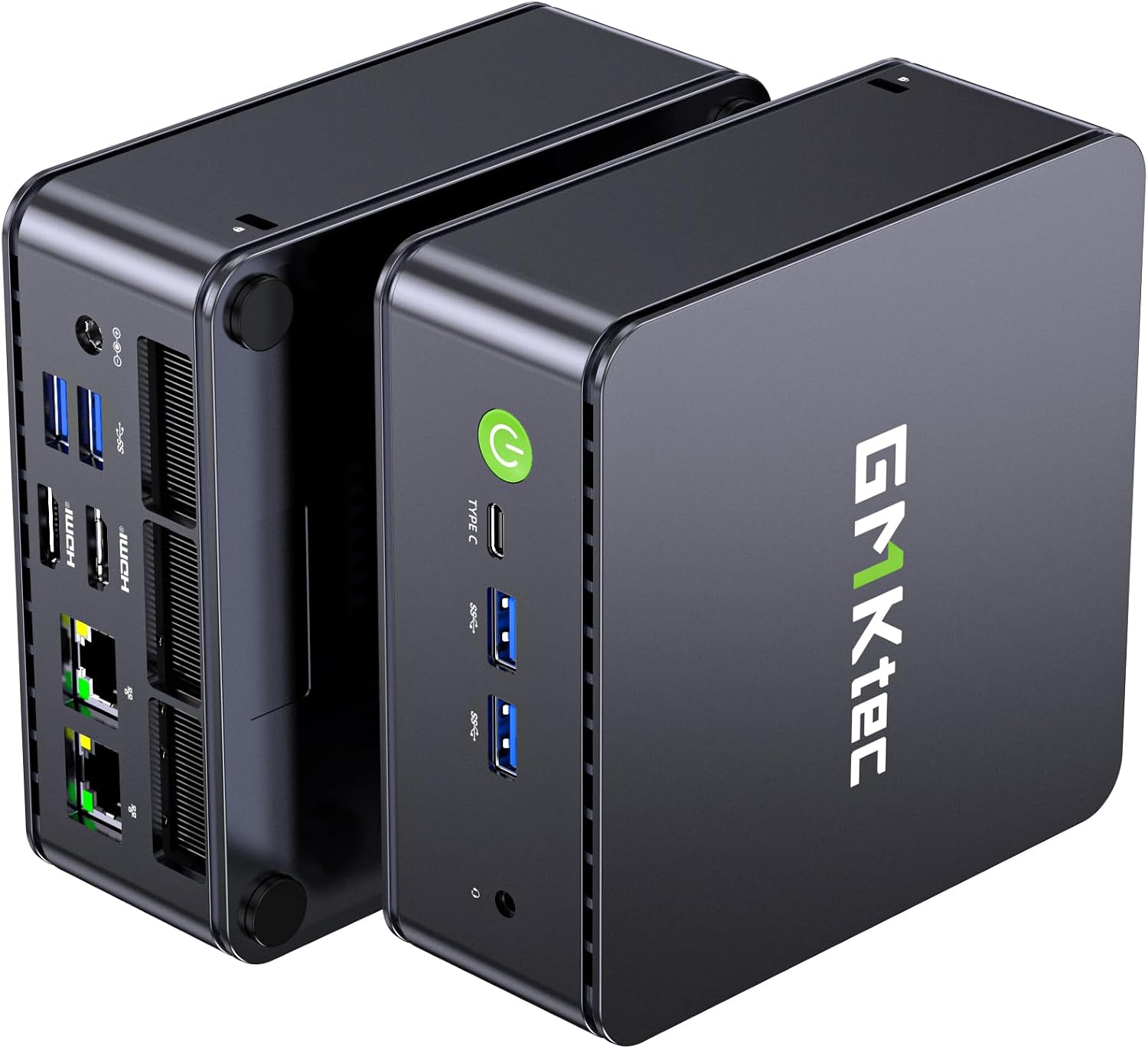
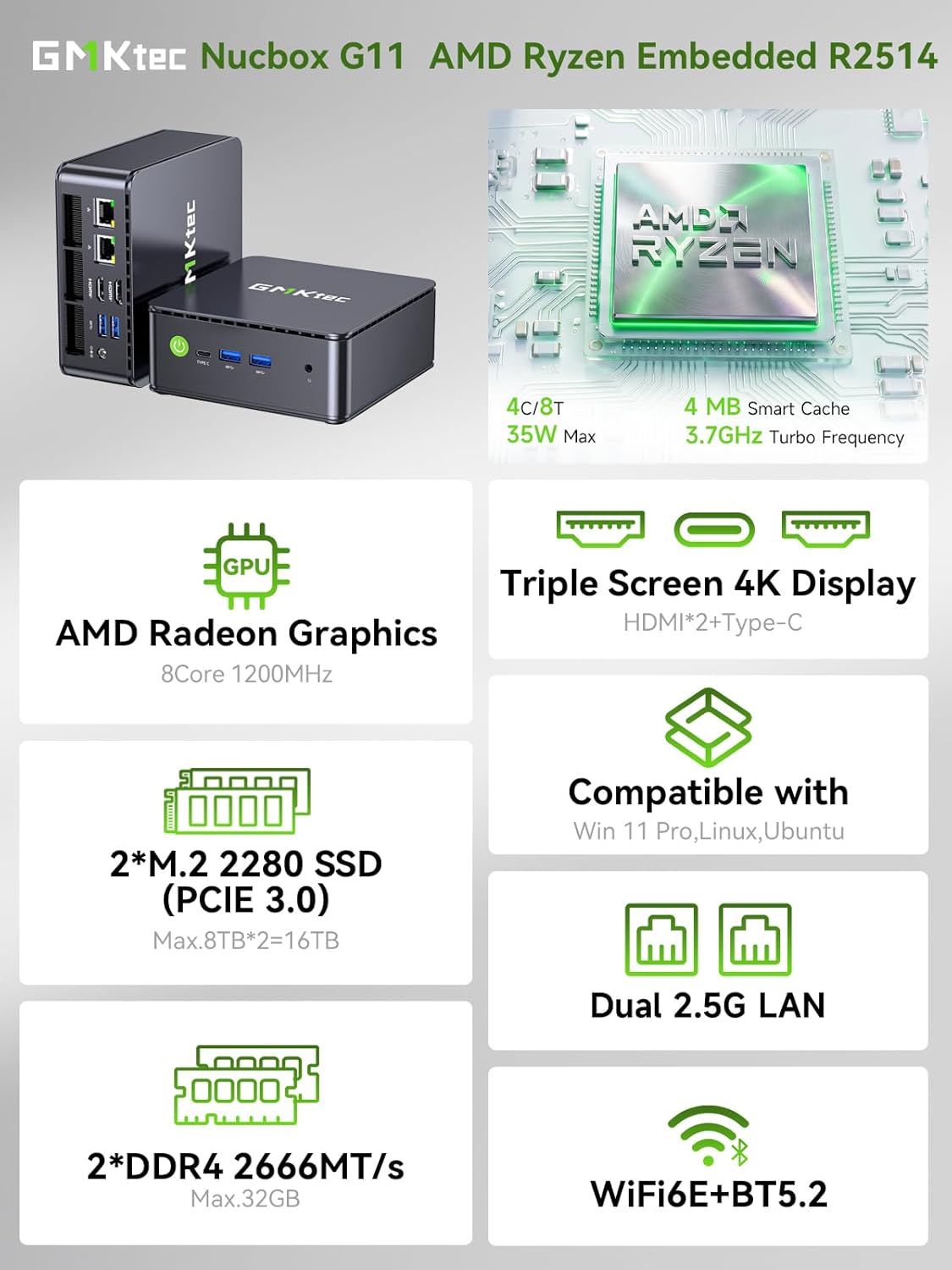
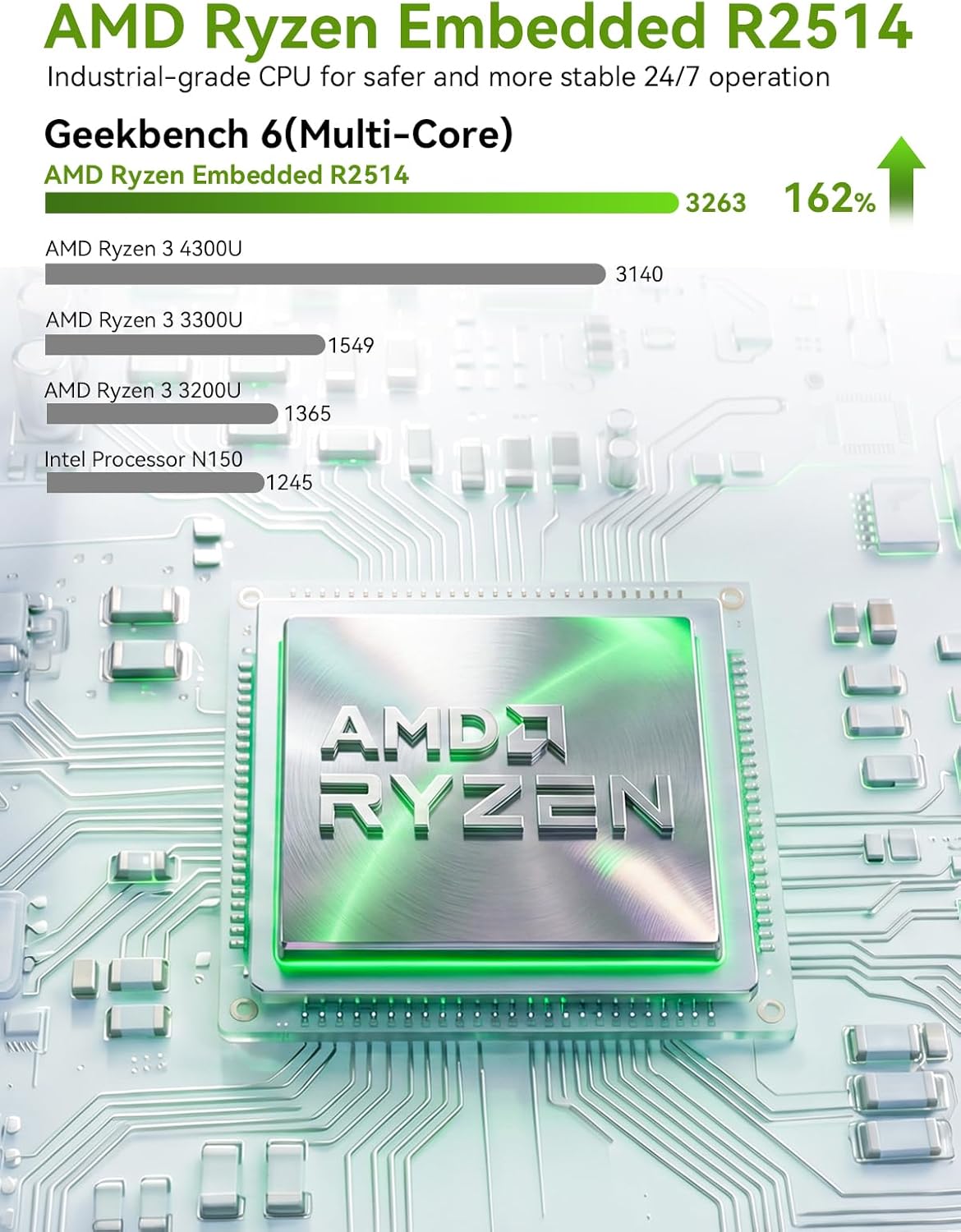
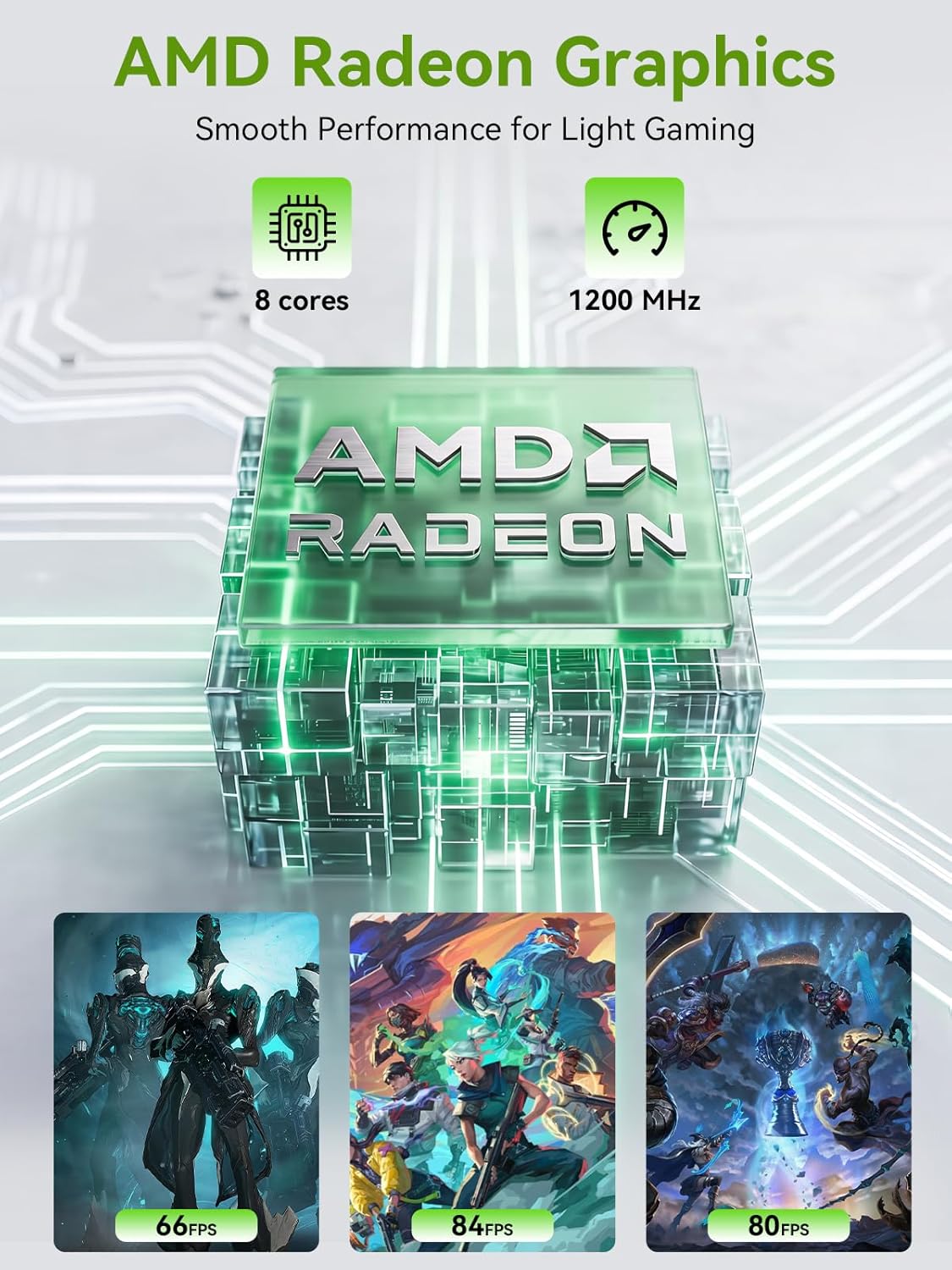
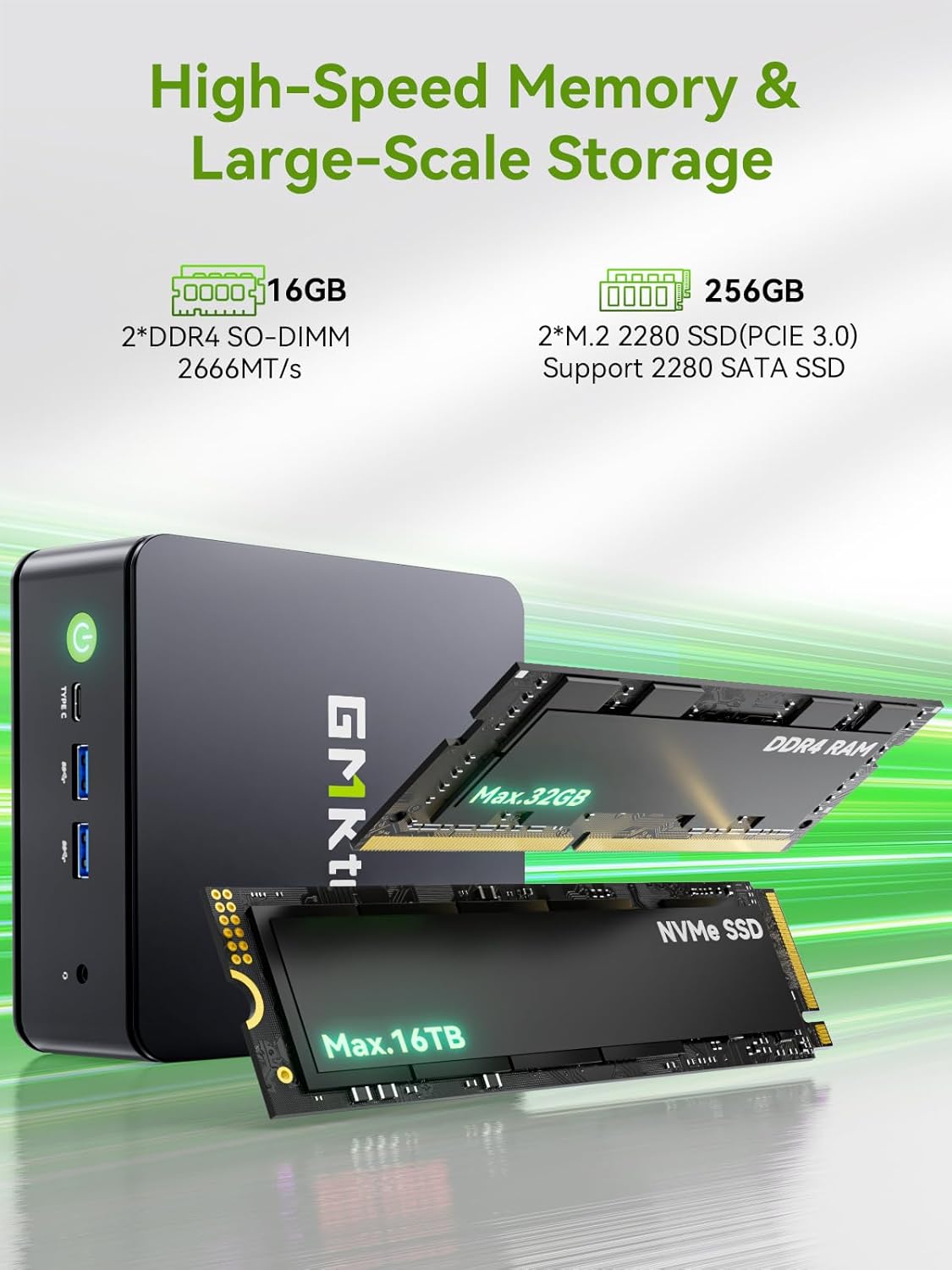
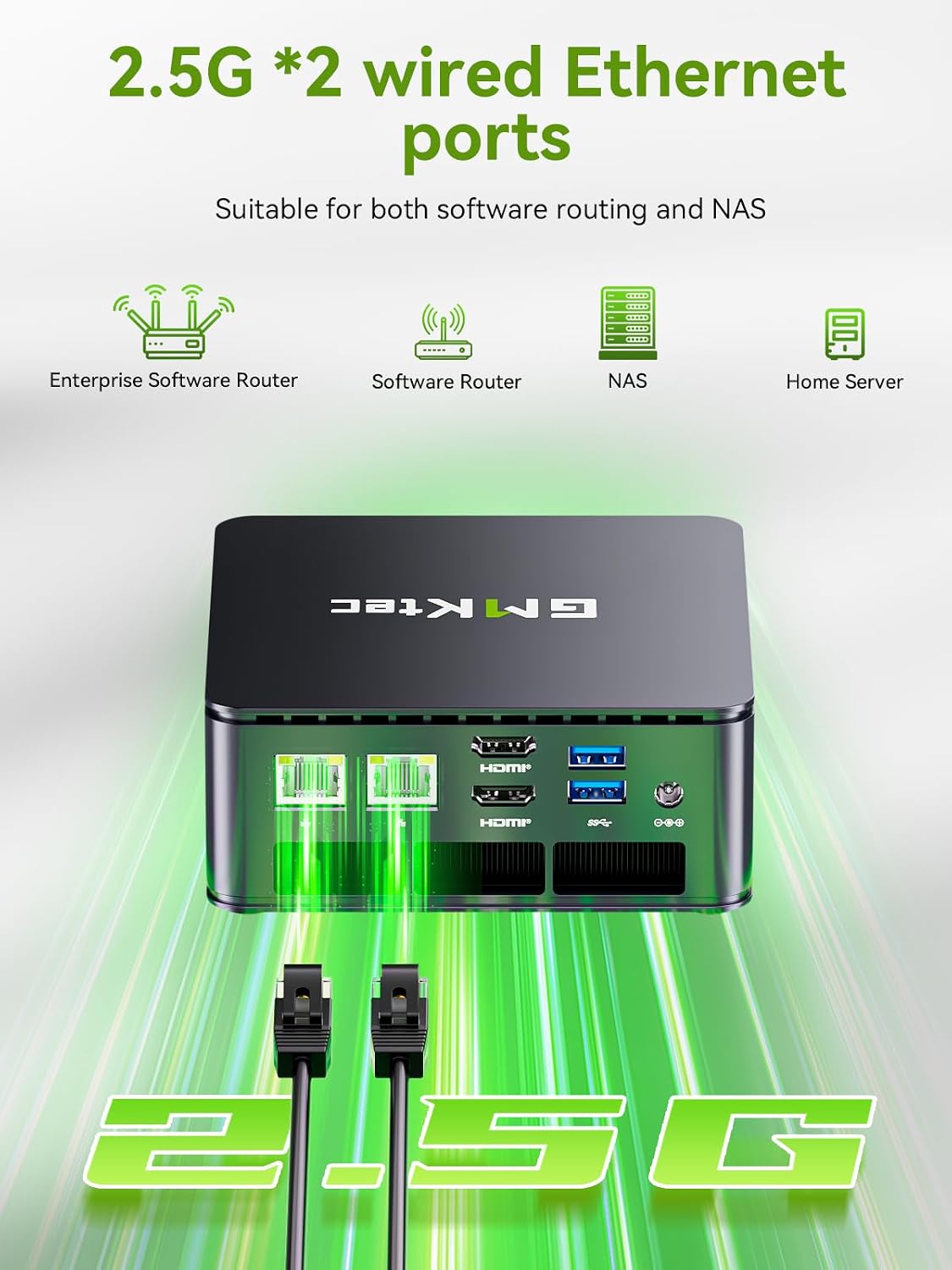
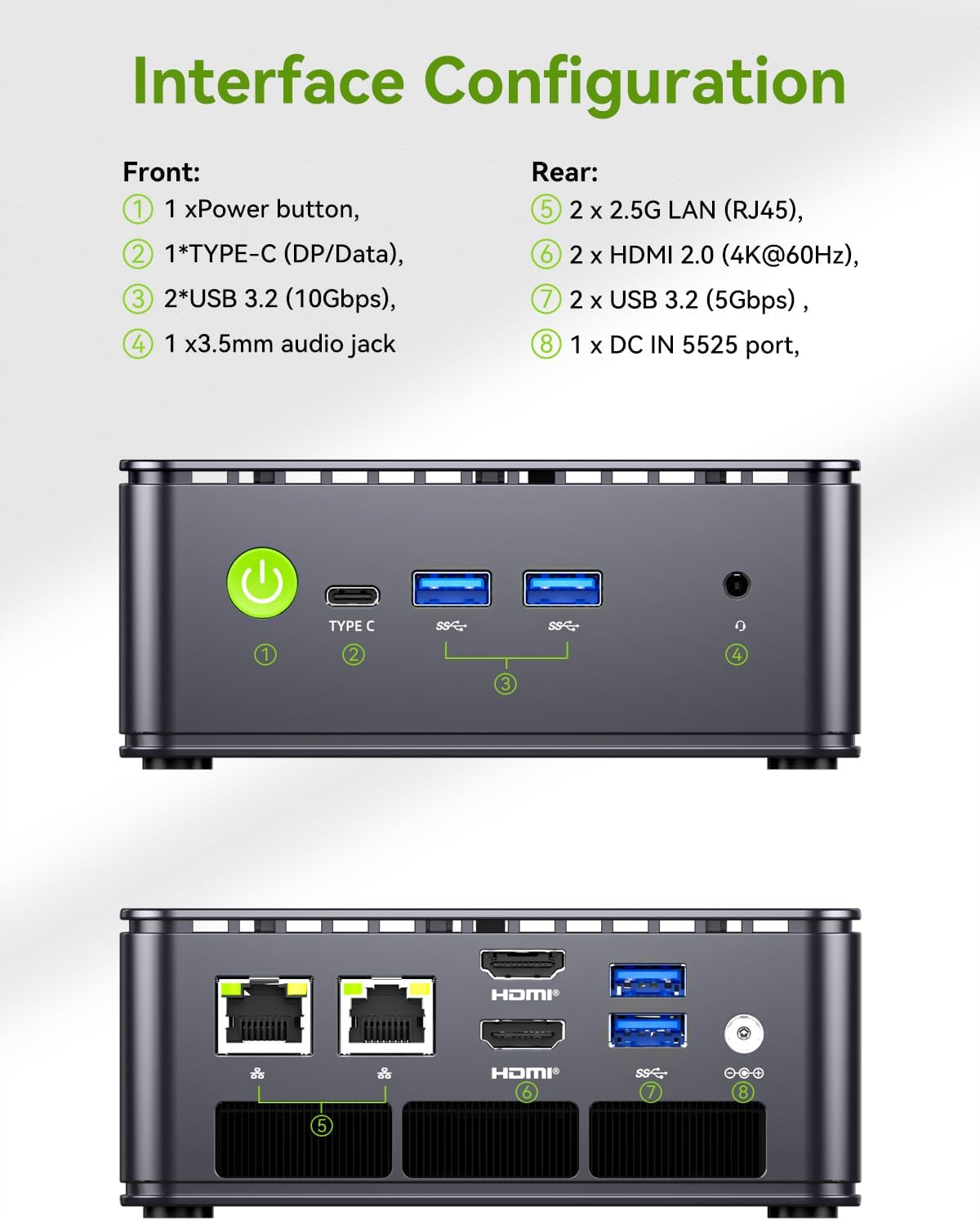
What this is and what it aims to solve\nThe GMKtec G11 is a compact mini PC powered by the Ryzen Embedded R2514 processor. It’s positioned for desktop, office, home, and small-business use where space matters but you still need reliable multi‑tasking, solid networking, and smooth multimedia output. On paper, the R2514 offers more thread performance and efficiency for continuous workloads than some comparable Intel options, and the GPU is geared toward multimedia and light to moderate professional visualization. If you’re trying to consolidate a home lab, a multi‑display workstation, or a quiet office PC into a small footprint, the G11 is designed to fit that need.\n\n## Core strengths you’ll notice in day-to-day use\nThis unit pairs 16GB of dual‑channel DDR4 RAM with a 256GB PCIe NVMe SSD, which helps keep multitasking snappy and responsive. The dual 2.5GbE LAN ports open up options for fast internal networks, redundant paths, or a compact firewall/NAS setup when paired with suitable software. For display needs, the machine supports up to three independent 4K displays via HDMI and USB-C DisplayPort Alt Mode, which is useful for multi-monitor workflows, digital signage, or a connected home office. The “Performance Mode” toggle in BIOS is highlighted as a way to unlock higher multi-core throughput, which can help with CPU‑intensive tasks or creative workloads when you need it.\n\n## What stands out on paper\n- Ryzen Embedded R2514 with Zen+ cores aims for steady, long‑haul operation (24/7 workloads) and better aggregate performance than some older embedded chips.\n- Integrated AMD Radeon graphics claim a notable uplift in 3D/4K workloads and support for modern APIs like DirectX 12 and Vulkan.\n- Dual 2.5GbE NICs turn this into a compact networking hub—great for small office setups, NAS-like tasks, or a secure home lab.\n- Dual HDMI 2.0 and a USB‑C with DisplayPort Alt Mode enable triple 4K display configurations for complex desks or signage scenarios.\n\n## What it’s not perfect for (and where it may fall short)\n- The R2514 is designed for continuous operation, but depending on your workload, it may still not replace a higher‑end desktop or workstation for heavy CAD, video editing at very high resolutions, or GPU‑heavy tasks. If your use cases demand sustained peak CPU/GPU performance, you may want to compare with more powerful desktop options.\n- Memory is fixed at 16GB in this configuration. If you expect heavy virtualization or extremely large datasets, you might need to plan for future expansion or look for a model with more RAM headroom.\n- The triple‑display setup is appealing, but real-world performance will depend on driver support and the specifics of your peripherals.\n\n## Who it’s for\nIt’s aimed at professionals who need a compact, reliable machine for office tasks, light server or NAS duties, digital signage, or a small home lab. It’s also appealing for users who want a dedicated network appliance vibe (firewall, router, or VPN hub) without building a full desktop rack. If your priority is physical space, low noise, and a straightforward multi‑monitor desk setup, this could be a good fit.\n\n## Who should think twice\nIf you’re after top-tier 3D rendering, heavy continuous video editing, or very large-scale virtualization, this model may feel limited compared to higher‑end workstations. Also, if you anticipate needing more than 16GB RAM soon or require a broader array of I/O ports, this specific configuration should be assessed against future needs.\n\n## What to check before buying\n- Confirm your display plan: are three 4K outputs essential, and do you have compatible cables/monitors?\n- Consider your networking plan: do you benefit from dual 2.5GbE ports, and will you route traffic through a firewall or NAS setup?\n- Think about longevity and maintenance: is 24/7 operation important for you, and do you anticipate needing more RAM later?\n\n## Practical usage example\nA small business or IT hobbyist could deploy this as a compact NAS/firewall appliance running pfSense or OPNSense, with a separate storage array behind the PCIe SSD for fast OS access while keeping network throughput plentiful with 2.5GbE links. In a multimedia setup, the triple 4K display support allows a clean three‑screen desk arrangement for design reviews or trading dashboards.\n\n## FAQ (based on available data)\n- How many displays can be driven at once? Up to three independent 4K displays via HDMI and USB-C.\n- Is there a BIOS option to boost performance? Yes, there is a Performance Mode in the BIOS that boosts multi‑core throughput.\n- What’s the RAM/storage configuration? 16GB DDR4 RAM (2×8GB) and a 256GB PCIe M.2 SSD.\n\n## Final decision\nIs it worth it? It makes sense if you need a compact, energy‑aware machine with strong display support and flexible networking for office, home lab, or signage tasks. If you expect sustained high-end CPU/GPU workloads or need more RAM out of the box, you may want to explore options with higher specs or expandability.\n\n## Quick take: usage snapshot\nCompact, capable, and versatile for multi‑display productivity and network‑heavy setups, with a cautious note that headroom is finite for heavy compute tasks.