

ACEMAGICIAN S3A Mini PC Windows 11 Pro with Ryzen 7 H255 and Radeon 780M
Product description
What this is and who it’s for
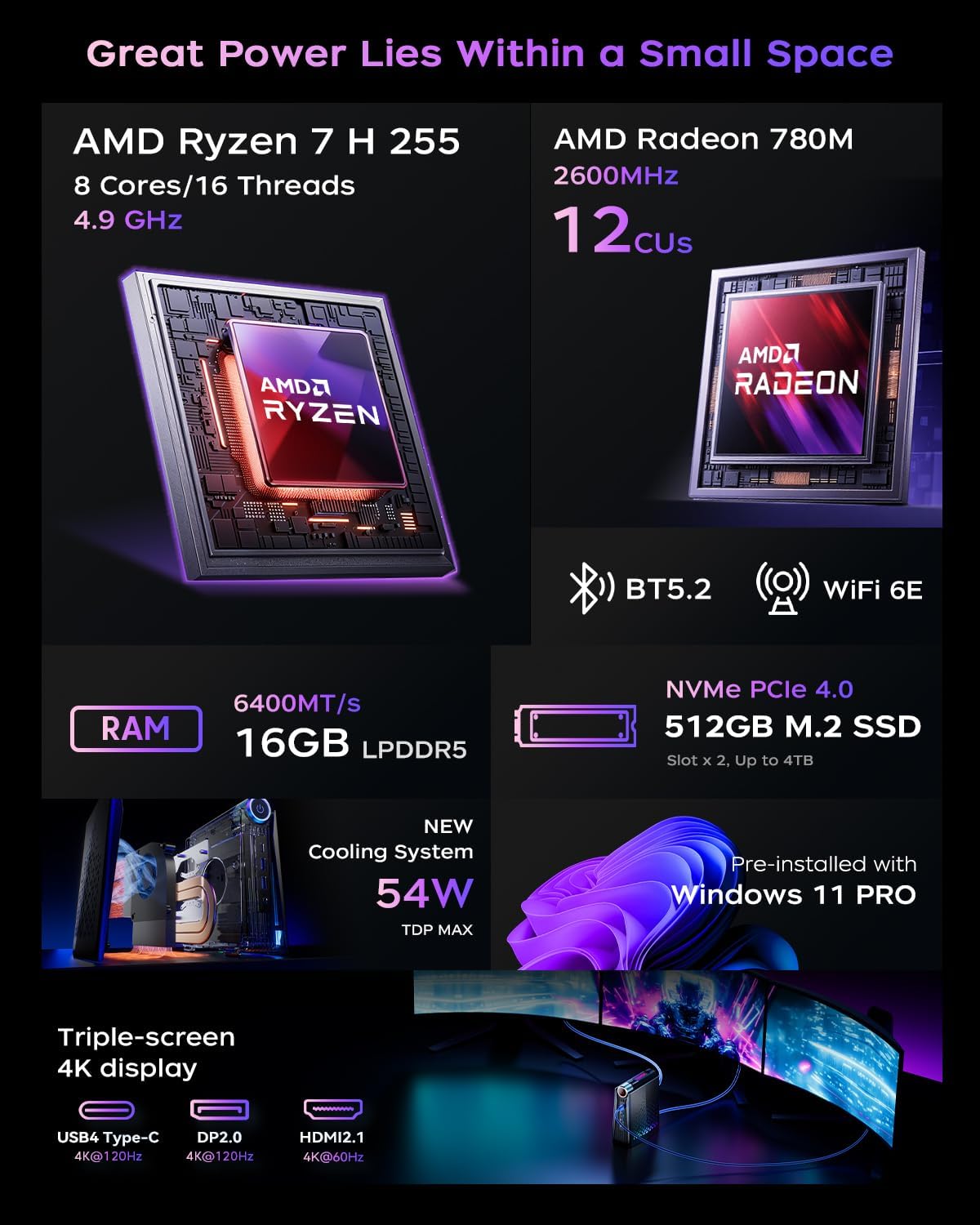
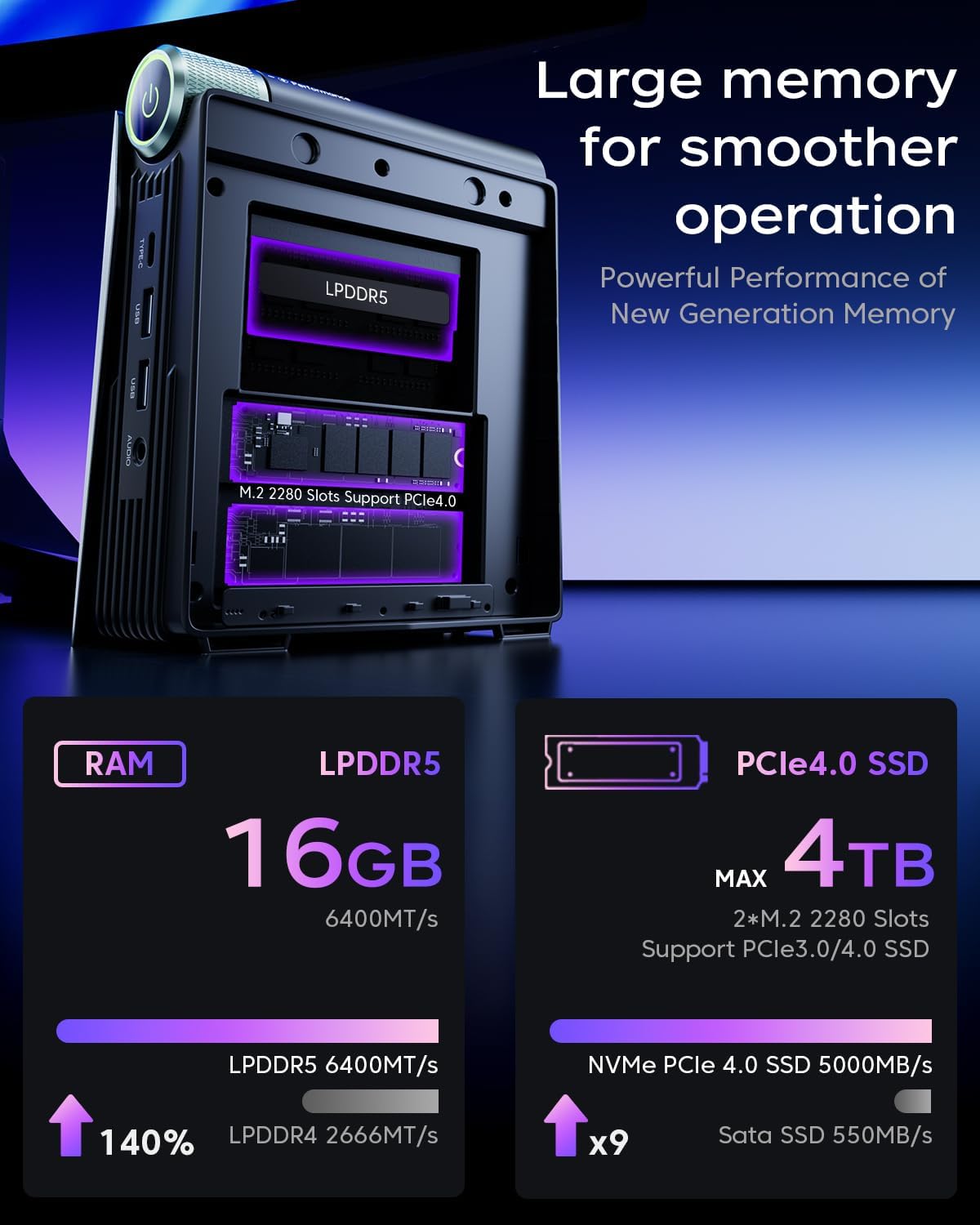
The ACEMAGICIAN S3A is a compact Mini PC designed to blend business flexibility with home office performance. It runs Windows 11 Pro on an AMD Ryzen 7 H255 processor (8 cores / 16 threads, up to 3.8GHz) paired with integrated Radeon 780M graphics. With 16GB LPDDR5 RAM and a 512GB NVMe PCIe 4.0 SSD, it aims to handle everyday productivity tasks and more demanding workloads like photo or video editing, light 3D work, and multi-monitor setups. If you’re looking for a small desktop that can slot into tight spaces—yet still deliver responsive performance for professional workloads—this model is worth considering.
How it performs on the paper
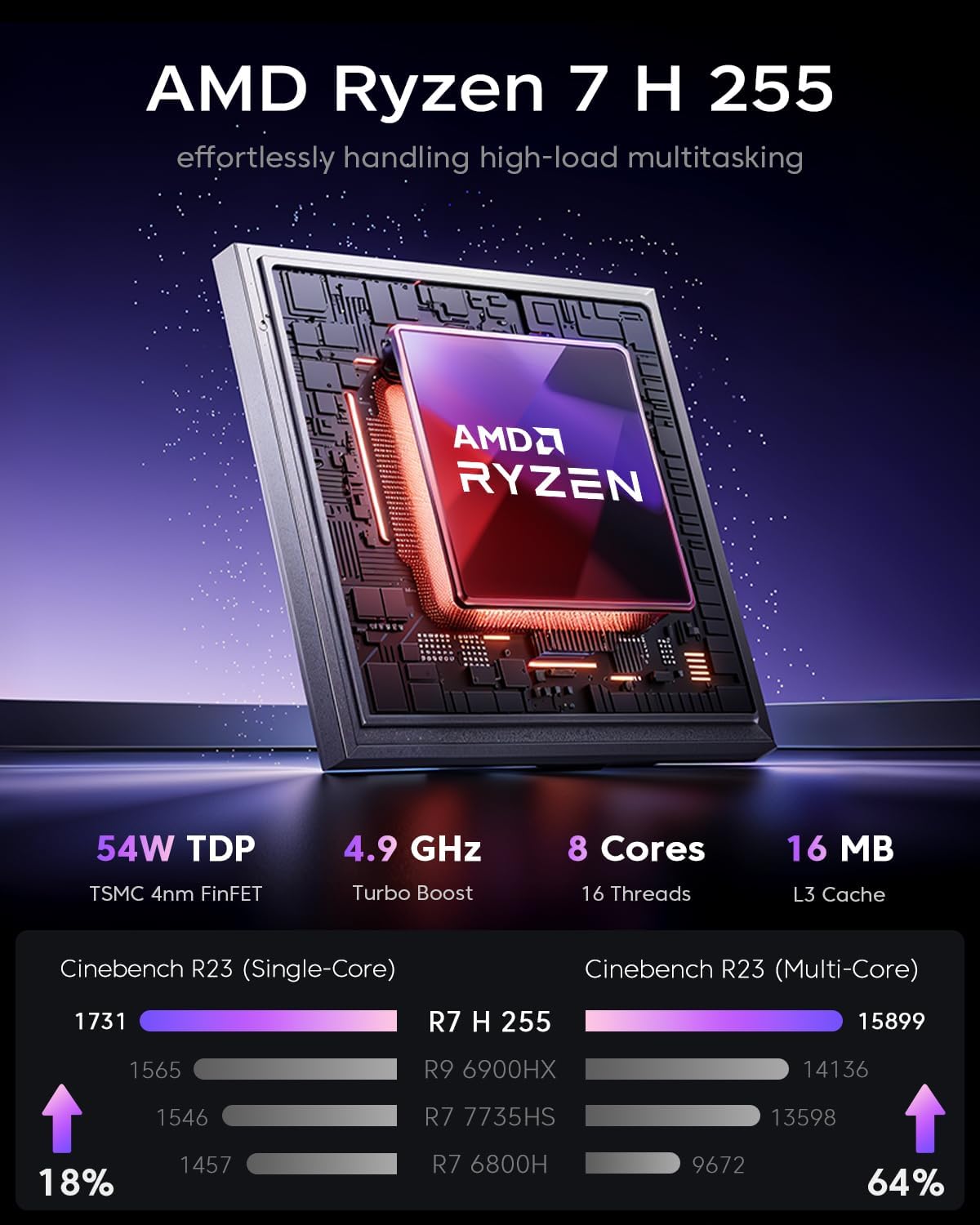
On paper, the Ryzen 7 H255 offers a respectable mix of processing power and efficiency for a mini PC. The Radeon 780M graphics are positioned as a strength for casual to entry-level gaming and GPU-accelerated tasks, aiming to deliver noticeably higher frame rates than older integrated GPUs. The memory and storage specs are solid for a compact machine: 16GB of fast LPDDR5 RAM and a 512GB NVMe SSD, with expansion potential if you need more space later. The chassis supports triple 4K display output, which is useful for home offices or creative workflows that rely on multiple screens.
Design, cooling, and upgradability
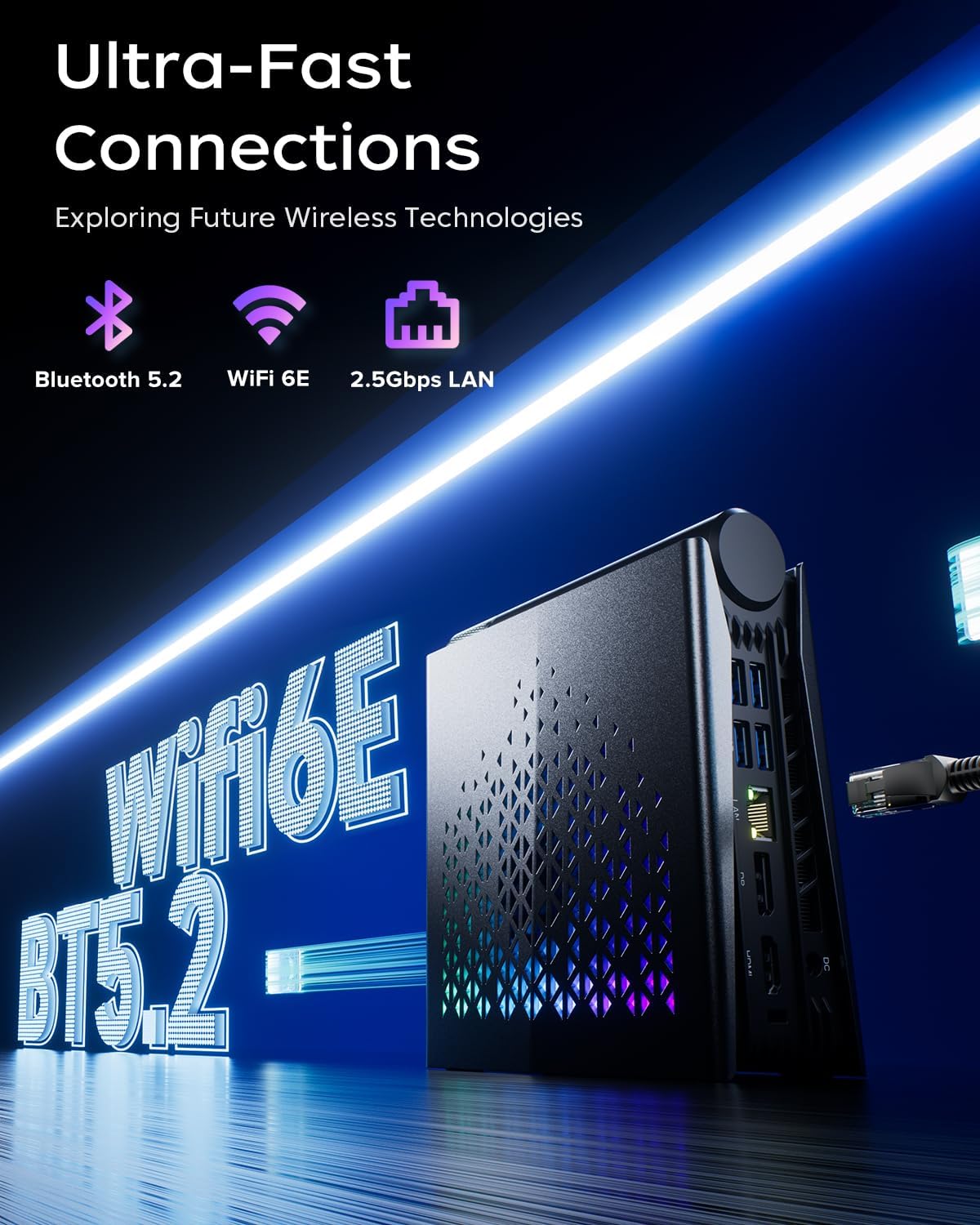
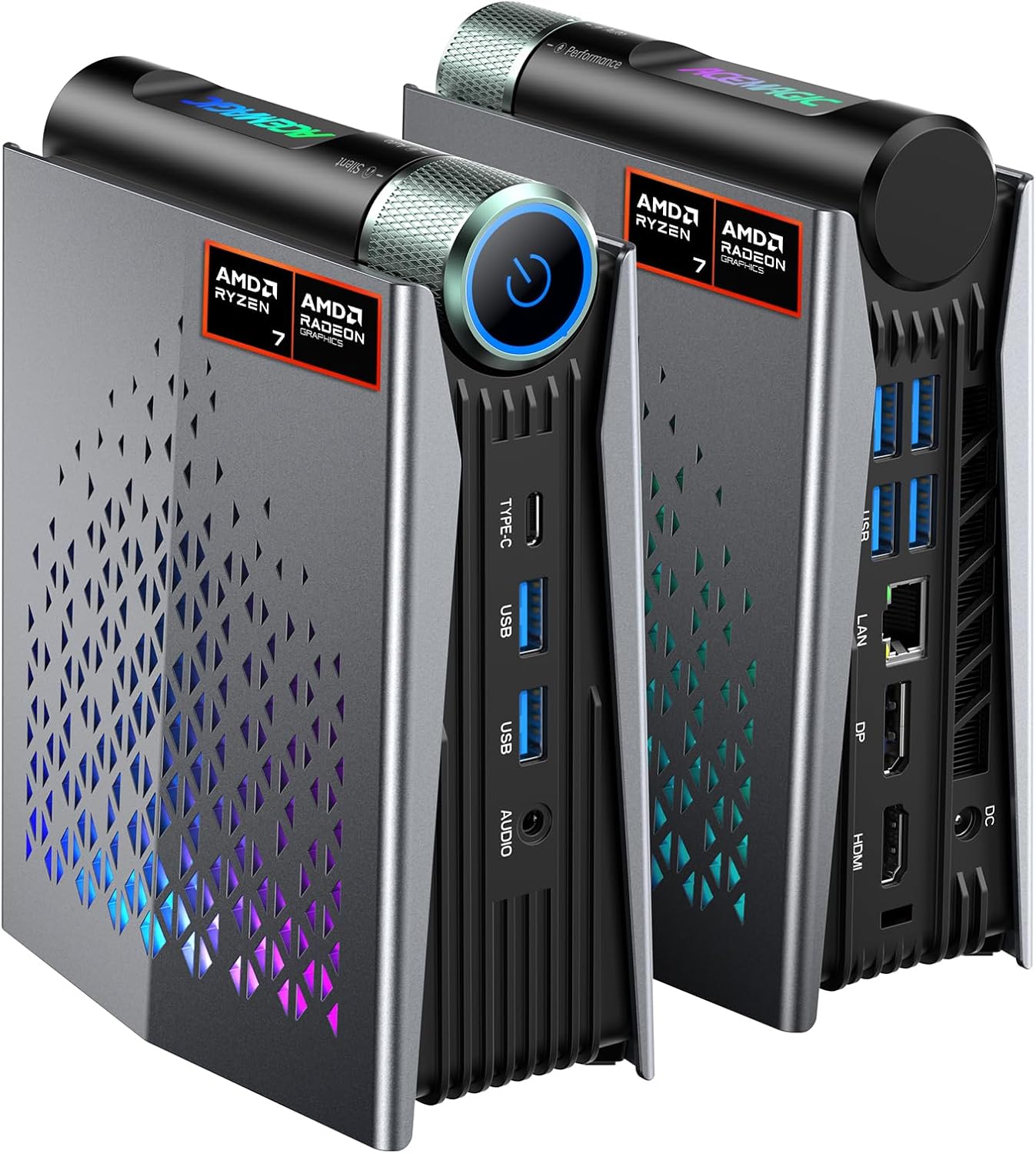
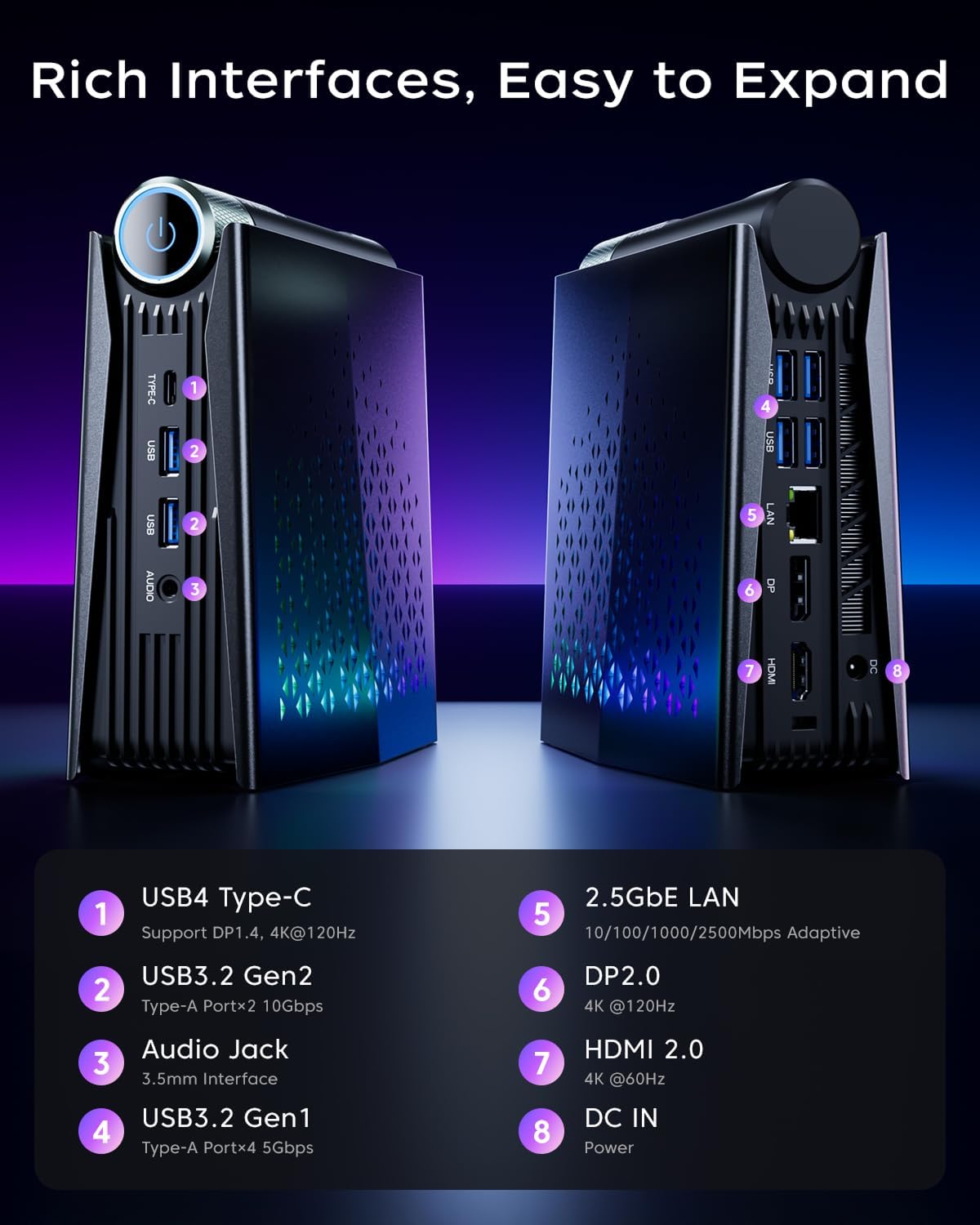
A notable feature is the tool-free top cover that provides quick access to PCIe slots, allowing upgrades without tools. The cooling system includes dual fans and upgraded cooling pipes, which is important in a compact form factor where heat can impact sustained performance. The overall footprint is small (roughly 3.06 x 5.89 x 7.42 inches), which helps it fit under desks or beside monitors in tight spaces. Connectivity is solid for a mini PC: HDMI, DisplayPort, a full-function USB-C, multiple USB 3.2 ports, LAN, audio, and a discrete power input. If you plan to drive three displays, this unit supports triple 4K output, which is a meaningful productivity boost for multitaskers and creatives.
Modes you’ll actually use
Three performance modes give you flexibility depending on your workload and noise tolerance: Silent (quiet operation for streaming or light work), Auto (balanced for everyday tasks), and Performance (maximum throughput for heavier workloads and graphics). If you value a quiet setup for video meetings or code work, Silent mode can be a real benefit. Performance mode will ramp up power to chase frames and faster renders, but it will draw more power and could raise fan noise.
What stands out in day-to-day use
In daily use, the S3A can feel like a competent mini workstation. It boots quickly thanks to NVMe storage, handles multitasking smoothly with 16GB RAM, and provides reasonable GPU capability through the Radeon 780M for light gaming or GPU-accelerated apps. The triple 4K output capability is a notable advantage for multi-monitor productivity, content creation, or data analysis dashboards. The inclusion of Windows 11 Pro aligns with business environments and features like bitLocker, Windows Defender, and enterprise management tools, which can matter if you’re coordinating devices for a small team.
Limitations and who should consider alternatives
It’s important to recognize that in pure CPU and GPU terms, this is a compact system aimed at a balance between space, cost, and performance. If you routinely render heavy 3D scenes, run extended video editing sessions, or crave top-tier gaming performance on ultrahigh settings, you may find higher-end desktops or discrete GPUs more suitable. Also, if you anticipate needing significantly more storage or RAM down the line, you’ll want to verify upgrade paths beyond the included 512GB NVMe and expansion options. In short, it’s a good fit for small offices, home studios, and general-purpose multi-tasking, but not a flagship workstation or premium gaming rig.
Before you buy: practical checks
- Confirm your display setup and ensure the triple 4K output aligns with your monitors.
- Consider your future storage needs, if you expect large media libraries, plan for expansion or external storage.
- Think about noise in your environment: Silent mode helps in quiet spaces, but heavy workloads in Performance mode will be louder.
- Verify software requirements for your specific workflows, especially GPU-accelerated tasks that may benefit from the Radeon 780M’s capabilities.
How it compares to basic alternatives
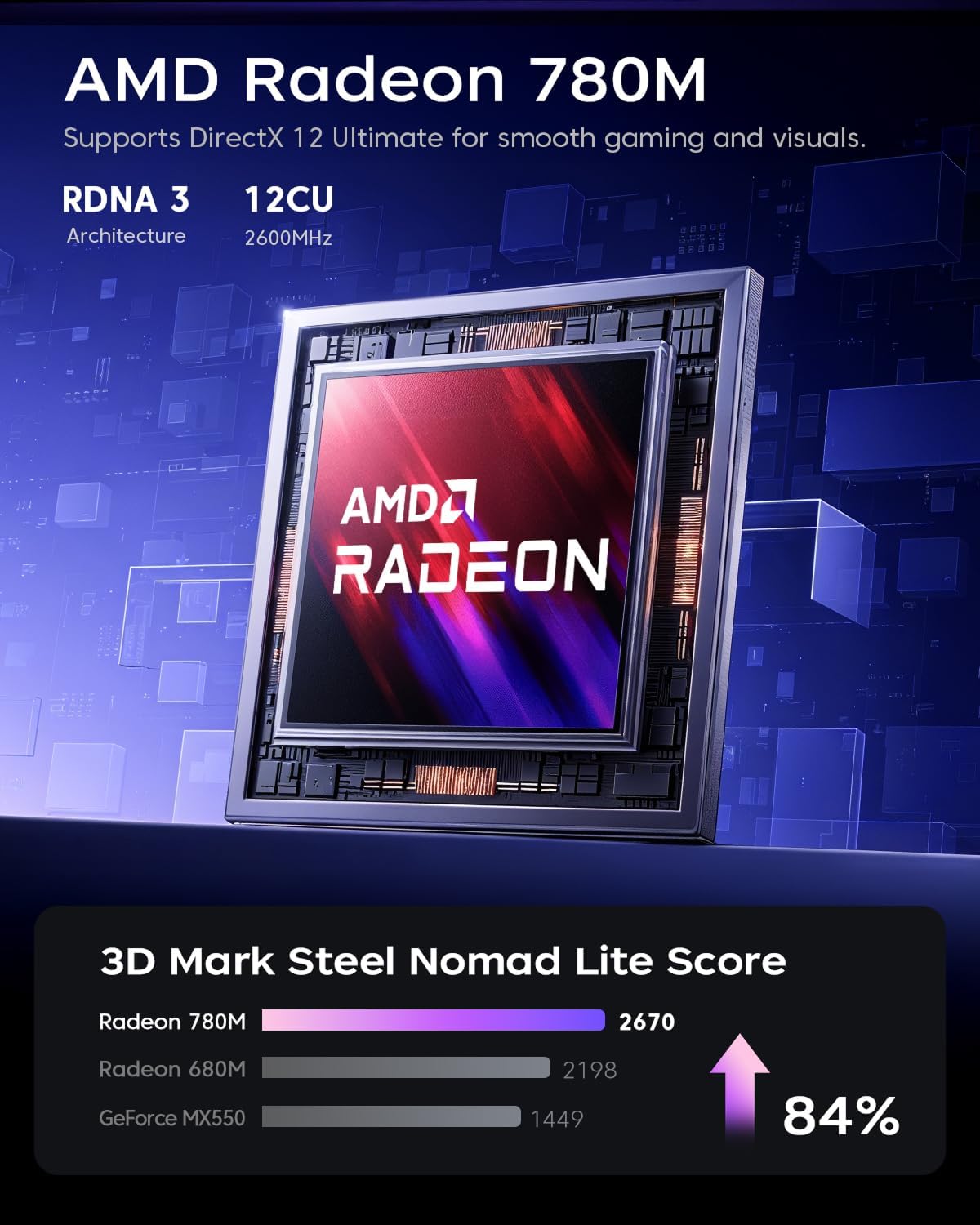
Compared with basic office mini PCs, the S3A offers stronger CPU/GPU integration for creative work and light gaming, plus built-in RGB for a modern aesthetics, which can be a plus if you want a compact machine that feels more capable out of the box. If you’re deciding between this and a more generic mini PC, the standout is the combination of 16GB LPDDR5, a PCIe 4.0 NVMe drive, and a gaming-friendly integrated GPU, which translates into snappier everyday performance and better multitasking headroom.
Why it makes sense for you
If you’re a remote worker, creator, or student who needs a compact, reasonably powerful PC with solid display flexibility and enterprise-friendly Windows 11 Pro, this model ticks several boxes without taking up much real estate. It’s particularly appealing if you want a single machine that can handle document work, light media editing, and a few demanding apps side-by-side across multiple screens.
Final decision: Is it worth it?
Is it worth it?
Should you buy it? It makes sense if you value space efficiency, a capable 8-core/16-thread CPU, strong integrated graphics, and flexible display options for a small office or home setup. It may not be the best pick if you need maximum gaming power or plan heavy, long-duration editing sessions on the regular. This is a balanced, compact option for those who want a versatile desktop that can scale with modest upgrades and a multi-monitor workflow.
FAQ
- Can I upgrade RAM and storage easily? The top-cover is tool-free for quick access to slots, but check the exact upgrade path and compatibility.
- How noisy is it in practice? In Silent mode it aims for low noise, butPerformance mode will increase fan activity under heavy load.
- Will it drive three 4K displays reliably? Yes, it supports triple 4K output, which is useful for multitasking and immersive setups.
Decision point
Buying verdict: This is a solid choice if you need a compact Windows 11 Pro machine with strong CPU/GPU on board, multi-monitor capability, and straightforward upgradability for a home office or small business setup. If your work leans toward heavy 3D rendering or 4K editing as a daily routine, you may want to evaluate higher-end options. For light to moderate creative work, productivity, and multi-display productivity in a small footprint, the ACEMAGICIAN S3A offers measurable value.